
EooCoo Ergonomic Mouse Pad with Wrist Rest, Memory Foam Support Mousepad
4.6Editor score
Dense texture for precise tracking
Double-layer durable design
Non-slip PU base ensures stability
An armrest mouse pad is a specialized accessory designed to provide ergonomic support for your arm and wrist while using a computer mouse. These products help reduce strain and improve comfort during long hours of work or gaming by elevating your arm to a natural position.
We evaluated ten top-rated products based on user feedback, build quality, and ergonomic design features. Our comparison includes desk-mounted pads, chair-attached trays, and traditional wrist rests to cover various workspace needs and preferences.
Each pick highlights key features, pros, and cons to help you decide quickly. Note that product availability and pricing can change frequently, so verify details on the retailer site before finalizing your purchase decision today.
4.6Editor score
4.1Editor score

4.5Editor score
As an Amazon Associate we earn from qualifying purchases.
This side-by-side comparison summarizes the key specifications and features of all ten armrest mouse pads reviewed in this guide to help you make an informed choice.



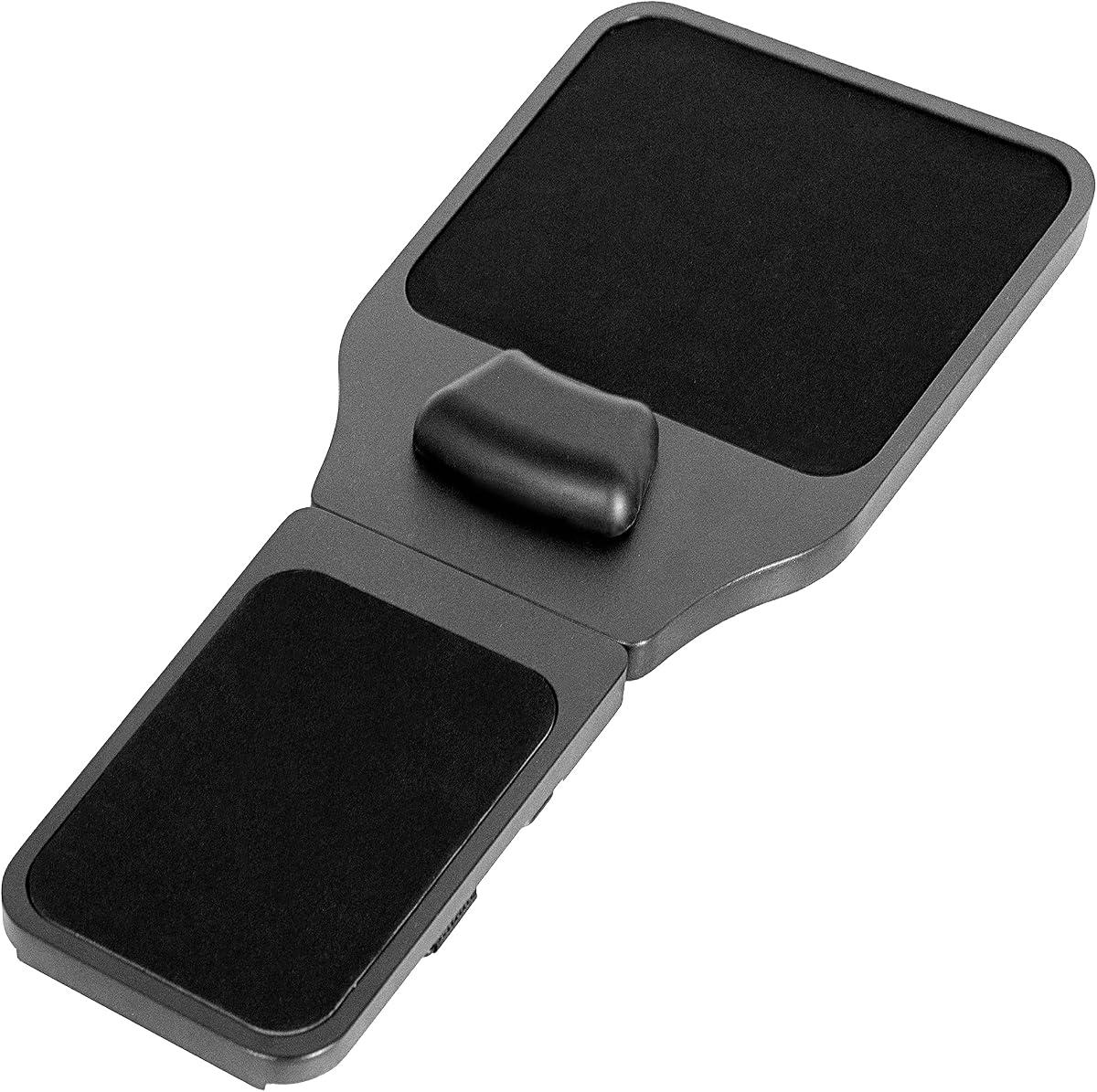
The VIVO Black Wooden Arm Rest Mouse Pad stands out as a versatile ergonomic solution for those who need arm support beyond a traditional desk. With a 4.1 rating from verified buyers, it offers a platform that attaches directly to your chair arm, freeing up desk space and improving posture during long sessions.
We may earn a commission when you buy through this link, at no additional cost to you.
Its standout quality is the adjustable design, which allows you to extend the platform from 19 inches to 21.8 inches to match your arm length precisely. The memory foam wrist padding ensures that your wrist stays elevated and comfortable, while the Velcro straps provide a secure fit to chairs with arms up to 11.8 inches in circumference. This model is particularly useful for users who want to keep their hands off the desk surface.
However, some users note that attaching the tray to the chair requires patience to ensure it sits level and does not slide during use. Additionally, the wooden surface might feel slightly hard compared to cloth options, though it adds a premium look. These trade-offs are acceptable given the unique chair-attached design that many other products cannot match.
We recommend this for anyone with a chair that has wide armrests and who wants to reduce wrist strain by resting their arm on a stable platform. It is an excellent upgrade for home offices where desk space is limited or for gamers who need ergonomic support during extended play.
The three Velcro straps ensure the platform stays fixed to your chair arm, preventing slips during active use.
Left or right-handed users can place the platform on either side of the chair for flexible support.
We may earn a commission when you buy through this link, at no additional cost to you.
The MROCO Ergonomic Mouse Pad delivers reliable comfort with its soft gel cushioning designed to reduce wrist strain. Users praise its 4.6 rating for the soothing support it provides during repetitive tasks. The Lycra fabric surface ensures smooth mouse movement while the non-skid PU base keeps the pad stable on your desk.
We may earn a commission when you buy through this link, at no additional cost to you.
Key strengths include the reinforced edges that prevent fraying and the silky-smooth surface that works with all mouse types. The ergonomic shape fits comfortably at your desk, and the gel pad remains non-sticky even after extended use. The 18-month after-sales service adds peace of mind for buyers.
Some users report that the gel may feel firmer after prolonged use, though it still offers better support than basic foam. There are also limited color options available in this model. These issues are minor compared to the overall value and comfort it provides for daily work.
This pad is ideal for office workers and gamers who need consistent wrist support without breaking the bank. Its durable construction and smooth tracking make it a practical choice for any desk setup.
The soft gel inside the wrist rest conforms to your hand shape to reduce pressure points.
Premium Lycra fabric offers a silky-smooth feel that ensures precise cursor control.
We may earn a commission when you buy through this link, at no additional cost to you.
This mouse pad is designed with an ergonomic sloped wrist rest that helps keep your hand at a natural angle. With a 4.5 rating, it is praised for its premium memory foam that molds to your wrist shape and rebounds quickly. The Lycra surface provides low-friction movement for accurate tracking.
We may earn a commission when you buy through this link, at no additional cost to you.
The non-slip PU base keeps the pad securely in place on glossy or wooden desks. Its size of 11.14 by 7.6 inches offers ample space for smooth mouse movement. Users appreciate the cushioned support that lets them stay productive throughout long work sessions.
The slope might feel unusual for users accustomed to flat pads, requiring a short adjustment period. The Lycra surface can attract dust and needs regular cleaning to maintain smoothness. These minor trade-offs do not detract from the overall comfort and functionality.
This option is great for students and professionals who spend hours at their desks. The memory foam support effectively reduces fatigue and promotes healthier hand positioning during computer use.
Premium memory foam molds to your wrist shape and maintains its form over time.
The silky Lycra top creates a low-friction surface that enhances tracking accuracy.
We may earn a commission when you buy through this link, at no additional cost to you.
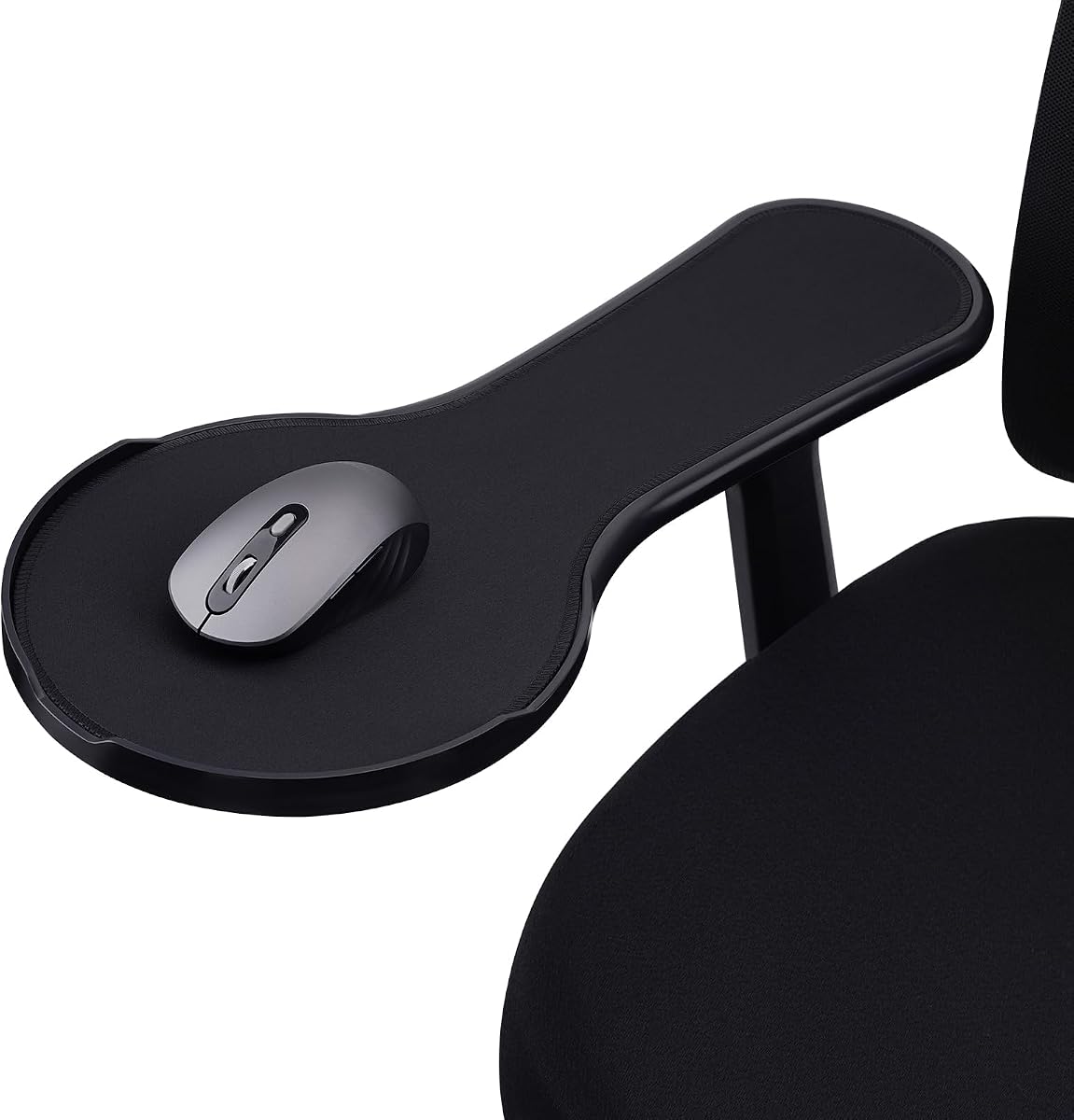
This chair-exclusive arm rest mouse pad transforms your chair into an efficient workstation with its sturdy ABS tray. The anti-fall baffle prevents your mouse from dropping off the edge, which is a key safety feature. It comes with two sizes of Velcro and zip ties to fit most armrests.
We may earn a commission when you buy through this link, at no additional cost to you.
The memory foam wrist cushion conforms to your wrists and relieves pressure effectively. Users appreciate the ample space for standard and gaming mice on the tray. The adjustable design allows you to turn your chair into an entertainment hub for comfortable extended use.
Installation may be tricky for some users to align the straps correctly. The tray is not designed for thin armrests, limiting compatibility with certain chairs. These issues are manageable with careful setup.
This model is perfect for gamers or users who want to rest their arms on the chair armrest rather than the desk. The anti-fall baffle adds a practical touch that prevents accidental drops.
The circular baffle on the tray edge prevents the mouse from sliding off during use.
Two sizes of Velcro plus zip ties ensure the pad fits most chair armrests.
We may earn a commission when you buy through this link, at no additional cost to you.
This ergonomic armrest mouse pad is designed for chair use only, offering a tray that supports your upper limbs. Made of ABS, it provides a solid platform for mouse movement. The adjustable design fits most chair armrests using two sizes of strap fasteners.
We may earn a commission when you buy through this link, at no additional cost to you.
Zip ties are included as backup to ensure a secure fit even if Velcro fails. Users find that it relaxes the upper limbs effectively, improving working conditions during long sessions. The tray is easy to install with instructions included in the package.
The pad requires a sturdy chair arm to hold the weight properly. Limited color choices might not match every office decor. These drawbacks are minor given the functional benefits.
Ideal for office workers who need a dedicated space for their mouse on the chair armrest. This tray helps maintain a consistent posture and reduces strain on the shoulders.
Zip ties are included as backup to ensure the pad stays fixed to the chair.
The adjustable tray fully supports the arms to relax the upper limbs.
We may earn a commission when you buy through this link, at no additional cost to you.
This mouse pad features a contoured wrist cushion designed to follow the natural curve of your wrist. With a 4.7 rating, it is highly praised for its soft gel that returns to its original shape after use. The rubber base provides a strong grip to keep the pad stable.
We may earn a commission when you buy through this link, at no additional cost to you.
The fabric top creates a responsive surface for easy mouse movement and consistent tracking. Available in artistic designs, it fits neatly into most workspaces. The compact size of 10.2 by 7.6 inches makes it portable for travel.
Some users with large hands may find the mouse movement area a bit limited. The artistic designs can vary in availability. These factors do not affect the core functionality of the support.
This pad suits creative workers who value design and comfort. The contoured shape effectively reduces wrist strain during browsing and clicking.
The contoured wrist cushion follows the natural curve of your wrist for steady support.
Artistic designs add personality to your desk while providing ergonomic support.
We may earn a commission when you buy through this link, at no additional cost to you.
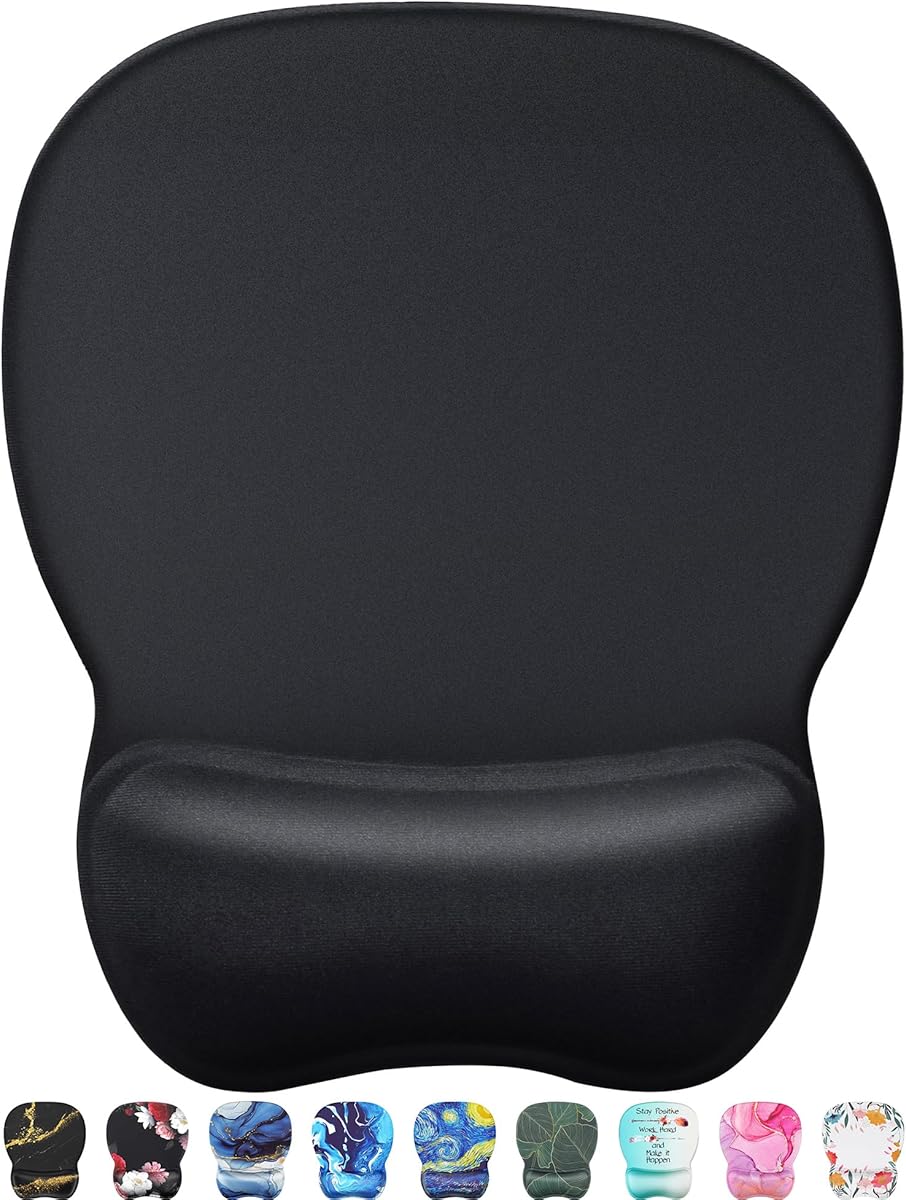
The EooCoo Ergonomic Mouse Pad is a budget-friendly option that does not compromise on comfort. It features memory foam to relieve pressure and a denser texture for precise mouse control. The double-layer design prevents wear and ensures durability.
We may earn a commission when you buy through this link, at no additional cost to you.
The rubber base prevents sliding during intense use, and the materials are non-toxic with an ROHS certificate. Users appreciate its suitability for both office work and gaming. The non-slip base ensures you can move freely without interruption.
The edge design is thin which might not appeal to everyone aesthetically. The look is basic compared to premium options. These are cosmetic issues rather than functional ones.
This is an excellent choice for students or those on a tight budget who need reliable wrist support. The dense texture ensures accurate tracking across all mouse types.
The texture is denser to make the pad track the mouse more accurately.
Made of environmentally friendly materials with ROHS certificate to ensure safety.
We may earn a commission when you buy through this link, at no additional cost to you.
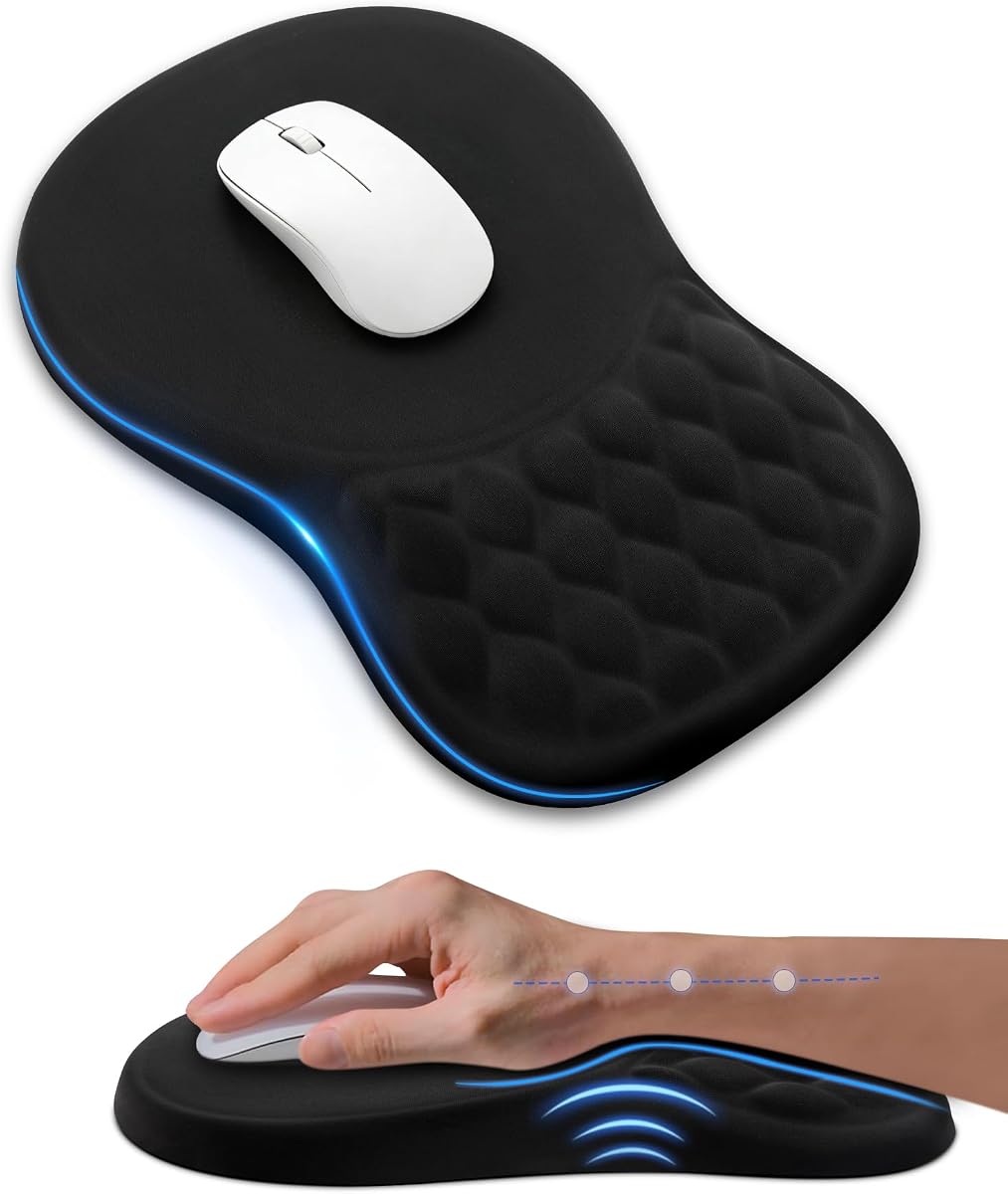
This ergonomic mouse pad stands out for its built-in massage beads that help reduce arm fatigue and improve air circulation. The 8-degree tilt is scientifically tested to provide optimal support for your palm and wrist. It is crafted with premium memory foam and fabric for durability.
We may earn a commission when you buy through this link, at no additional cost to you.
Users report that the massage beads refresh the hand and say goodbye to discomfort. The spacious 12 by 8 inches design offers ample room for mouse movement for both left and right-handed users. The non-slip PU base ensures stability during intense gaming sessions.
The massage beads might feel odd to some users not used to textured surfaces. The price point is higher than basic foam pads. These factors are acceptable given the unique features provided.
Ideal for users who suffer from hand fatigue and want added sensory support. The massage design offers a unique benefit that standard pads cannot match.
Built-in massage beads reduce arm fatigue and improve air circulation.
12 by 8 inches design offers ample room for mouse movement and flexibility.
We may earn a commission when you buy through this link, at no additional cost to you.
This mouse pad offers effective wrist support through memory foam and a waterproof surface coating that prevents damage from spills. The unique wave design on the rubber underside enhances friction to grip the desktop firmly. It is designed to reduce pain and prevent RSL syndrome.
We may earn a commission when you buy through this link, at no additional cost to you.
The silk processed surface helps your mouse get accurate tracking. The reinforced edges prevent deformation and damage. Users appreciate the 36-month warranty which is available upon registration.
The waterproof coating may wear over time if cleaned aggressively. The basic black color might not appeal to those seeking style. These trade-offs are small compared to the protection it offers.
Best for office environments where accidental spills are common. The waterproof feature ensures longevity and easy cleaning after use.
The waterproof mousepad coating prevents accidental damage from spilled liquid.
Unique wave design on the rubber underside lets the mouse pad grip the desktop firmly.
We may earn a commission when you buy through this link, at no additional cost to you.
This Duo Gel Mouse Pad is designed to match the natural curve of the wrist and hand for comfortable scrolling and clicking. The ventilation channel helps keep hands cool and dry during use. It has a soft finish that is easy to wipe clean.
We may earn a commission when you buy through this link, at no additional cost to you.
The duo-tone color combination adds a professional look to your desk. Users report that the gel pillow provides effective support for pain relief. The non-skid pad ensures stability on various desktop surfaces.
The gel may feel firmer over time as is common with gel products. There are limited color options available for this model. These issues do not detract from the ergonomic benefits.
Recommended for users who prefer gel support and value a clean and professional look. The ventilation feature keeps your wrist cool during long work hours.
Ventilation channel helps keep hands cool and dry during extended use.
Soft finish is easy to wipe clean after spills or daily dust.
We may earn a commission when you buy through this link, at no additional cost to you.
Selecting the right armrest mouse pad involves considering several factors to ensure ergonomic comfort and durability for your specific needs.
Look for pads that provide the correct angle for your wrist to maintain a neutral posture. This reduces strain on the carpal tunnel and helps prevent repetitive motion disorders. A good design should support the natural curve of your hand and wrist.
Prioritize models with memory foam or gel cushioning to distribute pressure evenly. This ensures long hours of use remain comfortable without numbness.
Determine whether you need a desk pad or a chair attachment. Chair-attached pads are ideal if you want to free up desk space while keeping your arms supported. Desk pads are simpler and suitable for standard workstations.
Ensure any straps or fasteners are strong and adjustable to fit your specific armrest size. Look for Velcro or zip ties that offer a secure fit without slipping.
Choose a surface that supports smooth and accurate mouse tracking. Fabric or Lycra tops are common for their low friction and comfortable feel. Some options offer waterproof coatings for easy maintenance and spill protection.
Avoid surfaces that are too rough or sticky as they can hinder cursor control. A consistent texture ensures reliable performance across different mouse types.
The base should grip your desk or armrest firmly to prevent the pad from sliding during use. Non-skid rubber or PU bases are standard for this purpose. A stable base ensures you can move your mouse without the pad shifting.
Check if the base adds height or weight that suits your desk or chair. A lighter base is better for portability while a heavier one adds stability.
Ensure the pad fits your mouse movement space and armrest dimensions. Larger pads offer more room for sweeping movements while compact ones suit tight desks. Consider the length and width to avoid crowding your workspace.
Measure your chair armrest circumference if buying a chair-mounted tray. Compatibility with your existing furniture is essential for a proper fit.
Look for reinforced edges to prevent fraying and extend the product lifespan. Double-layer construction often resists wear better than single-layer designs. Quality materials ensure the pad maintains its shape and support over time.
Check if the manufacturer offers a warranty for additional peace of mind. A longer warranty indicates confidence in the product's build quality.
Some pads include extra features like massage beads or ventilation channels for added comfort. These can enhance the experience for users who suffer from hand fatigue. Evaluate if these features add value to your specific use case.
Consider aesthetics such as color and design to match your workspace decor. While functionality is key, visual appeal can boost your overall satisfaction with the product.
Opt for surfaces that can be wiped clean easily if spills are a concern. Waterproof coatings or smooth fabrics simplify maintenance and prevent stains. A clean surface also improves tracking accuracy over time.
Avoid materials that absorb liquids or trap dust as they are harder to maintain. Regular cleaning ensures the pad remains hygienic and functional.
Install your armrest mouse pad by securing the straps or base firmly to your desk or chair armrest. Ensure the surface is level and stable before placing your hand on it. Adjust the height and position so your arm rests naturally without lifting your shoulders.
Clean the surface regularly with a soft cloth to remove dust and oils. For waterproof models, use a mild soap solution and dry thoroughly after cleaning. Avoid harsh chemicals that may damage the fabric or gel material over time.
Inspect the attachment points and base periodically to ensure they remain secure. Tighten any straps or reposition the pad if it begins to slide. Proper maintenance extends the life of the product and keeps your ergonomic benefits intact.
An armrest mouse pad is a specialized accessory designed to support your arm and wrist while using a computer mouse. It can be attached to a chair armrest or placed on a desk to provide ergonomic comfort and reduce strain during long sessions.
Most armrest mouse pads are designed to fit a wide range of chairs with standard armrests. Check the product specifications for the maximum armrest circumference to ensure compatibility with your specific chair model.
Both gel and foam cushions offer excellent support depending on personal preference. Gel tends to be firmer and retains its shape longer, while foam molds to your wrist shape for a customized feel. Choose based on your desired level of firmness.
Look for pads with non-slip rubber or PU bases that grip the surface firmly. Ensure the straps or attachment method are tight and secure. Proper installation and cleaning the base regularly also help maintain stability.
Yes, many armrest mouse pads are suitable for gaming with smooth surfaces that support accurate tracking. Look for models with durable materials and stable bases to handle intense movements without shifting.
It is recommended to clean the pad weekly to remove dust and oils that accumulate over time. Wipe the surface with a damp cloth and mild soap if needed. Allow it to dry completely before reuse.
Most models come with clear instructions and tools-free installation using straps or clips. The process usually takes just a few minutes. Ensure you align the straps properly for a secure fit on the armrest.
Select a size that matches your arm length and mouse movement space. Larger pads offer more freedom of movement while compact ones save space. Measure your chair armrest to ensure the pad fits snugly.
We reviewed ten top-rated armrest mouse pads ranging from chair-mounted trays to desk-friendly cushioned options. Each product offers unique features designed to improve ergonomic support and reduce wrist strain during daily computer use.
When choosing, prioritize factors like surface texture, attachment stability, and material durability. Consider whether you need a portable desk pad or a secure chair attachment that allows your hands to rest comfortably off the desk.
Remember that product availability and pricing change regularly, so verify current details before purchasing. Investing in the right support can improve productivity and comfort over the long term.