
CORSAIR Vengeance SODIMM DDR5 RAM
4.8Editor score
16GB single module
Up to 5600MHz
Easy installation process
Discover the top DDR5 Laptop RAM kits for 2026. This guide compares performance, compatibility, and reliability to help you choose the best memory upgrade for
Upgrading your laptop memory is one of the most effective ways to boost performance today. DDR5 technology offers faster speeds and better efficiency than previous generations. Choosing the right kit ensures smooth multitasking and faster load times for your daily tasks.
We have analyzed the leading options available on the market to bring you this comprehensive list. Our comparison focuses on speed, capacity, compatibility with major processors, and overall reliability. Each product was selected based on technical specifications and user feedback.
Every pick below highlights key features that matter most for modern laptops and workstations. You will find detailed reviews and specs to help you make an informed decision. Please note that availability and pricing may change over time so check current listings.
4.8Editor score

4.8Editor score

4.6Editor score
The following table provides a side-by-side view of all ten selected memory kits. It highlights key specifications like speed, capacity, and compatibility to help you compare options quickly.




This kit stands out as a top choice for users seeking significant performance upgrades. With a 32GB capacity and speeds up to 5600MHz it handles demanding workloads with ease. The product is backed by years of memory expertise ensuring reliability.
We may earn a commission when you buy through this link, at no additional cost to you.
Its compatibility with both Intel Core and AMD Ryzen 7000 Series processors makes it a versatile option. The support for Intel XMP 3.0 and AMD EXPO allows users to maximize potential. Testing at component levels ensures top performance in various scenarios.
While it is designed for specific DDR5 systems the downclocking features add flexibility. It works well across different voltage settings which helps with broader compatibility. The main trade-off is the requirement for a compatible motherboard slot.
If you need robust memory for gaming or professional work this kit is ideal. It offers the balance of speed and capacity needed for modern computing. We recommend checking your system compatibility before purchasing to ensure smooth operation.
The 32GB kit improves multitasking and responsiveness for smoother daily use.
High speeds help gain milliseconds in fast-paced gameplay and heavy workloads.
We may earn a commission when you buy through this link, at no additional cost to you.
This single 16GB module offers a cost-effective way to upgrade your laptop memory. It supports speeds up to 5600MHz which is excellent for a budget-friendly option. The design focuses on delivering faster frequencies and lower power consumption efficiently.
We may earn a commission when you buy through this link, at no additional cost to you.
Installation is straightforward as it uses the industry-standard SODIMM form factor. Most users only need a simple screwdriver to complete the process quickly. The memory automatically sets to maximum speed on compatible systems for better multitasking.
Performance depends on system components so checking compatibility is crucial. It works with a wide range of Intel and AMD laptops and NUC kits. The main limitation is the single module which might not maximize dual-channel potential.
For those looking to upgrade without spending a lot this is a strong pick. It balances speed and price well for casual users or entry-level professionals. We suggest verifying your motherboard support before finalizing your purchase.
Faster frequencies help tackle demanding tasks and games with ease.
Simple setup requires just a screwdriver for most laptops today.
We may earn a commission when you buy through this link, at no additional cost to you.
This 32GB kit delivers powerful multitasking with a new structural composition. It operates at 5600MHz which ensures faster performance than standard options. The inclusion of on-die ECC adds stability for critical tasks and data integrity.
We may earn a commission when you buy through this link, at no additional cost to you.
The energy-efficient 1.1V working voltage helps conserve power in laptops. This is beneficial for battery life while maintaining high throughput. Users appreciate the lifetime warranty which provides long-term peace of mind.
While the warranty is listed as lifetime checking the official website is advised. Specifications might vary slightly so official sources are the final reference. The premium price reflects the high-speed and stability features offered.
If you need reliable memory for professional work this kit is an excellent choice. The balance of speed and stability suits demanding environments. We recommend checking the latest warranty details on the manufacturer site.
New structural composition delivers better performance at 5600MHz.
Low 1.1V voltage helps save power during heavy workloads.
We may earn a commission when you buy through this link, at no additional cost to you.
GIGASTONE offers a reliable 32GB kit specifically for DDR5 laptops and notebooks. It delivers speeds up to 5600MHz which is ideal for high-performance needs. The PMIC feature ensures more power efficiency during operation.
We may earn a commission when you buy through this link, at no additional cost to you.
This unbuffered non-ECC design fits standard SODIMM slots. It targets AIO computers and laptops that support this memory type. The voltage is set at 1.1V to balance performance and power usage.
The main constraint is that it only works with DDR5 systems. Users should verify their laptop supports this specific memory standard. The brand provides a solid option for those needing capacity.
This kit is a good fit for users needing stable high-speed memory. It balances technical specs with practical usability. We suggest checking compatibility lists before installation.
32GB kit supports demanding tasks and multitasking needs.
Power management integrated circuit improves efficiency.
We may earn a commission when you buy through this link, at no additional cost to you.
G.SKILL delivers a 32GB kit with low CL40 latency for quick responses. It supports speeds up to 5600MT/s which enhances overall system performance. The kit includes JEDEC default and XMP 3.0 profiles for flexibility.
We may earn a commission when you buy through this link, at no additional cost to you.
It is designed for laptops and notebooks with 262-pin slots. Mixing memory kits is not recommended as it causes instability. Booting defaults to JEDEC speed on compatible hardware without extra configuration.
Users should check the QVL or RAM Configurator for compatibility. This ensures the memory works with their specific motherboard hardware. The main limitation is the need for BIOS tweaks for max speed.
This kit suits users who value low latency and high bandwidth. It is a solid choice for competitive gaming or content creation. Verify your system compatibility before finalizing your purchase.
CL40 timing helps reduce delays during active use.
JEDEC and XMP 3.0 profiles allow easy tuning.
We may earn a commission when you buy through this link, at no additional cost to you.
This 32GB Vengeance kit focuses on broad compatibility with Intel and AMD systems. It delivers up to 5600MHz speeds and C48 timing for solid performance. The simple installation process makes it user-friendly for most laptops.
We may earn a commission when you buy through this link, at no additional cost to you.
Memory loads automatically to maximum speed on supported systems. This reduces setup effort while maintaining better multitasking. It works with many laptops and NUC kits effectively.
Performance depends on motherboard and CPU capabilities. Users may need to adjust settings for the absolute max speed. The 32GB capacity is great for heavy workloads and multitasking.
This kit is a strong contender for general upgrades. It balances performance with ease of use. We recommend checking your system specs before buying.
Higher frequencies help tackle demanding tasks quickly.
Industry-standard form factor works with many systems.
We may earn a commission when you buy through this link, at no additional cost to you.
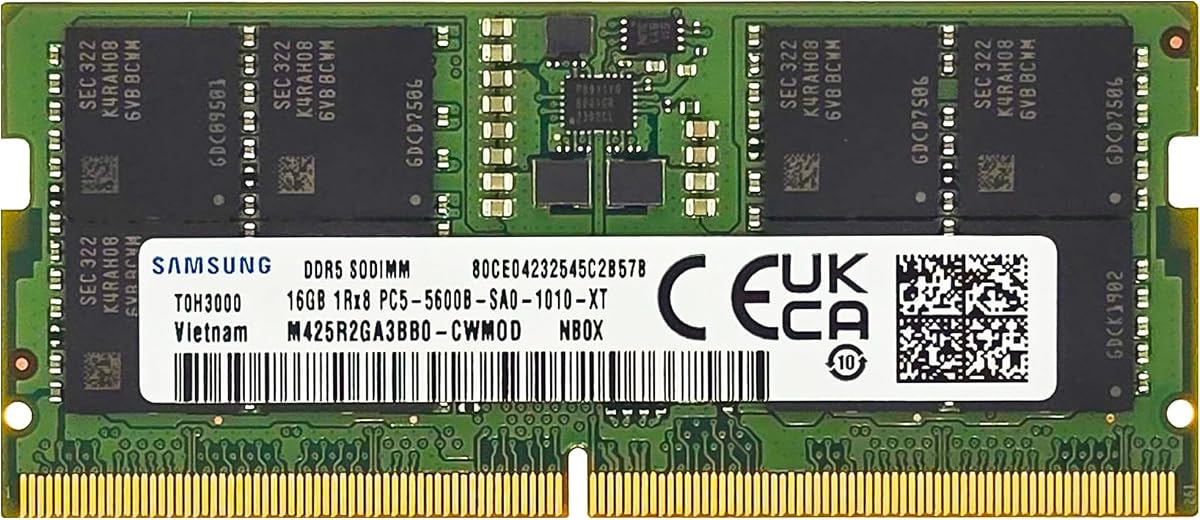
Samsung provides a reliable 16GB module with 5600MHz speeds. It uses CL46 timing and JEDEC DDR5 standard for stability. The single rank design helps maintain efficiency in compatible laptops.
We may earn a commission when you buy through this link, at no additional cost to you.
It expands system memory to increase workload capacity. It works well to reduce bottlenecks in select notebooks. The 1.1V voltage ensures standard power usage.
This module is a good fit for adding to existing setups. However a single stick might not utilize dual-channel fully. Users may need to add a matching module for max performance.
For a single upgrade this kit offers solid reliability. It is suited for light to moderate multitasking. We suggest checking your laptop compatibility before buying.
Memory expansion improves performance and increases capacity.
High speeds help avoid system slowdowns during use.
We may earn a commission when you buy through this link, at no additional cost to you.
Samsung offers a 32GB kit with two 16GB modules for full capacity. It supports 5600MHz speeds with CL46 timing for reliability. The single rank design helps maintain efficiency in compatible systems.
We may earn a commission when you buy through this link, at no additional cost to you.
It expands system resources to handle larger workloads. It works for select laptops and all-in-one computers effectively. The 1.1V voltage is standard for DDR5 efficiency.
The kit is a good fit for high-capacity needs. Users should check for exact part number substitution before buying. The rating is not shown so verify recent feedback first.
This kit suits those needing serious memory capacity. It is a solid choice for professional multitasking. We recommend checking current availability and specs.
32GB total expands available system memory resources.
Fits select laptops and all-in-one computer models.
We may earn a commission when you buy through this link, at no additional cost to you.
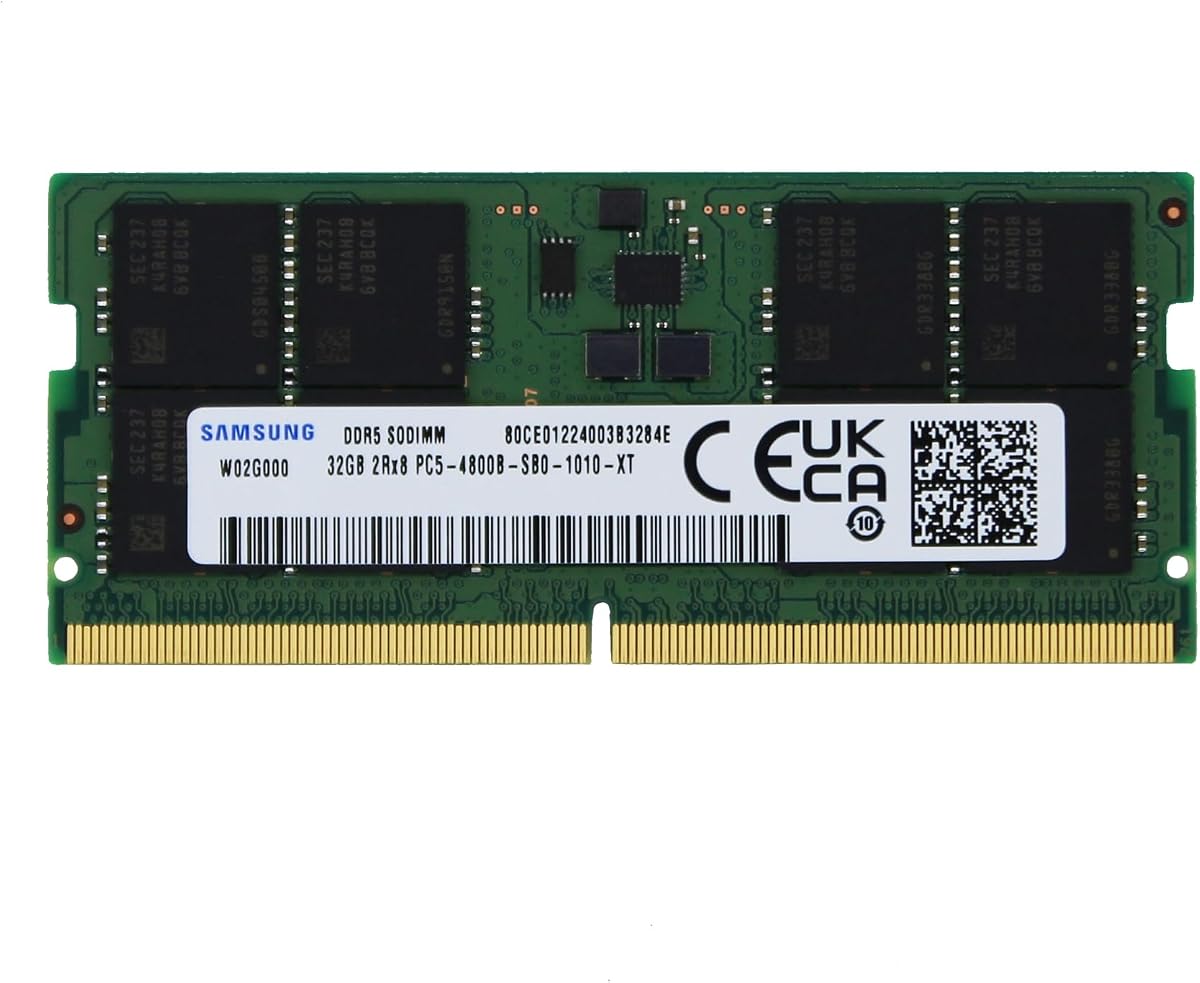
This 32GB single module provides high capacity in one stick. It runs at 4800MHz with CL40 timing which is fast. The dual rank design helps with data efficiency in some systems.
We may earn a commission when you buy through this link, at no additional cost to you.
It expands available resources to handle large tasks. It works for select laptops and all-in-one computers well. The 1.1V voltage ensures standard power usage.
The 5.0 rating indicates high user satisfaction. This makes it a trusted choice for those needing a big single stick. The speed is lower than 5600MHz options but stability is strong.
This kit is great for single slot upgrades. We recommend checking your laptop slot limits for dual rank. Verify exact compatibility before finalizing your purchase.
32GB single module increases memory with one stick.
Dual rank helps improve performance in compatible setups.
We may earn a commission when you buy through this link, at no additional cost to you.
Samsung delivers a 16GB kit with two 8GB modules for flexibility. It runs at 5600MHz speeds which is excellent for entry. The 1Rx16 design helps maintain efficiency in compatible slots.
We may earn a commission when you buy through this link, at no additional cost to you.
It is a genuine Samsung part with standard specifications. It fits select DDR5 laptops and all-in-one systems well. The 1.1V voltage is standard for DDR5 power needs.
The kit is a good fit for basic upgrades. Users should check for exact part number substitution before buying. The rating is not shown so verify recent feedback first.
This kit suits those needing moderate memory on a budget. It is a solid choice for general use. We recommend checking current availability and specs.
Two 8GB sticks offer dual-channel potential.
Authentic DDR5 memory with standard specs.
We may earn a commission when you buy through this link, at no additional cost to you.
Selecting the right memory involves understanding several technical factors that impact performance and compatibility.
Look for kits with speeds of 4800MHz or higher for modern laptops. Faster frequencies help reduce latency and improve throughput during heavy tasks.
Prioritize higher MHz numbers like 5600MHz for the best performance boost.
Determine if you need 16GB or 32GB based on your workloads. 16GB is often enough for general tasks while 32GB suits heavy multitasking.
Choose a kit that matches your typical application usage and future needs.
Ensure your laptop has DDR5 slots and supports the specific rank type. Check your motherboard specs for SODIMM form factor and pin count.
Always verify your system supports DDR5 before purchasing any kit.
Standard DDR5 voltage is 1.1V which helps conserve power. Lower voltage is key for battery life in mobile devices.
Opt for kits that stick to standard voltage for stability and heat.
Most laptops use Non-ECC memory but some enterprise systems need ECC. On-die ECC can help stabilize data without full error correction.
Check if your system requires ECC for data integrity or reliability.
Using two matching modules enables dual-channel bandwidth for better throughput. A 2x16GB kit usually outperforms a single 32GB stick.
Select matched kits to maximize memory bandwidth on your laptop.
Lower CAS Latency numbers mean quicker access to stored data. Compare CL40 vs CL46 for small differences in response times.
Lower CL ratings help improve performance in latency-sensitive tasks.
Manufacturers like Samsung and Crucial offer strong warranties. Check if the warranty covers the specific module type you buy.
Prioritize brands with clear warranty terms for peace of mind.
Before installing your new DDR5 RAM ensure your laptop is powered off and unplugged. Discharge static electricity by touching a grounded metal object or using an anti-static wrist strap to protect the components.
Open the laptop case according to the manufacturer instructions to access the memory slots. Align the notches on the SODIMM module with the slot keys and press down evenly until the clips lock the module in place.
After installation power on your laptop and check the system settings to confirm the new capacity is recognized. Update your BIOS if needed to enable XMP profiles or ensure correct voltage settings are applied.
No, DDR5 RAM is not backward compatible with DDR4 slots. The physical notches and pin layouts differ so they cannot fit together. You must check your laptop supports DDR5 before buying a new kit.
For most games 16GB is sufficient but 32GB helps with modded games or multitasking. It reduces stuttering when running background apps while playing. This extra headroom benefits creators more than average gamers.
Check your laptop model specs on the manufacturer website or use system info tools. Look for mentions of 13th Gen Intel or Ryzen 7000 Series processors. These platforms typically support DDR5 memory modules.
XMP 3.0 lets you run memory at advertised speeds instead of default rates. It is not always required but helps maximize potential in supported systems. Your laptop BIOS must support it to enable the profile.
Mixing different kits often causes instability or reduces performance. It is better to use matched pairs sold together. Mixing speeds or timings can lead to system crashes or boot failures.
Video editors benefit most from 32GB or more DDR5 RAM. Look for kits with 5600MHz speeds for faster rendering. Ensure your laptop can handle the capacity and power draw needed.
Installing two sticks enables dual-channel mode which increases bandwidth. If your laptop has two slots a 2x16GB kit is usually best. If it has one slot a single 32GB module works fine.
DDR5 RAM typically lasts as long as the system itself. It has no moving parts and is highly durable. Warranty periods often cover it for several years against defects.
We have explored ten top kits ranging from budget options to high-performance models. Our choices balance speed capacity and reliability to suit various needs. The Crucial and Samsung options stand out for general upgrades.
When choosing prioritize compatibility with your CPU and motherboard to avoid issues. A 32GB kit is ideal for heavy workloads while 16GB works for light use. Check your laptop slots before finalizing your purchase.
Prices and availability change over time so verify current listings before buying. This guide helps you narrow down options for a faster smoother laptop. Keep checking specs to ensure the best fit.