
ASUS NUC 15 Pro Barebone Kit
5.0Editor score
Intel Core Ultra 5 225H
Wi Fi 7 Connectivity
Four 4K Display Support
This guide compares the top ten barebone mini pc models for 2026 evaluating performance cooling and connectivity to help you choose the right compact desktop
Choosing a barebone mini pc allows you to build a custom desktop tailored to your exact needs without the bloat of pre installed configurations.
We analyzed ten leading models focusing on processor power thermal design and expansion options to find the most versatile small form factor systems available today.
Each pick highlights key strengths and trade offs while noting that stock levels and pricing fluctuate frequently across major online retailers.
5.0Editor score

4.0Editor score

4.2Editor score
The following table provides a side by side overview of key specifications and features across all ten barebone mini pc models reviewed in this guide.


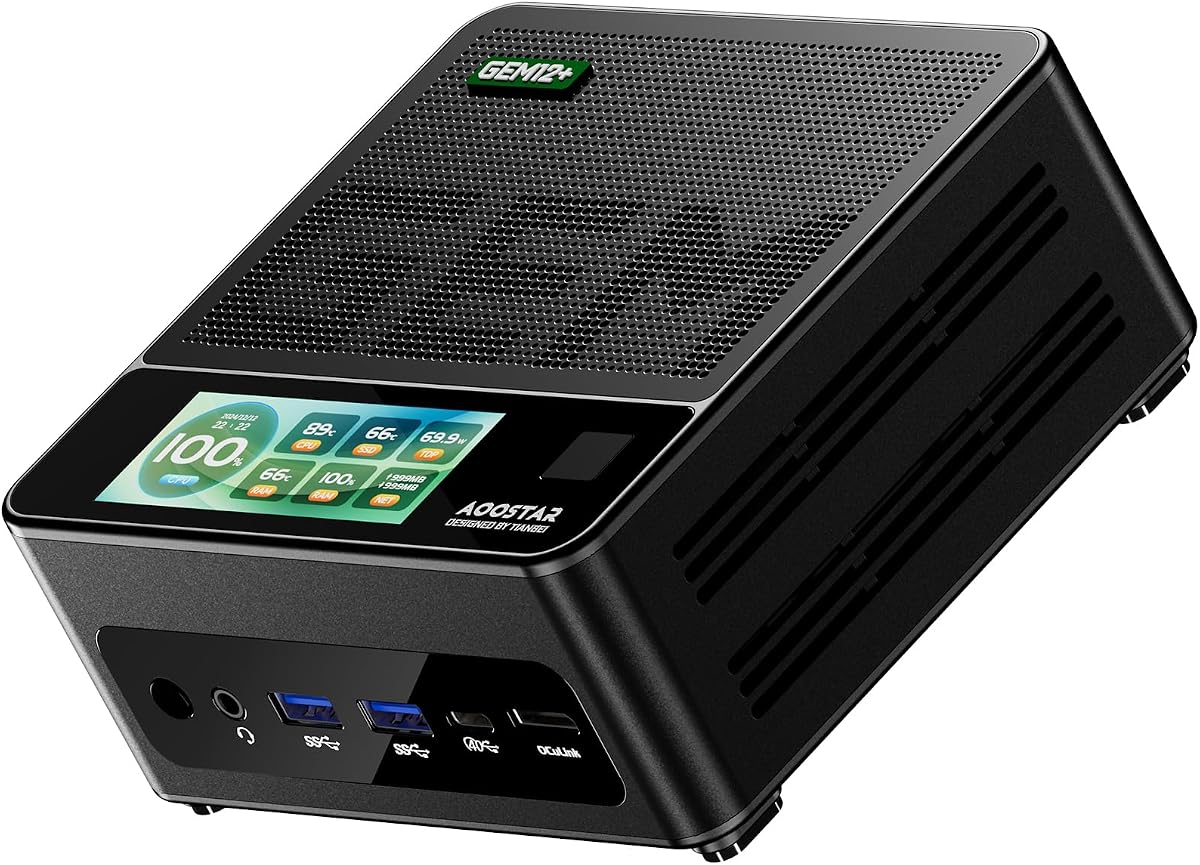

The AOOSTAR MACO earns our Editor's Choice badge by balancing high end Ryzen 7 performance with versatile connectivity like OCuLink and dual USB4.
We may earn a commission when you buy through this link, at no additional cost to you.
Its eight core sixteen thread architecture paired with Radeon 780M graphics handles heavy multitasking and gaming while the VC heat spreader keeps temps low.
Buyers should note the barebone nature requires separate RAM and SSD purchases and the fingerprint unlock is a useful but optional feature.
This system is ideal for creators and gamers seeking a compact desktop with room to grow via external GPU and storage expansions.
The Ryzen 7 PRO 8845HS delivers up to 5.1GHz boost speeds for demanding workflows without sacrificing energy efficiency.
Dual USB4 ports and an OCuLink port enable fast data transfers and external GPU connections with minimal latency.
We may earn a commission when you buy through this link, at no additional cost to you.
ASUS NUC 15 Pro stands out with the latest Series 2 Intel Core Ultra 5 processor and Wi Fi 7 connectivity for top tier performance.
We may earn a commission when you buy through this link, at no additional cost to you.
Its tool less design and MIL STD 810H certification promise durability while supporting up to four 4K displays for pro workstations.
The higher price point and Intel only compatibility are trade offs for those needing enterprise grade reliability and cutting edge features.
This kit is perfect for professionals who want a compact powerful workstation with future proof connectivity and display flexibility.
Wi Fi 7 delivers faster transfer rates and better range compared to previous Wi Fi standards.
Tool less chassis allows quick upgrades without specialized tools saving time and effort.
We may earn a commission when you buy through this link, at no additional cost to you.
The ASRock DeskMini X300 delivers exceptional value with its tiny 1.92L footprint and support for a wide range of budget friendly AMD CPUs.
We may earn a commission when you buy through this link, at no additional cost to you.
Triple display output and 2.5G LAN make it useful for office and server tasks despite being limited to DDR4 memory.
Buyers must provide their own Wi Fi module and DDR4 RAM which adds to the base cost but keeps entry price low.
This model is best for tight spaces or home labs where cost efficiency and physical size are top priorities.
At just 1.92 liters this mini pc fits easily behind monitors or on small desks.
Supports Ryzen 2000 through 5000 series offering upgrade paths without changing the motherboard.
We may earn a commission when you buy through this link, at no additional cost to you.
MINISFORUM X1 Lite 255 brings solid Ryzen 7 power and OCuLink support in a compact chassis suited for gaming and creative work.
We may earn a commission when you buy through this link, at no additional cost to you.
DDR5 memory and triple display output help multitasking while the PCM phase change cooling keeps performance steady under load.
The OCuLink port is non hot swappable and needs an adapter plate which complicates external GPU use slightly.
This mini pc works well for users wanting powerful integrated graphics with room to upgrade storage and GPU later.
PCM phase change material in the CPU fan ensures smooth performance during extended use.
Full blood USB4 supports 40Gbps data transfers and PD power input for flexibility.
We may earn a commission when you buy through this link, at no additional cost to you.
ASRock DeskMeet X300 offers a desktop replacement experience with a full PCIe slot and included 500W PSU for powerful builds.
We may earn a commission when you buy through this link, at no additional cost to you.
Support for Ryzen 5000 CPUs and multiple M.2 slots provide upgrade flexibility within a small eight liter chassis.
Its size exceeds ultra compact options and uses older DDR4 and PCIe 3.0 standards which may limit peak performance.
This kit suits users wanting a quiet powerful system without needing to source a separate power supply unit.
The 500W PSU simplifies setup and ensures stable power for higher end components.
PCIe 3.0 x16 slot supports add on cards like capture devices or dedicated GPUs.
We may earn a commission when you buy through this link, at no additional cost to you.
AOOSTAR GEM12+ features a dedicated OCuLink port independent of M.2 slots enabling high performance external GPU setups.
We may earn a commission when you buy through this link, at no additional cost to you.
Vapor chamber cooling and energy efficient architecture help sustain performance during long gaming or rendering sessions.
The barebone nature and OCuLink limitations mean extra planning for storage and GPU connections before purchase.
This model is a strong pick for gamers seeking powerful integrated graphics and eGPU readiness in a small form factor.
The OCuLink port operates on an independent channel avoiding storage slot conflicts.
Supports four 4K displays simultaneously ideal for multitasking and creative workflows.
We may earn a commission when you buy through this link, at no additional cost to you.
This variant offers the top tier Core Ultra 7 255H processor for maximum AI and processing performance in the NUC series.
We may earn a commission when you buy through this link, at no additional cost to you.
Intel Arc 140T graphics and Wi Fi 7 ensure smooth media and networking while maintaining the robust build of the 15 Pro.
Buyers face premium pricing and limited flexibility outside Intel components but gain best in class performance.
Choose this for high end workstation needs where speed and reliability outweigh budget concerns.
Series 2 Core Ultra 7 delivers enhanced AI tasks and faster general processing speeds.
Connect up to four 4K displays for immersive or professional multi monitor setups.
We may earn a commission when you buy through this link, at no additional cost to you.
AOOSTAR GEM12+ PRO adds fingerprint recognition for quick secure access alongside the powerful Ryzen 7 PRO 8845HS CPU.
We may earn a commission when you buy through this link, at no additional cost to you.
OCuLink support and vapor chamber cooling deliver gaming performance while the customizable display aids monitoring.
The lack of pre installed OS means initial setup time which may deter less technical buyers.
This model fits security conscious users needing a compact high performance desktop for home or business.
Fingerprint recognition simplifies login and enhances security for sensitive data.
Vapor chamber dissipates heat efficiently to maintain speeds under load.
We may earn a commission when you buy through this link, at no additional cost to you.
This Core Ultra 5 variant offers a more accessible price point while still delivering Wi Fi 7 and quad display support.
We may earn a commission when you buy through this link, at no additional cost to you.
Arc 130T graphics handle casual gaming and creative work with solid efficiency and low power draw.
Like the higher end model it lacks pre installed components requiring DIY assembly for full functionality.
Ideal for users wanting premium features without the top price tag in the NUC 15 Pro series.
Core Ultra 5 provides strong multi-threaded performance suitable for everyday high end tasks.
Eco-friendly packaging and energy efficient components reduce environmental impact.
We may earn a commission when you buy through this link, at no additional cost to you.
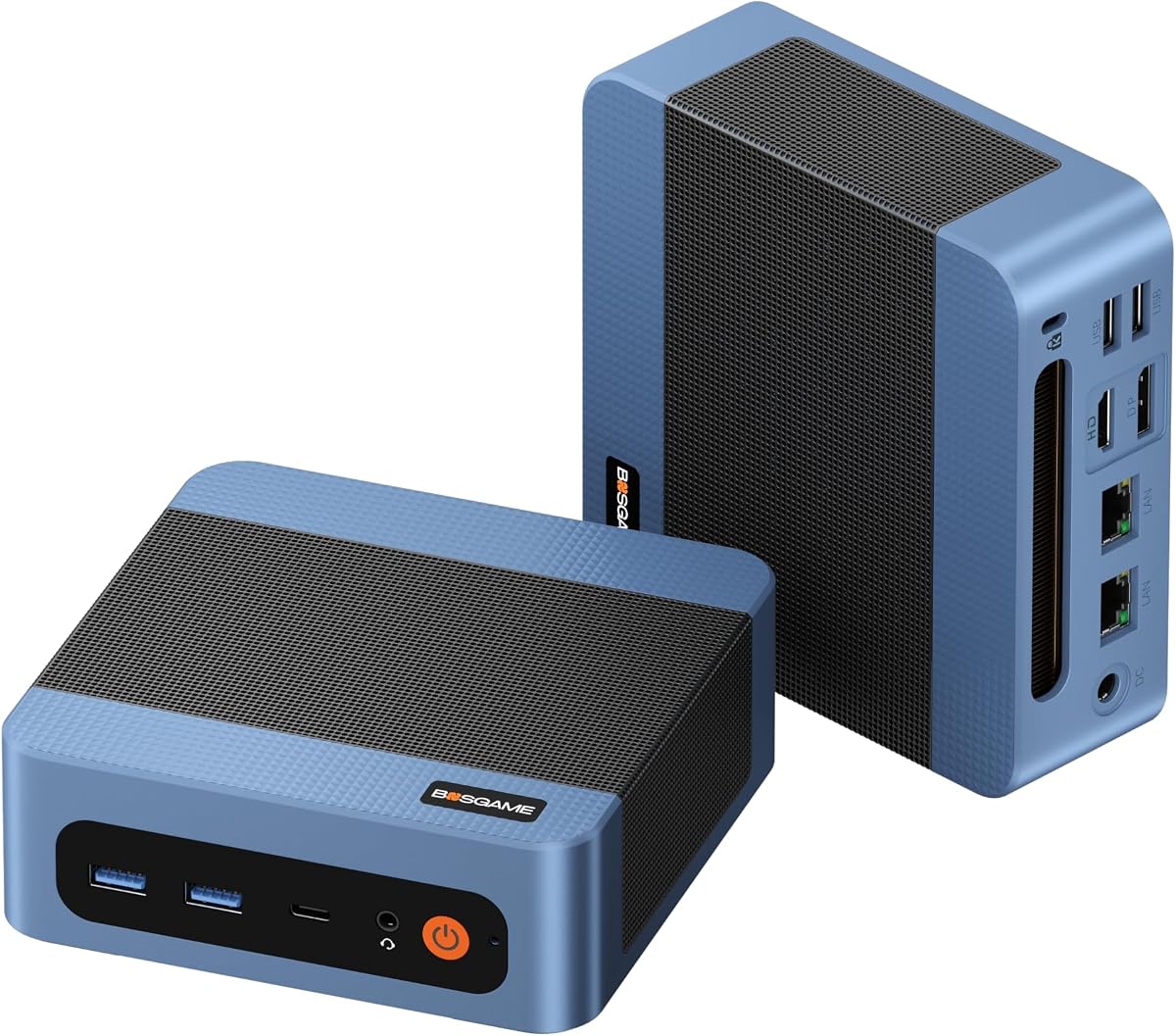
BOSGAME E5 11 Pro stands out by including Windows 11 Pro and dual 2.5G LAN ports out of the box for ready use.
We may earn a commission when you buy through this link, at no additional cost to you.
Ryzen 3 5300U and DDR4 memory suit office tasks while Type-C and triple display options support productivity.
Its performance is modest compared to Ryzen 7 options but acceptable for browsing and document work.
This system is ideal for businesses needing affordable plug and play PCs with strong connectivity.
Pre-installed Windows 11 Pro means no extra OS purchase or activation steps.
Dual 2.5G LAN ports enable router or NAS functionality for advanced users.
We may earn a commission when you buy through this link, at no additional cost to you.
Selecting the right barebone mini pc requires understanding processor options memory support and connectivity features to match your intended use cases.
Processor choice determines overall speed and ability to handle multitasking gaming or creative software so look for multi core options like Ryzen 7 or Intel Core Ultra.
Prioritize CPUs with high boost clocks and AI capabilities if you plan on heavy workloads or future proofing.
Ensure the system supports your desired RAM capacity and type such as DDR5 for speed or DDR4 for savings while checking number of slots.
Look for multiple M.2 slots for storage expansion since barebone units often require you to supply drives separately.
Verify presence of USB4 Thunderbolt or OCuLink ports if you need external GPUs or fast data transfers.
Multiple display outputs and LAN ports are essential for multi-monitor setups or network advanced uses.
Compact systems rely on efficient cooling so vapor chambers or advanced fan designs prevent throttling during sustained loads.
Check reviews or thermal data to confirm stable temperatures without excessive noise.
Some kits include a PSU which simplifies build but others require external adapters so check what is in the box.
Efficient power design reduces energy bills and heat output in small spaces.
Tool less chassis and accessible slots allow easy upgrades for RAM storage or wireless modules over time.
Choose models with clear upgrade paths to extend the system lifespan.
Most barebone units ship without OS so factor in cost of Windows or Linux when budgeting your purchase.
Some include OS licenses which saves money and setup effort.
Reliable warranty support and customer service protect your investment especially for DIY builds.
Look for at least three years of coverage for peace of mind.
Start by installing compatible RAM and SSD modules following the manufacturer manual before connecting power and displays.
After powering on install your preferred operating system and drivers to ensure full hardware performance.
Keep the mini pc in a well ventilated area and clean dust filters regularly to maintain optimal cooling.
You typically need to purchase compatible RAM modules and an SSD separately unless stated otherwise in the product description. You will also need a compatible operating system license if not included.
Many models include OCuLink or Thunderbolt ports that support external GPU enclosures enabling higher graphics performance. Check the specific product specs for eGPU compatibility before buying.
Most barebone kits do not include an operating system so you must purchase and install Windows or Linux separately unless noted otherwise in the product listing.
Memory support varies by model but many recent units accept up to 128GB DDR5 or DDR4 depending on slots and chipset compatibility.
High end barebone mini PCs with powerful integrated graphics and OCuLink support can handle modern gaming especially with external GPU additions.
OCuLink offers faster bandwidth and lower latency for external GPU connections but requires a dedicated port whereas Thunderbolt is more universal but slightly slower.
The AOOSTAR MACO ASUS NUC 15 Pro and ASRock DeskMini X300 lead our picks by balancing performance features and value for different user needs.
Focus on processor power cooling quality and port selection when comparing models to match your specific workflow requirements and upgrade plans.
Prices and stock fluctuate so verify availability and current listings before finalizing your purchase decision.