
8-in-1 External Blu-ray Drive
4.2Editor score
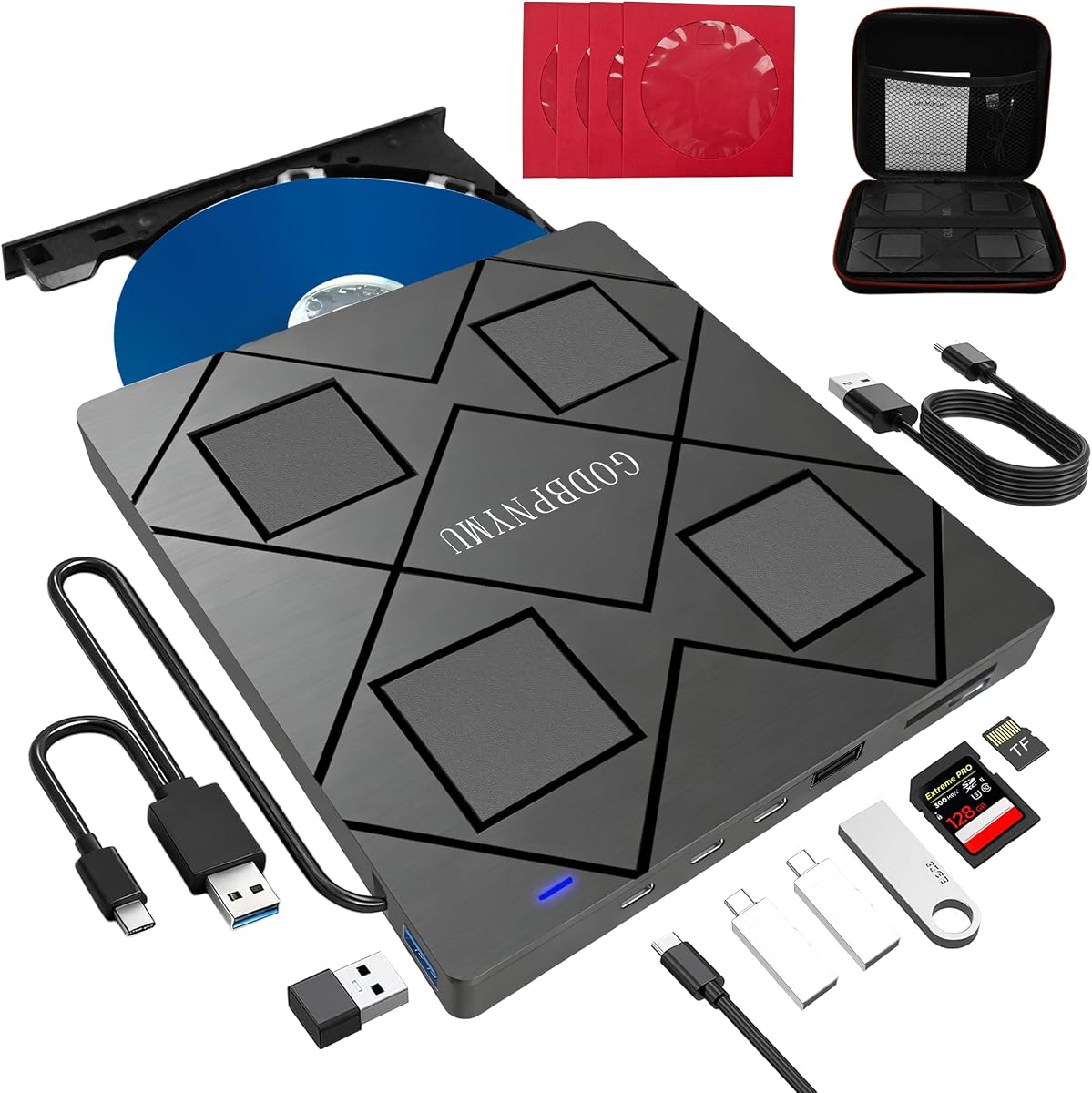
USB hub with 3 ports plus SD slot
Slim 300g portable design
Includes carrying case and sleeves
This guide compares the top ten external Blu ray drives for 2026, evaluating features, compatibility, and performance to help you choose the best optical drive
In an era dominated by streaming, physical media remains vital for archiving, special editions, and high-quality playback. An external Blu ray drive restores disc functionality to modern laptops and desktops lacking internal drives. Choosing the right model ensures reliable reading, burning, and playback across various media formats.
We evaluated ten leading external optical drives based on build quality, speed, portability, and software compatibility. Our analysis covers premium 4K capable units, versatile hub models, and budget-friendly burners. Each product was scrutinized for real-world performance in handling BD, DVD, and CD discs on Windows and Mac systems.
This guide provides detailed reviews, pros and cons, and a comprehensive buying guide to simplify your decision. Top picks highlight the best overall, budget, and premium options for different user needs. Please note that prices and availability change frequently, so verify current offers before purchasing your preferred drive.
4.2Editor score

4.7Editor score

4.2Editor score
The following table provides a side-by-side comparison of all ten reviewed external Blu ray drives. It highlights key specifications such as interface types, disc format support, speed ratings, and unique features to help you quickly identify the model that best suits your workflow and device compatibility requirements.


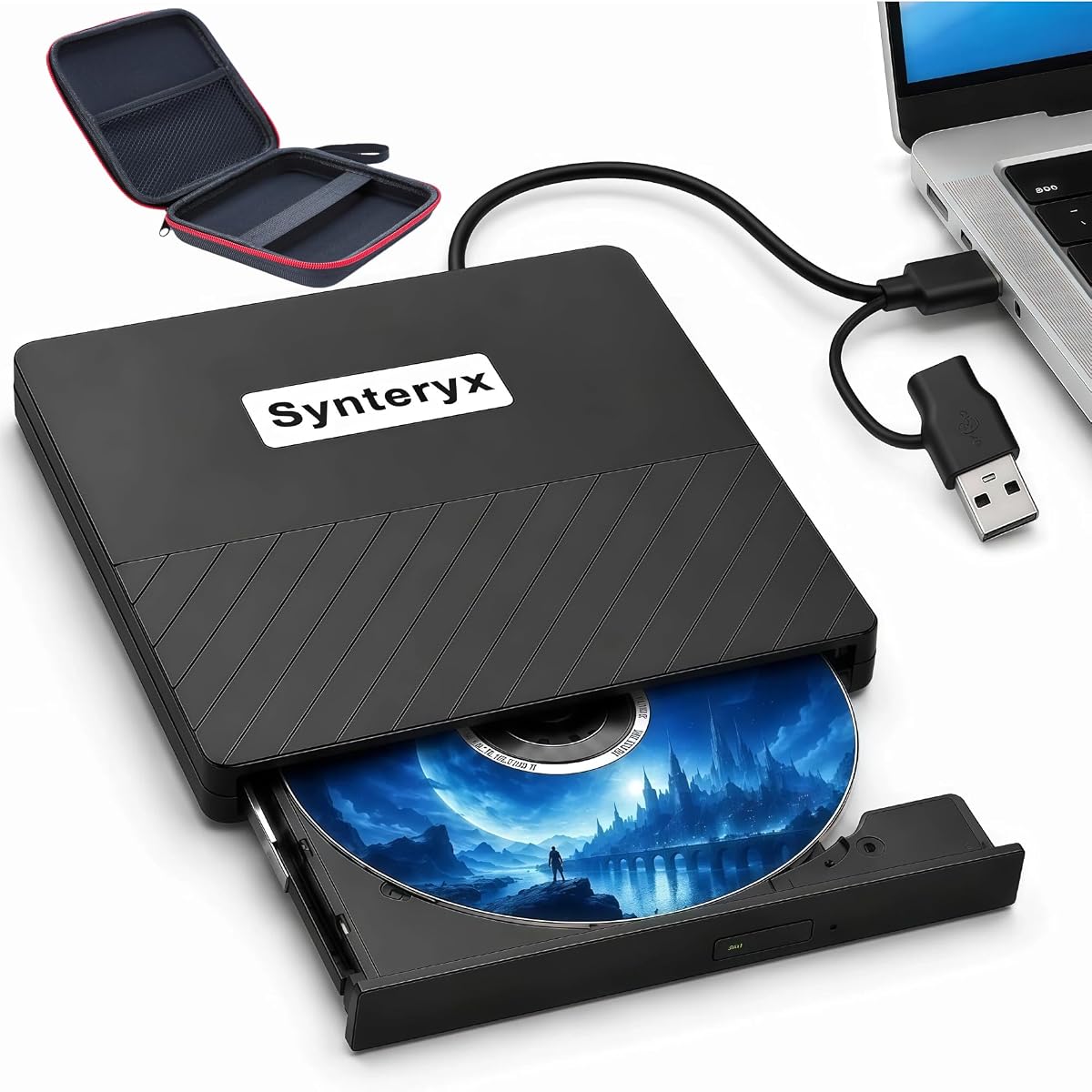

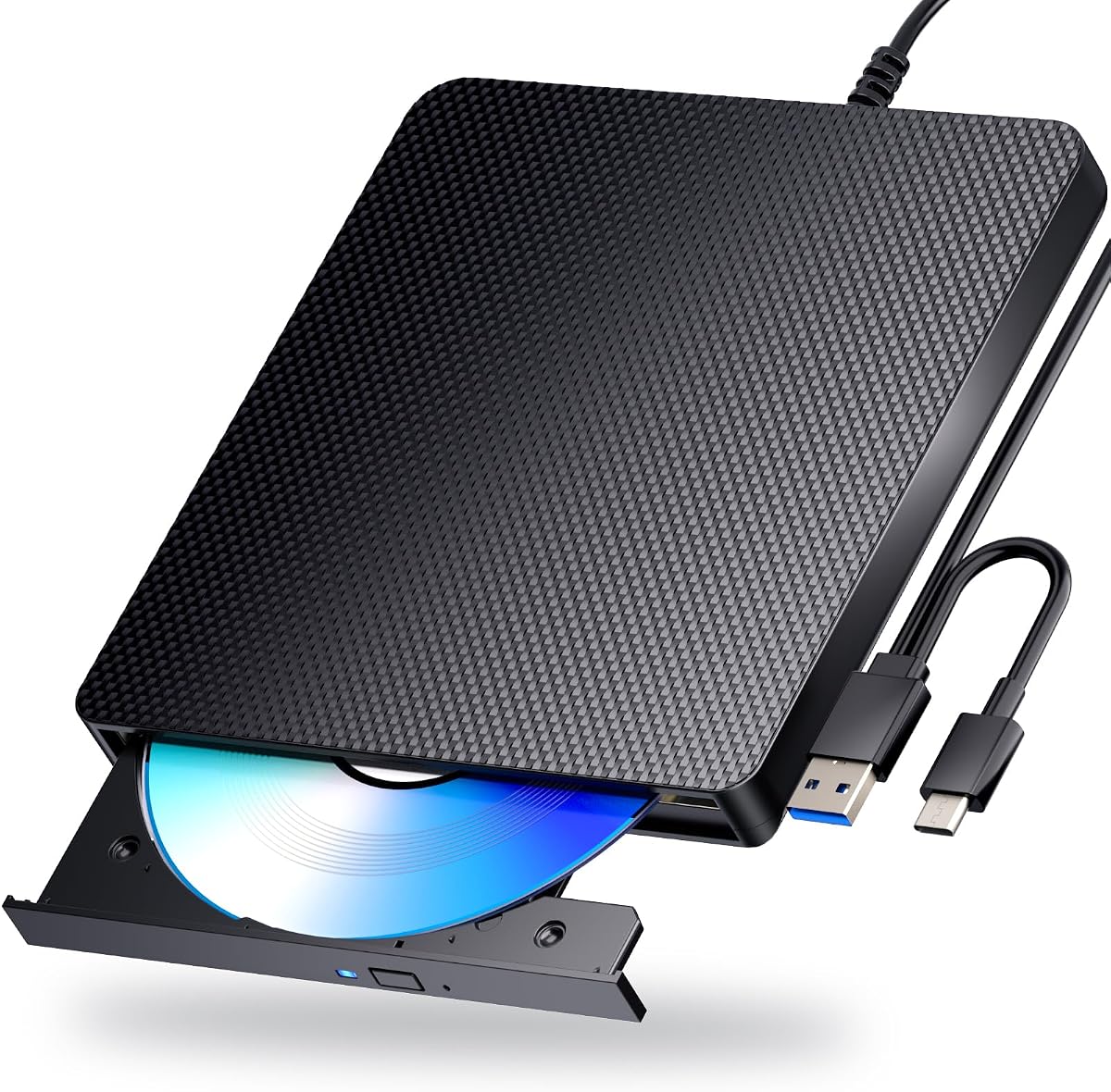
The BUFFALO 6X Portable Blu-ray Drive stands out as the top recommendation for users seeking reliable optical media access. With a 4.7 rating, it balances speed and compatibility perfectly. Its TAA-compliant status and Japan manufacturing ensure premium build quality for critical data tasks.
We may earn a commission when you buy through this link, at no additional cost to you.
This drive offers impressive read and write speeds at 6x for Blu-ray discs. It supports M-DISC technology, allowing archival-quality recordings that resist humidity and light for up to 1000 years. The included Type-C adapter adds flexibility for modern laptops lacking legacy USB-A ports.
While it lacks 4K UHD playback capability, its performance on standard Blu-ray, DVD, and CD formats is excellent. The two-year manufacturer warranty provides peace of mind. The slim profile makes it easy to carry in a laptop bag for on-the-go professionals.
We recommend this drive for archivist, small businesses, and home users needing trustworthy backup solutions. Its reliability and US-based support make it a safe investment for critical data management. The combination of speed, durability, and warranty solidifies its top spot.
M-DISC technology allows you to record data on discs that resist environmental degradation, making them ideal for long-term photo or document storage.
The included Type-A and Type-C adapter ensures compatibility with both older desktops and newer MacBooks without needing additional dongles.
We may earn a commission when you buy through this link, at no additional cost to you.
The 8-in-1 External Blu-ray Drive offers exceptional value for budget-conscious buyers needing versatile connectivity. Rated 4.2, it combines optical disc reading with a multi-port USB hub. This all-in-one design saves desk space and reduces cable clutter effectively.
We may earn a commission when you buy through this link, at no additional cost to you.
It supports reading and burning BD, DVD, and CD formats with up to 50GB dual-layer capacity. The built-in hub provides two USB-C ports and one USB-A port for peripherals. An SD card slot allows quick photo transfers from cameras to your computer.
While it does not support 4K UHD playback, standard Blu-ray movies play smoothly with third-party software. The drive is slim and portable, weighing only 300 grams. However, users should connect the optional power adapter for consistent reading stability on laptops.
This drive is perfect for students or travelers needing extra USB ports and disc access in a single device. The included carrying case protects the unit during transit. Its balance of features and cost makes it a top budget choice.
By integrating a USB hub, this drive allows you to connect mice, keyboards, or flash drives while using the optical drive.
The ultra-slim profile and included pouch ensure you can pack this drive in any bag without taking up significant space.
We may earn a commission when you buy through this link, at no additional cost to you.
The archgon Premium Aluminum External USB 3.0 UHD 4K Blu-Ray Writer is the ultimate choice for home theater enthusiasts. With a 4.2 rating, it delivers high-definition playback that standard drives cannot match. Its CNC aluminum body exudes premium durability and style.
We may earn a commission when you buy through this link, at no additional cost to you.
This drive reads UHD discs and writes regular Blu-ray, DVD, and CD media. It supports M-DISC BD-R for long-term archival storage. The high-speed USB 3.0 connection ensures fast data transfer during disc writing tasks.
Users must note that UHD playback requires CyberLink PowerDVD software, which is an additional purchase. Mac users can play regular Blu-rays but not UHD titles due to software limitations. This requirement adds to the total cost of ownership significantly.
We recommend this drive for collectors with extensive 4K Blu-ray libraries. The aluminum construction ensures longevity, and the UHD capability is unmatched in this roundup. If you need the highest video quality, this premium model is worth the investment.
Unlike standard drives, this model reads Ultra HD Blu-ray discs, delivering true 4K resolution for compatible movie collections.
The CNC machined aluminum body provides heat dissipation and a sturdy feel that complements high-end desktop setups.
We may earn a commission when you buy through this link, at no additional cost to you.
The External blu ray Drive 8-in-1 offers a practical blend of optical reading and connectivity expansion. Rated 4.2, it features a built-in 4-port USB hub. This makes it a great utility tool for laptops with limited ports needing additional connectivity.
We may earn a commission when you buy through this link, at no additional cost to you.
It supports reading and burning BD, DVD, and CD discs. It also handles M-Disc formats for data archiving. The slim design fits easily into a laptop bag. The included cable stores neatly in the dock for organized transport.
While it lacks 4K UHD playback, standard and 3D Blu-ray movies work well. Note that SD and TF card slots cannot be used simultaneously. You may need to connect a power adapter if your laptop struggles to supply enough power for burning.
This drive is ideal for users needing both optical media access and extra USB ports. The protective sleeves keep discs safe during travel. Its versatility and reasonable price make it a strong contender for general office and home use.
The integrated hub allows you to connect peripherals like mice or flash drives directly through the optical drive.
Comes with a carrying case and four protective sleeves to prevent scratches on your discs and device during travel.
We may earn a commission when you buy through this link, at no additional cost to you.
The External Blu-ray Drive Portable Player focuses on simplicity and playback functionality. With a 3.8 rating, it is a straightforward device for reading discs. It works instantly with USB 3.0 or Type-C connections without driver installations.
We may earn a commission when you buy through this link, at no additional cost to you.
It supports reading BD, DVD, and CD discs with high-speed performance. However, it can only burn CDs and DVDs, not Blu-ray discs. This limitation makes it a reader-first tool for media consumption. Its lightweight design is great for travelers.
While it is not suitable for burning Blu-ray backups, it handles standard playback well with third-party software. It is not compatible with Chromebooks or mobile devices. The plug and play nature simplifies setup significantly for users.
We recommend this drive for users who primarily want to play movies or read archived data. If you do not need to burn Blu-ray discs, this model offers a lightweight and cost-effective solution for your optical media needs.
This drive is optimized for reading and playing media rather than writing high-capacity Blu-ray discs.
Works seamlessly with Windows, macOS, and Linux systems without requiring additional driver downloads.
We may earn a commission when you buy through this link, at no additional cost to you.
The External blu ray Drive USB CD DVD offers a solid balance for standard media needs. Rated 4.0, it supports 3D Blu-ray playback for immersive entertainment. The scratch-resistant matte finish adds a layer of durability to its sleek design.
We may earn a commission when you buy through this link, at no additional cost to you.
It functions as a burner for BD, DVD, and CD discs. The standard USB connection draws power from the computer. However, using the power adapter is recommended for consistent performance during burning tasks on laptops.
While it delivers good performance for general use, some users may encounter minor compatibility issues with specific Windows 11 setups. The anti-skid feet keep the drive secure on your desk during operation. Its straightforward design appeals to home users.
This drive is recommended for movie lovers with 3D Blu-ray collections. It is a reliable companion for data backup and DVD burning. Ensure you have the power adapter handy for the best experience during high-load tasks.
Reads 3D Blu-ray discs to bring high-definition entertainment to life with compatible glasses and software.
The matte finish resists scratches and the anti-skid feet ensure the unit remains stable during spinning.
We may earn a commission when you buy through this link, at no additional cost to you.
The Dainty External Blu ray Drives Player is designed for stable operation and data integrity. With a 3.9 rating, it features a dual USB power design to prevent interruptions. The black aluminum finish provides a modern look for any setup.
We may earn a commission when you buy through this link, at no additional cost to you.
It supports reading and burning BD, DVD, and CD formats. The strong error correction capability helps recover data from scratched discs. It is compatible with Windows, macOS, and Linux systems. However, it does not include playback software.
Users need to purchase third-party software like PowerDVD for playback. The low noise operation ensures a quiet environment. The dual power cable is crucial for reliability, especially when burning data. This model is suited for technical users.
We recommend this drive for those needing reliable reading and writing with robust error correction. The dual power cable ensures smooth operation. If you require software flexibility and data recovery features, this drive is a practical choice.
The dual USB power design connects two ports to ensure consistent power supply for stable reading and writing.
Built-in error correction helps maintain data integrity even when discs are slightly damaged or dirty.
We may earn a commission when you buy through this link, at no additional cost to you.
The External blu ray Drive USB CD DVD combines durability with high compatibility. Rated 4.7, it features a durable matte finish. It supports 3D Blu-ray playback and burns various formats. This model is built for daily use in offices and homes.
We may earn a commission when you buy through this link, at no additional cost to you.
It includes both USB-A and Type-C cables for broad device support. The plug and play setup simplifies installation. Anti-skid rubber feet keep the drive secure on your desk. It is compatible with most laptops and desktops.
While it lacks built-in software, third-party players like VLC work well. Some Windows 11 versions may face compatibility issues. Using the power adapter ensures stability during heavy operations. Its high rating reflects consistent performance.
We recommend this drive for users needing a robust and reliable optical solution. Its durability and wide compatibility make it a safe choice. If you need 3D playback, this drive delivers quality results at a competitive price.
Rubber feet on the base prevent the drive from sliding during operation for better stability.
Comes with both USB-A and Type-C cables to ensure connection with older and newer computers.
We may earn a commission when you buy through this link, at no additional cost to you.
The External Blu Ray CD DVD Drive offers functional versatility with added storage options. Rated 4.2, it features two USB ports and an SD card slot. This makes it a great hub for transferring photos and files alongside disc reading.
We may earn a commission when you buy through this link, at no additional cost to you.
It supports reading and writing BD, DVD, and CD formats. The embedded cable design ensures you never lose the connection wire. It is compatible with laptops and desktops running Windows or macOS. A 1-year guarantee adds value to the purchase.
While it does not support 4K discs, it handles standard media efficiently. The USB ports help when your computer lacks available connections. This drive is lightweight and portable, perfect for moving between workstations easily.
We recommend this drive for users who need a combo of optical reading and extra USB ports. The embedded cable is a convenient feature for travel. If you need quick file transfers and disc access, this model is practical and efficient.
The built-in USB ports and SD slot allow quick file transfers without needing separate adapters.
The cable is embedded in the body to prevent loss and keep your workspace organized.
We may earn a commission when you buy through this link, at no additional cost to you.
The Dainty External Blu ray Drives Player boasts a perfect 5.0 rating for its reliability. It offers strong error correction and low noise performance. The dual USB power design ensures stable operation even during long burn sessions.
We may earn a commission when you buy through this link, at no additional cost to you.
It supports up to 100GB BD formats for high capacity storage. The black design looks sleek on desks. It is compatible with Windows, macOS, and Linux systems. Users must install their preferred player software for full functionality.
The low noise operation makes it suitable for quiet environments. The dual power cable is essential for consistent performance. It supports reading and writing BD, DVD, and CD discs. This model is an excellent choice for heavy users.
We recommend this drive for those seeking maximum reliability and capacity. The perfect rating speaks to its quality. If you need to store large datasets or burn frequently, this drive provides the stability required for professional tasks.
Supports 100GB BD formats allowing more data to be stored on a single disc.
Engineered for low noise operation so it does not disturb work or home environments.
We may earn a commission when you buy through this link, at no additional cost to you.
Selecting the right external Blu ray drive requires understanding key features that impact performance and compatibility. This guide breaks down the essential factors to consider before making your purchase.
Modern external Blu ray drives typically use USB 3.0 or USB-C connections. These interfaces provide high data transfer speeds necessary for burning discs without errors. USB 3.0 offers up to 5Gbps bandwidth. Always check your computer ports before buying to ensure a match.
Look for drives with USB 3.0 or Type-C support for fast performance. Avoid older USB 2.0 models which may cause lag during writing tasks.
Not all drives support all disc formats equally. Some read only standard Blu-ray while others support 4K UHD. If you have an extensive movie collection, verify 4K compatibility. M-DISC support is vital for archival data storage.
Ensure the drive supports BD-R and BD-RE for reading and writing. Check if it handles DVD-RW and CD-RW as well for versatile media use.
Most external drives do not come with playback software. You will likely need third-party tools like PowerDVD or VLC. macOS often has limited support for certain UHD playback features compared to Windows. Verify if the drive works with your operating system.
Plan to purchase compatible software if needed for playback. Ensure the drive drivers are available for your version of Windows or macOS.
External drives are often used on the go. A slim and lightweight design fits easily into laptop bags. Look for embedded cables to avoid losing wires. Aluminum bodies offer better durability than plastic alternatives.
Consider a drive with a carrying case if you travel frequently. A lightweight unit reduces strain during transport.
Some drives require external power via an adapter to function correctly. This is common with burning operations on laptops with limited USB power. Drives with dual USB power cables ensure stable connections.
Check if the drive needs an external power adapter. Ensure your laptop can supply enough power to avoid read errors.
Reliable brands offer warranties ranging from one to two years. US-based support can help troubleshoot issues quickly. TAA-compliant models meet federal purchasing standards for government use.
Select a drive with a warranty to protect your investment. Check customer support reviews for responsiveness.
Some drives include integrated USB hubs for expanded connectivity. This can save ports on modern laptops with limited connectivity. SD card slots add versatility for photographers.
Evaluate if hub features add value to your workflow. These extras might save money on separate hubs.
Prices vary widely between budget and premium models. High-end drives with 4K support cost more. Decide if 4K playback is necessary or if standard 1080p suffices.
Balance features with your needs to find the best value. Avoid overspending on capabilities you do not require.
To use your external Blu ray drive, connect it directly to a USB port on your computer. For laptops, use a powered USB hub or external power adapter to ensure stability. Wait for the system to recognize the device before inserting discs.
To burn discs, install compatible software on your computer. Insert the blank disc, select burn options, and choose the drive from the software menu. Avoid ejecting discs during burning to prevent data loss.
Care for your drive by keeping discs clean and scratch-free. Store discs in protective cases. Dust the drive surface gently with a dry cloth. Do not place heavy objects on the drive or bend the cable excessively.
Most external Blu ray drives work with Mac computers for reading and burning standard discs. However, 4K UHD support on Mac is limited due to software restrictions. Check specific product details for Mac compatibility.
Most modern external drives are plug and play and do not require driver installation. They work with built-in Windows and macOS drivers. Some playback software may need separate installation for viewing movies.
No, external Blu ray drives are designed for computers and laptops. They are not compatible with smart TVs, tablets, or car systems. You need a dedicated standalone player for TV use.
M-DISC is a special disc format designed for long-term data storage. It resists humidity and light for up to 1000 years. It is ideal for archiving photos and important documents safely.
Only specific drives labeled as UHD 4K capable can read 4K Blu-ray discs. Most standard drives read 1080p Blu-rays. You also need compatible software like PowerDVD for playback.
If burning fails, your laptop may not supply enough power. Use a powered USB hub or connect the included external power adapter. Always plug directly into the motherboard via USB for stability.
Yes, most external drives work with Linux as they rely on standard USB protocols. However, playback software might require additional configuration. Always test with your specific Linux distribution before use.
Drives with strong error correction can sometimes recover data from scratched discs. However, severe scratches may cause read errors. Always clean discs gently with a soft cloth before use.
Choosing the best external Blu ray drive depends on your specific media needs and budget. The BUFFALO 6X offers reliable archival support. The archgon Premium shines for 4K enthusiasts.
Prioritize interface speed and power stability to avoid frustration. Ensure software compatibility for playback. Consider extra features like USB hubs if you need expanded connectivity.
Prices for these drives fluctuate frequently. Check current offers to secure the best deal. With the right drive, you can enjoy physical media and backup data reliably on any modern computer.