
Frameo Digital Picture Frame 10.1 inch
4.6Editor score
Affordable price point
Touchscreen interface
Supports non WiFi transfer
Finding the right digital picture frame for grandparents means balancing technology with simplicity. You want a device that connects easily to family photos without confusing setup steps or complicated apps that require constant updates.
We compared ten real models based on user feedback, technical specifications, and overall usability. Our analysis focuses on screen quality, connectivity options, storage limits, and how intuitive the interface is for seniors with varying tech skills.
Each pick shows unique strengths like large displays, secure sharing apps, or offline modes. Prices and availability change often so check current listings before buying. This guide helps you find a frame that keeps memories close without frustration.
4.6Editor score
4.7Editor score

4.7Editor score
As an Amazon Associate we earn from qualifying purchases.
This table summarizes key differences across all ten models so you can compare them side by side. Look at screen size, storage options, and unique features to find the best fit for your family needs.


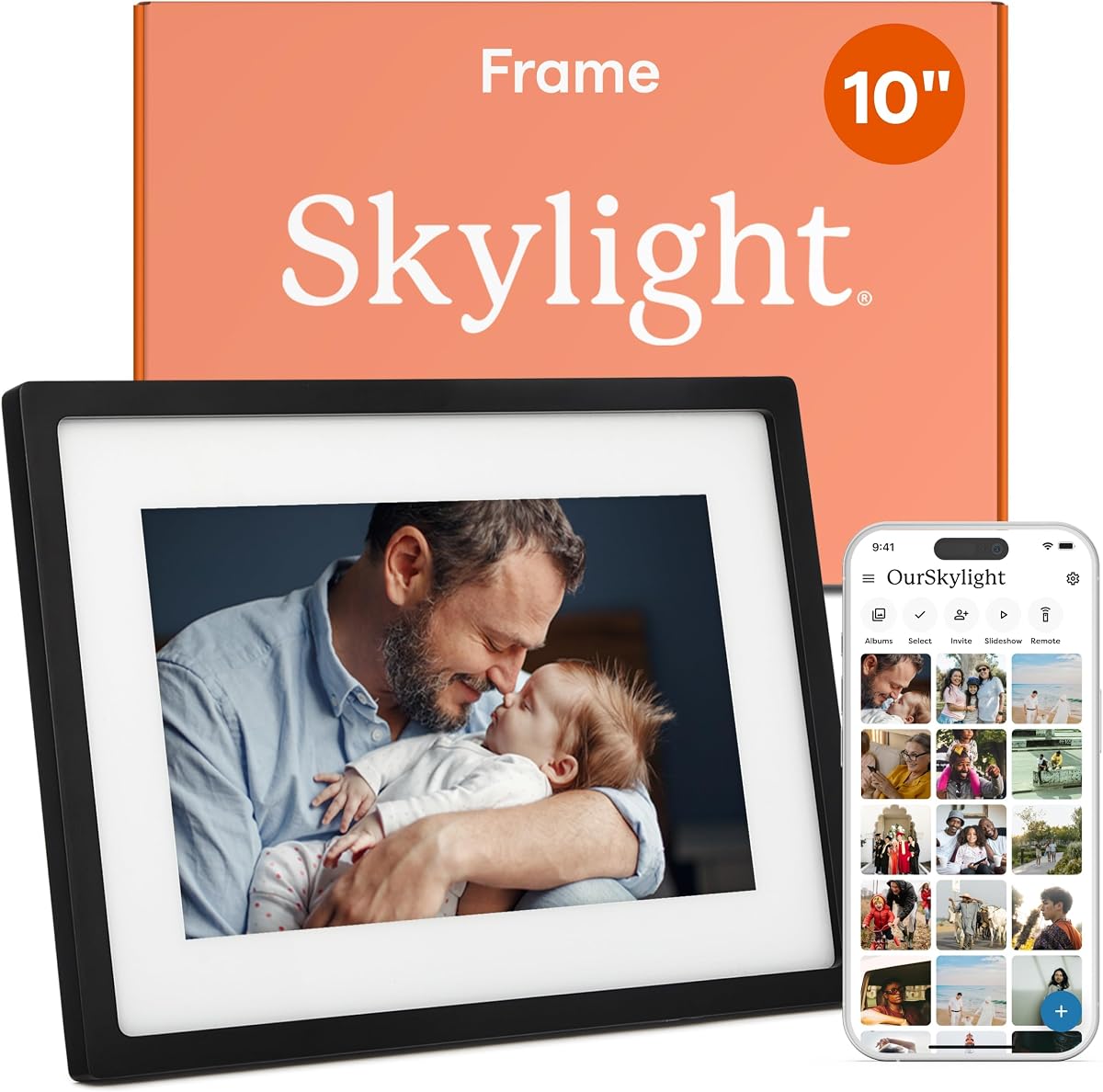
The Skylight Digital Picture Frame is a top rated choice for families seeking simplicity. With a 4.7 star rating it offers a smooth experience that requires no app downloads or complicated accounts.
We may earn a commission when you buy through this link, at no additional cost to you.
Its standout feature is the unique email sharing system. Simply send photos to a dedicated address and they appear on the frame instantly. This removes barriers for grandparents who find apps confusing.
While it needs Wi-Fi to receive new content the offline mode lets existing photos cycle without connection. The cloud storage eliminates SD card hassle making maintenance effortless for everyone.
Best for parents who value ease of use over advanced features. Its gift mode lets you preload memories so grandparents enjoy unboxing a ready to use memory keeper.
Send photos directly to a unique Skylight email address without needing apps or logins. This bridges the tech gap for seniors unfamiliar with mobile technology.
Preload photos before gifting so grandparents see memories immediately upon setup. This thoughtful feature ensures the frame feels personal from day one.
We may earn a commission when you buy through this link, at no additional cost to you.
This Frameo model delivers excellent value with a 4.6 star rating. It offers a 10.1 inch HD touchscreen and robust storage at a budget-friendly price point.
We may earn a commission when you buy through this link, at no additional cost to you.
The Frameo app allows private sharing from anywhere without limits on member counts. For those avoiding apps the frame supports non-WiFi transfers via USB or SD card.
Photos and videos up to fifteen seconds play smoothly. The magnetic stand allows easy switching between portrait and landscape orientations to suit different display spaces.
Ideal for families wanting a reliable entry-level frame. Its elegant packaging and straightforward setup make it a thoughtful gift for retirement or birthdays.
Share photos and short videos privately through the Frameo app. Family members receive updates instantly without exposing content to public social media networks.
Upload photos via USB-C or SD card if Wi-Fi setup seems too complex. This flexibility ensures everyone can enjoy the frame regardless of tech comfort levels.
We may earn a commission when you buy through this link, at no additional cost to you.
Ranked highly with 4.7 stars the Aura Digital HD Picture Frame stands out for its premium features. It combines unlimited storage with a beautifully calibrated display.
We may earn a commission when you buy through this link, at no additional cost to you.
Setup takes just one minute connecting to Wi-Fi instantly. Photos arrive via email or the free app with no subscription fees ever. This transparency builds trust with long-term use.
The screen automatically adjusts brightness based on room lighting ensuring optimal viewing day or night. Portrait pairing allows two frames to sync as one larger display.
Best for families seeking a high-end experience without hidden costs. Its gift-ready packaging and preloaded memory option make it a seamless choice for special occasions.
Add unlimited photos and videos through the free Aura app with no recurring fees. This removes anxiety about storage limits and ensures all memories are preserved.
The screen calibrates color and brightness automatically to match room lighting. This ensures every photo looks vibrant and clear without manual tweaking.
We may earn a commission when you buy through this link, at no additional cost to you.
This 15.6-inch Frameo model features a 4.5 rating and impressive size. Its large Full HD screen makes viewing photos comfortable even for those with vision limitations.
We may earn a commission when you buy through this link, at no additional cost to you.
With 64GB built-in storage it holds around 100,000 photos. You can expand further with SD cards or USB drives though compatibility requires FAT32 format.
The Reply function lets grandparents send emojis instantly showing appreciation for shared memories. Video playback works via USB or SD card with sound included.
Best for homes wanting a prominent display. Its sleek design and multiple orientation options let it blend seamlessly into any living space.
The 15.6 inch screen provides vibrant colors and wide viewing angles. This ensures every detail remains visible from any seat in the room.
Grandparents can tap reply to send emojis directly to family members. This two-way connection adds warmth and interaction to digital photo sharing.
We may earn a commission when you buy through this link, at no additional cost to you.
Offering a 15.6-inch screen this model has a 4.5 rating for performance. It features a responsive touchscreen and supports large photo storage with expandable options.
We may earn a commission when you buy through this link, at no additional cost to you.
The React feature lets seniors send real-time emojis back to senders. Auto-rotation ensures photos always fill the screen correctly whether in portrait or landscape mode.
It supports non-WiFi uploads via SD card or USB-C for easier access. This flexibility helps those uncomfortable with constant Wi-Fi connections or app downloads.
Ideal for displaying many photos with ease. The large display and intuitive interface make it accessible for seniors wanting a modern memory display.
The React feature allows immediate feedback to family members sending photos. This interaction turns passive viewing into an engaging two-way connection.
Set sleep mode to turn the frame off when not in view. This conserves energy and reduces screen glare during quiet hours.
We may earn a commission when you buy through this link, at no additional cost to you.
With a 4.6 rating this frame stands out for its smart features like auto-rotation. It adjusts orientation automatically based on how the frame sits.
We may earn a commission when you buy through this link, at no additional cost to you.
The built-in light sensor changes brightness to match ambient light. This protects eyes and saves energy ensuring a comfortable viewing experience day and night.
Time and weather can display on screen without needing a phone. Storage holds over 50,000 photos allowing for a rich personal gallery without extra cards.
Best for those wanting smart automation. The sensor technology removes manual tweaking so grandparents enjoy perfect settings automatically.
Gravity sensors detect how the frame is placed and adjust photos accordingly. This ensures every image looks right without manual switching or settings.
The light sensor adjusts screen brightness based on room conditions. This reduces eye strain and keeps the display clear in any lighting.
We may earn a commission when you buy through this link, at no additional cost to you.
This Frameo frame earns 4.6 stars for its integrated calendar feature. It syncs with Google Outlook and iCloud so appointments appear alongside photos.
We may earn a commission when you buy through this link, at no additional cost to you.
Collage mode lets you display up to six images at once. This creates a vibrant gallery feel maximizing screen real estate for cherished memories.
Photos rotate automatically to match orientation needs. The detachable stand allows flexible viewing from desktop to wall mount.
Ideal for grandparents who need organization. The calendar feature provides structure while keeping personal memories central to daily life.
Your digital calendar appears on the frame alongside photos. This helps grandparents stay organized while enjoying their favorite memories daily.
Display multiple images at once in dynamic layouts. This feature makes the frame feel like a lively digital bulletin board.
We may earn a commission when you buy through this link, at no additional cost to you.
Rated 4.7 stars this model impresses with a crystal-clear 1080p display. The 15.6 inch screen brings every memory to life with vivid detail and color.
We may earn a commission when you buy through this link, at no additional cost to you.
Greeting features allow sending themed photos for birthdays and special dates. This adds a personal touch beyond regular photo sharing.
Non-WiFi uploads work via SD card or USB drive for simpler file transfer. The touchscreen interface makes operation effortless for users of all ages.
Best for large gatherings or rooms. Its bold display ensures everyone can enjoy the content from any angle without strain.
Send themed greeting photos directly to the frame for special occasions. This feature adds emotional warmth to digital messages and memories.
The Full HD screen renders images with crisp clarity. Every detail from hair strands to joyful expressions is preserved beautifully.
We may earn a commission when you buy through this link, at no additional cost to you.
This model shares the same strong features as the top ranked Frameo frame. It offers a large screen and massive storage capacity for thousands of photos.
We may earn a commission when you buy through this link, at no additional cost to you.
The Frameo app ensures secure access for invited family only. This privacy is essential for keeping personal memories safe from public view.
Videos play with sound via external drives extending beyond standard photo slideshows. The touchscreen controls simplify navigation through albums and settings.
Ideal for tech comfortable seniors wanting large visuals. Its balance of size and usability makes it a practical daily display.
Only invited members can send photos to the frame. This security ensures privacy while allowing unlimited family sharing from anywhere.
Store over 100,000 photos without needing cloud subscriptions. This huge local storage reduces ongoing costs and data concerns.
We may earn a commission when you buy through this link, at no additional cost to you.
This model serves as a reliable entry point for digital frames. It provides the essential functionality seniors need without unnecessary complexity.
We may earn a commission when you buy through this link, at no additional cost to you.
Multiple file formats ensure compatibility with photos from various sources. Basic connectivity options allow straightforward setup for home Wi-Fi networks.
Its simple interface avoids learning curves that might frustrate users. This reliability makes it a good choice for first time digital frame owners.
Best for those seeking essential memory display. It balances cost and function ensuring photos are visible and accessible to everyone.
The frame offers stable operation for daily memory display. Its straightforward design ensures consistent performance without frequent technical interruptions.
Getting started requires minimal steps for immediate enjoyment. This simplicity encourages daily use without technical barriers hindering memory sharing.
We may earn a commission when you buy through this link, at no additional cost to you.
Selecting the right frame depends on balancing features with ease of use. These factors help you identify the best match for your family's needs.
Larger screens like 15.6 inches are easier to read for those with vision challenges. High resolution ensures images remain sharp and colorful from any angle.
Prioritize Full HD or higher quality to preserve the clarity of cherished memories.
Wi-Fi enabled frames allow remote photo sharing while offline modes support USB or SD transfers. Choose based on whether seniors prefer app-based or physical data transfer.
Ensure the device supports common formats like FAT32 for external drives to avoid compatibility issues.
Internal storage ranging from 32GB to 64GB can hold tens of thousands of photos. Expandable options via cards or USB extend this capacity further if needed.
Higher internal memory reduces reliance on cloud subscriptions and ensures local backups of favorite moments.
Simple plug-and-play models with minimal configuration steps are ideal for seniors. Look for gift modes that allow preloading photos before delivery.
Avoid devices requiring complex app downloads or account creation to prevent frustration during setup.
Apps should offer secure private sharing with unlimited members. Features like emoji reactions add personal interaction that keeps seniors engaged with family.
Choose frames where family can send photos from both iOS and Android devices seamlessly.
Auto brightness sensors adjust light based on the room to prevent glare or dim viewing. This feature protects eyes and improves overall visual comfort.
Ensure the display remains clear in both bright daylight and dim evening settings.
Many frames offer free unlimited storage while others require paid cloud plans. Verify total cost over time including any recurring fees.
Budget-friendly models should still deliver reliable performance without hidden charges later.
Check for warranty coverage and customer support availability. Quality builds ensure the frame withstands daily use without hardware failures.
Look for brands offering accessible assistance for troubleshooting setup or connection issues.
Place the frame on a stable surface near a power outlet to ensure constant operation. Avoid direct sunlight to prevent screen glare and overheating.
Connect the frame to a secure Wi-Fi network using the provided instructions. Ensure passwords are entered correctly to maintain stable access for photo transfers.
Clean the screen gently with a microfiber cloth to avoid scratches. Regular dusting keeps the display clear and ensures touchscreen responsiveness remains high.
Not always. Many models offer offline modes where photos play from internal storage or USB drives. However Wi-Fi is required to receive new remote photos via apps.
Yes most frames support unlimited members sharing from anywhere. Family downloads the same app or uses shared email addresses to contribute to the slideshow.
Use a USB drive or SD card formatted to FAT32. Insert it into the frame to import photos directly or connect via USB-C to transfer from a computer.
Some brands charge for cloud storage but many offer unlimited free storage. Always check the product details to confirm ongoing subscription costs before purchase.
Most modern frames play short videos with sound. Apps often limit length to fifteen seconds while external drives allow longer clips with full audio.
Existing photos continue cycling normally in offline mode. New uploads will wait until the connection returns or you can use USB transfers instead.
Yes you can hide or publish specific images through frame settings. This ensures only selected memories are visible during the daily rotation.
Use the settings menu to set manual levels or enable auto brightness. This feature adjusts based on room lighting to maintain comfort without manual changes.
The Skylight Frameo and Aura models lead the list for balance of features and usability. Each provides reliable memory sharing without overwhelming complexity for seniors.
Prioritize frames with large clear displays and simple sharing methods like email or dedicated apps. These elements ensure grandparents enjoy the gift without needing tech expertise.
Check current availability and features before finalizing your choice since offerings may evolve over time. Selecting the right frame today brings lasting joy and connection to your family.