
K7 Total Security Antivirus Software
4.2Editor score
One Year Protection
Webcam Shield
Ransomware Defense
Compare the top ten laptop protection software options including antivirus and internet security suites to find the best digital security solution for your
Finding reliable laptop protection software is essential in today's digital landscape where threats evolve rapidly. Strong security suites guard against viruses, ransomware, and identity theft while ensuring your personal data remains safe across all devices.
This comprehensive guide evaluates ten leading protection solutions based on threat detection capabilities, user experience, and additional privacy tools. We analyze real-world performance metrics and feature sets to help you choose the right defense for your specific workflow and device ecosystem.
Each pick highlights standout features, pros, cons, and ideal user scenarios to simplify your decision. Please note that software licensing terms and subscription models can change frequently so always verify current offerings before finalizing your purchase decision today.
4.2Editor score
4.0Editor score

4.3Editor score
The following table provides a side by side overview of all ten selected protection solutions highlighting their core capabilities and device support limits to help you compare features at a glance.


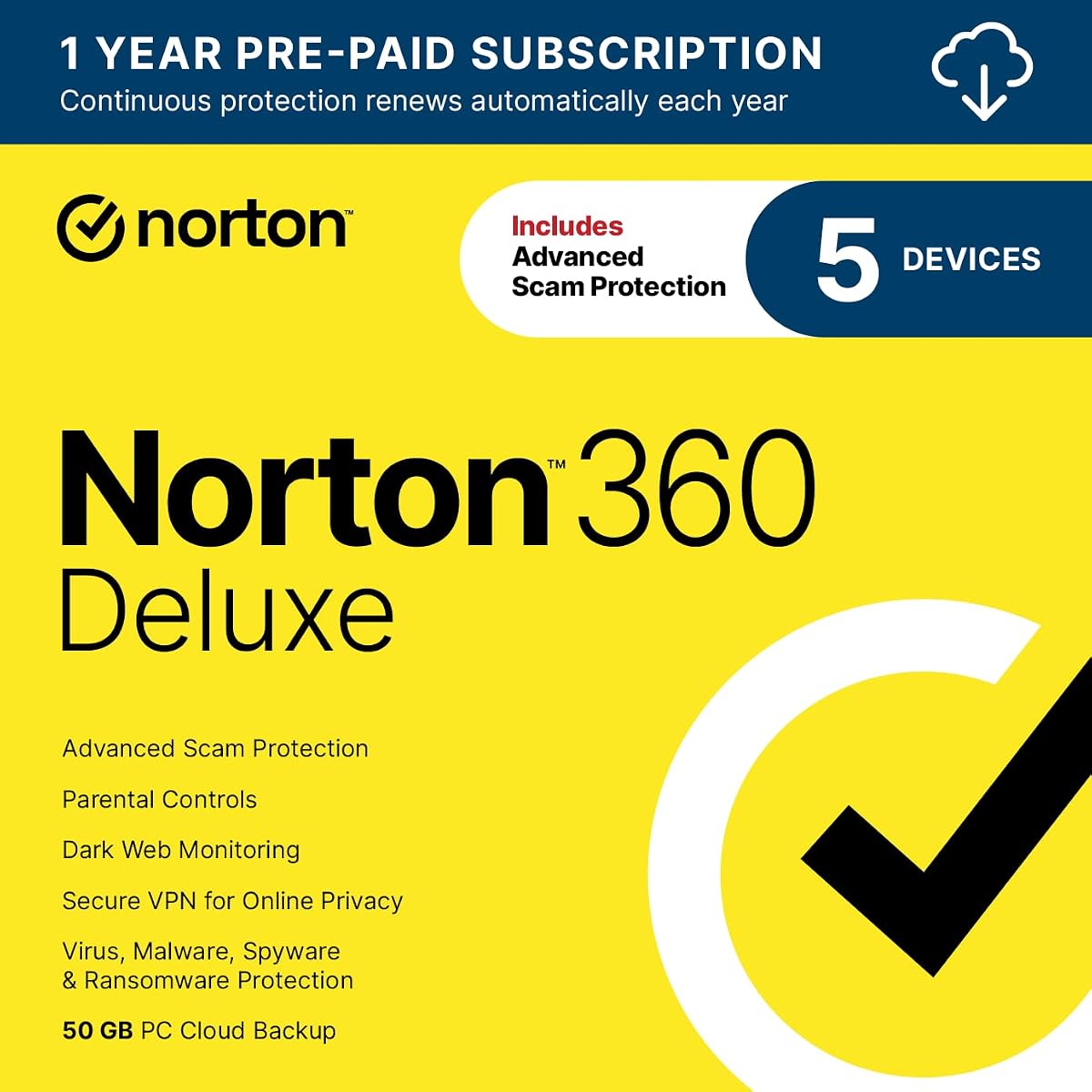
This suite delivers robust threat detection across five devices with an easy setup process. Its high rating reflects consistent performance in blocking malware and securing personal data online. Users appreciate the added layer of cloud backup for critical files.
We may earn a commission when you buy through this link, at no additional cost to you.
Norton combines antivirus capabilities with identity theft tools and a privacy VPN. The Genie AI assistant helps spot phishing attempts while secure connections keep browsing safe. Dark web monitoring alerts you if your credentials surface in data breaches.
While renewal rates may increase after the first year the initial protection is solid. Some users report minor performance dips during full scans but this is acceptable given the comprehensive security layers provided across mixed device environments.
Ideal for families needing balanced security without complex configuration. If you want reliable defense against modern threats along with backup peace of mind this solution covers essential digital safety needs effectively.
The included 50 GB secure cloud backup helps prevent data loss from ransomware or hardware failure automatically.
Continuous monitoring searches hidden forums to notify you if personal information appears for sale online.
We may earn a commission when you buy through this link, at no additional cost to you.
Affordable digital security remains accessible through this single user license that covers one year of protection. It offers essential defenses against malware and ransomware without heavy system resource usage for older laptops or budget devices.
We may earn a commission when you buy through this link, at no additional cost to you.
Features include proactive threat blocking and webcam access restrictions to prevent unauthorized spying. Delivery is quick via email allowing immediate activation after purchase. Basic tools protect online identity while surf safe banking or shopping across trusted connections.
While lacking advanced identity monitoring this package covers fundamental risks well. Some users prefer more granular control but the streamlined design keeps setup simple and effective for those seeking value without bloat.
Best suited for individuals protecting a single machine on a tight budget. If you prioritize cost efficiency and core security features over complex add-ons this software provides reliable year round coverage.
Files remain safe from encryption attacks by blocking untrusted apps from modifying sensitive data.
Activation codes arrive within hours enabling immediate installation without physical media or delays.
We may earn a commission when you buy through this link, at no additional cost to you.
This tier expands protection across unlimited devices with premium privacy features for comprehensive digital safety. It stands out for its social privacy manager and personal data removal tools which simplify managing your online footprint effectively.
We may earn a commission when you buy through this link, at no additional cost to you.
Threat detection remains automatic while alerts guide users on specific actions to take. Identity monitoring tracks exposed info and suggests remediation steps. VPN and web protection combine to keep public Wi-Fi connections secure during travel or remote work.
Premium pricing reflects the broad scope of features available here. Some may find renewal terms restrictive but the value lies in centralized control for large households needing consistent security across phones tablets and computers.
Perfect for tech savvy families seeking maximum coverage without multiple subscriptions. If you need unlimited support along with proactive privacy tools this suite offers an all-in-one solution for modern digital life.
Automatically finds buried privacy settings on social accounts and suggests fixes to limit data exposure.
Scans sites selling personal info and guides you through steps to remove your data listings.
We may earn a commission when you buy through this link, at no additional cost to you.
This solution provides reliable protection across five devices with adaptive threat detection keeping pace with emerging risks. Clear alerts help users understand what matters most and act quickly when risks appear on connected systems.
We may earn a commission when you buy through this link, at no additional cost to you.
Identity monitoring watches for exposed data and offers remediation steps while secure connections protect public Wi-Fi usage. Customer support is available around the clock for setup or troubleshooting needs ensuring assistance is always accessible.
Renewal policies require attention but activation is straightforward with digital codes delivered instantly. Some users prefer physical cards but instant access allows immediate protection which is vital for sensitive environments.
Great for mixed device households needing consistent security without complexity. If you value guided security actions and strong identity tools this package covers essentials while staying manageable for everyday users.
System alerts and detection rules adjust automatically as threats evolve to maintain strong security.
Connections on public networks are automatically secured to prevent eavesdropping and data theft.
We may earn a commission when you buy through this link, at no additional cost to you.
Designed for smaller setups this package covers three devices with essential privacy tools included out of the box. The password manager and dark web monitoring add value beyond standard antivirus protection to secure identities online.
We may earn a commission when you buy through this link, at no additional cost to you.
Unlimited VPN ensures privacy when using public networks while bank shop or browse securely. Installation is simple with digital codes enabling immediate coverage and award winning antivirus forms the reliable core of this suite.
Some may find the device limit restrictive for larger families but it suits individuals or couples well. The one year term offers flexibility while maintaining core safety features without additional hardware requirements.
Ideal for those needing identity and password tools alongside antivirus protection. If you want privacy essentials bundled in this balanced plan delivers strong defense with manageable complexity for daily use.
Complex credentials are stored securely so you avoid reusing passwords across important accounts.
Connect to public networks without worry as privacy is maintained without daily data limits.
We may earn a commission when you buy through this link, at no additional cost to you.
This plan focuses on physical hardware safety rather than software security ensuring repairs cost nothing after purchase. Accidental damage from drops and spills is covered from day one making it a practical add-on for expensive laptops.
We may earn a commission when you buy through this link, at no additional cost to you.
Expert support helps with connectivity or setup issues while repairs include parts labor and shipping. Claims are fast and approval is often immediate so you receive a replacement or gift card if repairs are impossible.
Timing is critical as the plan must be bought within thirty days of the device purchase. It complements software security by addressing hardware failures and accidents not handled by digital antivirus tools.
Best for new laptop owners needing coverage beyond manufacturer warranties. If you want peace of mind against physical damage this plan ensures your device remains functional without unexpected repair bills.
Spills and cracked screens due to normal use are repaired or replaced without extra charges.
If repairs fail you receive a replacement device or an Amazon gift card matching the purchase price.
We may earn a commission when you buy through this link, at no additional cost to you.
This variant offers similar core protection for three devices with adaptive alerts tuned to your usage patterns. It ensures secure public Wi-Fi usage and identity monitoring to keep personal data safe across trusted and public networks.
We may earn a commission when you buy through this link, at no additional cost to you.
Support is available at any hour for assistance with setup or issues while simple guidance helps users take action on detected threats. Digital activation codes mean no wait time to start securing devices immediately after purchase.
Renewal terms apply but initial protection is immediate and effective. Some users prefer manual renewal options however the convenience ensures consistent coverage without lapses during critical periods of device use.
Suitable for small households or couples needing reliable antivirus and identity tools. If you value clear alerts and round-the-clock support this package provides steady security without unnecessary complexity.
Notifications are tuned to your specific activity to reduce false positives and highlight real risks.
Public connections are automatically secured to protect your data from eavesdropping and hackers.
We may earn a commission when you buy through this link, at no additional cost to you.
This suite delivers cross-platform security for Windows Mac and mobile devices with multi-layer threat defense against malware and phishing. Safe banking features secure transactions while anti tracker tools block unwanted online monitoring during browsing.
We may earn a commission when you buy through this link, at no additional cost to you.
Webcam protection blocks unauthorized access to privacy and game or work modes optimize performance when running resource intensive apps. Eco-friendly packaging reflects the commitment to sustainability while codes arrive by mail for activation.
Mail delivery adds a small delay but the security depth makes up for it. Some users prefer digital codes however this ensures a physical record of purchase that can be stored safely for warranty purposes.
Ideal for mixed OS households needing consistent protection across devices. If you value anti tracker features and banking security this solution offers balanced security with thoughtful privacy extras for everyday use.
A dedicated secure browser protects financial transactions from keyloggers and malware interference.
Blocks trackers and ads to protect your browsing habits from being profiled by advertisers.
We may earn a commission when you buy through this link, at no additional cost to you.
This variant brings Norton's core protections to three devices with a focus on identity safety and data backup. Dark web monitoring and Genie AI tools help identify phishing attempts and compromised credentials before harm occurs.
We may earn a commission when you buy through this link, at no additional cost to you.
Top-performing VPN speeds protect privacy while 25 GB cloud backup prevents file loss from ransomware or failures. Setup is fast and renewal is automatic to maintain continuous coverage without interruption or lapses.
Cloud storage is less than the five device version but still useful for essential files. Users value the identity tools and AI guidance however automatic renewal requires tracking to manage budgets effectively.
Great for small families needing backup and identity tools with antivirus. If you want solid identity protection and file recovery this plan delivers core features at a balanced scope for three devices.
Continuous scans check dark web sites for your info and alert you if it appears for sale.
AI helps distinguish suspicious messages from legitimate ones reducing false positives and fear.
We may earn a commission when you buy through this link, at no additional cost to you.
This top tier plan covers ten devices with generous cloud backup and identity monitoring for large households. It provides consistent protection across PCs Macs and mobile devices while dark web monitoring keeps credentials safe from exposure.
We may earn a commission when you buy through this link, at no additional cost to you.
Genie AI helps spot phishing attempts while fast VPN connections secure public browsing. Cloud backup reaches 75 GB protecting photos and files from data loss due to ransomware or drive failures automatically.
Higher pricing reflects the expanded device count and storage capacity. Users appreciate the comprehensive scope though renewal terms should be reviewed. Setup is simple and digital codes enable immediate protection across all your devices.
Best for large families or shared homes needing maximum coverage. If you require ten devices plus substantial cloud storage this premium plan offers a complete security ecosystem for modern digital needs.
One subscription protects up to ten devices making it cost effective for extended households.
Generous storage helps prevent data loss from hardware failure or ransomware attacks automatically.
We may earn a commission when you buy through this link, at no additional cost to you.
Selecting the right protection suite depends on your device count, privacy needs, and preferred feature set. Understanding key factors ensures you pay only for what matters while maintaining strong security.
Most suites protect multiple devices but limits range from one to unlimited. Choose a plan matching your household size to avoid paying extra subscriptions for secondary laptops tablets or phones.
Always confirm how many PCs and mobile devices are covered before purchase.
Premium suites include dark web monitoring and identity alerts to notify you if credentials leak. These tools are vital for preventing financial fraud and unauthorized account access.
Look for dark web scanning and personal data removal guidance for best value.
File loss from ransomware is common so built-in cloud storage protects photos and documents. Check storage limits as tiers vary from 25 to 75 GB depending on the plan chosen.
Prioritize plans with backup if you lack external hard drives.
Secure public Wi-Fi with a built-in VPN to encrypt traffic and hide browsing data. Privacy tools like anti trackers and webcam shields further reduce exposure on shared networks.
Ensure the VPN offers unlimited data if you travel frequently.
Confirm support for your OS mix including Windows Mac iOS and Android. Cross-platform suites simplify management so you need not install different products for each device type.
Check for full macOS support if you use both Windows and Apple devices.
24/7 customer help saves time when troubleshooting alerts or setup issues. Physical protection plans may offer repair coverage whereas software suites rely on online assistance and knowledge bases.
Prefer suites with phone support or dedicated chat for faster resolution.
Many plans auto renew at higher rates after the first term. Review renewal pricing and cancellation policies to avoid surprise charges and maintain budget control over time.
Set calendar reminders before renewal to evaluate whether to keep the plan.
Lightweight software avoids slowing down older laptops during scans or updates. Check user feedback regarding system load and resource usage before committing to a resource-heavy suite.
Look for lightweight modes or game modes to balance security with performance.
Install the activation code immediately after receiving it to ensure no unprotected gaps exist. Follow on-screen prompts to enable real-time scanning and privacy tools before connecting to public networks.
Keep your subscription active by reviewing renewal dates and payment methods regularly. Most providers allow you to update billing or cancel within your account dashboard to avoid unwanted charges.
Run monthly full scans and update settings as new devices join your home network. Adjust privacy rules or VPN preferences based on your travel habits to maintain strong coverage.
Many modern suites include antivirus as part of a broader internet security package. These bundles add identity tools and firewalls so you do not need a separate antivirus program.
Yes most plans support multiple PCs and mobile devices under one account. Choose a tier that covers your total device count to avoid extra subscriptions.
Dark web scans alert you if emails or IDs appear in data breaches. This helps you change passwords before fraud occurs saving time and preventing identity theft.
Most vendors optimize for modern systems but lightweight options exist for older hardware. Check system requirements before buying to ensure smooth performance.
Cancel through your account page or the vendor site within the allowed window. Auto renewal terms vary so review policy details before purchase to avoid unwanted charges.
Cloud storage protects files from ransomware or drive failure. If your laptop crashes your photos and documents remain safe online for easy recovery.
Yes built-in VPNs encrypt traffic on public Wi-Fi. They protect your browsing from hackers and keep your IP address private when away from home.
We compared ten top solutions offering everything from budget antivirus to unlimited device suites with identity and privacy tools. Norton 360 Deluxe stands out for balanced security while McAfee Premium leads in device coverage and K7 offers strong value.
Prioritize features that matter most like dark web monitoring backup limits or cross-platform support to match your workflow. A tailored plan delivers stronger protection than generic suites without overspending on unused extras.
Always check current pricing and renewal terms as software deals change often. Select a trusted suite today to keep your laptops and personal data safe from evolving digital threats.