
ASUS ROG RYUJIN III WB
4.0Editor score
3.5 inch LCD display
Embedded VRM fan
Asetek powered block
Custom loop water cooling represents the pinnacle of PC thermal management, offering superior heat dissipation and aesthetic customization for enthusiasts.
We evaluated ten top products based on performance, build quality, compatibility, and user feedback to bring you the most reliable options available.
Each pick highlights unique strengths and trade-offs, ensuring you find the right fit for your budget and build goals. Prices may change.
4.0Editor score
4.7Editor score

4.8Editor score
As an Amazon Associate we earn from qualifying purchases.
This side-by-side comparison highlights the key specifications and strengths of each product to help you make an informed decision for your build.




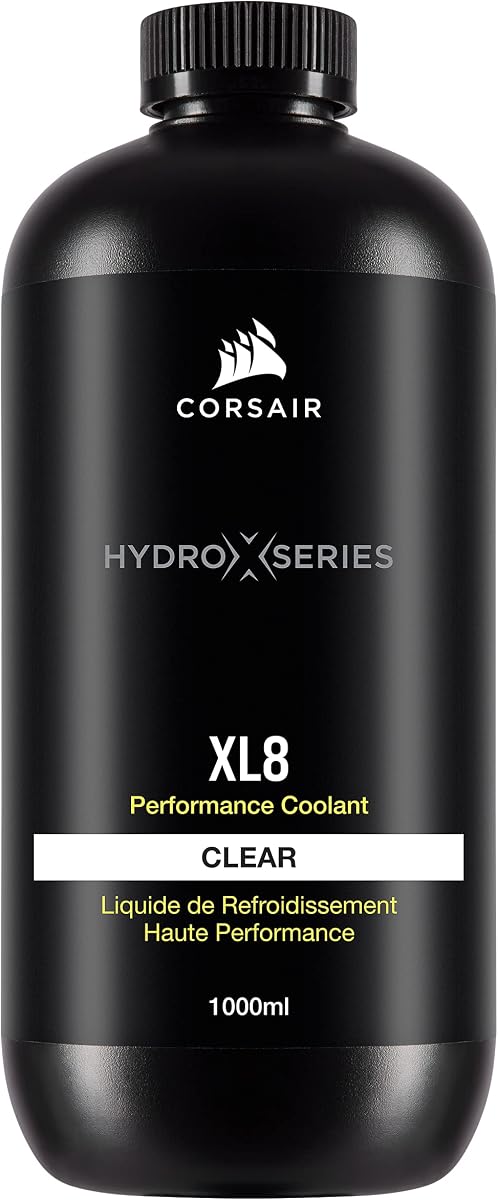
The CORSAIR Hydro X Series XL8 stands out as a top choice for builders seeking convenience and reliability in their custom cooling loops. With a rating of 4.7, it delivers performance that enthusiasts trust without requiring any chemical expertise.
We may earn a commission when you buy through this link, at no additional cost to you.
Its pre-mixed formula ensures that you can pour it straight into your reservoir and start building immediately. The advanced anti-corrosion inhibitors protect copper, brass, and nickel components from degradation over time, which is critical for long-term system stability.
While the price is slightly higher than generic options, the peace of mind it offers regarding component safety is well worth the investment. Users report consistent cooling performance and a lack of sludge or biological growth in extended tests.
Anyone planning a new custom loop should consider this coolant for its ease of use and proven track record. It simplifies the initial setup process while ensuring your hardware remains protected against common thermal risks.
The pre-mixed nature eliminates guesswork and mixing errors, ensuring optimal fluid chemistry right out of the bottle.
Advanced inhibitors guard against oxidation and bacterial growth, preserving the integrity of your expensive cooling blocks and radiators.
We may earn a commission when you buy through this link, at no additional cost to you.
The ASUS ROG RYUJIN III WB is a flagship water block that combines premium cooling performance with a stunning visual interface. Rated at 4.0, it appeals to users who demand both top-tier thermal management and a high-end look for their build.
We may earn a commission when you buy through this link, at no additional cost to you.
Its 3.5-inch full-color LCD display allows you to show system stats or custom images with a crisp 60 FPS refresh rate. The embedded VRM fan adds unique value by cooling motherboard voltage regulators, which often throttle in high-performance systems.
The Asetek-powered block features 178 micro-cooling fins and a copper cold plate for rapid heat transfer. While the cost is significant, the integration of advanced features like VRM cooling and a large display justifies the premium for enthusiasts.
This block is ideal for builders who want a centerpiece for their loop that goes beyond standard cooling. It delivers exceptional utility and style, making it a standout choice for high-end PC configurations.
The LCD screen offers dynamic monitoring capabilities while the water block ensures efficient heat dissipation for your CPU.
The embedded fan specifically targets motherboard voltage regulators to prevent throttling during intense workloads or overclocking sessions.
We may earn a commission when you buy through this link, at no additional cost to you.
The be quiet! Light Loop 360mm offers a compelling blend of performance and aesthetics at a budget-friendly price point. With a high rating of 4.8, it is an excellent option for those seeking an all-in-one solution that still delivers impressive cooling.
We may earn a commission when you buy through this link, at no additional cost to you.
Its 64 LEDs and ARGB cooling block create a visually striking build without the complexity of a custom loop. The Light Wings LX fans are optimized for airflow while minimizing turbulence, ensuring quiet operation even under heavy loads.
The jet plate and dense fin stack in the cold plate maximize heat transfer efficiency, keeping temperatures low during peak CPU performance. The included hub simplifies cable management by allowing control of fans and lighting from single headers.
This cooler is perfect for users who want top-tier looks and cooling without the hassle of custom tubing or mixing fluids. It provides a reliable and easy-to-install upgrade for any heavily overclocked system.
The fans feature nine optimized blades that reduce noise while maintaining high static pressure for effective radiator cooling.
The ARGB-PWM-Hub allows you to manage multiple devices with minimal motherboard headers, keeping the inside of your case clean.
We may earn a commission when you buy through this link, at no additional cost to you.
The be quiet! Silent Loop 3 is engineered specifically for users who prioritize silence without compromising on cooling power. Rated at 4.6, it stands out for its advanced pump design and high-quality fan components.
We may earn a commission when you buy through this link, at no additional cost to you.
Its 3-chamber pump reduces turbulence and noise significantly, while the 6-pole motor ensures smooth and quiet operation. The Silent Wings 4 fans are dampened to provide virtually inaudible performance, making it ideal for quiet workstations.
The cooling block features a wide CPU plate that supports even high-end platforms like Threadripper, ensuring consistent contact and heat transfer. ARGB lighting adds a touch of style without interfering with the product's primary goal of quiet operation.
If your main goal is a whisper-quiet PC that still handles demanding tasks, this cooler is a top contender. Its design focuses heavily on noise reduction while maintaining robust thermal efficiency.
The specialized pump design and dampened components work together to eliminate mechanical noise sources often found in other coolers.
The cooling block provides extensive coverage to support multi-socket and high-wattage CPUs like AMD Threadripper effectively.
We may earn a commission when you buy through this link, at no additional cost to you.
The Alphacool Eisbaer Aurora (Solo) bundle provides a modular foundation for those looking to build a custom loop around a specific socket. While it does not have a numeric rating, it is highly regarded for its component quality and flexibility.
We may earn a commission when you buy through this link, at no additional cost to you.
The DC-LT Ceramic Ultra Low Noise pump serves as the heart of the system, ensuring reliable flow and minimal noise. The inclusion of Thermal Grizzly KryoSheet offers an alternative to traditional thermal paste, which ages less over time.
This kit is designed to grow into a full custom loop as you add radiators and reservoirs. It simplifies the initial step of acquiring a block and pump, allowing you to focus on case layout and aesthetics.
For AMD AM5 users who want to start small and expand later, this bundle is a smart investment. It offers the core components you need to begin a custom cooling journey with trusted brands.
The Solo setup allows you to add external radiators and reservoirs as your space and needs expand over time.
The KryoSheet provides a solid thermal pad alternative that resists the drying out common with traditional thermal greases.
We may earn a commission when you buy through this link, at no additional cost to you.
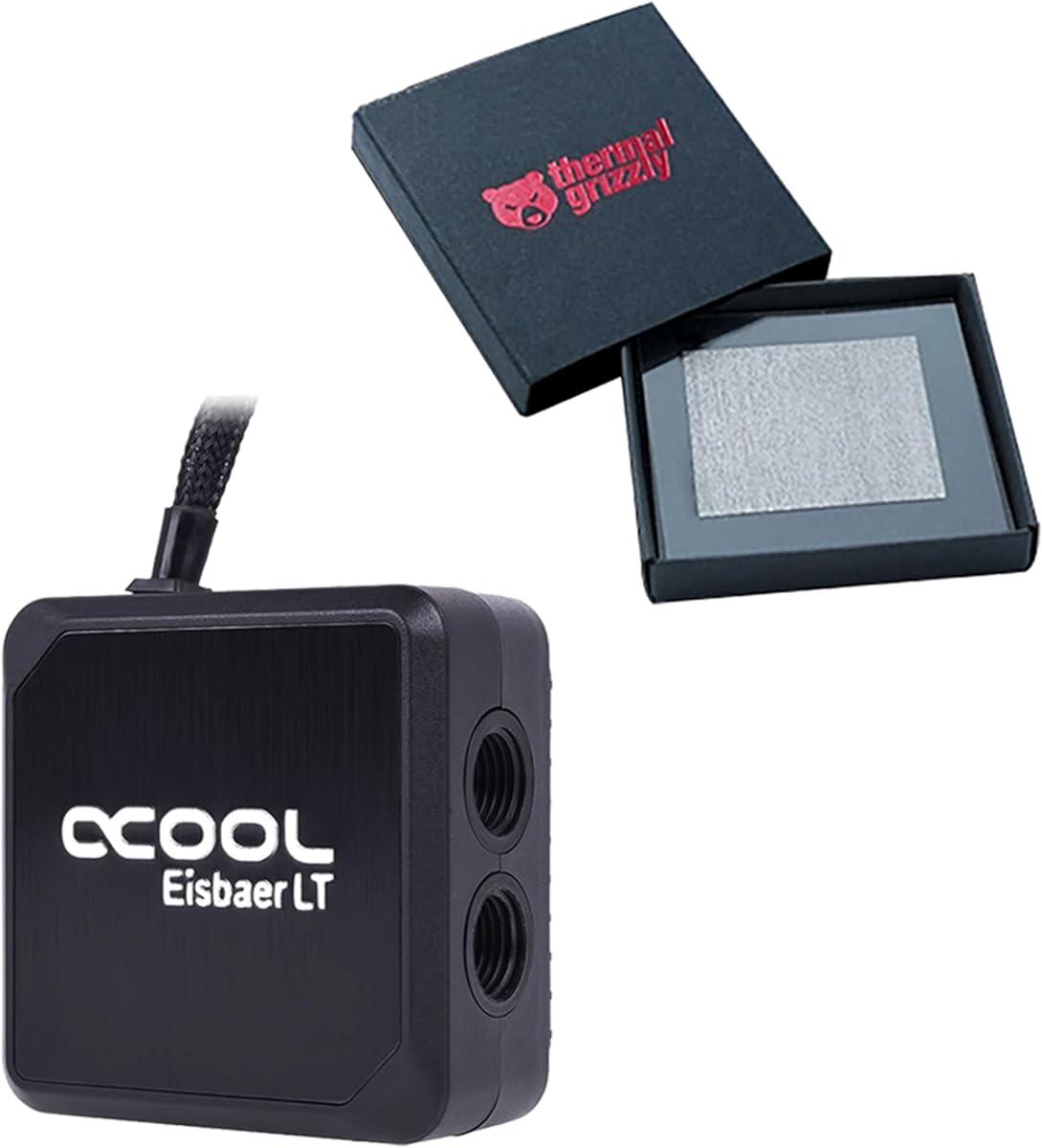
The Alphacool Eisbaer LT (Solo) bundle focuses on low-noise operation with its DC-LT 2600 Ultra Low Noise Ceramic Pump. Like the Aurora version, it offers a solid foundation for a custom cooling project around the AMD AM5 socket.
We may earn a commission when you buy through this link, at no additional cost to you.
The LT designation signifies a design optimized for quieter performance, making it suitable for environments where noise is a primary concern. It includes the same KryoSheet thermal material, ensuring long-term stability for your CPU contact.
This option gives you the opportunity to design your own AIO solution according to your specific wishes and case constraints. It is a practical choice for those who want a low-profile start to their loop.
If you prioritize a silent start to your custom build, this LT bundle provides the right components. It balances performance with noise reduction while offering a flexible path for future upgrades.
The LT pump operates at lower RPMs to reduce audible frequency noise while maintaining effective cooling flow.
The KryoSheet avoids the aging issues of liquid compounds, ensuring consistent thermal transfer over years of use.
We may earn a commission when you buy through this link, at no additional cost to you.
The Thermaltake Pacific CL480 is a full copper radiator designed for maximum heat dissipation in custom loops. Rated at 4.4, it is built for builders who want the highest possible efficiency from their cooling setup.
We may earn a commission when you buy through this link, at no additional cost to you.
Copper conducts heat significantly better than aluminum, making this radiator ideal for high-performance CPUs and GPUs. The integrated G1/4 threads ensure easy installation and rigid connections that reduce the risk of leaks.
Its design supports 120mm and 140mm fans, giving you flexibility in how you configure airflow. The black finish provides a sleek look that matches most modern PC cases and components.
For users who demand the best thermal performance and don't mind the extra weight, this radiator is a robust choice. It is a key component for any serious custom loop aiming for top cooling efficiency.
Full copper construction ensures rapid heat transfer from your coolant to the radiator fins for efficient cooling.
The integrated threads allow for tight connections without needing additional adapters that could introduce leak points.
We may earn a commission when you buy through this link, at no additional cost to you.
This CPU Water Cooler Pump and radiator combo offers a practical and affordable solution for basic custom cooling needs. With a 4.0 rating, it provides essential functionality for those on a tight budget or needing a simple replacement.
We may earn a commission when you buy through this link, at no additional cost to you.
The pump delivers an efficient 600L/H flow rate, ensuring that coolant moves quickly through the loop for optimal cooling. The aluminum heat exchanger and dual fan design help maintain stable temperatures during intensive computer tasks.
Universal G1/4 threaded connections make it compatible with most standard water cooling setups, simplifying the installation process. However, as a generic option, build quality may vary, and it may lack some of the premium features of branded components.
For users who need a reliable pump and radiator without breaking the bank, this combo is a viable choice. It covers the basics well, providing steady performance for moderate cooling requirements.
Universal threads ensure that this unit fits into most existing setups without requiring custom adapters or modifications.
The integrated aluminum heat sink paired with dual fans helps dissipate heat effectively without adding complexity.
We may earn a commission when you buy through this link, at no additional cost to you.
The CORSAIR XH505i RX 360 kit is a comprehensive solution for builders ready to tackle a full hardline loop. Rated at 4.0, it brings together high-quality components to deliver stunning looks and reliable performance.
We may earn a commission when you buy through this link, at no additional cost to you.
It includes the XC7 CPU water block, XD6 pump reservoir combo, and an XR5 360mm radiator, along with fans and a system hub. This all-in-one approach simplifies the selection process and ensures all parts are compatible.
Using iCUE software, you can monitor temperatures and synchronize RGB lighting across your entire setup. The hardline tubing included allows for the clean, professional aesthetic that custom loops are famous for.
For enthusiasts who want to build a showpiece PC without sourcing each part separately, this kit is ideal. It provides a robust foundation for a high-end loop with the flexibility to expand later.
iCUE software allows you to manage fans, pump speed, and lighting from a single interface for consistent aesthetics.
The kit includes the necessary tubing and fittings to achieve the clean, rigid look of a professional hardline build.
We may earn a commission when you buy through this link, at no additional cost to you.
The Dracaena.io 200mm Reservoir is a compact and reliable storage tank for custom loops. With a strong rating of 4.7, it offers practical features for builders who need a functional and easy-to-install reservoir.
We may earn a commission when you buy through this link, at no additional cost to you.
Its high flow ball valve structure ensures safety and reliability, while the G1/4 threads provide tight leak-free connections. The acrylic body lets you see your coolant color, adding a touch of visual appeal to the build.
With a maximum outer diameter of 55mm, it fits into many tight cases where larger tanks would not work. The multi-port design allows you to route tubing flexibly within your cooling loop.
If you need a solid, no-frills reservoir that works well in smaller builds, this is a great option. It balances size, clarity, and connection quality for a smooth installation experience.
The 55mm outer diameter allows this reservoir to fit into cases with limited internal space without blocking other components.
Advanced G1/4 threads ensure that your fittings are tight and secure, reducing the risk of leaks in the long term.
We may earn a commission when you buy through this link, at no additional cost to you.
Choosing the right components for custom loop water cooling requires considering several technical factors to ensure your build is efficient, safe, and visually appealing.
The coolant you choose is crucial for the longevity of your components. High-quality pre-mixed fluids like the CORSAIR Hydro X Series XL8 come with anti-corrosion and anti-bacterial inhibitors that protect copper, brass, and nickel parts. These inhibitors prevent chemical reactions that could degrade your expensive blocks over time. Mixing your own coolant offers more creative freedom but requires more research to ensure safe chemical combinations.
Always opt for fluids with proven anti-corrosion properties to maintain system health. Pre-mixed options reduce the risk of user error and save time during the initial setup.
The radiator is responsible for dissipating heat from the coolant. Its size dictates how much surface area is available for heat exchange, so larger radiators like the Thermaltake Pacific CL480 generally provide better cooling performance. Material also plays a role; copper radiators conduct heat more efficiently than aluminum but are heavier and more expensive. Ensure your case has enough physical space to mount the radiator with the required fans.
Match the radiator size to your CPU and GPU heat output. A 360mm radiator is standard for high-end CPUs, while larger setups may benefit from dual 360mm units.
A pump moves coolant through the loop, and its flow rate determines how quickly heat is removed from components. High flow rates like the 600L/H found in some generic pumps or the DC-LT ceramic pumps in Alphacool kits ensure stable temperatures. However, higher flow can also mean more noise. Look for pumps with ceramic bearings or dampened designs like the Silent Loop 3 for quieter operation.
Balance flow rate with noise tolerance. A quieter pump enhances the user experience without significantly sacrificing cooling efficiency if your radiator is well chosen.
Water blocks cover your CPU and GPU and come in various materials like copper, nickel, and brass. Copper offers the best thermal transfer, while nickel plating protects against corrosion. Ensure the block matches your specific socket, such as AMD AM5 or Intel LGA 1700. Models like the ASUS ROG RYUJIN III WB offer wide compatibility and advanced features like VRM cooling.
Check socket compatibility before buying to avoid returns. Copper cores with nickel plating are generally the best choice for balancing performance and durability.
Tubing connects the components and comes in soft flexible PVC or rigid hardline acrylic. Hardline tubing offers a cleaner, professional look but requires bending tools and more skill to install. Soft tubing is easier to work with and forgiving for beginners. Decide based on your skill level and the aesthetic you want for your build.
Choose tubing that matches your skill level. Hardline gives the best look but demands practice, while soft tubing ensures success for first-time loop builders.
The reservoir holds excess coolant and makes it easier to fill and bleed air from the loop. A 200mm or larger reservoir like the Dracaena.io model provides adequate space for most builds. Look for multi-port designs to simplify routing and ensure the material is durable, such as acrylic or high-quality plastic, to prevent clouding over time.
Select a reservoir that fits your case dimensions. A good reservoir makes maintenance and topping off much easier throughout the life of the loop.
Many modern loops include RGB fans and blocks for aesthetics. Systems like the be quiet! Light Loop or CORSAIR kits come with hubs or controllers to synchronize lighting. Ensure the lighting interface works with your motherboard software or includes a standalone controller. This feature is purely aesthetic but adds significant visual impact to the build.
Consider how you plan to control lighting. Unified software control simplifies management, but standalone controllers offer independence from specific motherboard brands.
Custom loops require assembly and periodic maintenance. Kits that include all necessary parts, such as the CORSAIR XH505i, simplify the process significantly. Look for products with accessible fittings and leak-free thread designs to reduce risks. Consider how easy it is to open the loop later to replace thermal paste or change coolant.
Prioritize components with easy-to-install fittings and robust seals. A well-designed system saves time during both initial setup and future maintenance tasks.
When you first install your custom loop, ensure all fittings are tightened securely to prevent leaks. Fill the reservoir with your chosen coolant and power on the pump to circulate fluid through the system. Check for leaks at every connection point before closing the case or installing components.
Monitor your system temperatures regularly using software like iCUE to ensure the loop is performing optimally. If you notice rising temperatures, check for air bubbles in the radiator or pump block which may require tilting the case to release trapped air.
Perform regular maintenance every six to twelve months by draining and replacing the coolant. Inspect tubing for clouding or cracking and clean the radiator fins of dust to maintain airflow efficiency. Proper care extends the lifespan of your expensive cooling hardware.
Custom loop water cooling can offer lower temperatures and a unique aesthetic appeal that fans cannot match. However, it requires more effort and cost to install and maintain. For gamers who prioritize silence and build style, it is worth it, but standard air cooling often suffices for pure performance.
You should change your coolant every six to twelve months to prevent biological growth and ensure optimal heat transfer. High-quality coolants with inhibitors may last longer but regular checking is essential. Clear coolants tend to show dirt and algae faster, requiring more frequent changes.
It is generally not recommended to mix different coolants as chemical reactions can cause blockages or corrosion. Stick to one type and color of fluid to ensure safety. If you must mix, ensure they are from the same manufacturer and compatible chemically.
A larger reservoir does not directly improve cooling performance but helps stabilize temperatures during idle times and makes filling easier. It acts as a buffer to reduce temperature spikes when the system is under heavy load. Focus on radiator size for performance instead.
You will need tube cutters, wrenches, a syringe for filling coolant, and a leak test kit. If using hardline tubing, a bending tool is also essential. Many kits come with basic tools, but having dedicated ones ensures cleaner and safer cuts and connections.
Check your case specifications for radiator mounting options. Look for clearance measurements on the front, top, or rear of the case. Ensure there is space for the fans to fit without interfering with other components like RAM or VRM heatsinks.
We have reviewed ten top products ranging from high-performance kits to essential components for your custom loop. The CORSAIR Hydro X Series XL8 remains a top pick for reliable coolant, while the CORSAIR XH505i RX 360 offers a complete kit for ambitious builders. The be quiet! Light Loop 360mm provides a budget-friendly all-in-one alternative.
When building your loop, prioritize the components that match your specific needs and skill level. Consider whether you value ease of use with pre-mixed coolants or the customization of full modular kits. Your choice should align with the case space and aesthetic goals you have for your PC.
Prices and availability for these products change frequently, so check current listings before making your purchase. Investing in quality components today ensures your system remains cool and stable for years to come. We hope this guide helps you create the ultimate custom cooling solution.