
EKWB EK-Quantum Vector3 TUF RTX 5080 GPU Water Block
4.8Editor score
Optimized open split-flow design
Nickel-plated electrolytic copper coldplate
Full-coverage L-shaped backplate
Explore our expert guide comparing the top Ek Waterblocks for Nvidia GPUs and CPU systems to find the best liquid cooling solution for your high-performance
Finding the right cooling solution for your high-performance gaming PC is crucial for maintaining stability and longevity. Ek Waterblocks for Nvidia systems offer premium thermal management designed to handle intense workloads efficiently.
We evaluated ten top-rated products based on thermal performance, build quality, and compatibility with modern hardware. Our comparison focuses on blocks that support the latest Nvidia GPUs and Intel or AMD processors for complete loop integration.
Each pick highlights specific strengths like D-RGB lighting, open split-flow designs, or matrix compatibility for clean routing. Please note that prices and availability change frequently so verify details before purchasing your next upgrade.
4.8Editor score

4.8Editor score

4.8Editor score
This side-by-side comparison reviews all ten selected products to help you decide which EK Waterblock fits your specific Nvidia GPU or CPU cooling needs best based on features and compatibility.



The EK-Quantum Velocity 3 CPU Water Block is designed for AMD AM5 and Intel LGA 1700/1851 platforms. It achieves up to 2 degrees C improvement in thermal performance over its predecessor offering top-tier cooling.
We may earn a commission when you buy through this link, at no additional cost to you.
Its optimized internal geometry and precise mounting pressure ensure maximum heat transfer efficiency. Crafted with a nickel-plated copper cold plate this block delivers superior thermal conductivity for demanding workloads.
While the plexi top is clear it may show scratches over time. The block requires specific mounting hardware which adds slight complexity during installation.
If you need reliable CPU cooling for high-end gaming or rendering this block is an excellent choice. It balances performance and compact design effectively.
The optimized geometry and nickel-plated copper plate work together to dissipate heat efficiently reducing thermal throttling under load.
The mounting system ensures consistent pressure across the CPU surface which maximizes contact and improves overall cooling results.
We may earn a commission when you buy through this link, at no additional cost to you.
The EK-Quantum Velocity2 D-RGB is a high-performance CPU water block for Intel socket LGA 1700 platforms. It features a next-generation cooling engine that is socket-specific for optimized heat dissipation.
We may earn a commission when you buy through this link, at no additional cost to you.
D-RGB lighting is compatible with all popular software from major motherboard manufacturers. The EK-Matrix7 compliant design ensures seamless integration with distro plates and effortless tube routing.
The block includes Thermal Grizzly's premium Hydronaut thermal paste. However it is priced higher than non-RGB versions and requires RGB headers for lighting control.
For builders who value aesthetics and compatibility this block is a strong option. It integrates well into modern high-end systems with advanced RGB features.
The cooling engine is optimized for LGA 1700 ensuring efficient coolant flow directly over the integrated heat spreader for better performance.
D-RGB lighting syncs with motherboard software allowing customizable colors and effects that match the rest of your build visually.
We may earn a commission when you buy through this link, at no additional cost to you.
The EK-Quantum Vector3 Master RTX 5090 GPU Water Block is specifically engineered for Gigabyte AORUS GeForce RTX 5090 MASTER and Gaming OC cards. It features expanded next-gen cooling with optimized open split-flow design.
We may earn a commission when you buy through this link, at no additional cost to you.
Actively cools GPU core, GDDR7 VRAM, and power stages. The full-coverage backplate passively dissipates heat from critical PCB components and includes pre-cut high-performance thermal pads for effortless installation.
The block is limited to specific Gigabyte models which restricts compatibility. It comes at a premium price point compared to standard GPU blocks.
If you own a compatible Gigabyte RTX 5090 this block provides top-tier thermal management. The advanced cooling engine and full coverage make it ideal for extreme loads.
The optimized open split-flow design and enhanced fin array ensure coolant reaches all hotspots including VRAM and power stages efficiently.
Active cooling for the core and VRAM combined with passive backplate dissipation ensures stable performance even during long gaming sessions.
We may earn a commission when you buy through this link, at no additional cost to you.
The EK-Quantum Velocity 2 CPU Water Block AM5 White Edition is built for AMD AM5 sockets. It features digital RGB lighting and a coldplate manufactured out of the highest-grade 99.99% pure electrolytic copper.
We may earn a commission when you buy through this link, at no additional cost to you.
The pure copper ensures high thermal conductivity for efficient heat transfer. The digital RGB lighting adds visual appeal while the White Edition finish suits clean aesthetic builds.
It is limited to AM5 CPUs and costs more than non-RGB versions. Ensure your build uses AM5 hardware to match compatibility.
This block is ideal for AM5 users wanting high performance and stylish RGB lighting. The premium materials guarantee reliable cooling for modern AMD processors.
Using 99.99% pure electrolytic copper maximizes heat absorption from the CPU ensuring temperatures stay low during intensive tasks.
The White Edition finish matches clean builds perfectly while digital RGB lighting provides customizable color effects for a polished look.
We may earn a commission when you buy through this link, at no additional cost to you.
The EK-Quantum Vector3 TUF RTX 5080 GPU Water Block is precision-engineered for ASUS TUF Gaming GeForce RTX 5080 16GB GDDR7 and OC Edition graphics cards. It features optimized open split-flow design with expanded fin array.
We may earn a commission when you buy through this link, at no additional cost to you.
Actively cools GPU core, VRAM, and power stages while maintaining low hydraulic restriction. Includes full-coverage L-shaped backplate with pre-installed captive screws that passively cools PCB hotspots.
It is limited to specific TUF models which restricts use with other brands. Requires RGB headers for lighting control adding slight complexity.
For TUF RTX 5080 owners this block offers exceptional value. It balances performance and price effectively while delivering reliable cooling for high-end gaming.
The open split-flow design and improved coolant flow paths minimize resistance allowing the pump to maintain efficient flow rates easily.
Active GPU cooling combined with passive backplate dissipation ensures all hotspots are managed reducing overall system temperatures under load.
We may earn a commission when you buy through this link, at no additional cost to you.
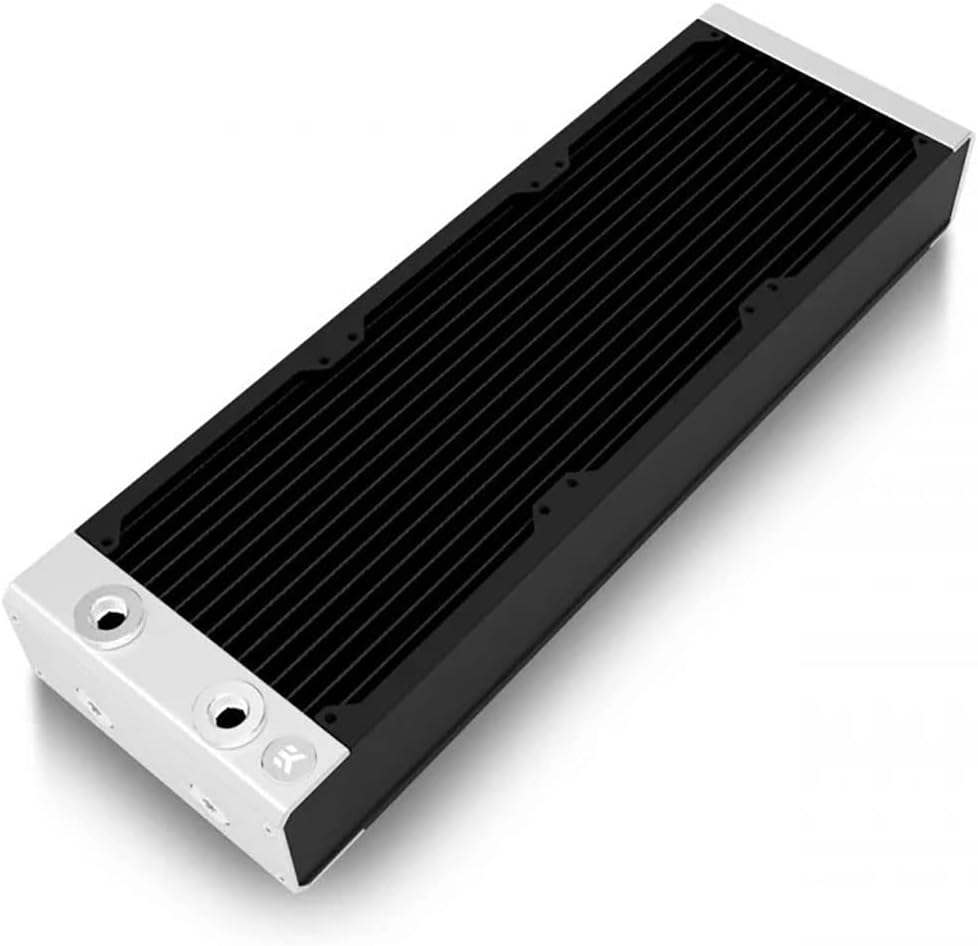
The EK-Quantum Surface S120 is a compact radiator designed for efficient heat dissipation in liquid cooling loops. It features high thermal transfer and black finish matching many modern builds.
We may earn a commission when you buy through this link, at no additional cost to you.
Compatible with 120mm fans this radiator handles standard cases easily. Its high thermal transfer capability ensures heat from coolant is released efficiently into the air.
It is limited to 120mm fans and lacks RGB features which limits customization options. Choose this if you prioritize compact size and performance.
Ideal for small cases needing effective cooling without bulk. The S120 ensures reliable thermal management for mid-range GPU and CPU systems.
The radiator design maximizes surface area contact with air allowing heat to dissipate quickly and maintain stable coolant temperatures.
Designed for S120 size it fits into tight spaces making it suitable for smaller cases or loops with limited radiator slots.
We may earn a commission when you buy through this link, at no additional cost to you.
The EK-Quantum Surface X360M is a thick radiator offering maximum cooling power with 58mm thickness. A total of sixteen 2mm wide copper tubes across the radiator ensure optimal coolant flow.
We may earn a commission when you buy through this link, at no additional cost to you.
High-grade non-louvered copper fins with 18 FPI density provide best balance between thermal transfer and air resistance. These thick radiators benefit most from medium and high-speed fans or Push/Pull setup.
Requires large case fitment and may stress on cooling system if pump capacity is low. Fans must be strong enough to push air through thick fins.
For high-end systems needing extreme cooling this radiator is unmatched. The thickness and tube design ensure heat is dissipated efficiently even under heavy GPU loads.
The 58mm thickness combined with sixteen copper tubes allows for massive surface area ensuring heat transfer remains consistent under load.
With 18 FPI density the fins strike a balance between cooling efficiency and air resistance optimizing fan performance for better heat dissipation.
We may earn a commission when you buy through this link, at no additional cost to you.
The EK-Quantum Vector3 Astral RTX 5080 GPU Water Block is designed exclusively for ASUS ROG Astral GeForce RTX 5080 graphics cards. It features an optimized open split-flow cooling engine with expanded fin array.
We may earn a commission when you buy through this link, at no additional cost to you.
Equipped with 14 individually addressable RGB LEDs along top and backside edges with 500mm cable compatible with major motherboard RGB sync technologies. EK-Matrix7 standardization ensures simplified loop planning.
Limited to ASUS ROG models which restricts broader compatibility. Requires RGB headers for lighting control which adds slight complexity during installation.
If you own an ASUS ROG Astral RTX 5080 this block offers premium thermal and visual performance. The RGB and Matrix7 features make it a standout for clean builds.
The EK-Matrix7 standard allows for simplified tube routing and integration with other EK components enabling seamless vertical or horizontal mounting.
With 14 LEDs and a 500mm cable the lighting covers both top and backside edges for full visibility from any angle inside the case.
We may earn a commission when you buy through this link, at no additional cost to you.
The EK-Quantum Volume 3 FLT 140 Reservoir is designed to revolutionize liquid cooling loop building with a flat shape. It features digital RGB lighting and nine G1/4 ports for optimal setup.
We may earn a commission when you buy through this link, at no additional cost to you.
Capacity is ~225ml and size is 146.5 x 143.5 x 44mm. The nine ports allow flexible routing options making it easier to integrate into complex loops.
The capacity is smaller than traditional reservoirs which may limit coolant volume. Requires careful layout to ensure all ports fit the intended routing.
For custom loops needing flexible routing this reservoir is ideal. The flat shape and RGB lighting enhance aesthetics while offering robust port options for builders.
With nine G1/4 ports you can connect multiple components directly to the reservoir simplifying tube runs and reducing clutter inside the case.
The flat shape allows the reservoir to sit flush against case walls saving space while maintaining a clean and modern aesthetic look.
We may earn a commission when you buy through this link, at no additional cost to you.
The EK-Quantum Vector3 Astral RTX 5090 GPU Water Block is custom water block designed exclusively for ASUS ROG Astral GeForce RTX 5090 graphics cards. It features enhanced cooling engine with expanded fin array.
We may earn a commission when you buy through this link, at no additional cost to you.
Actively cools GPU core, VRAM, and power stages while included L-shaped backplate passively cools PCB hotspots. Equipped with 14 individually addressable RGB LEDs along top and backside edges.
Limited to specific models and comes at a premium price point. Requires RGB headers for lighting control and compatible case space for full GPU cooling.
If you need top-tier cooling for the RTX 5090 this block is unmatched. The full coverage and RGB integration deliver premium performance and aesthetics.
Active cooling for core, VRAM, and power stages combined with passive backplate dissipation ensures comprehensive thermal management under extreme loads.
The 14 LEDs and 500mm cable sync with motherboard RGB for customizable effects enhancing the visual appeal of the GPU during operation.
We may earn a commission when you buy through this link, at no additional cost to you.
Choosing the right EK waterblock for your Nvidia system requires understanding GPU model compatibility, cooling performance needs, and loop integration factors.
Ensure the waterblock matches your specific Nvidia GPU model. EK blocks like Vector3 Master RTX 5090 are custom engineered for particular cards so verify compatibility with your exact GPU model.
Check the product title for supported models before purchasing to avoid returns.
Look for features like open split-flow design, expanded fin arrays, and nickel-plated copper coldplates. These design elements maximize heat dissipation and coolant flow for better thermal performance under heavy loads.
Prioritize blocks with enhanced coolant flow paths for optimal cooling efficiency.
D-RGB LED blocks allow customizable lighting effects compatible with motherboard sync software. Ensure your system has the necessary 3-pin 5V digital LED header for control.
Choose RGB blocks if aesthetics are important for your build.
EK-Matrix7 standardization simplifies loop planning by ensuring seamless integration with EK distro plates and tubes. This helps achieve clean layouts with easier routing for complex builds.
Verify the block is EK-Matrix7 compatible for simplified tube routing.
Match the radiator size to your case and thermal needs. Larger radiators like X360M offer better cooling but require more space and higher airflow fans for optimal performance.
Consider 360mm for high-end systems and 120mm for compact builds.
Reservoirs like the Volume 3 FLT 140 help manage coolant volume and air bubbles. Ensure capacity meets your loop needs and ports match your planned routing layout.
Select reservoirs with multiple G1/4 ports for flexibility.
Full-coverage L-shaped backplates passively cool PCB hotspots and provide structural integrity. Blocks without backplates may leave critical components uncooled affecting thermal stability.
Look for blocks with included backplates for complete thermal management.
Verify the block includes necessary mounting hardware like captive screws and thermal pads. Incomplete kits can cause installation delays or poor thermal contact.
Check product details for included accessories before purchase.
Before installation clean GPU die and VRAM contacts thoroughly removing old thermal pads. Align mounting brackets carefully and apply thermal paste or pads provided in the kit.
Connect RGB cables to motherboard headers using correct pin orientation and tighten fittings firmly to prevent leaks. Ensure pump is powered correctly and test loop with water before adding coolant.
Monitor loop temperatures regularly and flush coolant every six months to prevent biological growth. Clean reservoir and filters to maintain optimal flow rates and avoid clogging in the waterblocks.
EK waterblocks are custom engineered for specific GPU models like RTX 5090 or 5080 so compatibility depends on exact card. Always check product details for supported models before purchasing to ensure proper fit and cooling.
EK-Matrix7 standardizes component dimensions for seamless integration with EK distribution plates and tubes. This simplifies loop planning ensuring clean tube routing across EK waterblocks radiators and other compatible components.
Most EK blocks use patent-pending exact mount systems designed for specific GPUs or CPU sockets. Included kits typically have all necessary screws thermal pads and backplates for proper installation.
D-RGB blocks need a 3-pin 5V digital LED header on your motherboard for control. Without this header the RGB may not function or stay static requiring compatible motherboard for full customization.
A single GPU block usually requires around 300 to 500ml of coolant depending on loop complexity. Larger radiators increase coolant needs so plan reservoir size accordingly to avoid air bubbles.
Yes, EK blocks are designed with removable tops and ports allowing easy access for cleaning. Regular flushing and filter cleaning maintain optimal flow and prevent debris buildup in the cooling loop.
We reviewed ten top EK waterblocks offering solutions from compact CPU blocks to flagship GPU cooling like the Vector3 Master RTX 5090.
Prioritize compatibility with your exact GPU or CPU model and consider RGB and EK-Matrix7 features for seamless integration and aesthetics.
Check current prices and availability since these change frequently before placing your order to secure the best deal for your build.