
WINSINN 40mm 12V Fan
4.4Editor score
Hydraulic bearing maintenance-free operation
Includes five units per package
Compact 40x10mm slim profile
This comprehensive guide compares the top 40mm cooling fans for servers, 3D printers, and electronics, focusing on performance, noise, and reliability for your
Finding the right cooling solution for compact electronics can be challenging. Forty millimeter fans are essential for keeping servers, printers, and routers running smoothly without excessive noise. Choosing the best model ensures longevity and optimal performance for your specific hardware setup.
We evaluated ten top-rated 40mm cooling fans based on airflow, noise levels, bearing type, and build quality. Our analysis considers real-world applications ranging from 1U servers to 3D printers and DIY electronics projects to help you make an informed decision.
Each selection in this guide highlights key strengths and ideal use cases for different budgets and requirements. Product details and availability may vary over time, so please check current listings for the most up-to-date information before purchasing your next cooling component.
4.4Editor score
4.8Editor score

4.8Editor score
This side-by-side comparison details the specifications and features of the leading 40mm cooling fans available today, helping you quickly identify the best fit for your application.


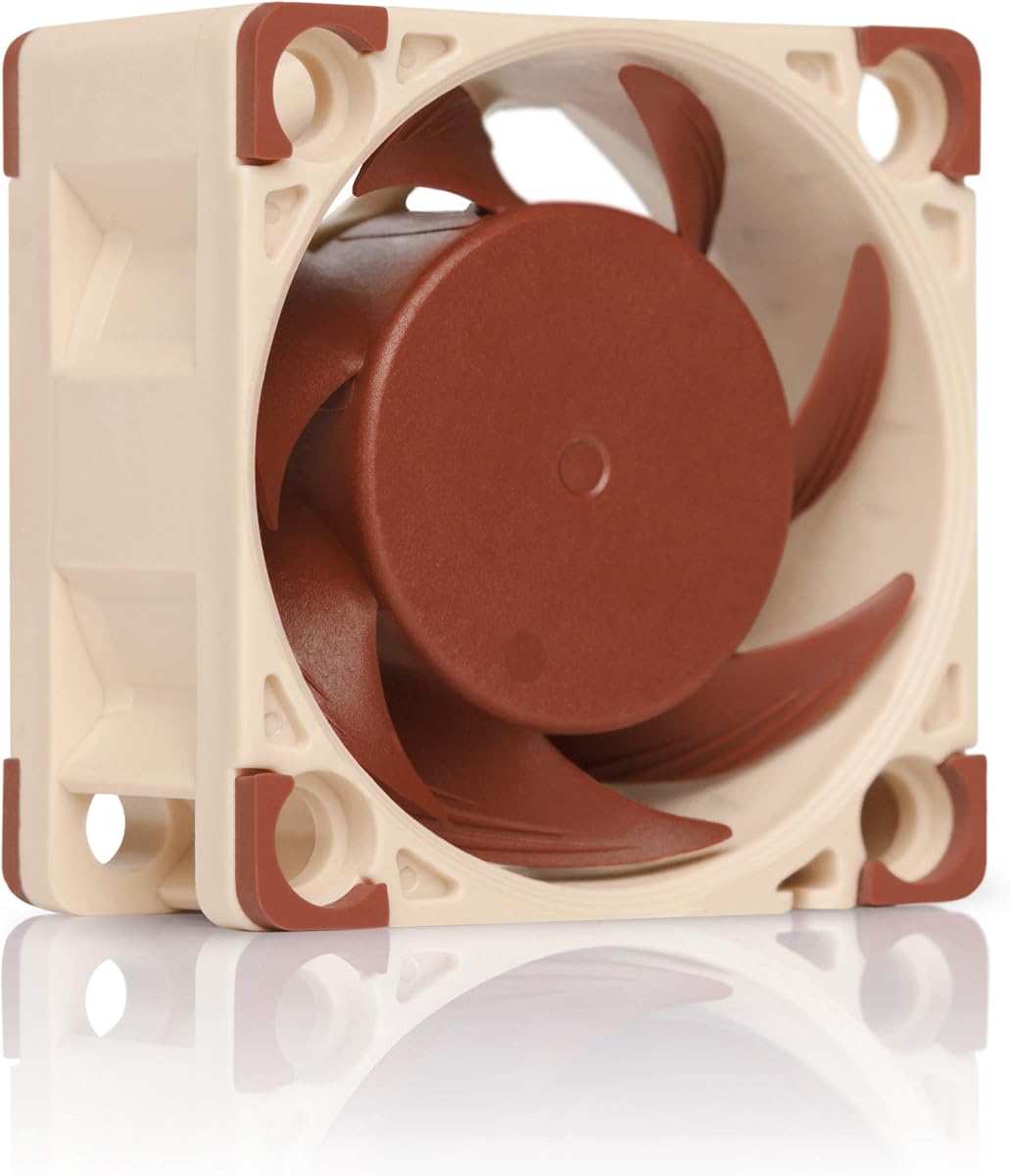
The Noctua NF-A4x20 PWM stands out as the premier choice for users requiring exceptional cooling performance without compromising on silence. With a remarkable 4.8 rating, this fan delivers superior airflow while maintaining whisper-quiet operation suitable for noise-sensitive environments.
We may earn a commission when you buy through this link, at no additional cost to you.
Its award-winning A-series design incorporates Flow Acceleration Channels and an Advanced Acoustic Optimisation frame to minimize turbulence and noise. The 5000 RPM maximum speed ensures robust cooling for 1U servers, network equipment, and storage devices like routers and NAS units.
While the premium price reflects its high-quality construction and included accessories like anti-vibration mounts and extension cables, the long-term reliability justifies the investment. The 150,000 hours MTTF ensures longevity that rivals cheaper alternatives many times over.
This fan is ideal for professionals and enthusiasts who prioritize quiet, efficient cooling for critical infrastructure. Its comprehensive accessory kit makes installation straightforward across various proprietary headers and standard PWM interfaces.
Advanced acoustic optimization ensures minimal noise even at high speeds, making it perfect for quiet environments.
Premium materials and bearing design provide exceptional longevity, reducing replacement frequency and maintenance needs.
We may earn a commission when you buy through this link, at no additional cost to you.
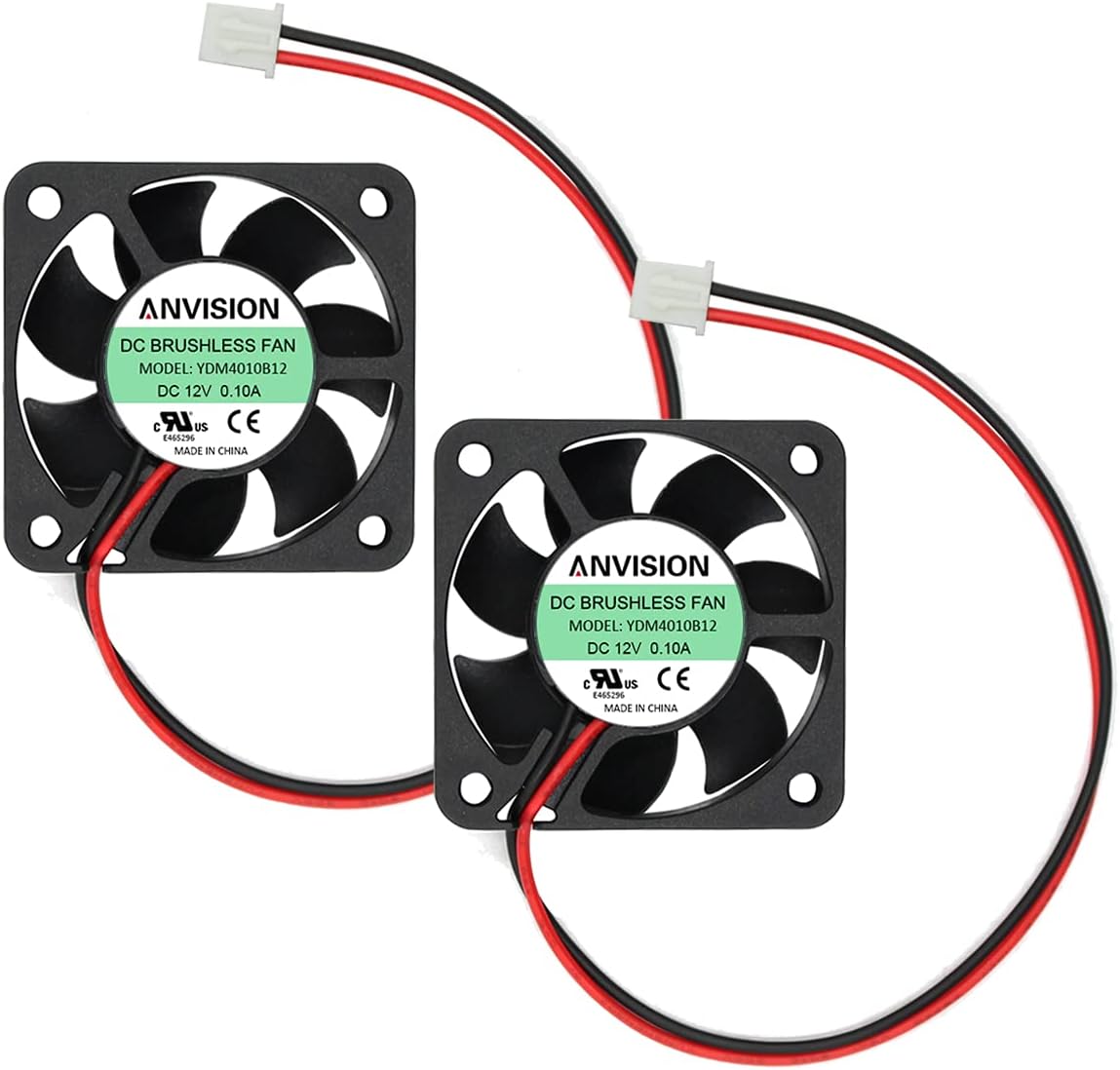
The ANVISION 2-Pack offers excellent value for users needing multiple slim cooling solutions for compact electronics. With a 4.5 rating, these fans provide reliable airflow in tight spaces where depth is a limiting factor for standard installations.
We may earn a commission when you buy through this link, at no additional cost to you.
Designed with dual ball bearings, these fans ensure long service life and durability under continuous operation. The 6200 RPM speed delivers substantial airflow despite the slim 10mm profile, making them suitable for routers, switches, and small enclosures.
Noise levels are higher compared to premium models but remain acceptable for industrial or workshop settings. The standard YD connector is compatible with many devices but may require adapters for modern 4-pin PWM headers.
Ideal for DIYers and maintenance teams needing affordable replacements for broken units. The two-pack format ensures you have a spare ready when maintenance or unexpected failures occur.
The 10mm thickness allows installation in shallow enclosures where standard 20mm fans simply cannot fit.
Dual ball bearings offer better longevity than sleeve bearings, especially in hot or dusty environments.
We may earn a commission when you buy through this link, at no additional cost to you.
The Noctua NF-A4x10 FLX excels in applications requiring an ultra-slim profile without sacrificing the brand's renowned quality and silence. Rated 4.8 stars, this fan is perfect for 3D printers and devices with tight internal clearances.
We may earn a commission when you buy through this link, at no additional cost to you.
Flow Acceleration Channels and the acoustic frame ensure smooth airflow despite the reduced depth. The included Low-Noise Adaptors allow you to choose between maximum airflow at 4500 RPM or near-silent operation at 3700 RPM.
The 3-pin Molex interface simplifies connections but lacks the automatic speed control of PWM fans. This is acceptable for most fixed applications where manual tuning via adaptors suits the thermal needs better.
Best for 3D printer upgrades and compact server replacements where depth constraints exist. The included anti-vibration mounts ensure stable operation and reduced vibration transmission to the device chassis.
Low-Noise Adaptors let you balance between cooling power and silence based on your specific environment needs.
At only 10mm thick, this fan fits where others cannot, solving clearance issues in densely packed electronics.
We may earn a commission when you buy through this link, at no additional cost to you.
Designed specifically for 1/8 and 1/10 scale RC vehicles, these fans deliver extreme cooling power for high-performance brushless motors. The 4.5 rating reflects their effectiveness in preventing motor overheating during intense racing sessions.
We may earn a commission when you buy through this link, at no additional cost to you.
Running at up to 16000 RPM, these fans provide significant heat dissipation that keeps motors within safe operating temperatures. The high-quality metal construction ensures durability against impacts and harsh operating conditions in RC environments.
Reverse polarity protection prevents accidental damage during installation, a critical feature for hobbyists who frequently swap components. The included carbon fan cover protects the fan blades from debris while maintaining airflow efficiency.
Ideal for RC enthusiasts upgrading cooling systems for motor protection. While not suitable for electronics, their specialized design makes them indispensable for maintaining motor longevity in high-stress applications.
The 16000 RPM speed delivers maximum heat dissipation for motors running under heavy load conditions.
Metal materials protect against crashes and debris, ensuring the fan survives rough RC track environments.
We may earn a commission when you buy through this link, at no additional cost to you.
GDSTIME delivers reliable cooling specifically designed for 24V 3D printers like the Ender series. With a 4.7 rating, these fans are perfect replacements for hotend cooling where standard 12V fans fail to match voltage requirements.
We may earn a commission when you buy through this link, at no additional cost to you.
Hydraulic bearings provide quiet, long-lasting performance essential for printing environments where noise can be distracting. The 6000 RPM speed ensures sufficient airflow for proper filament cooling and print quality consistency.
The two-pack format allows for simultaneous replacement of both part cooling and hotend fans if needed. Standard JST XH connectors match common 3D printer wiring, simplifying installation for users.
Best for 3D printer owners needing direct replacements without voltage converters. The 24V design eliminates the need for additional components, reducing potential points of failure in your print setup.
24V direct compatibility means no converters needed, improving reliability and simplifying wiring for printers.
Proper hotend cooling helps maintain consistent filament temperatures, reducing warping and improving surface quality.
We may earn a commission when you buy through this link, at no additional cost to you.
Offering five units in a single package, WINSINN provides exceptional value for bulk replacement needs. The 4.4 rating indicates solid performance for the price, making these ideal for multi-device cooling setups or stocking up for repairs.
We may earn a commission when you buy through this link, at no additional cost to you.
Hydraulic bearings ensure maintenance-free operation with minimal noise, suitable for office or home environments. The 30cm cable length adds flexibility for routing wires in larger enclosures or complex setups.
While lacking premium features like PWM control or anti-vibration mounts, these fans deliver reliable basic cooling. The 12V compatibility covers a wide range of electronics from routers to small PCs and Raspberry Pi projects.
Perfect for IT technicians and hobbyists needing affordable spares for multiple projects. The five-pack ensures you always have replacements on hand for unexpected failures without frequent reordering.
Buying five at once significantly lowers cost per unit compared to single purchases for similar specs.
Longer cables reduce the need for extension adapters, making installation easier in tight spaces.
We may earn a commission when you buy through this link, at no additional cost to you.
This 24V version of Noctua's slim fan brings premium quality to printers and devices requiring higher voltage. The 4.6 rating reflects its effectiveness in 3D printing hot end cooling where precise temperature management is critical.
We may earn a commission when you buy through this link, at no additional cost to you.
The 4-pin PWM connector enables automatic speed control, adjusting airflow based on thermal demands. This feature optimizes noise levels while maintaining safe temperatures for hotends during various print layers.
Included adaptors for popular printer models like Creality and Anycubic simplify compatibility without soldering. The SSO2 bearing ensures long-term reliability matching other Noctua products with over 150,000 hours MTTF.
Ideal for 24V 3D printer users wanting silent, reliable cooling. The combination of PWM control and slim design solves common upgrade paths without requiring voltage changes or complex wiring.
PWM control adjusts speed dynamically, keeping prints cool without unnecessary noise during slower layers.
Adaptors for major brands mean direct compatibility, saving time and effort during upgrades.
We may earn a commission when you buy through this link, at no additional cost to you.
The FLX version offers Noctua's quiet performance with manual speed selection via Low-Noise Adaptors. With a 4.8 rating, this model is perfect for users who prefer simple plug-and-play setups without complex motherboard headers.
We may earn a commission when you buy through this link, at no additional cost to you.
The 3-pin Molex connector works with standard power supplies and fans headers. Three speed settings allow you to choose between maximum cooling at 5000 RPM or quieter operation at 3700 RPM.
All the premium accessories including anti-vibration mounts and extension cables come included. This ensures the fan installs securely and quietly into network equipment or 1U server racks.
Best for static cooling needs where variable speed isn't necessary. The robust construction and long MTTF make it a reliable long-term solution for infrastructure and storage devices.
Molex connectivity eliminates need for PWM headers, allowing direct power connection to most systems.
Low-Noise Adaptors give you control over speed without software or firmware changes required.
We may earn a commission when you buy through this link, at no additional cost to you.
S4028-15K delivers exceptional airflow thanks to its deep 28mm profile and high-speed capability. With a 4.6 rating, it is a powerhouse for applications needing maximum cooling capacity in tight diameter spaces.
We may earn a commission when you buy through this link, at no additional cost to you.
The dual ball bearing construction ensures durability against heat and dust, making it suitable for industrial environments. PWM control allows you to balance performance and noise based on real-time thermal requirements.
At maximum 15000 RPM, noise levels increase significantly, so this fan is best used when cooling capacity is prioritized over silence. The 40cm cable provides flexibility in positioning within larger enclosures or server chassis.
Ideal for server racks and high-performance computing where thermal management is critical. The deep profile fits 1U cases and provides static pressure to push air through dense components.
The 15000 RPM speed provides extreme cooling capacity, essential for high-performance or overclocked components.
28mm depth allows larger blades and motors, increasing air volume compared to slim 10mm or 20mm fans.
We may earn a commission when you buy through this link, at no additional cost to you.
This model combines premium Noctua quality with slim 10mm dimensions and automatic speed control. The 4.8 rating highlights its effectiveness for users needing quiet cooling in compact enclosures without compromising on advanced control features.
We may earn a commission when you buy through this link, at no additional cost to you.
The Flow Acceleration Channels reduce turbulence and noise while maximizing airflow efficiency. Automatic PWM control via the 4-pin connector ensures the fan runs silently at low loads and speeds up only when cooling is needed.
Includes a Low-Noise Adaptor for users who want to cap the maximum speed at 3700 RPM for extra quietness. The SSO2 bearing ensures exceptional reliability with an MTTF rating exceeding 150,000 hours.
Best for high-end applications where silence, space efficiency, and control are equally important. The investment pays off in reliability and consistent thermal performance across various devices.
PWM headers automatically adjust fan speed based on system temperature, optimizing noise and cooling dynamically.
SSO2 bearing technology ensures the fan lasts for years, reducing maintenance costs and replacement frequency.
We may earn a commission when you buy through this link, at no additional cost to you.
Selecting the right 40mm cooling fan requires balancing multiple factors to match your specific application. This guide helps you evaluate the most important aspects before making a purchase.
While the footprint is typically 40x40mm, depth varies between 10mm, 20mm, and 28mm models. Ensure you have enough clearance inside your enclosure before choosing a thicker fan, as slim models often provide less airflow.
Check your device's internal space carefully and match the fan depth to avoid installation issues or airflow obstruction.
Most 40mm fans operate at 12V, but some devices like certain 3D printers and industrial equipment use 24V. Using the wrong voltage can damage the fan or the device, so always check your motherboard or power supply specifications.
Match the fan's rated voltage exactly to your system to ensure safe operation and prevent electrical failures.
Connectors range from 2-pin JST and Molex to 4-pin PWM connectors. If you need automatic speed control, ensure the fan supports PWM and your system has compatible headers. Otherwise, basic 2-pin or 3-pin connectors are sufficient for constant speed operation.
Verify the connector type on your motherboard or power adapter to avoid needing additional adapters or wiring.
Sleeve bearings are budget-friendly but wear faster over time. Ball bearings and hydraulic bearings offer longer life and better performance in hot or dusty environments. The bearing type affects noise levels and MTTF significantly.
Choose hydraulic or ball bearings for industrial or continuous-use applications to maximize longevity and reliability.
Airflow measured in CFM determines how much air moves through the fan, while static pressure indicates its ability to push air through restrictive components like heatsinks or dense grids.
Prioritize static pressure for enclosed or high-resistance cooling, and airflow for general case cooling.
Noise is measured in dBA, with lower values indicating quieter operation. Premium models often prioritize acoustic optimization to keep noise under 20dB even at high speeds.
For office environments or quiet spaces, look for fans rated below 20dB for comfortable operation.
Some brands include anti-vibration mounts, extension cables, and adaptor kits. These accessories can save time and effort during installation, especially for complex setups.
Check what is included in the box to ensure you have everything needed for a secure installation.
Established brands often offer better quality control and warranties. Long MTTF ratings and customer support can be valuable if you encounter issues later.
Consider brands with proven reliability and clear warranty policies for peace of mind.
Before installation, ensure the power is disconnected to prevent short circuits. Match the positive and negative wires to your power source or motherboard headers. If the connector does not match, use adapters carefully or solder only if you are confident in electrical safety.
Install the fan securely using provided screws or anti-vibration mounts to reduce noise transmission. Ensure blades can spin freely without obstruction from cables or components. Proper mounting improves longevity and acoustic performance.
Periodically clean dust buildup from the blades and bearing area using compressed air. Dust accumulation can increase noise and reduce airflow over time. If your fan supports it, update firmware or monitor speeds via software to adjust settings as needed.
No, using a 12V fan on a 24V system will likely damage the motor and electronics. Always match the voltage rating of the fan to your power source or motherboard header. If you need 12V fans, ensure your system provides 12V output or use a voltage converter designed for fans.
PWM fans use a 4-pin connector to adjust speed by sending pulse signals, while DC fans use 3-pin connectors to adjust speed by varying voltage. PWM offers more precise control and lower noise at partial speeds compared to simple voltage adjustments used by DC fans.
Calculate your enclosure volume and required air changes per hour to estimate CFM needs. For hot components, prioritize static pressure to push air through heatsinks. For open enclosures, higher airflow is usually sufficient. Most 40mm fans provide 5 to 20 CFM depending on speed and depth.
10mm fans move less air due to shorter blades but fit where space is limited. They are effective for low-to-moderate cooling needs like routers or compact electronics. If space allows, 20mm fans generally provide better airflow and lower noise at equivalent speeds.
Quality fans with ball or hydraulic bearings last tens of thousands of hours. Premium models like Noctua offer over 150,000 hours MTTF. Budget models may have lower lifespans. Regular cleaning and avoiding overheating extends overall service life significantly.
Yes, you can connect multiple fans using Y-cables or splitter adapters. Ensure your power source or header can supply the total current required by all fans combined. Exceeding current limits can damage controllers or cause fans to underperform.
Anti-vibration mounts absorb vibrations generated by the spinning blades and motor, reducing transmitted noise. They are especially useful when mounting fans to thin metal panels or enclosures that resonate easily. Proper mounts improve overall system acoustic performance.
We recommend the Noctua NF-A4x20 PWM as the best overall choice for its balance of silence, performance, and build quality. Budget-conscious buyers will find value in the WINSINN 5-pack, while users with tight depth constraints should consider the slim Noctua models.
When making your final decision, prioritize dimensions, voltage, and connector compatibility to avoid installation issues. Select bearing types that match your environment's temperature and dust levels for maximum reliability.
Always verify current listings for availability and compatibility before purchasing since product details may change. Check manufacturer specifications carefully to ensure the fan meets all your system's requirements for optimal performance.