
Dell OptiPlex 7070 SFF Desktop Computer PC
4.1Editor score
9th Gen i7 Processor
32GB DDR4 RAM
1TB NVMe SSD
Built-in WiFi 6E
Discover the best Desktop PC for Teens in October 2026. We compare top models for gaming, school, and creativity to help you find the perfect computer today.
Choosing the right Desktop PC for Teens involves balancing performance, durability, and budget. Teens need machines that handle homework, creative projects, and entertainment seamlessly. A solid desktop provides longevity and power that laptops often lack.
We compared ten reliable desktop computers based on processor speed, memory capacity, and storage options. Our analysis focuses on systems that offer smooth multitasking and future-proofing for growing tech needs. We prioritized value and performance in this curated list.
Each pick highlights specific strengths like gaming readiness or office productivity. Prices and availability change frequently so check current listings before buying. This guide helps you navigate options to find a system that fits your teen lifestyle.
4.1Editor score
4.3Editor score

4.2Editor score
Here is a side-by-side comparison of the top ten desktop PCs for teens. Each entry includes key specifications to help you decide quickly based on performance and value.





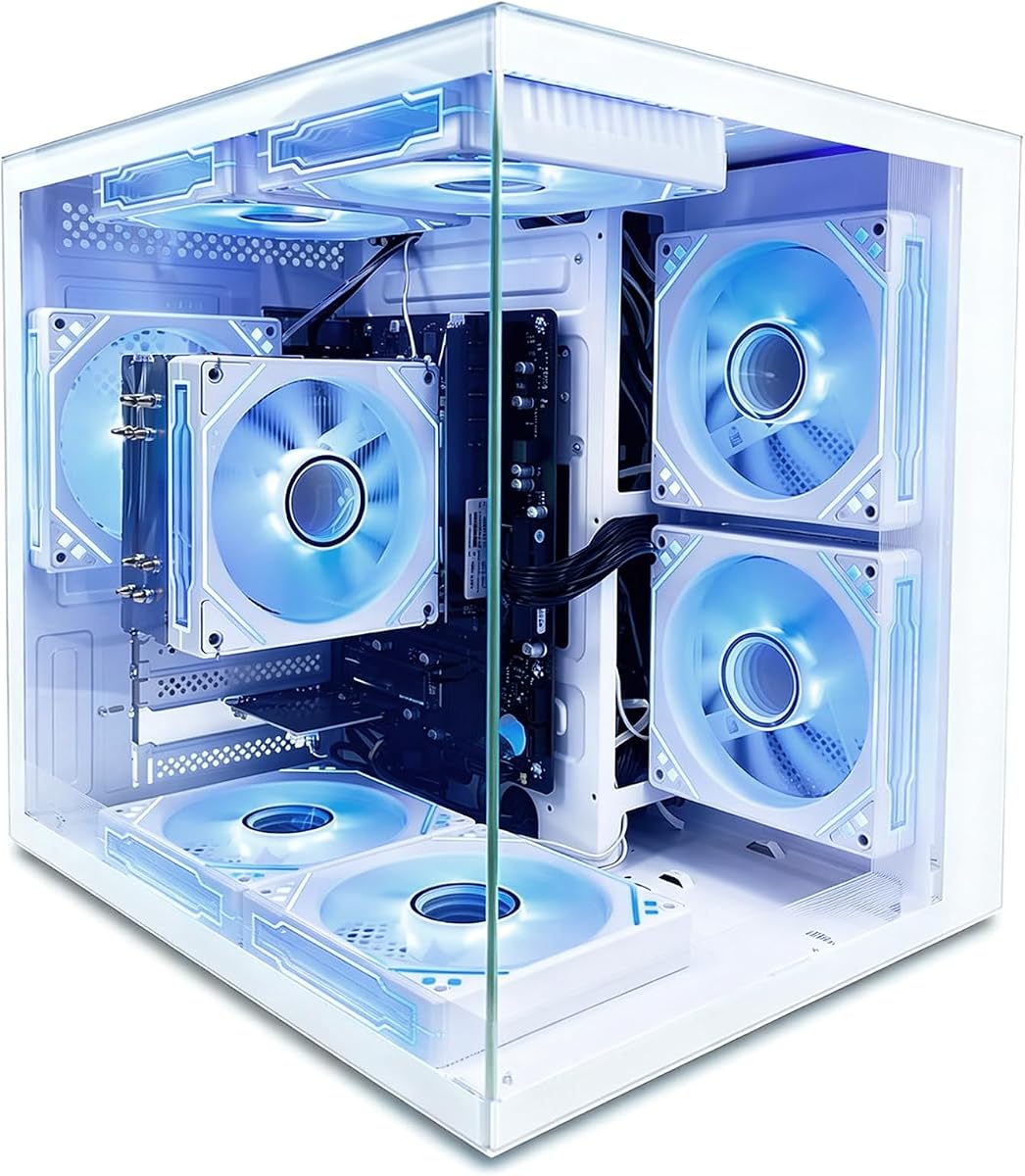
This prebuilt desktop from suevery offers a solid foundation for teens who need a versatile machine for school and light entertainment. It holds a strong rating among users for its balance of performance and affordability. The integrated graphics allow for smooth gameplay in popular casual titles without needing extra hardware.
We may earn a commission when you buy through this link, at no additional cost to you.
The Ryzen 5 3400G processor delivers reliable multitasking capabilities for homework, video calls, and streaming simultaneously. With 16GB of RAM, the system handles multiple browser tabs and apps without lag. The included Wi-Fi 6 ensures fast wireless speeds for online learning and gaming.
While the 256GB SSD is fast, it may fill up quickly with media files and games. However, the system supports future upgrades for storage and memory. The RGB fans add a customizable aesthetic touch that appeals to younger users seeking style.
We recommend this PC for teens who want a clean setup for schoolwork and casual play. Its plug-and-play nature makes initial setup simple. If you need more storage space, consider adding drives later to maximize value.
The quad-core processor ensures smooth operation for web browsing, document editing, and streaming media without slowdowns.
Expansion slots allow users to add more RAM or larger storage drives as needs grow over time.
We may earn a commission when you buy through this link, at no additional cost to you.
The Dell OptiPlex 7070 stands out as a high-performance desktop ideal for teens with advanced computing needs. Its robust build quality and professional features make it suitable for demanding software. Users appreciate the speed and reliability this machine provides for complex tasks.
We may earn a commission when you buy through this link, at no additional cost to you.
Equipped with a 9th generation i7 processor and 32GB of RAM, this PC handles video editing and heavy multitasking effortlessly. The 1TB NVMe SSD ensures rapid boot times and quick file access. WiFi 6E support guarantees fast and stable internet connections.
The small form factor design saves space on desks but may limit future expansion options. Wireless keyboard and mouse add convenience to the package. It is a premium choice for those prioritizing performance over budget constraints.
Consider this model for older teens pursuing digital arts or coding projects. It offers a professional-grade workstation experience at home. Ensure your space allows for the compact tower placement for optimal airflow.
The NVMe SSD and 32GB RAM combination ensures minimal lag during intensive computing sessions.
WiFi 6E technology provides lower latency and higher speeds for modern wireless networks.
We may earn a commission when you buy through this link, at no additional cost to you.
For budget-conscious families, this Dell model offers exceptional value for everyday computing tasks. It maintains a high user rating for reliability despite being a refurbished unit. The specs are sufficient for most school projects and web-based learning environments.
We may earn a commission when you buy through this link, at no additional cost to you.
The quad-core i5 processor paired with 16GB of RAM ensures smooth operation for daily software. The 256GB SSD provides fast performance for the operating system and essential apps. Dual display support allows for efficient screen real estate usage.
While storage is limited, the system is designed to handle basic workloads efficiently. The included WiFi adapter ensures connectivity even if built-in options are scarce. It is an ideal choice for a secondary computer or student setup.
Choose this PC if you need a reliable machine without breaking the bank. It handles word processing and web browsing with ease. Adding an external drive can help manage large files if needed.
Certified refurbished units undergo testing to ensure they function like new for long-term use.
Multiple video ports let you connect to high-resolution monitors for better productivity.
We may earn a commission when you buy through this link, at no additional cost to you.
This refurbished Dell unit brings enterprise-grade performance to the home environment. It is well-suited for teens who need robust hardware for creative or academic endeavors. The high RAM and SSD combination ensures responsive performance across applications.
We may earn a commission when you buy through this link, at no additional cost to you.
The 8th generation i7 processor delivers ample power for multitasking heavy workloads. With 32GB of RAM, users can keep numerous programs open without slowdowns. The 512GB SSD offers a good balance of speed and storage capacity for most needs.
Small form factor designs save desk space but might limit future internal upgrades. Wireless accessories add convenience for a clutter-free workspace. This PC balances cost and power effectively for moderate usage.
Ideal for users needing a powerful computer for standard office and school tasks. It handles modern applications well. Check seller ratings when buying renewed items to ensure quality.
High memory capacity allows for running multiple heavy applications simultaneously without lag.
NVMe SSDs provide significantly faster read and write speeds than traditional hard drives.
We may earn a commission when you buy through this link, at no additional cost to you.
This bundle stands out for including essential peripherals and a monitor in one package. It simplifies the buying process for those needing a complete setup immediately. The RGB lighting adds visual appeal for gaming and entertainment use.
We may earn a commission when you buy through this link, at no additional cost to you.
The i7 processor and 16GB RAM provide solid performance for general computing. The 512GB SSD ensures quick access to files and applications. The included monitor is adequate for everyday viewing and tasks.
Lacking a dedicated GPU limits gaming potential to lighter titles. The refurbished nature means conditions may vary slightly. It is best for users prioritizing convenience and aesthetics over raw power.
Perfect for students needing an all-in-one solution for their study space. The RGB elements offer a fun customization option. Ensure you check compatibility for any future upgrade needs.
Getting a monitor and keyboard included saves time and money on separate purchases.
RGB lighting effects allow teens to personalize their desk environment to their style.
We may earn a commission when you buy through this link, at no additional cost to you.
This model targets teens looking to dip into PC gaming with included hardware. The presence of a graphics card enables it to run casual titles better than integrated systems. It provides a complete visual and input package.
We may earn a commission when you buy through this link, at no additional cost to you.
The i7 processor handles general tasks efficiently alongside light gaming workloads. The GT 1030 GPU supports games like CS GO or Dota 2 at medium settings. The included 24 inch monitor completes the gaming setup.
Performance may lag behind modern dedicated cards for newer AAA titles. As a renewed unit, check warranty details carefully. It is a good start for entry-level gamers with budget constraints.
Ideal for teens wanting to start gaming without buying separate parts. The bundle reduces setup complexity. Keep expectations realistic for modern game performance on entry-level cards.
Dedicated graphics enable playable frame rates for popular esports titles.
Includes headset, keyboard, and mouse for immediate plug-and-play functionality.
We may earn a commission when you buy through this link, at no additional cost to you.
This desktop prioritizes storage and memory capacity for data-heavy users. It is excellent for teens storing large libraries of media and documents. The high RAM count ensures smooth operation even with many apps open.
We may earn a commission when you buy through this link, at no additional cost to you.
The 8th gen i5 processor offers reliable performance for office and school tasks. The 1TB SSD provides ample space for files without needing external drives. Bluetooth support simplifies connecting wireless mice or speakers.
While gaming is limited to basic titles, productivity is top notch. The renewed status means quality can vary. It is a strong candidate for students needing lots of local storage.
Choose this for media storage or project work. The speed of the SSD helps system responsiveness. Check the seller's warranty policy before purchasing.
The 1TB drive allows you to store thousands of files and media easily.
32GB RAM supports multitasking without slowdowns during heavy workflows.
We may earn a commission when you buy through this link, at no additional cost to you.
An older model that still serves basic needs well for students on a tight budget. The monitor and keyboard bundle provide immediate functionality. It is best for web browsing and word processing.
We may earn a commission when you buy through this link, at no additional cost to you.
The DDR3 RAM and HDD means slower performance compared to newer systems. However, it handles basic educational software adequately. The 500GB drive is good for storing media files.
Modern gaming or video editing may struggle with these older specs. Ensure Windows updates are applied correctly. It is a functional choice for simple tasks.
Suitable for a secondary computer or reading station. The low cost makes it accessible for restricted budgets. Consider upgrading RAM if performance bottlenecks occur.
A complete system with monitor at a very low entry cost.
Handles everyday tasks like emails and documents without issues.
We may earn a commission when you buy through this link, at no additional cost to you.
This Dell unit offers a balanced mix of storage and memory for school use. It supports 4K displays which is great for viewing high-resolution content. The SSD ensures quick boot times and application loads.
We may earn a commission when you buy through this link, at no additional cost to you.
The i5 processor handles daily workflows efficiently for teens. Bluetooth connectivity is useful for wireless accessories. It is a reliable option for general computing tasks.
TPM 1.2 might limit some Windows 11 security features. This rarely impacts general usage. Check compatibility if you need specific security standards.
Recommended for general study and browsing. The 4K support adds versatility for external monitors. Ensure your network needs are met by built-in Wi-Fi.
Connect to 4K monitors for crisp visuals and larger workspace.
The 512GB SSD offers fast data access for efficient computing.
We may earn a commission when you buy through this link, at no additional cost to you.
A compact desktop that fits well in tight spaces while delivering decent power. The small form factor keeps the desk tidy for students. NVMe storage ensures snappy system performance.
We may earn a commission when you buy through this link, at no additional cost to you.
The i7 processor provides strong performance for multitasking tasks. 16GB of RAM supports modern workflows efficiently. It is suitable for standard office software and web apps.
Physical limitations restrict internal upgrades later. Ensure you choose the right specs at purchase. It is a space-saving solution for home offices.
Good for teens needing a neat and efficient workspace. The included keyboard simplifies setup. Verify port availability for your peripherals before buying.
The SFF case reduces clutter and fits easily on small desks.
NVMe SSD technology ensures the computer starts up quickly every time.
We may earn a commission when you buy through this link, at no additional cost to you.
Selecting the right desktop involves evaluating several key factors to match your needs and budget.
The processor is the brain of your computer. For teens doing homework and light gaming, an i5 or Ryzen 5 is often sufficient. For heavy creative work like video editing, look for an i7 or Ryzen 7.
Prioritize a processor with multiple cores to handle modern software demands efficiently.
Memory allows your computer to run multiple apps at once. 16GB is a recommended standard for smooth multitasking. Systems with 8GB may struggle with many browser tabs open.
Aim for at least 16GB to ensure future usability without immediate upgrades.
Solid State Drives (SSD) are much faster than traditional Hard Disk Drives (HDD). An SSD ensures quick boot times and app launches. Aim for at least 512GB for ample space.
Choose SSD over HDD for performance and speed in daily usage.
Integrated graphics handle basic tasks and light games well. For demanding gaming, ensure the PC has a dedicated GPU. Many office PCs rely on integrated graphics which limits heavy gaming.
Check if the system supports your favorite games before purchasing.
Look for Wi-Fi 6 for faster wireless speeds. Multiple USB ports allow you to connect peripherals easily. HDMI and DisplayPort outputs are essential for connecting monitors.
Ensure the PC has all the ports you need for your setup.
Windows 11 offers the latest features and security updates. Most modern PCs ship with this OS pre-installed. It supports apps and tools teens use for school and fun.
Verify the Windows version is current and supported long-term.
A sturdy case protects components and allows for better cooling. Consider tower cases for easier future upgrades. Small form factors save space but limit expansion.
Choose a chassis that matches your space and upgrade plans.
Renewed or used units often come with limited warranties. Check the return policy and support options before buying. A good warranty protects against hardware failures.
Prioritize sellers with reliable customer service and warranty coverage.
Unbox your new desktop and connect it to a power source and monitor. Use the included cables to link USB ports to your mouse and keyboard.
Install necessary software and update the system to the latest version. Create a user account with a secure password to protect personal files.
Keep the computer on a flat surface away from direct sunlight. Clean the dust regularly with compressed air to prevent overheating.
Certified refurbished PCs are tested to work like new. They offer significant cost savings without compromising quality. Look for units with a warranty for added peace of mind.
For online learning, a modern processor and 8GB of RAM are essential. A fast SSD helps with quick load times. Ensure you have a stable Wi-Fi connection.
Most of these models run casual games well. Gaming titles with dedicated graphics cards perform better. Check specific game requirements before buying.
Some bundles include monitors but others do not. Check the product description for included accessories. A 24 inch monitor is ideal for productivity.
A quality desktop can last four to six years. Regular software updates and cleaning extend its lifespan. Upgrading RAM or storage can refresh performance.
Some kits include wireless accessories but others do not. Check what is included before purchasing. Standard USB wireless sets are easy to connect.
We covered ten great options for teens ranging from budget picks to high-performance machines. The suevery and Dell models provide solid value for different needs.
Focus on RAM and storage speed for a responsive experience. Prioritize specs that support future growth and usage demands.
Prices fluctuate often so check current listings to get the best deal. Verify the warranty and seller reputation before finalizing your purchase.