
SSK Portable SSD 1TB
4.5Editor score
1050MB/s read speeds
Slim aluminum alloy case
Lightweight portable design
This guide compares the top external SSDs for MacBook Neo users evaluating speed durability compatibility and value to help you find the perfect portable
Finding the right external SSD for your MacBook Neo is essential for professionals and creators who need reliable, high-speed storage on the go. Whether you are editing 4K video or backing up critical data, a quality drive ensures your workflow remains uninterrupted and efficient.
We have carefully selected and reviewed ten top-rated portable SSDs that meet the rigorous demands of modern computing. Our analysis focuses on transfer speeds, build quality, and compatibility to ensure you can choose with confidence for your specific needs.
Each pick in this list highlights key strengths and potential trade-offs to help you make an informed decision. Please note that stock availability and pricing can change frequently so always check the current product pages before making your final purchase.
4.5Editor score

4.6Editor score

4.7Editor score
Explore this side-by-side comparison of the top ten external SSDs designed for MacBook Neo users. We break down the key specifications and unique features of each drive to help you quickly identify the best option for your storage requirements.





The Samsung T9 Portable SSD stands out as a top performer for MacBook Neo users seeking high performance. With a rating of 4.6 stars it delivers sustained speeds that make it ideal for demanding creative workflows.
We may earn a commission when you buy through this link, at no additional cost to you.
Its standout feature is the Dynamic Thermal Guard which ensures the drive stays cool during long transfers preventing performance throttling. The included Magician Software allows for easy firmware updates and drive health monitoring.
While the price is higher than some competitors the performance benefits justify the cost for professionals. The need for specific USB-C Gen 2×2 cables might be a slight inconvenience for those with older ports.
This drive is perfect for video editors and photographers who need reliable fast storage. We recommend it as the best choice for anyone prioritizing speed and longevity in their portable storage setup.
The Dynamic Thermal Guard technology actively monitors and controls heat to maintain peak performance even under heavy loads.
Samsung Magician Software provides essential tools for drive optimization encryption and health monitoring to keep your data safe.
We may earn a commission when you buy through this link, at no additional cost to you.
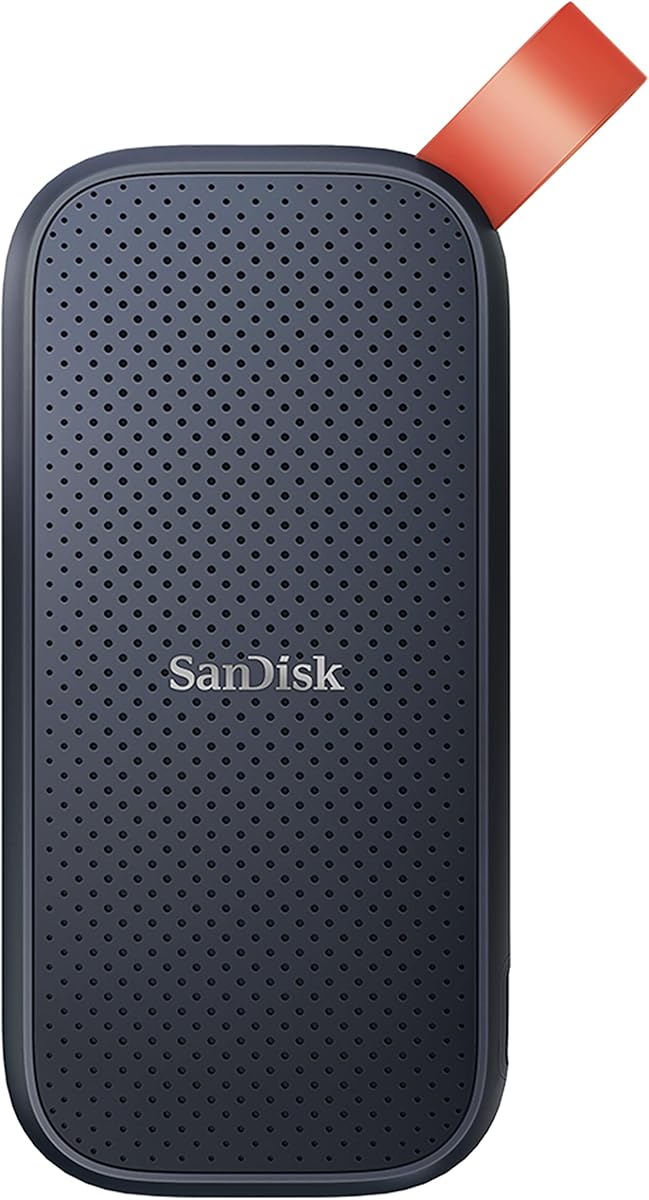
The SSK Portable SSD offers impressive performance at a budget friendly price point making it accessible for students and casual users. It holds a 4.5 star rating for its balance of speed and affordability.
We may earn a commission when you buy through this link, at no additional cost to you.
Featuring SLC caching it maintains fast transfer speeds even with large files. The slim aluminum alloy case not only looks premium but also helps dissipate heat effectively during use.
Users on Windows might notice some capacity variance due to binary calculations but MacOS users will see the full capacity. The included cables ensure compatibility with a wide range of devices.
This drive is an excellent choice for those who need fast reliable storage without breaking the bank. It is particularly well suited for daily backups and general file transfers on the go.
The SLC caching feature allocates a portion of storage for high speed operations ensuring consistent performance during transfers.
The 2mm thick aluminum case provides robust protection against bumps and helps keep the drive cool during operation.
We may earn a commission when you buy through this link, at no additional cost to you.
The Lexar D70E introduces a unique cable-free design that simplifies connectivity for MacBook Neo users. With a 4.7 star rating it is highly regarded for its convenience and high performance capabilities.
We may earn a commission when you buy through this link, at no additional cost to you.
Its dual USB-C and USB-A connectors allow for direct connections without the need for separate cables. The transfer speeds reach up to 2000MB/s making it suitable for professional editing tasks.
While the convenience is high users should be mindful of the connectors when not in use. The premium price reflects the innovative design and top tier performance it offers.
This drive is ideal for professionals who value convenience and speed above all else. We recommend it for those who want a seamless plug-and-play experience without worrying about losing cables.
The dual connector design eliminates cable clutter and ensures quick access to files on various devices instantly.
With read speeds of 2000MB/s this drive handles large video files with ease ensuring smooth editing workflows.
We may earn a commission when you buy through this link, at no additional cost to you.
The Sandisk 2TB Extreme Portable SSD is built to withstand tough conditions making it perfect for outdoor shoots. Its 4.6 star rating reflects its reliability in challenging environments.
We may earn a commission when you buy through this link, at no additional cost to you.
It features IP65 water and dust resistance along with 3-meter drop protection ensuring your data is safe anywhere. The carabiner loop allows you to secure it to your gear easily.
While the speed is standard for its class the focus is on ruggedness and capacity. The included password protection adds an extra layer of security for sensitive files.
This drive is recommended for adventurers and field professionals who need reliable storage in harsh conditions. It is a solid investment for those who prioritize durability over raw speed.
The drive is engineered to survive drops and exposure to water and dust making it ideal for outdoor use.
Hardware encryption keeps your private content protected from unauthorized access on any device.
We may earn a commission when you buy through this link, at no additional cost to you.
The Lexar ES3 1TB Portable SSD is designed for users who prioritize portability and style. It holds a 4.4 star rating for its sleek form factor and consistent performance.
We may earn a commission when you buy through this link, at no additional cost to you.
Weighing only 42g and just 10.5mm thick it fits easily in your pocket. The Lexar DataShield software provides reliable protection for your files against unauthorized access.
While it may have slightly lower ratings due to compatibility nuances the speed is sufficient for most tasks. It is a great option for travelers who need extra space without bulk.
This drive is best suited for professionals on the go who value a compact design. We recommend it for those who need a lightweight backup solution for their daily work.
The incredibly thin and light profile makes it easy to carry anywhere without adding weight to your bag.
Advanced encryption software ensures your files remain secure regardless of where you use the drive.
We may earn a commission when you buy through this link, at no additional cost to you.
The SAMSUNG T7 Portable SSD is a proven performer that has been trusted by many professionals over time. It holds a 4.7 star rating reflecting its consistent performance and build quality.
We may earn a commission when you buy through this link, at no additional cost to you.
Its aluminum unibody construction is both stylish and durable offering protection up to 6 feet. The drive supports high-resolution video recording and is compatible with a wide range of devices.
While it lacks the latest USB-C to USB-A cable in the box it remains a versatile choice. The speed is adequate for most editing and storage needs without breaking the bank.
This drive is perfect for anyone looking for a reliable and trusted external storage solution. We recommend it for students and professionals who need a dependable drive for daily tasks.
Known for its consistency the T7 delivers steady speeds that users can count on for critical work.
The solid aluminum design provides excellent protection against drops and daily wear and tear.
We may earn a commission when you buy through this link, at no additional cost to you.
The Sandisk 1TB Portable SSD offers a solid balance of performance and price for budget conscious users. It holds a 4.5 star rating for its reliability and ease of use.
We may earn a commission when you buy through this link, at no additional cost to you.
While it is an older model it still provides sufficient speed for everyday file transfers and backups. The rugged design ensures it can handle the rigors of travel and daily use.
Users should note that speeds may not match the latest drives on the market. However for basic storage needs it remains a dependable and affordable option.
This drive is ideal for casual users who need extra storage without high cost. We recommend it for anyone looking for a simple and reliable backup drive.
Offers a reliable way to expand your storage without spending a fortune on the latest technology.
The tough rubber hook and drop protection make it easy to take with you anywhere.
We may earn a commission when you buy through this link, at no additional cost to you.
The Lexar 2TB ES3 External SSD provides ample space for large projects and extensive media libraries. It holds a 4.5 star rating for its balance of capacity and performance.
We may earn a commission when you buy through this link, at no additional cost to you.
With double layer graphite sheets it efficiently dissipates heat during large file transfers. The 2TB capacity ensures you have plenty of room for backups and archives.
While the cost is higher due to capacity it is a cost effective solution per gigabyte. The drop resistant design ensures your valuable data is protected during transit.
This drive is perfect for users who need a lot of storage in one device. We recommend it for video editors and photographers who manage large amounts of media.
The 2TB capacity allows you to store thousands of files without worrying about running out of space.
Advanced cooling technology keeps the drive operating smoothly even during extended use.
We may earn a commission when you buy through this link, at no additional cost to you.
The Sandisk 1TB Extreme PRO Portable SSD delivers exceptional speed that is perfect for intensive workflows. It holds a 4.5 star rating for its high performance and rugged design.
We may earn a commission when you buy through this link, at no additional cost to you.
The forged aluminum chassis acts as a heatsink to maintain sustained speeds during long transfers. Its IP65 rating means it can withstand water and dust exposure effectively.
Although it is an older model it still offers top tier speeds compared to many newer drives. The included hardware encryption provides peace of mind for sensitive data.
This drive is ideal for professionals who need fast reliable storage on a budget. We recommend it for those who want high speeds without paying for the latest model.
Read speeds of 2000MB/s allow for quick access to large files and faster editing performance.
Built to withstand harsh conditions the drive is protected by water and dust resistance.
We may earn a commission when you buy through this link, at no additional cost to you.
The Western Digital 1TB My Passport SSD is known for its strong security features and reliable performance. It holds a 4.5 star rating for its balance of speed and protection.
We may earn a commission when you buy through this link, at no additional cost to you.
Password enabled 256-bit AES hardware encryption ensures your data remains secure on any device. The drive is also resistant to shock and vibration making it durable for travel.
While the design may be older it still delivers fast speeds for most tasks. It is a reliable choice for those who prioritize data security in their portable storage.
This drive is best for professionals handling sensitive information who need extra protection. We recommend it for anyone who values privacy and security above all else.
Hardware encryption and password protection keep your files safe from unauthorized access.
Shock and vibration resistance ensure your data remains intact even during rough transport.
We may earn a commission when you buy through this link, at no additional cost to you.
Selecting the right external SSD for your MacBook Neo requires understanding several key factors to ensure optimal performance and compatibility. Here are the essential elements you should consider before making your purchase.
Transfer speeds are crucial for productivity especially when working with large files like 4K video. Look for drives that support USB 3.2 Gen 2 or higher to ensure fast read and write operations.
Higher speeds reduce wait times and improve workflow efficiency significantly.
Ensure the drive is fully compatible with macOS and any specific ports on your MacBook Neo. Most modern drives use USB-C but it is important to check if adapters are needed for older systems.
Full compatibility ensures seamless integration without extra accessories or configuration issues.
Durability is key for portable drives that are moved frequently. Look for features like drop resistance water and dust ratings and sturdy metal casings to protect your data.
A durable drive ensures your data remains safe even in demanding environments.
Choose a capacity that fits your current needs while allowing room for future growth. Consider whether 1TB or 2TB options are better based on your file sizes and backup habits.
Selecting the right capacity helps you avoid running out of space prematurely.
Security features such as password protection and hardware encryption are vital for protecting sensitive data. Many drives include software that allows you to encrypt files easily.
Strong security measures prevent unauthorized access to your personal or business files.
Check what cables are included with the drive to ensure you can connect to your devices immediately. Some drives include both USB-C and USB-A cables for broader compatibility.
Having the right cables saves time and avoids the need for additional purchases.
A good warranty provides peace of mind and protects your investment. Look for brands that offer reliable customer support and clear warranty terms for their products.
Strong support ensures you are not left stranded if issues arise with your drive.
Many manufacturers provide software for drive management health monitoring and encryption. These tools can enhance the performance and longevity of your external SSD.
Useful software helps you maintain your drive and keep your data organized.
To get started connect your external SSD directly to a USB-C port on your MacBook Neo using the provided cable. Wait for the system to recognize the drive before opening any files or folders.
When transferring large files ensure the drive has enough ventilation to stay cool. Avoid placing the drive on soft surfaces like blankets during heavy use to prevent overheating.
Always eject the drive safely from the system before disconnecting the cable to avoid data corruption. Store the drive in a protective case when not in use to prevent physical damage.
The Samsung T9 and Lexar D70E offer the fastest speeds reaching up to 2000MB/s. These drives are ideal for professionals handling large video files or complex datasets.
Yes external SSDs are significantly faster and more durable than traditional hard drives. They also consume less power which helps preserve your MacBook's battery life.
Most modern SSDs come with USB-C cables compatible with MacBook Neo. However always check if the drive includes both USB-C and USB-A cables for versatile connectivity.
Yes external SSDs work perfectly for Time Machine backups and provide much faster restore times. Ensure you format the drive to APFS or Mac OS Extended for best results.
Use built-in encryption tools provided by the manufacturer or macOS FileVault to protect your data. Password protection adds an essential layer of security for sensitive files.
For most users 1TB is sufficient for daily backups and media storage. Professionals working with large files should consider 2TB or higher to accommodate growth.
Most SSDs are designed to operate in a wide temperature range but extreme cold can affect performance. Keep the drive in an insulated case if working in freezing conditions.
We have reviewed ten top external SSDs tailored for MacBook Neo users ranging from budget options to high performance models. The Samsung T9 and Lexar D70E lead in speed while the SSK drive offers great value for budget conscious buyers.
When choosing prioritize factors like transfer speeds durability and security needs to ensure the drive matches your workflow. Consider whether you need extra capacity or ruggedness for outdoor work before finalizing your purchase.
Remember that stock and pricing can change so always verify current details before buying. We hope this guide helps you find the perfect storage solution to enhance your productivity on the go.