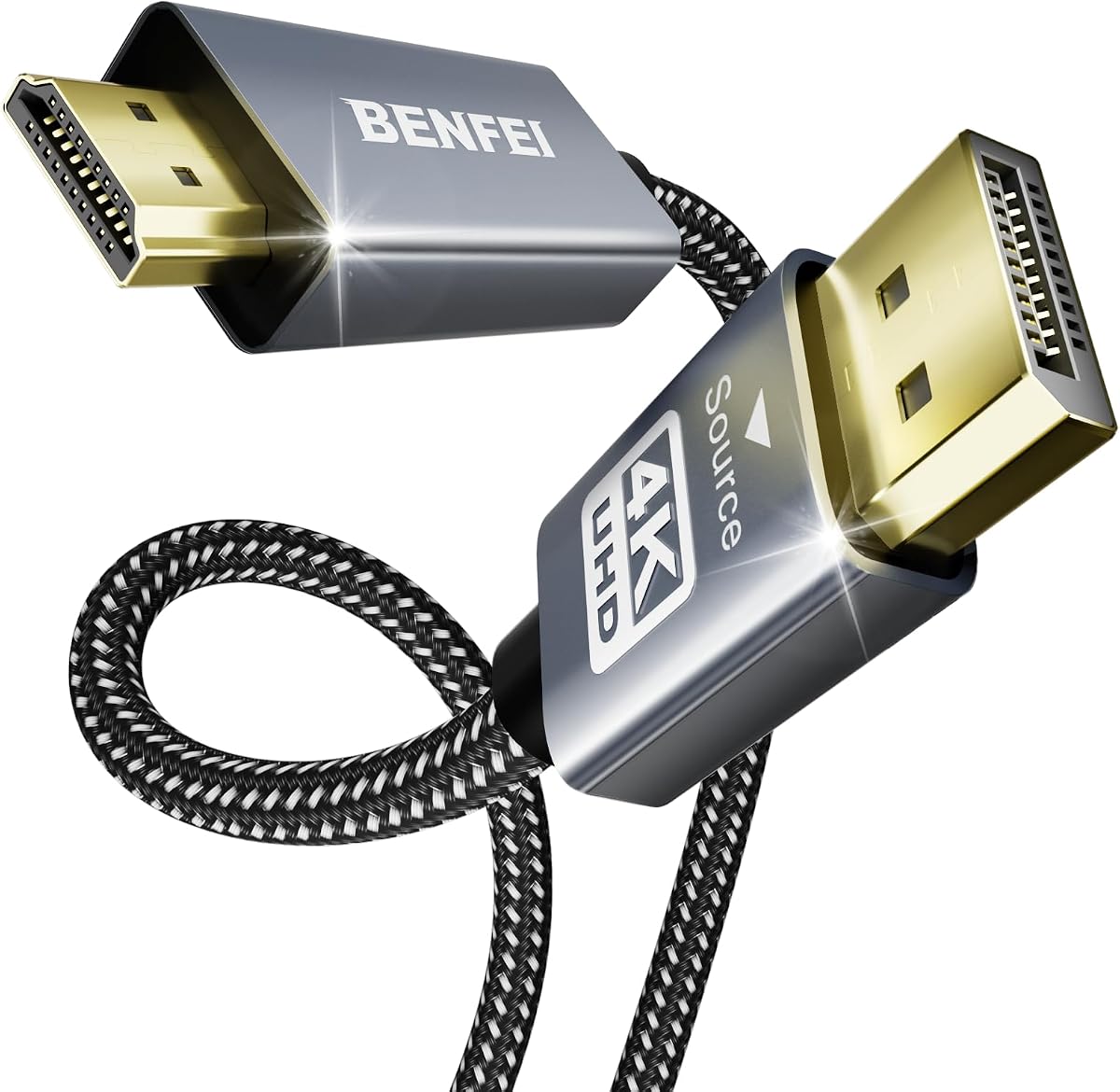
BENFEI 4K DisplayPort to HDMI 6 Feet Cable[Aluminum Shell, Nylon Braided]
4.5Editor score
Affordable price point
Aluminum shell protection
18-month warranty included
This guide compares the top Displayport to HDMI Cable options for 2026, evaluating resolution support, build quality, and compatibility for optimal video
Finding the right Displayport to HDMI Cable is essential for connecting modern computers to contemporary displays without signal loss. These cables bridge the gap between older hardware and newer screens, ensuring crisp visuals and synchronized audio for work or entertainment needs.
We analyzed ten highly rated options based on resolution capabilities, durability features, and user feedback to create this comprehensive list. Each product was evaluated for its ability to handle high refresh rates, build materials, and ease of setup for various devices.
Every pick highlights specific strengths like budget value, premium performance, or unique design traits to help you match the cable to your setup. Please note that prices and availability can change frequently so check current listings before making your final purchase decision today.
4.5Editor score

4.7Editor score

4.8Editor score
This side-by-side comparison evaluates all ten selected cables on key performance metrics including resolution limits, build materials, and compatibility features to help you choose the right one for your specific display setup needs.


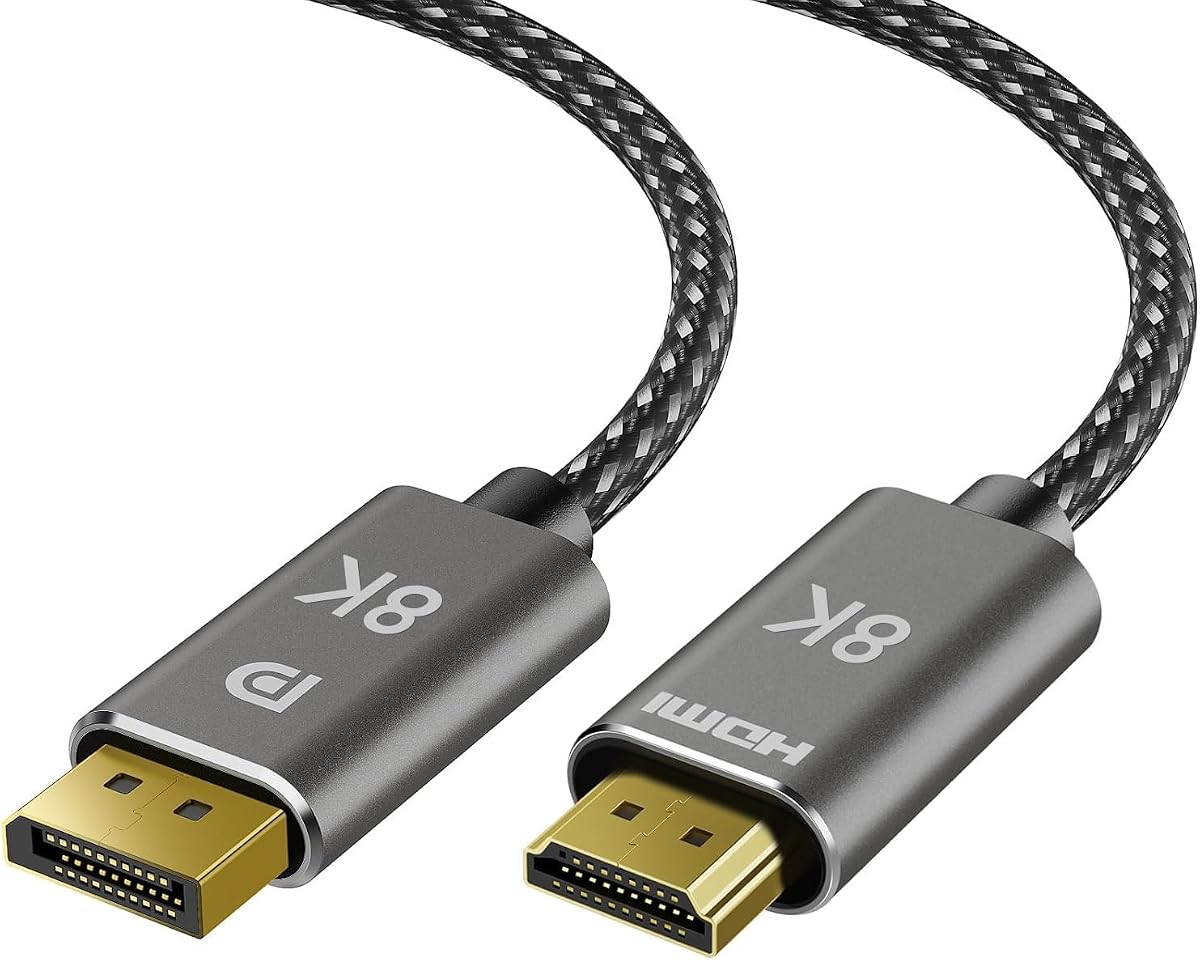

This UGREEN cable stands out as a top choice for connecting PCs to HDMI displays with its high refresh rate support. It delivers reliable 4K at 30Hz and 1080P at 120Hz performance ensuring smooth visuals for daily tasks and entertainment needs.
We may earn a commission when you buy through this link, at no additional cost to you.
The build quality features a sturdy nylon braided jacket that resists wear and tear over time. With double shielding and 32AWG tinned copper conductors it minimizes interference to ensure clear audio and video transmission across compatible devices.
While it excels in performance it is important to note that it is unidirectional so it will not work if you try to connect an HDMI source to a DisplayPort display. This limitation is standard for passive cables but worth confirming before purchase.
If you need a reliable cable for your laptop or desktop to connect to a TV or monitor this option offers excellent value. It combines high resolution support with durable materials making it a strong recommendation for most users.
The ability to support 1080P at 120Hz makes this cable ideal for users who want smoother motion in videos and games compared to standard 60Hz options.
Constructed with a nylon braided jacket and alu case this cable ensures better heat dissipation and longevity compared to standard PVC coated alternatives.
We may earn a commission when you buy through this link, at no additional cost to you.
This BENFEI cable offers an accessible entry point for those needing a Displayport to HDMI connection without breaking the bank. It supports 4K at 30Hz ensuring you get crisp visuals for work or streaming without overspending on premium features.
We may earn a commission when you buy through this link, at no additional cost to you.
The aluminum shell provides robust protection against physical damage while the nylon braided jacket adds flexibility and resistance to daily wear. A built-in advanced IC chip ensures stable signal conversion from Displayport to HDMI sources effectively.
While it lacks some advanced features found in higher end models it covers all the basics well including audio pass-through and standard resolutions. The 18-month warranty provides additional peace of mind for long term usage and reliability.
For users on a tight budget this cable delivers excellent value by balancing performance and durability. It is a practical choice for connecting computers to TVs or monitors where cost is a primary concern without sacrificing essential quality.
By focusing on core functionality this cable allows users to save money while still achieving high quality 4K video transmission for everyday needs.
The combination of an aluminum shell and nylon braided jacket ensures the cable can withstand regular use and bending without compromising signal integrity.
We may earn a commission when you buy through this link, at no additional cost to you.
This UGREEN active cable is designed for users who demand the highest resolution and speed capabilities from their display setup. It supports up to 8K at 60Hz making it a future-proof choice for next-generation monitors and televisions.
We may earn a commission when you buy through this link, at no additional cost to you.
The active DP 1.4 to HDMI 2.1 conversion enables high transmission rates up to 32.4 Gbps ensuring smooth video streaming and gaming without bottlenecks. Its braided jacket and aluminum case offer superior durability and heat dissipation for demanding workloads.
While the price is higher than standard cables it justifies the cost with advanced features like HDR and Dolby Atmos support that enhance the visual and audio experience. It requires specific hardware support such as a DP 1.4 GPU with DSC.
If you are investing in a high-end display this cable ensures you get the most out of your equipment. It is the top recommendation for professionals and enthusiasts who need reliable 8K performance for creative work or immersive entertainment.
With support for 8K at 60Hz this cable allows you to connect to cutting-edge displays and enjoy unprecedented detail and clarity in your content.
The active conversion technology ensures stable signal transmission at high speeds making it ideal for bandwidth-intensive tasks like video editing and 3D rendering.
We may earn a commission when you buy through this link, at no additional cost to you.
This Highwings cable provides a straightforward solution for connecting Displayport sources to HDMI displays with consistent performance across various resolutions. It supports 4K at 30Hz which is sufficient for most productivity and media consumption scenarios today.
We may earn a commission when you buy through this link, at no additional cost to you.
The construction includes multi-layer shielding and a nylon-braided wire designed to withstand over 20,000 bends without failure. Gold-plated connectors help minimize interference and maintain signal quality over extended periods of use in different environments.
It is important to remember that this cable is unidirectional so it will not work if you attempt to reverse the connection. This design choice ensures optimal signal integrity but limits flexibility if you need bi-directional connectivity.
For users seeking a dependable cable that balances performance and durability this option is a solid choice. It handles audio and video synchronization well making it suitable for home entertainment and office setups alike.
The 20,000+ bend lifespan ensures the cable can handle frequent plugging and unplugging without degrading signal performance over time.
Gold-plated connectors and multi-layer shielding work together to reduce interference and ensure a stable connection for clear video and audio output.
We may earn a commission when you buy through this link, at no additional cost to you.
Amazon Basics offers a reliable cable that fits well into standard setups needing basic Displayport to HDMI connectivity. It supports up to 1920×1200 and 1080p ensuring clear visuals for office work and general media viewing without extra cost.
We may earn a commission when you buy through this link, at no additional cost to you.
The cable features gold-plated connectors that resist corrosion and enhance connection stability over time. Its bare copper conductors and foil-and-braid shielding contribute to clean audio and video transmission reducing noise and interference during use.
While it does not advertise 4K support it covers most Full HD and high-definition resolutions that many users still require for monitors and projectors. The design focuses on simplicity ensuring a smooth setup experience without drivers or software.
If you prefer a well-known brand with consistent quality this cable is a practical option for your display needs. It works seamlessly with most DP-enabled computers and HDMI displays making it a versatile choice for general use.
Amazon Basics products are known for consistent quality and affordability making this cable a safe bet for users who value trusted manufacturing standards.
Gold-plated connectors protect against oxidation and ensure a stable electrical connection that helps maintain signal clarity during prolonged use.
We may earn a commission when you buy through this link, at no additional cost to you.
This Warrky cable combines modern aesthetics with reliable performance for connecting your PC to an HDMI display. It supports 4K at 30Hz and offers backward compatibility with 1440P and 1080P ensuring versatility across different screen resolutions.
We may earn a commission when you buy through this link, at no additional cost to you.
The slim aluminum alloy shell adds corrosion resistance and a sleek look while the five-layer shielding ensures pristine signal transmission free from interference. With a nylon braided jacket that handles over 16,000 bends it is built to last through regular use.
It is designed strictly for DP to HDMI connections so it cannot function in reverse. This specificity ensures optimal performance for standard setups but requires you to verify your source and display ports before purchasing this cable.
For those who value both style and substance this cable offers a balanced solution for your home office or entertainment center. Its sturdy construction and clear signal support make it a dependable choice for most display connections.
The slim aluminum alloy shell provides a contemporary look that complements modern computer setups while adding durability against wear and tear.
Five-layer shielding minimizes electromagnetic interference ensuring that your audio and video signals remain clear and stable during transmission.
We may earn a commission when you buy through this link, at no additional cost to you.
This JSAUX cable stands out with its 10FT length offering significant flexibility for desk setups or room layouts where distance matters. It supports up to 4K at 30Hz ensuring high-quality video transmission for work or entertainment purposes.
We may earn a commission when you buy through this link, at no additional cost to you.
The durable nylon exterior protects the internal wires from damage and helps maintain a tidy connection experience in home offices or meeting rooms. It includes helpful tips for checking signal connectivity to troubleshoot issues quickly after plugging in.
Being a unidirectional cable it only works from a Displayport source to an HDMI display so you must confirm port types before use. This design ensures stable signal flow but limits its use if you need reverse connectivity.
If you need extra reach to connect devices across a room this cable provides the necessary length without compromising on quality. It is an ideal choice for setups where standard lengths do not provide enough slack for your arrangement.
The 10FT length offers greater flexibility for connecting devices across rooms or desks without the need for additional extenders or adapters.
Included tips for checking signal connectivity help users resolve display issues quickly ensuring a smooth setup experience out of the box.
We may earn a commission when you buy through this link, at no additional cost to you.
This bundle from Cable Matters provides two high-quality cables at a single price point making it ideal for users who need multiple connections or a spare cable. Each cable supports up to 1080p Full HD for clear video and audio transmission.
We may earn a commission when you buy through this link, at no additional cost to you.
The DisplayPort connector features a secure latch mechanism that prevents accidental disconnection during use. Gold-plated connectors and bare copper conductors with foil and braid shielding ensure stable signal transmission and reduce electromagnetic interference effectively.
While it does not advertise 4K support it covers standard Full HD resolutions well which suits many office and home entertainment needs. The two-pack format offers convenience and value for those managing several displays or needing a backup.
For users who need flexibility in their setup this bundle is a practical choice. It balances performance and value effectively ensuring you have reliable connections for your devices without paying separately for each cable.
Getting two cables in one package provides excellent value for users who need to connect multiple devices or keep a spare on hand for convenience.
The latched DP connector ensures the cable stays securely in place reducing the risk of accidental disconnections during daily use or movement.
We may earn a commission when you buy through this link, at no additional cost to you.
This cable targets users looking for high resolution capabilities including 8K at 60Hz and 4K at 240Hz for next-generation displays. It utilizes DP 1.4 to HDMI 2.1 tech to bring advanced video standards to your setup for immersive viewing.
We may earn a commission when you buy through this link, at no additional cost to you.
The braided jacket and molded strain relief offer durable protection for long-term use. It supports HDR and Dolby Atmos for enhanced audio visual experiences though users should update firmware and drivers to enable these features fully.
Note that this cable does not support Variable Refresh Rate so it may not be ideal for competitive gaming that relies on VRR. It also requires specific GPU models and drivers to output the highest resolutions effectively.
If you have a high-end monitor or TV that supports 8K this cable provides the bandwidth needed to unlock its potential. It is a strong choice for enthusiasts who want to future proof their setup with the latest standards.
The ability to handle 4K at 240Hz makes this cable suitable for high speed video content and demanding multimedia applications.
Support for HDR and Dolby Atmos enhances the visual and audio quality of your content for a more immersive viewing experience.
We may earn a commission when you buy through this link, at no additional cost to you.
This professional grade cable is designed for users needing 8K at 60Hz capabilities from their display setup. It works with specific GPUs like NVIDIA RTX 4070 and AMD RX 7900 series to deliver high performance video transmission for creative work.
We may earn a commission when you buy through this link, at no additional cost to you.
The braided jacket and molded strain relief ensure long-term durability and a stable connection for extended periods. Gold-plated pins and secure latch design help protect the cable from physical damage and maintain signal integrity over time.
Important to note is that it requires a Displayport 1.4 GPU with DSC for 8K support and does not support VRR features. This makes it better suited for professional workflows than competitive gaming setups requiring variable refresh rates.
If you need a reliable cable for high-resolution professional work this option delivers the performance and build quality you expect. It is a solid choice for studios and professionals working with 8K content and demanding display requirements.
Designed for high-end professional setups this cable ensures reliable 8K video transmission for editing and rendering tasks.
The braided jacket and secure latch design protect against wear and accidental disconnection ensuring consistent performance over time.
We may earn a commission when you buy through this link, at no additional cost to you.
Selecting the right Displayport to HDMI cable requires understanding your specific resolution needs, device compatibility, and build quality expectations to ensure a smooth and reliable connection.
When choosing a Displayport to HDMI cable it is crucial to check what resolutions and refresh rates it supports. Most standard cables handle 1080p at 60Hz or 4K at 30Hz but higher end models may support 4K at 120Hz or even 8K at 60Hz. Ensure the cable meets your display requirements to avoid performance bottlenecks or image quality issues.
Always verify that the cable supports the maximum refresh rate and resolution your monitor or TV can handle for the best viewing experience.
Most Displayport to HDMI cables are unidirectional meaning they only work from a Displayport source to an HDMI display. If you need to connect an HDMI source like a console to a Displayport monitor you will need a different adapter. Confirm your device ports before purchasing to avoid compatibility issues.
Check that the cable is unidirectional for your setup to ensure proper signal flow without needing complex converters.
Build quality plays a significant role in the longevity of your cable. Look for features like nylon braided jackets which resist fraying and aluminum or copper connectors that resist corrosion. Shielding such as foil or braid helps reduce electromagnetic interference ensuring clear audio and video transmission.
Prioritize cables with durable materials to ensure they withstand regular use and maintain signal integrity over time.
Choosing the right cable length is important for convenience and performance. Standard lengths range from 6 to 10 feet but longer cables can introduce signal loss if not properly shielded. Measure the distance between your source device and display to select an appropriate length without excess slack.
Select a length that reaches your display comfortably without introducing unnecessary signal degradation or cable clutter.
Most Displayport to HDMI cables support audio pass-through allowing you to send sound through the display's speakers or an audio system. Ensure the cable supports the audio formats you need such as 7.1 or 5.1 surround sound for an immersive experience.
Verify that the cable supports your required audio channels to enjoy full sound without additional hardware.
Gold-plated connectors are common in high quality cables as they resist corrosion and improve conductivity. Some cables also feature latched connectors which provide a secure connection that is less likely to disconnect accidentally. Look for these features to enhance reliability.
Opt for connectors with latches or gold plating to ensure a secure and stable connection for your setup.
A good warranty can provide peace of mind when purchasing electronic accessories. Many reputable brands offer one to two year warranties covering defects or performance issues. Check the warranty policy and customer support responsiveness before buying.
Ensure the cable comes with a solid warranty to protect your purchase against defects or early failures.
Balancing cost with performance is key when selecting a Displayport to HDMI cable. Budget options may suffice for basic needs while premium models offer higher resolutions and better build materials. Determine your budget and needs to find the best value without overspending on unused features.
Evaluate your needs and budget to choose a cable that offers the best value for your specific use case.
To use your cable start by connecting the Displayport end to your computer or laptop and the HDMI end to your monitor or TV. Ensure the devices are powered off during connection to prevent any potential electrical issues and then power them on.
Once connected adjust your display settings to extend or mirror your screen using the operating system display control panel. If no signal appears check the resolution settings to ensure they match what the cable supports.
For long-term care avoid bending the cable excessively and unplug it by gripping the connector rather than pulling the wire. Store it loosely coiled to prevent internal wire damage and keep it away from moisture and direct sunlight.
No this cable only works from a Displayport source to an HDMI display. Gaming consoles are HDMI sources so you would need a different adapter to connect them to a Displayport monitor.
Most standard Displayport to HDMI cables support 4K at 30Hz. For 4K at 60Hz or higher you need to check the specific model as some newer active cables may support higher refresh rates.
Passive cables rely on the source device to handle signal conversion while active cables have built-in chips to convert signals. Active cables are often needed for higher resolutions like 8K or for specific HDMI versions.
Flickering can be caused by incompatible resolution settings or a loose connection. Ensure the cable is securely plugged in and adjust your display resolution to a supported rate like 60Hz.
No most Displayport to HDMI cables are plug and play and do not require driver installation. Just connect them and adjust your display settings if needed.
With proper care a durable cable with nylon braiding can last several years. Avoid bending it excessively and unplug carefully to maintain its lifespan.
Yes most Displayport to HDMI cables support both audio and video transmission. Ensure your display or audio system is set up correctly to hear the sound.
Most MacBooks use Thunderbolt or USB-C ports so you will need a USB-C to Displayport adapter first. Then you can use a Displayport to HDMI cable for connection.
We have evaluated ten top Displayport to HDMI cables ranging from budget-friendly options to high-performance models supporting 8K resolutions. Whether you need a basic connection or advanced features our top picks include options like the UGREEN 4K for value and the UGREEN 8K for premium use.
When choosing prioritize your specific resolution needs and ensure the cable is unidirectional for your source and display ports. Durable build materials like nylon braiding and gold-plated connectors will help maintain performance over time.
Prices and availability can change frequently so review current listings before buying to ensure you get the best deal. With the right cable you can enjoy smooth high-quality video and audio on your display effortlessly.