This comprehensive guide compares the top Gskill DDR5 RAM kits for gaming and productivity, evaluating speed, latency, compatibility, and value to help you
As an Amazon Associate we earn from qualifying purchases. We may earn a commission when you buy through links on this page, at no additional cost to you. Read our affiliate disclosure.As an Amazon Associate we earn from qualifying purchases.Purchases through our links may earn us a commission, at no extra cost to you. Read our affiliate disclosure.
Selecting the right system memory is crucial for modern computing performance. Gskill DDR5 RAM offers high speeds and efficient power usage for demanding tasks and smooth gaming experiences across various platforms.
We evaluated ten top-rated kits based on specifications, user feedback, and compatibility. Each entry highlights key features, overclocking profiles, and real-world performance potential to assist informed purchasing decisions.
Every product section details specs, pros, cons, and usage notes. Prices and availability fluctuate frequently, so verify current listings before purchasing to ensure you secure the best value for your specific setup needs.
Top 3 Picks for Best Gskill DDR5 RAM
Best Budget
G.SKILL Flare X5 Series DDR5 RAM (AMD EXPO & Intel XMP 3.0) 32GB (2x16GB) Up to 6000MT/s* CL36-36-36-96 1.35V Desktop Computer Memory U-DIMM – Matte Black
The following table provides a side-by-side overview of all ten selected Gskill DDR5 memory kits. It highlights capacity, speed, timing, voltage, and platform compatibility to help you quickly identify the model that fits your specific motherboard and CPU requirements.
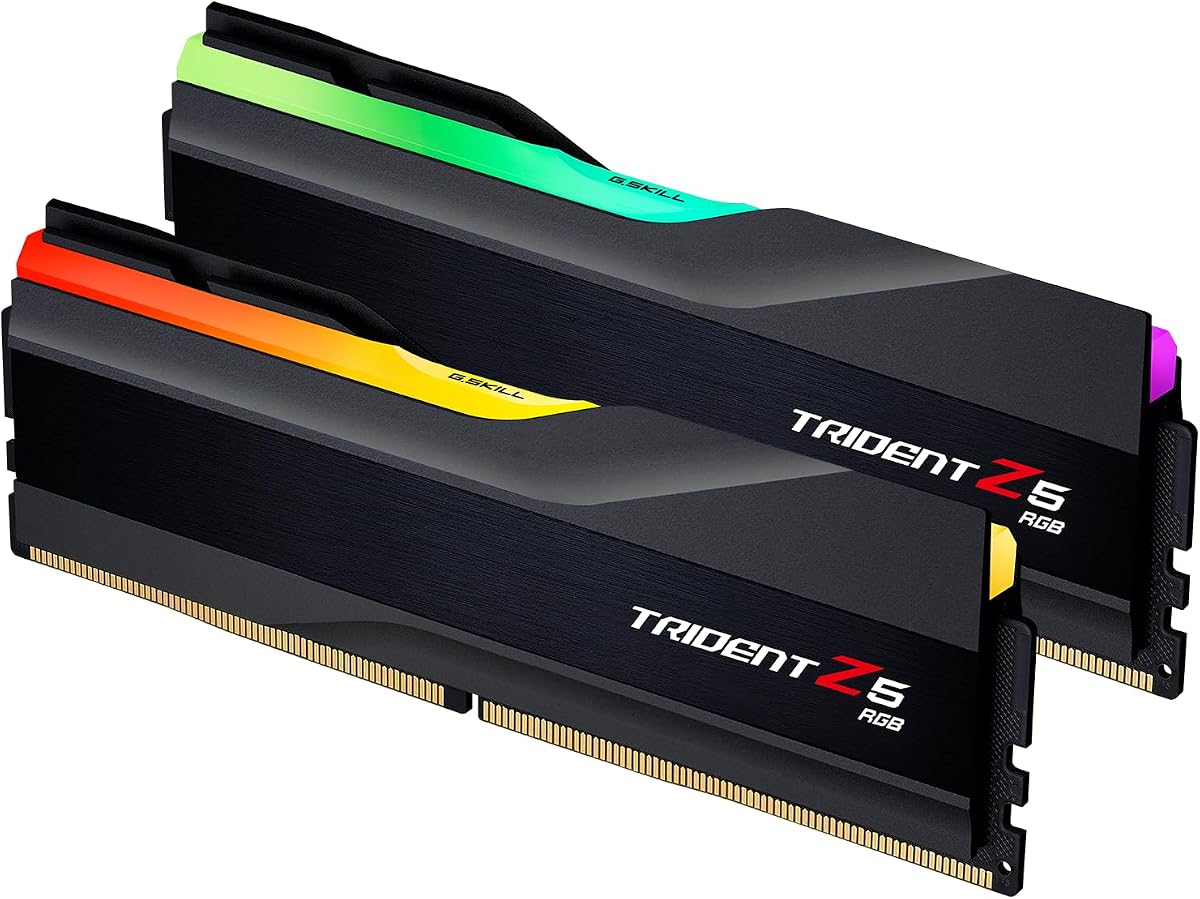
G.SKILL Trident Z5 Neo RGB Series DDR5 RAM (AMD EXPO) 32GB (2x16GB) Up to 6000MT/s* CL30-38-38-96 1.35V Desktop Computer Memory U-DIMM – Matte Black
6000MT/s Data Rate
CL30-38-38-96 Timing
1.35V Operating Voltage
AMD EXPO Profile
This kit represents the pinnacle of DDR5 performance for AMD users seeking low latency. With a rating of 4.8 stars, it stands out for its tight 3000 CL timing at 6000MT/s, which is ideal for reducing system lag during high-demand gaming sessions.
Pros
Excellent CL30 Latency
RGB Lighting Effects
Matte Black Aesthetics
Optimized for AMD CPUs
High User Ratings
Cons
Higher Price Point
AMD Platform Focus
We may earn a commission when you buy through this link, at no additional cost to you.
The Trident Z5 Neo RGB series combines aesthetic appeal with technical prowess. It features a matte black finish that complements modern builds while delivering consistent high-speed performance. The AMD EXPO profile ensures seamless plug-and-play overclocking without complex BIOS tuning.
While the price is higher than standard kits, the performance gain justifies the cost for enthusiasts. The RGB lighting adds a customizable touch to your setup. Ensure your motherboard supports the specific EXPO profile for optimal stability and speed.
Buy this if you prioritize frame rates and system responsiveness on Ryzen platforms. It is a top-tier choice for gamers and creators who need reliable, fast memory. Always check your motherboard's QVL list before purchase to guarantee compatibility.
Latency Advantages
Lower CL30 latency directly translates to faster data access, improving frame rates in CPU-bound games.
Aesthetic Integration
The matte black design with subtle RGB ensures your memory doesn't clash with your case's color scheme.
G.SKILL Flare X5 Series DDR5 RAM (AMD EXPO & Intel XMP 3.0) 32GB (2x16GB) Up to 6000MT/s* CL36-36-36-96 1.35V Desktop Computer Memory U-DIMM – Matte Black
6000MT/s Data Rate
CL36-36-36-96 Timing
1.35V Operating Voltage
EXPO and XMP 3.0
The Flare X5 series is a solid choice for builders who want a single kit that works across different CPU ecosystems. Rated 4.7 stars, it offers a balanced mix of performance and affordability. The matte black design keeps it understated and professional.
Pros
Works With Intel And AMD
Reliable Speeds
Matte Black Finish
Strong Warranty Support
Good Entry-Level Option
Cons
Higher CL36 Latency
No RGB Lighting
We may earn a commission when you buy through this link, at no additional cost to you.
Supporting both AMD EXPO and Intel XMP 3.0 means you don't have to worry about platform-specific memory issues. It runs at 6000MT/s which is the sweet spot for current-gen CPUs. The CL36 timing is standard for this speed and voltage.
While it lacks RGB lighting and tighter timings, it delivers consistent performance without breaking the bank. This makes it ideal for workstations or gaming PCs where aesthetics are secondary to raw value. Ensure BIOS is updated for best compatibility.
Purchase this kit if you need flexibility between Intel and AMD builds. It is perfect for budget-conscious gamers or office machines. Always verify your motherboard's QVL to avoid potential stability issues during high-load tasks.
Cross-Platform Compatibility
Having both profiles means you can reuse the RAM if you switch CPU brands in the future.
Power Efficiency
Standard 1.35V operation ensures the modules stay cool during prolonged usage sessions.
G.SKILL Trident Z5 Royal Neo Series DDR5 RAM (AMD EXPO) 32GB (2x16GB) Up to 6000MT/s* CL28-36-36-96 1.40V Desktop Computer Memory U-DIMM – Silver
6000MT/s Data Rate
CL28-36-36-96 Timing
1.40V Operating Voltage
AMD EXPO Profile
This model sets a new standard for DDR5 elegance and speed. The Royal Neo series is known for its distinct silver crystalline design, making it a centerpiece for custom builds. It scores 4.7 stars due to its exceptional CL28 timing at 6000MT/s.
Pros
Ultra-Low CL28 Timing
Premium Royal Design
High Voltage Stability
Exclusive Aesthetics
Top-Tier Speeds
Cons
Most Expensive Option
Limited AMD Compatibility
We may earn a commission when you buy through this link, at no additional cost to you.
The low latency provided by CL28 ensures the fastest possible data retrieval, which is critical for high-frequency trading or competitive gaming. It requires 1.40V which helps maintain stability at these aggressive timings. AMD EXPO support ensures easy setup.
While expensive, the performance and design justify the cost for enthusiasts who want the absolute best. The silver finish is unique compared to standard black kits. Ensure your cooling solution is adequate to handle the slightly higher voltage.
Buy this if you are building a high-end showcase PC where looks and speed matter most. It is the choice for those who demand maximum performance from their system. Always double-check motherboard compatibility before committing to this premium option.
Speed and Response
CL28 timing offers a noticeable edge over standard CL36 kits in latency-sensitive applications.
Build Quality
The Royal series uses high-grade components to ensure longevity under extreme performance loads.
G.SKILL Flare X5 Series DDR5 RAM (AMD EXPO) 32GB (2x16GB) Up to 6000MT/s* CL30-38-38-96 1.35V Desktop Computer Memory U-DIMM – Matte Black
6000MT/s Data Rate
CL30-38-38-96 Timing
1.35V Operating Voltage
AMD EXPO Profile
This kit brings lower latency to the Flare X5 line, ideal for AMD users wanting performance without RGB. It holds a 4.7 rating thanks to its robust design and consistent speeds. The CL30 timing makes it more responsive than standard options.
Pros
Low CL30 Latency
Compatible With Intel
Solid Stability
High User Ratings
Standard Voltage
Cons
No RGB Features
Slightly Higher Cost Than CL36
We may earn a commission when you buy through this link, at no additional cost to you.
Unlike the RGB versions, this focuses purely on function and stability. It supports both Intel XMP 3.0 and AMD EXPO, making it versatile for any build. The matte black heat spreaders ensure good thermal management during heavy loads.
It is a step up from standard CL36 kits. While it costs more, the improvement in response time is noticeable. Ensure your BIOS is configured correctly to take advantage of the EXPO profile. This is a reliable choice for gaming rigs.
Choose this if you want tight timings without flashing lights. It is great for clean, professional setups. Check your motherboard QVL to ensure support for the specific profile. Always verify stock availability before ordering.
Timings Detail
CL30-38-38-96 offers a balance of speed and stability for demanding applications.
Platform Support
Support for both major platforms ensures future compatibility and resale value.
G.SKILL Flare X5 Series DDR5 RAM (AMD EXPO) 64GB (2x32GB) Up to 6000MT/s* CL30-40-40-96 1.40V Desktop Computer Memory U-DIMM – Matte Black
64GB Capacity (2x32GB)
6000MT/s Data Rate
CL30-40-40-96 Timing
AMD EXPO Profile
The 64GB variant is perfect for professionals who need significant memory headroom for virtual machines or 3D rendering. It maintains a 4.7 rating for its reliability. The CL30 timing ensures that even at high capacity, speeds remain competitive.
Pros
High Capacity 64GB
Solid Speeds
CL30 Timings
Good For Content Creation
Reliable Stability
Cons
Higher Voltage
High Price
We may earn a commission when you buy through this link, at no additional cost to you.
With 2x32GB modules, you get massive storage for data-heavy workflows. The higher voltage of 1.40V helps maintain signal integrity across larger chips. It is optimized for AMD EXPO for easy setup on Ryzen systems.
This is not for basic gaming but for heavy workloads. The cost is high but justified by the capacity. Ensure your motherboard supports 64GB kits at these speeds. Check QVL lists to avoid potential bottlenecks.
Buy this if you need large memory pools for workstation tasks. It is a powerful tool for creators and researchers. Always verify your system requirements before investing. Keep firmware updated for best results.
Capacity Benefits
64GB allows for multiple virtual machines or large video projects without slowdowns.
Voltage Management
Higher voltage ensures stability with dense memory chips at high data rates.
G.SKILL Flare X5 Series DDR5 RAM (AMD EXPO & Intel XMP 3.0) 64GB (2x32GB) Up to 6000MT/s* CL36-36-36-96 1.35V Desktop Computer Memory U-DIMM – Matte Black
64GB Capacity (2x32GB)
6000MT/s Data Rate
CL36-36-36-96 Timing
AMD EXPO XMP 3.0
This kit offers a universal solution for those who need high capacity across different brands. It rates 4.6 stars for being reliable across Intel and AMD systems. It provides 64GB to handle intensive workloads without capacity issues.
Pros
Universal CPU Support
High 64GB Capacity
Efficient Voltage
Good Stability
Standard CL36 Timings
Cons
Higher CL36 Latency
Expensive Price
We may earn a commission when you buy through this link, at no additional cost to you.
The CL36 timing is standard and ensures stability across varied motherboard configurations. Running at 1.35V keeps power usage efficient. It is a safe bet for professional workstations where reliability is key. The matte finish is discreet and durable.
While it lacks the lowest latency, the capacity compensates for most users. It is a robust choice for servers or heavy multitasking. Always check QVL compatibility. Keep your BIOS updated to avoid boot issues.
Select this for a versatile high-memory setup. It is ideal for workstations that might change platforms. Verify stock details before purchasing. Keep warranty info handy for support if needed.
Capacity Versatility
The large capacity allows for running multiple demanding applications simultaneously.
Standard Speeds
CL36 is a reliable baseline that ensures stability on various motherboards.
G.SKILL Trident Z5 Neo RGB Series DDR5 RAM (AMD EXPO & Intel XMP 3.0) 32GB (2x16GB) Up to 6000MT/s* CL36-36-36-96 1.35V Desktop Computer Memory U-DIMM – Matte Black
6000MT/s Data Rate
CL36-36-36-96 Timing
1.35V Operating Voltage
Dual Platform Profiles
This model combines the Trident Neo aesthetic with dual-platform support. It rates 4.7 stars for its balance of style and performance. The matte black with RGB offers a unique look for your build. It is perfect for modern gaming setups.
Pros
RGB Lighting Effects
Dual Platform Support
Solid Speeds
Attractive Design
Reliable Stability
Cons
Higher Price Point
Average CL36 Timings
We may earn a commission when you buy through this link, at no additional cost to you.
The compatibility with both Intel and AMD means you can use it across different systems. CL36 timing is standard but reliable for 6000MT/s. The RGB control software works well with major motherboard brands. Ensure your system has adequate airflow for the RGB modules.
While more expensive, the visual appeal and performance are worth it for gamers. It adds a professional touch to any rig. Verify RGB headers on your motherboard. Always check stock availability before ordering.
Buy this if you want style and performance. It is a top choice for gaming enthusiasts. Check your system specs before purchase. Keep warranty details safe.
RGB Integration
The RGB lighting is fully customizable to match your system's theme.
Cross-Platform Flexibility
Support for both profiles ensures you never have to buy new RAM when switching systems.
G.Skill Flare X5 Series DDR5 RAM (AMD EXPO & Intel XMP 3.0) 32GB (2x16GB) Up to 6000MT/s* CL36-36-36-96 1.35V Desktop Computer Memory U-DIMM – Matte Black
6000MT/s Data Rate
CL36-36-36-96 Timing
1.35V Operating Voltage
AMD EXPO XMP 3.0
This is a straightforward option for those who need reliable memory without extra costs. It rates 4.5 stars for consistent performance across varied systems. The matte black finish keeps things simple and professional. It is ideal for office or gaming machines.
Pros
Compatible With Intel And AMD
Reliable Performance
Matte Aesthetics
Standard Voltage
Affordable Option
Cons
Average CL36 Timings
No RGB Features
We may earn a commission when you buy through this link, at no additional cost to you.
With support for both Intel and AMD, you get maximum flexibility. The CL36 timing is standard and works well on most motherboards. It does not require high voltage, so it remains cool and efficient. Ensure your BIOS is updated for best support.
While basic, it delivers what is needed for most tasks. The price is lower than RGB options. Verify compatibility before purchase. Check QVL lists for your specific model. Keep warranty info accessible.
Purchase this for a clean, reliable build. It is great for workstations or simple gaming PCs. Always verify stock. Keep warranty details ready.
Reliable Performance
Standard timings ensure stability on a wide range of motherboards.
Simple Design
No RGB means no need for complex lighting software configuration.
G.SKILL Trident Z5 Neo RGB Series DDR5 RAM (AMD EXPO) 64GB (2x32GB) Up to 6000MT/s* CL30-40-40-96 1.40V Desktop Computer Memory U-DIMM – Matte Black
64GB Capacity (2x32GB)
6000MT/s Data Rate
CL30-40-40-96 Timing
AMD EXPO Profile
This kit combines massive capacity with visual flair for high-end workstations. It rates 4.7 stars for blending performance with style. The RGB adds a custom look to your system while delivering reliable speeds. It is perfect for professional setups.
Pros
High 64GB Capacity
RGB Lighting Effects
CL30 Low Latency
Solid Stability
Great For Workstation
Cons
Higher Voltage
Expensive Price
We may earn a commission when you buy through this link, at no additional cost to you.
The 64GB capacity allows for heavy multitasking without swapping to disk. CL30 timing ensures that speed is not compromised. The matte black design blends with most builds. It uses 1.40V which is standard for this tier. Check motherboard support before installing.
While expensive, the combination of capacity and aesthetics is rare. It suits those who want a high-performance workstation that looks good. Ensure your system has good airflow. Verify QVL compatibility. Keep warranty info secure.
Buy this for a premium workstation build. It is ideal for content creators. Check stock before purchasing. Keep warranty details handy.
Capacity and Style
64GB memory paired with RGB offers both power and visual appeal for pros.
Latency Balance
CL30 ensures low latency even at high 64GB capacity.
G.SKILL Trident Z5 Neo RGB Series DDR5 RAM (AMD EXPO) 32GB (2x16GB) Up to 6000MT/s* CL36-36-36-96 1.35V Desktop Computer Memory U-DIMM – Matte Black
6000MT/s Data Rate
CL36-36-36-96 Timing
1.35V Operating Voltage
Dual Platform Profiles
This model offers a stylish option for those who want RGB without platform lock-in. It rates 4.7 stars for its reliable design and performance. The matte black finish with RGB adds a modern touch to any case. It is excellent for gaming setups.
Pros
RGB Lighting Effects
Intel And AMD Compatible
Reliable Stability
Attractive Design
Strong User Ratings
Cons
Average CL36 Timings
Higher Cost
We may earn a commission when you buy through this link, at no additional cost to you.
Dual platform support ensures you can use this across different systems. CL36 timing provides steady performance for 6000MT/s. The RGB control is straightforward with most motherboards. Ensure your BIOS is updated. Check QVL lists for best compatibility.
While pricey, the flexibility and looks make it a strong contender. It is a good choice for custom builds. Verify RGB headers on your motherboard. Always check stock before purchase. Keep warranty info accessible.
Choose this for a stylish and flexible build. It suits gaming and creative work. Verify system specs. Keep warranty details ready.
Stylish Performance
The Neo series combines reliable speeds with an attractive matte finish.
Platform Freedom
Dual profiles let you switch systems without buying new RAM.
We may earn a commission when you buy through this link, at no additional cost to you.
Buying Guide – How to Choose the Best Gskill DDR5 RAM
Selecting the right DDR5 kit involves evaluating capacity, speed, timing, and platform compatibility. Understanding these factors ensures your memory matches your CPU and motherboard for optimal performance.
Capacity Requirements
Memory capacity determines how many applications you can run simultaneously. For gaming, 32GB is sufficient. For professional work like 3D rendering or virtual machines, 64GB provides necessary headroom to avoid slowdowns.
Always choose a kit that meets your current needs and leaves room for future growth. Higher capacity kits often cost more but offer better longevity for complex workflows.
Data Transfer Speed
DDR5 speeds are measured in MT/s. 6000MT/s is currently the sweet spot for Ryzen 7000 and Intel 13th/14th gen. Faster speeds may offer marginal gains but can require more complex BIOS tuning.
Stick to supported speeds to avoid stability issues. Check your motherboard manual for supported memory lists before purchasing.
CAS Latency (CL)
Lower latency means faster response times. CL30 is excellent for performance while CL36 is standard. Avoid very high latency kits as they can bottleneck system responsiveness.
Prioritize lower CL values for gaming and latency-sensitive tasks to get the most from your CPU.
Platform Compatibility
Intel and AMD use different memory profiles. XMP 3.0 is for Intel while EXPO is for AMD. Some kits support both for flexibility. Verify your motherboard supports the specific profile.
Using mismatched profiles can lead to boot failures. Always check the manufacturer's QVL for guaranteed support.
Heat and Voltage
DDR5 modules run at higher speeds which generate heat. Kits with built-in heatsinks dissipate this better. Voltage affects stability. Standard 1.35V is common. Higher voltage like 1.40V improves overclocking but needs good airflow.
Ensure your case has adequate airflow to keep memory cool during heavy loads. Overheating leads to instability.
RGB and Aesthetics
RGB kits add visual appeal but cost more. Matte black kits are discreet and often cheaper. Decide if lighting is important to your build theme. RGB software integrates with most major motherboard brands.
Choose based on your build aesthetic. If you want a clean look, matte black is ideal. If you want flair, RGB is great.
Kit Matched Sets
Always buy matched kits (2x16GB or 2x32GB) to ensure both modules are tested together. Mixing different kits can cause instability. The manufacturer ensures consistency in the kit.
Buy a single kit for dual channel performance. Mixing individual modules is not recommended for stability.
Warranty and Support
Look for strong warranty policies. Some kits offer lifetime warranties. Good support ensures peace of mind. Check terms regarding RMA process. Ensure the vendor is reliable for support.
A strong warranty protects against defects. Always save purchase receipts for future claims.
How to Use and Care for Your Gskill DDR5 RAM
Install the RAM into the correct slots (usually A2 and B2) for dual channel performance. Ensure the sticks click securely. This prevents boot issues.
Update your BIOS before installing memory. This ensures compatibility with newer profiles like EXPO and XMP 3.0. Use your motherboard manufacturer's tool.
Enable XMP or EXPO profiles in BIOS. This activates the advertised speed. Without this, RAM runs at slow default speeds. This improves performance.
Frequently Asked Questions
What is the difference between Intel XMP and AMD EXPO?
Intel XMP and AMD EXPO are memory profiles that enable overclocking. XMP is for Intel CPUs while EXPO is for AMD Ryzen. Some kits support both. Using the correct profile ensures your memory runs at advertised speeds.
Can I mix different Gskill DDR5 RAM kits?
No. Mixing different kits can cause instability. Always use matched kits. If you need more capacity, replace the existing kit with a larger matched set. This ensures both modules are tested together.
How do I enable the speed profiles?
Enter BIOS during boot and find memory settings. Select XMP or EXPO profile. Save and exit. Your RAM will now run at the higher speed. Do not enable without updating BIOS.
Do all DDR5 kits fit my motherboard?
No. Ensure your motherboard supports DDR5. Check the memory list. Older boards may not support high speeds. Always verify compatibility before purchase.
What is the best capacity for gaming?
32GB is sufficient for most modern games. For heavy multitasking or future-proofing, 64GB is good. Most titles run well on 32GB. Do not overspend unless needed.
Is RGB DDR5 worth the extra cost?
If you want aesthetics, yes. If you want pure performance, no. Matte black kits perform the same. Choose based on build style. RGB does not improve speed.
What happens if I use RAM at default speed?
The system will run slower. DDR5 defaults to 4800MT/s or lower. Enable XMP or EXPO for full speed. This improves performance in games and apps.
Are Gskill RAM kits compatible with Intel 14th gen?
Yes. Intel 13th and 14th gen support DDR5. Ensure your motherboard is Z690 or Z790. Use XMP profiles. Verify support on the manufacturer site.
Final Thoughts on Choosing the Best Gskill DDR5 RAM
We reviewed ten top kits. The Trident Z5 Neo RGB offers excellent performance. The Flare X5 provides budget-friendly dual platform support. The Royal Neo is premium.
Prioritize CL30 timings and 6000MT/s. Check compatibility. Buy matched sets. Always update BIOS. Use EXPO or XMP.
Prices change often. Check current listings before buying. Verify QVL support. These tips ensure a stable high-performance PC.
This guide compares the top EMP protection device for generator options to help you safeguard your power equipment from surges and electromagnetic pulses
This guide compares the top 5 Pin Lift Chair Remote options for 2026, evaluating compatibility, durability, backlighting, and cable length to help you find…