
CloudValley Laptop Camera Cover Slide
4.5Editor score
Ultra-thin 0.023 inch profile
Space aluminum alloy material
Works with most laptops
This guide compares the top 10 laptop webcam cover options for 2026, evaluating privacy, durability, and fit to help you secure your devices effectively.
Protecting your digital privacy is more important than ever in our connected world. A reliable laptop webcam cover provides a simple physical barrier that prevents unauthorized access to your camera lens. Whether you use a Mac or Windows device, these small accessories offer peace of mind without compromising functionality or style.
We evaluated ten leading products based on durability, ease of use, compatibility with various devices, and design aesthetics. Our analysis focuses on real-world performance factors like adhesive strength, thickness, and sliding mechanisms to ensure you get a cover that lasts and works as intended across different scenarios.
Each product in this guide showcases unique features tailored to specific needs like budget, device type, or aesthetic preference. Please note that product availability and pricing can change frequently, so we recommend checking current listings before making your final purchase decision for your specific setup.
4.5Editor score

4.6Editor score

4.3Editor score
This comparison table highlights key specifications across all ten products to help you quickly identify the right fit for your specific device and privacy needs based on size, compatibility, and installation method.
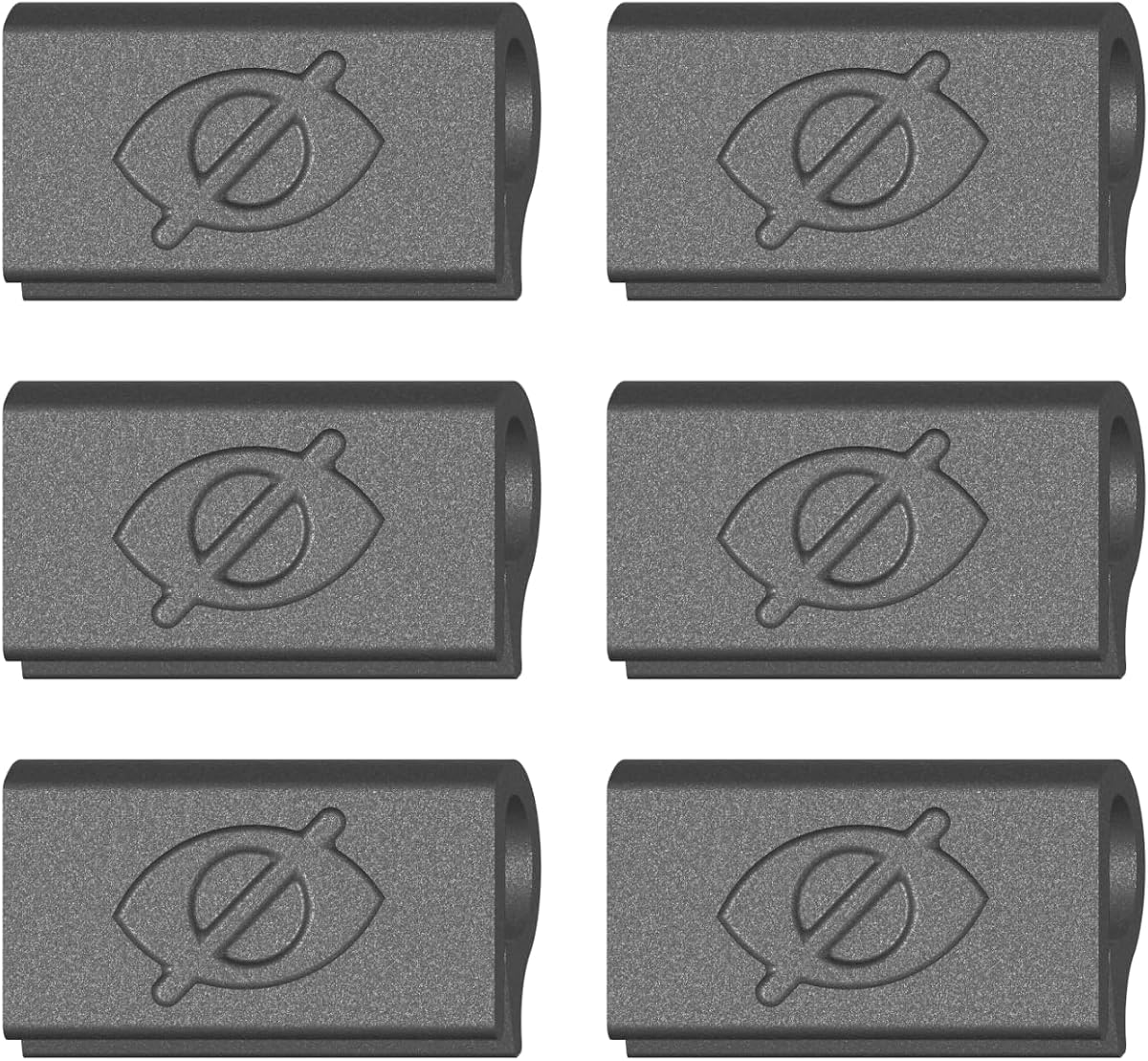


The CloudValley Laptop Camera Cover Slide stands out as our top choice for users seeking a premium blend of style and security. With a highly rated reputation among buyers, this product delivers a reliable physical barrier that ensures your webcam remains covered when not in use.
We may earn a commission when you buy through this link, at no additional cost to you.
Its ultra-thin design measures only 0.023 inches, making it one of the thinnest options available on the market. This ensures that your laptop lid can close properly without interference. The space aluminum alloy material provides a sleek look that complements modern devices while maintaining structural integrity over time.
While the adhesive is strong, users should ensure the surface is clean before application to avoid potential peeling issues later. Additionally, the metal construction though durable could potentially scratch softer bezels if not handled with care during installation or removal.
This cover is ideal for professionals who need consistent privacy protection without sacrificing aesthetics. Whether you are using a MacBook or a Windows laptop, the broad compatibility ensures it will fit most standard webcam placements seamlessly for reliable protection.
The use of space aluminum alloy ensures the cover is both lightweight and resistant to wear and tear compared to plastic alternatives.
Designed to be ultra-thin, it allows laptops to close completely without leaving gaps that might trigger hinge issues.
We may earn a commission when you buy through this link, at no additional cost to you.
For those looking to protect multiple devices without breaking the bank, the Yilador Webcam Cover 3 Pack offers excellent value. It has received solid ratings from users who appreciate its functionality and ease of use across various laptop and tablet models.
We may earn a commission when you buy through this link, at no additional cost to you.
This product features a thin design at 0.027 inches, ensuring it does not interfere with the closing of your laptop lid. The upgraded 3.0 adhesive ensures a strong hold that resists peeling over time while remaining removable without damaging your device's surface.
Users should note that these covers are not suitable for devices with full-screen or notch-style tempered glass screen protectors. Furthermore, they are designed for front-facing webcams only and should not be used on rear phone cameras.
This pack is perfect for families or small offices needing to secure multiple endpoints quickly. With three covers included, you can outfit your laptop, phone, and tablet with privacy protection in one purchase, ensuring comprehensive security across your tech ecosystem.
The upgraded adhesive technology ensures the cover stays firmly in place even with regular sliding use over long periods.
Compatibility spans across major brands including Apple, Dell, Lenovo, and more making it a versatile option.
We may earn a commission when you buy through this link, at no additional cost to you.
If you use an external Logitech webcam for streaming or video calls, this specialized cover provides a tailored solution. It stands out with a high rating due to its precise fit and durable construction that protects your investment while ensuring privacy when needed.
We may earn a commission when you buy through this link, at no additional cost to you.
The flip mechanism allows you to turn the cover 180 degrees easily when you need to use the camera. This is more convenient than sliding covers for fixed cameras. The design also helps prevent dust from settling on the lens when not in use.
Installation is straightforward and secure without leaving sticky residue when removed. However, this product is specifically modeled for Logitech C920 series cameras so it will not fit other brands or built-in laptop webcams.
This option is ideal for content creators and remote workers who rely on external high-definition webcams. By choosing a cover designed specifically for your hardware, you ensure a snug fit that maximizes protection without risking accidental dislodging during use.
Unlike generic covers this is engineered to match the physical dimensions of popular Logitech C920 series models perfectly.
Beyond privacy the cover acts as a shield against dust and scratches keeping your lens optics clear for optimal video quality.
We may earn a commission when you buy through this link, at no additional cost to you.
This clip-on cover offers a unique solution for those who dislike adhesive. It is made in the USA and uses flexible TPU to grip the bezel securely. Users appreciate the freedom from sticky residues that can accumulate on screens over time.
We may earn a commission when you buy through this link, at no additional cost to you.
The push-on installation is simple and requires no tools or cleaning. You just press it onto the bezel and it holds in place firmly. Its thin profile allows laptops to close in sleep mode without removing the cover first.
While effective for laptops, it is not designed for tablets or phones with thick cases. The clip mechanism might not fit if your device lacks a standard bezel structure. Careful checking of your screen bezel width is recommended before ordering.
This is a great choice for corporate environments where devices are frequently reassigned. The lack of adhesive means you can remove and move the cover instantly without cleaning residue. It offers a clean and professional privacy solution for multiple users.
The flexible material ensures a snug fit on various bezel sizes without damaging the screen or frame during clipping.
Made in the USA it meets quality standards for material safety and durability ensuring a product you can trust.
We may earn a commission when you buy through this link, at no additional cost to you.
With a thickness of only 0.022 inches, this option is one of the slimmest available for privacy protection. It is designed to be nearly invisible when closed and provides a reliable barrier against hackers. Users value the large pack size for multiple devices.
We may earn a commission when you buy through this link, at no additional cost to you.
The flexible ABS material ensures durability while allowing for easy sliding action. The strong adhesive keeps the cover secure during regular use. You can install it quickly by aligning with the lens and pressing firmly for a few seconds.
However, the ultra-thin nature might make it prone to scratching the laptop lid if there are gaps or debris under the cover. Also, if the adhesive fails, the cover could fall off during transport which is a consideration for travelers.
This pack is well-suited for home offices where you want to cover multiple gadgets at once. The balance between thinness and durability makes it a practical choice for daily privacy needs without adding bulk to your device profile.
At just 0.022 inches it barely adds any bulk ensuring your laptop stays lightweight and portable for travel or commute.
The adhesive tape is designed to remain strong over time preventing the cover from detaching unexpectedly during regular use.
We may earn a commission when you buy through this link, at no additional cost to you.
This pack offers the widest variety with three different sizes included to fit different lens shapes. It is a versatile solution for households with many types of devices. The large oval size is specifically noted for compatibility with unique camera setups.
We may earn a commission when you buy through this link, at no additional cost to you.
The ultra-thin 0.03 inch design ensures it does not interfere with closing your laptop lid. It fits most laptops phones and tablets comfortably. The assembly and packing are done in the USA ensuring quality control for the adhesive used.
Some users find the adhesive can be difficult to remove without leaving traces if not handled carefully. Also the product has received mixed reviews compared to higher-rated competitors regarding long-term stickiness.
This is ideal for tech enthusiasts with a diverse array of devices needing privacy. The multiple size options reduce the risk of buying an incompatible cover. It provides a cost-effective way to protect a large family tech ecosystem.
With large medium and small options you can match the exact shape of your webcam lens for a precise secure fit.
The large oval variant is designed to fit the Tesla Model 3 Y interior cabin camera offering car owners privacy protection.
We may earn a commission when you buy through this link, at no additional cost to you.
This flexible cover offers a no-adhesive solution for laptop and tablet cameras. It clips over the bezel without leaving sticky residue which keeps your device surface clean. Users appreciate the reusable aspect for long-term privacy management.
We may earn a commission when you buy through this link, at no additional cost to you.
The durable material grips your bezel without scratching the screen. It works well on standard bezels but may require removal if your device is in a heavy case. The four-pack value makes it easy to share with family or coworkers.
Its rating is lower than premium options indicating some variability in fit and finish. Users report it fits best on slim devices without thick cases which may limit its use for rugged laptops or older models with wider bezels.
Choose this if you want a zero-residue solution for devices you swap frequently. The ability to remove and reuse it instantly is valuable for travelers or those who prefer not to use adhesives near their screens.
No sticky backing means you can switch devices or reposition the cover anytime without cleaning gunk off your screen.
Designed to be durable this cover can be moved between devices ensuring privacy is always available whenever you need it.
We may earn a commission when you buy through this link, at no additional cost to you.
This cover offers a cute pattern design to add style to your privacy setup. It features a large opening that ensures normal camera shooting is not blocked. Users like the unique look that differentiates it from plain generic covers.
We may earn a commission when you buy through this link, at no additional cost to you.
The ultrathin design ensures it does not interfere with laptop closure. It is easy to install with adhesive tape and provides effective protection against intruders. The 3-pack allows you to have backups for multiple devices easily.
While the adhesive is generally strong, it may peel over time especially in warmer environments. The patterns might not appeal to professional settings but are great for personal home devices. Check device compatibility as some may have specific bezel issues.
This is a great pick for individuals who want privacy protection to look good on their desk. The combination of style and function makes it a fun accessory that still delivers the necessary security for your webcam lens.
The unique design adds a personalized touch to your setup while maintaining high standards for privacy and lens protection.
A large opening size ensures that the camera view is not obstructed allowing for full field of vision when active.
We may earn a commission when you buy through this link, at no additional cost to you.
This slider provides a reliable way to block your Logitech C920 series webcam. It has a high rating for its effective blocking capability and simple installation. Users appreciate it as a cost-effective alternative to OEM parts for their webcams.
We may earn a commission when you buy through this link, at no additional cost to you.
The slider mechanism allows you to block or reveal the camera quickly. It is compatible with popular models like the C920 and C930e ensuring a precise fit. It is designed to protect privacy without affecting the camera lens quality when open.
Since it is specific to Logitech models it may not fit other brands or generic external webcams. Also it lacks aesthetic options like colors or patterns which might matter for personal customization preferences in your workspace.
Choose this if you own a Logitech camera and want a dedicated privacy shutter. It offers a practical solution for remote workers who need to manage their video feed quickly and securely during online meetings or idle times.
Designed specifically for Logitech C920 series it ensures perfect compatibility with the housing dimensions for reliable operation.
The slider design allows you to open and close the camera instantly which is essential for spontaneous video calls or quick checks.
We may earn a commission when you buy through this link, at no additional cost to you.
This adorable cover features a plant design that appeals to plant lovers. It provides privacy protection while adding a touch of nature to your tech. The slim profile ensures your laptop closes snugly without interference from the cover.
We may earn a commission when you buy through this link, at no additional cost to you.
It fits a wide range of devices including MacBook Pro Air iPad and iMac. The design is sleek and modern ensuring it does not look out of place on professional devices. Adhesive is simple to apply and removal is residue-free.
The design might fade over time if exposed to direct sunlight or frequent handling. Also since it is a specific pattern it may not suit all desk aesthetics. It is best for users who want a fun accessory for their laptop.
This option is perfect for those who want to personalize their privacy protection. Whether it is a gift or for yourself it brings a smile while keeping your data secure. It is a charming addition to your laptop accessories collection.
The plant theme makes protecting your privacy fun and visually appealing without compromising the sleek look of your device.
Engineered to fit MacBook Air and Pro models precisely it ensures that the laptop closes properly every time.
We may earn a commission when you buy through this link, at no additional cost to you.
Selecting the right webcam cover involves considering factors like device compatibility, material durability, and installation method to ensure a secure fit.
Ensure the cover fits your specific laptop or tablet model. Check the dimensions of your webcam lens and bezel to verify the product matches your device. Some covers are designed for external webcams while others are for built-in cameras.
Choose a product explicitly listed as compatible with your device brand and model to avoid fit issues.
Look for covers made from durable materials like metal or high-quality plastic. These materials resist wear and tear from frequent sliding and handling. Cheaper plastics may crack over time reducing effectiveness.
Prioritize robust materials that withstand daily use without breaking or losing their shape.
Decide between adhesive or clip-on installation. Adhesive covers provide a permanent solution but require cleaning for removal. Clip-on options are removable but need a specific bezel to grip.
Select the method that aligns with your preference for permanence or flexibility on your device.
Choose a cover that is thin enough to allow your laptop lid to close fully. A thick cover might damage the hinge or screen if forced shut. Ultra-thin designs ensure no gaps remain when closed.
Measure your laptop closure clearance to confirm the cover will not interfere with closing the device.
Ensure the slider moves smoothly without sticking or becoming loose. A good mechanism should stay in the open or closed position firmly. Poor designs may slide open accidentally exposing your camera.
Test the slider action to verify it provides a reliable and smooth operation for privacy control.
Check for high-quality adhesive that does not leave residue upon removal. Poor adhesives may peel off quickly or damage your device surface. Look for mentions of residue-free removal in product details.
Choose products with proven adhesive performance to maintain device cleanliness and security.
Consider buying packs with multiple covers if you have several devices. This offers better value and allows for backup coverage. Buying one cover might leave other devices unprotected unnecessarily.
Opt for multi-pack options to secure all your tech assets efficiently and economically.
Pick a design that matches your personal style or professional environment. Some users prefer plain black covers while others like patterns. Aesthetics can matter for personal satisfaction and desk organization.
Select a style that you find appealing so you remain consistent about using the privacy protection.
Clean the surface of your webcam and bezel with a microfiber cloth before applying any adhesive cover. Ensure the area is free of dust and oils to maximize adhesion and prevent peeling over time.
Align the cover carefully with the lens opening and press firmly for at least ten seconds. Allow the adhesive to set for a few hours before sliding the cover to ensure it holds securely.
Regularly check the slider movement to ensure it operates smoothly. Avoid forcing the cover open or closed if it feels stuck as this could damage the mechanism or the screen.
No, it does not affect screen resolution or quality. It only blocks the camera lens when closed. When open, the camera functions normally without any interference from the cover.
Yes, most adhesive covers can be removed without damage. Use heat to soften the adhesive and peel gently. Clean the residue with a mild solvent if needed.
No they do not prevent software hacking. They provide physical security by blocking the lens. Software threats should be managed with antivirus software and firewalls.
The adhesive typically lasts several months depending on usage. High-quality adhesives may last longer. Replacing covers periodically ensures continued effectiveness.
Yes, there are covers designed for external webcams like the Logitech C920. These fit the housing of the external camera rather than the laptop screen.
Gently apply a small amount of lubricant or use a thin tool to release the slider. Do not force it as it may break the internal mechanism permanently.
Most covers work with major brands like Dell HP and Lenovo. Check product details for specific compatibility with your model to ensure a proper fit.
Yes, it is safe to use them on touchscreens. They do not interfere with touch functionality and are designed not to scratch the screen.
We have reviewed ten top laptop webcam covers offering various solutions for privacy needs. The CloudValley options stand out for quality and reliability across different devices.
Prioritize compatibility and ease of use when selecting a cover for your setup. Ensure it fits well without interfering with your laptop's normal operation.
Remember to check current prices and availability before making your purchase. Privacy is essential and a small investment can protect your digital life effectively.