
Logitech Slim Wireless Bluetooth Mouse
4.7Editor score
Silent click technology
Eighteen month battery life
Slim lightweight design
Discover the top external mouse for MacBook Neo users comparing comfort, battery life, and seamless Bluetooth connectivity across ten expert selected wireless
Finding the perfect external mouse for MacBook Neo can transform your daily workflow and enhance overall productivity significantly. Whether you work from home or travel frequently, having a reliable input device ensures comfort and precision during long sessions.
We have carefully evaluated ten top rated wireless mice based on design, connectivity options, battery performance, and user feedback. Our goal is to help you choose the right tool that matches your specific needs and aesthetic preferences.
Each pick below highlights key features and practical benefits to guide your decision-making process effectively. Please note that prices and availability may change over time, so checking current listings is recommended before purchasing.
4.7Editor score

4.4Editor score
4.4Editor score
This side-by-side comparison outlines the essential specifications and unique selling points of each recommended wireless mouse to help you make an informed choice quickly.







The Logitech M240 Compact Silent is a fantastic entry-level wireless mouse designed for quiet environments. With a rating of 4.4 stars, users appreciate its ability to reduce click noise significantly while maintaining a comfortable feel.
We may earn a commission when you buy through this link, at no additional cost to you.
Its standout feature is the silent click technology that reduces noise by 90 percent, making it ideal for shared workspaces or libraries. The Bluetooth connectivity ensures a fast and easy pairing without needing a dongle, and the battery can last up to 18 months on a single charge.
While the scroll wheel is basic and lacks advanced customization, these trade-offs are acceptable given the affordable price. The ambidextrous design ensures comfort for both left and right-handed users, and the compact size makes it easy to toss into a travel bag.
This mouse is perfect for budget-conscious users who prioritize silence and portability. If you need a reliable, quiet mouse for daily tasks without breaking the bank, the M240 is a solid choice to consider.
The silent click technology ensures minimal noise disruption, allowing you to work comfortably in quiet environments without disturbing others around you.
With up to 18 months of battery life, you can use the mouse for extended periods without worrying about frequent battery replacements or recharging.
We may earn a commission when you buy through this link, at no additional cost to you.
The Logitech M350s Pebble 2 combines style with functionality, offering a slim round design that looks great on any desk. Rated 4.5 stars, it appeals to users who value aesthetics alongside practical features like multi-device switching.
We may earn a commission when you buy through this link, at no additional cost to you.
Key strengths include the ability to hop between three devices using Bluetooth and the Silent Touch Technology that removes 90 percent of click noise. The battery lasts up to two years, and the mouse is made with significant recycled plastic content, aligning with eco-friendly values.
However, it does not include a USB receiver, which might limit flexibility if your device lacks Bluetooth. The flat shape is portable but may not offer the same grip as ergonomic models for long sessions.
This mouse is ideal for creatives and professionals who switch between devices often and appreciate a sleek look. If you want a quiet, stylish mouse that supports multitasking, the Pebble 2 is a strong contender.
Use the Easy-Switch button to toggle between up to three devices instantly, enhancing productivity when managing multiple tasks across different systems.
Plastic parts include at least 58 percent certified post-consumer recycled plastic, reflecting a commitment to environmental responsibility without compromising performance.
We may earn a commission when you buy through this link, at no additional cost to you.
The Logitech Mobi Fold stands out for its ultra-portable foldable design, making it the ultimate travel companion. With a 4.2 rating, users praise its ability to slip into pockets while still offering precise 4K DPI tracking and quiet clicks.
We may earn a commission when you buy through this link, at no additional cost to you.
Its compact form factor hides a powerful feature set, including adaptive touch scrolling and the ability to connect to multiple devices via Bluetooth. The USB-C quick charging ensures you get hours of use from just a minute of charging, which is crucial for travelers.
On the downside, the small size might feel cramped for users with larger hands, and the price is higher than standard compact mice. However, the convenience of foldability and fast charging often outweighs these drawbacks for frequent commuters.
This mouse is best suited for digital nomads and travelers who need a high-performance mouse in their bag. If portability and modern charging options are priorities, the Mobi Fold delivers exceptional utility on the go.
The mouse folds flat to fit easily in a pocket or small bag, unfolding to power on and folding to power off for added convenience.
A one-minute charge provides up to 22 hours of use, ensuring you stay productive without long downtime or waiting for full charges.
We may earn a commission when you buy through this link, at no additional cost to you.
The Satechi Slim EX offers a premium build quality with its anodized aluminum shell, appealing to users who want their accessories to match high-end laptops. Rated 4.6 stars, it delivers a sturdy feel and excellent tracking performance.
We may earn a commission when you buy through this link, at no additional cost to you.
Key strengths include the ability to switch between Bluetooth and 2.4 GHz modes, offering flexibility for different devices. The removable rechargeable battery ensures long life, and the precision-machined wheel enhances control during scrolling tasks.
It is heavier than typical plastic mice which might be a consideration for travel. Additionally, it lacks the multi-device switching found in some competitors, focusing instead on single-device excellence and build quality.
This mouse is perfect for desktop users who value aesthetics and durability. If you want a mouse that looks and feels premium while offering reliable connectivity, the Slim EX is a top choice.
The anodized aluminum shell elevates workspace aesthetics, providing a robust and sophisticated look that complements professional setups.
Switch effortlessly between Bluetooth and 2.4 GHz via a USB-C receiver, giving you the freedom to choose the best connection for your setup.
We may earn a commission when you buy through this link, at no additional cost to you.
This generic Bluetooth wireless mouse offers a budget-friendly alternative for those needing a basic reliable input device. With a 4.3 rating, it serves as a practical option for users who prioritize value and versatility over brand prestige.
We may earn a commission when you buy through this link, at no additional cost to you.
Its key advantage is the dual-mode connectivity supporting both Bluetooth and 2.4G USB receiver, allowing compatibility with almost any laptop or desktop. Adjustable DPI settings let you customize cursor speed, and the auto-energy saving feature helps preserve battery life.
The build quality may vary compared to branded options, and customer support is less comprehensive. However, for casual users or those needing a spare mouse, these trade-offs are often acceptable given the low cost.
This mouse is ideal for budget-conscious shoppers or students who need a functional device without extra features. If you want a simple, silent, and versatile mouse at a low price, this option is worth exploring.
Support for multiple operating systems and connectivity modes ensures this mouse works with most devices you might own.
Three adjustable DPI levels allow you to tailor cursor movement to different tasks, from precise editing to fast navigation.
We may earn a commission when you buy through this link, at no additional cost to you.
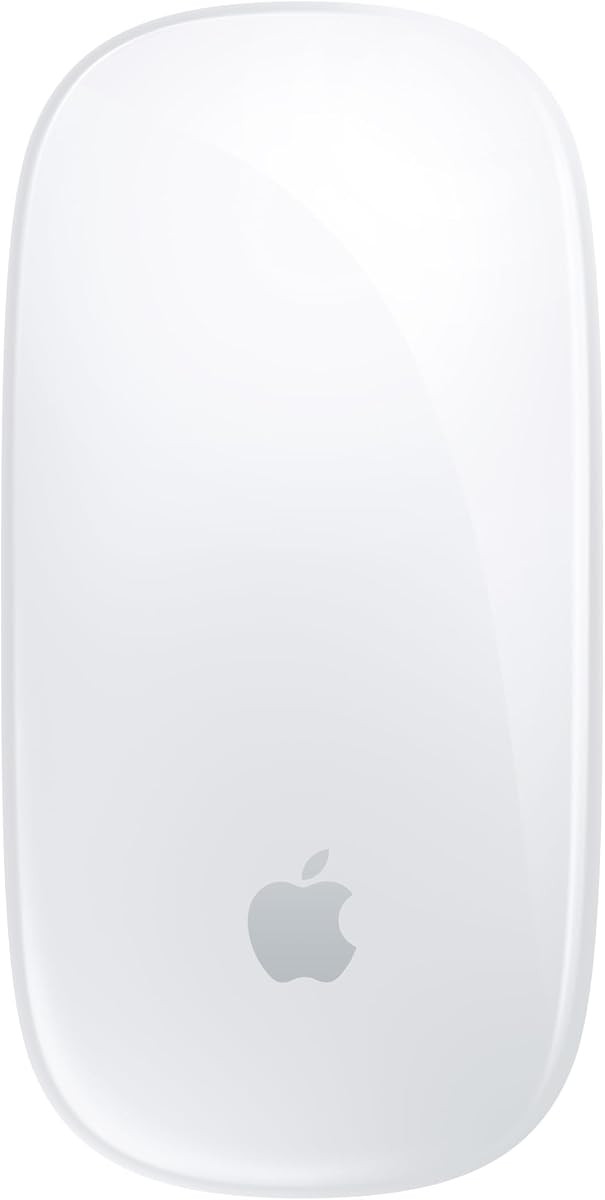
The Apple Magic Mouse is designed specifically for Mac users, offering seamless integration with macOS gestures. Rated 4.4 stars, it is the go-to for those who want a device that feels native to their Apple ecosystem.
We may earn a commission when you buy through this link, at no additional cost to you.
Its standout feature is the Multi-Touch surface that allows gestures like swiping between web pages and scrolling through documents. The mouse is rechargeable and pairs automatically with your Mac, providing a hassle-free setup experience.
However, the flat design may cause discomfort during long sessions for users accustomed to ergonomic lifts. Additionally, the battery must be charged via USB-C while connected, which can interrupt workflow temporarily.
This mouse is perfect for Apple loyalists who prioritize gesture control and aesthetics over ergonomic comfort. If you want a mouse that feels like part of your Mac, the Magic Mouse is the definitive choice.
Multi-touch surface gestures integrate smoothly with macOS, enabling intuitive navigation like swiping and scrolling directly on the mouse surface.
The mouse is ready to go straight out of the box, pairing automatically with your Mac to save setup time and reduce frustration.
We may earn a commission when you buy through this link, at no additional cost to you.
The Logitech POP Mouse adds a splash of personality to your workspace with its fresh modern design. Rated 4.6 stars, it appeals to users who want a mouse that stands out and offers convenient shortcuts for daily apps.
We may earn a commission when you buy through this link, at no additional cost to you.
Its key strengths include customizable Action Buttons that let you switch between modes like work or Netflix quickly. The Silent Touch Technology ensures quiet operation, and the battery life extends up to two years on a single AA battery.
The all-plastic build feels lighter than aluminum options, and reliance on a single AA battery may be a drawback for some. However, the fun design and functional shortcuts make it a joy to use.
This mouse is ideal for students and creatives who appreciate vibrant designs and quick app access. If you want a stylish and fun mouse with practical features, the POP Mouse is a great pick.
Action Buttons let you launch apps or switch modes instantly, streamlining your workflow and saving time on repetitive tasks.
Silent Touch Technology removes 90 percent of click noise, allowing you to work quietly without disturbing those around you.
We may earn a commission when you buy through this link, at no additional cost to you.
The Logitech Slim Wireless Bluetooth Mouse for Mac is a highly rated affordable option that matches Apple's aesthetic. With a 4.7 rating, it is praised for its sleek design and ability to work on almost any surface without issues.
We may earn a commission when you buy through this link, at no additional cost to you.
Its main selling points are the silent click technology and the 18-month battery life, ensuring reliability and quiet operation. The slim, lightweight design makes it easy to carry, and the soft rounded sides provide comfort in the palm of your hand.
It lacks extra buttons and advanced features found in premium models, but this simplicity keeps the price low and usability high. For basic tasks, these limitations are negligible and the mouse performs well.
This mouse is perfect for budget-focused Mac users seeking reliability and style. If you want a simple, quiet, and affordable mouse for everyday use, the Slim Wireless is an excellent choice.
Sleek lines and modern colors ensure this mouse looks great next to your Mac, creating a cohesive and professional workspace.
Tracks fast and accurately on various surfaces, so you can use it on tables, beds, or uneven surfaces without a mousepad.
We may earn a commission when you buy through this link, at no additional cost to you.
The Logitech MX Master 4 for Mac is the ultimate mouse for productivity and performance. Rated 4.4 stars, it offers advanced features like haptic feedback and ultra-fast scrolling that streamline complex workflows and reduce hand strain.
We may earn a commission when you buy through this link, at no additional cost to you.
Its standout features include the MagSpeed scroll wheel that can scroll 1,000 lines per second and the Haptic Sense Panel for customizable feedback on specific actions. The ergonomic design keeps you in flow with a natural tilt and thumb scroll wheel.
The high price and large size may not suit every desk or hand shape. However, for power users managing complex tasks, these trade-offs are acceptable given the efficiency gains and comfort.
This mouse is perfect for professionals who spend long hours on creative or analytical work. If you want the best ergonomics and features for productivity, the MX Master 4 is the top recommendation.
The MagSpeed scroll wheel allows you to scroll 1,000 lines per second, saving time when navigating long documents or web pages.
The Haptic Sense Panel provides customizable feedback for specific actions, enhancing precision and awareness during workflow tasks.
We may earn a commission when you buy through this link, at no additional cost to you.
The Satechi M1 Wireless combines a premium aluminum finish with practical rechargeability at a mid-range price. With a 4.4 rating, it appeals to users who want a durable and reliable mouse without paying premium prices for advanced features.
We may earn a commission when you buy through this link, at no additional cost to you.
Its key advantages include the built-in lithium-ion battery with USB-C charging and the ergonomic design that fits comfortably in the palm of your hand. The Bluetooth 4.2 connectivity ensures a stable connection for multitasking and daily use.
It lacks advanced customization or multi-device switching, and the DPI is fixed, limiting precision for specific tasks. However, these limitations are balanced by its solid build quality and convenience.
This mouse is ideal for users seeking a reliable, rechargeable mouse for daily office work. If you want a mid-range option that looks great and lasts long, the M1 Wireless is a strong choice.
The built-in lithium-ion battery eliminates the need for disposable batteries, offering a convenient charging solution and reducing waste.
The sleek aluminum finish enhances workspace aesthetics and provides a durable feel that resists wear over time.
We may earn a commission when you buy through this link, at no additional cost to you.
Selecting the right mouse depends on your specific workflow needs and preferences regarding design and connectivity.
Connectivity type is crucial for ensuring your mouse works seamlessly with your MacBook Neo. Look for Bluetooth models if you want to save USB ports, or consider dual-mode options that support 2.4GHz USB receivers for extra stability.
Choose Bluetooth for clean setups or dual-mode for maximum compatibility with other devices.
Battery life affects how often you need to recharge or replace power sources. Some mice last up to 18 months on a single charge, while others use rechargeable lithium-ion batteries with USB-C ports.
Prioritize long battery life or convenient USB-C charging to avoid interruptions.
Comfort is vital for users who spend long hours working. Look for ergonomic designs that support your hand naturally, such as thumb rests or curved shapes, to reduce fatigue.
Choose a shape that fits your palm well to prevent strain during extended sessions.
Silent click technology reduces noise significantly, making it ideal for shared offices or quiet environments. Mice with this feature maintain the same click feel while minimizing distraction.
Opt for silent mice if you work in libraries, cafes, or offices with others.
The scroll wheel determines how efficiently you navigate documents. High-end models offer MagSpeed or adaptive scrolling that allows rapid scrolling without sacrificing precision.
Check if the scroll wheel supports horizontal or vertical scrolling based on your needs.
Multi-device support allows you to switch between computers or tablets easily. Look for models with Easy-Switch buttons that let you manage multiple devices without re-pairing.
This feature is essential if you use multiple computers daily for work or personal tasks.
Build quality influences durability and how the mouse looks on your desk. Aluminum shells offer a premium feel, while recycled plastics appeal to eco-conscious users.
Select a design that matches your workspace style and offers durability for long-term use.
Customization lets you map buttons to specific shortcuts or applications. Software support from the manufacturer can enhance productivity by allowing you to automate tasks.
Look for mice with companion apps if you want to tailor controls to your workflow.
To set up your mouse, ensure Bluetooth is enabled on your MacBook Neo and turn on the mouse power switch. Pair the device through System Settings and follow the on-screen prompts to connect it successfully.
For best performance, keep the sensor lens clean using a soft cloth and avoid placing the mouse on uneven surfaces that may interfere with tracking. Regularly update the mouse firmware via the manufacturer app for optimal functionality.
To extend battery life, enable auto-sleep modes if available and remove batteries during long periods of non-use. Proper maintenance ensures your mouse remains reliable and comfortable for daily tasks.
Yes, most Bluetooth or USB wireless mice work seamlessly with MacBook Neo. Ensure the mouse supports macOS drivers if you want full feature compatibility, though basic functions usually work out of the box.
Check that the mouse is in pairing mode and within range of your MacBook Neo. If issues persist, restart both devices or clear Bluetooth cache in macOS settings to resolve connection errors.
The Logitech Slim Wireless Bluetooth Mouse offers up to 18 months of battery life on a single charge. This makes it one of the longest-lasting options for users who do not want frequent recharging.
Most models in this list support iPadOS connectivity including the Logitech M350s and MX Master 4. Always check specific product compatibility details before purchasing to ensure support for your tablet.
The Logitech MX Master 4 for Mac is the most ergonomic option with a natural tilt and thumb rest. Others like the Satechi M1 and Generic Bluetooth Mouse offer basic ergonomic comfort for general use.
Look for terms like Silent Touch or Silent Click in the product description. These features reduce noise by up to 90 percent, making the mouse ideal for quiet environments.
We have explored ten top external mice for MacBook Neo ranging from budget-friendly to premium productivity tools. Each option offers unique strengths that cater to different user needs and preferences.
Prioritize features that align with your workflow such as battery life ergonomics and silent operation. Investing in a quality mouse can significantly improve comfort and efficiency during daily use.
Remember that prices and availability may change over time so check current listings before making a purchase. Finding the right mouse ensures a smoother and more enjoyable computing experience on your MacBook Neo.