
BENFEI USB-C to Ethernet Adapter
4.5Editor score
Gigabit speeds up to 1Gbps
Compact aluminum casing design
Wide device compatibility range
We compare the top Ethernet adapters for Android phones to find reliable USB-C and Micro USB models with fast speeds and stable wired connections for any
Modern Android phones often lack built-in Ethernet ports, making wired connections difficult without an adapter. A good adapter provides stable internet for work or gaming.
We compared ten top models based on speed compatibility and build quality to find the best options for your specific phone model and daily usage needs.
Each pick shows key features and pros to help you choose. Note that prices change frequently so check current listings before making your final purchase decision.
4.5Editor score

4.7Editor score

4.6Editor score
This side-by-side comparison highlights the key specifications and features of all ten models to help you quickly identify which adapter fits your specific Android device needs.




This adapter delivers reliable gigabit speeds for Android phones and other USB-C devices. With a 4.5 rating it offers solid performance for daily tasks at a budget friendly price.
We may earn a commission when you buy through this link, at no additional cost to you.
It supports stable connection speeds up to 1Gbps using CAT6 cables. The aluminum casing helps with heat insulation while the braided nylon adds extra durability for travel.
While it lacks charging pass-through it focuses purely on network stability. The compact design fits snugly into ports without blocking them making it easy to use in tight spaces.
Buy this if you need a cheap reliable wired connection for your phone. It is ideal for travelers or anyone wanting stable internet without spending much money on accessories.
Obtain stable connection speeds up to 1Gbps and ensure large downloads run without interruption using high quality Ethernet cables.
Braided nylon cable ensures extra durability while the premium aluminum casing provides better heat insulation for long lasting performance.
We may earn a commission when you buy through this link, at no additional cost to you.
uni offers a compact solution with stable speeds up to 1Gbps. Its high rating reflects reliable performance for Android phones needing a quick and efficient wired connection.
We may earn a commission when you buy through this link, at no additional cost to you.
The design includes a premium aluminum casing for better heat dissipation and a braided nylon cable for durability. Non-slip features make it easy to plug and unplug on phones.
Although it costs slightly more than others it offers an 18-month warranty and 24/7 support. This peace of mind is valuable for users who rely on consistent connectivity.
Choose this if you value build quality and support. It suits professionals or anyone needing a dependable adapter that handles heat well during extended use.
Premium aluminum casing ensures better heat dissipation keeping the device cool during high-speed data transfers or heavy usage.
Non-slip design helps with easier plugging and unplugging while the compact form fits easily into any travel bag pocket.
We may earn a commission when you buy through this link, at no additional cost to you.
This adapter is unique because it supports older Micro USB Android phones and tablets. It offers a driverless solution for devices lacking built-in Ethernet ports or modern USB-C.
We may earn a commission when you buy through this link, at no additional cost to you.
It adds 10/100M wired network ability which is slower than gigabit but sufficient for basic browsing. An LINK ACT indicator helps you see status at a glance on any device.
Note that compatibility is limited so check your phone settings for an Ethernet menu. If you have older hardware this adapter bridges the gap to reliable wired internet.
Buy if you need to connect legacy devices or tablets that do not support modern USB-C standards. It provides basic connectivity where nothing else works.
Compatible with Android 4.0 and up and works well with tablets that have available Micro USB ports for wired network access.
A LINK ACT indicator light allows users to see network status at a glance without digging into complex settings menus.
We may earn a commission when you buy through this link, at no additional cost to you.
This 2-in-1 adapter solves two problems by providing network access and charging. With support up to 140W power delivery it keeps your phone charged during long work sessions.
We may earn a commission when you buy through this link, at no additional cost to you.
It delivers full Gigabit speed up to 1000Mbps ensuring reliable streaming or downloading. The braided pigtail cable adds strain resistance while the aluminum housing manages heat effectively.
The price is higher but the extra port makes it valuable for power users. If you need to keep your battery up while working on a wired connection this is ideal.
Choose this if you need charging pass-through and network stability. It suits professionals using high-power devices or anyone needing to stay connected and charged.
Integrated USB-C PD port supports up to 140W power delivery keeping high-performance laptops or phones charged while connected to Ethernet.
Compatible with Chromecast with Google TV ensuring smooth lag-free streaming by adding a reliable wired Ethernet connection to your stick.
We may earn a commission when you buy through this link, at no additional cost to you.
This model stands out with a 4.7 rating and broad compatibility across systems. It offers reliable driver-free connectivity for Android phones needing fast 1000Mbps speeds.
We may earn a commission when you buy through this link, at no additional cost to you.
The aluminum alloy case ensures better heat dissipation than plastic. A reinforced cable tail and wear-resistant port ensure long-lasting durability in your daily travel routine.
Its compact size means it is easy to carry anywhere. This is the perfect solution for new laptops or phones without built-in Ethernet when Wi-Fi is unstable.
Buy this if you need a trusted reliable adapter. It is highly rated for its build quality and ease of use for most Android users.
Durable aluminum alloy case ensures faster heat dissipation than plastic options keeping the adapter cool during extended heavy use sessions.
Driver-free operation means you can connect instantly without software installation making setup simple and fast on Android devices.
We may earn a commission when you buy through this link, at no additional cost to you.
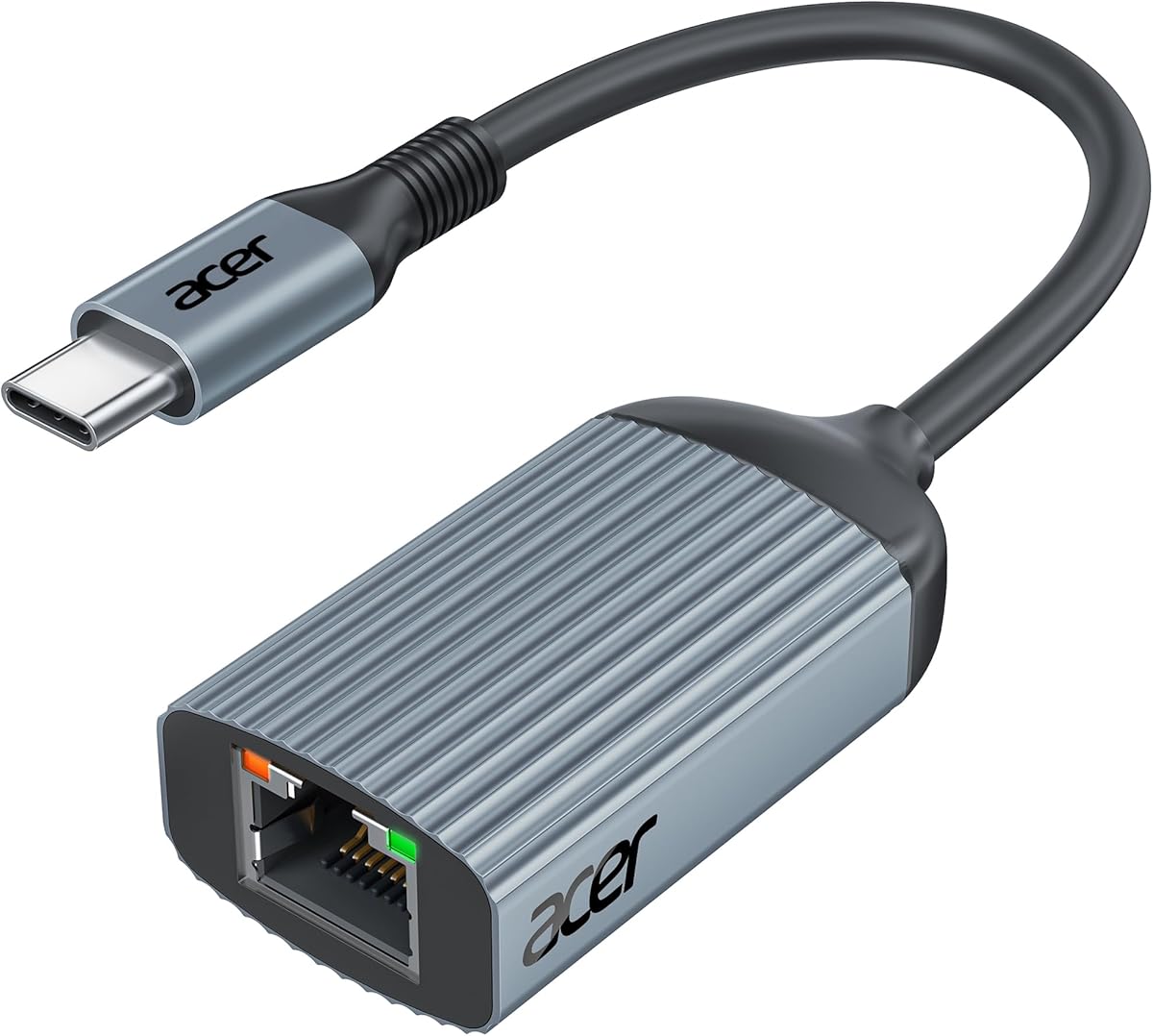
Acer offers a reliable solution with its updated RTL8153B chip ensuring stable speeds. This adapter is small enough to fit easily into any travel bag for work or trips.
We may earn a commission when you buy through this link, at no additional cost to you.
Two indicators provide clear status display and quick connection diagnosis. The design is resistant to frequent plugging and unplugging making it durable for heavy business travel.
It consumes low power which reduces heat and improves efficiency. If you need a fast smooth connection without extra features this model is ideal for your phone.
Choose this for travel if you want a small efficient device. The status indicators make troubleshooting easy when Wi-Fi is spotty in hotels.
Equipped with updated RTL8153B chip ensuring peak network performance while consuming low power and reducing heat dissipation significantly.
Two indicators provide clear status display helping you quickly diagnose connection issues without accessing complex software settings.
We may earn a commission when you buy through this link, at no additional cost to you.
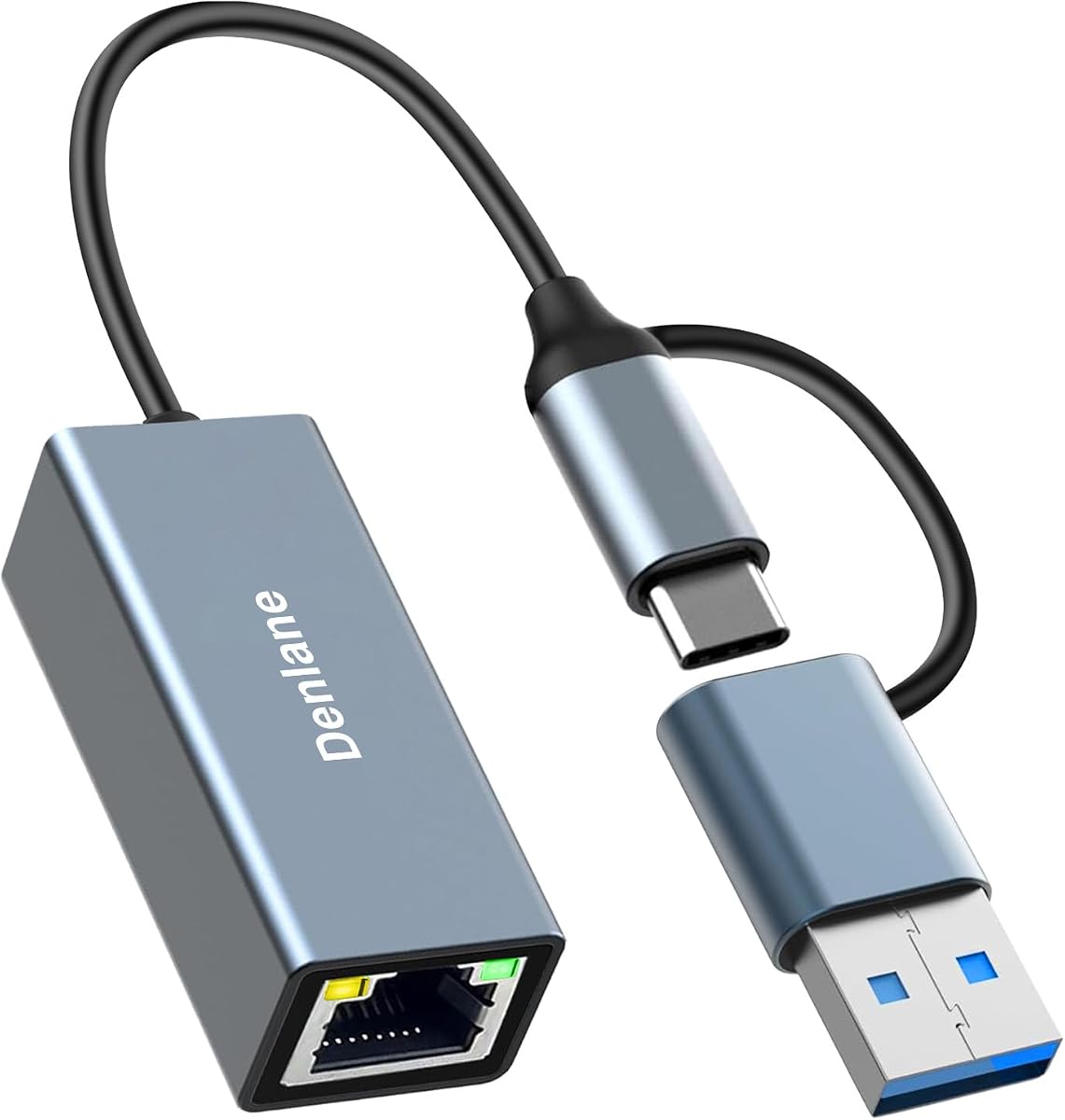
This adapter features a unique dual-interface design supporting both USB A and USB C. It ensures you can connect to various devices without needing different adapters for each.
We may earn a commission when you buy through this link, at no additional cost to you.
The cable is designed to be soft and adjustable at any angle. It has been tested to be bent more than 10,000+ times ensuring durability for daily use.
While the rating is lower it offers great flexibility. If your setup includes older USB-A devices this model saves you from buying separate converters or hubs.
Buy this if you need versatility for different ports. It suits users with mixed legacy and modern hardware needing one reliable Ethernet solution for all.
Unique dual-interface design meets various scenarios supporting both USB A and USB C for flexible connection options on different devices.
Designed to be soft and adjustable at any angle with bend test results exceeding 10,000+ cycles for long-lasting resilience.
We may earn a commission when you buy through this link, at no additional cost to you.
This model stands out for its ability to support speeds up to 5Gbps which is much faster than standard gigabit adapters. It is ideal for future-proofing your phone setup.
We may earn a commission when you buy through this link, at no additional cost to you.
It offers plug-and-play installation for Windows macOS Chrome OS and Android without drivers. The robust aluminum housing withstands daily wear and tear effectively.
While it requires a 5Gbps network to see full benefits it is excellent for high-end setups. A perfect 5.0 rating reflects user satisfaction with its performance and quality.
Buy this if you have high-speed internet and want speed headroom. It ensures your phone can handle future network upgrades without buying a new adapter.
5 Gbps network speed allows faster connections than over Wi-Fi making it ideal for high-bandwidth future-proof network needs.
Compact and portable design easily slips into a laptop bag or pocket for travel without needing extra power adapters.
We may earn a commission when you buy through this link, at no additional cost to you.
This adapter breaks tradition by using an RJ45 male plug to connect to a USB-C female port. You just need a daily USB-C to C cable to access wired network.
We may earn a commission when you buy through this link, at no additional cost to you.
It supports 10/100/1000Mbps auto-negotiation eliminating lag. The built-in intelligent control chip allows zero extra software or driver installation on Android systems.
The aluminum shell is ultra-compact fitting easily in pockets. Protection safeguards your devices ensuring safe reliable wired connections on the go without extra bulk.
Buy this if you already carry USB-C cables and want to save space. It is perfect for travelers who hate carrying extra dongles or cables.
Unique RJ45 male plug design breaks the limit of traditional dongles allowing you to use existing data cables for network access.
Supports 10/100/1000Mbps auto-negotiation eliminating WiFi lag for 4K streaming gaming and large file upload download tasks.
We may earn a commission when you buy through this link, at no additional cost to you.
This adapter supports internet speed of up to 2.5Gb offering unbelievably fast downloads and streaming. It is ideal for NAS or immersive gaming needs.
We may earn a commission when you buy through this link, at no additional cost to you.
The updated RTL8156BG chip ensures peak network performance with low power consumption. This flexibility allows you to upgrade your 1Gb network immediately to higher speeds.
It is designed for modern laptops with Ethernet ports but works with Android phones too. The sleek aluminum design with indicator lights ensures clear transmission status.
Buy this if you need top tier speed. It is a premium choice for power users with high-end routers looking to maximize performance.
Supports internet speed of up to 2.5Gb enabling devices to run at full speed for unbelievable fast downloads and streaming.
Updated RTL8156BG chip ensures peak network run consuming low power and reducing heat dissipation for stable performance.
We may earn a commission when you buy through this link, at no additional cost to you.
Choosing the right adapter depends on your phone type and network needs. This guide explains key factors to consider before buying.
First verify if your phone uses USB-C or Micro USB. Modern Android phones use USB-C but older models may need Micro USB OTG adapters.
Always match the adapter connector to your device port to ensure a snug connection and avoid signal issues.
Most adapters offer Gigabit 1Gbps speeds which are sufficient for most users. Some premium models support 2.5Gbps or 5Gbps for faster networks.
Ensure your router supports the speed you choose to avoid bottlenecks during large file transfers or high-definition streaming.
Look for driver-free or plug-and-play models to avoid installation hassle on Android. Most USB-C adapters are driver-free but Micro USB may require OTG support.
Check if your phone settings show an Ethernet menu under Wireless & Networks to confirm compatibility before purchasing.
Aluminum housings dissipate heat better than plastic which is crucial for long usage. Braided nylon cables add durability against wear and tear.
Prioritize adapters with reinforced connectors to prevent damage from frequent plugging and unplugging during travel.
Some adapters include USB-C charging pass-through to keep your phone charged while connected. Others offer dual connectors for USB-A and USB-C flexibility.
Decide if these features justify the extra cost based on your specific usage needs or power requirements.
Choose brands offering at least 18 months warranty and accessible customer service. Reliable support helps resolve connection issues quickly.
Check user reviews for consistent performance ratings to avoid faulty units before committing to a purchase.
Compact adapters are great for portability but short cables may limit positioning. Ensure the cable allows enough reach to your router.
Consider a longer cable if you need to place your phone at a distance from the network source.
Basic adapters start under ten dollars while premium models cost significantly more. Determine your needs to find a model within your budget.
Value features like speed and durability over brand names to get the best performance for your money.
Plug the adapter into your phone's USB-C port firmly to ensure contact. Connect one end of your Ethernet cable to the adapter and the other to your router.
Check your phone settings to ensure Ethernet shows as active. Most phones auto-detect the connection but some may need you to enable it manually.
Keep the adapter cool by avoiding blocking vents during heavy use. Clean ports gently and store adapters in a pouch to protect connectors from damage.
Most USB-C adapters are plug-and-play and do not require drivers on Android. However older Micro USB adapters may need OTG support and your phone should show an Ethernet menu in settings.
Gigabit 1Gbps adapters are sufficient for most streaming and work needs. If you have a faster router consider 2.5Gbps or 5Gbps models for maximum performance.
Yes some adapters include USB-C power delivery pass-through so you can charge your phone while connected to the network for uninterrupted usage.
Check if your phone supports OTG or Ethernet menus and try a different Ethernet cable. Ensure the adapter fits snugly into the port and try restarting your phone.
Yes most USB-C adapters work with Android tablets that support USB-C or OTG. Older tablets may need Micro USB adapters if they lack USB-C ports.
Yes aluminum dissipates heat better keeping the device cool during high-speed transfers. This prevents overheating and extends the adapter life compared to plastic options.
Older Micro USB phones may need Micro USB OTG adapters. Check if your phone settings show an Ethernet menu in Wireless & Networks before purchasing.
High-quality adapters with braided cables and aluminum housing last several years. Avoid frequent plugging and unplugging to prolong port life and prevent connector damage.
We reviewed ten reliable adapters ranging from budget options to high-speed premium models. Each option offers stable connectivity for Android phones needing reliable wired access.
Prioritize speed and port type to match your phone and router needs. Consider build quality and warranty for long-term satisfaction with your purchase choice.
Prices change frequently so check current listings before buying. Select a model that fits your daily usage and ensures stable internet access on the go.