
Blue Marble Learn to Draw Projector
4.4Editor score
Collapsible design
Includes markers and discs
Easy setup
Discover the top rated kids drawing projector options for 2026. We compare features, ease of use, and creative tools to help you choose the perfect art tool.
Finding the right drawing tool can spark creativity in young children. A kids drawing projector offers a unique way to learn art skills by tracing projected images onto paper. This technology helps develop fine motor skills and confidence in budding artists.
We compared ten leading models based on image quality, ease of use, and included accessories. Our analysis focuses on how well each projector supports learning and creative play. We also considered safety features and durability for active children.
Each pick highlights specific strengths like app connectivity or step-by-step guidance. Prices and availability can change so verify details before buying. These tools provide hours of engaging art activities for kids at home or in the classroom.
4.4Editor score

4.5Editor score

4.6Editor score
The following table provides a side-by-side comparison of all ten models analyzed in this guide. It highlights key specifications and features to help you make an informed decision.



The Flycatcher smART Sketcher 2.0 stands out as a top choice for young artists. It combines traditional tracing with modern app features to enhance creativity. This tool helps children build confidence through structured learning.
We may earn a commission when you buy through this link, at no additional cost to you.
Its standout feature is the ability to connect via Bluetooth to access endless content. Kids can project images for easy tracing or use personalized tutorials. The app allows snapping photos to edit and project, making art personal.
While it requires a smartphone, the connectivity adds significant value. Parents may find the reliance on an app less convenient than standalone units. However the educational benefits and expandable library often justify this trade-off.
This projector is ideal for kids ready to explore art beyond basic tracing. It supports independent play while offering guidance. We recommend it for families seeking a comprehensive creative learning experience.
The companion app transforms simple tracing into an interactive journey. Children can follow step-by-step guides that grow with their skills. This approach encourages persistence and artistic growth over time.
With over sixty images out of the box, creative options are plentiful. Additional creativity pack cartridges allow for endless new themes. This ensures the toy remains engaging as children develop new interests.
We may earn a commission when you buy through this link, at no additional cost to you.
This AI-powered projector introduces a new dimension to children art projects. Kids can type ideas and watch them turn into traceable outlines instantly. It bridges imagination and execution for younger creators.
We may earn a commission when you buy through this link, at no additional cost to you.
The ability to transform photos of pets or family into art is particularly engaging. Children can add their own colors to make memories personal. The built-in speaker also helps with learning numbers and words during drawing.
A limitation is the requirement for constant power connection. Users cannot rely on battery power for portability during travel. This might restrict where the projector can be used effectively at home.
It suits families who want technology to spark creative ideas quickly. The educational audio component adds value beyond just drawing. We recommend it for home use where power access is reliable.
Children can express wild ideas like dragons or space castles. The system generates a clean outline that kids can trace. This reduces frustration and lets them focus on coloring details.
The speaker announces numbers and words when specific packs are selected. This reinforces learning while kids trace matching pictures. It creates a multisensory experience that enhances engagement.
We may earn a commission when you buy through this link, at no additional cost to you.
The Blue Marble projector offers excellent value for parents seeking a straightforward tool. It features a patent-pending design that keeps light clear while tracing. Setup is simple for quick creative sessions.
We may earn a commission when you buy through this link, at no additional cost to you.
Comes with everything needed to start including markers and image discs. The collapsible legs make it easy to store in small spaces. This practicality ensures it stays accessible for frequent use.
The disc selection is limited compared to digital options. Users must purchase additional packs for more variety over time. However the core experience remains strong for beginners learning to draw.
Ideal for budget-conscious families wanting a physical art kit. The award-winning status suggests reliability and quality. We recommend it for younger children starting their artistic journey.
The package includes markers and discs so kids can begin immediately. Instructions guide them through color choices and tracing steps. This completeness removes barriers to entry for young artists.
Built-in compartments keep markers and discs organized. Collapsible legs allow the unit to fold flat for storage. This design prevents lost pieces and keeps the play area tidy.
We may earn a commission when you buy through this link, at no additional cost to you.
This model prioritizes eye safety with certified blue light protection. The light shines downward onto paper rather than directly at eyes. This design offers peace of mind for parents during long sessions.
We may earn a commission when you buy through this link, at no additional cost to you.
It includes a timer to encourage healthy breaks for children. The included app supports custom outline generation for endless creativity. Users can upload photos or type ideas to project traces.
The sloth design adds a playful touch that appeals to kids. While the timer helps manage screen time, some may find it restrictive. The balance of safety and creativity is commendable for this age group.
Best for parents concerned about eye strain from tech toys. The combination of built-in patterns and AI options covers various needs. We recommend it for daily creative play at home.
SGS certified RG0 blue light safety ensures gentle viewing. The projector avoids direct glare by directing light downward. This allows longer use without causing discomfort to sensitive eyes.
Adjustable timers remind children to rest after drawing. This fosters balanced play routines and prevents fatigue. Parents can feel confident managing their child's activity time.
We may earn a commission when you buy through this link, at no additional cost to you.
This projector is built for durability in active preschool environments. It features rugged ABS plastic that resists shocks and drops. This makes it suitable for classrooms or busy playrooms.
We may earn a commission when you buy through this link, at no additional cost to you.
It comes with a full kit including crayons and paper. The simple knob operation is easy for small hands to manage. Kids can start tracing immediately without complex setup steps.
Reliance on batteries means extra costs if forgotten. However the lack of app requirements simplifies the user experience for young children. It keeps focus on the physical act of drawing.
Perfect for toddlers learning motor skills through tracing. The animal drawings are engaging for this age group. We recommend it for families wanting a simple offline art tool.
Constructed from tough materials to withstand handling. This ensures longevity despite accidental drops during play. Parents can trust it will survive typical toddler usage.
Includes essential supplies like crayons and paper. This means no additional purchases are needed to start. It provides a hassle-free entry point for creative play.
We may earn a commission when you buy through this link, at no additional cost to you.
The Caydo T3 combines a projector with streaming capabilities. It features native 720P resolution for sharp images on any surface. Kids can watch cartoons after finishing their artwork using the same device.
We may earn a commission when you buy through this link, at no additional cost to you.
AI creation allows for custom outlines from text or photos. The auto-brightness ensures visibility in different lighting conditions. This versatility makes it a versatile gift for growing artists.
It is more complex than simple tracing toys. Parents must navigate menus for streaming and AI features. However the multi-functionality extends its life beyond early childhood years.
Ideal for families wanting a versatile entertainment and art tool. The clarity and streaming options add significant value. We recommend it as a long-term investment for creative kids.
Beyond drawing, it streams videos and plays music. This allows for seamless transition from art to relaxation. Parents appreciate having one device for multiple activities.
Native 720P ensures lines are crisp and clear. Kids can see fine details while tracing complex patterns. This clarity aids precision in drawing skill development.
We may earn a commission when you buy through this link, at no additional cost to you.
This projector stands out for its generous inclusion of sixty-four images. Children have a wide variety of themes to choose from immediately. It also includes stencils for added creative options.
We may earn a commission when you buy through this link, at no additional cost to you.
The rotation and focus controls allow flexible positioning. Users can adjust sharpness for better tracing accuracy. The storage box keeps all pieces organized and protected.
Build quality is adequate for occasional use. While not as rugged as premium models, it serves its purpose well. The focus button helps clarify images for better engagement.
Great for families needing many options without extra costs. The sheer volume of images keeps kids interested longer. We recommend it for households wanting immediate variety.
Sixty-four images cover diverse themes and subjects. This prevents boredom from limited choices during play. Kids can explore different art styles easily.
The focus button lets users sharpen projected outlines. Clearer lines make tracing easier for developing eyes. This simple adjustment improves the overall drawing experience.
We may earn a commission when you buy through this link, at no additional cost to you.
This unique unit can play music while children trace images. It creates an engaging atmosphere that supports creativity. The set includes a substantial number of discs and pens.
We may earn a commission when you buy through this link, at no additional cost to you.
An erasable board allows for dry erase practice. This adds versatility beyond paper tracing. The smooth edges and soft nibs ensure safety during use.
The music feature can be distracting for some users. However for many kids, it enhances the fun factor. The affordability makes it an accessible entry point.
Best for families seeking an affordable all-in-one kit. The music capability offers a different creative vibe. We recommend it for casual play sessions.
The device can play tunes while kids draw. This background sound can inspire creativity and focus. It transforms silent drawing into a multi-sensory activity.
Includes a reusable board for dry erase practice. Children can try drawing without wasting paper. This feature extends the play value of the kit.
We may earn a commission when you buy through this link, at no additional cost to you.
This tracing pad uses LED light to illuminate designs placed underneath. It offers a reliable alternative to traditional projection. The surface is bright enough for precise tracing work.
We may earn a commission when you buy through this link, at no additional cost to you.
Comes with colored pencils and various tracing sheets for variety. The lightweight design allows for easy transport to different areas. It fits well in backpacks or small desks.
It relies on physical sheets rather than digital discs. This may limit content updates but ensures simplicity. The brand is known for quality art supplies for kids.
Great for kids who prefer flat surface drawing. It simplifies the setup by removing complex parts. We recommend it for those seeking a simple art tool.
The LED surface provides even lighting for all designs. This ensures visibility of lines on any thickness of paper. Kids can trace with confidence and accuracy.
Lightweight build allows for art anywhere. The frame prevents slipping during use. This convenience supports consistent creative practice on the go.
We may earn a commission when you buy through this link, at no additional cost to you.
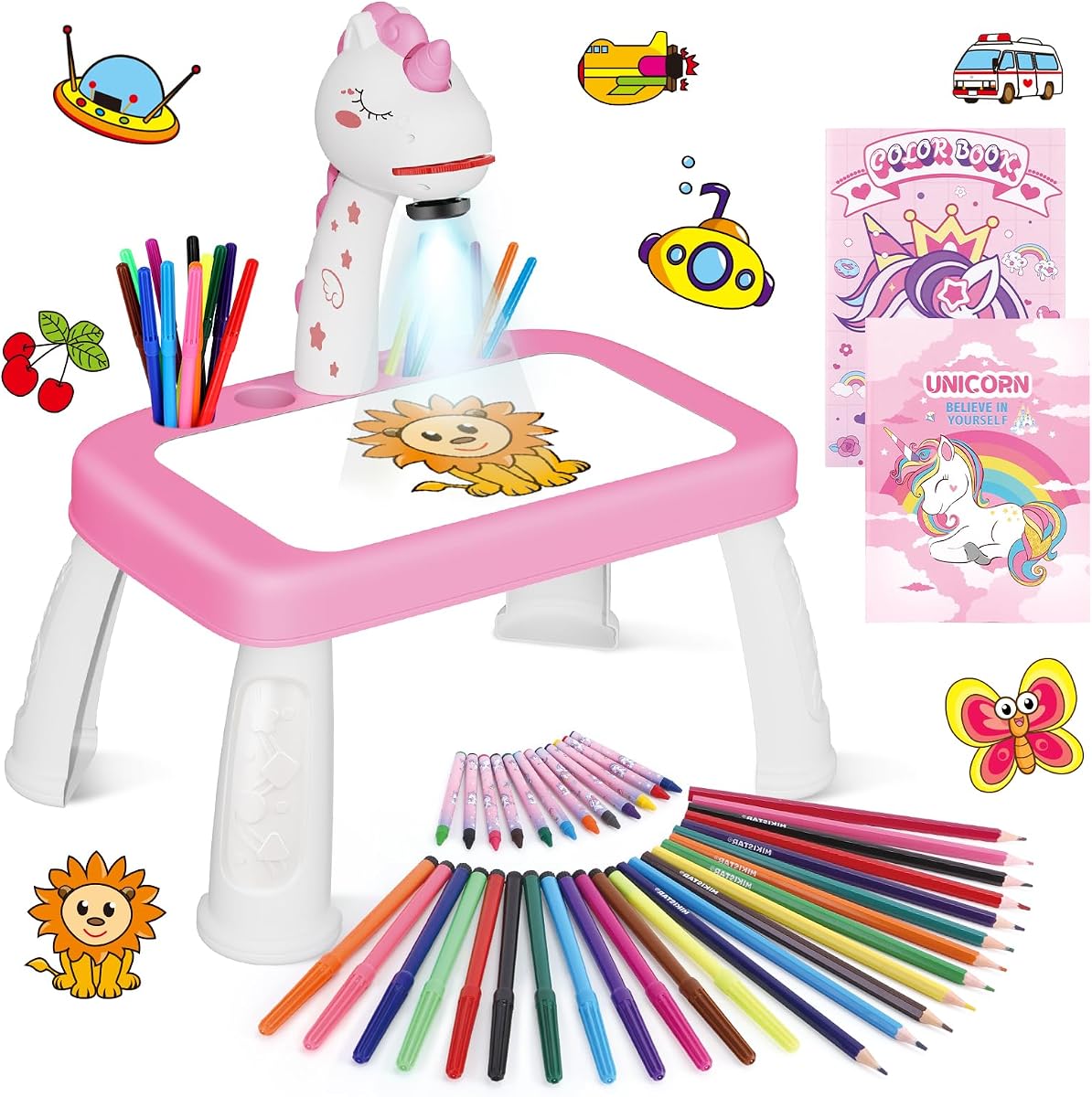
This set features an adorable unicorn design that appeals to young children. It includes a vast supply of pens and crayons for coloring. A sticker book and scrapbook add extra engagement.
We may earn a commission when you buy through this link, at no additional cost to you.
The design is durable enough for frequent handling at home. Assembly is straightforward to get started quickly. The theme adds a unique element to typical art sets.
The limited theme might not suit all interests. However for unicorn fans, it offers a personalized experience. The supply count is high for this price point.
Ideal for themed gift giving for younger kids. The variety of tools supports diverse art projects. We recommend it as a thoughtful present for creative girls.
The kit provides pens, pencils, and crayons in bulk. This ensures kids have enough tools for extended play. No need to buy extras immediately after unboxing.
The unicorn design adds a special touch to sessions. It captures imagination beyond simple tracing. This thematic element helps make art feel more fun.
We may earn a commission when you buy through this link, at no additional cost to you.
Selecting the right projector involves considering age appropriateness and features. We explore key factors to help you find the best fit.
Different models cater to specific age groups. Younger kids benefit from simple knobs and larger buttons. Older children appreciate app connectivity and complex features.
Check the manufacturer's age recommendations before purchasing.
Units may run on batteries or require a constant power connection. Battery options offer portability but add cost for replacements. Wired units provide stability but limit placement.
Choose based on where you plan to use the toy most often.
Look for units with a wide range of built-in images. Some include discs while others use digital libraries. Expandable content ensures the toy remains fun over time.
More variety prevents boredom as interests change.
Models with apps allow custom image generation. This feature lets kids trace their own photos. However it requires a compatible smartphone and internet access.
Consider if tech integration fits your household rules.
Eye safety is paramount for children using lights. Look for certifications like RG0 or downward light projection. Ensure edges are smooth to prevent injury.
Safety certifications give peace of mind for parents.
Kits vary in what they include like pens and paper. Some provide full sets while others need separate purchases. A complete kit saves money upfront and ensures readiness.
Verify contents to avoid missing supplies.
Plastic quality impacts how long the projector lasts. Rugged ABS materials resist cracks from drops. Sturdy construction is vital for active play environments.
Invest in durable models for longevity.
Prices range significantly from basic kits to advanced units. Balance features with your spending limits. Higher price often brings better image quality and more options.
Select a model that meets needs without overspending.
Start by assembling the unit according to the manual. Ensure all parts are secure before turning it on. Place the projector on a flat surface for stability.
Insert the battery or connect to power. Select a disc or image you wish to trace. Adjust the focus until the lines are sharp and clear on paper.
Clean the lens gently with a soft cloth. Store discs in provided compartments to avoid scratches. Regular maintenance keeps the device working well.
Most modern units are designed with safety in mind. Look for models with downward projection or specific safety certifications. Avoid looking directly at the light source during use.
Not all of them require apps. Some work with physical discs or internal memory. However advanced models with custom images often need a smartphone connection for best results.
They generally suit children from age three to twelve. Simpler models work well for preschoolers. Older kids enjoy digital features and complex patterns.
Yes but lighting conditions matter significantly. Dim environments produce clearer images than bright sunlight. Ensure you have power access for outdoor sessions.
Use a dry, soft cloth to wipe the lens gently. Avoid using water or cleaning chemicals. Regular dusting prevents blurry images during tracing.
Start with simple images to build confidence. Break tasks into smaller steps. Encourage coloring over perfect tracing to reduce pressure.
Standard paper works fine for most models. Thinner paper shows lines better. Some kits include paper specifically designed for the device.
Some run on batteries while others need plugs. Check the product specs for power requirements. Having spare batteries ready helps avoid interruptions.
We reviewed ten distinct models offering various features for creativity. The Flycatcher smART Sketcher 2.0 leads with app connectivity. The Blue Marble unit offers exceptional value for beginners.
Prioritize eye safety and ease of use for your child. Consider if digital features or physical discs suit your needs best. The right tool can foster a lifelong love for art.
Always verify current pricing and availability before buying. Specifications can change so check the official product page. We hope this guide helps you find the perfect art companion.