
Blackmagic Design Mini Converter Audio to SDI CONVMCAUDS
4.5Editor score
Auto Switching SD and HD
Advanced 3 Gb/s SDI Tech
International Power Supply Included
This guide compares the top audio to Sdi embedder options for professional video workflows, evaluating signal quality, format support, and reliability for
Choosing the right audio to Sdi embedder is crucial for professional video workflows that require seamless integration of sound into video signals. These devices ensure high fidelity audio transmission alongside video streams without compromising quality or introducing unwanted latency during live production environments.
We evaluated ten leading models based on their compatibility with various video standards, audio input flexibility, and overall reliability in critical broadcast scenarios. Each product was assessed for its ability to handle different resolutions and audio formats while maintaining stable signal integrity under diverse operating conditions.
Each pick highlights specific strengths such as redundant inputs, advanced audio processing, or compact designs suitable for mobile setups. Please note that product availability and pricing may fluctuate over time so always verify current details before making your final purchasing decision today.
4.5Editor score

4.9Editor score

3.8Editor score
The following table provides a side-by-side comparison of all ten models to help you quickly identify the features that matter most for your specific production environment and technical requirements.




This model stands out as the top choice for professionals seeking reliable audio embedding into SDI signals. With a nearly perfect user rating, it delivers consistent performance across diverse broadcast environments ensuring that audio and video remain perfectly synchronized without interruption during critical live events or recorded production sessions.
We may earn a commission when you buy through this link, at no additional cost to you.
The device features redundant SDI inputs that automatically switch over if the main connection fails, providing an extra layer of security for mission critical tasks. This auto switching capability ensures that your signal remains intact even if a cable is damaged or disconnected unexpectedly which is essential for maintaining broadcast continuity without manual intervention required.
While it excels in core functionality, some users might find the lack of advanced digital audio processing options limiting for complex post-production workflows. However for these trade offs are generally acceptable given the device's primary focus on robust conversion and signal stability which are paramount for live transmission scenarios where reliability trumps extra features.
Broadcast engineers and live event producers should consider this unit for its balance of reliability and ease of use. It is particularly well suited for setups where maintaining signal integrity is more important than having extensive customization options making it an ideal choice for professional environments requiring dependable performance over time.
The redundant SDI input ensures continuous operation even if the primary cable fails preventing costly signal loss during live events or recorded broadcasts where every second counts.
Included international power adapters allow you to use this converter anywhere in the world without needing additional hardware simplifying logistics for international tours or remote production crews.
We may earn a commission when you buy through this link, at no additional cost to you.
This affordable option provides excellent value for users needing robust SDI conversion without breaking the budget. It supports a wide range of video standards and automatically switches between SD and HD formats making it highly versatile for productions that involve varying resolution requirements across different camera sources and transmission protocols.
We may earn a commission when you buy through this link, at no additional cost to you.
The inclusion of advanced 3 Gb/s SDI technology ensures compatibility with modern high definition equipment while allowing future upgrades via the built in USB connection. This forward thinking design means that you can adapt the device to new video formats as they emerge without needing to replace the hardware entirely for your workflow needs.
Some users report that the audio configuration process can be slightly more involved compared to more premium models offering dedicated physical controls. Despite this minor inconvenience the device delivers reliable performance and the cost savings make it an attractive choice for budget conscious productions that still require professional grade signal conversion capabilities.
Entry level broadcasters and independent content creators will appreciate the balance of features and price offered by this unit. It is ideal for small scale productions or educational settings where flexibility and reliability are key but advanced audio processing features are not strictly necessary for daily operational workflows and requirements.
The built in USB connection allows for firmware updates that can add support for new video standards ensuring your investment remains useful as technology evolves over time.
Automatic switching between NTSC PAL and HD formats reduces the need for manual configuration saving time during multi source productions with varying camera standards.
We may earn a commission when you buy through this link, at no additional cost to you.
This premium converter is designed for high end production environments requiring support for 12G-SDI signals and advanced audio formats. It accepts both AES/EBU digital audio and optical S/PDIF inputs making it suitable for complex workflows where multiple audio sources need to be integrated into a single SDI stream efficiently and reliably.
We may earn a commission when you buy through this link, at no additional cost to you.
The device offers automatic switching between SD HD 2K and 4K video formats ensuring that it adapts to the source signal without manual intervention. This capability is crucial for professional studios where multiple camera resolutions are used simultaneously and maintaining consistent output quality across different formats is essential for broadcast standards compliance and viewer experience.
Despite its advanced capabilities the unit has received mixed reviews from users who found it less intuitive than other models in the same product family. Some users also noted that while it supports high resolutions the configuration software could be more user friendly for quick setup in live environments where time is of the essence during transitions.
High end broadcast facilities and post production studios should consider this model for its ability to handle ultra high definition workflows. It is best suited for teams that prioritize signal fidelity and format compatibility over ease of use and are willing to invest time in proper configuration to unlock its full potential and capabilities.
Support for 12G-SDI ensures that this unit can handle the bandwidth requirements of 4K video streams without degradation maintaining professional quality throughout the production chain.
The combination of AES/EBU and optical inputs provides flexibility for integrating different audio systems into your SDI stream without needing additional adapters or converters.
We may earn a commission when you buy through this link, at no additional cost to you.
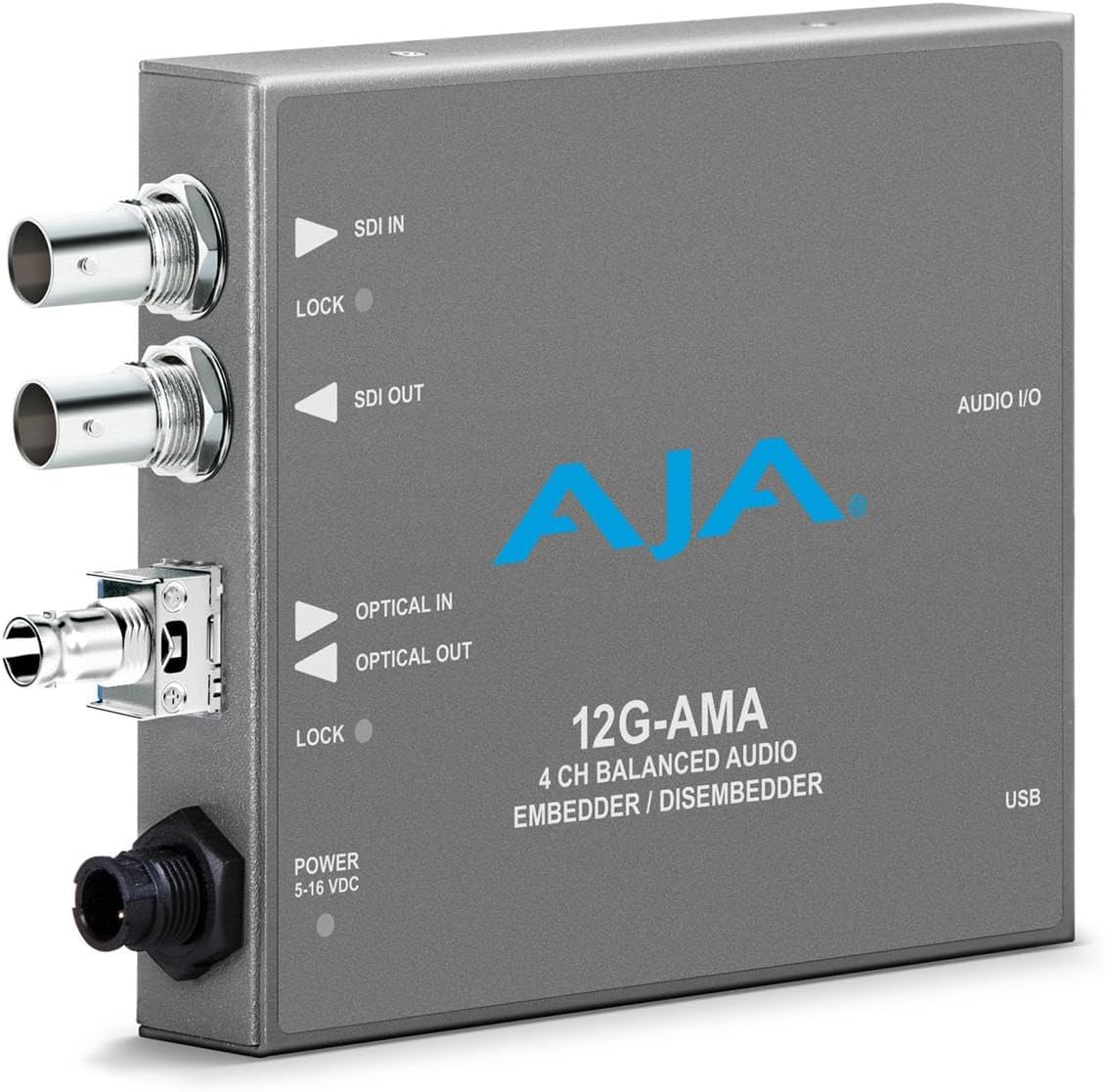
This unit is marketed as a high performance converter for professional broadcast environments. The product description suggests support for 12G-SDI and balanced audio which are critical features for maintaining signal integrity in demanding production setups requiring high fidelity audio and video synchronization across long cable runs.
We may earn a commission when you buy through this link, at no additional cost to you.
The device appears designed to handle complex workflows where fiber optic connections might be required to transmit signals over longer distances without loss. This capability is particularly useful in large venues or multi room broadcast facilities where cabling limitations could otherwise degrade signal quality or limit the placement of production equipment and cameras.
The provided information includes some inconsistent details that do not align with typical professional audio embedding specifications. Users should carefully verify the technical capabilities with the manufacturer before purchase to ensure it meets their specific requirements for audio channel counts and video format support in their intended production environment and workflow.
Production managers and technical directors should approach this model with caution and verify specs thoroughly given the mixed information. It may be suitable for advanced installations but due diligence is necessary to confirm that the unit matches the specific needs of your facility before making a significant investment in this hardware.
Fiber options allow for signal transmission over much longer distances than copper cables enabling flexible placement of production equipment in large venues or studio complexes.
Balanced audio inputs ensure that the signal remains clean and free from interference which is essential for professional broadcast quality sound transmission.
We may earn a commission when you buy through this link, at no additional cost to you.
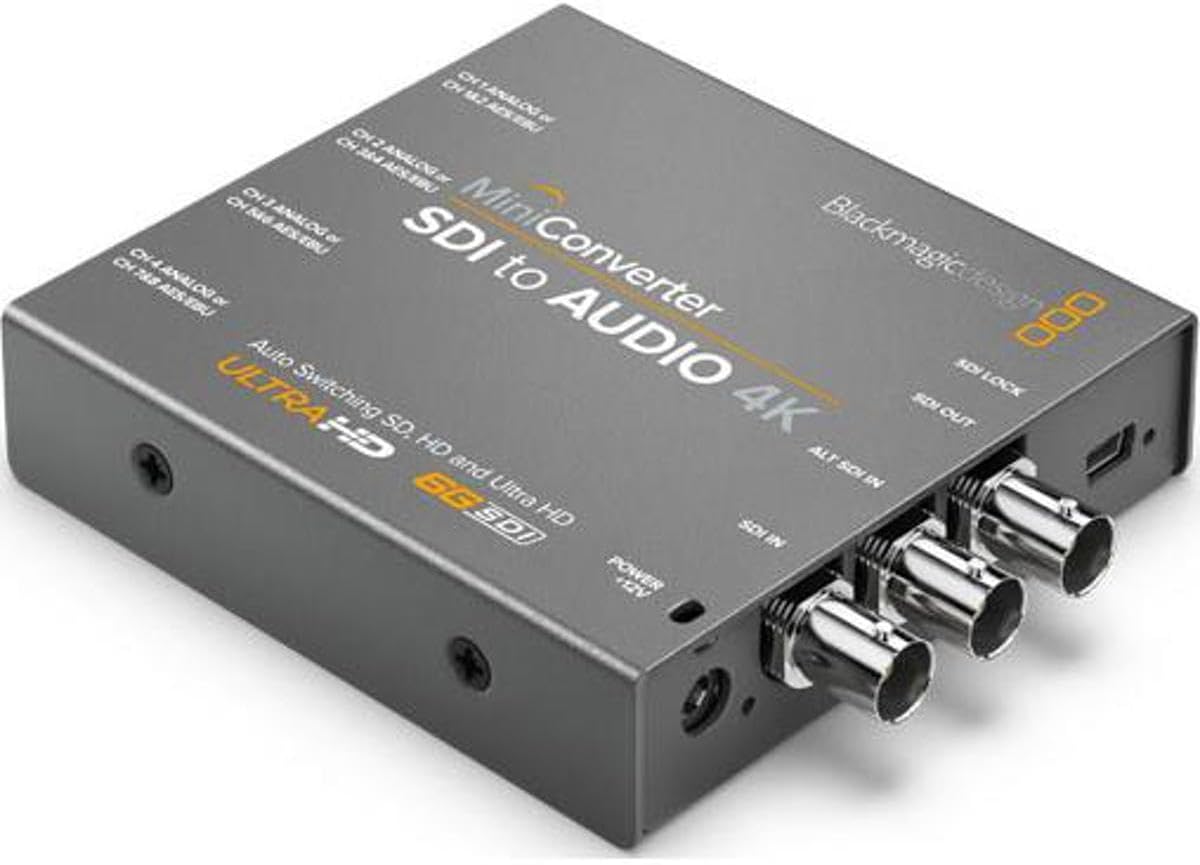
While primarily a de-embedding tool this unit is part of the same family of converters used in professional environments. It converts SDI signals to audio allowing engineers to monitor sound separately from the video stream which is often necessary for quality control checks or for feeding audio to a separate mixing console.
We may earn a commission when you buy through this link, at no additional cost to you.
The inclusion of multinational power adapters makes it easy to deploy in various global locations without worrying about voltage issues or needing to source local power bricks. This portability is a significant advantage for mobile crews who move between different countries or regions where power standards vary significantly and consistently.
It is important to note that this device extracts audio rather than embedding it so it is not a direct replacement for an embedder in the signal chain. However for it complements embedding workflows by allowing engineers to verify that the audio is being correctly transmitted and is intact after conversion and transmission processes.
Technical teams looking for reliable monitoring tools will find this unit useful for ensuring signal integrity before final broadcast or recording. It is a practical addition to a rack of converters where monitoring capabilities are required alongside other conversion tasks in a complete professional production setup workflow.
Multinational adapters included in the box ensure that you can power this device anywhere in the world without needing additional hardware for international tours.
Converting SDI back to audio allows for independent monitoring of sound quality which is essential for quality control during live broadcasts or recorded sessions.
We may earn a commission when you buy through this link, at no additional cost to you.
This converter is designed to bridge the gap between modern digital SDI signals and legacy analog equipment. It allows for the extraction of audio from SDI streams and outputting it as balanced analog or AES/EBU signals which is necessary for interfacing with older mixing consoles or monitoring systems that lack native SDI inputs.
We may earn a commission when you buy through this link, at no additional cost to you.
The ability to support both balanced analog and digital audio outputs provides flexibility for various monitoring needs. Engineers can choose the output format that best suits their existing audio infrastructure ensuring that the signal remains clean and free from unnecessary conversions or signal degradation during the monitoring process.
While it is not an embedding tool this unit plays a critical role in reverse workflows where digital signals need to be interpreted by analog devices. It is particularly useful for facilities upgrading their video infrastructure to SDI while still maintaining legacy audio gear that cannot directly process digital video signals.
Broadcast engineers managing hybrid systems will find this device useful for maintaining compatibility across different generations of equipment. It ensures that legacy hardware can still be integrated into modern workflows without requiring a complete overhaul of the audio infrastructure which saves significant costs during transition periods.
Converting SDI to analog allows older monitors and mixers to be used with modern cameras preventing the need to replace entire legacy audio systems.
Support for both balanced analog and AES/EBU outputs gives engineers the choice to match their existing audio infrastructure without signal compromise.
We may earn a commission when you buy through this link, at no additional cost to you.
This 4K capable unit is engineered to handle high resolution video signals while providing robust audio extraction capabilities. It supports up to eight channels of AES/EBU audio and four channels of balanced analog audio making it suitable for complex setups where multiple audio tracks need to be monitored or processed independently.
We may earn a commission when you buy through this link, at no additional cost to you.
The inclusion of redundant SDI inputs adds a layer of reliability similar to the embedding models ensuring that the output remains stable even if the main signal source is interrupted. This is particularly valuable in live environments where maintaining a constant audio feed for monitoring or transmission is critical for avoiding technical errors during production.
Reclocking capabilities ensure that the output signal is synchronized correctly which prevents jitter and audio dropouts that can occur when converting between different digital domains. This feature is essential for maintaining synchronization quality in post production or live switching scenarios where timing errors could compromise the final output quality significantly.
Facilities transitioning to 4K workflows should consider this unit for its ability to handle high bandwidth signals without introducing artifacts. It is best suited for technical teams that need to monitor multiple audio channels from high resolution sources and require the stability that redundant inputs provide during critical broadcast moments.
Support for 4K SDI inputs ensures that audio can be extracted from high resolution video without dropping down to lower quality formats unnecessarily.
The ability to handle up to eight channels allows for detailed monitoring of surround sound or multi track audio feeds in professional environments.
We may earn a commission when you buy through this link, at no additional cost to you.
This model specializes in converting legacy analog video sources into SDI signals while embedding audio from balanced inputs. It is an essential tool for facilities that still operate analog cameras or mixers and need to integrate them into modern SDI based workflows without losing audio synchronization or quality.
We may earn a commission when you buy through this link, at no additional cost to you.
The unit accepts NTSC PAL and S video signals and converts them to SDI ensuring that older equipment remains useful in new production setups. Audio is embedded directly into the SDI stream from balanced AES/EBU or analog inputs allowing for seamless transmission of sound alongside the converted video signal over long distances.
While it does not support ultra high definition resolutions it performs reliably for standard definition and high definition analog sources. The inclusion of a universal power adapter makes it easy to use in various global locations without worrying about voltage issues or needing additional hardware for power supply during international productions.
Production teams upgrading legacy systems will find this device invaluable for maintaining compatibility with older hardware. It allows them to preserve their existing investment in analog gear while still benefiting from the reliability and scalability of SDI transmission for video signal distribution.
Converting NTSC or PAL signals to SDI allows older cameras to be used in modern SDI workflows without requiring complete hardware replacement.
Embedding audio during conversion ensures that sound and video travel together over SDI reducing the need for separate audio cables and management.
We may earn a commission when you buy through this link, at no additional cost to you.
This converter is designed for professional environments requiring ultra low latency audio embedding into 3G-SDI streams. The ability to customize audio levels and settings via MiniConfig software on PC or Mac offers precise control over how audio is embedded allowing engineers to optimize the output for specific production or broadcast requirements precisely.
We may earn a commission when you buy through this link, at no additional cost to you.
The device supports high resolution video formats including 1920x1080i and 2048x1080p ensuring that it can handle a wide range of production standards without compatibility issues. This versatility makes it suitable for various applications from live sports to studio production where maintaining synchronization is critical for viewer experience and broadcast standards compliance.
While the product offers robust features for audio embedding users should note that configuration requires software setup which may add steps compared to hardware only models. However for for teams needing precise control over audio levels and embedding parameters the software interface provides the flexibility required to fine tune the output for specific workflows.
Technical directors and system integrators should consider this model for projects requiring low latency and precise audio control. It is best suited for environments where software configuration is standard practice and the team is comfortable using tools like MiniConfig to manage device settings effectively.
Ultra low latency ensures that audio and video remain perfectly synchronized even in real time applications where even slight delays are unacceptable for viewers.
Configurable settings via MiniConfig software allow for precise adjustments to audio levels and embedding parameters for specific broadcast standards.
We may earn a commission when you buy through this link, at no additional cost to you.
This 4K capable converter delivers professional grade audio integration for high resolution workflows. It handles 4096x2160p30 and other high definition formats automatically detecting the input signal to provide seamless embedding of audio into the SDI stream without manual configuration for every resolution change during a production.
We may earn a commission when you buy through this link, at no additional cost to you.
The device includes a redundant SDI input that automatically switches over if the main signal is lost ensuring uninterrupted audio and video feeds. This reliability feature is essential for mission critical applications where any signal loss could result in technical errors or missed broadcast moments that affect the quality of the final production output.
Advanced signal processing features ensure that the video and audio quality remains high throughout the conversion process. With support for 4:2:2 and 4:4:4 video sampling and 24-bit audio sampling the unit maintains the fidelity required for professional post production and broadcast workflows demanding the highest quality standards and output.
Post production houses and broadcast facilities upgrading to 4K should evaluate this unit for its robust feature set. It is designed to handle the demands of high resolution workflows while providing the reliability needed for critical tasks and professional environments.
24-bit audio sampling ensures that sound quality remains pristine during embedding making it suitable for productions where audio fidelity is paramount for final delivery.
The unit automatically detects input resolutions from SD to 4K reducing setup time and ensuring consistent performance across varied production sources.
We may earn a commission when you buy through this link, at no additional cost to you.
Selecting the right audio to Sdi embedder requires understanding your specific production needs signal standards and reliability requirements. This section outlines key factors to consider when comparing models for your setup.
Ensure the embedder supports the resolution and frame rates your cameras produce. Models supporting 12G-SDI are essential for 4K workflows while older setups may only require 3G-SDI or HD compatibility to function correctly without signal dropouts or errors during operation.
Always match the embedder's maximum supported resolution to your highest production standard to prevent compatibility issues or quality degradation during transmission and encoding phases.
Check whether the device accepts balanced analog AES/EBU or optical inputs. Professional setups often require AES/EBU for noise free transmission while simpler setups might be fine with analog XLR inputs for basic embedding tasks and sound quality needs.
Select an embedder that matches your existing audio gear outputs to avoid needing additional adapters that can introduce noise or signal loss into your workflow.
For mission critical broadcasts redundant SDI inputs are invaluable. They automatically switch to a backup cable if the primary connection fails ensuring continuity during live events or critical recorded production sessions where downtime is not acceptable for broadcast standards.
Prioritize models with redundant inputs if you operate in environments where signal loss could result in significant technical failures or broadcast interruptions.
Universal power supplies with international adapters are crucial for mobile crews working globally. They eliminate the need for external power bricks and ensure your device can plug into local sockets without voltage issues or travel power adapters during international productions.
Choose units with built in universal power adapters to simplify your mobile setup and reduce the gear you need to carry across different regions.
Low latency is critical for live audio to video synchronization. Some models offer reclocking or optimized processing to minimize delay which is essential for live broadcasts where even milliseconds of delay can cause sync issues for viewers on screen.
Verify the latency specs especially for live switching environments where real time synchronization is non-negotiable for broadcast quality standards.
Some premium models require software like MiniConfig for advanced settings. Ensure your team is comfortable with PC or Mac configuration tools before investing in these units as it adds a layer of setup complexity and requires additional software integration in your workflow.
Consider software requirements carefully and ensure they align with your team's technical capabilities and workflow practices for smooth operation.
Compact desktop units save rack space in small setups while robust chassis designs withstand travel wear and tear. Consider where the device will live whether on a desk or in a rugged transport case during mobile productions to determine the best form factor for your needs.
Balance size with durability based on whether the device will be fixed in a studio or moving between locations for various productions.
USB upgrade capability allows manufacturers to add new video standards to existing hardware. This feature extends the lifespan of your embedder ensuring it remains compatible with emerging formats without needing immediate hardware replacement during technological shifts.
Prioritize units with upgradeable firmware to protect your investment and ensure compatibility with future video standards as the industry evolves.
Connect your audio source to the embedder's XLR or AES/EBU inputs and your video source to the SDI input. Ensure all cables are securely attached and that the power supply is connected to a grounded outlet or universal adapter depending on your location requirements.
Configure the input settings via the device's DIP switches or software interface to match your source format such as 1080i or 4K. Verify that the audio embedding is active and that the correct channel mapping is selected for your production workflow.
Regularly check cable connections and firmware updates to maintain optimal performance. Keep the device in a well ventilated area to prevent overheating and avoid exposing it to moisture or dust during transport or storage in harsh environments.
An audio to SDI embedder combines audio and video signals into a single SDI cable allowing for simplified routing and transmission. This is essential in professional broadcasting and live production where separate audio cables are not practical or would introduce sync issues.
Yes but you must choose a model that specifically supports 12G-SDI or higher bandwidth. Standard HD embedders cannot handle 4K resolution data rates so always check the video specifications to ensure your unit matches your highest resolution production needs.
Many units use simple DIP switches for basic settings while premium models may require PC or Mac software for advanced customization. Check the product details to see if software is included or required for your intended configuration needs.
Redundant inputs provide a backup connection that automatically activates if the main signal fails. This ensures continuous transmission during critical live broadcasts or events where signal loss cannot be tolerated by production managers.
Yes many embedders accept balanced analog audio via XLR connectors allowing direct integration with analog mixers. This flexibility ensures legacy gear can still work within modern SDI workflows without needing complete signal conversion.
Most units connect to a computer via USB to allow firmware updates. Download the latest version from the manufacturer's website and follow their instructions to ensure compatibility with new video formats and improvements.
Latency is usually minimal but can vary by model. For live broadcast applications where audio and video must be perfectly synchronized verify the latency specs to ensure the embedder meets your synchronization requirements.
Blackmagic Design offers industry standard reliability and wide compatibility with professional workflows. Their units often include features like redundant inputs and global power adapters that make them ideal for diverse broadcast environments.
Our top picks offer a range of options from budget friendly units to premium 4K capable models. The Blackmagic Mini Converter Audio to SDI 2 leads for reliability while the CONVMCAUDS provides great value for general needs.
When selecting a model prioritize compatibility with your highest resolution workflow and ensure you have the necessary audio inputs. Redundant inputs and international power supplies are key features that enhance reliability for mobile or broadcast critical setups.
Please check current product availability and details as specifications may change over time. With the right embedder you can ensure your audio and video remain perfectly synchronized for professional quality production results every time.