
ASUS RT-AX1800S
4.3Editor score
WiFi 6 with MU-MIMO
Five Gigabit ports included
AiProtection Classic security
This guide compares the top ten ASUS WiFi routers including gaming and mesh models to help you choose the right networking solution for your home today.
Choosing the right networking hardware is essential for modern homes that demand reliable connectivity. ASUS offers a wide range of routers designed to handle everything from basic browsing to high performance gaming and smart home integration.
We evaluated ten distinct models based on their features performance and user feedback. Our analysis covers WiFi standards security tools and mesh capabilities to ensure you find a device that matches your specific network requirements.
Each review highlights key strengths and potential trade-offs to help you decide. Please note that availability and pricing can fluctuate frequently so always check current listings before making your final purchasing decision.
4.3Editor score
4.0Editor score

4.3Editor score
The following table provides a side-by-side view of all ten models. It highlights their core specifications and key capabilities so you can quickly compare performance and features across the entire lineup.




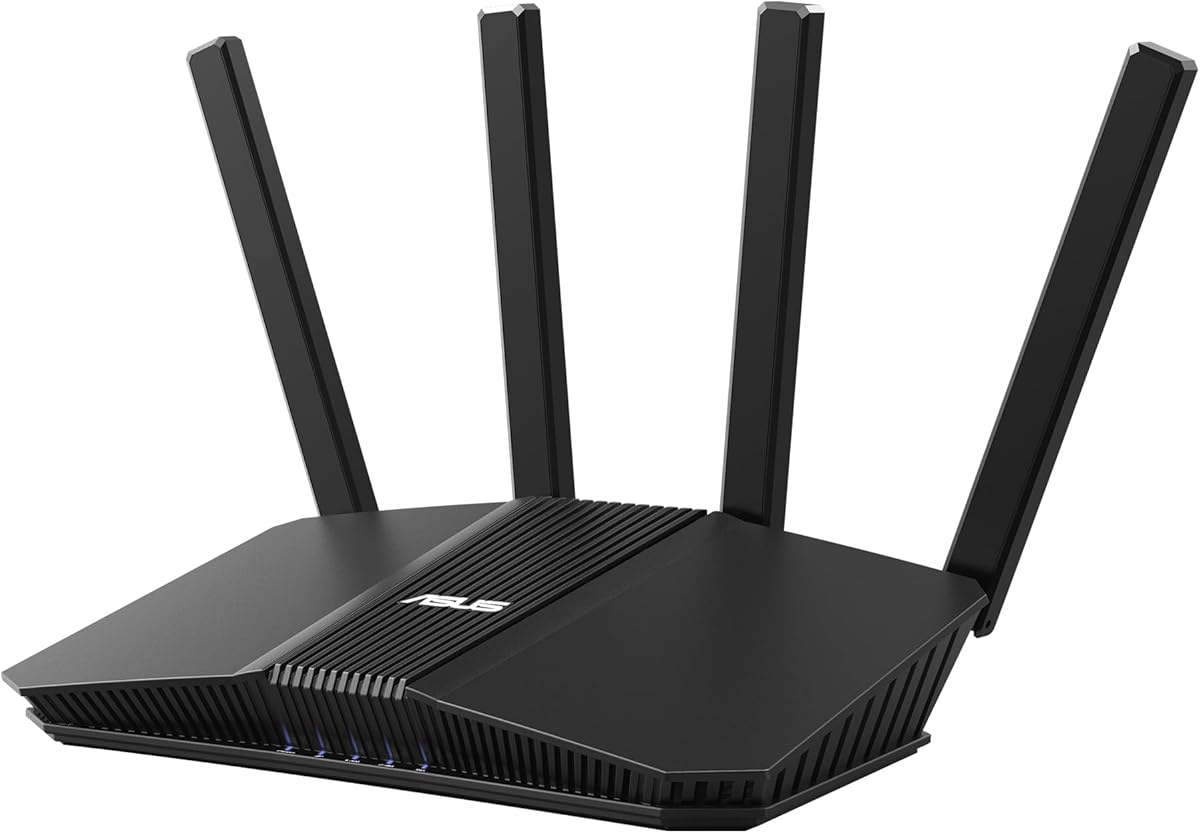
The ASUS RT-AX1800S stands out as a highly affordable entry into modern networking. With a strong rating and solid feature set it delivers reliable connectivity for most households without breaking the bank.
We may earn a commission when you buy through this link, at no additional cost to you.
It supports the latest WiFi 6 standard which ensures better efficiency when multiple devices connect simultaneously. The inclusion of AiProtection Classic powered by Trend Micro provides enterprise level security without requiring a subscription.
While it lacks the raw power of higher end models it offers five Gigabit ports for wired connections which is rare at this price point. The AiMesh compatibility means you can expand your network later by adding more compatible units.
This router is ideal for small to medium homes that need reliable internet for streaming and gaming. If you prioritize security and value over extreme speed this model is an excellent starting point for your home network.
The built-in security suite protects all connected devices from online threats automatically. You do not need to pay extra for advanced protection which is a significant advantage over other brands.
Its ability to integrate into the AiMesh ecosystem allows you to grow your network over time. You can start with one unit and add more later to cover larger areas seamlessly.
We may earn a commission when you buy through this link, at no additional cost to you.
The ASUS RT-BE58U represents a significant leap forward in wireless technology. It adopts the new WiFi 7 standard which promises dramatically improved speeds and efficiency for connected devices in your home.
We may earn a commission when you buy through this link, at no additional cost to you.
One of its most compelling features is the Dual-WAN support that allows you to connect two internet sources for redundancy. This ensures you stay online even if one connection fails which is critical for remote workers.
The router also utilizes Multi-Link Operation to link multiple bands simultaneously for stable connections. This technology minimizes latency and maximizes throughput making it suitable for high bandwidth applications like 4K streaming.
Homeowners looking to future proof their network should consider this model. It balances cutting edge performance with practical management tools that make it easy to secure and maintain your entire network.
Supporting the latest WiFi 7 standard ensures your router remains relevant as devices upgrade. You will not need to replace this unit soon as the standard becomes more common.
The Dual-WAN capability lets you connect a backup modem or mobile hotspot automatically. This feature is invaluable for users who cannot afford any downtime during critical tasks.
We may earn a commission when you buy through this link, at no additional cost to you.
The ROG Rapture GT-BE98 Pro is a powerhouse designed for serious gamers and power users. It pushes the boundaries of what is possible with current wireless technology offering speeds that few homes will fully utilize today.
We may earn a commission when you buy through this link, at no additional cost to you.
It features an impressive array of ports including dual 10 Gigabit Ethernet connections. This allows for direct high speed links to servers or computers without any bottlenecks in your local network traffic.
The router includes Triple-Level Game Acceleration which prioritizes your gaming traffic from your PC to the server. This reduces lag and jitter ensuring a smooth experience during competitive matches.
If you demand the absolute best performance and have the budget for it this router delivers. It is built to handle heavy loads and provides the tools needed to optimize every byte of your connection.
With multiple 2.5G and 10G ports you can connect multiple devices at top speeds. This is ideal for home labs or users with multiple high bandwidth desktops.
The dedicated game accelerator optimizes your data packets for lower latency. This ensures your inputs are processed faster than other traffic on your network.
We may earn a commission when you buy through this link, at no additional cost to you.
The RT-BE92U brings the benefits of WiFi 7 to a slightly more accessible price range. It offers a great balance between raw performance and everyday usability for modern households.
We may earn a commission when you buy through this link, at no additional cost to you.
It supports 320MHz channels which significantly increases the data rate for your fastest devices. This ensures that when you upgrade your phones or laptops you will see immediate benefits in speed.
The Smart Home Master feature allows you to set up multiple SSIDs to segment your network easily. This is perfect for keeping IoT devices separate from your main devices to improve security.
This model is excellent for users who want high speed without the extreme cost of the premium gaming models. It provides the core next generation features you need to future proof your setup.
You can create separate network lanes for different types of devices. This keeps your personal data safe even if a smart bulb or camera gets compromised.
Supporting 320MHz bandwidth means more data can pass through at once. This reduces congestion and ensures smoother streaming even when the network is busy.
We may earn a commission when you buy through this link, at no additional cost to you.
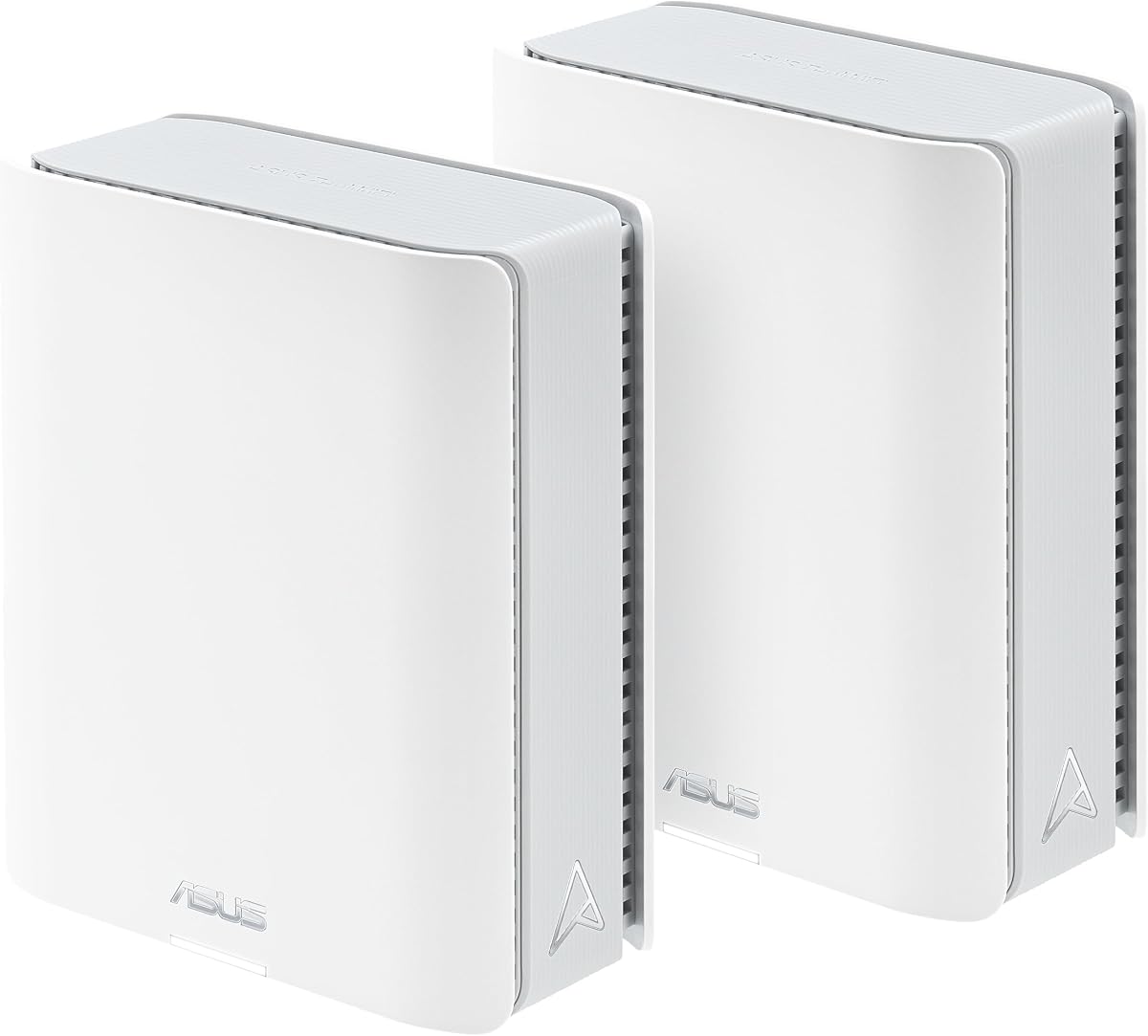
The ZenWiFi BT10 is a two pack system designed to blanket large properties in high speed WiFi. It leverages the new WiFi 7 standard to deliver incredible speeds across its entire range.
We may earn a commission when you buy through this link, at no additional cost to you.
With coverage up to 6000 square feet this system eliminates dead zones in expansive homes. The mesh technology ensures you stay connected as you move from room to room without drops.
It features dual 10 Gigabit Ethernet ports on each unit which is rare for mesh nodes. This allows you to connect key devices like TVs or gaming consoles directly for stable performance.
While the price is high it offers a premium solution for those who cannot accept slow speeds or dead spots. If you live in a large house this system provides the most reliable whole home coverage.
The two pack design ensures signal reaches every corner of large properties. This is essential for multi story homes where traditional routers struggle.
The system automatically switches your device to the best signal as you move. This keeps your video calls and streams stable without interruption.
We may earn a commission when you buy through this link, at no additional cost to you.
The RT-AX82U is a gaming oriented router that brings performance at a reasonable price point. It focuses on reducing latency for players while looking great on your desk with its RGB lights.
We may earn a commission when you buy through this link, at no additional cost to you.
It includes a dedicated Mobile Game Mode that optimizes the connection for mobile devices. This is useful for users who play on phones or tablets and need a stable signal during intense sessions.
The unit supports mesh technology so you can extend your network if needed. This flexibility allows you to build a larger system using compatible routers if your home grows in size.
For gamers who want a focused experience without the cost of top tier units this is a great choice. The available renewed units offer significant savings while keeping the core functionality intact.
The Aura RGB lighting allows you to match the router to your room decor. You can change colors and effects to fit your personal style preferences.
The mobile game mode prioritizes traffic for handheld devices specifically. This ensures low latency even when playing competitive games on the go.
We may earn a commission when you buy through this link, at no additional cost to you.
The ZenWiFi BT8 is a standalone mesh node that brings next generation speeds to a compact unit. It is designed to blend into your home while delivering powerful connectivity.
We may earn a commission when you buy through this link, at no additional cost to you.
With up to 14 Gbps of speed it handles heavy traffic loads with ease. This makes it suitable for households with multiple users streaming high definition video simultaneously.
The system uses AI powered mesh technology to optimize your network paths automatically. This ensures that your data takes the most efficient route to avoid congestion and latency.
If you need a stylish and powerful unit this model delivers excellent results. It works best when paired with other compatible routers to cover larger areas effectively.
Its design is intended to fit seamlessly into modern home decor. You do not need to hide it away in a closet to maintain a clean look.
The AI optimization constantly checks for the best signal paths. This keeps your connection stable even when neighbors are using the same channels.
We may earn a commission when you buy through this link, at no additional cost to you.
The RT-AX3000 is a workhorse router that prioritizes stability and ease of use. It has earned high praise from users for its consistent performance and simple interface.
We may earn a commission when you buy through this link, at no additional cost to you.
It supports 160MHz bandwidth which doubles the data rate for compatible devices. This allows your newer phones and laptops to connect at faster speeds than older standards.
The unit includes a USB port that allows you to attach storage for file sharing. This adds utility beyond just networking by letting you create a local network drive easily.
For most standard households this router provides more than enough performance for daily tasks. It is a safe and reliable choice for anyone who values stability over cutting edge specs.
The USB port allows you to connect a hard drive for storage. This makes it easy to share photos and documents across your local network.
With a high user rating this model is known for lasting long term. It is a trusted choice for users who do not want to troubleshoot issues.
We may earn a commission when you buy through this link, at no additional cost to you.
The RT-AC68U is a classic model that still holds up for basic networking needs. It remains a solid choice for those who do not need the absolute fastest wireless speeds.
We may earn a commission when you buy through this link, at no additional cost to you.
It includes five Gigabit LAN ports which is more than most modern units provide. This allows you to connect many wired devices without needing extra switches in your home.
The dual core processor ensures that the router can handle heavy tasks smoothly. It manages traffic well and provides stable connections for everyday browsing and media consumption.
While it uses an older standard it remains a budget friendly option for simple setups. If you have a basic home network this unit will handle your needs without issues.
The five LAN ports let you connect more devices directly. This reduces the need for extra hubs if you have multiple desktops.
The processor ensures that security scans do not slow down your connection. This keeps your network responsive even with protection enabled.
We may earn a commission when you buy through this link, at no additional cost to you.
The ExpertWiFi EBR63 is designed specifically for small businesses and professional environments. It offers tools that help you manage client access and secure your data effectively.
We may earn a commission when you buy through this link, at no additional cost to you.
You can create custom guest portals that match your brand name and style. This ensures that your clients feel confident when connecting to your network and visiting your space.
The router supports up to five SSIDs to separate different types of traffic easily. This is crucial for keeping customer traffic separate from your internal business data.
If you run a small office or retail space this model provides the control you need. It prioritizes security and management features that are often missing in consumer grade routers.
The custom portal allows you to show your business logo to guests. This creates a professional experience for visitors using your WiFi.
The ability to create multiple SSIDs keeps data isolated. This protects your financial information from public users.
We may earn a commission when you buy through this link, at no additional cost to you.
Selecting the right router depends on your home size and usage habits. We have outlined key factors to help you make an informed decision.
The wireless standard defines the maximum speed and efficiency of your connection. Newer standards like WiFi 7 offer faster data rates but require compatible devices to reach full potential.
Consider the age of your connected devices when choosing a standard to ensure you get the best performance.
The physical size of your home dictates how much coverage you need. External antennas often provide better range but internal antennas can be just as effective with modern technology.
Check the coverage area claims and match them to your square footage to avoid dead zones.
Not all devices can use wireless connections so check the Ethernet ports available. Higher end models often include multi-gigabit ports for faster local network transfers.
Ensure the router has enough ports to connect your essential wired devices directly.
Security is critical for protecting your personal data from online threats. Look for built-in protection services that update automatically without needing extra subscriptions.
A router with strong security saves you money and keeps your network safe.
Families need tools to manage internet usage for children. Good routers include easy to use apps that let you block sites and set time limits.
These features help you monitor what your family accesses online effectively.
If your home is large you may need a mesh system for full coverage. Some routers allow you to add more units later to expand your network.
Choose a model that supports mesh expansion so you can grow your system later.
A good router should be easy to configure without technical knowledge. Modern apps allow you to set up your network in minutes with simple instructions.
Look for user friendly interfaces to save time during installation and maintenance.
Gamers need low latency and stable connections for competitive play. Some routers include tools that prioritize game traffic to reduce lag during matches.
If you play online games regularly look for models with dedicated game modes.
Start by placing the router in a central location away from metal objects. This ensures the signal reaches all parts of your home effectively.
Keep the firmware updated through the ASUS app to maintain security. Regular updates patch vulnerabilities and improve overall performance.
Clean the vents periodically to prevent overheating during heavy use. Dust buildup can restrict airflow and cause the device to slow down.
You will need a new router to access WiFi 7 speeds if you want to take advantage of the latest technology. However older devices can still connect to the new routers for backward compatibility.
Most modern routers support over one hundred connected devices simultaneously. Performance depends on the specific model and how much data each device uses.
Mesh networking is better for large homes because it provides consistent signal in every room. Single routers work fine for smaller spaces where the signal can reach easily.
Yes you can use your own modem with any of these routers. This gives you more control over your internet equipment and can reduce rental fees.
AiProtection is a security feature powered by Trend Micro that protects your network from threats. It scans for malicious sites and blocks unsafe connections automatically.
You can extend your signal by adding a compatible mesh node or extender to your network. This creates a seamless network that covers larger areas without dead spots.
We have explored ten distinct models ranging from budget friendly units to high end gaming powerhouses. Each option offers unique strengths for different types of users.
Prioritize your needs such as range or security before making a final decision. The right router will simplify your network management significantly.
Always check current availability before purchasing to ensure you get the latest specs.