
HP Chromebook 14 Laptop
4.3Editor score
Up to 14 hours battery life
Intel Celeron N4120 processor
ENERGY STAR certified design
Low power consumption laptops are essential for users who need reliable computing without constant charging. These devices balance efficiency with performance to keep you productive all day long.
We evaluated ten top models based on processor efficiency, battery life, and real world usage. Each selection offers a unique blend of portability and energy saving features for diverse needs.
Every pick highlights key specs and strengths to help you choose wisely. Prices and availability change frequently so verify details before purchasing to ensure the best value today.
4.3Editor score

5.0Editor score

4.3Editor score
As an Amazon Associate we earn from qualifying purchases.
This table offers a side by side look at all ten models. Compare specs like processor, RAM, storage, and display to find the most efficient fit for your workflow.
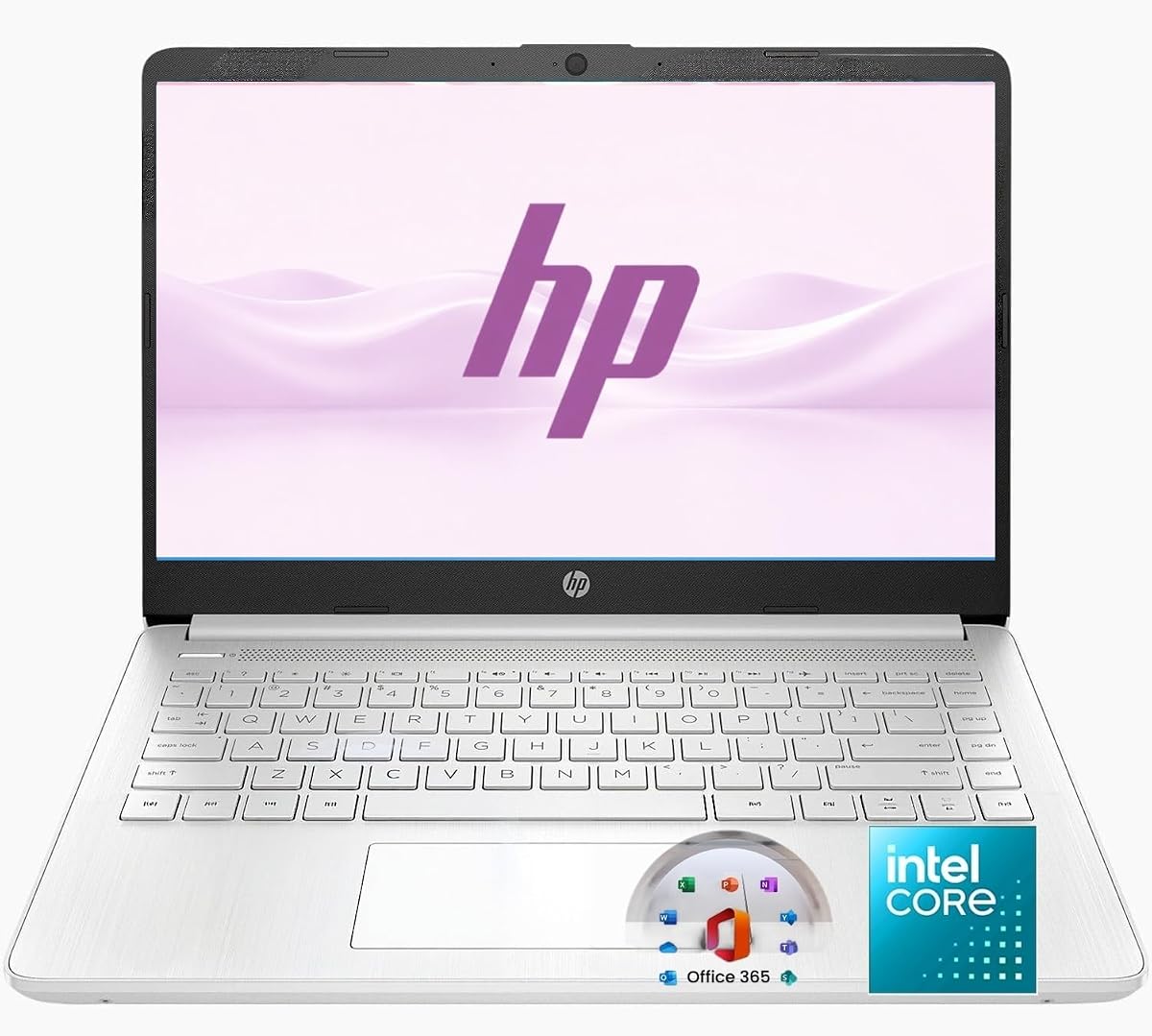


This Chromebook offers an excellent entry point for energy conscious users seeking a reliable daily driver. It maintains a strong rating due to its impressive battery longevity and lightweight form factor.
We may earn a commission when you buy through this link, at no additional cost to you.
Powered by the Intel Celeron N4120 processor it delivers efficient performance for web browsing and media consumption. The system is optimized to minimize power draw while keeping up with essential tasks.
Storage is limited to 64 GB but cloud integration offsets this trade off easily. Users may need to rely on online storage for large files but daily performance remains smooth and responsive.
Ideal for students or casual users who prioritize mobility and battery life over heavy computing power. It is a solid choice for those needing a secondary device that never runs out of juice.
With up to 14 hours of battery life you can work through long days without needing a charger.
The ENERGY STAR certification ensures the device meets strict energy efficiency guidelines for environmental responsibility.
We may earn a commission when you buy through this link, at no additional cost to you.
The V15 stands out with military grade durability and an efficient Intel N100 processor. It is built to withstand daily wear while keeping power usage low for long term reliability.
We may earn a commission when you buy through this link, at no additional cost to you.
Its storage solution uses UFS technology which is faster than traditional eMMC options. This means quicker boot times and smoother file access despite the modest capacity of 128GB.
While the RAM limits heavy multitasking the display quality and eye care features are noteworthy. The Low Blue Light certification helps reduce strain during long working sessions.
Best suited for business users or students needing a tough machine for travel. It balances protection and efficiency well making it a dependable tool for professional environments.
MIL-STD-810H testing ensures the chassis can survive drops shocks and environmental stress over time.
Certified Low Blue Light display protects eyes from harmful emissions during extended screen use.
We may earn a commission when you buy through this link, at no additional cost to you.
This model achieves a perfect rating thanks to its balanced mix of specs and efficiency. The inclusion of DDR5 RAM and an SSD makes it surprisingly responsive for an entry level device.
We may earn a commission when you buy through this link, at no additional cost to you.
Its Intel N150 processor provides a significant boost in power efficiency compared to older chips. This allows for longer usage times and cooler operation during daily tasks.
The bundle includes substantial cloud storage which alleviates local storage concerns effectively. Users get ample space for files without cluttering the physical drive on the laptop.
Highly recommended for general home or office use where portability and speed matter. It is a top pick for anyone wanting a reliable machine that runs cool and lasts long.
DDR5 RAM offers faster speeds and lower power consumption than previous generations for improved system responsiveness.
Included 1TB OneDrive ensures your files are backed up and accessible from anywhere securely.
We may earn a commission when you buy through this link, at no additional cost to you.
The 2026 edition brings updated software features like dedicated Copilot AI access. It maintains the efficient hardware profile of its predecessor with a sleek new aesthetic.
We may earn a commission when you buy through this link, at no additional cost to you.
Performance is consistent with other N150 models ensuring reliable daily operation. The anti glare screen adds comfort for indoor viewing without draining extra power.
Users appreciate the inclusion of a natural silver finish that looks professional in any setting. It is designed for easy transport and fits comfortably in most bags or backpacks.
A great option for those wanting the latest tech features without a premium price. It suits users who need a modern interface and cloud integration right out of the box.
The dedicated Copilot key provides quick access to AI tools for enhanced productivity and assistance.
Anti glare technology reduces reflections making the screen easier to read in bright environments.
We may earn a commission when you buy through this link, at no additional cost to you.
This laptop offers a larger display and more RAM than many rivals in its class. The 8 GB DDR5 memory makes multitasking significantly smoother for users with many open tabs.
We may earn a commission when you buy through this link, at no additional cost to you.
The 15.6 inch Full HD screen provides ample space for spreadsheets or media. It remains energy efficient thanks to the Intel N150 processor inside the chassis.
Privacy features like the camera shutter add value for security conscious users. The durable build ensures it can handle the rigors of daily use well.
Ideal for users who need a bit more screen real estate and RAM. It is a strong candidate for home office tasks where comfort and stability are priorities.
8 GB of DDR5 RAM allows for more browser tabs and apps running simultaneously without slowdown.
Built-in camera shutter gives you physical control over your privacy during video calls or idle times.
We may earn a commission when you buy through this link, at no additional cost to you.
The standout feature here is the fanless design that ensures completely silent operation. This prevents dust accumulation inside the machine and extends its lifespan significantly.
We may earn a commission when you buy through this link, at no additional cost to you.
Power usage is naturally low since there is no fan to drive during tasks. It relies on passive cooling which works well for basic computing and reading.
Storage can be expanded up to 1TB via an external slot making it versatile. The Type-C PD charging adds convenience for travelers who want one charger for all devices.
Best for quiet environments like libraries or dorm rooms where noise matters. It is a simple but effective tool for reading writing and light media consumption.
Fanless architecture means zero noise while you work or study in shared spaces.
USB-C PD support allows fast charging and easy portability with a single cable.
We may earn a commission when you buy through this link, at no additional cost to you.
This model is tailored specifically for students with a focus on basics and affordability. It comes with a backlit keyboard which helps in low light study sessions.
We may earn a commission when you buy through this link, at no additional cost to you.
Battery management is handled well with fast charge technology. You can get a significant boost in a short time when you are on the go.
The audio quality is enhanced with SonicMaster speakers for a better media experience. This adds value for casual entertainment during breaks or study downtime.
Suitable for students needing a reliable machine for notes and web browsing. It is a practical choice for academic work where performance needs are moderate and steady.
Backlit keys allow you to type comfortably even in dimly lit lecture halls or dorms.
Enhanced audio technology provides clearer sound for videos and calls without extra speakers.
We may earn a commission when you buy through this link, at no additional cost to you.
This model anticipates future needs with DDR5 RAM and a high clock speed CPU. It is designed to keep up with evolving software requirements efficiently.
We may earn a commission when you buy through this link, at no additional cost to you.
The 1TB cloud storage ensures you never run out of space for essential files. It supports a hybrid workflow where local apps and cloud storage coexist well.
Connectivity options are diverse including USB-C and HDMI for external displays. This flexibility makes it easy to connect to projectors or monitors in meetings.
Ideal for users planning for long term use without upgrading soon. It balances modern specs with practical storage solutions for a seamless experience.
Up to 4.4 GHz performance ensures tasks are completed quickly without lag.
Multiple port options allow you to connect various peripherals without needing a dongle.
We may earn a commission when you buy through this link, at no additional cost to you.
With 12GB of RAM this laptop offers better multitasking than most peers. It is a rare find in this price range for users who need extra memory.
We may earn a commission when you buy through this link, at no additional cost to you.
The IPS display provides better color accuracy and viewing angles than TN panels. Eye-care features further enhance comfort during long working hours.
Despite an older CPU the high RAM count keeps the system feeling responsive. It handles multiple apps better than standard configurations even with a slower chip.
Best for users who prioritize memory capacity and screen quality. It is a solid pick for media consumption and light productivity tasks.
12GB of RAM allows for more demanding applications to run smoothly at once.
Anti-glare and blue light filters protect your eyes during extended screen time.
We may earn a commission when you buy through this link, at no additional cost to you.
This laptop comes bundled with Office 365 making it ready for work instantly. The 8 GB RAM ensures you can handle multiple documents and emails easily.
We may earn a commission when you buy through this link, at no additional cost to you.
Wi-Fi 6 support provides faster wireless speeds and better connection stability. This is crucial for video calls and remote work reliability.
The light weight design makes it easy to carry between meetings or classes. It is built for mobility without sacrificing daily performance or connection quality.
Ideal for office users needing a complete package out of the box. It simplifies setup and keeps you connected with modern standards and essential tools.
Included Office 365 gives you immediate access to Word Excel and other essential tools.
Wi-Fi 6 ensures stable fast wireless connections for all your online needs.
We may earn a commission when you buy through this link, at no additional cost to you.
Selecting the right low power laptop requires looking at several key factors to ensure efficiency and performance.
The processor is the heart of power consumption. Look for Intel N-series or Celeron chips designed for low wattage. These chips balance performance with energy savings so you get longer battery life without sacrificing speed for basic tasks.
Check the TDP of the CPU to confirm it is optimized for efficiency. Lower TDP usually means less heat and less power drawn during daily use.
Battery size in watt hours dictates how long your laptop lasts on a single charge. Larger batteries naturally last longer but add weight to the device. Aim for at least 40Wh or more if you need all day usage.
Real world usage varies so look for models with proven 8 to 10 hour ratings. This ensures you can work uninterrupted whether you are in a cafe or on a train.
Memory affects both performance and energy usage. 4 GB is standard for basic browsing but 8 GB offers better smoothness. DDR5 RAM is preferable as it uses less power than DDR4 while providing better speeds.
Choose enough RAM to keep your favorite apps open without constant reloading. This prevents the system from working harder than necessary which wastes battery.
Solid state drives are much more efficient than older mechanical hard drives. They draw less power and spin up instantly. eMMC storage is common in budget models but SSDs or UFS are faster and more energy efficient.
Prioritize models with SSD or UFS storage for better performance. This reduces the time your system stays awake and keeps power consumption low.
The screen consumes a significant portion of your battery. Opt for IPS panels which offer good viewing angles and color accuracy. Anti glare coatings reduce reflections so you do not have to increase brightness unnecessarily.
Lower resolution screens like HD are easier on battery than high resolution options. If you do not need 4K choose a 1080p or HD display to extend runtime.
Wireless standards like Wi-Fi 6 are designed to be more efficient. They connect faster and use less power to maintain a connection. USB-C charging also simplifies power management as you can use a single charger.
Ensure the laptop has the ports you need to avoid carrying dongles. Extra dongles often require their own power sources which reduces efficiency and adds bulk.
Chrome OS is generally very efficient due to its streamlined nature. Windows 11 has improved power management features but still uses more resources. S mode in Windows restricts apps which can help maintain performance and save power.
Choose the OS that fits your workflow best. If you need only web apps Chrome OS saves energy. For traditional software stick to Windows with power saving settings active.
A durable chassis protects your investment and ensures consistent cooling. Good thermal design prevents overheating which forces fans to work harder. Materials like polycarbonate or alloy help dissipate heat effectively.
Look for certification like MIL-STD-810H if you travel often. A sturdy build means the laptop can handle drops without damage ensuring it stays efficient over time.
Keep your laptop in a cool environment to maintain battery health. Avoid leaving it in direct sunlight or hot cars as heat degrades battery life quickly.
Use the built-in power saver mode to extend runtime during light tasks. Dimming the screen and turning off Bluetooth when not in use helps reduce power drain.
Regularly update your operating system to get the latest efficiency patches. Firmware updates often improve how the device manages resources and prolongs battery life.
Low power laptops are generally not designed for heavy video editing due to limited GPU and CPU power. They work well for basic cuts but rendering 4K files will be slow.
Most models in this category have soldered RAM that cannot be upgraded. It is best to choose a model with at least 8 GB RAM from the start to ensure longevity.
Yes SSDs and UFS storage are more energy efficient than eMMC. They read data faster reducing the active time of the drive and saving overall battery.
You can expect between 8 to 14 hours depending on the model and usage. Light browsing yields higher hours while video streaming will reduce the total time.
Yes most models include HDMI or USB-C with DisplayPort for external displays. This allows you to connect a larger screen without using much additional power.
Enable Battery Saver mode and close unused background apps. Adjusting screen brightness and turning off keyboard backlights also helps extend your time unplugged.
These ten models offer a range of choices for energy efficient computing without breaking the bank. The top picks highlight the best balance of battery life performance and features.
Prioritize your needs whether it is screen size or battery longevity to make the right choice. A slightly heavier laptop might offer more features while a lighter one suits travel.
Always check current prices and availability before finalizing your purchase. Deals change frequently so ensure you get the best value for your specific requirements today.