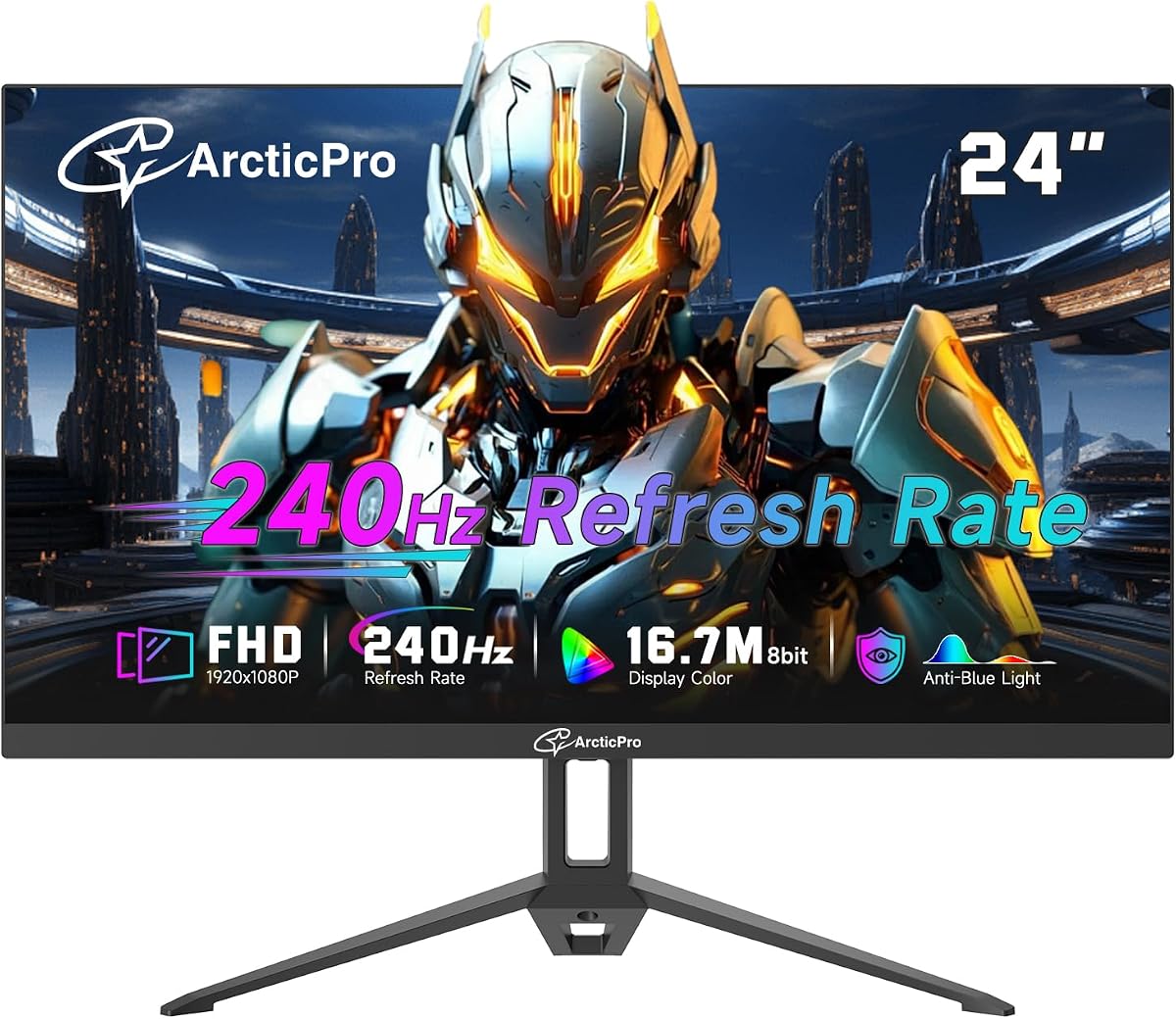
ArcticPro 24 Inch 240Hz Gaming Monitor
4.0Editor score
240Hz refresh rate for smooth motion
Wide color gamut with 120 percent sRGB
178 degree wide viewing angles
Finding a high refresh rate display without breaking the bank is a common challenge for gamers. Cheap 240Hz monitors now offer competitive performance at accessible price points. These displays deliver smooth motion and quick response times essential for fast paced titles like shooters and racers.
We evaluated ten top rated models based on panel type, connectivity, and overall build quality. Our analysis focuses on value and performance consistency across different budget tiers. Each product listed here meets strict criteria for refresh rate accuracy and color reproduction standards.
Each pick highlights key strengths and potential trade offs to help you decide quickly. We include full specs and direct links so you can verify current stock and deals. Prices fluctuate often so check the linked pages for the most up to date offers before buying.
4.0Editor score

4.7Editor score

4.8Editor score
As an Amazon Associate we earn from qualifying purchases.
This side by side comparison lets you evaluate all ten models at a glance. We highlight key differences in screen size panel technology and connectivity to help you choose the right fit for your desk and gaming style.


The Dell SE2426HG stands out as a top contender for budget gamers seeking smooth visuals. With a 4.7 rating it balances performance and reliability effectively. Its IPS panel ensures wide viewing angles while maintaining sharp text and vibrant colors for both work and play.
We may earn a commission when you buy through this link, at no additional cost to you.
Key strengths include the rapid 0.5ms response time which minimizes ghosting in fast motion scenes. The 240Hz refresh rate delivers fluid gameplay essential for competitive shooters. Additionally the 99% sRGB coverage provides rich imagery that surpasses many budget VA alternatives.
Trade-offs exist primarily in ergonomics as tilt only is supported without height adjustment. Lack of speakers means you will need external audio. However these are acceptable given the price point and the superior motion clarity it offers over standard 144Hz options.
This monitor is ideal for gamers who prioritize motion clarity and color consistency. It is also suitable for hybrid users needing a reliable secondary screen. If you want smooth visuals without overspending this Dell model is a strong recommendation.
The 0.5ms response time paired with 240Hz ensures crisp tracking during fast scenes.
TUV Rheinland 3-star certification reduces blue light exposure for longer sessions.
We may earn a commission when you buy through this link, at no additional cost to you.
The ArcticPro monitor offers an entry-level solution for high refresh rate gaming. It ranks well for its balance of specs and cost. While it has a lower rating compared to premium options it delivers smooth motion at a fraction of the price.
We may earn a commission when you buy through this link, at no additional cost to you.
Its main strength lies in the 120% sRGB coverage which provides vivid colors despite being a budget VA panel. The adaptive sync technology helps reduce tearing during gameplay. The frameless design makes it a good choice for multi-monitor setups.
However the 2ms MPRT response time is slower than the 0.5ms found in IPS alternatives. This might result in slight motion blur in very fast games. The stand is basic and may wobble if touched aggressively.
Buyers looking for the cheapest way to get 240Hz should consider this model. It is best for casual gamers who value color vibrancy over ultra low latency. If budget is your main concern this ArcticPro unit is a worthy candidate.
With 120% sRGB this budget model delivers rich visuals that compete with pricier screens.
The 3-sided frameless bezel allows for seamless dual screen configurations.
We may earn a commission when you buy through this link, at no additional cost to you.
The SANSUI monitor brings an immersive curved experience to the budget category. Its 4.4 rating suggests it is a solid choice for those who prefer curved screens. The 1500R curvature wraps around your field of view for enhanced engagement.
We may earn a commission when you buy through this link, at no additional cost to you.
Performance highlights include a 3000:1 contrast ratio which provides deep blacks typical of VA panels. The 240Hz refresh rate and 1ms MPRT ensure responsive gameplay. It also includes game modes and shadow boost for better visibility in dark scenes.
Some users may find the curvature distracting for productivity tasks like spreadsheets. The ports are functional but limited compared to some competitors offering more USB options. However the warranty support adds peace of mind for long term use.
This monitor is perfect for gamers who want immersion without spending a fortune. The high contrast makes it great for single-player story games. If you prefer curved displays this SANSUI model delivers excellent value.
The 3000:1 contrast ratio delivers true blacks that enhance gaming immersion.
The 1500R curve fills your peripheral vision for a more engaging setup.
We may earn a commission when you buy through this link, at no additional cost to you.
The ZZA monitor offers a slightly larger 25-inch display for those needing more screen real estate. Its 4.4 rating reflects reliable performance at a competitive price. The 2800R curve is subtler than tighter curves making it more versatile for mixed use.
We may earn a commission when you buy through this link, at no additional cost to you.
It excels in color performance with 120% sRGB coverage. The FreeSync support ensures tear-free gaming on various GPU brands. Eye care features like flicker-free and blue light filter help during long work or gaming sessions.
The curvature might cause some visual distortion at the edges compared to flat screens. OSD navigation is basic and requires a bit of patience. Despite this the screen quality and price make it a strong contender for the price.
Ideal for users wanting a bit more space without moving to a full 27-inch. It works well for both console and PC gaming. If size and color accuracy are priorities this ZZA unit is a smart pick.
With 120% sRGB this monitor delivers vivid colors for media and games.
VESA mount support allows for flexible desk arrangements and mounting.
We may earn a commission when you buy through this link, at no additional cost to you.
The Sceptre monitor stands out for its integrated speakers which reduce cable clutter. With a 4.5 rating it is well received for its feature set. It delivers smooth motion with 240Hz while providing decent audio without external speakers.
We may earn a commission when you buy through this link, at no additional cost to you.
Key benefits include multiple ports for versatile connectivity. The 1ms Blur Reduction ensures sharp images during action. The color performance with 100% sRGB is reliable for standard content consumption and casual gaming.
Audio output is limited for bass and volume compared to dedicated systems. The build relies heavily on plastic which may feel less premium than glass options. However for a budget unit the included audio is a significant plus.
This model is best for minimalist setups where space is tight. It suits users who want plug-and-play simplicity without extra peripherals. If you prefer convenience and a clean desk this Sceptre monitor is a great choice.
Integrated speakers allow for a cleaner desk setup without extra wires.
Blur Reduction technology ensures crisp visuals during high-speed gameplay.
We may earn a commission when you buy through this link, at no additional cost to you.
The AOC 27-inch monitor brings a larger canvas for gaming on a budget. It holds a 4.6 rating reflecting strong build quality and reliability. The IPS panel ensures wide angles and consistent colors across the screen.
We may earn a commission when you buy through this link, at no additional cost to you.
Performance includes a native 240Hz rate that can overclock to 260Hz for extra smoothness. The 0.5ms response time is excellent for competitive play. Adaptive-Sync works well with various GPUs for tearing free visuals.
Pixel density is lower than on 24-inch models due to the larger size. Stand adjustments are minimal which might frustrate users needing precise height alignment. These factors are minor given the screen size and quality.
Buyers wanting a bigger view without compromising speed should choose this AOC model. It is ideal for immersion in story games or tactical shooters. For a 27-inch option this monitor offers excellent value.
The 27-inch display offers a wider field of view for immersive gaming.
Overclocked refresh rates provide smoother visuals for precise aiming.
We may earn a commission when you buy through this link, at no additional cost to you.
The CUNPU monitor introduces next-gen VA technology for budget-conscious gamers. It scores a 4.2 rating for its balanced features. The panel offers deep blacks and rich colors while keeping response times low.
We may earn a commission when you buy through this link, at no additional cost to you.
Connectivity stands out with HDMI 2.1 and DP 1.4 for future-proofing. The built-in crosshair helps in shooters for quick targeting. Eye care features reduce strain during long sessions.
Some motion blur may occur in very dark scenes typical of VA panels. The OSD is straightforward but lacks advanced calibration options. These are common trade-offs in this price range.
This model is suitable for users wanting modern ports and solid contrast. It works well for console gaming due to HDMI 2.1. If you prioritize deep blacks and connectivity this CUNPU monitor is a strong contender.
HDMI 2.1 ensures support for next-gen consoles and high data rates.
The built-in crosshair gives a tactical advantage in shooter games.
We may earn a commission when you buy through this link, at no additional cost to you.
This monitor balances gaming speed with office utility. It earns a 4.1 rating for versatility. The 24.5-inch screen provides enough space for multitasking while maintaining a gaming-friendly refresh rate.
We may earn a commission when you buy through this link, at no additional cost to you.
It delivers 120% sRGB for vivid media consumption. The AMD FreeSync supports smooth visuals across platforms. Low blue light filter helps during long work days.
The curve might be distracting for text-heavy productivity tasks. Brightness is adequate but not exceptional for bright rooms. These trade-offs make it a specialized tool rather than a universal display.
Ideal for users needing a single monitor for mixed usage. If you game after work this model covers both needs well. For budget hybrid setups it offers a practical solution.
Designed to handle both high-speed gaming and everyday office tasks.
Low blue light reduces strain during extended work periods.
We may earn a commission when you buy through this link, at no additional cost to you.
The MSI MAG 274CF X24 is a premium option within the budget category. It holds the highest rating at 4.8 reflecting top-tier build and performance. The VA panel delivers superior contrast with excellent motion handling.
We may earn a commission when you buy through this link, at no additional cost to you.
AI Vision enhances dark areas for better visibility in games. FreeSync Premium ensures tear-free gaming across platforms. HDR support adds depth to compatible content.
The price is higher than other budget options but justifies the features. Ports are sufficient but not the most abundant. Still it stands out for quality and performance.
Buyers seeking top-tier performance on a budget should look here. It is ideal for competitive players and media enthusiasts. If quality matters most this MSI monitor is the best pick.
AI Vision reveals details in shadows for better gameplay awareness.
Solid construction and high rating confirm long-term reliability.
We may earn a commission when you buy through this link, at no additional cost to you.
The Gawfolk monitor is ideal for FPS players avoiding curved distortion. It earns a 4.3 rating for its flat panel design. The 24.5-inch size is a sweet spot for aiming without edge distortion.
We may earn a commission when you buy through this link, at no additional cost to you.
Contrast is strong at 3000:1 for deep blacks. VESA support allows flexible mounting options to free up desk space. Colors are accurate for the price point.
The stand is basic and may require careful placement. OSD controls are functional but not user friendly. Despite this performance remains solid for competitive gaming.
This model suits players focused on accuracy and a traditional layout. It is also good for general use where flat is preferred. If you want a simple flat screen this Gawfolk monitor is a reliable choice.
Flat panel ensures consistent aim without curve-induced distortion.
Standard VESA holes allow easy installation on monitor arms.
We may earn a commission when you buy through this link, at no additional cost to you.
Selecting the right monitor requires evaluating several key factors beyond just the refresh rate. This guide helps you understand what matters most for gaming and daily use.
A 240Hz refresh rate ensures smooth motion but response time matters for clarity. Look for 1ms or faster to minimize ghosting and blur during fast scenes.
Always verify the response time type as some use MPRT while others use GtG. Faster response times improve competitive advantage in shooters.
IPS panels offer better colors and viewing angles while VA provides deeper blacks and higher contrast. TN is fastest but rare in this category due to poor visuals.
Choose IPS for color accuracy and VA for immersion. Both can support 240Hz effectively depending on the model and budget.
Screen size affects pixel density and immersion. 24 to 25 inch screens are sharp at 1080p while 27-inch models might appear grainy.
Consider your desk space and viewing distance. Larger screens suit single player games but smaller sizes are better for competitive aiming.
Sync tech like FreeSync or G-Sync eliminates screen tearing by matching refresh rate to GPU output. Most budget monitors include FreeSync which works with both AMD and NVIDIA cards.
Ensure the monitor supports your GPU brand for the best experience. Adaptive sync makes gameplay smoother even if frame rates fluctuate.
Check ports like HDMI and DisplayPort to ensure compatibility with your GPU or console. HDMI 2.1 offers future proofing for consoles while DP 1.4 handles PC refresh rates well.
More ports offer flexibility for multiple devices. A monitor with both HDMI and DP allows easy switching between PC and console.
Long sessions can strain eyes so look for flicker-free and low blue light technology. These features reduce glare and harmful emissions during extended use.
Some monitors also have TUV certification for validated eye safety. This is valuable for hybrid use involving work and gaming.
Adjustable stands improve comfort by allowing height tilt and swivel. Many budget models only offer tilt so check VESA compatibility if you need an arm.
Build quality affects durability. Plastic is common but quality construction prevents wobble. A sturdy base ensures stability during intense gaming.
Color coverage like sRGB and DCI-P3 impacts how vivid images appear. Aim for at least 99% sRGB for accurate colors and media viewing.
High gamut is great for creatives and immersive games. Check reviews for out of box calibration before buying.
Set your system to 240Hz in display settings and enable adaptive sync for smooth visuals. Adjust brightness and contrast to suit your room lighting for eye comfort.
Clean the screen gently with a microfiber cloth to avoid scratches. Avoid using harsh chemicals that can damage the anti-glare coating on the panel.
Position the monitor at eye level to reduce neck strain. Use VESA mounts to free up desk space and improve cable management for a clean setup.
While a powerful GPU helps fully utilize 240Hz in games, the monitor still works with lower-end PCs. You will see benefits in desktop animations and fast scrolling even if games run lower.
Yes for competitive gaming the difference is noticeable in motion clarity. Casual users may not see a huge jump but smoother input latency still helps reaction times significantly.
Most consoles cap at 120Hz so 240Hz is mainly for PC gaming. However the monitor will still function well for media and lower refresh rate console titles.
Only a few models like the Sceptre include speakers. Most rely on external audio which is common to save costs and maintain thin bezel designs.
VA panels historically had slower response times but newer fast VA panels are very competitive. They offer better contrast for dark games without sacrificing speed significantly.
Enable adaptive sync like FreeSync or G-Sync in your GPU settings. Also ensure the cable supports the refresh rate such as using DP 1.4 for 240Hz at FHD.
Yes many budget models feature thin bezels and VESA mounts ideal for multi-screen setups. This creates a seamless panoramic view for gaming or productivity.
Typically LCD panels last between 50 to 100 thousand hours of use. Proper care like avoiding physical impacts and adjusting brightness ensures longevity over years.
We highlighted ten top-rated models delivering 240Hz performance across various price points. From the budget ArcticPro to the premium MSI each option offers unique strengths for different gamers.
Prioritize panel type and response time to match your gaming style. IPS suits color lovers while VA offers deep blacks for immersive play.
Check current prices and availability as deals change frequently. Investing in a quality display ensures smoother gameplay and better visual quality for years to come.