
4K@60Hz HDMI Switch Splitter 4 in 2 Out w/Remote, Optical Audio and 3.5mm
4.2Editor score
Affordable 4×2 matrix design
Optical and analog audio out
Easy IR remote control
Discover the top HDMI matrix switch models for 2026. This guide compares features, resolution support, and audio extraction to help you choose the perfect AV
Choosing the right HDMI matrix switch can transform how you manage multiple media sources and displays. Whether you need to route gaming consoles to different rooms or run a conference setup, the best options deliver high bandwidth and reliable switching.
We have evaluated ten leading matrix switches based on their resolution support, audio capabilities, and control features. Our comparison focuses on real-world performance, compatibility with modern devices, and ease of installation for various environments.
Each pick in this list highlights specific strengths like 8K support, audio extraction, or web control. Keep in mind that product availability and pricing can change, so verify details before making your final decision.
4.2Editor score

4.3Editor score

4.7Editor score
The following table provides a side-by-side overview of the top ten HDMI matrix switches available in October 2026. It highlights key specifications like inputoutput counts, resolution limits, and unique features to help you narrow down your choices quickly.



The OREI 4×2 HDMI Matrix Switch stands out as a top choice for users needing 8K performance. With a solid 4.3 rating, it delivers high-bandwidth switching ideal for modern gaming and home theater setups.
We may earn a commission when you buy through this link, at no additional cost to you.
This matrix supports up to 8K 60Hz with HDMI 2.1 features including VRR and ALLM. It handles complex audio formats like Dolby Atmos and supports eARC between input and output, ensuring seamless audio routing for soundbars.
While it is one of the more expensive options, the ability to handle next-gen resolutions makes it a worthwhile investment. The only limitation is having only two outputs, which might not suit larger setups.
If you need the latest HDMI 2.1 features and 8K support for two displays, this is the best option on the market. Its robust feature set justifies the cost for serious AV enthusiasts.
Supports 8K at 60Hz and 4K at 120Hz for the latest displays.
eARC support and optical/3.5mm extraction ensure high-quality sound routing.
We may earn a commission when you buy through this link, at no additional cost to you.
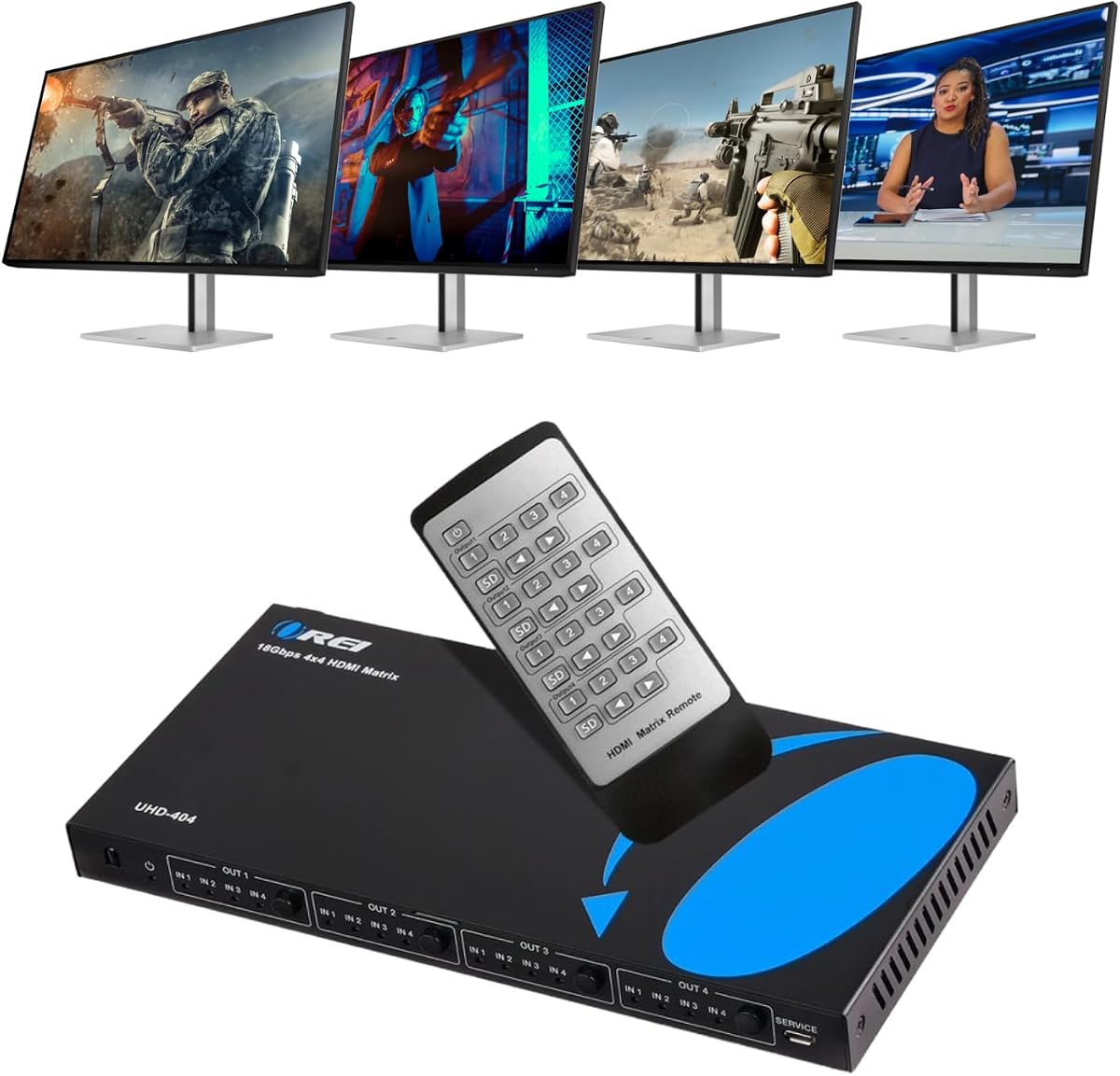
The OREI 4×4 HDMI Matrix Switch offers a great balance of features for home theaters. With a high 4.5 rating, it provides four inputs and outputs for flexible device routing.
We may earn a commission when you buy through this link, at no additional cost to you.
This unit supports 4K at 60Hz with HDR and includes ARC support for audio return. It handles multiple audio formats well and features a durable metal enclosure for reliable performance.
While it lacks the 8K capabilities of newer models, it covers most standard needs perfectly. The main limitation is the lack of advanced control options like web interfaces.
For users who need to connect four devices to four screens with reliable 4K performance, this is a solid choice. It is easy to set up and performs well for typical use cases.
Connect four source devices and route them to four displays independently.
Output A supports ARC for easy audio return to soundbars.
We may earn a commission when you buy through this link, at no additional cost to you.
This OREI matrix switch is ideal for setups with mixed resolution displays. It allows you to downscale 4K to 1080p for compatible screens without affecting the main output.
We may earn a commission when you buy through this link, at no additional cost to you.
It supports 4K at 60Hz and includes a dual-voltage power supply for international use. The unit ensures stable signal transmission with zero degradation across all ports.
The downscale functionality is its standout feature, making it versatile for older and newer screens. However, it lacks some advanced control features found in higher-end models.
If you have a mix of 4K and 1080p displays, this matrix provides the flexibility you need. It is straightforward to use and delivers consistent performance.
Automatically downscale 4K signals for 1080p screens.
Dual voltage power supply ensures worldwide usage.
We may earn a commission when you buy through this link, at no additional cost to you.
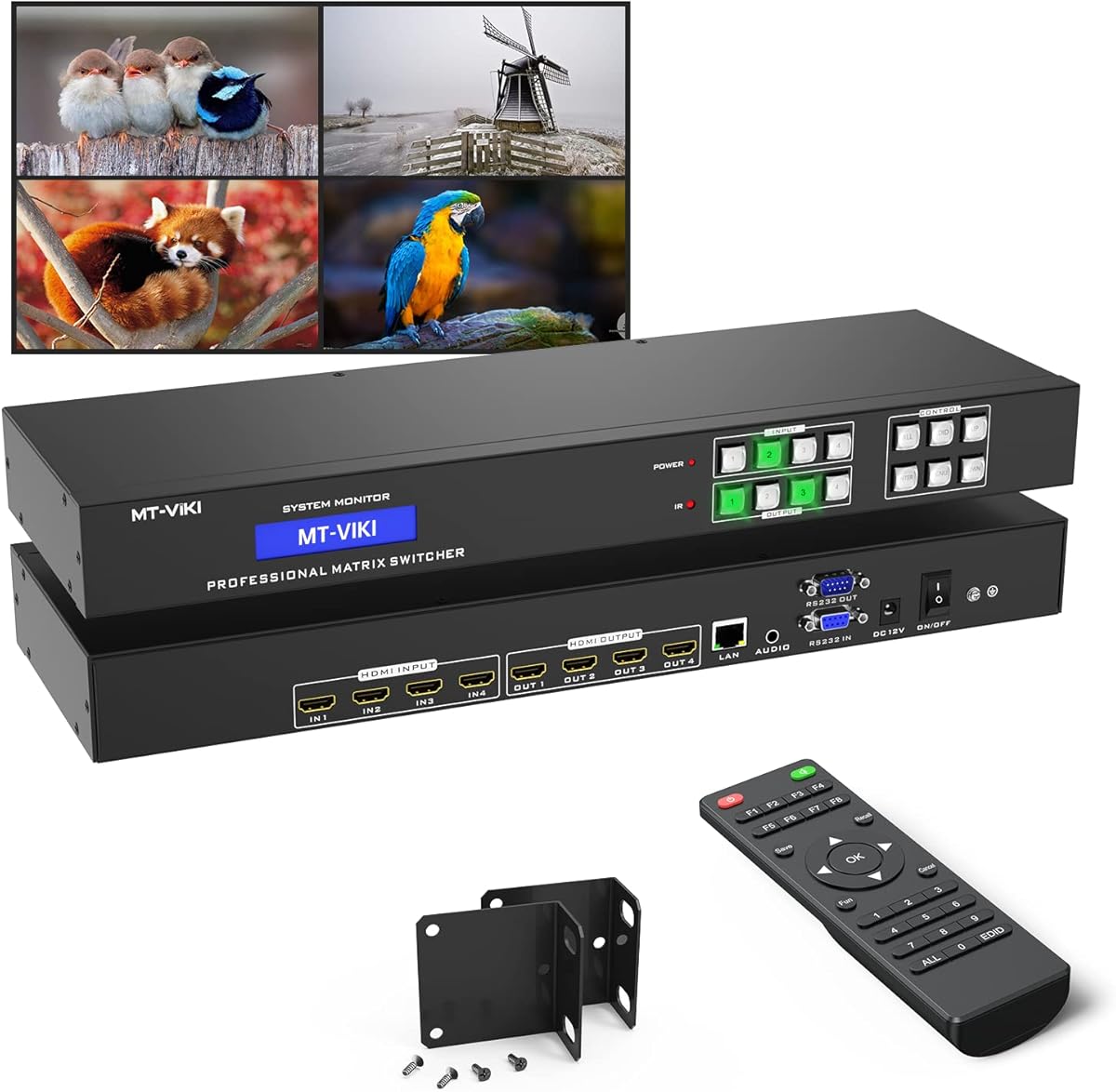
The MT-VIKI matrix switch is designed for professional environments requiring remote control. It supports Web GUI and RS232 for flexible operation in conference rooms or churches.
We may earn a commission when you buy through this link, at no additional cost to you.
It routes signals between four inputs and outputs and includes audio extraction on a specific port. The rack mount design makes it easy to integrate into standard AV racks.
While it is limited to 4K at 30Hz, the control options make it valuable for commercial setups. The learning curve for advanced controls might be steep for home users.
For businesses needing advanced control and rack mounting, this is a strong contender. It offers versatility that standard switches lack for professional applications.
Control via Web GUI, RS232, LAN, or IR remote for maximum flexibility.
Rack mount ears included for easy integration into AV cabinets.
We may earn a commission when you buy through this link, at no additional cost to you.
This compact OREI matrix switch offers good value for dual-output setups. It supports 4K at 60Hz and includes ARC for audio return on one output.
We may earn a commission when you buy through this link, at no additional cost to you.
It handles downscaling well, allowing mixed resolutions without issue. The IR remote makes switching simple, and it supports HDCP 2.2 for protected content.
The price is reasonable, though it lacks some advanced features like eARC. It is suitable for most standard home uses where 8K is not needed.
If you need a simple 4×2 switch with solid performance, this model works well. It is easy to use and covers most standard AV requirements.
Connect four sources to two displays with flexible switching.
ARC support allows audio return from a TV to the matrix.
We may earn a commission when you buy through this link, at no additional cost to you.
This budget-friendly matrix switch is perfect for basic AV needs. It supports 4K at 60Hz and includes optical and 3.5mm audio outputs for flexible sound.
We may earn a commission when you buy through this link, at no additional cost to you.
The metal shell ensures durability, and the remote allows easy switching. It handles mixed resolutions well and maintains signal quality over reasonable distances.
While it lacks advanced features, it offers great value for the price. The remote requires batteries which are not included, a minor inconvenience.
For those on a budget needing reliable 4K switching, this is an excellent choice. It performs well for everyday tasks without breaking the bank.
Provides 4K 60Hz switching at a very competitive price.
Optical and 3.5mm outputs allow connection to various speaker systems.
We may earn a commission when you buy through this link, at no additional cost to you.
This OREI matrix switch is designed for reliable 4K performance. It supports HDR and ARC with flexible routing for home theaters.
We may earn a commission when you buy through this link, at no additional cost to you.
It handles downscaling efficiently and includes a remote for easy operation. The unit is HDCP 2.2 compliant ensuring smooth playback of protected content.
It is a solid choice for users who do not need 8K. The price is reasonable, making it a good option for standard setups.
If you need a straightforward 4K switch with audio features, this is a reliable pick. It offers consistent performance for daily use.
Supports HDR10+ and Dolby Vision for enhanced picture quality.
ARC support allows returning audio from your TV to the matrix.
We may earn a commission when you buy through this link, at no additional cost to you.
This 8×8 matrix switch is built for large installations. It supports WebGUI and RS-232 control for professional environments.
We may earn a commission when you buy through this link, at no additional cost to you.
While limited to 4K at 30Hz, the routing capacity is unmatched for standard use. It is ideal for conference centers or commercial displays.
The complexity may be higher than home units, but the control options are essential for large setups. It is a reliable workhorse for business needs.
For users needing extensive routing with professional control, this is a strong option. It handles complex setups with ease.
Control your matrix directly from a web browser for easy access.
Eight inputs and outputs allow extensive device connections.
We may earn a commission when you buy through this link, at no additional cost to you.
This extender matrix handles long distance signal distribution effectively. It extends HDMI up to 230 feet using CAT6 without extra power.
We may earn a commission when you buy through this link, at no additional cost to you.
It supports 4K at 60Hz with HDR and includes one-way IR control for source devices. The high rating indicates reliable performance.
The cost is high but justified for installations needing long reach. Setup requires careful planning for cabling and control.
If you need to route signals across long distances without signal loss, this is a top choice. It is a powerful tool for complex AV installs.
Extend 4K signals up to 230 feet using CAT6 cable.
PoC feature powers receivers without additional adapters.
We may earn a commission when you buy through this link, at no additional cost to you.
This premium matrix combines 8K support with extensive routing. It has an excellent 4.7 rating and supports HDMI 2.1 for future proofing.
We may earn a commission when you buy through this link, at no additional cost to you.
It handles all ports at 8K resolution and includes audio extraction for versatile setups. This is a top-tier device for serious installations.
The price is high but the features are unmatched. It may be too much for smaller homes but is perfect for large media rooms.
If you need the best performance with 8K capability, this is the one to choose. It delivers unmatched quality and flexibility.
Full HDMI 2.1 support ensures compatibility with next-gen consoles.
Rated 4.7 by users for reliability and feature set.
We may earn a commission when you buy through this link, at no additional cost to you.
Choosing the right matrix switch requires understanding your specific needs. We have outlined key factors to consider before buying to ensure compatibility and performance.
Resolution and bandwidth determine how well the matrix handles video. Higher bandwidth like 48Gbps is needed for 8K while 18Gbps suffices for 4K. Check your devices for their max capabilities.
Ensure the switch matches your displays and sources for smooth playback.
The number of inputs and outputs dictates how many devices you can connect. A 4×4 switch allows four sources and four screens whereas 8×8 offers more flexibility.
Choose a switch with enough ports to cover all your devices now and in the future.
Audio extraction allows sound to be routed separately from video. Look for options like Optical, 3.5mm, or eARC for better sound integration.
Verify if the matrix supports formats like Dolby Atmos or DTS for immersive audio.
Control options vary from remote control to WebGUI or RS232. Larger setups benefit from network control whereas home users may prefer a remote.
Select a control method that fits how you plan to manage your system.
HDCP compliance ensures you can play protected content like Blu-rays or streaming. Most modern devices require HDCP 2.2 or higher.
Ensure the matrix is fully compliant to avoid black screens on protected content.
Build quality affects durability and heat dissipation. Metal enclosures are generally better than plastic for longer life.
Invest in a robust build if the switch will be in a rack or high use area.
Budget plays a major role as prices vary significantly. Basic 4K models are affordable while 8K units cost much more.
Balance your needs with your budget to find the best value without overspending.
Some matrix switches support long cable runs while others require short cables. If you need to run cables across rooms check for extender capabilities.
Check if the matrix supports active cables or extenders for your distance needs.
Connect all sources to the input ports and displays to output ports using high-quality HDMI cables. Ensure the power adapter is securely plugged in.
Use the remote or control interface to route sources to displays. If using advanced control like WebGUI follow the setup manual carefully.
Avoid stacking devices on top of the matrix to ensure proper airflow. Regularly check cables for wear and keep the device clean to maintain performance.
An HDMI switch allows you to select one source to display on one screen. A matrix allows you to route any source to any display simultaneously. This makes a matrix more flexible for multiple screens.
Yes, to achieve 8K at 60Hz you need HDMI 2.1 compliance. Standard HDMI 2.0 supports 4K but not 8K. Check your matrix supports 2.1 features for next-gen content.
Yes, many modern matrix switches support mixed resolution displays. They can downscale higher resolutions for older screens. Look for a matrix with downscale capabilities.
Audio extraction allows sound to be routed via optical or analog ports. Connect your speakers to the matrix audio outputs. Verify your matrix supports your required audio format.
Use high-speed HDMI cables that match the matrix specs. For 4K use 18Gbps certified cables. For 8K use Ultra High Speed 48Gbps cables for full bandwidth.
This can be due to HDCP handshake issues. Try using certified cables and ensure all devices are updated. Power cycling the matrix can also help reset handshakes.
Yes, most matrices work with gaming consoles. Ensure the matrix supports HDMI 2.1 features like VRR for best performance. Check compatibility with specific console requirements.
We have reviewed ten top matrix switches ranging from budget 4K units to premium 8K models. Each offers unique strengths for different needs.
Prioritize resolution and control options based on your setup. Larger installations benefit from advanced control while homes may prefer simplicity.
Prices change frequently so verify current details before purchasing. Your perfect matrix will bring reliability to your AV setup.