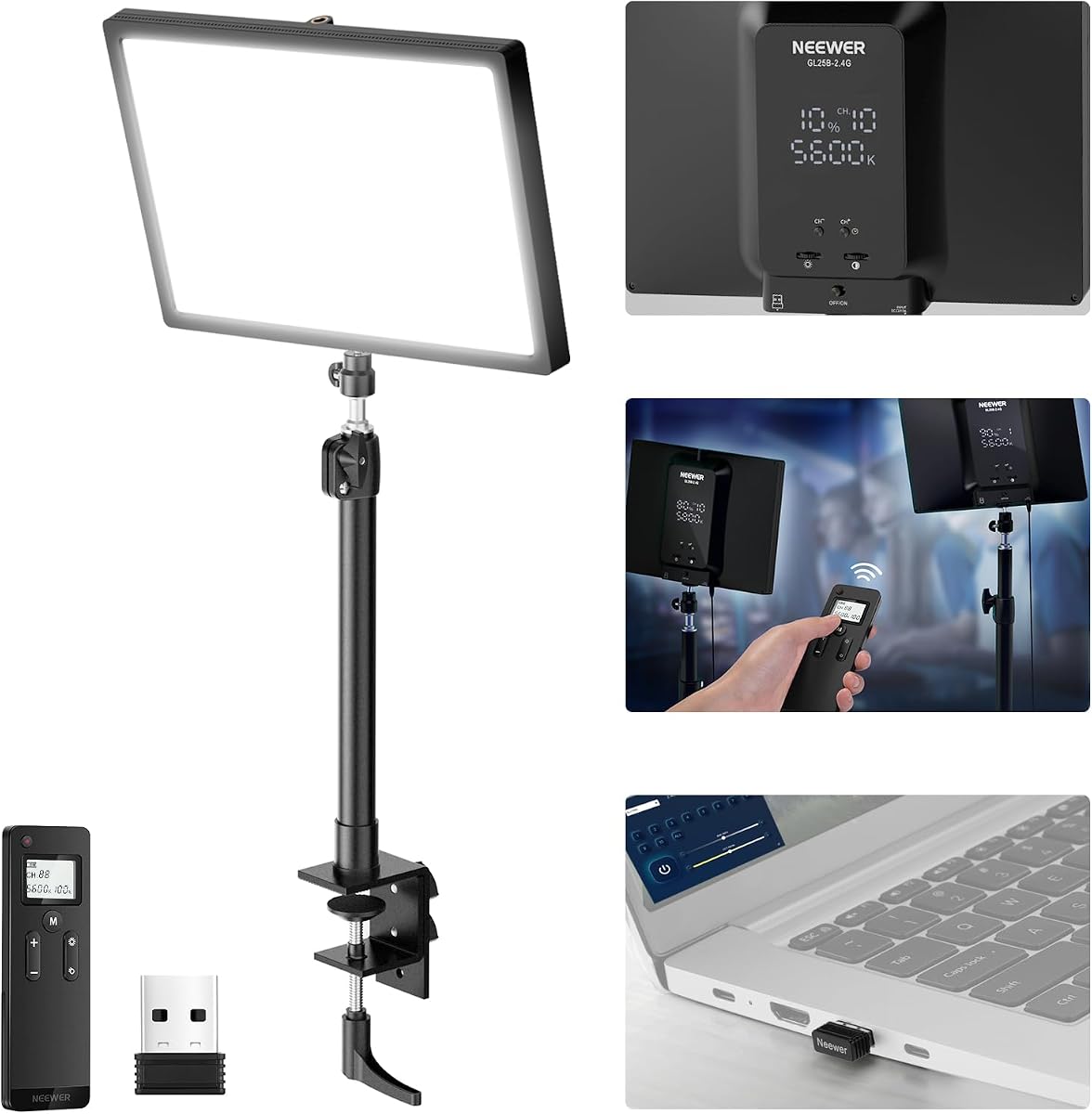
NEEWER 25W GL25B
4.7Editor score
2.4G remote control
2300 lux brightness
Fanless silent cooling
Choosing the right lighting can transform your stream from amateur to professional. A good key light ensures your face is clearly visible without harsh shadows or glare that distract viewers.
We compared ten top-rated lighting solutions based on brightness, color temperature range, build quality, and ease of control. Each product offers unique features for different setup needs.
Each pick highlights specific strengths and ideal use cases. Please note that product availability and specifications may change over time so always verify current details before buying.
4.7Editor score

4.5Editor score

4.4Editor score
As an Amazon Associate we earn from qualifying purchases.
This side-by-side comparison highlights the essential specifications of each model so you can quickly identify the right fit for your workspace and creative goals.



The Elgato Key Light stands out as the top choice for serious streamers seeking professional results. With a rating of 4.5 stars, it delivers exceptional brightness and reliable performance for long sessions.
We may earn a commission when you buy through this link, at no additional cost to you.
Its 2800 lumens ensure your workspace is fully illuminated while the 160 OSRAM LEDs provide even light without excessive heat. The opal glass face offers superior diffusion that eliminates glare on camera.
Some users find the initial setup requires a sturdy desk mount which can be tricky on thinner surfaces. However the robust build quality and flexible control options make this a minor trade-off for the quality delivered.
Content creators who need consistent high quality lighting will find this model worth the investment. Its seamless integration with streaming software makes it a staple for professional broadcast setups.
The 2800 lumens output ensures your face remains well lit even in darker rooms without washing out your camera sensor.
Control brightness and color temperature directly from your desktop via Wi-Fi allowing quick adjustments mid stream without interrupting your flow.
We may earn a commission when you buy through this link, at no additional cost to you.
The Logitech Litra Glow is an excellent solution for laptop streamers and remote workers needing reliable lighting without clutter. It holds a strong 4.5 star rating for its user-friendly design.
We may earn a commission when you buy through this link, at no additional cost to you.
Its TrueSoft technology delivers balanced full spectrum light that flatters facial features and eliminates harsh shadows. The frameless diffuser ensures a soft look suitable for video conferencing or Zoom meetings.
While it lacks the raw power of larger panels it is more than adequate for close up shots and casual streams. The lightweight USB powered design means you can take it anywhere easily.
Users seeking a hassle-free lighting upgrade for their laptop setup will appreciate its simplicity. It is an ideal choice for those prioritizing portability and ease of use over extreme brightness.
This proprietary technology ensures the light output is balanced and full spectrum which helps cameras capture natural looking skin tones.
Certified for safe use during long streaming sessions this light is designed to handle extended operation without overheating or degrading.
We may earn a commission when you buy through this link, at no additional cost to you.
The NEEWER GL25B offers an impressive balance of performance and affordability making it a top contender for budget conscious creators. Its 4.7 star rating reflects high satisfaction among users.
We may earn a commission when you buy through this link, at no additional cost to you.
Equipped with 176 LEDs behind a diffuser it delivers 2300 lux of brightness. The fanless design ensures zero noise which is crucial for audio sensitive content like podcasting.
Although the build materials are more basic compared to premium options it includes a remote for wireless control. This feature is rare at this price point and adds significant convenience.
Streamers and influencers starting out will find this light meets most needs without breaking the bank. The high CRI ensures colors render accurately which is essential for product showcases.
The included 2.4G remote lets you adjust settings without reaching for the panel which is handy during live broadcasts.
Without a cooling fan the unit runs completely silent ensuring your microphone does not pick up unwanted mechanical noise.
We may earn a commission when you buy through this link, at no additional cost to you.
The Elgato Key Light Air MK.2 provides a slim portable alternative for streamers with limited desk space. It carries a 3.8 star rating indicating mixed feedback on its brightness capabilities.
We may earn a commission when you buy through this link, at no additional cost to you.
Its edge-lit design offers anti-glare illumination that flatters complexions nicely. With 256 premium LEDs it produces light that ranges from warm to cool white for versatile lighting scenarios.
Users note that while the power flexibility via USB-C is great the lumens output is lower than the standard Key Light. This makes it less ideal for large rooms but perfect for focused setups.
If you prioritize portability and sleek aesthetics this model fits well. It is a strong choice for travelers or those who need a quick setup without heavy hardware.
You can power the light via USB-C from a laptop a PD adapter or a battery bank using the MagSafe ring for true mobility.
Automate your lighting with a single keypress using compatible Stream Deck devices for seamless control during complex broadcast scenes.
We may earn a commission when you buy through this link, at no additional cost to you.
The Weilisi 10.2 Ring Light is designed for home office professionals who need adaptable lighting for video calls. It holds a 4.5 star rating for its practical desk focused features.
We may earn a commission when you buy through this link, at no additional cost to you.
Its full screen desk light provides uniform diffused light that restores natural look. The 360 rotation and 180 angle adjustment allow you to direct light exactly where needed.
Some users find the ring shape limits the spread compared to panel lights. However the C-clamp mount keeps your desk clean and saves valuable surface area effectively.
This option is ideal for users who need a multi functional desk lamp and light combined. It is a solid choice for Zoom meetings and detailed tasks alike.
With telescoping stands and rotatable heads you can adjust height and angle to suit different seating positions and recording needs.
The C-clamp design eliminates the need for heavy stands keeping your desk surface organized and clutter free during work.
We may earn a commission when you buy through this link, at no additional cost to you.
The NiceVeedi 2-Pack kit provides excellent value by offering two light panels for setup versatility. It has a 4.4 star rating reflecting positive feedback on its completeness.
We may earn a commission when you buy through this link, at no additional cost to you.
Each unit offers 356 LED beads with a high CRI of 97 ensuring precise color rendering. This is perfect for photography and vlogging where color accuracy is critical.
The stands are foldable and portable which is great for travel but they feel slightly lightweight. However the included storage bag helps protect them during transport.
Creators looking for a full studio setup at an entry price will appreciate this package. It allows for key and fill lighting configurations out of the box.
Getting two lights in one box enables you to create depth with key and fill setups instantly without buying separate items.
With a CRI over 97 the lights render colors true to life which is essential for professional looking video content and photos.
We may earn a commission when you buy through this link, at no additional cost to you.
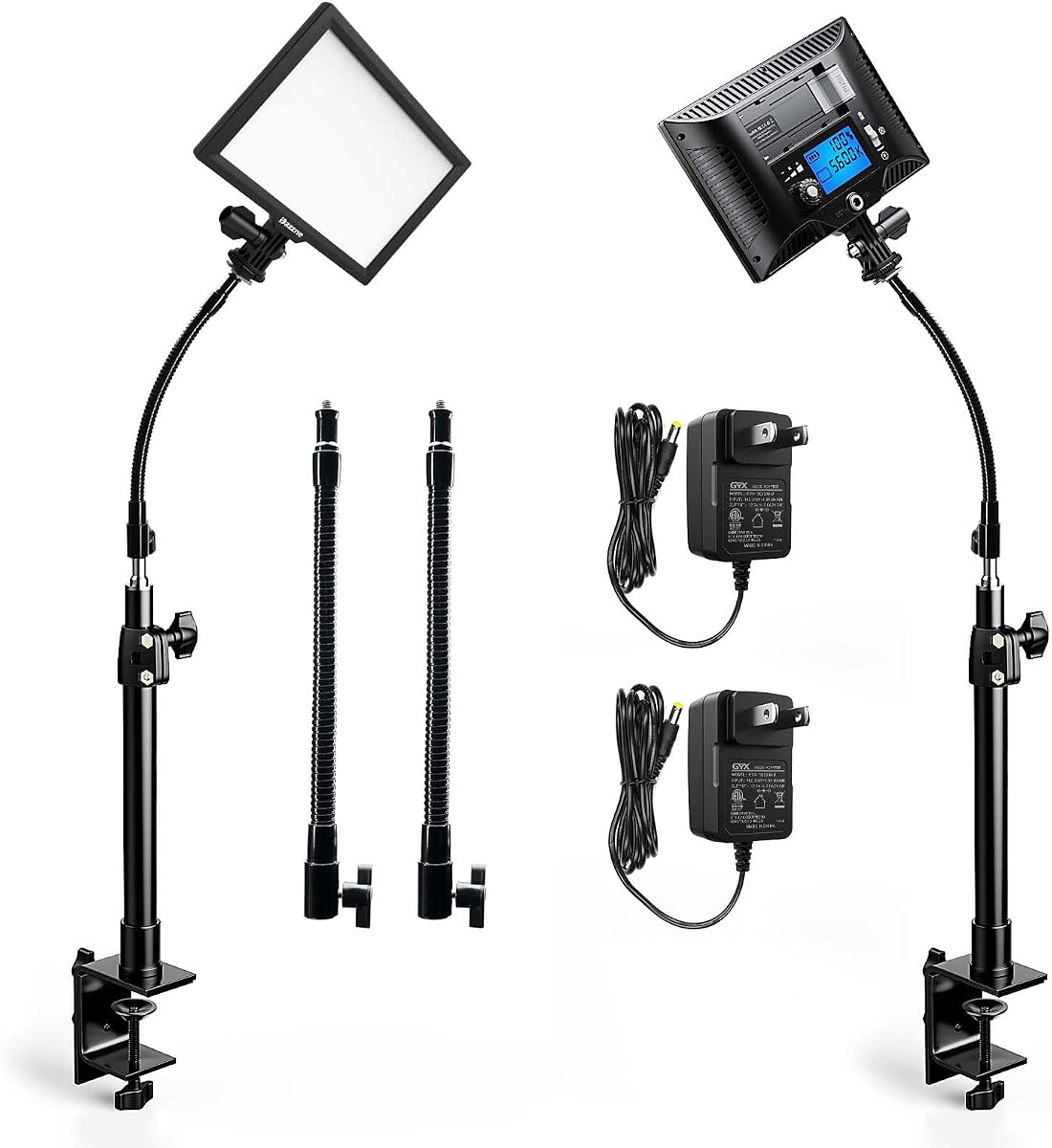
This 2 pack kit stands out with unique gooseneck tubes that allow for highly precise light positioning. It holds an excellent 4.8 star rating for its thoughtful design features.
We may earn a commission when you buy through this link, at no additional cost to you.
The LED video panel light features an LCD screen so you can check brightness and color settings quickly. The memory function recalls your last settings making power on easy.
While the goosenecks are flexible they may feel less rigid than solid arms for heavy lights. However for desk based setups they provide unmatched angle versatility.
Streamers needing detailed lighting control on a budget will find this model appealing. The dual pack allows you to light multiple angles or subjects effectively.
The included tubes let you rotate the lights to multiple positions helping you achieve the perfect angle for your specific desk layout.
A built-in LCD screen displays current settings clearly so you can adjust parameters without guessing or fumbling for controls.
We may earn a commission when you buy through this link, at no additional cost to you.
The Godox ES45 is designed for streamers seeking premium quality and comfort during long sessions. It has a 4.4 star rating for its high-end features and build.
We may earn a commission when you buy through this link, at no additional cost to you.
Its edge-lit OLED panel delivers glare-free illumination that minimizes harsh shadows on your face. The magnetic remote attaches to the back and recharges automatically for convenience.
Some users find the price higher than average but the build quality justifies the cost. The expandable control allows grouping multiple units for larger setups.
Professional creators who value eye comfort and seamless control will love this model. It elevates a desk setup with a polished and sophisticated look.
The remote snaps magnetically to the panel and charges wirelessly ensuring you always have a charged controller ready to use.
Designed with streamers in mind the soft diffused light reduces eye fatigue allowing you to stream comfortably for hours.
We may earn a commission when you buy through this link, at no additional cost to you.
This dual pack offers significant value for those needing two independent light sources. It carries a 4.4 star rating from users who appreciate the flexibility of the included tubes.
We may earn a commission when you buy through this link, at no additional cost to you.
The Dazzne D20 panel includes an LCD display for accurate brightness checks. The memory function saves your settings so you do not have to reset them every time.
The gooseneck tubes allow for unique positioning options that fixed stands cannot match. However the stand stability may require care when positioning at full height.
Creators looking to light a desk and a camera area simultaneously will find this kit useful. It is a solid choice for podcasters needing multi-point lighting.
Two complete units in one box allows for complex setups involving key and fill lights without needing additional purchases.
A clear LCD screen helps you verify settings accurately ensuring consistent lighting across your sessions.
We may earn a commission when you buy through this link, at no additional cost to you.
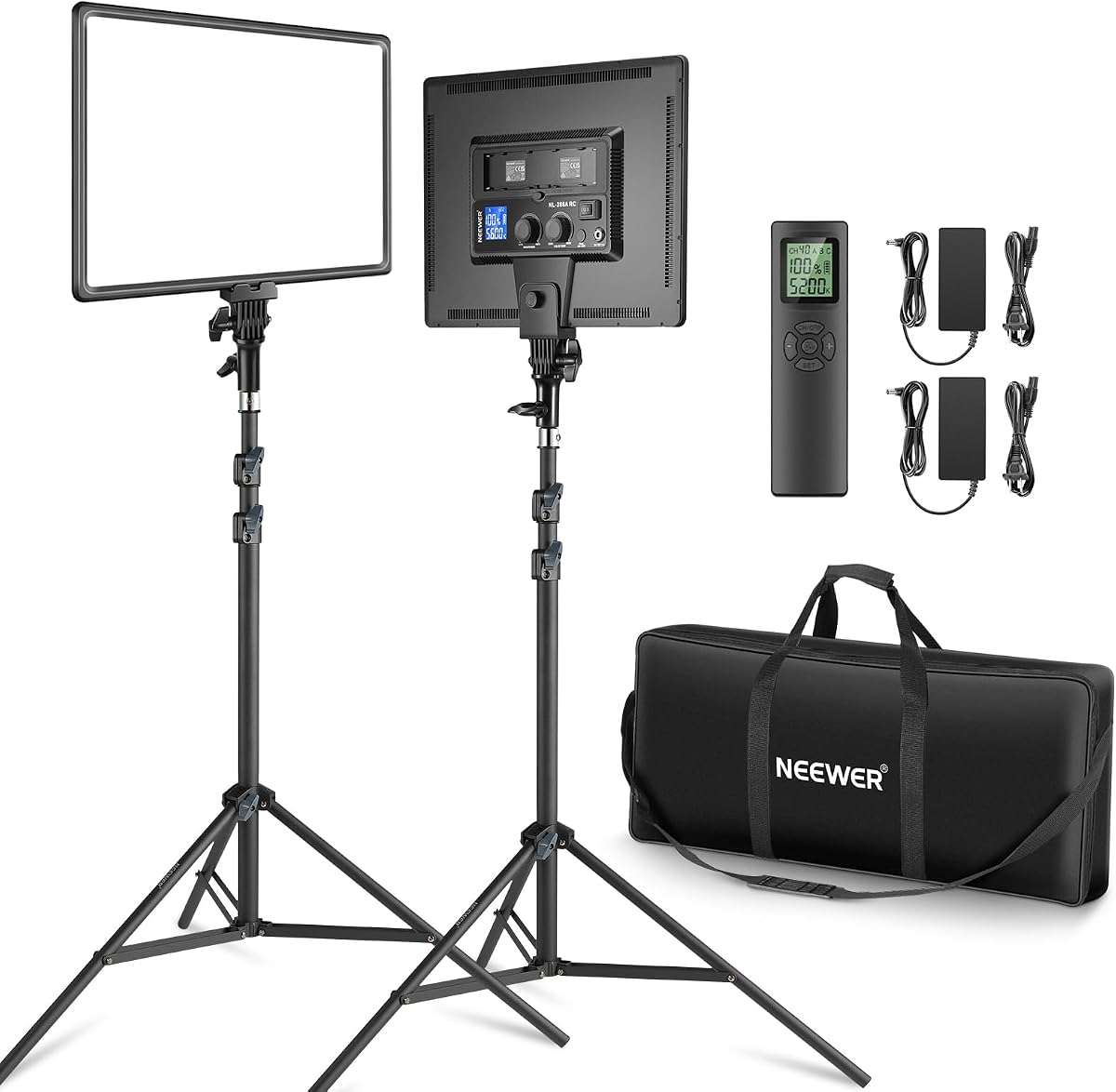
The Neewer 18 Kit provides powerful lighting with two 45W panels ideal for larger rooms. It holds a strong 4.6 star rating for its high output and completeness.
We may earn a commission when you buy through this link, at no additional cost to you.
Each panel delivers 4800 lux of brightness ensuring ample light for professional shoots. The dual power options allow battery use for outdoor shoots or remote locations.
The included tripods are sturdy but the panels are heavier than smaller desk options. This is acceptable given the superior brightness and build quality.
Creators needing high intensity light for professional video production will find this kit robust. It is excellent for setups requiring significant illumination power.
With 4800 lux per panel these lights provide strong illumination suitable for professional photography and large streaming sets.
Option to use AC adapters or Sony NP-F batteries ensures you can keep shooting even when a power outlet is unavailable.
We may earn a commission when you buy through this link, at no additional cost to you.
Selecting the right key light involves balancing brightness, control, and form factor for your specific setup needs.
Brightness measured in lumens or lux determines how well you are illuminated. Higher output is necessary for larger rooms or when you want to overpower ambient light for a crisp image.
For most desk setups 2000 lumens is sufficient. Ensure you check the lux at specific distances to gauge real-world performance.
Adjustable color temperature allows you to match your room's lighting or set a specific mood. Ranging from warm 2900K to cool 7000K offers versatility for day and night streaming.
Always choose a light that supports the full range you need to ensure your skin tones look natural regardless of the time of day.
Color Rendering Index (CRI) indicates how accurately colors are rendered. A CRI of 90+ is ideal for streaming to ensure your clothes and products look true to life.
Prioritize models with CRI over 95 if you plan on doing product showcases or detailed video work.
Mounting types vary from C-clamps to tripods. Desk clamps save space but require a sturdy table while tripods offer flexible placement anywhere in the room.
Ensure your chosen mounting method is compatible with your desk thickness or room layout before purchasing.
Power options include USB AC adapters and batteries. USB and AC are standard for desk setups while battery compatibility offers portability for field content creation.
Check if batteries are included or sold separately to avoid unexpected extra costs.
Controls can be physical buttons, remotes, or apps. Wireless remotes and app control allow for quick adjustments during streams without touching the light physically.
Consider if you need automated features like app integration for complex lighting scenes.
Effective heat dissipation prevents overheating during long sessions. Fanless designs are quieter but may run warmer than active cooled models.
Look for units with thermal materials or silent fans if noise is a concern for your microphone.
Durable materials ensure longevity and stability. Premium panels often use glass or metal diffusers while budget models use plastic.
Investing in sturdy build quality reduces the risk of damage and ensures consistent performance over time.
Position your key light slightly above eye level and angled down to mimic natural lighting. This reduces eye strain and creates flattering shadows that define your features.
Use the app or remote to fine-tune brightness and color temperature to match your room's ambient light. Consistency helps your viewers maintain visual comfort during long streams.
Clean the panel with a soft dry cloth to avoid scratches on the diffusion surface. Avoid using harsh chemicals or excessive moisture which could damage the internal electronics.
Place the key light about 3 to 4 feet from your face. This distance ensures the light is soft enough to avoid harsh shadows but bright enough to illuminate you effectively without blowing out the camera sensor.
To reduce glare ensure the light is diffused properly using a panel with soft cover. Angle the light slightly above eye level and tilt it down to avoid direct reflection in your eyes.
Yes many modern lights allow control via channels or apps to sync multiple units. This enables you to create multi-point lighting setups for a more professional studio look.
Most streamers prefer 5000K to 5600K which mimics daylight for accurate skin tones. However if your room has warm bulbs you may want to adjust closer to 3000K to match the background.
It depends on your space. A desk clamp is ideal for tight desks while a tripod offers more flexibility for larger setups or different camera angles.
Avoid overloading the light with high brightness for days without breaks. Clean the panel regularly and ensure it is in a well-ventilated area to prevent overheating.
The top picks highlighted above offer excellent solutions ranging from budget friendly options to premium professional setups. Each model brings unique strengths to meet various creator needs.
When choosing prioritize brightness and color accuracy to ensure your video quality stands out. Also consider the mounting and control features that fit your workflow.
Always check current product listings to verify availability and specifications as details may change. Finding the right light will significantly elevate your streaming experience.