
HP Smart Tank 5003
4.1Editor score
Up to three years of ink included
Mess-free refillable cartridge system
Wireless and mobile printing support
This guide compares the top AI printers available in October 2026, analyzing features, performance, and value for home and office users seeking smart printing
Artificial intelligence is transforming how we print documents and images by optimizing layouts, reducing waste, and enhancing color accuracy. Modern printers now leverage AI to automate settings, detect errors, and streamline workflows for both home and office environments.
We evaluated ten leading AI-capable printers based on speed, connectivity, ink efficiency, and intelligent features like automatic formatting and failure detection. Our analysis focuses on real-world usability, long-term costs, and the specific benefits each model offers to different types of users.
Each pick highlights unique strengths, from budget-friendly ink tanks to professional-grade color systems and specialized sticker makers. Keep in mind that prices and promotions fluctuate regularly, so check current listings before making your final decision on the best fit.
4.1Editor score

3.9Editor score

4.7Editor score
The following table provides a side-by-side comparison of all ten AI printers, highlighting key specifications, ink capacity, and unique intelligent features to help you quickly identify the model that best matches your specific printing needs.



The HP OfficeJet Pro 8125 stands out for its AI capability to optimize print formatting. It ensures web pages and emails print without awkward layouts. This saves paper and makes documents look professional right from the start.
We may earn a commission when you buy through this link, at no additional cost to you.
Its connectivity is robust with dual-band Wi-Fi that detects and resolves issues automatically. The 2.7-inch touchscreen offers a phone-like interface for intuitive navigation. You can print, scan, and copy directly from your smartphone using the HP app.
While the printer is solid, it relies on standard cartridges which can increase long-term costs. The input tray holds 225 sheets which is moderate for busy offices. Instant Ink helps offset this but requires a subscription after the trial.
This model is ideal for home office users who value professional output and smart features. The AI optimization alone makes it worth considering for anyone tired of wasted pages. It balances performance and ease of use effectively.
HP AI removes unwanted content from web pages and emails automatically. This ensures prints are concise and focused on what matters most to the reader.
HP Wolf Essential Security helps protect your network from cyber threats. Combined with reliable dual-band Wi-Fi, your data stays safe while printing wirelessly.
We may earn a commission when you buy through this link, at no additional cost to you.
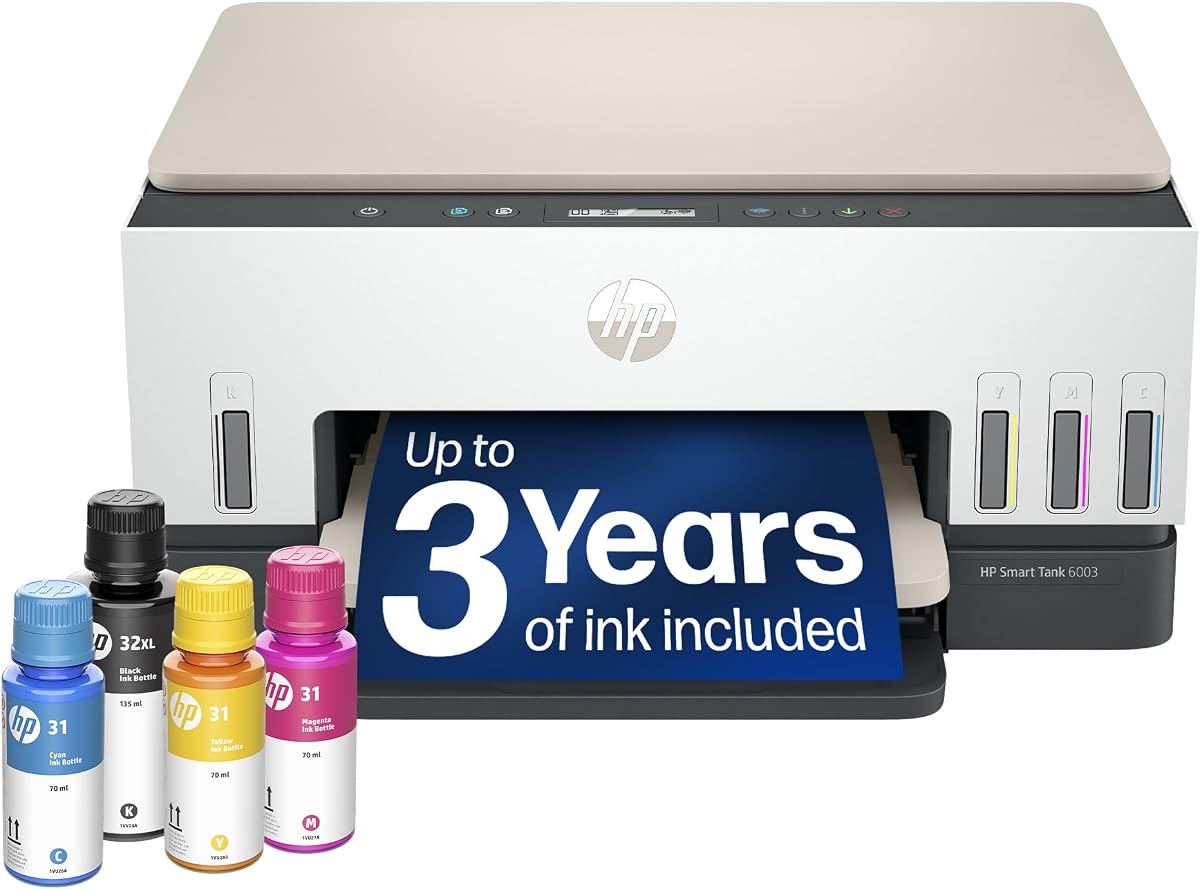
The HP Smart Tank 5003 offers exceptional value by including up to three years of ink in the box. This drastically reduces the cost per page compared to cartridge printers. It is perfect for households with high printing demands.
We may earn a commission when you buy through this link, at no additional cost to you.
Its refill system is designed to be mess-free and easy to use. You simply plug the bottles into the tank and let them drain without squeezing. This eliminates the spills and stress often associated with refilling ink tanks.
While it includes AI capabilities, the print speeds are slower than premium models. The lack of an advanced touchscreen means navigation relies on simpler controls. However, these trade-offs are acceptable given the massive ink savings.
Buy this if your priority is low running costs and reliability over speed. The upfront ink supply means you can print confidently for years without worrying about replacements. It is a smart budget choice for home users.
Included ink can last up to three years depending on usage. This significantly lowers the total cost of ownership compared to standard inkjet models.
The refill system prevents spills by allowing ink to drain naturally. This makes maintenance much less intimidating for first-time tank users.
We may earn a commission when you buy through this link, at no additional cost to you.
The HP Envy 6155 focuses on delivering high-quality color documents and photos. Its True-to-screen technology ensures prints match the vibrant look of your display. This makes it a great choice for families printing homework or images.
We may earn a commission when you buy through this link, at no additional cost to you.
The printer features a smooth 2.4-inch touchscreen that is easy to navigate. It also supports AI to remove unwanted content from web pages. This helps keep your printed documents clean and professional without manual editing.
One limitation is the input tray which only holds 100 sheets. Additionally, print speeds are moderate compared to business models. But for home use where quality and sustainability matter, these are minor drawbacks.
If you value color accuracy and eco-friendly design, this model fits well. It balances everyday printing needs with the ability to handle borderless photos. Just be mindful of the tray capacity when printing large batches.
HP P3 technology ensures rich colors and sharper text. This makes photos and documents look vibrant and true to what you see on screen.
The design uses at least 60 percent recycled plastic. This reflects HP's commitment to reducing environmental impact with consumer hardware.
We may earn a commission when you buy through this link, at no additional cost to you.
The Bambu Lab P2S Combo is a powerhouse for 3D printing enthusiasts. It offers high-speed precision with AI detection to catch errors early. This makes professional-grade printing accessible even to beginners who need reliability.
We may earn a commission when you buy through this link, at no additional cost to you.
With the AMS 2 Pro, you can print in multiple colors seamlessly. The system includes built-in filament drying to keep materials ready. Combined with active flowrate compensation, every layer stays sharp and smooth.
The price point is higher than standard printers, which is expected for premium features. The workflow requires learning software like Bambu Studio to maximize its potential. But the results justify the effort and cost.
Choose this if you want creative freedom and speed in 3D printing. The AI and multi-color support open up endless possibilities for projects. It is the ultimate tool for makers who demand performance.
Prints reach speeds up to 600 mm/s while maintaining accuracy. Servo extruder and flow compensation ensure flawless corners and consistency.
The AMS 2 Pro enables seamless multi-color and multi-material workflows. Filament drying ensures spools are ready for flawless printing.
We may earn a commission when you buy through this link, at no additional cost to you.
The HP OfficeJet Pro 9135 delivers speed and capacity for busy offices. With 25 ppm black speed and dual paper trays, it handles heavy workloads efficiently. The large 4.3-inch touchscreen makes navigation straightforward for teams.
We may earn a commission when you buy through this link, at no additional cost to you.
AI capabilities ensure web pages print perfectly without wasted pages. Security is enhanced with HP Wolf Pro Security to protect network data. Single-pass duplex scanning further boosts productivity for document management tasks.
The price is higher than home models reflecting its business focus. It also requires original HP chips which restricts cartridge options. However, the productivity gains and security features offset these costs.
Ideal for small offices needing reliability and speed. The combination of speed and security makes it a top choice for professionals. Just ensure you budget for the initial investment and ongoing supplies.
Print speeds of 25 ppm and dual trays minimize downtime. This ensures your team stays productive without waiting for paper or ink.
HP Wolf Pro Security bolsters network protection against cyber threats. This is crucial for offices handling sensitive business documents.
We may earn a commission when you buy through this link, at no additional cost to you.
The HP Smart Tank 7603 is built for high-volume printing needs. It offers up to 8000 color pages from the included ink supply. This makes it perfect for home offices that need reliable long-term output without constant refills.
We may earn a commission when you buy through this link, at no additional cost to you.
It includes fax capabilities which are often missing in home printers. The mess-free refill system ensures you spend less time on maintenance. Magic touch controls allow for intuitive operation across various tasks.
While the capacity is high, the speed is not as fast as premium inkjets. The touch panel can also be complex to navigate initially. These are minor issues given the massive savings on ink over time.
Buy this if you need fax features and high capacity at home. The three years of ink provides peace of mind for busy users. It is a practical solution for heavy document workflows.
The included ink delivers up to 8000 color pages. This massive supply reduces the need for frequent refills or replacements.
Includes fax capability for sending documents directly from the machine. This is a valuable feature for traditional business communication needs.
We may earn a commission when you buy through this link, at no additional cost to you.
The HP OfficeJet Pro 8139 distinguishes itself with a one-year Instant Ink trial. This is significantly longer than the typical three-month trial found on other models. It provides extended cost savings for home office users.
We may earn a commission when you buy through this link, at no additional cost to you.
It offers essential features like fax and ADF at a solid speed. AI formatting ensures you don't waste paper on awkward layouts. The 2.7-inch touchscreen keeps navigation simple and efficient for daily tasks.
Performance is standard for this tier and not the fastest on the market. The requirement for HP chips remains a limitation for cartridge flexibility. However, the trial offers makes the initial value proposition very strong.
This model is great for those who want a long trial period. The fax feature adds versatility for traditional business needs. Just be aware of the chip requirement to avoid compatibility issues.
The one year Instant Ink trial saves money on supplies for a full year. This is double the typical trial length offered by competitors.
AI optimization removes unwanted content from web pages. This ensures your prints are clean and focused without manual editing.
We may earn a commission when you buy through this link, at no additional cost to you.
This variation of the Smart Tank 7603 offers massive capacity for home offices. With up to 8000 color pages, it is ideal for high-volume printing. The refill system is mess-free ensuring ease of maintenance.
We may earn a commission when you buy through this link, at no additional cost to you.
It supports fax and borderless prints adding versatility to its function. The cartridge-free design means you avoid the hassle of small ink packs. Everything is designed for continuous reliable performance over time.
While it lacks the speed of industrial printers, it is efficient enough for most needs. The control panel is functional but not highly advanced. These trade-offs are reasonable given the ink savings.
Choose this if you need fax and high capacity in one unit. The included ink allows you to print freely for years. It is a solid workhorse for busy home environments.
Get up to 8000 color pages right out of the box. This capacity reduces interruptions and ensures continuous workflow.
The mess-free refill system prevents spills and saves time. You simply plug bottles in and let them drain naturally.
We may earn a commission when you buy through this link, at no additional cost to you.
The HP Smart Tank 6003 brings high-capacity printing to standard homes. It includes up to 8000 pages of ink for long-term use. This removes the worry of running out of supplies during busy periods.
We may earn a commission when you buy through this link, at no additional cost to you.
It supports wireless and mobile printing for easy access from devices. The mess-free refill process keeps your workspace clean and safe. Borderless prints allow you to create stunning photos for home projects.
It lacks fax capabilities found in higher models which limits business use. The scanning features are also basic compared to all-in-one pro units. However, for household printing needs, it is more than sufficient.
Ideal for families who need reliability and high volume. The long-term savings on ink make it a smart choice. Just accept the limitation of no fax if you need it for work.
Designed for families needing high volume without complexity. The included ink ensures you can print homework and photos freely.
Supports borderless printing for professional looking photo output. This enhances the visual appeal of your family photos.
We may earn a commission when you buy through this link, at no additional cost to you.
The Liene PixCut S1 is a specialized device for creative DIY projects. It integrates printing and cutting into a single streamlined device. This makes it perfect for crafting custom stickers and labels at home.
We may earn a commission when you buy through this link, at no additional cost to you.
Its AI image extraction automatically recognizes subjects from your photos. This feature helps you isolate and cut with pinpoint accuracy. Combined with thermal dye-sublimation, prints are vibrant and durable.
It requires no subscription which is rare for creative apps today. The output is waterproof and scratch-resistant ensuring longevity. However, it is specialized for stickers which limits its general use.
Buy this if you love crafting and want professional results. The AI tools simplify complex design tasks significantly. It is a great gift for anyone who enjoys making custom art.
Upload photos to create anime or fantasy art instantly. The AI lab transforms selfies into unique stickers and avatars.
Four-layer thermal dye-sublimation laminates prints during printing. This ensures your stickers remain vibrant and waterproof over time.
We may earn a commission when you buy through this link, at no additional cost to you.
Choosing the right AI printer involves considering speed, ink efficiency, and intelligent features. This guide breaks down the key factors to help you select a device that matches your usage patterns and budget constraints.
Print speed determines how quickly your documents and images are ready. Look for models that offer faster rates if you print frequently or have tight deadlines. Ensure color quality matches your needs whether for basic text or high-resolution photos.
Higher speeds usually come with higher costs so balance this with your usage volume.
Cost per page is a critical factor in long-term budgeting. Tank printers often offer lower running costs due to high-volume ink bottles. Check if the printer includes trial subscriptions or refillable cartridges.
Prioritize models with low ink costs to avoid unexpected expenses over time.
Modern printers must connect easily to your devices via Wi-Fi or Bluetooth. Check for features like dual-band Wi-Fi for reliable connections. A touchscreen interface makes navigation simpler for all users.
Ensure the app interface is intuitive and supports mobile printing.
AI capabilities can automate layout adjustments and reduce paper waste. Look for features that extract content or optimize formatting automatically. These tools save time and improve the professional look of your prints.
AI features should simplify your workflow rather than add complexity.
For home offices, data security is paramount during wireless printing. Look for models with built-in security protocols to protect sensitive information. These features prevent unauthorized access to your network and files.
Always choose printers with robust security updates to stay safe.
Input tray size affects how much paper you need to reload. Larger trays are better for bulk printing without interruptions. Consider duplex capabilities to save time on two-sided printing tasks.
Evaluate your typical batch sizes to pick the right tray capacity.
Eco-friendly printers use recycled materials and efficient ink systems. Look for models that reduce plastic waste and support recycling programs. Sustainable choices help lower your carbon footprint while maintaining performance.
Prioritize brands with clear environmental commitments for responsible printing.
Initial purchase price should be weighed against long-term operating costs. Ensure the warranty covers essential components and offers good support. Cheaper models may cost more in the long run if they fail often.
Invest in a reliable model with strong after-sales support.
Start by connecting your printer to your home network using the provided app or touchscreen settings. Follow the on-screen instructions to install any necessary drivers for your computer or mobile device.
Regularly clean the exterior and the print heads to maintain optimal performance. Use the built-in maintenance tools to check for clogs and ensure consistent ink flow.
Monitor your ink levels through the mobile app to avoid sudden shortages. Schedule refills or updates early to keep your workflow uninterrupted during busy periods.
In printers, AI refers to intelligent features that optimize document formatting and reduce waste. It helps remove unwanted content from web pages and ensures prints are clean and professional automatically.
AI printers offer added convenience by automating layout adjustments and saving paper. They do not necessarily print faster but can improve efficiency and output quality for specific tasks.
Most AI features are included in the printer's firmware without extra cost. Some brands may offer subscription services for advanced cloud features but basic AI optimization is usually free.
Keep your printer firmware updated to access the latest AI optimizations. Ensure you have a stable internet connection so the device can download updates and settings changes.
HP is currently the leader in AI printing with features in their Pro and Envy lines. Bambu Lab also excels in 3D printing with advanced AI detection and workflow management.
Many AI printers block third-party cartridges that do not have original chips. Check your specific model policy before purchasing third-party ink to avoid compatibility issues.
The best AI printer depends on your specific needs whether home, office, or creative. Models like the HP Smart Tank offer value while the Bambu Lab P2S leads in professional 3D printing.
Prioritize features that matter most to you such as ink efficiency or speed. Consider how much you value intelligent formatting features versus raw printing capacity.
Always check current prices and deals before making your final purchase decision. Promotions change often and can impact the overall value of these printers significantly.