
AI Voice Sticker Printer
5.0Editor score
Instant voice to sticker magic
Smart color preview screen
Ink free and mess free
This comprehensive guide compares the top AI sticker printer maker models to help you find the best voice-activated thermal printer for creative projects and
Discover the latest AI sticker printer maker options that transform voice commands into custom stickers instantly. These innovative devices use thermal printing technology to create fun designs without ink or messy cartridges.
We compared ten leading models based on ease of use, print quality, privacy features, and creative capabilities. Our analysis focuses on how well each device supports imagination while keeping operation simple for children and adults alike.
Each pick highlights unique strengths like voice control, touchscreen interfaces, or app integration. Prices and availability may vary over time so check current listings before making your final selection decision.
5.0Editor score

4.8Editor score

4.2Editor score
This side by side comparison reviews ten top rated AI sticker printer maker devices across key performance metrics and features to help you choose the right model.
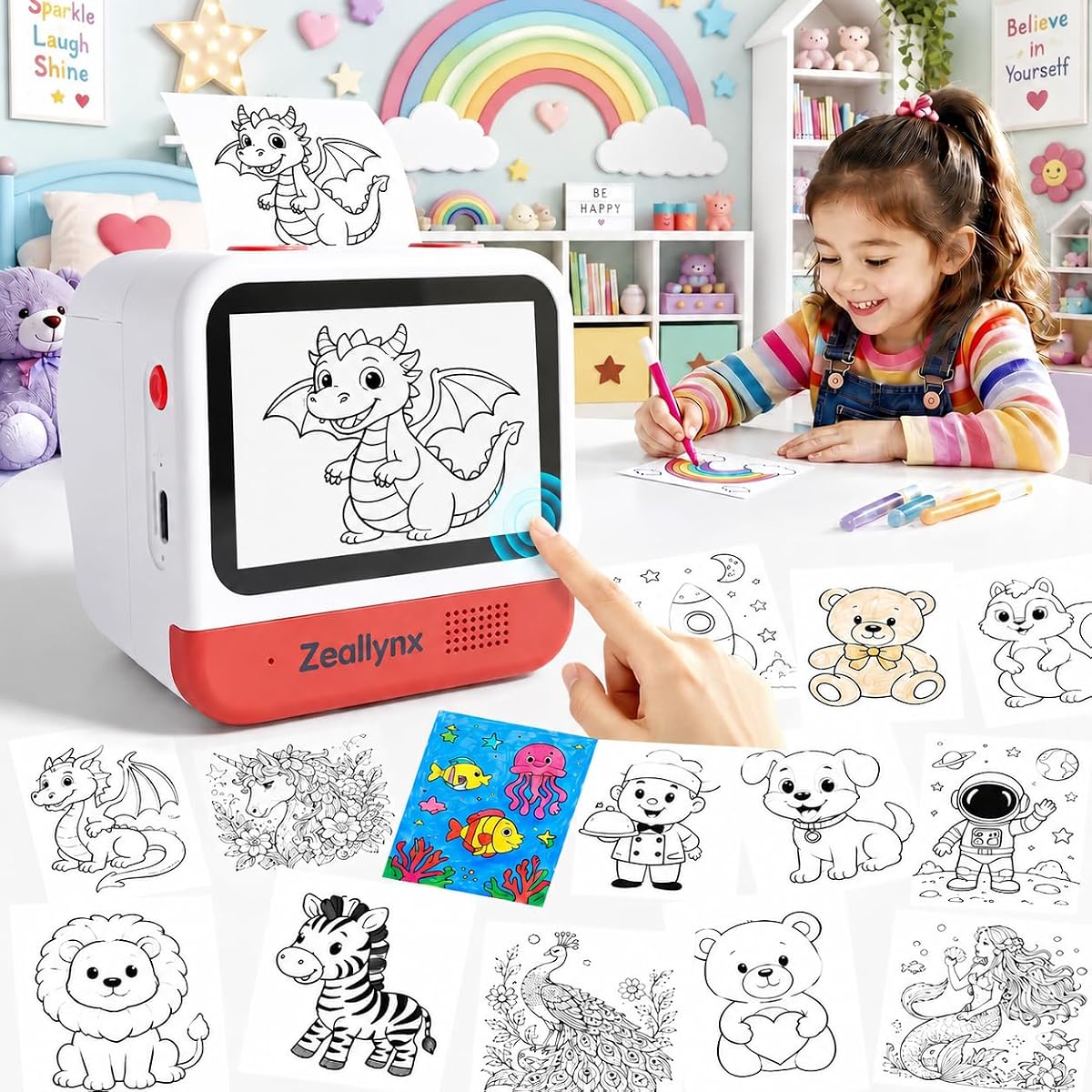

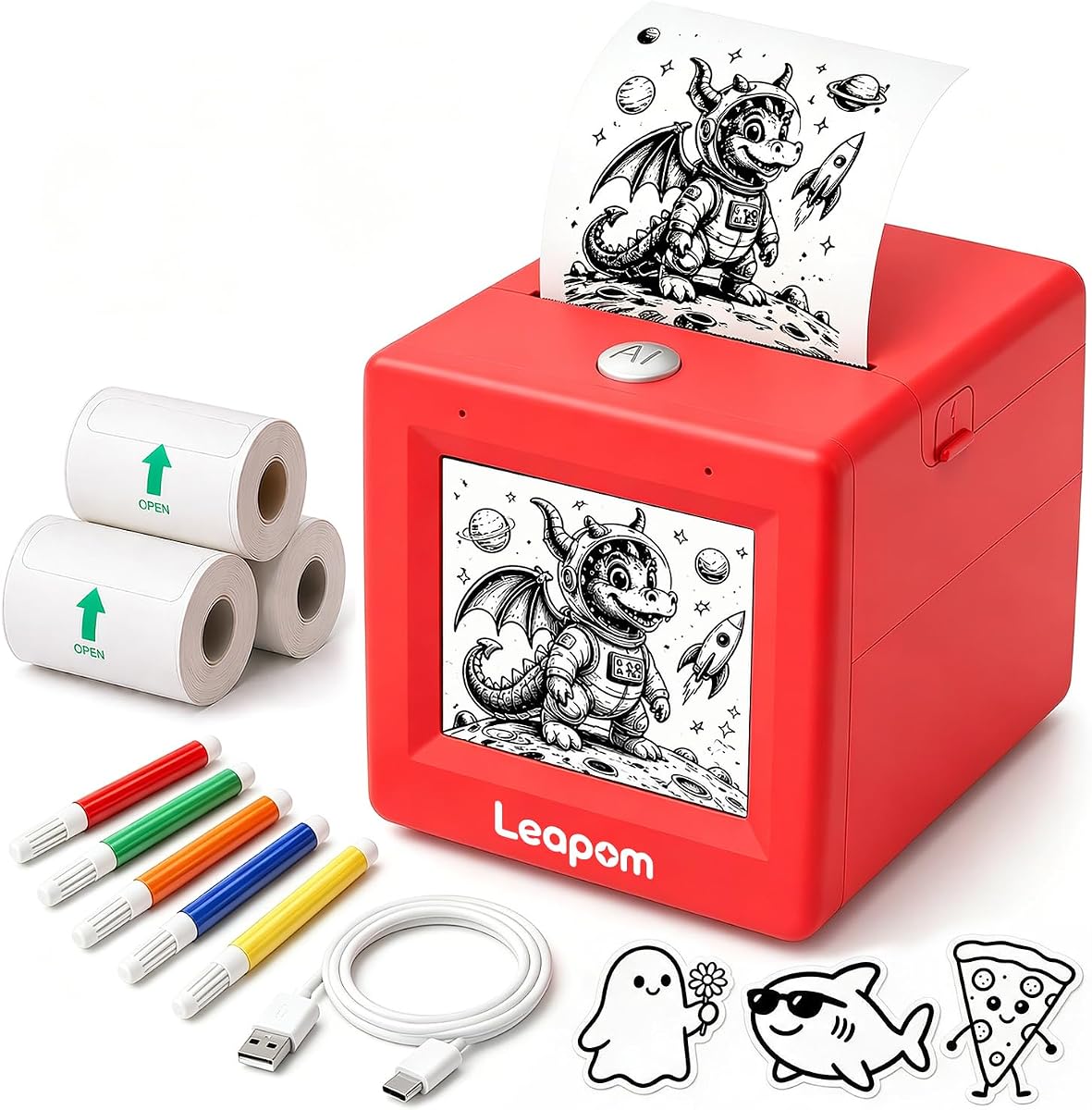


This AI sticker maker for kids combines voice commands with a touchscreen to generate custom stickers instantly. Rated highly by users, it offers a clean thermal printing experience without messy cartridges or complex setup steps.
We may earn a commission when you buy through this link, at no additional cost to you.
The device excels in ease of use by letting children select styles and speak their ideas directly. It connects via Wi-Fi without needing an app which simplifies the process and protects privacy through strict content filtering mechanisms.
While it prints only in black and white the included watercolor pens let kids color their creations freely. The thermal paper refills are easy to handle and the device does not store personal data ensuring safety during creative sessions.
Families seeking a fun educational toy will find this model ideal for sparking imagination. Its straightforward operation makes it accessible for young children while providing enough creative freedom to keep them engaged for hours.
The device listens only when prompted and filters content to ensure age appropriateness for every voice command.
Vibrant watercolor pens come in the box allowing kids to personalize their printed outlines after generation.
We may earn a commission when you buy through this link, at no additional cost to you.
The Liene PixCut S1 stands out as a professional grade solution for full color custom stickers. It integrates printing and cutting into one device using advanced thermal dye sublimation technology for vibrant and long-lasting results.
We may earn a commission when you buy through this link, at no additional cost to you.
Its AI image extraction feature automatically recognizes subjects in photos to create precise cuts every time. The app offers thousands of free templates and fonts enabling users to edit designs directly from smartphones before printing.
Stickers produced are waterproof and scratch resistant due to a four layer lamination process during printing. This durability makes it suitable for labels or items that need to withstand daily wear and tear without fading.
Crafters looking for high quality color output should consider this premium option despite the higher investment. The all-in-one workflow saves time and produces professional results without needing separate machines for cutting or printing.
Guided by AI the cutting system follows edges accurately for flawless sticker shapes every time.
The app provides unlimited access to templates and fonts without hidden fees or monthly paywalls.
We may earn a commission when you buy through this link, at no additional cost to you.
This compact AI voice sticker printer turns spoken ideas into printable black and white line art quickly. It features a vibrant color LED display that allows users to preview designs before printing to avoid wasting paper.
We may earn a commission when you buy through this link, at no additional cost to you.
Users can regenerate ideas instantly if the first output does not match their vision. The device supports seven unique art styles including Anime and Sketch offering variety for different creative preferences without drawing skills.
Being lightweight and rechargeable via USB-C it is easy to take anywhere for on-the-go creativity. The included free app provides additional creative tools and content filtering ensures safe usage for children and families.
For those seeking an inexpensive entry into AI sticker creation this model delivers excellent value. Its combination of instant generation preview capabilities and portability makes it a top choice for budget-conscious creators.
The LED screen shows the design in real time allowing users to approve before printing.
Seven distinct styles from Stick Figure to Ink Wash provide diverse options for output.
We may earn a commission when you buy through this link, at no additional cost to you.
This AI sticker maker features a touchscreen that allows kids to select modes and preview content without external apps. It connects directly via Wi-Fi to simplify setup and offers voice control for hands-free idea generation.
We may earn a commission when you buy through this link, at no additional cost to you.
The device includes ten creative modes ranging from Drawing to Story Collection giving users diverse ways to explore creativity. Saved designs can be stored on a TF card for easy access and reprinting whenever inspiration strikes.
It is perfect for those who want a straightforward experience without managing phone or tablet downloads. The thermal printing technology ensures clean results and the included paper rolls allow for immediate use out of the box.
Families looking for a simple and intuitive option will appreciate the lack of complex app requirements. This model balances functionality with ease of use to keep the focus on creating rather than troubleshooting technology.
Setup skips Bluetooth and app registration by connecting directly to your home Wi-Fi network.
A built-in TF card slot lets you store favorite designs locally on the device.
We may earn a commission when you buy through this link, at no additional cost to you.
This mini sticker printer encourages hands-on play by removing screens and focusing on voice commands. It is designed to be COPPA-compliant and KidSAFE certified ensuring that it only listens when a button is pressed.
We may earn a commission when you buy through this link, at no additional cost to you.
Once stickers are printed the fun continues offline as kids can color them with the included pencils. This approach supports creative storytelling and artistic expression without needing constant device interaction or internet access.
Thermal printing technology means there are no messy cartridges to replace and the process is clean and efficient. The device is safe for daily use and does not store any personal information for privacy-conscious parents.
Parents wanting to limit screen time while still engaging children with tech will find this model ideal. Its privacy-first design and focus on offline activities make it a responsible choice for younger kids.
The design encourages play away from screens by making the printing process the main event.
Built with a kids-first philosophy it meets COPPA compliance for data privacy safety.
We may earn a commission when you buy through this link, at no additional cost to you.
This mini inkless thermal printer is compact and lightweight for children to use independently. It turns spoken ideas into unique sticker designs instantly making it a fun learning toy for kids as young as three.
We may earn a commission when you buy through this link, at no additional cost to you.
The kit includes three rolls of thermal sticker paper and markers to start creating right away. Parents can use the Fun Print app to unlock additional graphic templates and photo printing features for more variety.
It combines technology with creativity to help kids develop communication skills and confidence through making activities. The thermal technology ensures clear images that kids can color and customize for personal projects.
As a gift for young children this model offers a safe and engaging way to explore art. Its portability means it can be used anywhere from home to travel making it a versatile toy.
The lightweight design fits easily in a bag so kids can take their printer anywhere.
The official app allows printing of photos and rich graphic templates for more fun.
We may earn a commission when you buy through this link, at no additional cost to you.
This smart portable device features an HD screen allowing users to type or speak ideas for sticker generation. It is designed to encourage parent-child activities by making the printing process interactive and educational.
We may earn a commission when you buy through this link, at no additional cost to you.
The device includes five rolls of paper split between regular thermal and adhesive sticker for more options. Kids can use the regular paper for notes and coloring projects or the adhesive for labeling and decorating.
Its simple controls and easy setup make it convenient for adults to introduce creative printing to children. The thermal printing produces clear black and white images that serve as perfect coloring pages or DIY craft elements.
For families wanting a gift that supports communication and art this model is a solid choice. The combination of screen interaction and portable design ensures it fits well into daily home routines.
Children can type ideas on the screen or use voice input for flexible creativity.
The kit includes both regular and adhesive paper for broader creative possibilities.
We may earn a commission when you buy through this link, at no additional cost to you.
The T02 mini thermal printer is small enough to fit in a pocket and connects via Bluetooth quickly. It serves students well by allowing them to print study notes flashcards and diagrams clearly.
We may earn a commission when you buy through this link, at no additional cost to you.
AI functions like AI Photo Cutout and Voice-to-Image add creativity to study sessions or DIY projects. The companion app offers fonts and themes to customize outputs for school and work aids.
It is versatile enough for small business labels or shopping lists but lacks computer printing support. Thermal technology ensures no ink costs and works with various paper types including sticky or transparent options.
Students looking for an affordable portable tool for notes and crafts will find this model useful. Its size and connectivity options make it easy to carry around campus or to different study locations.
Print anatomy flashcards or math diagrams easily with the included scan function.
Wireless one-click connection via the app takes seconds for quick access.
We may earn a commission when you buy through this link, at no additional cost to you.
This thermal sticker printer allows creation via Wi-Fi for voice printing or Bluetooth for app use. It supports six AI art styles enabling users to turn funny animals or fantasy characters into creative projects.
We may earn a commission when you buy through this link, at no additional cost to you.
Each black and white sticker becomes a coloring activity for journals or school projects. The included rolls of sticker and thermal paper ensure immediate use without needing extra purchases right away.
The app offers custom stickers photos and cartoon effects expanding beyond voice commands alone. Safety features include content filtering and BPA-free materials for peace of mind during use.
Families wanting flexibility in how they interact with the device will appreciate the two connectivity options. The combination of voice and app modes makes it suitable for various ages and preferences.
Switch between Wi-Fi for voice and Bluetooth for app printing as needed.
BPA-free inkless printing ensures safe handling for children during creative sessions.
We may earn a commission when you buy through this link, at no additional cost to you.
This AI sticker printer lets children create and print directly from a 3.5 inch touchscreen without needing an app. It connects via Wi-Fi simply so kids can start making original designs in seconds.
We may earn a commission when you buy through this link, at no additional cost to you.
A built-in voice companion answers questions and suggests ideas to inspire creativity and learning. The device includes content filtering and push-to-talk voice input for a controlled and private experience.
Thermal printing technology ensures clean smudge-resistant designs on adhesive paper for coloring or labeling. Two starter sticker paper rolls are included for immediate play and exploration out of the box.
Families looking for a gift that encourages independent creation without phone dependency will find it ideal. The balance of privacy protection and creative freedom makes it a safe and engaging option.
The voice companion answers questions and suggests ideas to spark creativity.
Push-to-talk voice activates only when needed to protect personal information.
We may earn a commission when you buy through this link, at no additional cost to you.
Choosing the right AI sticker printer maker involves balancing features with ease of use and privacy for your family needs.
Most devices use thermal printing which requires no ink cartridges and produces clean black and white images. This method is cost effective and reduces mess but limits color options compared to dye-sublimation models.
Look for thermal technology for simplicity and affordability or dye-sublimation if you need full-color prints.
Voice recognition allows kids to speak ideas directly to the printer for instant generation. Ensure the device supports natural language and has content filtering to keep results appropriate for children.
Choose models with strong voice AI to maximize hands-free creativity and learning opportunities.
Some devices need a smartphone app for full control while others work via Wi-Fi or touchscreen only. Standalone options reduce screen time and simplify setup for younger users.
Decide based on whether you prefer app customization or standalone simplicity for your household.
Privacy-first designs do not store voice data and include content filters to block inappropriate content. Look for COPPA compliance or certifications that verify data safety for kids.
Prioritize devices with clear privacy policies to ensure safe and secure usage.
Wi-Fi and Bluetooth connectivity options allow flexible setup and control methods. Some devices support both for voice via Wi-Fi and app features via Bluetooth.
Check connectivity specs to match your home network and device preferences.
Compact and lightweight designs are easier for children to handle and transport for travel or school. Ensure the device fits in a bag or pocket for on-the-go creativity.
Select smaller units if portability is a priority for your lifestyle.
Sticker makers use thermal paper rolls that may be adhesive or plain. Check how many rolls are included and the cost of refills for ongoing use.
Choose models with affordable and available paper supplies for long-term value.
Different devices offer various creative modes like anime cartoon or story collections. More modes provide more variety for keeping users engaged in creative projects.
Look for diverse modes to support different artistic preferences and age groups.
To start using your device charge the battery fully via USB-C and connect to Wi-Fi if required. Download any companion app and follow the setup prompts to pair your device.
Hold the voice button or touch the screen to enter your idea. Describe what you want to draw in simple words to generate the sticker design.
For care keep the device clean and store it in a cool dry place. Replace thermal paper rolls when empty to maintain print quality and avoid jams.
No most AI sticker printer makers use thermal printing technology which does not require ink toner or cartridges. You only need to refill thermal paper rolls for continued use.
Most affordable models print in black and white line art. For full-color options consider dye-sublimation models which support vibrant colors but cost more.
Some devices require an app while others work via Wi-Fi or touchscreen only. Check the product specs to decide if app integration fits your needs.
Yes many devices include content filtering and do not store voice data. Some are COPPA-compliant to ensure age-appropriate results for children.
Most portable devices offer several hours of continuous use per charge. Standby time can extend over a week if not actively printing.
Some models include TF card slots or internal memory to save images for reprinting. Others rely on the app for saving favorites.
Thermal printers accept adhesive sticker paper and plain thermal paper. Ensure you use recommended paper types to prevent printing issues.
Yes many models are designed for students to print study notes and flashcards. Their portable size makes them easy to carry for classroom projects.
Our top picks offer a range of features from budget-friendly voice-only models to premium full-color printing and cutting solutions.
Prioritize privacy and ease of use if you are buying for children while older crafters may prefer app integration and color capabilities.
Check current listings for availability and details before deciding as features and supplies may change over time.