
AOC 22B30HM2
4.7Editor score
100Hz refresh rate
Full HD resolution
FreeSync support
VESA mount compatible
Finding the right display can transform your computing experience entirely. Whether you are a competitive gamer seeking high refresh rates or a professional needing color accuracy, AOC offers a wide range of options tailored to diverse needs and budgets.
We have analyzed ten current models from AOC to bring you this comprehensive roundup. Our comparison considers screen size, resolution, panel technology, and special features like adaptive sync to ensure you get the best performance for your specific setup.
Each pick below highlights key strengths and potential trade-offs to guide your decision. Please note that availability and pricing can change rapidly, so verify current details on the product pages before making your final purchase.
4.7Editor score

4.6Editor score
4.4Editor score
As an Amazon Associate we earn from qualifying purchases.
This table provides a side-by-side overview of all ten models, highlighting their core specifications such as screen size, resolution, refresh rate, and panel technology to help you quickly identify the best fit.


This model stands out as a top choice for competitive gamers seeking high performance. With a 27-inch QHD IPS panel and a 260Hz refresh rate, it delivers fluid visuals that enhance reaction times during intense sessions.
We may earn a commission when you buy through this link, at no additional cost to you.
The 0.3ms response time ensures minimal ghosting, while Adaptive-Sync technology eliminates screen tearing across both AMD and NVIDIA GPUs. The IPS panel provides wide viewing angles and accurate colors, making it versatile for both gaming and creative work.
While the stand only offers tilt adjustment, the frameless design facilitates seamless multi-monitor setups. Users may find the price higher than basic options, but the performance justifies the cost for serious players.
Ideal for esports enthusiasts and content creators alike, this monitor balances speed and visual fidelity effectively. We recommend it for those who prioritize smooth gameplay and color accuracy in their setup.
The 260Hz overclocked refresh rate ensures every frame is rendered with exceptional smoothness, giving you a competitive edge in fast-paced games.
Adaptive-Sync synchronizes the monitor with your GPU to prevent tearing and stuttering, providing a seamless viewing experience without needing specific hardware.
We may earn a commission when you buy through this link, at no additional cost to you.
This monitor offers a compelling balance of speed and affordability for gamers on a budget. The 24-inch FHD panel with a 200Hz refresh rate ensures smooth motion, making it suitable for competitive titles where clarity is key.
We may earn a commission when you buy through this link, at no additional cost to you.
It features a wide 116% sRGB color gamut for vibrant images and supports adaptive sync for tear-free gameplay. The frameless design helps create an immersive environment, especially when used in a multi-monitor configuration.
Console gamers will appreciate the optimization for up to 120Hz frame rates, providing a low-latency experience on modern systems. While it lacks QHD resolution, the performance per dollar is difficult to beat in this category.
Best suited for budget-conscious gamers who still demand high refresh rates, this model delivers reliable performance without breaking the bank. It is a strong contender for entry-level esports setups.
Designed to maximize console performance, this monitor supports up to 120Hz frame rates on compatible systems for a smoother next-gen gaming experience.
With 116% sRGB coverage, the display delivers true-to-life images and vivid colors, enhancing both gaming and media consumption.
We may earn a commission when you buy through this link, at no additional cost to you.
This monitor represents the pinnacle of display technology with its QD OLED panel. The self-luminous pixels deliver genuine blacks and extreme color accuracy, creating an immersive visual experience unmatched by LCD alternatives.
We may earn a commission when you buy through this link, at no additional cost to you.
With a 240Hz refresh rate and 0.03ms response time, it ensures fluid motion and precise targeting. HDR10 support enhances contrast, while the built-in lighting adds to the aesthetic appeal of your gaming station.
While the price is significantly higher than standard IPS monitors, the visual fidelity is worth the investment for enthusiasts. Users should be aware of OLED burn-in risks and utilize screen savers or dark themes where possible.
Ideal for high-end gaming rigs and media consumption, this monitor delivers unparalleled clarity and speed. It is our top pick for those who want the absolute best in visual performance.
The QD OLED panel combines quantum dots with organic LEDs to produce over 1.07 billion colors and perfect blacks for realistic visuals.
Special backlighting on the rear of the device syncs with your other AOC devices to enhance the atmosphere during gameplay.
We may earn a commission when you buy through this link, at no additional cost to you.
Designed for multimedia and professional work, this monitor offers a crisp 4K UHD resolution on a 27-inch screen. The IPS panel ensures wide viewing angles and over one billion color combinations for accurate detail reproduction.
We may earn a commission when you buy through this link, at no additional cost to you.
It includes HDR support and built-in speakers, making it a convenient all-in-one solution for video editing or daily tasks. The frameless design contributes to a clean workspace, ideal for office environments.
While it lacks the high refresh rates of gaming monitors, the focus on clarity and color makes it perfect for static content. Users may need an external stand for ergonomic adjustments if height is required.
This model is best suited for professionals who prioritize screen real estate and resolution over speed. It provides excellent value for those entering the 4K market without overspending.
The 3840 x 2160 resolution provides exceptional sharpness, allowing you to work with multiple windows or detailed graphics effortlessly.
Integrated audio eliminates the need for external speakers, keeping your desk clutter-free while maintaining basic sound quality.
We may earn a commission when you buy through this link, at no additional cost to you.
This monitor brings high-speed gaming to a broader audience with its 260Hz overclocked refresh rate. The 27-inch IPS panel ensures vibrant colors and wide angles, while the 0.5ms response time keeps motion clear.
We may earn a commission when you buy through this link, at no additional cost to you.
It features adaptive sync technology to maintain fluid visuals across different GPUs. The frameless design and tilt adjustment allow for flexible positioning, making it suitable for dual setups or ergonomic comfort.
While FHD resolution is lower than QHD, the focus on speed makes it ideal for competitive titles. The low power consumption and flicker-free technology add to its appeal for long gaming sessions.
We recommend this for gamers who prioritize frame rates and screen size over pixel density. It offers a strong performance-to-price ratio for budget builds.
By overclocking the panel to 260Hz, this monitor pushes beyond standard limits to deliver incredibly smooth motion in fast-paced games.
Flicker-free technology reduces eye strain during extended use, while Eco Mode helps maintain efficient power usage.
We may earn a commission when you buy through this link, at no additional cost to you.
The 32-inch curved design wraps around your field of view, enhancing immersion during gameplay. The VA panel delivers an impressive contrast ratio with deep blacks and vibrant colors, while the 2K resolution adds sharpness.
We may earn a commission when you buy through this link, at no additional cost to you.
With a 180Hz refresh rate and HDR support, this monitor handles both competitive and cinematic content well. It includes multiple ports for flexible connectivity and comes with a robust warranty for peace of mind.
While VA panels can have slower response times than IPS, the high contrast makes up for it in dark scenes. The curvature is best suited for gaming rather than professional photo editing where flat screens are preferred.
This model is perfect for single-player gamers seeking a cinematic experience. We recommend it for those who value immersion and color richness in their setup.
The tight curvature matches the natural shape of your eyes, reducing strain and enhancing immersion during long gaming sessions.
VA technology provides deep blacks and vivid colors, making it excellent for dark-themed games and movies.
We may earn a commission when you buy through this link, at no additional cost to you.
This monitor is built for console and PC gamers who want a large screen without overspending. The 32-inch curved VA panel and 240Hz refresh rate provide a responsive and immersive experience for competitive titles.
We may earn a commission when you buy through this link, at no additional cost to you.
It supports AMD FreeSync Premium for smooth variable refresh rates and includes multiple ports for versatile connectivity. The frameless design and VESA compatibility allow for easy installation and integration into various setups.
While it lacks HDMI 2.1, it is optimized for console performance up to 120Hz with low latency. Users should note the Full HD resolution is less sharp than 4K, but acceptable for gaming on this screen size.
Ideal for console owners, this monitor offers a balanced mix of size, speed, and price. It is a strong choice for those who play on Xbox or PlayStation.
Specifically designed to maximize console performance, this monitor ensures low latency and smooth frame rates on modern systems.
AMD FreeSync Premium synchronizes refresh rates to prevent tearing, delivering a seamless and responsive gaming experience.
We may earn a commission when you buy through this link, at no additional cost to you.
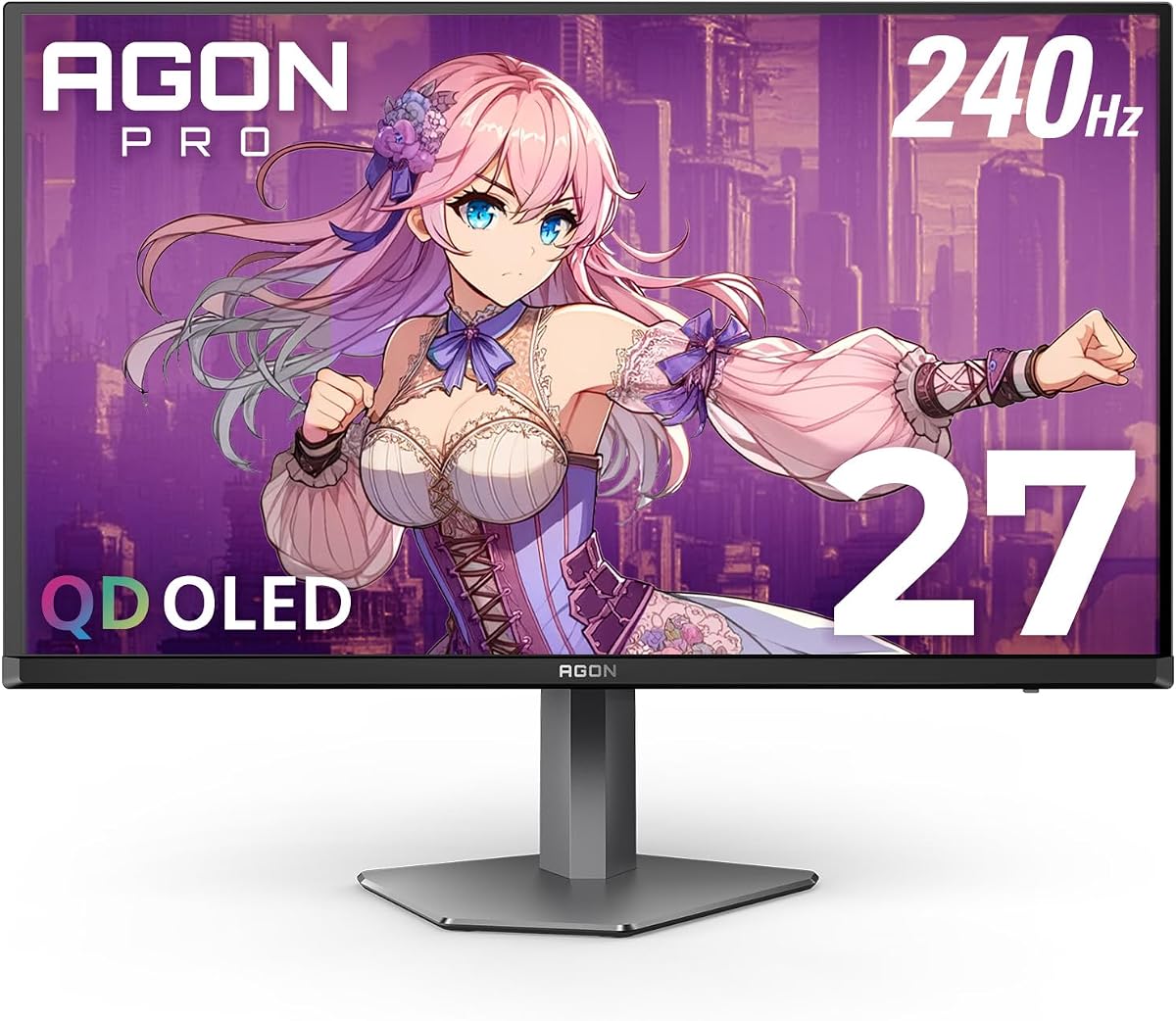
This monitor combines OLED technology with high refresh rates for a premium gaming experience. The 27-inch QD OLED panel delivers deep blacks and vibrant colors, while the 240Hz speed ensures fluid motion.
We may earn a commission when you buy through this link, at no additional cost to you.
It features HDR10 support and a wide color gamut for exceptional visual quality. The frameless design and adaptive sync further enhance immersion and compatibility with various graphics cards.
While the price is higher than traditional panels, the visual fidelity is superior. Users should ensure their system can drive QHD at high refresh rates to get the most out of this display.
Best for high-end enthusiasts, this model offers a compelling mix of resolution and speed. It is a top choice for those who want OLED without the highest price tag.
HDR10 support provides richer details and diverse contrast, enhancing the depth and realism of compatible games and media.
With over 147% sRGB coverage, the display produces vivid and lifelike colors that make every scene pop.
We may earn a commission when you buy through this link, at no additional cost to you.
This top-tier monitor delivers premium features for those who demand the best. The OLED panel and 240Hz refresh rate provide incredible speed and clarity, while the USB hub simplifies connectivity for peripherals.
We may earn a commission when you buy through this link, at no additional cost to you.
It includes HDMI 2.1 ports for next-gen console support and a height-adjustable stand for ergonomic flexibility. The HDR400 certification and wide color gamut enhance the visual experience for media and gaming.
Despite the high cost, the inclusion of practical features like the USB hub and superior hardware justifies the investment. Users should manage expectations regarding burn-in risks typical to OLED tech.
We recommend this for enthusiasts and professionals who need top-end performance and convenience. It is the ultimate choice for a premium gaming setup.
A built-in USB hub allows direct connection of keyboards and mice, reducing cable clutter and improving setup efficiency.
With two HDMI 2.1 ports, this monitor supports high bandwidth for consoles and PCs that require the latest video standards.
We may earn a commission when you buy through this link, at no additional cost to you.
This renewed model offers exceptional value for budget-conscious gamers. With a 100Hz refresh rate and 1ms response time, it provides smoother motion than standard office monitors, making it suitable for casual gaming.
We may earn a commission when you buy through this link, at no additional cost to you.
The VA panel delivers deep blacks and the frameless design supports multi-monitor setups. Eye care features like blue light filter and flicker-free technology ensure comfort during extended use.
While the screen is smaller than others in this guide, the price and features make it a great starter option. It is ideal for dorm rooms or budget PCs where space is limited.
We recommend this for entry-level gamers looking for reliable performance without a high price tag. It is a solid choice for those transitioning from basic displays.
Flicker-free and blue light filter technologies help reduce eye strain, allowing for longer sessions without discomfort.
The included VESA mount option allows for flexible positioning on walls or desks, enhancing ergonomic possibilities.
We may earn a commission when you buy through this link, at no additional cost to you.
Selecting the right AOC monitor involves evaluating several technical aspects that align with your specific usage needs and budget constraints.
Screen size directly impacts your field of view and immersion. Larger screens like 32 inches offer more presence, while smaller sizes like 24 inches are better for competitive FPS games where tracking targets is crucial.
Choose a size that fits your desk space and viewing distance to ensure comfort and optimal performance.
Resolution determines image sharpness. Full HD (1080p) is standard for budget gaming, while QHD (1440p) and 4K offer higher detail for media and professional work. Higher resolutions require more powerful graphics cards.
Prioritize QHD or 4K if you want crisp text and detailed visuals, or stick to Full HD for competitive gaming.
Refresh rate measures how many frames per second the display shows. Higher rates like 144Hz or 240Hz reduce motion blur and make gameplay smoother. Standard office tasks require less than 60Hz, but gaming benefits significantly from higher rates.
Select a refresh rate that matches your system's output to avoid bottlenecks in performance.
Panel types vary in performance. IPS offers wide viewing angles and good colors, VA provides high contrast, and OLED delivers perfect blacks. Each has trade-offs in response time and cost.
Match the panel type to your needs: IPS for accuracy, VA for contrast, or OLED for the ultimate visual experience.
Check available ports like HDMI, DisplayPort, and USB. Modern displays often include USB hubs or audio outputs for convenience. Ensure the monitor supports the resolution and refresh rate you want via your chosen port.
Verify the cable standards to ensure your setup can handle the desired performance levels.
An ergonomic stand with tilt, swivel, and height adjustment reduces strain. VESA mount compatibility offers flexibility if you prefer custom mounts. Look for adjustable options if you plan to use the monitor for long periods.
Invest in ergonomics to maintain comfort and prevent fatigue during extended sessions.
Adaptive sync technologies like G-Sync and FreeSync prevent screen tearing. They synchronize the refresh rate with your GPU. Support for both AMD and NVIDIA is useful if you switch systems or want broader compatibility.
Ensure your GPU and monitor support the same sync technology for the best visual experience.
A robust warranty protects your investment. Some models offer advanced replacement or zero-bright-dot guarantees. Longer coverage periods reduce long-term costs and provide peace of mind.
Look for brands that offer comprehensive support to address potential issues quickly.
Start by connecting your monitor to your system using a high-quality cable like DisplayPort or HDMI. Ensure the connections are secure to maintain signal stability and prevent flickering.
Adjust the brightness and contrast settings to match your room lighting. Use built-in presets for gaming or text to optimize visuals without manual tweaking.
Clean the screen regularly with a microfiber cloth to avoid scratches. Avoid harsh chemicals and keep liquids away from the base to protect internal components.
Yes, AOC offers a wide range of gaming monitors with high refresh rates and adaptive sync support. Their models cater to both budget and high-end needs. Many users praise their value and performance in competitive games.
IPS panels offer better color accuracy and viewing angles, while VA panels provide higher contrast ratios. IPS is preferred for design work, whereas VA excels in dark environments. Choose based on your primary use case.
Many AOC gaming monitors support G-Sync Compatible or FreeSync. Check specific product details to confirm compatibility with NVIDIA or AMD GPUs. This ensures a tear-free gaming experience across different hardware.
Yes, models with 4K resolution and accurate color gamuts are suitable for professional tasks. They offer sharp text and reliable color reproduction for editing or coding. Look for ergonomics for long-hour comfort.
Use built-in OSD menus to adjust brightness, contrast, and color temperature. Hardware calibration tools can provide more precise results for professional needs. Default settings are often sufficient for general use.
Many AOC monitors feature Eco Mode to reduce power usage without impacting performance. They meet energy efficiency standards to lower electricity bills. Check wattage specs to find the most efficient option.
We have highlighted ten top AOC monitors ranging from budget-friendly options to premium OLED models. Each choice serves different needs, whether you prioritize speed, clarity, or immersion.
Consider your budget and primary use case when deciding on features like resolution and refresh rate. Balancing performance with practicality ensures you get the most value for your investment.
Prices and availability can fluctuate, so check the latest details on the product pages. With the right choice, you can elevate your computing and gaming experience significantly.