
ASUS RP-AX56
4.1Editor score
WiFi 6 Standard Support
AiMesh Compatible Network
Easy Mobile App Setup
This guide compares the top ASUS WiFi Extender models for seamless coverage, speed, and compatibility to help you choose the right device for your home network
Finding the right ASUS WiFi Extender can transform your home network by eliminating dead zones and ensuring consistent connectivity throughout your living space.
We evaluated ten top models based on performance, features, and compatibility to provide a comprehensive overview of the best options available in the current market.
Each selection highlights key strengths and practical use cases so you can make an informed decision while keeping in mind that availability and pricing may vary.
4.1Editor score

3.8Editor score

3.9Editor score
The following table provides a side-by-side comparison of key specifications and capabilities for each ASUS WiFi Extender model to help you identify the best fit.




The ASUS RP-BE58 is a cutting-edge extender that brings WiFi 7 capabilities to your home network ensuring maximum future readiness and performance.
We may earn a commission when you buy through this link, at no additional cost to you.
Its multi-link operation allows stable connections by utilizing multiple bands simultaneously while 4096-QAM increases transmission speed significantly.
Although it demands compatible hardware to unlock full potential it delivers unmatched efficiency for streaming and gaming without latency issues.
This model is ideal for tech enthusiasts seeking the latest standards and seamless integration via AiMesh for whole-home coverage.
WiFi 7 support ensures you are prepared for upcoming internet standards and high bandwidth applications.
AiMesh support lets you expand your existing network without losing a single wireless signal across rooms.
We may earn a commission when you buy through this link, at no additional cost to you.
The ASUS RP-AX58 offers reliable WiFi 6 performance with AX3000 speeds making it a great balance of cost and capability.
We may earn a commission when you buy through this link, at no additional cost to you.
It includes lifetime AiProtection Pro powered by Trend Micro to secure your network against threats without extra monthly fees.
Customizable parental controls help manage internet access for kids giving you peace of mind while they browse online safely.
Buy this model if you need secure and fast connectivity without jumping to the newest and most expensive standards.
Lifetime free security ensures your devices stay protected from malware and vulnerabilities at no extra cost.
Tailor internet access rules for different age groups ensuring safety while allowing necessary educational resources.
We may earn a commission when you buy through this link, at no additional cost to you.
This renewed version of the RP-BE58 provides access to WiFi 7 features at a reduced price point for budget-conscious buyers.
We may earn a commission when you buy through this link, at no additional cost to you.
Professionally inspected units ensure functionality and appearance but buyers should expect potential cosmetic variations upon arrival.
It remains a strong choice for extending coverage without breaking the bank especially if you plan to test it soon.
Consider this option if saving money is a priority and you are comfortable with Amazon Renewed guarantees and return policies.
Get high-speed WiFi 7 connectivity for less than the cost of a brand new model without sacrificing performance.
Amazon-qualified suppliers test each device thoroughly so you receive a product that looks and works like new.
We may earn a commission when you buy through this link, at no additional cost to you.
The renewed RP-AX58 combines efficient WiFi 6 performance with a sleek compact design that blends into any home or office setting.
We may earn a commission when you buy through this link, at no additional cost to you.
While it supports AiMesh and standard routers the rating suggests caution and thorough testing upon delivery is recommended.
Its dual-band expansion ensures better signal reach across both 2.4GHz and 5GHz bands for improved connectivity throughout your space.
Choose this if you need a small efficient extender but verify the condition and functionality immediately after receiving the unit.
The clean white finish and small footprint allow you to place the device anywhere without disrupting decor.
Simultaneous 2.4GHz and 5GHz bands ensure stable connections for various devices and usage scenarios.
We may earn a commission when you buy through this link, at no additional cost to you.
The RP-AC1900 covers up to 3000 square feet making it suitable for large homes that need extensive wireless signal boosting.
We may earn a commission when you buy through this link, at no additional cost to you.
It supports multiple modes including access point and media bridge giving you flexibility beyond simple range extension needs.
Three external antennas enhance signal stability and range ensuring reliable connections in distant rooms or multi-story buildings.
Opt for this model if you prioritize coverage area over cutting-edge speed and prefer a device that adapts to various uses.
Expand your network across large areas without dead zones using the powerful antennas and dual-band design.
Use as a repeater access point or media bridge to fit your specific home or office network requirements.
We may earn a commission when you buy through this link, at no additional cost to you.
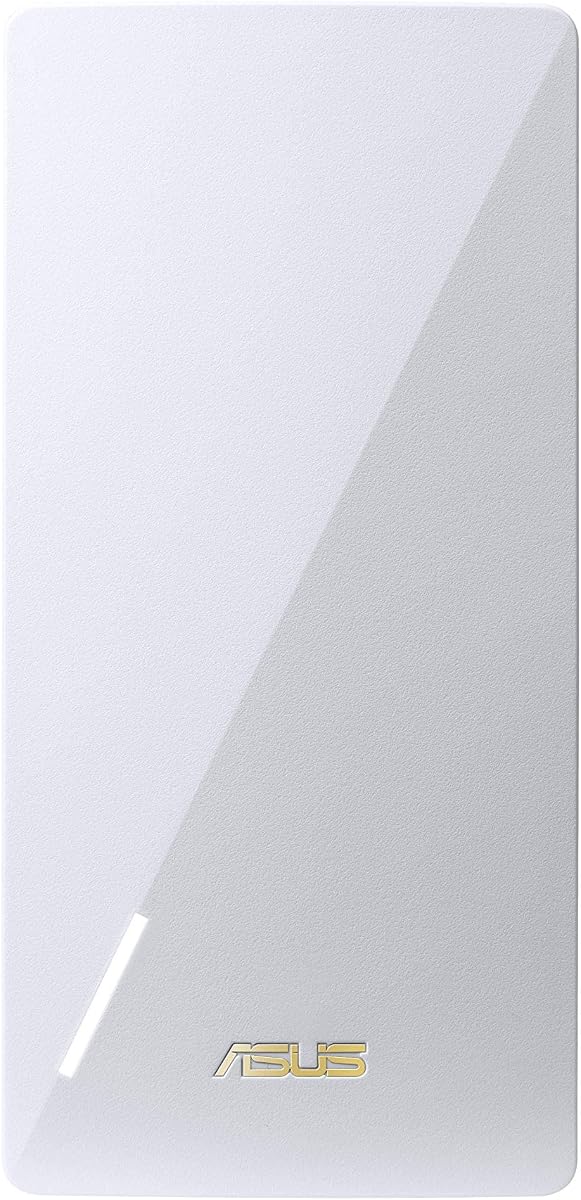
The RP-AX56 brings next-gen WiFi 6 efficiency to your home at a budget-friendly price point for everyday streaming and browsing.
We may earn a commission when you buy through this link, at no additional cost to you.
Its 1800 Mbps total speed and 80MHz bandwidth deliver faster connections than older WiFi standards without high costs.
Setup is straightforward using the mobile app allowing you to upgrade your network with just a few taps.
This is the top pick for those seeking modern standards and ease of use without paying a premium for advanced features.
Enjoy faster and more efficient connections with WiFi 6 at a price that fits most home budgets easily.
The intuitive mobile app lets you manage network settings and monitor performance from your smartphone.
We may earn a commission when you buy through this link, at no additional cost to you.
This renewed unit offers the same WiFi 6 capabilities as the new model at a reduced cost for savvy shoppers.
We may earn a commission when you buy through this link, at no additional cost to you.
Inspected and tested to work and look like new it provides reliable coverage for homes up to 2200 square feet.
While savings are significant buyers should review the Amazon Renewed Guarantee for replacement or refund eligibility if issues arise.
Choose this if you want a cost-effective way to upgrade your network and are comfortable with pre-owned hardware options.
Every device is checked by qualified suppliers to ensure it meets strict performance and appearance standards.
Get modern connectivity features without the full price tag so you can invest in other network needs.
We may earn a commission when you buy through this link, at no additional cost to you.
The ZenWiFi ET9 is a robust mesh system designed for large estates offering tri-band performance and extensive coverage up to 7800 sq ft.
We may earn a commission when you buy through this link, at no additional cost to you.
It leverages the new 6GHz band to reduce congestion ensuring smooth streaming and gaming even with many devices connected.
Lifetime free internet security and parental control features make it a comprehensive solution for family network management.
This premium pick suits large homes needing seamless connectivity throughout every room without worrying about dead zones or bandwidth limits.
Three-pack system blankets large properties with consistent Wi-Fi eliminating weak spots in distant corners.
Included lifetime security and parental controls protect your family and data without extra subscription fees.
We may earn a commission when you buy through this link, at no additional cost to you.
The RP-AX58 WLAN delivers AX3000 speeds in a compact form factor ideal for small to medium spaces needing reliable boosts.
We may earn a commission when you buy through this link, at no additional cost to you.
With a high customer rating it is known for stability and ease of use making it a solid choice for everyday tasks.
Its design fits discreetly into any environment while providing the dual-band efficiency expected from modern WiFi 6 extenders.
Consider this model if you want proven performance in a small package that enhances connectivity without cluttering your space.
High user ratings reflect consistent performance and satisfaction among customers who need dependable internet access.
The compact size allows you to place the device in optimal locations without taking up valuable shelf space.
We may earn a commission when you buy through this link, at no additional cost to you.
The RP-AC56 supports multiple networking modes including access point and media bridge providing flexibility beyond simple range extension.
We may earn a commission when you buy through this link, at no additional cost to you.
Its white design blends easily into home entertainment areas and offices making it a discreet addition to your network setup.
As a renewed product it offers a budget-friendly entry point for improving connectivity in smaller rooms or specific zones.
This is a good option if you need a versatile extender for basic tasks and are comfortable with older wireless standards.
Switch between range extender access point and media bridge modes to match your specific networking requirements.
The sleek white finish ensures the device remains unobtrusive in any home or office environment.
We may earn a commission when you buy through this link, at no additional cost to you.
Selecting the right extender involves considering compatibility standards and coverage needs to ensure your network performs optimally.
Ensure the extender supports a WiFi standard that matches or exceeds your current router to avoid bottlenecks in speed and efficiency.
Newer standards like WiFi 7 offer faster speeds and lower latency but require compatible devices to realize the full benefits.
Calculate the square footage you need to cover and choose a model with a rated range that comfortably exceeds this number.
Larger homes may benefit from mesh systems while single units often suffice for apartments or small homes with specific dead zones.
AiMesh allows you to integrate the extender with compatible ASUS routers for a seamless network where devices switch access points automatically.
This feature is essential for maintaining consistent performance as you move around your home without manual reconnection.
Look for built-in security options like AiProtection Pro to guard against online threats and protect sensitive data on connected devices.
Lifetime free security subscriptions add significant value and eliminate the need for third-party security software or monthly fees.
A user-friendly mobile app simplifies the installation process allowing you to configure settings and monitor performance easily.
Intuitive interfaces reduce the technical barrier making it easier to optimize your network without advanced knowledge.
Consider the physical size and design of the extender to ensure it fits discreetly in your home without disrupting decor.
Compact models are ideal for smaller spaces while those with external antennas might require more room but offer better range.
Determine your budget range and weigh it against the features offered to find the best balance between cost and capability.
Renewed options can provide significant savings while still delivering reliable performance for standard household internet needs.
Dual-band extenders use two frequency bands while tri-band models add a third to reduce congestion in busy networks.
Tri-band is beneficial for households with many connected devices to ensure smooth streaming and gaming simultaneously.
Place the extender halfway between your router and the dead zone to capture a strong signal while extending coverage effectively.
Use the ASUS mobile app to set up the device and configure settings like network names and security features easily.
Keep the unit ventilated and dust-free to prevent overheating and maintain optimal performance over time.
Yes most ASUS extenders work with any standard WiFi router regardless of brand allowing you to expand existing networks seamlessly.
Your devices will automatically connect if you use the same network name but you can also configure a unique name if preferred.
No AiProtection Pro is included free with compatible models so you get lifetime network security without any recurring subscription costs.
Absolutely the extender supports all smart home devices providing reliable connectivity for cameras bulbs and voice assistants throughout your home.
You can use the free mobile app on iOS or Android to set up the extender without needing to install desktop software or drivers.
The extender will still work but operate at your router max standard so ensure compatibility to avoid losing potential speed improvements.
Whether you need budget-friendly options or high-end mesh systems ASUS offers a range of extenders to fit every home networking requirement.
Prioritize compatibility with your current router and security features to ensure long-term value and performance for your household.
Keep in mind that availability and pricing may fluctuate so check current details before making your final purchase decision today.