
Rii Gaming Keyboard and Mouse Set,3-LED Backlit(RK108)
4.5Editor score
Ergonomic design for comfort
3-LED backlit keyboard
No driver needed setup
Discover the top Baldurs Gate 3 Keyboard and Mouse options for immersive gameplay. This guide compares performance, comfort, and features to help you choose
Finding the right Baldurs Gate 3 Keyboard and Mouse is essential for a smooth gaming experience. You need responsive keys and precise tracking to handle complex spells and combat maneuvers effectively without delay.
We compared ten top-rated combos based on build quality, lighting, ergonomics, and connectivity. Our analysis focuses on how each set performs during long RPG sessions and whether it fits different budgets and needs.
Each pick highlights key strengths and potential weaknesses to guide your decision. Prices and availability change frequently, so verify details before purchasing. We aim to provide clear insights for both new and veteran players.
4.5Editor score

4.8Editor score
4.4Editor score
The following table presents a side-by-side comparison of all ten reviewed products. It highlights key specifications and features to help you quickly identify which option aligns best with your gaming preferences and setup.


This combo delivers premium features without a high price. It includes a full-size RGB keyboard and a high-precision mouse ideal for long gaming sessions.
We may earn a commission when you buy through this link, at no additional cost to you.
The keyboard offers six backlight modes and macro keys for complex commands. The mouse features ten lighting effects and adjustable DPI. Software allows deep customization.
Membrane keys are quiet and comfortable but lack mechanical feedback. Setup is simple with settings saved to hardware. Compatibility is broad across Windows systems.
Budget-conscious gamers will appreciate the value. It suits students and first-time users. Consider this for reliable daily use or casual RPG play.
Software enables color and brightness changes. Macro keys record command sequences for competitive edges.
An ergonomic wrist rest reduces fatigue. Anti-ghosting ensures accurate key registration.
We may earn a commission when you buy through this link, at no additional cost to you.
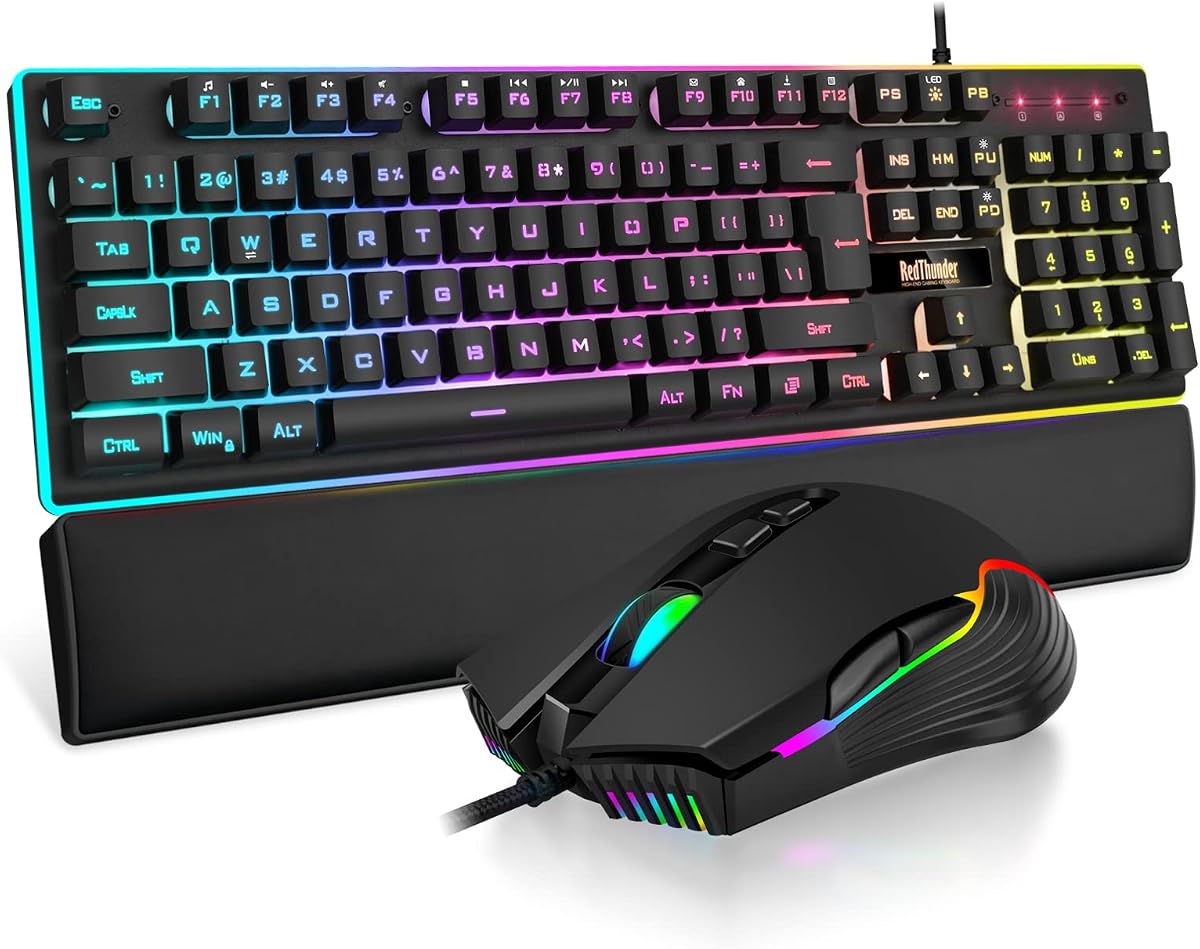
This set mimics mechanical switches for a tactile feel. It comes with a high DPI mouse and soft leather wrist rest for comfort during extended use.
We may earn a commission when you buy through this link, at no additional cost to you.
The keyboard has anti-ghosting and a steel plate for durability. The mouse offers a 7200 DPI sensor. RGB lighting includes effects on keys and mouse sides.
Noise levels can be high during typing. The wrist rest is fixed which limits flexibility. Build quality is solid with non-slip materials.
Players seeking a premium experience at lower cost should consider this. It works well for fast-paced gaming and office tasks alike.
Keys provide a mechanical feel. This enhances typing and gaming satisfaction.
The wrist rest uses memory foam. It helps reduce hand strain.
We may earn a commission when you buy through this link, at no additional cost to you.
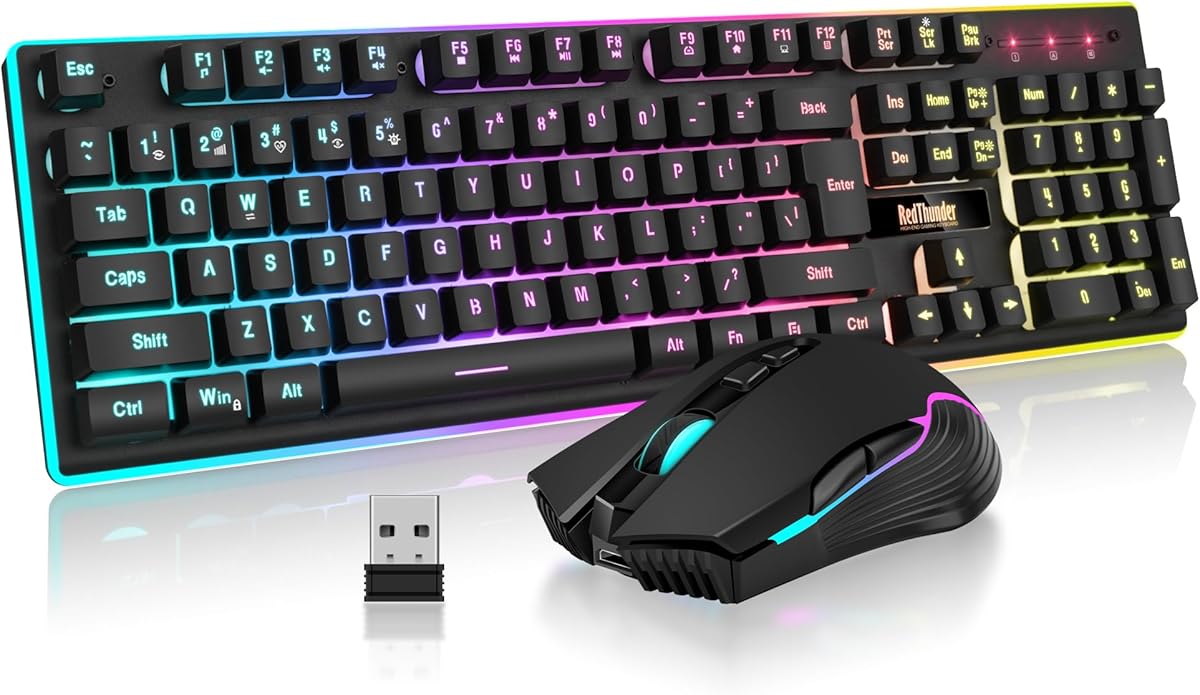
This wireless combo balances performance and freedom. It features a rechargeable battery and mechanical feel keys. The 2.4G connection ensures stable transmission for gaming.
We may earn a commission when you buy through this link, at no additional cost to you.
The keyboard lasts hours with LED on. It has three rainbow backlight groups and breathing modes. The mouse has 3200 DPI and cyclic lighting. A USB receiver is shared.
Battery management is necessary for uninterrupted use. The DPI is lower than the wired equivalent. Connection resets may occur rarely.
Ideal for those wanting a tidy desk setup. It suits long typing sessions and RPG play. Check battery status before critical tasks.
No cables needed for operation. The range is reliable for most desks.
Smart energy saving features activate sleep modes. Recharge time is eight hours.
We may earn a commission when you buy through this link, at no additional cost to you.
This set focuses on comfort and simplicity. It offers a mechanical feel with ergonomic design. The 3-LED keyboard lighting and 7-color mouse breathing light add style.
We may earn a commission when you buy through this link, at no additional cost to you.
Keys have a five million click lifespan. The mouse supports four DPI levels. Installation requires no drivers and works with many systems including TV boxes.
Customization is limited compared to premium sets. The lighting is functional rather than advanced. It remains reliable for standard tasks.
Users needing a basic yet comfortable set will like this. It is perfect for work or casual gaming. The wide compatibility is a strong point.
Keys and mouse switches are rated for millions of clicks. Laser carved characters do not fade.
Plug and play setup works immediately. No software installation is needed.
We may earn a commission when you buy through this link, at no additional cost to you.
This full-size keyboard offers many RGB modes and removable caps. The mouse has six speed levels for various needs. The layout fits hands naturally to reduce fatigue.
We may earn a commission when you buy through this link, at no additional cost to you.
The keyboard has eight colors and brightness levels. Floating keycaps provide a good feel. The mouse locks breathing lights. A waterproof USB cable ensures stability.
Advanced macro features are not present. The DPI range is standard. Build quality focuses on comfort and style over pro features.
Gamers who prioritize visual flair will enjoy this set. It works well for office and gaming. The ergonomic layout supports long hours.
Multiple light modes and speeds are available. Brightness is easily adjusted via FN keys.
Keys are laid out scientifically for comfort. Non-slip pads keep the keyboard steady.
We may earn a commission when you buy through this link, at no additional cost to you.
This set features large bolder keys for easy reading. It includes a colorful backlight and ergonomic stand. It is ideal for visually impaired or older users needing clarity.
We may earn a commission when you buy through this link, at no additional cost to you.
The keyboard has seven colors and three brightness levels. It folds feet to reduce hand fatigue. The layout is standard QWERTY. Setup is simple without software.
Typing speed may be slower due to key size. The mouse is standard optical without extras. It is designed for accuracy over speed.
Schools and seniors will find this valuable. It works for general PC use. Consider this for accessibility needs primarily.
Keys are larger than usual. High contrast helps identify letters easily.
The kickstand and wrist rest aid typing position. It supports long work hours.
We may earn a commission when you buy through this link, at no additional cost to you.
This set offers a rainbow lit keyboard with a steel plate. It includes a mouse pad for space. The braided cables are durable.
We may earn a commission when you buy through this link, at no additional cost to you.
All letters glow and never fade. Non-conflict keys allow simultaneous presses. The mouse adjusts DPI and has breathing lights. The pad provides comfortable wrist support.
DPI levels are lower than gaming standard. The mouse lighting is basic. It remains a solid set for general gaming and work.
Those needing a complete kit with a pad will value this. It fits well in office setups. The steel plate ensures durability.
Built-in steel plate resists falls. Braided wires add to durability.
A mouse pad is included. It has a smooth cloth surface.
We may earn a commission when you buy through this link, at no additional cost to you.
This set features 3x larger keys and quiet low-profile design. It includes an ergonomic wrist rest and RGB mouse. Multimedia keys help with audio adjustments.
We may earn a commission when you buy through this link, at no additional cost to you.
The keyboard is spill-resistant with up to 10 million keystrokes. The mouse has four DPI levels and RGB lighting. The system works with most Windows versions.
Mac OS has limitations with multimedia keys. The RGB mouse is simple. It is designed more for office than gaming.
Workers needing quiet typing and clear keys will benefit. It is suitable for libraries and home offices. The ergonomic design reduces strain.
Low-profile keys reduce typing noise. This helps maintain concentration.
Keys are larger than standard. The design suits visually impaired users.
We may earn a commission when you buy through this link, at no additional cost to you.
This set offers 4X larger characters and an adjustable palm rest. It includes a mouse with backlighting and ergonomic grip. The design supports typing accuracy.
We may earn a commission when you buy through this link, at no additional cost to you.
The keyboard has a foldable stand for a 7 angle. The backlight has seven colors and four modes. It works with Windows, macOS, and ChromeOS.
Gaming features are minimal. It is focused on productivity. The wired connection ensures stable use without charging.
Students and families seeking a practical gift will find it ideal. It suits study and home office tasks. The comfort features are a highlight.
The adjustable palm rest aids wrist position. The foldable stand sets typing angle.
Characters are larger for easy identification. Backlight helps in dim conditions.
We may earn a commission when you buy through this link, at no additional cost to you.
This wireless combo offers silent operation and rechargeable power. It includes a phone holder and ergonomic wrist rest. The 2.4G connection allows remote typing.
We may earn a commission when you buy through this link, at no additional cost to you.
The keyboard has full-size keys and adjustable height legs. The mouse reduces noise significantly. RGB effects are included. It uses USB-C for charging.
DPI settings are limited to three levels. The mouse lacks advanced gaming features. It is optimized for quiet office work.
Remote workers and students will appreciate the silence. It supports tidy workspaces. The phone holder is a useful bonus.
Keys and mouse reduce noise by 99%. This avoids distracting others.
The receiver includes USB-A and C. You can type without cables.
We may earn a commission when you buy through this link, at no additional cost to you.
Selecting the right gear involves evaluating key factors. This guide covers essential considerations to help you find the best combination for your needs.
Decide between wired and wireless based on your priorities. Wired offers stable latency but cables can clutter desks. Wireless provides tidier setups but may need charging or batteries.
Choose wired for minimal lag in competitive play. Choose wireless for a cleaner workspace and flexibility.
Keyboard switches or membrane quality determine typing feedback. Mechanical switches offer tactile clicks and durability. Membranes are quieter and softer but less precise.
Prioritize tactile feedback for immersive gaming. Prioritize quiet membranes for shared living spaces.
Look for wrist rests and ergonomic angles to reduce strain. Proper support helps during long gaming sessions. Adjustable stands allow you to position the keyboard for comfort.
Ensure the set has wrist support if you game often. Adjust angles to keep hands relaxed.
Mouse sensitivity affects aim and navigation. Higher DPI lets you move faster. A good optical sensor ensures accurate tracking on different surfaces.
Pick adjustable DPI to match your style. High accuracy matters for precise actions.
Lighting adds visual flair and can highlight keys. Custom software allows macro recording and color changes. Not all sets offer deep customization.
Choose sets with software if you need macros. Ensure lighting matches your setup aesthetic.
Durable materials like steel plates and braided cables extend lifespan. Check for anti-ghosting to ensure multiple keys register. High-quality plastics resist wear and tear.
Look for durable materials to avoid frequent replacements. Confirm anti-ghosting for reliable input.
Balance features against price to find good value. Budget sets offer essentials while premium sets add advanced features. Compare total cost including accessories like wrist rests.
Set a budget range and prioritize essential features. Avoid overspending on unused extras.
Ensure the set works with your operating system. Most support Windows but some limits exist for macOS or Linux. Check driver requirements before buying.
Verify OS compatibility to avoid issues. Check if drivers are needed for full features.
Start by connecting the USB ports securely. If wireless, insert the receiver and turn on power. Verify keys and cursor move before playing.
Clean regularly with a soft cloth and avoid liquids. For debris, use compressed air or brush gently. Keep cables organized to prevent stress.
Calibrate DPI for comfort and adjust lighting to match. Store safely when not in use to avoid damage. Update firmware if applicable for better performance.
Mechanical or high-quality membrane keyboards work well. Mechanical offers tactile feedback for spell casting while membrane is quieter. Look for anti-ghosting to ensure all key presses register during complex combos.
A wrist rest helps reduce fatigue and strain. It is especially useful for extended play. Most premium sets include one but you can add it separately if not included.
Modern wireless mice provide stable and low latency performance. They are suitable for most games but wired are preferred for competitive esports. Choose based on your need for mobility versus maximum response.
Check if software is required or if FN keys suffice. Some allow direct keyboard shortcuts to cycle effects. Install provided tools if needed for advanced customization and macros.
A DPI between 800 and 1600 suits most players. Higher DPI helps quick camera movement but can feel too fast. Adjust based on your comfort and monitor resolution.
Most support Windows primarily. Some allow Mac basic functions but multimedia keys may not work. Always check product compatibility details if you are using macOS.
Regular use lasts years with proper care. Replace if keys stop working or tracking fails. Quality combos often last up to five years with normal usage.
Yes but combos ensure matching style and ease of setup. Separate units allow more customization but cost more. Choose based on your preference for budget versus flexibility.
These ten options cover a wide range of styles and prices. Top picks include the Redragon S101-3 PRO for value and the RedThunder K10 for comfort.
Prioritize comfort and ergonomics if you plan to play long hours. Budget sets like the Rii RK108 provide reliable basics without extra cost.
Prices and availability change so check current listings before buying. Your ideal gear depends on personal preferences and your existing setup.