
HP 14" HD Chromebook Laptop for Students
4.4Editor score
Intel Quad-Core N4120 Processor
14 Inch HD Anti-Glare Display
Up to 14 Hours Battery Life
Finding a reliable laptop that fits a tight budget can be challenging in today's market. Cheap Chromebooks offer an excellent solution for students and casual users who need essential computing power without breaking the bank. These devices run on Google Chrome OS, providing fast boot times and seamless integration with web apps.
To compile this list, we analyzed dozens of models based on processor speed, memory capacity, screen quality, and overall user satisfaction. We focused on devices that deliver consistent performance for everyday tasks like browsing, streaming, and document editing. Our goal is to highlight options that balance affordability with durability and feature sets.
Each pick below showcases a specific strength, whether it is long battery life, a touchscreen interface, or superior connectivity. While prices fluctuate frequently due to market demand and seasonal sales, the relative value of these models remains strong. Always check the latest listings before purchasing to ensure you get the best current deal.
4.4Editor score

4.2Editor score
4.4Editor score
As an Amazon Associate we earn from qualifying purchases.
This side-by-side comparison highlights the key specifications of ten top-rated affordable laptops. By examining processors, memory, storage, and display types, you can quickly identify which model aligns best with your specific usage needs and budget constraints.




This HP model stands out as a highly affordable option for students and casual users seeking reliable computing power. With a solid 4.4 rating, it delivers consistent performance for everyday tasks like web browsing and document editing. The quad-core processor ensures smooth multitasking even when multiple tabs are open.
We may earn a commission when you buy through this link, at no additional cost to you.
The device features a 14-inch HD display with anti-glare coating, making it comfortable to use in various lighting conditions. Its 4GB of RAM allows for efficient background app management, while the 64GB eMMC storage provides sufficient space for essential files. The inclusion of USB-C and HDMI ports adds significant versatility for connecting to external monitors.
While the screen resolution is standard HD rather than Full HD, the viewing experience remains clear for text and videos. Storage limitations mean you will rely heavily on cloud services, but this is typical for budget Chromebooks. The battery life is impressive, lasting up to 14 hours on a single charge, which is ideal for all-day school or work sessions.
Anyone looking for a basic laptop that balances cost and functionality should consider this model highly. It is particularly well-suited for remote learning, online research, and streaming media. The bundled accessories add extra value, ensuring you have the necessary peripherals right out of the box.
The Intel N4120 processor is designed to balance performance with low power consumption, ensuring the battery lasts throughout your day without needing a charger.
With multiple USB ports and built-in HDMI support, you can easily connect to projectors or external displays for presentations and media sharing.
We may earn a commission when you buy through this link, at no additional cost to you.
This HP Chromebook combines a sleek design with robust daily performance, earning it a top spot among affordable laptops. It is perfect for users who prioritize portability and battery life without sacrificing essential computing features. The thin profile makes it easy to carry in a backpack for school or work commutes.
We may earn a commission when you buy through this link, at no additional cost to you.
The device features a quad-core processor that handles multitasking smoothly, allowing you to run multiple applications simultaneously. Its 4GB RAM supports efficient browsing and app usage, while the anti-glare screen reduces eye strain during long reading or viewing sessions. The fast charge technology ensures you get a significant power boost in just 45 minutes.
Although the resolution is standard HD, the display quality is crisp enough for streaming and document work. The storage is fixed, which limits expansion but ensures reliability for cloud-based workflows. Connectivity options include Wi-Fi and Bluetooth, providing robust wireless performance for modern tasks.
This laptop is an excellent choice for students and professionals who need a reliable machine for travel and daily use. Its balance of speed, battery life, and build quality makes it a standout option in the budget category. The durable design ensures it can withstand the rigors of frequent transport.
HP is committed to environmental responsibility, using materials and designs that are energy efficient and certified for sustainability standards.
The keyboard features a multi-touch touchpad with four-finger gestures, enabling intuitive navigation and efficient scrolling through content.
We may earn a commission when you buy through this link, at no additional cost to you.
This Dell model offers a unique 2-in-1 design that allows for flexible usage modes, making it ideal for interactive tasks. The touchscreen capability enhances the user experience, especially for educational apps and media consumption. It is a solid choice for environments where durability and adaptability are key priorities.
We may earn a commission when you buy through this link, at no additional cost to you.
Powered by an Intel Celeron dual-core processor, it handles basic tasks efficiently without lag. The 4GB RAM ensures smooth operation for web browsing and cloud apps, while the compact size makes it easy to use on small desks or in transit. The renewed option provides cost savings while maintaining functional integrity.
The display resolution is standard HD, which is sufficient for text and video but not ideal for high-detail graphics. Storage is limited to 32GB, requiring reliance on cloud storage for files. Despite this, the touch interface adds significant value for note-taking and drawing applications.
For educators or students needing a flexible device that supports interactive learning, this Chromebook is a strong candidate. Its small form factor makes it perfect for younger users or those with limited desk space. The ability to switch between laptop and tablet modes extends its utility across various scenarios.
The touchscreen is particularly useful for digital worksheets and interactive learning software, enhancing engagement in remote classroom settings.
Weighing very little and featuring a convertible hinge, this device adapts to different positions for comfortable reading or typing.
We may earn a commission when you buy through this link, at no additional cost to you.
This Lenovo Flagship Chromebook distinguishes itself with a powerful processor and modern connectivity features that exceed typical budget expectations. It offers a premium experience with a Full HD touchscreen, making visuals vibrant and interactive. The octa-core architecture ensures smooth performance even with demanding browser apps.
We may earn a commission when you buy through this link, at no additional cost to you.
The device includes a slim and light design that enhances portability without compromising build quality. Its Full HD resolution provides sharp text and rich colors, ideal for media consumption and graphic tasks. The inclusion of WiFi 6 ensures faster and more reliable internet connections in congested networks.
While the storage is standard for this category, the speed of the eMMC and the efficiency of the processor compensate well for heavy usage. The lack of multiple physical ports means you might need a dongle for legacy connections, but the USB-C support covers most modern needs. The battery life is optimized for all-day use.
Professionals and students who require a high-performance machine for video calls and multitasking will appreciate this model. The privacy shutter on the webcam adds an extra layer of security for remote work. It represents a significant upgrade in speed and display quality over entry-level options.
The MediaTek Kompanio 520 offers a significant upgrade in CPU and graphics performance, ensuring fluid transitions between apps and tabs.
Built-in privacy shutter on the webcam provides physical protection for video calls, enhancing security and peace of mind for users.
We may earn a commission when you buy through this link, at no additional cost to you.
This Acer model offers a larger 15.6-inch screen that provides ample workspace for productivity and media consumption. It is an ideal choice for users who prefer a bigger display for spreadsheet work or watching videos. The anti-glare coating ensures visibility remains clear even in bright environments.
We may earn a commission when you buy through this link, at no additional cost to you.
Powered by a dual-core Intel Celeron processor, it delivers reliable performance for everyday tasks. The 4GB RAM supports efficient multitasking, while the 64GB eMMC storage provides enough space for essential apps and documents. The included bundle adds significant value, offering accessories like wireless earbuds and a mouse.
The display resolution is standard HD, but the larger size compensates by offering more screen real estate. Storage is limited but manageable for cloud-centric workflows. The battery life is designed to last through a full day of work or study sessions without needing a recharge.
Students and professionals working in a fixed location will benefit from the larger screen size. The lightweight design still makes it portable, despite the bigger footprint. The included accessories make it a ready-to-go solution for new users setting up their workspace.
The 15.6-inch screen provides additional space for split-screen multitasking, allowing you to view multiple documents side by side easily.
The value bundle includes essential accessories like earbuds and a mouse, reducing the need for additional purchases immediately after buying.
We may earn a commission when you buy through this link, at no additional cost to you.
This ASUS model stands out with a full HD IPS display, offering better color accuracy and viewing angles than standard panels. The 128GB storage is a significant advantage for local file management compared to typical 64GB models. It is a strong option for those who need a balance of performance and storage.
We may earn a commission when you buy through this link, at no additional cost to you.
Powered by an Intel processor capable of speeds up to 2.80GHz, it handles demanding tasks efficiently. The 4GB DDR4 RAM ensures smooth performance for web apps and media streaming. The renewed status often comes with a warranty, providing peace of mind while keeping costs lower than new devices.
The 15-inch FHD IPS display delivers crisp visuals that are ideal for media consumption. The super-fast WiFi ensures reliable connectivity for video conferencing and large downloads. While ports are limited, HDMI support allows for easy connection to external monitors for presentations.
Anyone seeking a larger screen with better resolution and storage will find this model appealing. It is well-suited for students who need to store coursework locally or professionals using it for video calls. The combination of features makes it a compelling choice in the budget category.
The IPS technology provides wide viewing angles and consistent color quality, making it ideal for collaborative work and media streaming.
With 128GB of storage, you have more room for offline apps and media files compared to standard lower-capacity models.
We may earn a commission when you buy through this link, at no additional cost to you.
This HP model is noted for its superior audio performance, featuring speakers tuned by B&O for clear sound. It is an excellent choice for users who prioritize media consumption and video calls. The 4.5 rating reflects high satisfaction with its build and everyday usability.
We may earn a commission when you buy through this link, at no additional cost to you.
The device features a sleek ceramic white design that looks professional and modern. With a dual-core Intel Celeron processor, it handles basic tasks efficiently, though it may struggle with heavy multitasking. The 32GB storage is limited but manageable for cloud-based workflows.
The anti-glare display provides clear visuals for text and video. Battery life is robust, lasting up to 13 hours for mixed usage. The multi-touch touchpad supports gestures that enhance navigation efficiency. Connectivity includes Bluetooth and Wi-Fi for reliable wireless performance.
Media consumers and students looking for a laptop with great sound will appreciate this model. It is also well-suited for casual users who need a lightweight and attractive device. The reliable battery life ensures it can handle a full day of work or study sessions.
The B&O tuned speakers deliver rich and clear sound, enhancing the experience of watching videos and attending online meetings.
Constructed with low halogen materials and mercury-free backlights, this device meets strict environmental standards for sustainability.
We may earn a commission when you buy through this link, at no additional cost to you.
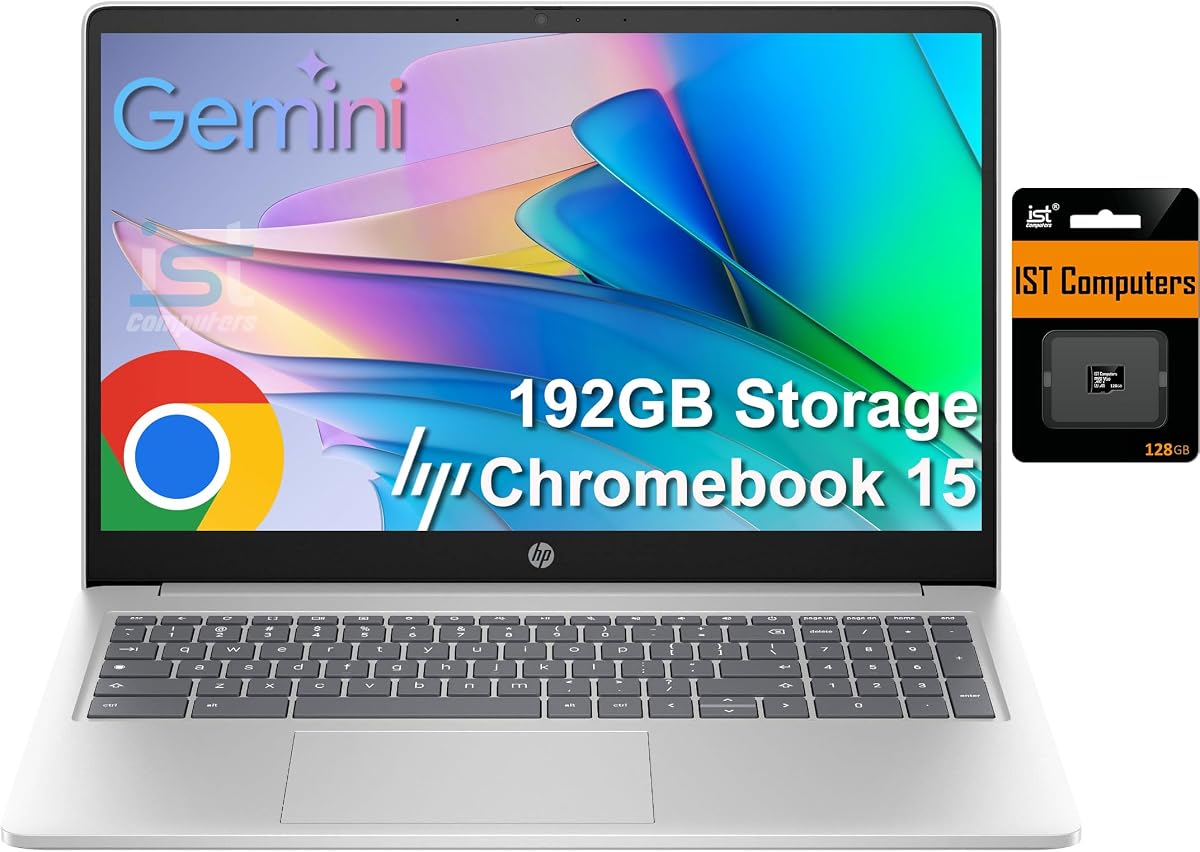
This HP Chromebook stands out with 8GB of DDR5 RAM, offering faster memory speeds and better multitasking than standard 4GB models. It is ideal for users who need to run many applications simultaneously. The 192GB storage ensures you have plenty of space for files and offline apps.
We may earn a commission when you buy through this link, at no additional cost to you.
The 15.6-inch display provides a comfortable workspace for documents and spreadsheets. The privacy shutter on the webcam adds a security layer for video conferencing. The inclusion of a numeric keypad makes data entry tasks significantly more efficient. The Intel N200 processor supports these high-end features effectively.
Storage expansion through SD card is available, increasing flexibility for users. The design supports external monitor connectivity for extended productivity. While the resolution is standard, the larger size compensates for visual comfort. Battery life is designed to last all day for work and entertainment.
Data entry professionals and power users on a budget will benefit from this high-memory configuration. The ability to handle heavy workloads without lag sets it apart from entry-level models. The security and productivity features make it a versatile choice for remote work.
DDR5 RAM provides faster data access and better performance for multitasking, ensuring smooth operation across multiple browser tabs.
The numeric keypad allows for rapid input of numbers and formulas, making this model particularly useful for financial or spreadsheet work.
We may earn a commission when you buy through this link, at no additional cost to you.
This Acer model offers modern features like DDR5 RAM and WiFi 6 in a refreshed unit. The 15-inch FHD IPS display delivers vibrant visuals and wide viewing angles. It is a great choice for users looking for newer technology at an affordable price point.
We may earn a commission when you buy through this link, at no additional cost to you.
The Intel Celeron processor handles daily tasks efficiently with speeds up to 2.78GHz. The 4GB DDR5 RAM ensures that the system runs smoothly for web apps and media. The ultra-fast WiFi 6 improves connection stability and speed in crowded networks. The sleek design adds a touch of style.
Storage is limited to 64GB, which is manageable for cloud-centric use. The renewed status often comes with testing and warranty, ensuring reliability. The battery life is optimized for standard usage patterns. It supports both USB-C and USB-A ports for versatile connectivity.
Students and professionals seeking modern connectivity and a larger screen will appreciate this model. The combination of DDR5 memory and WiFi 6 provides future-proofing for network demands. It is a solid option for those who want premium features without the premium price.
Ultra-fast WiFi 6 ensures stable connections in busy environments, reducing lag during video calls and streaming sessions.
The Full HD IPS display delivers clear images and consistent color across angles, making it great for media and collaborative work.
We may earn a commission when you buy through this link, at no additional cost to you.
This Lenovo 100E is a highly affordable option designed for educational environments. It features a rugged design that can withstand the rigors of daily student use. The 4GB RAM supports smooth operation for basic web browsing and cloud applications despite its small storage capacity.
We may earn a commission when you buy through this link, at no additional cost to you.
The 11.6-inch display is perfect for portable use on small desks or in transit. The MediaTek processor handles daily tasks efficiently, though it may struggle with heavy apps. The 16GB eMMC is limited but sufficient for system operations and temporary files. The renewed condition often comes with testing and warranty coverage.
This device is ideal for simple tasks like document editing and research. Its small size makes it easy to carry and store. The battery life is sufficient for short school sessions. Connectivity includes standard Wi-Fi and Bluetooth for reliable wireless performance.
Schools or families needing a low-cost laptop for basic computing will find this model appealing. It is also a great backup device or secondary machine for light tasks. The durable construction ensures it lasts longer than typical consumer-grade laptops.
Designed to withstand drops and bumps, this device is perfect for school environments where durability is a top priority.
The small 11.6-inch form factor makes it easy to fit in small bags and use in confined spaces like libraries.
We may earn a commission when you buy through this link, at no additional cost to you.
Selecting the right cheap Chromebook requires balancing performance needs with budget constraints. Here are the key factors to consider before making your purchase.
The processor determines how smoothly your device handles tasks. Quad-core processors like the Intel N4120 offer better multitasking than dual-core options. For basic web browsing and document editing, entry-level Intel or MediaTek chips are sufficient. However, if you need to run heavy apps, look for higher-tier models with stronger CPUs.
RAM affects how many apps you can run simultaneously. 4GB is standard for budget models, but 8GB offers better future-proofing. Storage is often limited to 64GB or 32GB eMMC, so plan to use cloud services. Some models offer expandable storage via SD cards, which helps for file management.
Screen resolution impacts clarity for text and video. Full HD (1920 x 1080) displays are preferable to standard HD (1366 x 768) for sharper images. IPS panels offer better viewing angles than TN panels. Anti-glare coatings are beneficial for reducing eye strain in bright environments.
Long battery life is crucial for students and travelers. Most models claim 10 to 14 hours of usage. Look for fast charging technology to minimize downtime when running low on power. Real-world usage often varies, so read reviews for actual performance reports.
Modern Chromebooks should include USB-C ports for versatile charging and data transfer. HDMI ports are essential for connecting to external monitors. Wi-Fi 6 support ensures faster internet speeds in crowded networks. Check for headphone jacks and SD card readers if you need specific ports.
Weight and dimensions matter if you carry your laptop frequently. 14-inch models are generally the sweet spot for balance between screen size and portability. Look for durable builds if you travel often. Renewed devices can offer cost savings but check warranty terms carefully.
Some models include unique features like touchscreens or privacy shutters. Touchscreens are useful for educational apps and navigation. Privacy shutters add security for video calls. Consider these features based on your specific usage needs rather than just the base specs.
Check the manufacturer warranty coverage for hardware issues. Some renewed models come with third-party warranties. Chromebooks receive automatic updates, but verify the Auto Update Expiration date to ensure long-term support. Reliable customer service can be critical if issues arise.
Set up your Google account and familiarize yourself with the Chrome OS interface. Install necessary apps from the Play Store to customize your workspace for productivity and entertainment.
Maintain your battery health by avoiding extreme temperatures and not leaving it plugged in when fully charged. Use the provided fast charger to ensure optimal charging speed and longevity.
Keep your system secure by enabling two-factor authentication and regular updates. Clean the screen and keyboard with a microfiber cloth to prevent dust buildup and physical wear.
Chromebooks run on Google Chrome OS, which is cloud-centric and boots faster than Windows. They rely heavily on web apps and storage rather than local software and large hard drives, making them simpler to use for most daily tasks.
You cannot run traditional Windows applications directly, but many alternatives exist via the web or Android Play Store. For specific tasks, consider using remote desktop apps to access a Windows machine from your Chromebook.
Yes, you can use many apps like Google Docs and Sheets offline. However, full functionality requires internet access for most cloud-based services and software updates.
Most budget Chromebooks last 3 to 5 years depending on usage. Support depends on the Auto Update Expiration (AUE) date, which indicates how long Google provides security updates for the device.
Renewed devices from reputable sellers are often tested and restored to working condition. Check the warranty and return policy before purchasing to ensure you are protected against potential issues.
64GB is a good starting point for most users since the OS uses little space. If you store large files locally, consider models with SD card slots or cloud storage subscriptions to manage space effectively.
We have highlighted ten top options that balance performance and affordability for various user needs. From the versatile Lenovo Flagship to the budget-friendly Dell, there is a model suited for every scenario.
Prioritize processor power and battery life if you plan on heavy use throughout the day. For students, durability and screen quality are key factors to consider when making your final selection.
Remember to check current prices and availability before buying since deals change frequently. With the right choice, you can enjoy a productive and secure computing experience without overspending.