
Omada AX3000 Wireless Access Point
4.5Editor score
Free Omada Essentials Cloud Management
Ultra-Fast True Wi-Fi 6 Speeds
Integrated into Omada SDN
Discover the top 10 commercial wireless router options for businesses. We compare performance, security, and scalability to help you choose the right network
Finding the right commercial wireless router is essential for modern businesses that rely on stable connectivity. A good router supports multiple devices, offers robust security features, and provides easy management tools for IT staff. Choosing the wrong hardware can lead to downtime and productivity losses.
We evaluated ten leading models based on speed, range, security protocols, and ease of deployment. Our analysis focuses on enterprise-grade features like VLAN support, guest portals, and VPN capabilities. Each product listed offers distinct advantages depending on your specific business environment and network scale.
Each pick highlights key strengths and potential limitations to help you make an informed decision. Note that specifications and availability may change over time. Always verify current details with the manufacturer before purchasing to ensure compatibility with your existing infrastructure needs.
4.5Editor score
4.2Editor score

4.6Editor score
This table provides a side-by-side comparison of all ten commercial wireless routers and access points reviewed in this guide. You can quickly assess key specifications and features to determine which model aligns best with your network requirements and budget constraints.





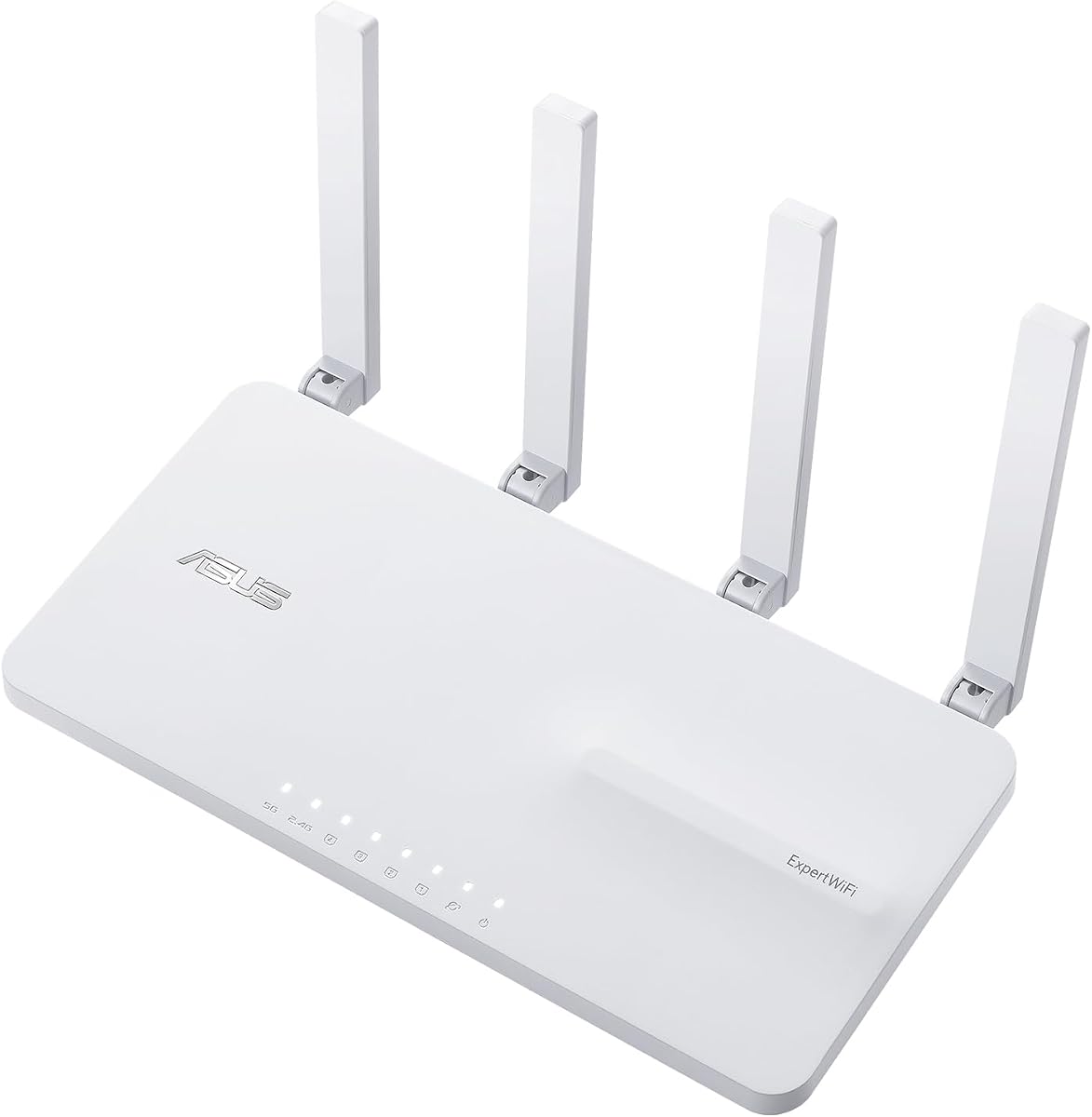
The ASUS ExpertWiFi EBR63 AX3000 stands out as a versatile choice for small to medium businesses seeking reliable connectivity. With a rating of 4.2, it balances performance and manageability effectively. Its standout qualities include custom guest portals and robust security features that protect sensitive business data without requiring complex configurations.
We may earn a commission when you buy through this link, at no additional cost to you.
Key strengths lie in its ability to separate usage through up to five SSIDs, ensuring that guest traffic does not interfere with internal operations. The free subscription to ASUS AiProtection Pro provides commercial-grade security, while the backup WAN option using USB ensures connectivity during outages. Management is simplified through the all-in-one ExpertWiFi app.
Trade-offs include a limited number of wired ports, which might require an additional switch for larger setups. Additionally, it lacks advanced load balancing features found in higher-end routers. However, these are acceptable for most small business environments where ease of use and security take priority over raw port density.
This router is ideal for retail stores, cafes, or offices that need straightforward network segmentation and reliable security. The combination of customizable branding and easy remote management makes it a strong recommendation for businesses looking to upgrade their infrastructure without overspending on unnecessary complexity.
Businesses can tailor the guest login experience to match their brand identity, enhancing professional appearance and customer engagement.
Free access to Trend Micro-based threat protection ensures that all devices on the network are shielded from malware and cyber threats.
We may earn a commission when you buy through this link, at no additional cost to you.
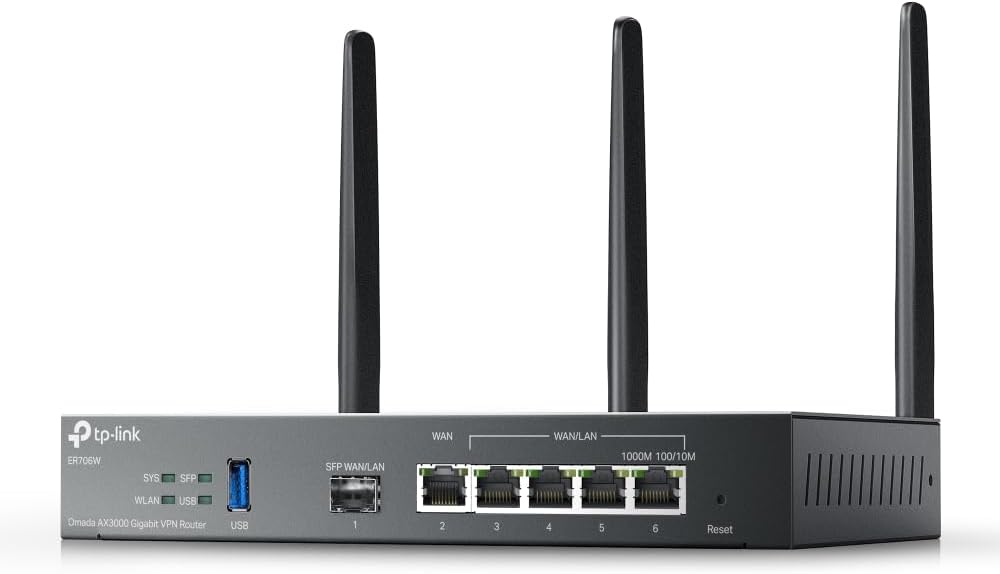
The Omada ER706W is a powerful VPN router designed for businesses needing secure remote access and robust connectivity. It delivers AX3000 WiFi 6 performance and includes a Gigabit SFP slot for fiber connectivity. This makes it a top choice for organizations requiring high-speed internet and secure tunneling for remote workers.
We may earn a commission when you buy through this link, at no additional cost to you.
Its primary strengths include extensive VPN support covering SSL, IPSec, and WireGuard, ensuring flexible secure connections for various client devices. The load balancing feature across five WAN ports optimizes internet usage, preventing bottlenecks during peak times. Integration with Omada access points extends seamless coverage without additional cabling.
However, the setup process can be complex for those unfamiliar with network routing. Full functionality often requires pairing with the Omada SDN controller, which adds a layer of configuration. These challenges are acceptable for IT professionals who need granular control over traffic and security policies.
This router is best suited for businesses with dedicated IT staff or those planning to expand their network infrastructure. The combination of high throughput and secure connectivity options makes it a reliable backbone for modern commercial environments requiring dependable remote access solutions.
Supports a wide range of protocols to ensure secure remote access for employees connecting from various locations.
Distributes traffic across multiple internet lines to maximize bandwidth and maintain uptime if one line fails.
We may earn a commission when you buy through this link, at no additional cost to you.
The Ruckus R750 is an indoor Wi-Fi 6 access point engineered for ultra-dense environments like conference halls or busy offices. With a 4.3 rating, it delivers consistent performance where many other devices struggle. Its design ensures that connectivity remains stable even when hundreds of devices connect simultaneously without significant slowdowns.
We may earn a commission when you buy through this link, at no additional cost to you.
Key strengths include advanced beamforming and interference mitigation technologies that maximize signal quality in crowded spaces. It is built to handle high-density deployments, making it ideal for large enterprises or public venues. The part number 901-R750-US00 indicates a specific regional configuration for US markets.
The higher price point compared to consumer access points might be a drawback for smaller budgets. Additionally, it requires a controller for full network management, which adds complexity. These factors are acceptable for businesses prioritizing reliability and performance over initial cost savings in high-traffic areas.
This access point is perfect for auditoriums, airports, or large offices where density is a major concern. Businesses needing guaranteed uptime and high throughput in challenging RF environments will find the R750 a robust solution for their commercial network infrastructure needs.
Handles massive numbers of connected devices without degrading performance for any single user on the network.
Directs wireless signals specifically toward connected devices rather than broadcasting uniformly to improve range and speed.
We may earn a commission when you buy through this link, at no additional cost to you.
The Ruckus R670 offers next-generation Wi-Fi 7 performance in an indoor access point design. Rated at 4.5, it provides exceptional speeds and range suitable for modern business demands. Its standout quality is the 9.34 Gbps combined data rate, ensuring that bandwidth-intensive tasks run smoothly across the network.
We may earn a commission when you buy through this link, at no additional cost to you.
Strengths include BeamFlex+ adaptive antenna technology that optimizes signal coverage and minimizes errors dynamically. It also supports Matter and Thread via built-in BLE, allowing convergence of Wi-Fi and IoT networks. The 5 GbE port eliminates bottlenecks for high-speed connections to switches or servers.
The premium pricing is a trade-off, reflecting its cutting-edge capabilities. Additionally, current client devices might not fully utilize Wi-Fi 7 speeds yet. However, future-proofing investments like this are valuable for businesses planning long-term infrastructure growth without needing frequent hardware upgrades.
This access point is best for enterprises requiring the highest possible speeds and future-ready connectivity. Organizations investing in smart buildings or high-performance environments will benefit from its advanced features and robust design tailored for modern network demands.
Provides massive throughput and reduced latency for applications demanding the highest network capabilities available today.
Dynamically adjusts signal patterns to deliver optimal coverage and reduce interference in complex office layouts.
We may earn a commission when you buy through this link, at no additional cost to you.
The NETGEAR Orbi 970 Series is a premium WiFi 7 mesh system designed for large spaces requiring seamless coverage. With a 4.6 rating, it offers top-tier performance and features. Its standout qualities include blazing speeds up to 27 Gbps and comprehensive coverage up to 10,000 sq ft using three nodes.
We may earn a commission when you buy through this link, at no additional cost to you.
Strengths include a dedicated backhaul lane to maintain performance even when multiple devices are connected simultaneously. The inclusion of 10 Gig ports ensures wired devices get maximum speed. Setup is simple via the Orbi app, and security features like NETGEAR Armor provide robust protection against online threats.
The high price and large size are significant trade-offs for smaller spaces or budget-conscious buyers. However, these costs are justified for large facilities needing enterprise-level mesh performance. This system ensures reliability and speed that few other consumer-grade options can match in real-world environments.
This mesh system is ideal for large offices, multi-story commercial buildings, or campuses. Businesses needing guaranteed fast connections across vast areas will find the Orbi 970 Series a worthy investment in high-performance wireless infrastructure.
Uses an additional band for backhaul traffic to ensure client devices always have maximum bandwidth available for use.
Allows connecting satellites via Ethernet to further improve stability and reduce wireless interference between nodes.
We may earn a commission when you buy through this link, at no additional cost to you.
The Omada EAP650 delivers exceptional value as a budget-friendly AX3000 wireless access point. It earns a 4.5 rating for its performance and features. Standout qualities include free cloud management and ultra-fast Wi-Fi 6 speeds that support high-density business environments without breaking the budget.
We may earn a commission when you buy through this link, at no additional cost to you.
Strengths include seamless integration into the Omada SDN platform for scalable network management. The compact design blends into modern offices, and the 5-year warranty provides long-term peace of mind. Multiple power options like PoE plus make installation flexible across various locations.
Limitations involve requiring a controller for advanced features like seamless roaming. Without it, functionality is restricted to basic access point mode. However, for small businesses or startups, this cost-effective solution offers robust performance and expandability as network needs grow.
This access point is perfect for small offices, cafes, or retail shops needing reliable Wi-Fi. Businesses seeking affordable scalability without sacrificing speed or security will find the EAP650 a solid choice for commercial network deployment.
Enables remote network control from anywhere without needing physical hardware controllers or expensive software licenses.
Offers a five-year warranty period which is longer than most competitors, ensuring reliability over time.
We may earn a commission when you buy through this link, at no additional cost to you.
The Ubiquiti U6+ provides a reliable wireless business network with high-speed data transfer rates. With a 4.6 rating, it is well-regarded for stability. Its standout quality is the 3 Gbit/s wireless speed, ensuring smooth operation for multiple devices in business environments.
We may earn a commission when you buy through this link, at no additional cost to you.
Strengths include the use of PoE+ to deliver power and data via a single cable, simplifying installation. The Gigabit Ethernet port ensures fast wired backhaul speeds. Its wall-mountable design maximizes space efficiency in offices or public areas.
Limitations include the requirement for a UniFi controller to unlock full management features, which adds complexity. Advanced QoS options are not as granular as enterprise firewalls. These are acceptable for businesses already within the Ubiquiti ecosystem seeking simplicity and reliability.
This access point is ideal for small to medium businesses using Ubiquiti hardware. Organizations prioritizing reliable connectivity and easy cabling will find the U6+ a practical solution for commercial wireless needs.
PoE+ support reduces cabling needs by allowing power to be delivered over the network cable directly.
Offers broad compatibility with existing devices while still delivering modern speeds and efficiency.
We may earn a commission when you buy through this link, at no additional cost to you.
The TP-Link BE6500 is a future-ready WiFi 7 router designed to leverage the latest connectivity standards. Rated 4.3, it supports advanced protocols like Multi-Link Operation for enhanced stability. Its standout quality is the ability to deliver up to 6.5 Gbps total bandwidth efficiently.
We may earn a commission when you buy through this link, at no additional cost to you.
Strengths include optimization for new devices like the iPhone 16 Pro and Samsung Galaxy S24 Ultra. The 2.5 Gbps WAN/LAN ports ensure compatibility with high-speed internet plans. Its security commitment aligns with US cybersecurity standards, adding trust for business use.
Limitations include EasyMesh compatibility restricting expansion options to specific routers. A separate modem is required, adding cost. However, these are acceptable for businesses seeking future-proofing and high performance without committing to an entire proprietary mesh ecosystem.
This router is best for offices planning to upgrade to WiFi 7 devices soon. Businesses needing robust security and high throughput will find the BE6500 a strong choice for modern commercial networking.
Transfers data across bands simultaneously to lower latency and improve overall reliability for users.
Designed with secure-by-design principles to protect business data from emerging threats effectively.
We may earn a commission when you buy through this link, at no additional cost to you.
The NETGEAR Nighthawk WiFi 7 router delivers fast, farther connectivity for demanding environments. Rated 4.3, it features a dedicated tri-band system for reliable performance. Its standout quality is the up to 9.3 Gbps speed across 2.4, 5, and 6 GHz bands.
We may earn a commission when you buy through this link, at no additional cost to you.
Strengths include multi-gig wired connections for gaming or NAS drives. The Nighthawk app simplifies network management and guest setup. It works seamlessly with existing modems, making upgrades simple.
Limitations include a bulky design and lack of mesh nodes in the box. However, these are acceptable for businesses needing powerful single-point coverage. The speed and reliability ensure smooth operations even under heavy loads.
This router is ideal for offices needing wide coverage without mesh complexity. Businesses prioritizing speed and reliability will find the Nighthawk WiFi 7 a powerful choice for commercial use.
Provides a dedicated 6 GHz band to prevent congestion for high-speed devices.
Offers intuitive control over guest networks and device prioritization for efficient operations.
We may earn a commission when you buy through this link, at no additional cost to you.
The ASUS RT-BE88U is a powerhouse WiFi 7 router designed for high-performance needs. With a 4.3 rating, it offers robust capabilities. Its standout quality is dual 10G ports allowing wired capacity up to 34G, ideal for demanding applications.
We may earn a commission when you buy through this link, at no additional cost to you.
Strengths include AI WAN detection for stable connectivity and a quad-core CPU for smooth processing. Guest Network Pro allows easy IoT setup. Commercial-grade security and AiMesh compatibility ensure scalability.
The cost is high, reflecting its premium features. The large dimensions may be an issue for small spaces. However, these trade-offs are acceptable for businesses needing maximum wired throughput and future-proofing.
This router is ideal for businesses requiring 10G connectivity for NAS or servers. Organizations prioritizing speed and security will find the RT-BE88U a robust choice for modern networking.
Supports multiple 10G connections to ensure wired devices never become a bottleneck.
Allows adding AiMesh nodes to expand coverage without sacrificing wired performance.
We may earn a commission when you buy through this link, at no additional cost to you.
Selecting the right commercial wireless router requires evaluating several technical factors. This guide outlines what to look for to ensure optimal performance and security.
Modern businesses should prioritize Wi-Fi 6 or Wi-Fi 7 routers. These standards offer faster data rates and better performance when multiple devices connect simultaneously. Wi-Fi 7 adds Multi-Link Operation to reduce latency significantly.
Commercial networks handle sensitive data requiring robust encryption and firewalls. Look for routers offering WPA3 encryption and integrated threat protection services. VPN support is also essential for secure remote access.
Choose hardware that grows with your business. Mesh compatibility and cloud management features allow adding access points without replacing the core router. This reduces long-term costs and simplifies expansion.
Evaluate the number and speed of Ethernet ports. Multi-gigabit ports are crucial for high-speed internet plans and connecting servers. Ensure the router has enough LAN ports for your wired devices.
Ease of configuration matters for productivity. User-friendly apps and dashboards save time when managing settings. Look for features like guest portals and remote management capabilities.
A separate guest network protects your internal data by isolating visitor traffic. Customizable portals add a professional touch to client interactions. Ensure the router supports multiple SSIDs effectively.
Reliable hardware needs reliable support. Check the warranty length and availability of technical assistance. Business-grade routers often come with longer coverage than consumer models.
Consider where the router will be installed. Indoor access points are designed for offices while outdoor models handle weather conditions. Ensure the hardware fits your deployment needs.
Place your router in a central, elevated location away from thick walls or metal objects. This ensures the strongest signal distribution throughout your office space. Keep it ventilated to prevent overheating during heavy usage periods.
Commercial routers offer advanced security, better scalability, and higher reliability than standard models. They typically include features like VLAN support and guest portals tailored for business environments.
Yes, for very small businesses a high-end consumer router may suffice. However, commercial models provide better support and features essential for secure, professional network management.
Prioritize WPA3 encryption, firewalls, and intrusion detection systems. These protect your network from unauthorized access and cyber threats effectively.
Yes, most routers require a separate modem to connect to your internet service provider. Some models have built-in modem functions but are less common in commercial setups.
Use a centralized management system or controller provided by the vendor. This allows you to configure settings remotely and monitor performance across all access points.
A commercial router typically lasts three to five years before technology advances make it obsolete. Regular firmware updates help extend its useful life.
We reviewed ten top commercial wireless routers ranging from budget access points to premium WiFi 7 systems. Each offers unique strengths suited for different business sizes and technical needs.
Prioritize security and scalability to ensure your network supports growth. Choose a solution that integrates well with your existing infrastructure for seamless operations.
Remember to check current specifications and pricing before purchasing. Technology evolves rapidly and verifying details ensures you get the best value for your business investment.