
Philips 24 Inch Computer Monitor
4.6Editor score
Full HD 1080p
VESA mount compatible
Bezel-free design
Choosing the right external display for your MacBook Pro can significantly enhance your productivity and creative workflow. A high-quality monitor offers more screen real estate, better color accuracy, and improved comfort during long work sessions.
We have analyzed ten top-rated monitors based on resolution, connectivity options, color gamut coverage, and ergonomic features. Our comparison focuses on models that integrate seamlessly with macOS and support modern standards like USB-C and Thunderbolt.
Each pick highlights specific strengths such as budget friendliness, professional color calibration, or premium build quality. Please note that pricing and availability change frequently, so check current listings before making your final decision.
4.6Editor score
5.0Editor score

4.3Editor score
As an Amazon Associate we earn from qualifying purchases.
This side-by-side comparison summarizes the key specifications and features of all ten monitors to help you quickly identify the best fit for your specific needs and budget.




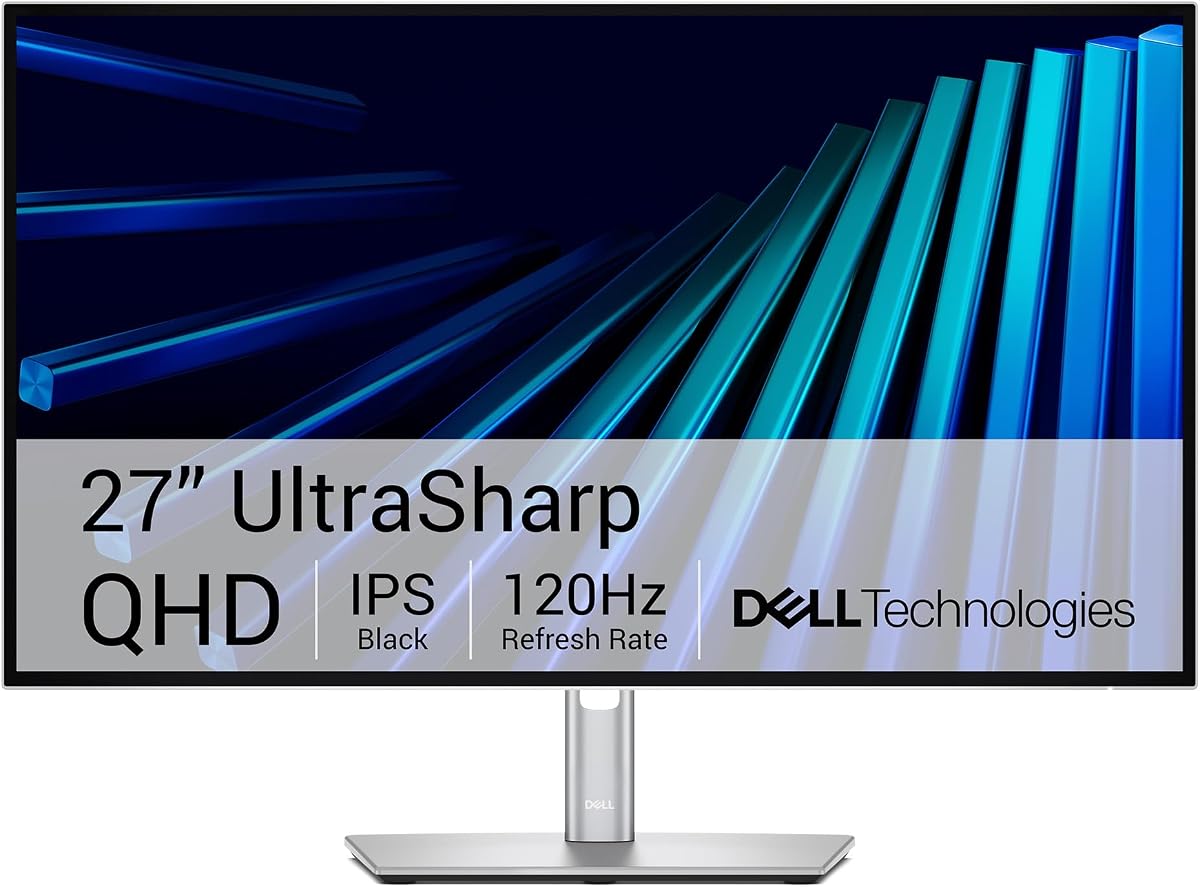
This Dell UltraSharp monitor stands out as a top-tier choice for professionals needing reliable color accuracy and seamless connectivity. With a perfect 5.0 rating, it delivers factory-calibrated visuals right out of the box.
We may earn a commission when you buy through this link, at no additional cost to you.
Its Thunderbolt 4 hub simplifies your desk by handling video data and power through one cable. The built-in KVM switch allows you to control two computers with a single mouse and keyboard, boosting productivity significantly.
While the QHD resolution might not suit 4K enthusiasts, the 120Hz refresh rate ensures smooth motion for design work. The price is steep but justified by the premium features and Dell reputation for durability.
Creative professionals and executives should buy this if they value precision and streamlined setups. It is the ideal companion for macOS users seeking a refined, high-performance display experience.
With 98% Display P3 coverage, this monitor ensures your photos and videos look exactly as intended without manual tweaking.
The built-in KVM switch lets you switch between a Mac and a PC effortlessly, saving time and reducing clutter.
We may earn a commission when you buy through this link, at no additional cost to you.
The BenQ MA270UP is explicitly designed for MacBook users, offering unique integration features that general monitors lack. It earns a 4.3 rating for its ability to match Mac color profiles automatically.
We may earn a commission when you buy through this link, at no additional cost to you.
You can adjust brightness and volume directly from your MacBook keyboard, creating a native experience. The dual USB-C ports provide ample connectivity, with one delivering 90W to charge your laptop while connected.
The P3 color gamut ensures vibrant visuals that align well with Apple devices. While the price is high, the convenience of Mac-specific controls and color calibration makes it a strong premium choice.
MacBook Pro and Air owners wanting a seamless setup should consider this monitor. It bridges the gap between external display and Apple ecosystem integration better than most competitors.
Volume and brightness control from your laptop keyboard reduces the need to reach for physical monitor buttons repeatedly.
Dual USB-C ports allow you to charge your phone while powering the monitor with a single cable connection to your Mac.
We may earn a commission when you buy through this link, at no additional cost to you.
This Philips monitor delivers exceptional value for budget-conscious users who still want quality visuals. With a 4.6 rating, it proves that you do not need to spend a lot for reliable performance.
We may earn a commission when you buy through this link, at no additional cost to you.
The VA panel offers deeper blacks and better contrast than many IPS alternatives at this price. The bezel-free design allows for seamless multi-monitor setups if you plan to expand your workspace later.
While it lacks modern USB-C connectivity, it works well with standard HDMI connections. The 100Hz refresh rate provides smoother motion compared to standard 60Hz displays, reducing eye strain.
Students and casual users will find this an ideal entry point. It is perfect for everyday tasks and media consumption without breaking the bank.
The VA panel produces richer blacks and brighter whites, making movies and documents look more engaging.
The virtually bezel-free design ensures that when placed side by side, the screens look like one continuous surface.
We may earn a commission when you buy through this link, at no additional cost to you.
The Dell S2725QC balances high resolution with useful connectivity options at a reasonable price. Its 4.4 rating reflects strong performance for general productivity and creative tasks.
We may earn a commission when you buy through this link, at no additional cost to you.
With 99% sRGB and HDR readiness, colors appear vibrant and detailed. The 120Hz refresh rate makes scrolling and window dragging feel incredibly smooth on macOS.
USB-C connectivity with 65W power delivery simplifies cable management, though it is not enough for full Mac Pro charging. The built-in speakers are a nice bonus for occasional video calls.
If you need 4K sharpness without paying premium prices, this model fits well. It is a versatile choice for students and professionals alike.
The higher refresh rate reduces motion blur, making the interface feel more responsive and fluid during daily use.
ComfortView Plus reduces harmful blue light without distorting colors, allowing for comfortable viewing over long hours.
We may earn a commission when you buy through this link, at no additional cost to you.
LG's UltraFine series is known for reliable macOS compatibility. This model offers a 4.5 rating thanks to its robust HDR and connectivity features.
We may earn a commission when you buy through this link, at no additional cost to you.
With HDR 400 and 95% DCI-P3 coverage, it handles content creation and media consumption well. The 90W USB-C port ensures your laptop stays charged even under heavy load.
The built-in stereo speakers are surprisingly good for a monitor, thanks to Waves MaxxAudio tuning. However, HDR performance is decent but not exceptional compared to dedicated displays.
This is a solid choice for anyone needing a reliable workhorse with good audio. It balances performance and practicality effectively.
Waves MaxxAudio provides clearer, bolder sound directly from the monitor, reducing the need for external speakers.
The USB-C port delivers enough power to run the laptop and external devices simultaneously, keeping your desk tidy.
We may earn a commission when you buy through this link, at no additional cost to you.
For those prioritizing smoothness and ergonomics over sharpness, this Dell monitor shines. It holds a 4.7 rating for its impressive refresh rate and build quality.
We may earn a commission when you buy through this link, at no additional cost to you.
The 144Hz refresh rate and 1ms response time provide buttery smooth motion, which is rare at this price point. This makes it great for multitasking and casual gaming.
The ergonomic stand offers full adjustability, ensuring you can position the screen perfectly for health and comfort. The design is clean and modern, fitting well in professional spaces.
If you use your Mac for browsing and gaming, this is a strong budget pick. It prioritizes fluid motion and physical comfort.
With 144Hz and 1ms response, moving windows and cursors feel instantaneous and lag-free.
Height, tilt, pivot, and swivel adjustments help you find the ideal viewing angle to prevent neck strain.
We may earn a commission when you buy through this link, at no additional cost to you.
The LG 27US500-W offers a balanced feature set suitable for various users. It has a 4.4 rating for delivering solid 4K performance at a competitive cost.
We may earn a commission when you buy through this link, at no additional cost to you.
Its HDR10 and IPS panel provide consistent colors and good viewing angles. The borderless design adds a modern aesthetic that appeals to home office setups.
Lack of USB-C means you may need dongles, but HDMI and DisplayPort work well for most Mac models. Flicker-free technology helps maintain eye comfort.
This monitor is ideal for users seeking a reliable 4K screen without extra bells and whistles. It is straightforward and effective.
90% DCI-P3 coverage ensures colors pop accurately, which is great for viewing photos and videos.
Flicker-free technology reduces eye strain, making it suitable for extended work sessions.
We may earn a commission when you buy through this link, at no additional cost to you.
This BenQ model is tailored for designers needing precision and clarity. With a 4.5 rating, it stands out for factory calibration and consistent color uniformity.
We may earn a commission when you buy through this link, at no additional cost to you.
The Nano Matte panel reduces glare significantly, preserving contrast in bright environments. USB-C connectivity supports 90W power delivery for fast charging.
Daisy chain support allows you to connect multiple monitors easily. The anti-glare coating helps reduce reflections during long editing sessions.
Designers who need reliable color and reduced glare will appreciate this choice. It is a specialized tool for creative workflows.
The anti-glare coating diffuses light, allowing you to work in well-lit offices without distracting reflections.
Uniformity adjustment ensures colors remain consistent across the entire panel, essential for graphic work.
We may earn a commission when you buy through this link, at no additional cost to you.
The Samsung 32-inch monitor offers generous screen real estate for multitasking. Its 4.5 rating highlights its value for users needing a big display.
We may earn a commission when you buy through this link, at no additional cost to you.
While it is FHD, the larger size spreads windows more comfortably. The borderless design makes it feel modern and immersive.
AMD FreeSync ensures smooth visuals without tearing, beneficial for casual media use. Eye saver mode helps reduce blue light during long hours.
If you prioritize screen size over pixel density, this is a good option. It provides space for open windows and reference materials.
The 32-inch screen offers ample room for multiple windows, improving workflow efficiency.
Eye saver mode reduces harmful blue light, helping you stay comfortable during extended viewing.
We may earn a commission when you buy through this link, at no additional cost to you.
This LG monitor offers a balance of resolution and performance for mid-range budgets. With a 4.3 rating, it handles everyday tasks and light creative work well.
We may earn a commission when you buy through this link, at no additional cost to you.
The 100Hz refresh rate provides smoother visuals than standard 60Hz models. Reader mode helps reduce eye fatigue during document-heavy work.
USB-C connectivity is present, though power delivery is limited. The QHD resolution ensures text and graphics look sharp and clear.
For users needing 1440p clarity without high costs, this is a solid pick. It fits many general office and home setups.
QHD resolution ensures text is sharp and readable, reducing strain during work or study.
The 100Hz refresh rate improves fluidity in scrolling and moving elements across the screen.
We may earn a commission when you buy through this link, at no additional cost to you.
Selecting the right monitor involves balancing resolution, color accuracy, connectivity, and budget to fit your specific workflow needs.
Resolution determines pixel density and sharpness. 4K UHD is ideal for creative work requiring fine detail, while 1440p offers a balance of clarity and performance.
Choose a size that matches your desk space; 27 inches is standard for 4K, while larger screens suit multi-window workflows.
USB-C is crucial for modern Macs as it handles video and power simultaneously. Thunderbolt ports offer higher speeds and daisy-chaining capabilities.
Check that the monitor supports the power delivery wattage your laptop needs to charge efficiently while connected.
Look for wide color gamuts like DCI-P3 or Adobe RGB for accurate creative work. Factory calibration ensures consistency without extra tools.
sRGB is sufficient for general web use, but professionals should aim for 95% or higher coverage in broader color spaces.
Higher refresh rates like 100Hz or 120Hz make motion smoother and reduce eye fatigue. This is beneficial for coding and scrolling.
While critical for gaming, a higher refresh rate also improves daily desktop fluidity and responsiveness.
An adjustable stand with height, tilt, and swivel helps maintain proper posture. This reduces neck and back strain during long sessions.
Ensure the monitor allows comfortable viewing angles, especially if multiple users share the workspace.
Flicker-free technology and blue light reduction modes like Reader Mode protect your eyes. These are essential for extended daily use.
Prioritize models with TÜV certification for reliable eye comfort performance.
Some monitors are tuned for Mac color profiles or offer native controls via keyboard. This integration simplifies setup and usage.
Ensure the monitor scales correctly in macOS to avoid blurry or misaligned text.
Consider what features matter most to your work. Entry-level monitors save money, while premium models offer better build and accuracy.
Evaluate total cost including any needed cables or adapters to avoid hidden expenses.
Begin by connecting your Mac to the monitor using a high-quality cable to ensure stable video transmission. Adjust the resolution and refresh rate in macOS display settings for optimal performance.
Calibrate the monitor settings if needed, using presets like sRGB or P3 depending on your color accuracy requirements. This ensures visuals match your workflow needs.
Clean the screen regularly with a soft microfiber cloth and avoid chemical cleaners. Proper care extends the lifespan of the panel and maintains clarity.
USB-C is highly recommended for modern MacBooks because it supports both video output and power delivery through one cable. This simplifies your desk setup and ensures your laptop charges while in use.
For creative tasks like photo editing or design, 4K resolution provides the best detail. However, 1440p is also excellent if you need to balance screen space and performance.
Yes, many MacBooks support multiple external displays. Monitors with Thunderbolt or daisy-chain capability make connecting several screens easier and more efficient.
Accurate colors ensure that what you see on screen matches printed or exported results. This is crucial for designers and video editors maintaining professional standards.
Adjust brightness to match ambient light and enable blue light reduction features. Taking regular breaks and maintaining proper viewing distance also helps reduce strain.
Thunderbolt monitors provide high bandwidth, fast charging, and daisy-chaining options. They are worth the investment if you need maximum performance and seamless integration.
Yes, refresh rates above 60Hz make scrolling and animations smoother. This reduces eye fatigue and improves overall comfort during long working hours.
A 27-inch monitor is typically ideal for most users offering a balance of size and pixel density. Larger sizes are great for multitasking but require more desk space.
We highlighted top choices like the Dell UltraSharp for professionals and the Philips 24 for budget users. Each option offers distinct benefits suited to different workflow needs.
Prioritize connectivity and color accuracy based on your specific tasks. A great monitor enhances productivity and comfort in daily use significantly.
Always check current prices and availability before purchasing since deals vary. Your perfect display is waiting to elevate your MacBook experience.