
Beelink Mini PC SER9 Pro AMD Ryzen 7 255
4.0Editor score
Pre Installed Openclaw Ubuntu
Ryzen 7 255 8 Core
24GB LPDDR5X Memory
Discover the top desktop PCs with Ubuntu pre installed for developers and creators. We compare performance, specs, and value to help you choose.
Finding a desktop PC with Ubuntu pre installed simplifies setup for developers and open source enthusiasts. These systems come ready to code, server, and create without extra configuration steps.
Our team compared ten real models based on processor power, memory capacity, storage speed, and community support. We focused on machines that balance performance with reliable Linux compatibility out of the box.
Each pick highlights key strengths and trade-offs so you can match a system to your workflow. Note that stock and pricing change often, so check current listings before buying your next workstation.
4.0Editor score
5.0Editor score

4.5Editor score
This side by side comparison reviews every model in our list so you can quickly see specs, ratings, and key features before making a final decision.






The NIMO Mini PC ranks as our top choice for users needing a desktop PC with Ubuntu pre installed. It delivers flawless dual OS performance and powerful AI hardware in a compact chassis.
We may earn a commission when you buy through this link, at no additional cost to you.
Its AMD Ryzen AI Max+ 395 processor provides top tier performance for heavy multitasking and local LLM work. The dedicated NPU accelerates AI workflows without cloud dependency.
While powerful, the price is higher than some rivals. However, the triple 4K display output and WiFi 7 connectivity justify the cost for pros.
Choose this if you need workstation grade power in a small box. It suits developers and creators who value seamless OS flexibility and AI readiness.
Switch effortlessly between Windows 11 Pro and Ubuntu without reinstallation hassle for optimal workflow balance.
Built in NPU boosts local AI tasks like image generation and code completion for faster results.
We may earn a commission when you buy through this link, at no additional cost to you.
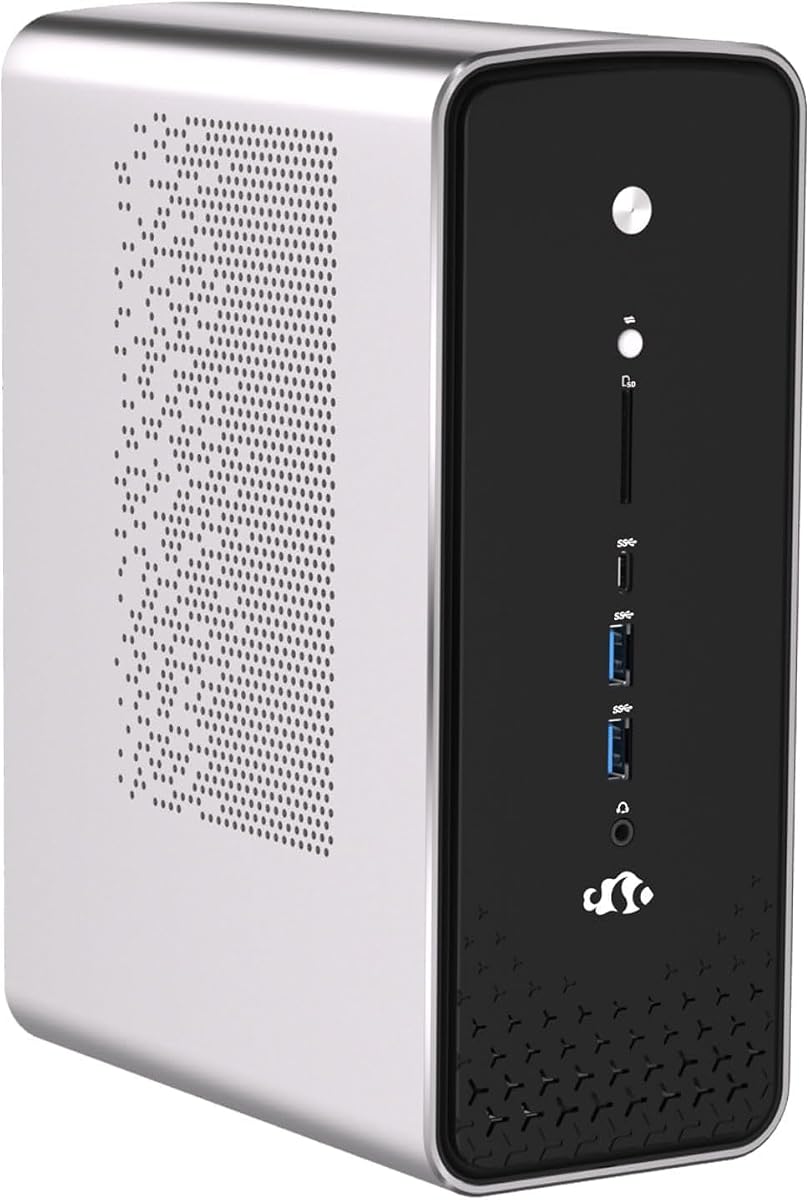
The Beelink Mini PC SER9 Pro is a top pick for budget focused buyers needing a desktop PC with Ubuntu pre installed. It combines strong specs with open source readiness out of the box.
We may earn a commission when you buy through this link, at no additional cost to you.
Its Ryzen 7 255 processor and 24GB LPDDR5X RAM deliver smooth multitasking and gaming. Triple display support via HDMI DP and USB4 boosts productivity.
Openclaw integration adds AI tools but might limit flexibility. Still the low noise and solid cooling make it reliable for daily use.
This model fits students and startups needing power without overspending. Check current prices and review recent feedback before purchase.
Launch directly into Ubuntu with Openclaw for productivity and AI tasks without extra setup steps.
Connect three 4K screens for expanded workspace and seamless multitasking across apps and tools.
We may earn a commission when you buy through this link, at no additional cost to you.
The ASUS PB64 delivers premium build quality and performance for a desktop PC with Ubuntu pre installed. Its latest Intel Core Ultra 7 chip and DDR5 memory make it a powerhouse for pros.
We may earn a commission when you buy through this link, at no additional cost to you.
Toolless chassis access simplifies upgrades while TPM 2.0 secures sensitive data. It supports four 4K displays via dual DP and USB4 ports.
It ships with Windows 11 Pro but supports Ubuntu installs easily. The higher price is justified by enterprise grade security and modern features.
Pick this for secure professional environments needing top hardware. Verify Ubuntu driver compatibility before deployment in critical workflows.
Built in TPM 2.0 chip provides advanced authentication and encryption for sensitive enterprise data.
Access internal components without tools for faster memory or storage swaps and lower downtime.
We may earn a commission when you buy through this link, at no additional cost to you.
The Dell OptiPlex 7070 SFF is a solid renewed desktop PC with Ubuntu pre installed capability. It offers reliable business grade build and strong specs at a fair price.
We may earn a commission when you buy through this link, at no additional cost to you.
Its 32GB RAM and 1TB NVMe SSD handle heavy multitasking well. WiFi 6E ensures stable network connections for modern workflows.
It comes with Windows 11 Pro but Ubuntu installs work well. The 9th gen CPU is older but still capable for office tasks.
This fits office setups needing dependable performance. Check driver support for Ubuntu before buying to ensure smooth deployment.
Dell OptiPlex series offers durable chassis and proven reliability for daily professional use.
Built in AX210 WiFi 6E module provides faster wireless speeds and lower latency.
We may earn a commission when you buy through this link, at no additional cost to you.
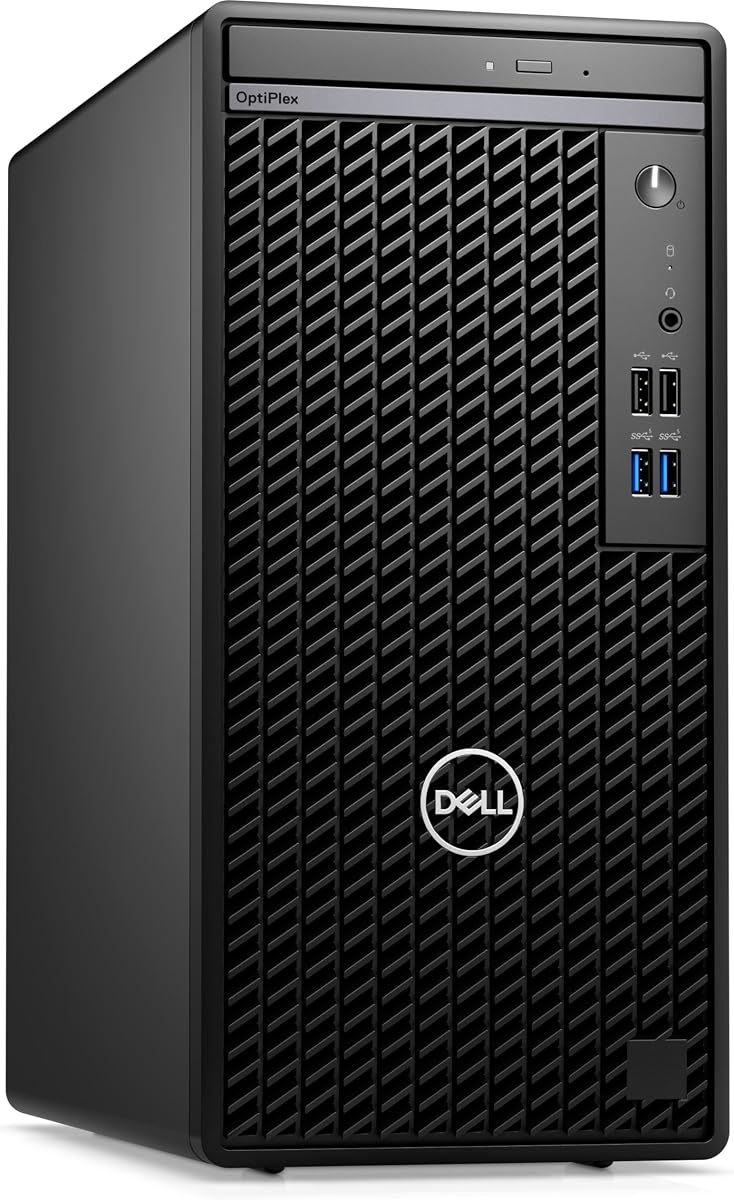
The Dell OptiPlex 7010 arrives with Ubuntu Linux 22.04 pre installed ready for immediate use. It offers modern 13th Gen performance in a versatile mini tower chassis.
We may earn a commission when you buy through this link, at no additional cost to you.
Its 14 core i5 processor supports strong multitasking. However the 8GB RAM and 256GB SSD may limit demanding workloads.
Mini Tower design allows future RAM or storage upgrades. This makes it flexible for growing needs without replacing the whole system.
Choose this for entry level Ubuntu workstations. Plan to upgrade RAM and storage soon for smoother performance.
Pre installed Ubuntu LTS provides stable base for development and daily productivity tasks.
Compact but expandable chassis allows future hardware upgrades without full system replacement.
We may earn a commission when you buy through this link, at no additional cost to you.
The Dell OptiPlex 7050 SFF offers a budget friendly desktop PC with Ubuntu pre installed path. It comes renewed with strong RAM and SSD specs for daily use.
We may earn a commission when you buy through this link, at no additional cost to you.
Its 32GB RAM supports multiple apps while 1TB SSD ensures fast storage. Dual monitor support boosts productivity for small teams.
It ships with Windows 11 Pro but supports Ubuntu installs. The 7th gen CPU is older but functional for basic tasks.
This fits small offices needing low cost hardware. Check Ubuntu driver compatibility before deployment to avoid issues.
Professionally renewed units offer cost savings with tested hardware and reliable performance.
Built in HDMI and DP ports support two displays for expanded screen real estate.
We may earn a commission when you buy through this link, at no additional cost to you.
The Dell OptiPlex 7060 SFF provides dependable desktop PC with Ubuntu pre installed performance. Its renewed units offer strong RAM and SSD specs for efficient daily work.
We may earn a commission when you buy through this link, at no additional cost to you.
Its 32GB RAM handles multitasking well while 512GB NVMe SSD ensures fast boot times. Built in WiFi and Bluetooth simplify connectivity.
It comes with Windows 11 Pro but Ubuntu installs are supported. The 8th gen CPU is still capable for light to medium loads.
This suits office users needing reliable hardware. Verify Ubuntu support before purchase to ensure smooth setup.
Built in NVMe SSD delivers faster file transfers and system responsiveness.
Support for two displays enhances productivity through better workspace organization.
We may earn a commission when you buy through this link, at no additional cost to you.
The Dell OptiPlex 5050 SFF is a budget focused desktop PC with Ubuntu pre installed option. It offers reliable build and decent specs for light professional tasks.
We may earn a commission when you buy through this link, at no additional cost to you.
Its 16GB RAM and 512GB NVMe SSD ensure smooth daily performance. SFF design saves desk space while retaining decent expandability.
It ships with Windows 11 Pro but supports Ubuntu. The 7th gen CPU is older but adequate for basic workflows.
This fits small startups or home offices. Upgrade to Ubuntu if needed for open source compatibility.
Small form factor reduces footprint for clean desk setups and easy placement.
512GB NVMe SSD ensures quick boot and app loading times.
We may earn a commission when you buy through this link, at no additional cost to you.
The Dell Pro Micro QCM1250 AI offers a compact desktop PC with Ubuntu pre installed ready for light workflows. Its latest Ultra 5 processor delivers efficient performance in a tiny box.
We may earn a commission when you buy through this link, at no additional cost to you.
DDR5 memory and 512GB NVMe SSD ensure responsive speeds. Built in WiFi 6E provides stable connectivity for modern environments.
Ubuntu 18.04 is older but functional. Consider upgrading to newer LTS for longer support cycles.
This fits users needing space saving desktops. Verify Ubuntu version compatibility for your specific apps.
Extremely compact footprint saves valuable desk space for tight setups.
Latest Intel Ultra 5 chip provides efficient processing for daily tasks.
We may earn a commission when you buy through this link, at no additional cost to you.
The ASUS NUC 14 Pro ships with Linux Mint and powerful Ultra 7 hardware. This desktop PC with Ubuntu compatible design offers strong specs for creative workloads.
We may earn a commission when you buy through this link, at no additional cost to you.
Its 16GB DDR5 RAM and Thunderbolt 4 ports support fast workflows. Arc graphics add AI boost and rendering power.
However the rating shows possible driver or compatibility issues. Read recent feedback before buying to ensure it meets your needs.
This suits Linux pros needing compact power. Check Ubuntu Mint compatibility and reviews before purchase.
Pre installed Linux Mint provides open source productivity for developers and creators.
High speed Thunderbolt 4 ports enable fast data and display connections.
We may earn a commission when you buy through this link, at no additional cost to you.
Choosing the right desktop PC with Ubuntu pre installed requires evaluating hardware compatibility and workflow needs carefully.
Always verify which Ubuntu version ships pre installed. LTS versions like 22.04 or 24.04 offer longer support and stability for workloads.
Look for systems with latest LTS Ubuntu to avoid frequent upgrades and security patches.
Choose CPUs with strong multi core performance for development and virtualization. Intel Ultra or AMD Ryzen AI chips offer efficient workloads.
Match cores to your apps. Light tasks need 4 cores; heavy ones need 8 or more.
Memory impacts multitasking and VM performance. Aim for 16GB minimum; 32GB better for heavy loads.
Ensure RAM is upgradeable via DDR5 or standard slots for future flexibility.
Fast NVMe SSDs reduce boot and app times. Look for 512GB or 1TB PCIe 4.0 drives.
Ensure M.2 slots allow expansion for growing project data.
Ubuntu support varies by GPU. Integrated Intel or AMD Radeon chips typically work best without extra drivers.
Verify Linux driver support if you need GPU rendering or AI tasks.
Ensure enough USB HDMI DP and Ethernet ports for your peripherals. USB4 Thunderbolt boosts connectivity.
Multi display support improves workflow. Match ports to your monitors.
WiFi 6E or 7 provides faster speeds and lower latency. Bluetooth helps with peripherals.
Check for AX210 or newer modules for stable connections.
Choose reputable brands for build quality and support. Check for 1 year warranty and driver updates.
Renewed units offer savings but confirm testing and return policies.
Start by updating your Ubuntu system immediately. Run sudo apt update and sudo apt upgrade to secure packages and apply patches.
Set up regular backups with tools like Timeshift. Protect your work and configurations against data loss.
Keep firmware drivers updated. Use Ubuntu updates and check vendor support pages for hardware compatibility.
The NIMO Mini PC with Ryzen AI Max+ 395 is ideal for its dual OS support and powerful NPU. It handles local AI and dev workloads well.
Yes most mini PCs or SFF models ship without monitors. Ensure your displays have HDMI DP or USB4 inputs for connection.
You can dual boot Ubuntu with Windows using disk partition tools. Back up data first and verify driver compatibility before installation.
Aim for 16GB RAM 512GB NVMe SSD and quad core CPU. Ubuntu runs well on modern hardware for dev and daily use.
Pre installed Ubuntu saves time and ensures driver compatibility. It offers immediate productivity without manual setup steps.
Prices range from $350 to over $1500. Budget models offer basic performance while premium ones deliver AI and multitasking power.
Most support dual to triple 4K outputs via HDMI DP and USB4. Check port specs to match your monitor setup.
Some newer models ship with Ubuntu 22.04 but can upgrade to 24.04. Confirm compatibility and driver support before upgrade.
Our top picks include the NIMO Mini PC Beelink SER9 Pro and ASUS PB64. Each offers strong Ubuntu support and performance for different budgets.
Prioritize RAM storage speed and OS version for your workflow. Developers need power; casual users prioritize value and ease.
Check current listings and driver support before buying. Prices and stock change often so verify details before purchase.