
Redragon M612 Wired RGB Optical Gaming Mouse 8000 DPI Remapping Keys
4.6Editor score
Five DPI Levels
Nine Programmable Buttons
RGB Backlit Modes
Compare the top 10 drag click mice for gaming and precision tasks. This guide reviews sensors, ergonomics, buttons, and software to help you choose the perfect
Drag click mice are specialized peripherals designed for gamers who need rapid fire capabilities. They feature textured surfaces and lightweight bodies to facilitate high click rates. These devices excel in competitive shooter games where speed and accuracy determine the outcome of every match.
We compared ten top models based on sensor quality, ergonomic design, and customization options. Our analysis includes wired and wireless variants suitable for various grip styles. Each entry offers unique benefits tailored to different user needs and budget constraints.
Each pick highlights key specifications and real-world performance metrics from user feedback. You will find detailed breakdowns of software features and battery life. Please note that product prices and availability change frequently so check current listings before purchasing.
4.6Editor score

4.6Editor score

4.6Editor score
This table provides a side-by-side view of all ten models. You can quickly compare sensor types, connectivity options, and key features to find the best match for your gaming setup and requirements.

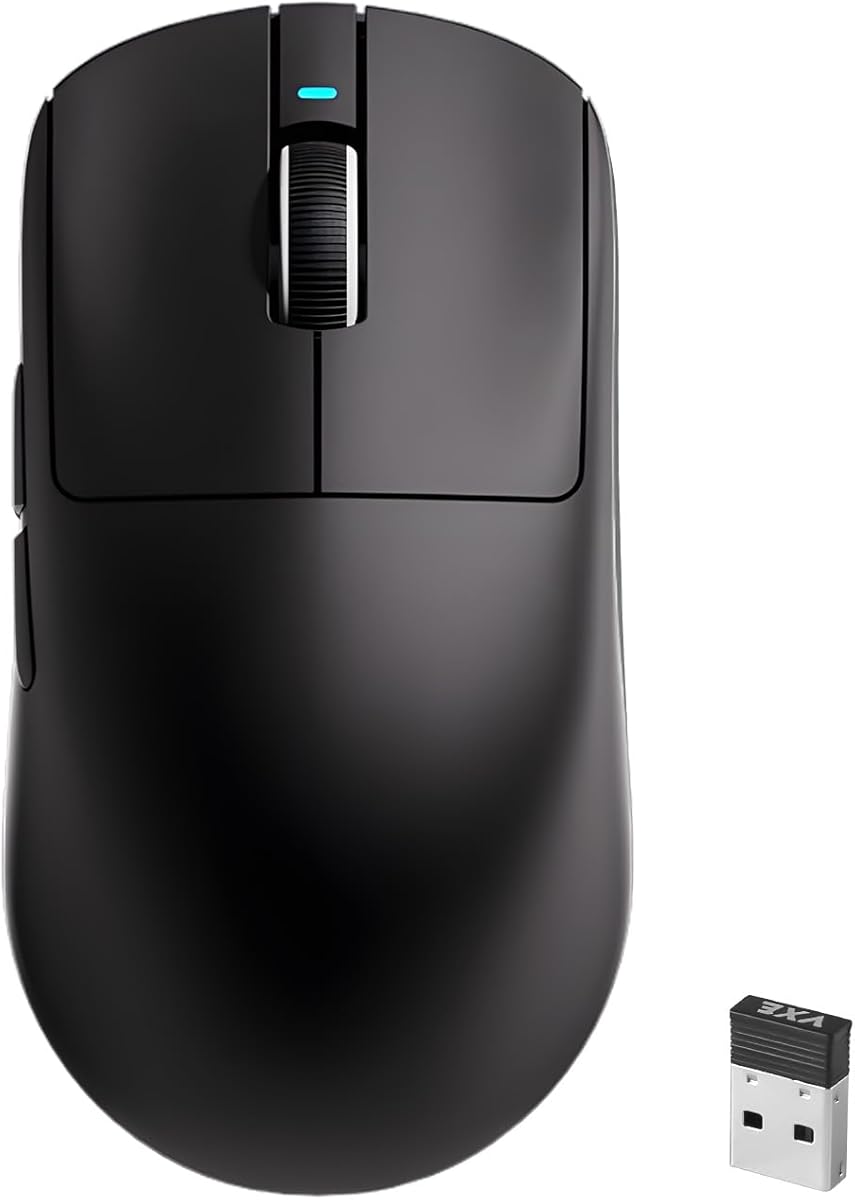


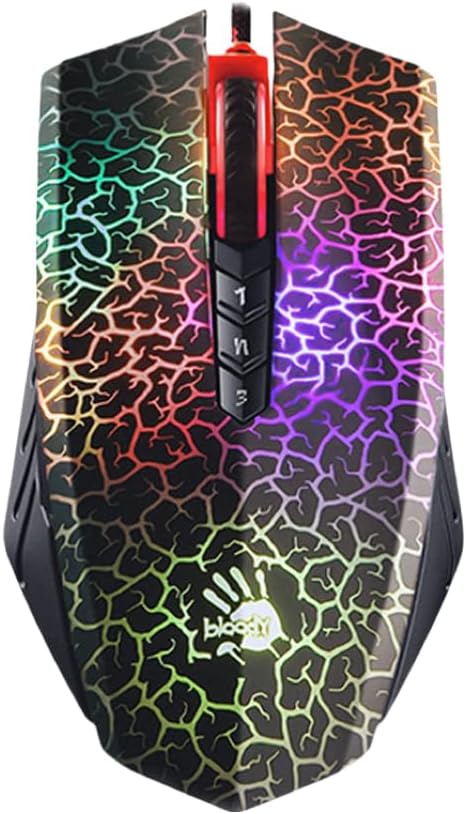

The Redragon M612 offers exceptional value for gamers seeking rapid fire capabilities without breaking the bank. It holds a strong rating from users who appreciate its textured surface and reliable performance in competitive titles. The device features a streamlined design that supports claw grips effectively.
We may earn a commission when you buy through this link, at no additional cost to you.
Its 5 redefinable DPI levels allow for quick adjustments during intense gameplay sessions. The skin-friendly frosted coating enhances control and reduces slippage even during long hours. Programmable buttons and RGB lighting add versatility for both gaming and work environments.
While it lacks wireless connectivity and premium materials, the performance-to-price ratio is hard to beat. The wired connection ensures zero latency which is crucial for competitive shooters. This makes it a practical choice for budget-conscious players.
Buyers looking for an entry-level drag click mouse should consider this model first. It balances essential features with affordability making it ideal for casual and semi-competitive gamers. Check availability and current specs before finalizing your purchase decision.
The ergonomic design reduces hand fatigue during extended use. The textured grip enhances stability and control.
Adjustable sensitivity levels cater to different play styles. Software support allows further fine-tuning.
We may earn a commission when you buy through this link, at no additional cost to you.
The Redragon M923 PRO combines wireless freedom with essential gaming features at a mid-range price. Users praise its 24K DPI capability and robust driver support for customization. The multi-mode connection options ensure compatibility across various devices and setups.
We may earn a commission when you buy through this link, at no additional cost to you.
Its programmable buttons and rapid fire options enhance tactical efficiency in shooters. The dynamic RGB lighting adds a stylish touch to any desk setup. Battery life supports extended sessions without frequent recharging interruptions.
However the software is required for full functionality which may deter some users. The sensor while capable is not top-tier compared to premium models. It remains a solid option for those prioritizing wireless convenience.
Ideal for gamers needing a flexible mouse for home and office use. The balance of features and cost makes it a strong contender. Verify compatibility with your system before ordering.
Choose between Bluetooth or 2.4G wireless for optimal performance. Stable connection reduces lag issues.
Map macros and adjust sensitivity via dedicated software. Tailor the mouse to your specific needs.
We may earn a commission when you buy through this link, at no additional cost to you.
The Razer Viper V3 Pro stands out as the ultimate weapon for competitive play. Its ultra-lightweight design facilitates swift precise flicks unmatched by other mice. The Focus Pro 35K Optical Sensor ensures pinpoint accuracy across various surfaces.
We may earn a commission when you buy through this link, at no additional cost to you.
HyperPolling technology delivers a true 8000Hz polling rate for flawless wireless performance. Optical switches provide a 0.2ms actuation speed with zero debounce delay. The ergonomic shape offers natural grip for extended gaming sessions.
The premium price point may deter casual users but pros will find value. Battery life supports intense scrimming schedules without interruption. It represents the pinnacle of modern esports mouse engineering.
Competitive players should prioritize this model for its speed and reliability. The wireless tech is optimized for tournament environments. Check current stock and warranty details before purchasing.
At only 54g the mouse moves effortlessly. Reduces strain and enhances flick speed.
The sensor tracks on glass and textured surfaces. Ensures consistent aim accuracy.
We may earn a commission when you buy through this link, at no additional cost to you.
The ATK R1 SE+ features a lightweight build and tri-mode connectivity for versatile use. Users highlight its web-driven interface which simplifies setup without heavy software installation. The PAW3395SE sensor delivers high DPI tracking accuracy.
We may earn a commission when you buy through this link, at no additional cost to you.
Its ergonomic design supports various grip styles comfortably. The 55g weight reduces fatigue during intense team battles. Polling rates can be adjusted to suit specific game requirements.
Reliance on a web driver is convenient for some but may limit offline use. The sensor is powerful but software integration is key. It offers strong value for those prioritizing performance.
Buyers looking for a lightweight mouse should evaluate this model. It balances cost with modern sensor tech. Verify system requirements for the web interface.
Adjust settings directly in your browser. Simplifies configuration for users.
Switch between Bluetooth 2.4G and wired. Adapts to different devices.
We may earn a commission when you buy through this link, at no additional cost to you.
The Redragon M910-K offers a dedicated fire button for rapid fire capabilities. This feature is ideal for competitive games where clicking speed is crucial. Users appreciate the ergonomic contour which fits various hand sizes comfortably.
We may earn a commission when you buy through this link, at no additional cost to you.
Software supports DIY keybinds and macro editing for high customization. The RGB backlit modes add visual flair to the gaming setup. Five user profiles allow switching between different scenarios easily.
While it is a wired mouse the performance is consistent. The build quality is standard for budget gaming mice. It remains a strong option for FPS enthusiasts.
Players needing a fire button should consider this model. It combines utility with essential comfort features. Check the software requirements for full functionality.
One click simulates multiple clicks for speed. Boosts win rates in shooters.
Switch profiles for different games instantly. Streamlines workflow and setup.
We may earn a commission when you buy through this link, at no additional cost to you.
The MOJO Pro Performance combines gaming precision with silent click technology. It is designed for users who need to game quietly without disturbing others. The PMW3336 sensor offers high tracking accuracy up to 12000 DPI.
We may earn a commission when you buy through this link, at no additional cost to you.
Its sniper key and adjustable force settings provide tactical advantages. The ergonomic shape fits comfortably during long sessions. Custom profiles can be set via the provided software.
However the weight is higher than modern lightweight mice. This may reduce agility in fast-paced shooters. It is best suited for those prioritizing silence and ergonomics.
Night gamers or those sharing spaces should consider this model. The silent buttons are a unique feature. Verify dimensions and weight before buying.
Reduces click noise for quiet environments. Ideal for late night gaming.
Instantly lowers DPI for precise aiming. Enhances accuracy in key moments.
We may earn a commission when you buy through this link, at no additional cost to you.
The Redragon M913 Impact Elite is tailored for MMO players needing extensive macros. It features 12 side buttons for quick access to skills and inventory. The Pixart 3335 sensor ensures reliable tracking during complex movements.
We may earn a commission when you buy through this link, at no additional cost to you.
Wireless connectivity reduces cable clutter while maintaining performance. The battery life supports extended play sessions. RGB lighting adds aesthetic appeal to the ergonomic design.
The extra buttons may not suit FPS gamers due to bulk. Weight can be an issue for prolonged use. It excels in specific multiplayer genres requiring many inputs.
MMO enthusiasts should prioritize this model for its button count. It balances wireless freedom with macro utility. Check button layout for your game.
Access skills quickly during raids. Improves efficiency in complex games.
Up to 45 hours on single charge. Reduces interruptions.
We may earn a commission when you buy through this link, at no additional cost to you.
The Bloody A70 II features Light Strike switches for rapid response. These optical switches reduce latency and prevent metal bounce noise. Users value the durability and smooth gliding feet for agility.
We may earn a commission when you buy through this link, at no additional cost to you.
Advanced macros allow complex sequences for competitive edges. The software enables deep customization for different games. The sensor tracks well on various surfaces.
However the software is proprietary which may limit flexibility. The mouse is heavier than modern options. It suits players needing robust macro capabilities.
Players seeking low latency and macros should check this model. The optical tech is a key advantage. Verify software compatibility.
0.2ms speed enhances reaction time. Zero debounce delay.
Customize complex key sequences. Ideal for strategy games.
We may earn a commission when you buy through this link, at no additional cost to you.
The Logitech G PRO X2 SUPERSTRIKE delivers industry-leading speed and customization. Its Haptic Inductive Trigger System offers real-time feedback for immersion. Designed with pros it provides the fastest fully customizable click.
We may earn a commission when you buy through this link, at no additional cost to you.
HERO 2 sensor ensures pinpoint accuracy for champions. The lightweight build supports agility and endurance. Battery life extends across long tournaments.
The price is steep and features require specific software. It is best for serious competitors needing every edge. Check compatibility with your ecosystem.
Pros and enthusiasts should invest in this premium tool. The haptic feedback is unmatched. Ensure you have the right software installed.
Real-time feedback enhances immersion. Distinguishes actions clearly.
Engineered with esports athletes. Guarantees competitive performance.
We may earn a commission when you buy through this link, at no additional cost to you.
The Razer Basilisk V3 favors ergonomics with a thumb rest for comfort. Its hyper scroll wheel allows free-spinning for speed or tactile for precision. The Focus Plus 26K optical sensor delivers pixel-precise accuracy.
We may earn a commission when you buy through this link, at no additional cost to you.
11 programmable buttons support quick access to essential actions. RGB lighting reacts dynamically with games for an immersive vibe. It supports both PC and Mac systems.
The weight is higher than modern lightweight models. Wired use may be limiting for some. It excels for ergonomic comfort.
Gamers prioritizing comfort should choose this model. The scroll wheel is versatile. Check dimensions for your hand size.
Switch between free-spin and tactile. Ideal for inventory management.
Thumb rest supports hand naturally. Reduces strain.
We may earn a commission when you buy through this link, at no additional cost to you.
Selecting the right drag click mouse requires evaluating several technical aspects. We outline key factors to help you make an informed decision.
High-end optical sensors track movement accurately across different surfaces. Look for DPI ranges that suit your play style. Ensure the sensor supports your preferred polling rate.
Prioritize sensors with minimal acceleration and jitter for consistent aim.
The shape must fit your hand size and grip style comfortably. Claw and fingertip users often prefer lighter ergonomic designs. Test the mouse physically if possible.
A comfortable grip reduces fatigue and improves performance over long sessions.
Wireless models offer freedom but may introduce latency. Wired mice provide stable connections essential for competitive play. Some models offer tri-mode connectivity for flexibility.
Choose based on your need for mobility versus reliability.
Custom buttons allow quick access to macros and skills. More buttons suit MMOs while fewer suits FPS. Ensure software supports your desired configuration.
Look for intuitive mapping tools for efficient setup.
Lightweight mice enhance speed and reduce hand strain. Check dimensions for proper fit. Heavier models may offer stability but reduce agility.
Select a weight that matches your physical preferences.
Customization software is key for adjusting DPI and macros. Ensure it runs on your operating system. Look for profile storage options.
User-friendly interfaces simplify setup and maintenance.
Wireless models need sufficient battery to avoid interruptions. Long life supports extended gaming without charging. Check charging speed and cable options.
Reliable battery performance ensures uninterrupted gameplay.
Optical switches reduce double-click issues and wear. High click ratings indicate longevity. Check material quality for long-term use.
Invest in durable materials for lasting performance.
Clean the sensor regularly to maintain tracking accuracy. Use a soft microfiber cloth to wipe surfaces. Avoid harsh chemicals that may damage textures.
Update firmware via official software to access all features. Ensure drivers are installed correctly for customization. Check for system updates that might affect performance.
Store the mouse in a dry place to prevent wear. Use a mouse pad to enhance glide and protect surfaces. Avoid excessive pressure on buttons to extend lifespan.
A drag click mouse has a textured surface allowing rapid multiple clicks when dragged. This technique enables high click rates useful in shooters. It requires practice to master for consistent results.
Modern wireless mice offer near-wired performance with high polling rates. Models with 8K polling match wired stability. Ensure the connection technology supports low latency.
Use dedicated software or physical buttons on the mouse. Adjust sensitivity based on your game type and preference. Software often provides finer control for calibration.
Optical switches use light to register clicks reducing wear and delay. They prevent double-click issues common in mechanical switches. This ensures consistent responsiveness over time.
High-end sensors track on various surfaces including glass. However textured pads enhance accuracy. Check sensor specs for compatibility with your desk.
Wireless models typically last from 45 to 95 hours. This covers multiple days of typical use. Check specific model details for precise estimates.
We highlighted ten top models suited for various needs and budgets. The Razer Viper V3 Pro leads overall with its speed. Budget picks like the Redragon M612 offer great value.
Prioritize ergonomics and sensor quality when comparing options. Ensure connectivity matches your setup requirements for reliability.
Always verify current pricing and stock before making a final purchase. These details can change rapidly in the market.