
Acer 4-in-1 USB C Hub
4.2Editor score
Dual HDMI 4K 60Hz output
100W power delivery pass-through
Compact design with USB-A data port
Explore our expert review of the best dual HDMI monitor adapter options for 2026 comparing performance compatibility and value for multi-monitor setups.
Finding the right dual HDMI monitor adapter can transform your workspace into a productive multi-screen environment. Whether you need to extend your desktop or mirror displays, choosing the correct adapter ensures smooth video output without frustrating lag or compatibility issues.
We have carefully evaluated ten top-rated adapters based on video quality, connection types, and operating system support. Our analysis focuses on real-world performance to help you select the device that best fits your specific workstation needs and budget constraints.
Each pick highlights key strengths and potential limitations to guide your decision. Please note that availability and specific pricing may change over time so verify current details before finalizing your purchase to ensure you get the best deal available.
4.2Editor score

4.5Editor score

4.4Editor score
This side-by-side comparison reviews all ten selected adapters to highlight their unique specifications and capabilities helping you identify the right fit for your multi-monitor configuration.
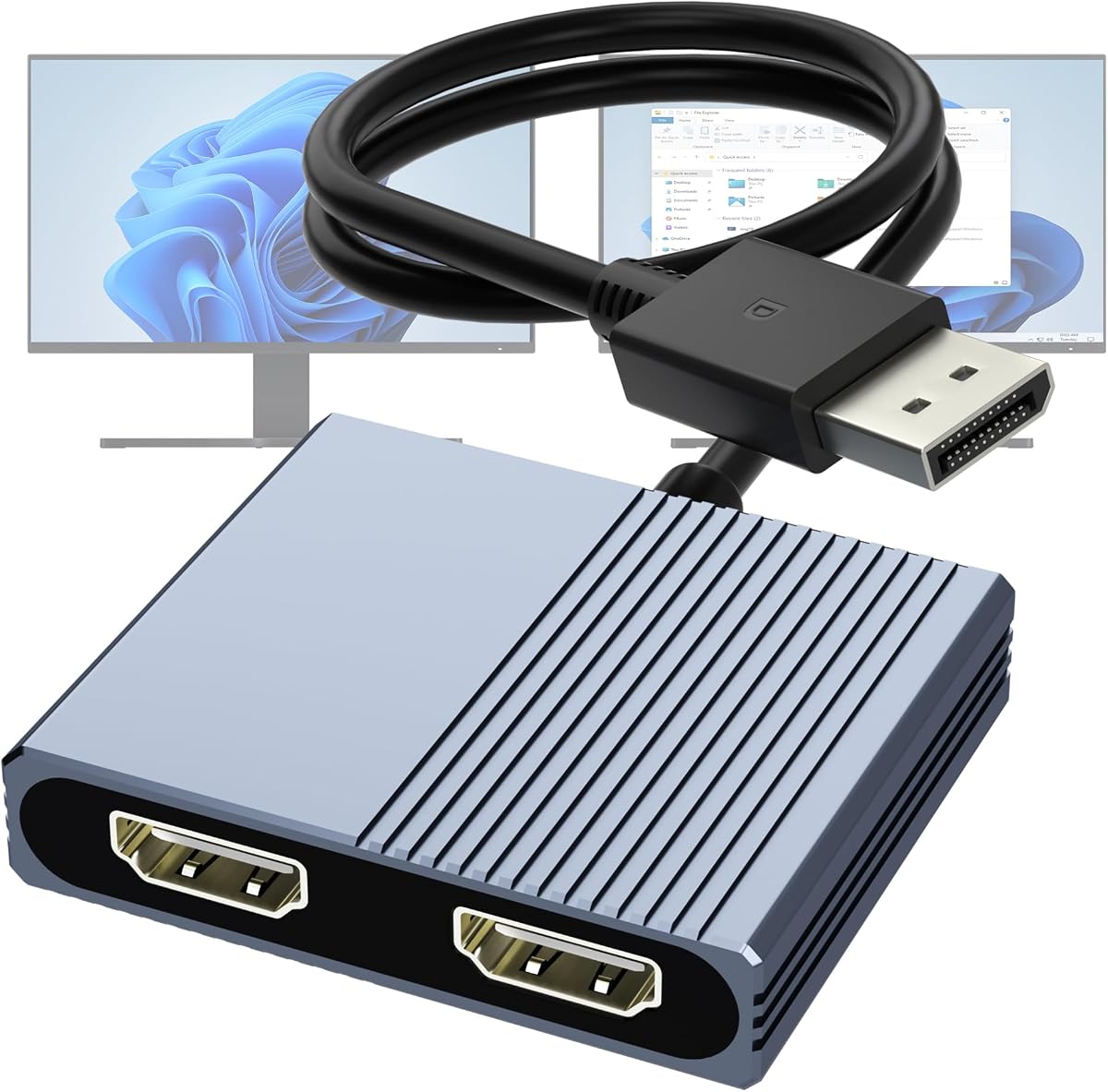


The StarTech USB-A 3.0 to Dual HDMI Adapter stands out as a robust solution for Windows users needing reliable dual monitor support. It holds a high rating for its consistent performance and dedicated focus on workstation stability.
We may earn a commission when you buy through this link, at no additional cost to you.
This adapter allows you to extend your desktop using a single USB-A 3.0 port to connect two HDMI monitors. It delivers 4K at 30Hz on one screen and 1080p at 60Hz on the other ensuring you can manage multiple tasks efficiently without sacrificing visual clarity.
Users must note that this device is designed exclusively for Windows and requires driver installation with administrator rights. While this adds a setup step it ensures the hardware functions correctly for extended work sessions without unexpected disconnections.
If you need a trusted tool for office productivity or remote work this adapter is a top recommendation. Its build quality and support make it a solid investment for any Windows-based dual monitor setup.
Engineered for IT professionals this adapter prioritizes stability and long-term reliability over flashy features.
Backed by a three-year warranty and lifetime technical assistance it offers peace of mind for business users.
We may earn a commission when you buy through this link, at no additional cost to you.
The Acer 4-in-1 USB C Hub offers an affordable entry into multi-monitor computing for laptop users with compatible ports. Its high rating reflects the value it provides through solid video performance and essential connectivity options.
We may earn a commission when you buy through this link, at no additional cost to you.
This hub enables two HDMI screens to run at 4K resolution and 60Hz refresh rates which is impressive for its price range. It also includes a 100W power delivery port that keeps your laptop charged while you work and a fast USB-A port for data.
Compatibility is key as your laptop must support DisplayPort Alternate Mode to use the video features. The included cable is short so you may need an extension for some desk layouts but the functionality remains consistent when connected properly.
For budget-conscious buyers needing high-resolution output this hub is a smart choice. It balances cost and capability effectively making it ideal for students or home office workers upgrading their setup.
Both HDMI ports support 60Hz which ensures smooth scrolling and video playback during daily tasks.
The 100W power delivery pass-through ensures your device remains powered even while driving dual displays.
We may earn a commission when you buy through this link, at no additional cost to you.
The Selore USB C Docking Station delivers a premium all-in-one solution for users needing extensive connectivity alongside dual displays. It earns strong ratings for its versatility and ability to turn a single port into a complete workstation hub.
We may earn a commission when you buy through this link, at no additional cost to you.
This dock supports two HDMI monitors at 4K 60Hz on Windows systems and includes multiple USB-A and USB-C ports plus an SD card reader. The 100W power delivery port provides ample energy to charge your laptop while driving all connected devices simultaneously.
Note that macOS users will only get mirror mode rather than extended displays which is a standard limitation for MST. It also requires a Thunderbolt or full-featured USB-C port to activate video output which restricts it to newer laptops and MacBooks.
If you want a comprehensive hub that handles everything from charging to data transfer this docking station is ideal. Its robust design and high-speed options justify the cost for power users with demanding productivity needs.
Eight ports in total provide seamless access to peripherals and storage without additional adapters.
Intelligent technology manages heat to maintain consistent performance even during long usage sessions.
We may earn a commission when you buy through this link, at no additional cost to you.
This DisplayPort to Dual HDMI Adapter offers a direct way to connect two monitors to a desktop or laptop with a DisplayPort output. It receives positive feedback for its ability to extend displays without requiring complex software installation on Windows.
We may earn a commission when you buy through this link, at no additional cost to you.
The hub leverages MST technology to drive two 4K 60Hz monitors from a single DisplayPort 1.4 source. It includes a USB-C power cable to supply energy to the internal chipset ensuring the signal remains stable during intensive workloads or extended usage.
Compatibility is specific as it requires a dedicated graphics card or DP port and does not work with USB hubs. Users must ensure their monitor cables support 4K 60Hz to avoid limitations on refresh rates or resolution settings.
For PC users seeking a dedicated solution for dual screens this adapter is highly effective. Its simple design and solid performance make it a great choice for upgrading older desktops or workstations to modern multi-monitor setups.
Supports both MST and SST modes to allow true extended desktop experiences.
Multi-layer shielding and smart chips ensure a clean signal path for reliable video output.
We may earn a commission when you buy through this link, at no additional cost to you.
The WAVLINK HDMI Splitter provides a versatile solution for connecting dual monitors via USB-C or USB-A on various operating systems. It is well regarded for enabling extended displays on macOS which many similar adapters fail to support properly.
We may earn a commission when you buy through this link, at no additional cost to you.
You can connect this device to either a USB-C or USB 3.0 port to drive two screens at up to 1920×1080 or 2560×1440 resolution. Although it requires installing a driver for full functionality it delivers consistent results for productivity apps like spreadsheets and documents.
This adapter is not intended for gaming or HD video streaming due to bandwidth limitations. It focuses on extending your desktop for work tasks so users planning to watch movies or play games should look for a dedicated graphics card or Thunderbolt dock.
If you need a simple adapter that works across different systems this option is a reliable pick. Its flexible input ports and wide OS compatibility make it a handy tool for mixed environments in office or home offices.
Compatible with Windows and macOS making it suitable for multi-device workspaces.
Optimized for office software ensuring stable performance during daily work tasks.
We may earn a commission when you buy through this link, at no additional cost to you.
The OREI SplitExtend HDMI Splitter is designed to extend your laptop screen to two external monitors using a single USB connection. It holds a solid rating for its ability to handle extended displays across different operating systems.
We may earn a commission when you buy through this link, at no additional cost to you.
This device supports both USB-A and USB-C inputs via an included adapter making it useful for various laptop models. It requires a driver installation to function correctly so you must have permission to install software especially on work computers.
Performance depends on having an Intel i5 processor or higher to manage the additional screen load. While it supports 4K at 30Hz the setup may be slightly complex compared to plug-and-play hubs but it works well once configured.
For users who need a straightforward way to extend their desktop this splitter is a good choice. Its compatibility options and driver support provide a reliable path to a dual-screen setup for office productivity tasks.
Includes a USB-A to USB-C adapter to maximize compatibility with older and newer laptops.
Designed to work best with i5 processors ensuring smooth dual-screen operation.
We may earn a commission when you buy through this link, at no additional cost to you.
This 4K HDMI Splitter offers a simple way to duplicate a single HDMI source across two displays without requiring any drivers. It is useful for presentations or scenarios where showing the same content on multiple screens is the goal.
We may earn a commission when you buy through this link, at no additional cost to you.
The splitter takes one HDMI input and outputs it to two HDMI displays at up to 4K resolution. It ensures audio and video stay synchronized which is helpful for events or conferences where clear sound is essential for the audience.
Note that this device does not support extended display modes so you cannot have different windows on each screen. It is best used for mirroring the same image on two monitors or a monitor and a TV simultaneously.
For basic mirroring needs this splitter is a convenient and affordable tool. Its ease of use and compatibility with many HDMI devices make it a practical choice for simple setup requirements.
No software installation needed so you can start mirroring displays instantly.
Built-in audio synchronization ensures sound plays correctly across both output screens.
We may earn a commission when you buy through this link, at no additional cost to you.
The Selore&S‑Global USB‑C to Dual HDMI Adapter delivers a high-performance solution for extending desktops on compatible laptops. It receives high marks for its ability to support two 4K displays with smooth refresh rates for productivity tasks.
We may earn a commission when you buy through this link, at no additional cost to you.
This hub features dual HDMI ports that can run at 4K 60Hz on Windows systems alongside a USB-A data port and a 100W power delivery input. It helps keep your laptop charged while managing multiple external monitors for a clutter-free workspace.
MacOS users should note that this device supports mirroring only due to system limitations on multi-monitor extensions. Ensure your laptop supports DisplayPort Alternate Mode to enable the full dual-screen capabilities described in the specs.
If you need a portable and powerful adapter for dual screens this option is a strong contender. Its high refresh rate support and compact design make it ideal for professionals working across multiple high-resolution monitors.
Supports 60Hz on both 4K displays for smooth scrolling and video playback.
Includes a 100W PD port to power your device while driving dual monitors.
We may earn a commission when you buy through this link, at no additional cost to you.
This DisplayPort to Dual HDMI Adapter is built to work directly with dedicated graphics cards to deliver extended display modes without extra drivers. It stands out for its durable construction and clear signal transmission for desktop users.
We may earn a commission when you buy through this link, at no additional cost to you.
The hub supports DP 1.4 to provide dual 4K 60Hz outputs from a single source. Its aluminum housing helps with heat dissipation during heavy use and the gold-plated connectors ensure a strong and reliable physical connection to your monitors.
It is important to connect this directly to a DisplayPort on your graphics card as it does not work with USB docks or switches. This direct connection ensures the bandwidth needed to run two screens at full resolution without dropouts.
For PC enthusiasts needing a reliable MST hub this adapter is a top choice. Its robust build and high-resolution support make it ideal for gaming rigs or workstations that require stable multi-monitor performance.
Aluminum alloy housing provides effective heat dissipation and protection for internal components.
Optimized for use with NVIDIA and AMD graphics cards to maximize output potential.
We may earn a commission when you buy through this link, at no additional cost to you.
The UANTIN 6-in-1 USB C Hub combines dual video output with essential data ports for a complete portable workstation. It holds a strong rating for its balanced mix of features that support modern laptop connectivity.
We may earn a commission when you buy through this link, at no additional cost to you.
This hub supports dual HDMI displays at 4K 60Hz and includes three USB-A ports along with a 100W power delivery port. The compact design makes it easy to carry while still providing enough ports for common peripherals like drives and keyboards.
Windows users can extend their desktop across two screens but macOS users may be limited to one extended screen plus mirroring. Ensure your USB-C port supports DisplayPort Alternate Mode to activate the video features properly.
If you need an all-around hub for travel or daily use this model offers great value. Its driver-free design and robust port selection make it a convenient choice for professionals who move between work locations regularly.
Slim design fits easily in a laptop bag for portability.
Three USB-A ports allow easy connection of common accessories without extra adapters.
We may earn a commission when you buy through this link, at no additional cost to you.
Selecting the right adapter requires understanding your hardware and operating system needs to ensure seamless connectivity.
Some adapters work only with Windows while others support macOS and Linux. macOS often restricts multi-monitor extensions to mirroring only so check OS specifics before buying.
Verify that the adapter supports your specific operating system to avoid software issues or limited display modes.
Adapters use USB-A, USB-C, or DisplayPort inputs. Match the adapter input to your laptop or desktop available ports to ensure physical connection.
Choose the correct input type such as USB-C with DP Alt Mode to activate video output on modern laptops.
Higher resolution like 4K requires more bandwidth and may reduce refresh rates on some models. Look for 60Hz support if smooth motion is important for your tasks.
Prioritize adapters that support the resolution and refresh rate you need for a clear and fluid display experience.
Some adapters need software drivers installed to function correctly while others are plug and play. Driver installs may require admin rights on work laptops.
Consider if you can install drivers on your device and choose a plug-and-play model if software changes are restricted.
Many hubs include a power delivery port to charge your laptop while in use. This reduces cable clutter and keeps your device powered during long sessions.
Check the wattage of the power delivery to ensure it meets your laptop charging needs while driving dual monitors.
Extra USB ports or SD slots add convenience for connecting peripherals. A hub with more ports can replace separate adapters for a cleaner setup.
Look for hubs that offer extra USB or card reader ports to maximize connectivity options in your workspace.
Durable materials and strong warranties protect your investment from damage or failure. Aluminum housings help dissipate heat during heavy use.
Select products with solid warranties and robust construction to ensure long-term reliability for daily work use.
Short cables may limit placement flexibility on a desk while long ones create clutter. Consider your workspace layout when choosing an adapter.
Check the included cable length and design to ensure it fits your desk setup comfortably.
Connect the adapter to your laptop or desktop using the correct port such as USB-C or DisplayPort. Ensure your system recognizes the new devices in display settings.
Install any required drivers if prompted by the software or manufacturer guidelines. Restart your computer to finalize the setup and enable full functionality.
Keep the adapter in a dry and cool place when not in use. Avoid bending cables sharply to protect internal connections and extend the device lifespan.
Yes but macOS often supports mirroring only instead of extended displays. You may need to check if your Mac supports MST for extended screens or use a Thunderbolt dock instead.
Some adapters require drivers to work correctly while others are plug and play. Check the product description to see if software installation is necessary for your specific model.
Most modern adapters support up to 4K resolution. However some models may reduce refresh rates like to 30Hz at 4K so verify specs if you need smooth motion.
Your USB-C port must support video output like DisplayPort Alternate Mode to use the adapter. Check your laptop specs to ensure it supports video output via USB-C.
Many hubs include a power delivery port that lets you charge your laptop while using the adapter. Ensure the wattage matches your laptop charging needs for optimal performance.
Some adapters default to mirror mode especially on macOS. You can change this to extended mode in your system display settings if the adapter supports it.
We have reviewed ten top adapters ranging from budget-friendly USB hubs to robust docking stations. The StarTech and Acer options stand out for their reliability and value for office productivity.
Choose the adapter that matches your operating system and port availability. Consider factors like driver needs and power delivery to ensure it fits your specific workflow seamlessly.
Prices and availability may vary so check current listings before purchasing. This guide provides a solid foundation to find a dual HDMI adapter that enhances your multi-screen setup.