
Logitech B100 Wired
4.6Editor score
Plug and play setup
Ambidextrous comfortable shape
Zero configuration required
This guide compares the most durable computer mouse options available in October 2026 to help you find a reliable device for long-term daily computing use.
Finding a durable computer mouse is essential for anyone who spends long hours working at a desk. Quality peripherals withstand daily wear and tear while maintaining precise tracking and comfortable ergonomics over years of use.
We evaluated ten top-rated models based on build quality, battery life, connectivity stability, and user feedback. Each product was selected for its reputation for longevity and performance in both home and professional environments.
Every pick highlights key strengths, specific use cases, and honest trade-offs to help you choose wisely. Please note that product availability and pricing can change frequently, so check current listings before purchasing.
4.6Editor score

4.5Editor score

4.5Editor score
The following table provides a side-by-side overview of all ten durable computer mouse models included in this guide. Use this comparison to quickly identify key specifications and features that matter most to your workflow needs.





The Logitech M705 Marathon stands out as a top choice for users seeking a durable computer mouse designed for long-term reliability. With a rating of 4.5 stars, this model is celebrated for its ability to maintain performance over years of daily use without sacrificing comfort or precision.
We may earn a commission when you buy through this link, at no additional cost to you.
Its standout feature is the impressive battery life, which can last up to three full years on a single set of batteries. This is achieved through advanced power-saving technology that reduces consumption significantly compared to standard wireless mice. Additionally, the hyper-fast scrolling wheel allows you to navigate long documents and web pages effortlessly, while the laser-grade tracking ensures smooth cursor movement even on challenging surfaces like polished wood or glass.
While the M705 is highly rated, it does have a few trade-offs. The mouse is slightly heavier than some competitors, which might be noticeable during extended sessions for users accustomed to lightweight devices. Furthermore, unlocking the full potential of customizable buttons requires installing Logitech software, which adds a minor setup step for those who prefer plug-and-play simplicity.
This mouse is ideal for professionals and power users who prioritize longevity and efficiency over frequent recharging or battery swaps. Its robust design and reliable connectivity make it a dependable workhorse for offices and home setups alike. If you need a durable computer mouse that delivers consistent performance with minimal maintenance, the M705 Marathon is an excellent investment.
The M705 Marathon reduces power consumption significantly, allowing up to three years of use between battery changes for uninterrupted productivity.
Laser grade tracking delivers smooth and responsive cursor control even on surfaces where standard optical sensors struggle, such as wood or glass.
We may earn a commission when you buy through this link, at no additional cost to you.
For those seeking a durable computer mouse without breaking the bank, the Logitech B100 Wired offers exceptional value. Rated at 4.6 stars, it combines solid build quality with a straightforward design that meets the needs of everyday users looking for reliability and simplicity.
We may earn a commission when you buy through this link, at no additional cost to you.
This mouse eliminates the need for batteries or wireless receivers by using a standard USB or PS/2 connection. The wired setup ensures a stable, lag-free experience that is perfect for office environments or home computers where consistency matters. Its ambidextrous shape feels comfortable in either hand, making it a versatile choice for shared workstations. The 800 DPI sensor provides precise cursor control for standard tasks like document editing and web browsing.
The primary trade-off with the B100 is the presence of a cable, which can tangle or restrict movement compared to wireless alternatives. Additionally, it lacks advanced features like programmable buttons or customizable DPI settings, focusing instead on core functionality. However, these limitations are acceptable given the incredibly low price point and the device's reputation for durability.
Ideal for students, small offices, or anyone who needs a dependable backup mouse, the B100 delivers consistent performance without unnecessary complexity. Its robust construction ensures it can withstand daily wear and tear effectively. If you prioritize practicality and cost-efficiency, this model is a smart choice for a durable computer mouse.
The USB PS2 connection provides a stable link to your computer that requires no batteries or wireless setup, ensuring consistent performance.
Designed to fit comfortably in both left and right hands, this mouse is suitable for shared workspaces or individual preferences.
We may earn a commission when you buy through this link, at no additional cost to you.
The Logitech Signature M650 L represents the pinnacle of modern durable computer mouse design, blending premium features with long-lasting performance. With a 4.5-star rating, it is engineered for professionals who demand silence, comfort, and versatility in their daily computing tools.
We may earn a commission when you buy through this link, at no additional cost to you.
This model features SilentTouch technology, which reduces click noise by 90 percent, making it ideal for open offices or quiet home environments. The SmartWheel allows seamless switching between precise line-by-line scrolling and hyper-fast scrolling for long documents. Connectivity options include Bluetooth Low Energy or the Logi Bolt USB receiver, ensuring stable links across multiple devices. The ergonomic design provides hours of comfort with soft thumb areas and rubber grips.
While the M650 L offers superior quality, it comes at a higher price compared to basic models. Full customization of side buttons requires the Logitech Options+ software, which might be a hurdle for tech-averse users. However, the durability and feature set justify the investment for those who value advanced functionality and a quiet working environment.
Best suited for executives, remote workers, or creatives who need a reliable, quiet, and comfortable mouse for extended use, the M650 L excels in every category. Its ability to work across Windows, macOS, and other platforms adds to its versatility. If you want a premium durable computer mouse that enhances focus and comfort, this is the top recommendation.
SilentTouch technology reduces click noise by 90 percent, allowing you to work quietly in shared or noise sensitive environments without distraction.
Connect via Bluetooth or Logi Bolt USB receiver to pair with multiple devices, offering seamless switching between computers for efficient workflows.
We may earn a commission when you buy through this link, at no additional cost to you.
The Logitech M185 Compact is a top contender for users needing a durable computer mouse that travels well. Rated at 4.4 stars, it is designed to be small, portable, and efficient, making it perfect for students and professionals on the go.
We may earn a commission when you buy through this link, at no additional cost to you.
Its compact size fits easily into laptop bags without adding bulk, while the ambidextrous shape ensures comfort for both right and left-handed users. The wireless connection via a nano USB receiver is reliable up to 33 feet, providing freedom of movement on desktops. Battery life lasts up to one year thanks to smart sleep mode, reducing the need for frequent replacements. It works seamlessly with Windows, Mac, and Linux systems.
The main limitation of the M185 is its small size, which may feel cramped for users with larger hands during extended sessions. Additionally, the scroll wheel lacks advanced features like side-to-side scrolling, keeping it basic compared to premium models. However, these constraints are minor given its focus on portability and affordability.
Ideal for travelers, students, or anyone with limited desk space, this mouse delivers reliable performance without compromising on durability. Its simple design ensures it works out of the box with no software needed. If you need a durable computer mouse that is easy to carry and use anywhere, the M185 is a fantastic choice.
The compact and lightweight build makes this mouse ideal for laptop bags and tight workspaces, ensuring comfort on the move.
Smart sleep mode extends battery life up to one year, minimizing maintenance and keeping you productive without frequent interruptions.
We may earn a commission when you buy through this link, at no additional cost to you.
The Logitech M510 Full Size offers an ergonomic solution for users seeking a durable computer mouse that supports long hours of work. With a 4.6-star rating, it is praised for its comfort, battery life, and versatile features that enhance productivity.
We may earn a commission when you buy through this link, at no additional cost to you.
Designed with a contoured shape and soft rubber grips, this mouse reduces hand fatigue during extended use. The side-to-side scrolling and zoom capabilities allow you to navigate spreadsheets and web pages quickly, while the programmable buttons can be set to switch applications or perform shortcuts. Battery life extends up to two years on a single set of batteries, and the Unifying receiver can store multiple devices in one small receiver.
While highly comfortable, the M510 is larger than compact options, which might not fit smaller desks or hands well. Customizing the extra buttons requires Logitech software, adding a setup step. However, these are minor inconveniences for the significant comfort and efficiency gains it provides.
Best for office workers and power users who prioritize ergonomics and efficiency, the M510 balances features with reliability. Its durable build ensures it withstands daily heavy use effectively. If you need a durable computer mouse that combines comfort with functional versatility, this model is a top choice.
The contoured shape and soft rubber grips provide excellent hand support, reducing fatigue during long work sessions.
Side-to-side scrolling and zoom capabilities allow you to navigate content efficiently, especially useful for spreadsheets and large documents.
We may earn a commission when you buy through this link, at no additional cost to you.
The TECKNET USB Wired Mouse delivers high performance at an affordable price, making it a strong choice for a durable computer mouse. Rated at 4.5 stars, it features advanced tracking technology and a robust design suitable for both home and office environments.
We may earn a commission when you buy through this link, at no additional cost to you.
Its Tru-Wave technology ensures precise cursor control on various surfaces, including glass. The four adjustable DPI levels let you customize sensitivity for different tasks, while the six buttons include dedicated forward and backward navigation for efficient browsing. The five-foot cable provides ample reach, and the mouse is tested for over six million clicks, ensuring long-term durability.
A notable limitation is that the side buttons do not function on Mac systems, limiting its versatility for Apple users. Additionally, the non-detachable cable can be restrictive if you prefer modular setups. Despite these drawbacks, the value and durability it offers are exceptional for the price.
Ideal for Windows users seeking a reliable, feature-rich wired mouse without paying a premium, this model delivers consistent performance. Its durability and precision make it great for general computing and light gaming. If you need a durable computer mouse that balances features and cost, the TECKNET is a solid option.
Tru-Wave technology provides intelligent cursor control on most surfaces including glass, ensuring smooth and accurate movement.
Four adjustable DPI levels let you match cursor speed to your workflow, from detailed design to rapid browsing.
We may earn a commission when you buy through this link, at no additional cost to you.
The Logitech Signature M550 L is designed specifically for users with larger hands, offering a durable computer mouse that combines comfort with advanced features. With a 4.5-star rating, it excels in ergonomics, battery life, and versatile connectivity options.
We may earn a commission when you buy through this link, at no additional cost to you.
Its full-size shape ensures a snug fit with soft thumb areas and rubber grips for all-day comfort. The SmartWheel allows switching between precise and fast scrolling modes effortlessly. It supports Bluetooth Low Energy and Logi Bolt USB connection for seamless pairing across Windows, Mac, Linux, and Chrome OS. The SilentTouch technology reduces noise significantly, and the battery lasts up to 24 months.
While the size is ideal for large hands, it might feel too bulky for those with smaller palms. The premium pricing also reflects its feature set, which may be higher than basic needs. However, the build quality and user experience justify the cost for many.
Best for professionals and creatives who need a comfortable, quiet, and versatile mouse for long work sessions, the M550 L is highly recommended. Its multi-platform support and durability make it a reliable choice. If you want a durable computer mouse that fits larger hands and offers premium comfort, this model is excellent.
Designed specifically for larger hands, this full-size mouse provides ergonomic support that reduces strain during prolonged use.
SilentTouch technology reduces click noise by 90 percent, allowing focus without distracting sounds in shared environments.
We may earn a commission when you buy through this link, at no additional cost to you.
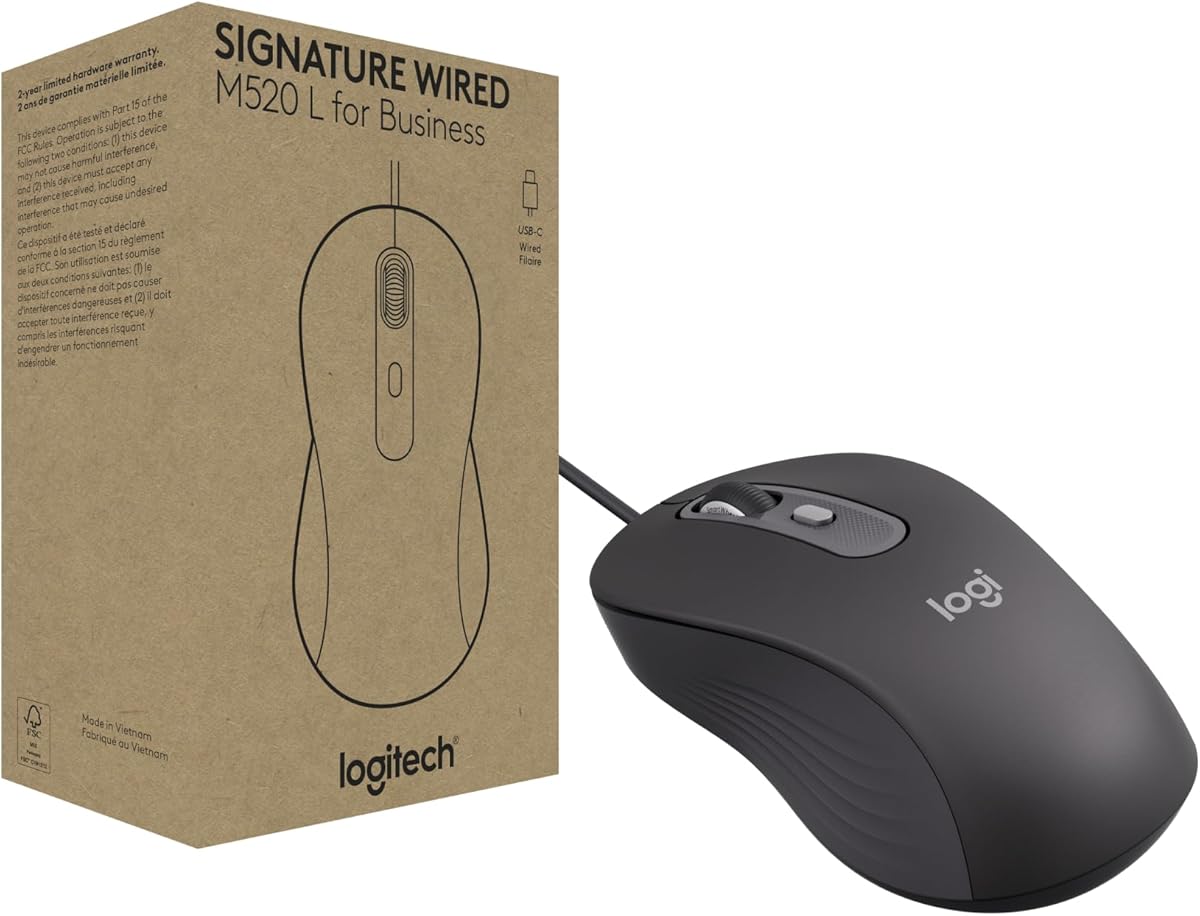
The Logitech Signature Wired M520 L is tailored for business environments, offering a durable computer mouse that meets modern connectivity and environmental standards. Rated at 4.3 stars, it focuses on reliability, sustainability, and quiet operation.
We may earn a commission when you buy through this link, at no additional cost to you.
This model features a USB-C cable for future-proof connectivity, reducing energy consumption by 68 percent. SilentTouch technology minimizes noise, making it perfect for open offices. The ambidextrous design fits both hands comfortably, and the SmartWheel allows easy switching between precise and fast scrolling. It works with Windows, macOS, Linux, and Chrome OS, and includes recycled plastic parts.
The wired-only design limits mobility compared to wireless alternatives, and the DPI settings are basic. However, for organizations deploying devices across multiple OS types, the ease of setup and sustainability benefits are significant. It is built to last with high durability.
Ideal for corporate users, medical settings, or financial sectors where wired reliability and quiet performance are required, this mouse is a practical choice. Its sustainability features align with modern environmental goals. If you need a durable computer mouse for business deployment, the M520 L is a strong candidate.
The USB-C cable ensures compatibility with modern laptops and systems while consuming less energy than traditional USB designs.
Plastic parts include a minimum of 73 percent post-consumer recycled plastic, reducing environmental impact without compromising quality.
We may earn a commission when you buy through this link, at no additional cost to you.
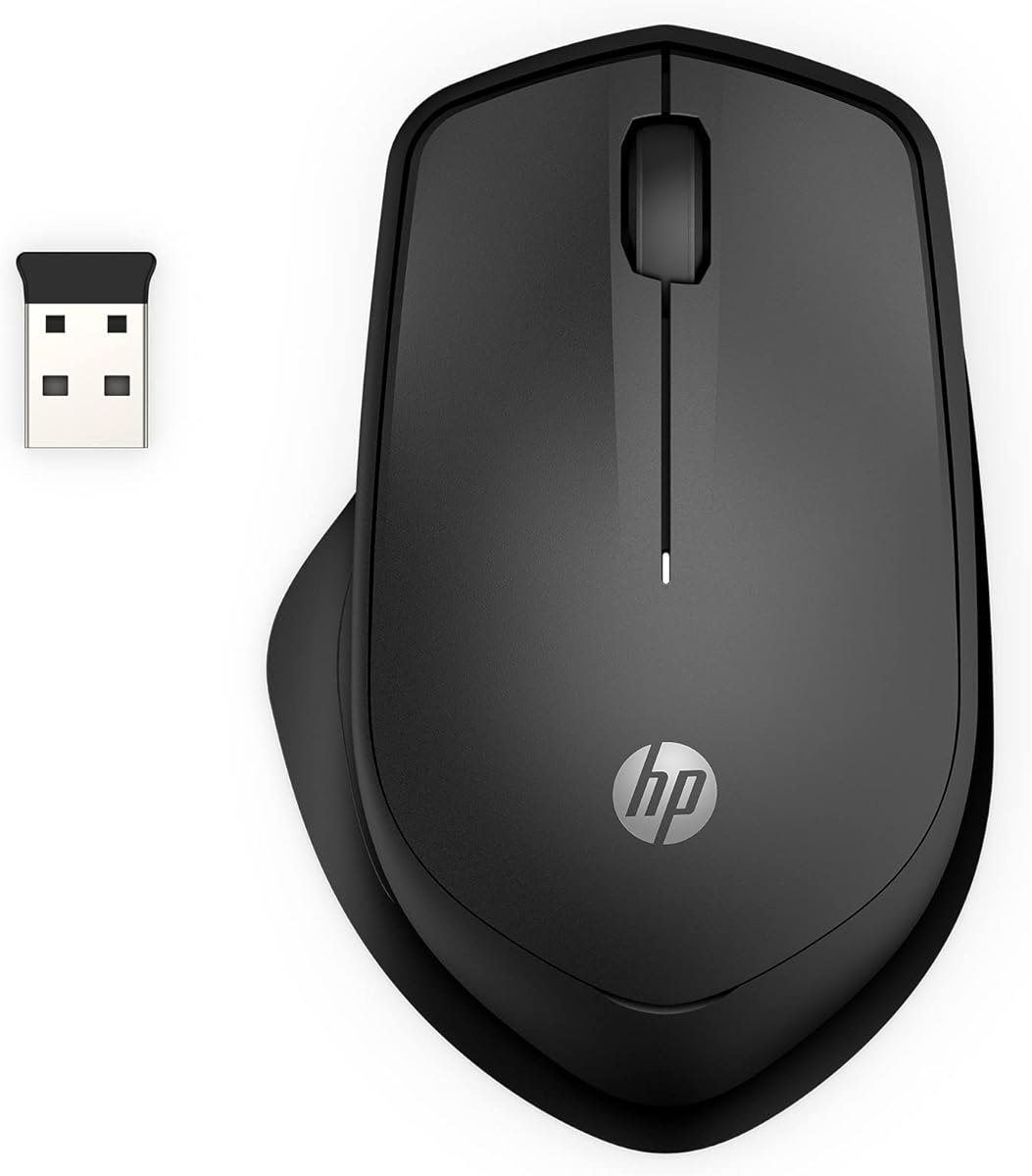
The HP 280 Silent Wireless is a reliable option for those seeking a durable computer mouse with quiet functionality. Rated at 4.5 stars, it combines ergonomic comfort with efficient power management for consistent daily performance.
We may earn a commission when you buy through this link, at no additional cost to you.
Its buttons offer up to 90 percent noise reduction, making it ideal for shared workspaces. The multi-surface technology ensures smooth tracking on virtually any material without needing a mouse pad. The nano receiver stores inside the mouse for portability, and the battery lasts up to 18 months on a single AA cell. The 1600 DPI sensor provides precise control for standard tasks.
The mouse is designed strictly for right-handed users, which limits its versatility for left-handed individuals. Additionally, it lacks advanced customization features like programmable buttons. However, the balance of silence, comfort, and battery life makes it a strong performer for general use.
Best for right-handed users who value quiet operation and battery longevity, the HP 280 is a dependable choice. Its ability to track on multiple surfaces adds practical value. If you need a durable computer mouse that is quiet and efficient, this model is highly recommended.
The buttons are engineered to reduce noise by up to 90 percent, ensuring a discreet and focused work environment.
Advanced technology delivers smooth movement on various surfaces including glass, eliminating the need for a dedicated mouse pad.
We may earn a commission when you buy through this link, at no additional cost to you.
The Acer Wireless Mouse offers high durability and flexibility, making it a strong candidate for a durable computer mouse. Rated at 4.3 stars, it is designed for medium to large hands with features that support efficiency and power management.
We may earn a commission when you buy through this link, at no additional cost to you.
It is rated for up to ten million clicks, ensuring robust long-term use. The five adjustable DPI levels allow you to adjust sensitivity for detailed design or fast browsing. An indicator light provides visual feedback on DPI settings and battery status, while the click-to-wake feature saves power during inactivity. The 2.4GHz wireless connection offers stable performance up to 33 feet.
The battery is not included, requiring an initial purchase of AA batteries, which is a minor inconvenience. Some users might find the initial setup of the receiver slightly more involved than plug-and-play models. However, the durability and visual feedback features offer significant value.
Ideal for travelers and professionals needing a reliable portable mouse with clear status indicators, this model delivers strong performance. Its high click endurance makes it suitable for heavy use. If you need a durable computer mouse that combines portability with clear status feedback, the Acer is a great option.
Rated for ten million clicks, this mouse is built to withstand heavy daily use without wear on the primary buttons.
A visual light shows current DPI settings and battery status, helping you manage performance and power needs easily.
We may earn a commission when you buy through this link, at no additional cost to you.
Selecting the right durable computer mouse involves evaluating several key factors that influence longevity, comfort, and performance. Understanding these elements helps ensure you invest in a device that meets your specific needs.
Durability starts with the physical construction of the mouse. High-quality mice use reinforced plastics, reinforced scroll wheels, and sturdy internal components that resist cracking or breaking under daily stress. Look for products explicitly rated for high click counts, as this indicates a robust switch design.
Prioritize models that mention durable materials or long-term testing in their specifications to ensure longevity.
Wired mice offer consistent performance without battery concerns but can restrict movement. Wireless mice provide freedom of movement but require battery management. For durability, choose wireless models with low-power technologies to extend battery life, or wired models with reinforced cables that resist tangling or fraying.
Select the connection type that best fits your workspace setup and maintenance preferences.
Comfort plays a vital role in long-term durability since painful mice lead to physical strain. Look for contoured shapes that support your hand naturally and soft rubber grips that prevent slipping. Ensure the mouse size matches your hand dimensions to avoid awkward positioning that accelerates wear.
Choose an ergonomic design that fits your hand size to reduce strain and enhance daily comfort.
For wireless mice, battery life is a critical metric for uninterrupted use. Models offering one to three years of battery life minimize the hassle of frequent changes. Features like smart sleep modes or rechargeable batteries further enhance practicality and reduce waste.
Opt for mice with long battery life or efficient power management to maintain consistent use.
A reliable sensor ensures accurate tracking on various surfaces without skipping or jittering. Laser and high-resolution optical sensors perform better on glossy or uneven surfaces compared to standard optical sensors. Consistent tracking reduces the need for repetitive movements that can wear out the mouse.
Choose a sensor that maintains precision on your specific desk surfaces for smooth operation.
Ensure the mouse works seamlessly with your operating system and devices. Some mice offer multi-platform support for Windows, macOS, and Linux. Others may require specific software for customization, which should be checked for availability and ease of use.
Confirm system compatibility to avoid functional issues and ensure full feature access.
Features like customizable buttons, silent clicks, or programmable scrolling can boost productivity. However, more features often mean more complex internal parts that could fail over time. Balance the need for advanced functionality with reliability requirements.
Select features that provide real value without compromising the device's overall stability.
A solid warranty indicates the manufacturer's confidence in the product's durability. Brands often offer one to three years of limited hardware warranty. Reliable customer support can help resolve issues quickly if the mouse encounters problems.
Check warranty terms to protect your investment and ensure long-term peace of mind.
To ensure your durable computer mouse lasts as long as possible, keep the surface it rests on clean. Dust, crumbs, and dirt can interfere with the sensor and internal mechanisms. Regularly wipe the base of the mouse with a dry microfiber cloth to remove debris.
If you use a wireless mouse, store it properly when not in use to prevent accidental button presses that drain batteries. Use the power switch if available to turn it off completely. For wired models, coil the cable gently to avoid kinks that could lead to internal wire damage over time.
Periodically check the battery compartment or receiver storage area to ensure a tight fit. If the mouse starts to drift or skip, reset the receiver connection or replace the batteries. Following these simple maintenance habits will help maintain peak performance and extend the lifespan of your device.
A durable computer mouse typically features reinforced internal components, high-quality plastics, and switches rated for millions of clicks. It should maintain tracking accuracy and physical integrity over years of daily use. Models with tested build standards and reliable reputations from established brands usually offer the best longevity.
Wired mice generally last longer as they do not depend on batteries or wireless components that can degrade. However, modern wireless mice with efficient power management and robust build quality can match wired durability. The choice depends on whether you prioritize mobility or maximum lifespan.
Keep your mouse clean by wiping the sensor and base regularly to prevent dust buildup. Store wireless mice with batteries removed or powered off when not in use. Avoid dropping or mishandling the device, and ensure you use the mouse on a suitable surface that reduces unnecessary tracking strain.
Wireless mice offer more freedom of movement, which can reduce wrist strain during long work sessions. Modern wireless technology provides stable connections without noticeable lag. However, you must manage battery life, which can interrupt work if not monitored or if the model lacks a long battery cycle.
DPI preference depends on your workspace size and tasks. A range between 800 and 1600 DPI is suitable for most users. For detailed work or large monitors, higher DPI settings like 3200 or 4000 offer better precision. Ensure the mouse allows easy adjustment to accommodate different tasks effectively.
Many modern durable mice support multi-device connectivity via Bluetooth or USB receivers. Some models allow you to switch between up to three devices with a button press. Check the specifications to confirm compatibility with your operating systems before purchasing.
Silent click technology reduces noise by modifying the switch mechanism but does not necessarily compromise durability. Many reputable brands integrate silent switches that maintain high click ratings. Look for models explicitly tested for longevity even with silent features to ensure reliability.
Choosing the right durable computer mouse depends on your specific needs, whether it is for business efficiency, gaming performance, or daily general use. The top picks highlight models that balance build quality, comfort, and features to suit various preferences.
When making a decision, prioritize factors like battery life, ergonomics, and connection type. A mouse that fits your hand comfortably and matches your workflow will serve you best in the long run. Investing in a high-quality device ensures you do not need to replace it frequently.
Remember to check the latest product listings and prices before finalizing your purchase. Technology and availability change quickly, so ensuring you get the current version guarantees the best value. With the right choice, you will have a reliable tool that supports your daily computing tasks efficiently.