
DARKROCK 3-Pack 120mm Black
4.6Editor score
Affordable three pack value
Low noise hydraulic bearings
Easy case installation
This comprehensive guide compares the top exhaust fans for PC to help you choose the best cooling solution for your gaming rig or workstation today.
Finding the right exhaust fan for PC is crucial for maintaining optimal system temperatures and ensuring long-term hardware stability during intense computing tasks.
We evaluated ten top-rated models based on airflow performance, noise levels, bearing durability, and compatibility with standard case mounts for reliable ventilation.
Each pick highlights specific strengths and trade-offs to guide your decision while noting that availability and pricing may fluctuate over time.
4.6Editor score

4.8Editor score

4.7Editor score
The following side-by-side comparison highlights key specifications and performance metrics across all ten reviewed models to help you identify the ideal fit for your specific cooling requirements and case constraints.




The Noctua NF-P12 redux-1700 PWM stands out as the premier choice for users prioritizing silent yet powerful airflow. Its 4.8 rating reflects consistent performance across demanding setups while maintaining whisper-quiet operation at idle.
We may earn a commission when you buy through this link, at no additional cost to you.
Its pressure-optimized blade design delivers strong CFM and static pressure ideal for air-based CPU coolers or water cooling radiators. The redux edition balances proven Noctua quality with an attractive price point compared to flagship models.
While lacking aesthetic features like RGB lighting, the focus remains on functional excellence and longevity. The 150000 hour MTTF ensures years of reliable service without bearing wear or performance degradation.
This fan is ideal for enthusiasts and professionals seeking dependable thermal management without compromising acoustic comfort. It remains the gold standard for quiet case ventilation today.
Advanced blade engineering minimizes turbulence and noise even at peak 1700 RPM speeds.
Premium bearing technology guarantees extended lifespan with minimal maintenance requirements.
We may earn a commission when you buy through this link, at no additional cost to you.
The DARKROCK 3-Pack delivers exceptional value for builders needing multiple fans without overspending. Its 4.6 rating highlights consistent performance and noise control across all three units.
We may earn a commission when you buy through this link, at no additional cost to you.
Each fan features nine blades and hydraulic bearings to balance airflow and silence. Four soft silicone cushions absorb vibration ensuring quiet operation even at maximum 1200 RPM speed.
Though not the highest performer, these fans provide reliable cooling for standard cases at an unbeatable price. The PBT material ensures heat resistance and long-term structural integrity.
Best suited for budget-conscious users wanting efficient case airflow. This pack simplifies full-system ventilation without sacrificing acoustic comfort or durability.
Silicone mounting cushions effectively reduce vibration transfer to case panels.
Standard 3-pin interface ensures easy motherboard connection for beginners.
We may earn a commission when you buy through this link, at no additional cost to you.
This five-pack combines high performance with striking ARGB aesthetics making it perfect for modern premium builds. The 4.7 rating reflects excellent balance between airflow and noise control.
We may earn a commission when you buy through this link, at no additional cost to you.
S-FDB bearings eliminate blade shaking while delivering 66.17 CFM airflow. PWM control adjusts speed based on motherboard temperature ensuring efficient cooling when needed.
Up to 17 light modes synchronize with system RGB for immersive visual appeal. However cable length may restrict routing in larger cases without extension.
Ideal for enthusiasts wanting premium cooling plus lighting without buying individual units. This pack covers full case ventilation while elevating build aesthetics significantly.
S-FDB design ensures stable rotation and reduced noise over extended use.
High-brightness LED blades reflect light softly for refined ARGB ambiance.
We may earn a commission when you buy through this link, at no additional cost to you.
be quiet! Pure Wings 3 delivers whisper-quiet operation suitable for silent office or home PCs. The 4.7 rating confirms exceptional noise reduction without sacrificing cooling capability.
We may earn a commission when you buy through this link, at no additional cost to you.
Seven airflow-optimized blades ensure performance under demanding configurations while minimizing noise. The rifle bearing provides an 80000 hour operating lifetime for consistent reliability.
German engineering reflects precision design focused on acoustic refinement. However the lack of RGB means it suits utilitarian builds prioritizing function over flash.
Best for users wanting minimal noise during work or gaming. This fan excels in sound-sensitive environments while maintaining robust thermal management.
Blade and frame geometry reduces noise while maximizing airflow efficiency.
Rifle bearing ensures stable operation over long-term heavy use.
We may earn a commission when you buy through this link, at no additional cost to you.
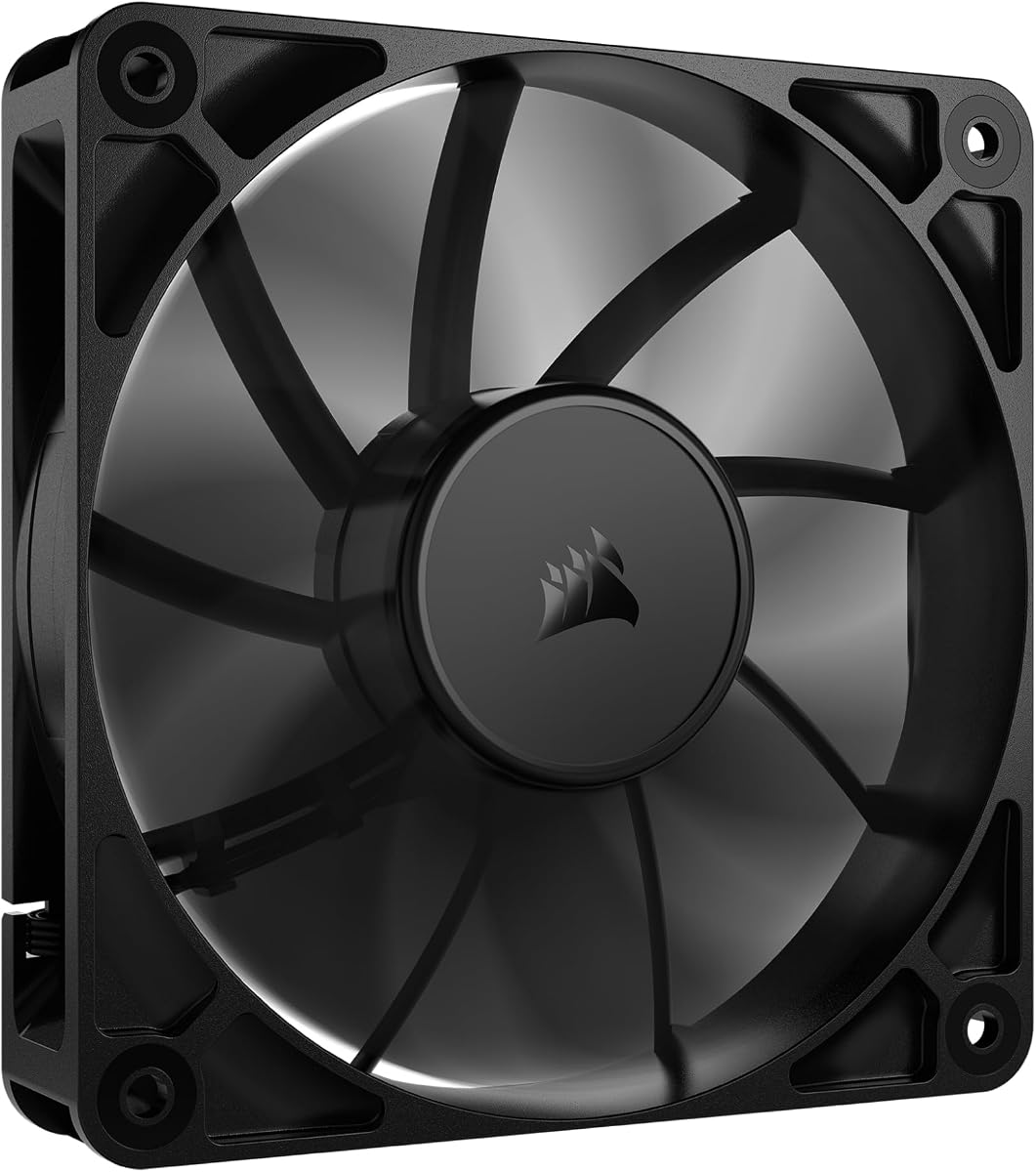
The CORSAIR RS120 simplifies multi-fan setups through daisy-chain connectors requiring only one PWM header. Its 4.6 rating highlights effective airflow management and quiet performance.
We may earn a commission when you buy through this link, at no additional cost to you.
AirGuide technology directs airflow to hottest components improving cooling efficiency. Magnetic dome bearing minimizes friction ensuring smooth operation up to 2100 RPM.
While slightly pricier it reduces cable clutter significantly. Ideal for water-cooled or high airflow builds needing precise control and clean installation.
Best for advanced users seeking streamlined cable management with top cooling. This fan delivers concentrated airflow where it matters most.
Daisy-chain design cuts cable count for cleaner builds and better airflow.
AirGuide vanes focus airflow on critical components for maximum thermal impact.
We may earn a commission when you buy through this link, at no additional cost to you.
X1 USB Cooling Fan offers effortless external cooling for routers consoles or mini PCs. The 4.4 rating reflects effective performance in portable non-traditional scenarios.
We may earn a commission when you buy through this link, at no additional cost to you.
With 55.8 CFM and just 18dB noise it operates quieter than library silence. Integrated cable and shock pads ensure stable placement without surface scratches.
Designed for versatility rather than internal PC use it suits digital ecosystems needing quick cooling. Space-saving design fits narrow setups without extra wiring.
Best for gamers or office workers managing external heat sources. This fan provides reliable portable ventilation without complex installation.
USB power eliminates need for dedicated AC outlets or internal connections.
18dB noise level ensures undisturbed focus during work or gaming.
We may earn a commission when you buy through this link, at no additional cost to you.
Kingwin 80mm Silent Fan fits tight spaces where 120mm units won't. Its 4.5 rating highlights effective quiet cooling for smaller systems and rigs.
We may earn a commission when you buy through this link, at no additional cost to you.
Optimized blades deliver excellent ventilation reducing heat buildup efficiently. Long life bearing ensures consistent performance with low noise levels for quiet desktops.
Ideal for mining rigs or compact cases requiring specialized exhausts. While not as high airflow as larger fans it excels in size constrained builds.
Best for users needing reliable 80mm cooling without noise. This fan provides robust performance in small form factor systems.
80mm footprint allows cooling in limited case mounting areas.
Long life bearing maintains quiet performance over extended runtime.
We may earn a commission when you buy through this link, at no additional cost to you.
Wathai 12038 delivers extreme 230 CFM airflow ideal for high-heat mining or industrial use. Its 4.5 rating confirms performance under heavy load.
We may earn a commission when you buy through this link, at no additional cost to you.
5300 RPM speed generates high static pressure to push through obstructions. Dual ball bearings offer 67000 hour lifespan for continuous operation reliability.
Noise rises at full speed but acceptable for industrial environments. The 38mm profile may limit standard case fit without adapter.
Best for miners or enthusiasts needing maximum ventilation. This fan excels at removing extreme heat when noise is secondary.
230 CFM moves massive air volumes for intense thermal loads.
Dual ball bearings support 24/7 operation without performance loss.
We may earn a commission when you buy through this link, at no additional cost to you.
This three-pack offers compelling ARGB aesthetics at accessible pricing. The 4.7 rating indicates excellent balance between lighting quality and cooling efficiency.
We may earn a commission when you buy through this link, at no additional cost to you.
Soft LED reflection enhances case ambiance without glare. S-FDB bearings reduce noise while delivering 66.17 CFM airflow across all units.
PWM control allows automatic speed adjustment based on temperature. While not the fastest it provides reliable cooling with stunning visuals.
Best for gamers wanting stylish build without premium cost. This pack delivers quality lighting and performance together.
Diffused LED design creates refined lighting effects matching coolers.
S-FDB bearing ensures quiet consistent performance under load.
We may earn a commission when you buy through this link, at no additional cost to you.
This fan simplifies cooling by using AC power instead of motherboard connectors. Its 4.4 rating reflects flexibility for non-standard setups requiring independent control.
We may earn a commission when you buy through this link, at no additional cost to you.
Variable speed controller adjusts operation from 300 to 2800 RPM based on needs. Dual ball bearings provide 50000 hour lifespan for continuous cooling.
Ideal for server cabinets or equipment needing standalone ventilation. While not for PC interiors it serves auxiliary cooling well.
Best for users needing plug-in cooling outside standard cases. This fan offers practical flexibility for diverse ventilation needs.
AC power eliminates dependency on system power supply or headers.
Controller allows tuning between silent and maximum cooling easily.
We may earn a commission when you buy through this link, at no additional cost to you.
Selecting the right exhaust fan requires evaluating several technical factors to ensure compatibility and optimal cooling performance for your specific setup.
Standard case exhaust mounts typically support 120mm or 140mm fans. Always verify your case specifications before purchasing to ensure proper fit.
Confirm the case supports 120mm or 140mm mounts and check clearance with nearby components.
Airflow measured in CFM indicates how much air the fan moves per minute. Static pressure matters for restricted areas like radiators or filters.
Choose high CFM for open case exhausts and high static pressure for obstructed mounts.
Noise rated in decibels (dBA) affects your workspace comfort. Lower dBA numbers mean quieter operation ideal for silent builds.
Prioritize fans under 30 dBA for noise-sensitive environments like offices or bedrooms.
Bearing type determines lifespan and noise. Sleeve bearings are cheapest but wear faster. Fluid and magnetic bearings last longer and run quieter.
Select fluid or magnetic bearings for long-term reliability and quieter performance.
PWM allows motherboard speed control based on system temperature. This ensures efficient cooling when needed and silence during idle.
Always choose 4-pin PWM fans for automatic speed adjustment and better thermal management.
Most fans run on standard 12V via motherboard headers. Some specialty fans use USB or AC power requiring external outlets.
Ensure your PSU has available 12V headers or plan for external power adapters if needed.
ARGB and RGB lighting enhance build visuals but add cost. Ensure your motherboard supports RGB syncing if you choose lighting options.
Consider RGB only if aesthetics matter; otherwise standard fans offer better value and performance.
MTTF ratings indicate expected fan life in hours. Higher MTTF means better longevity. Check manufacturer warranty for defect protection.
Select fans with high MTTF and strong warranty coverage for peace of mind.
Install fans so air is pushed out of the case through the rear or top mounts. Use included screws to secure fans tightly preventing vibration.
Connect PWM fans to motherboard SYS_FAN headers to enable automatic speed control based on system temperature.
Dust fans every six months using compressed air to maintain airflow efficiency and prevent bearing wear.
Most PC cases support standard 120mm or 140mm fans. Check your case manual or measure existing mounts to confirm. Smaller 80mm fans work for compact builds needing extra ventilation.
PWM fans allow motherboard speed control which reduces noise when full cooling isn't needed. Non-PWM fans run at fixed speeds which can be louder but simpler.
Magnetic and fluid dynamic bearings offer longest lifespan often exceeding 80,000 hours. Sleeve bearings are cheaper but wear faster under continuous use.
Quality exhaust fans operate below 30 dBA for quiet environments. Above 35 dBA may be distracting during work or media consumption.
Mixing fans is fine but similar airflow and pressure ratings help balance case pressure. Ensure all fans support your motherboard connection type.
Noise often comes from dust buildup or worn bearings. Clean blades regularly and check mounting screws for looseness that causes vibration.
The Noctua NF-P12 redux leads for balanced silent performance while the Thermalright packs offer value with advanced ARGB features.
Prioritize bearing quality and PWM compatibility for long-term reliability and smart thermal management in any build.
Always check current availability and specifications since models may update over time.