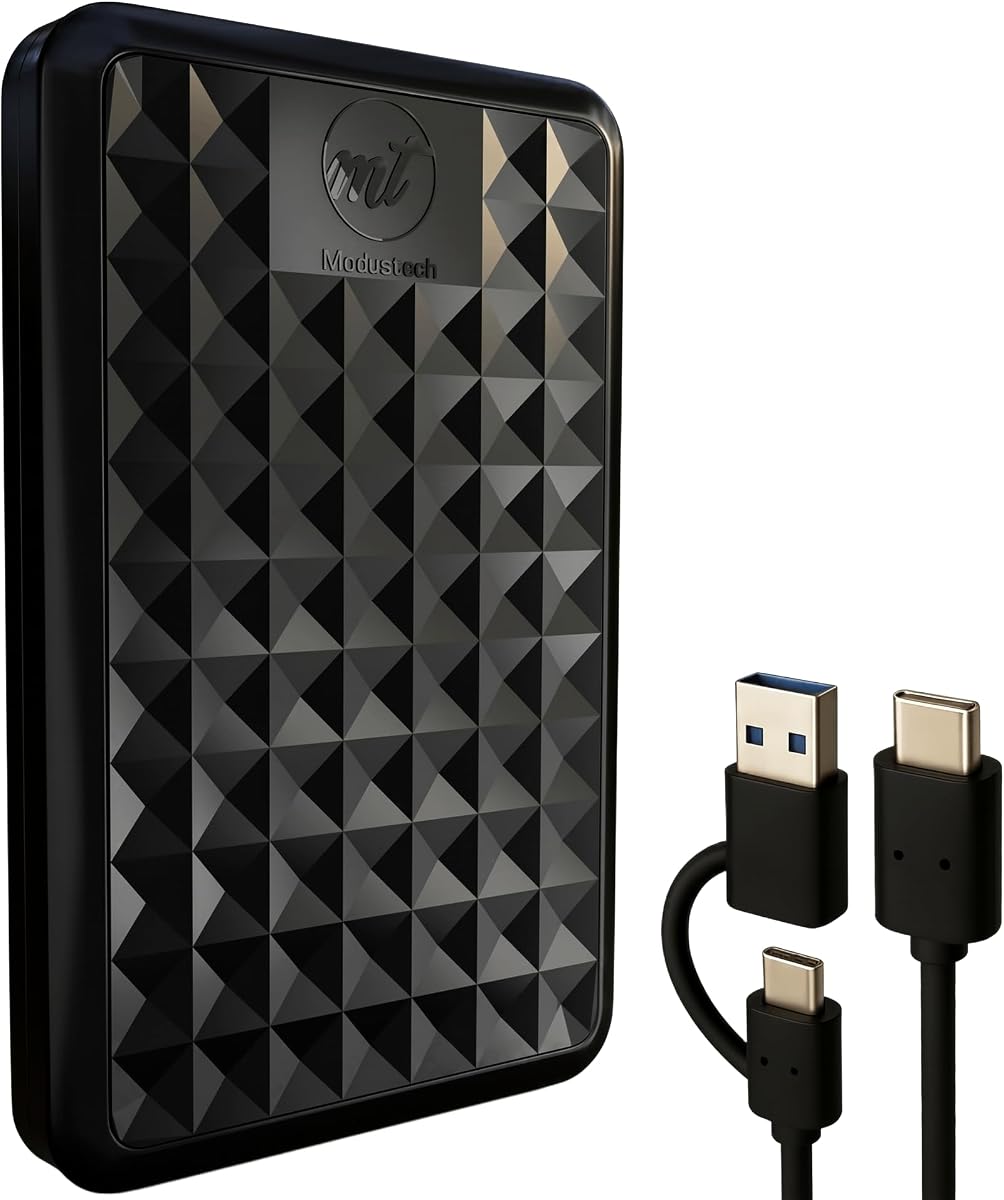
Facet 500GB External Hard Drive
4.1Editor score
USB-C and USB 3.1 connectivity
Plug and play ready
Slim portable design
This guide compares the top external hard drives for Chromebook users focusing on compatibility storage capacity and portability to help you choose the right
Chromebooks offer excellent portability and ease of use but often lack sufficient internal storage for large media files and backups. External hard drives provide a reliable solution to expand your storage capacity without compromising the lightweight nature of your device.
We have evaluated ten top-rated external hard drives based on compatibility with Chrome OS connection speeds and build quality. Each product was selected for its ability to integrate seamlessly with Chromebooks while offering reliable performance for everyday tasks.
Each review highlights key features pros and cons to help you make an informed decision. Please note that availability and pricing may change over time so always verify details before purchasing to ensure you get the best value.
4.1Editor score

4.6Editor score

4.7Editor score
The following comparison table outlines the key specifications of each selected external hard drive. This overview helps you quickly assess which model aligns with your storage needs and connectivity requirements.


The Seagate 2TB Portable Hard Drive stands out as a top choice for Chromebook users seeking reliable storage expansion. With a rating of 4.6 stars it offers ample space for documents photos and videos without compromising performance.
We may earn a commission when you buy through this link, at no additional cost to you.
Its USB 3.0 interface ensures fast data transfer speeds making it ideal for backing up large media files. The drive is designed for plug and play simplicity meaning no software installation is required to start using it immediately.
While the drive is not shockproof its compact design makes it easy to carry in a laptop bag. The included 18 inch USB 3.0 cable adds convenience ensuring you have everything needed to get started right away.
This drive is perfect for professionals and students who need substantial storage on the go. Its reliability and ease of use make it a standout option among external hard drives for Chromebook.
The plug and play feature allows users to simply drag and drop files without needing additional software or drivers.
With 2TB of space you can store thousands of photos hours of video and numerous documents in one compact device.
We may earn a commission when you buy through this link, at no additional cost to you.
The Facet 500GB External Hard Drive is an excellent budget-friendly option for Chromebook users who need basic storage expansion. It comes preformatted in exFAT ensuring compatibility with both Windows and macOS systems right out of the box.
We may earn a commission when you buy through this link, at no additional cost to you.
Its USB-C and USB 3.1 connectivity makes it versatile for modern laptops and older devices. The included 2-in-1 cable eliminates the need for extra adapters saving you money and hassle during setup.
While the 500GB capacity may not suit heavy users it is sufficient for documents and media files. The slim design and shock-resistant casing add durability making it a reliable companion for daily use.
This drive is ideal for students or casual users looking for an affordable storage solution. Its ease of use and compatibility make it a strong contender in the budget category.
The included USB-C to USB-C cable with tethered USB-A adapter ensures connection with a wide range of devices.
Weighing only 160g this drive fits easily into a laptop bag or jacket pocket for convenient transport.
We may earn a commission when you buy through this link, at no additional cost to you.
The WD 2TB Elements Portable External Hard Drive is a premium choice for users seeking high capacity and reliability. With a rating of 4.7 stars it offers SuperSpeed USB 3.2 Gen 1 connectivity for fast and efficient data transfers.
We may earn a commission when you buy through this link, at no additional cost to you.
Its small lightweight design makes it easy to carry while providing up to 6TB of storage capacity depending on the model. This scalability allows users to choose the right size for their specific needs without compromising performance.
While it lacks included software the plug-and-play expandability ensures seamless integration with any system. The drive is ideal for users who prioritize capacity and speed over additional features.
This drive is perfect for professionals and creatives who need reliable storage for large projects. Its reputation for durability and performance makes it a top recommendation in the premium category.
With capacities up to 6TB this drive accommodates growing storage needs without requiring frequent upgrades.
SuperSpeed USB 3.2 Gen 1 ensures quick file transfers reducing wait times when working with large media files.
We may earn a commission when you buy through this link, at no additional cost to you.
The Maxone 1TB Ultra Slim Portable External Hard Drive is designed for users who prioritize portability and durability. Its ultra slim 0.4 inch thick profile fits easily into pockets while the all-aluminum design ensures longevity.
We may earn a commission when you buy through this link, at no additional cost to you.
Powered by USB 3.0 technology this drive offers fast data transfer speeds up to 5 Gbit/s. The aluminum body not only provides strength but also helps dissipate heat keeping the drive running cool and quiet.
While the build quality may add slight weight it is a worthy trade-off for the enhanced protection it offers. The 3-year manufacturer warranty provides additional peace of mind for long-term use.
This drive is ideal for frequent travelers who need a reliable storage solution. Its combination of speed portability and durability makes it a standout option in the market.
The all-aluminum anti-scratch design protects the drive from daily wear and tear while maintaining a sleek look.
The aluminum body acts as a heat sink ensuring the drive operates quietly without overheating during use.
We may earn a commission when you buy through this link, at no additional cost to you.
The 500 GB External Hard Drives Portable Hard Drive offers versatility for both computer and gaming use. It supports PS4 Xbox and other systems making it a practical choice for gamers needing extra storage.
We may earn a commission when you buy through this link, at no additional cost to you.
Its USB 3.0 interface provides fast read speeds up to 133MB/s ensuring smooth data access. The drive weighs only 0.35 Lbs making it easy to carry between different gaming setups.
While the 500GB capacity is limited it is sufficient for storing game libraries and media files. The plug and play feature simplifies setup allowing users to start using the drive immediately.
This drive is ideal for gamers and casual users who need a budget-friendly storage solution. Its compatibility and ease of use make it a strong option for diverse applications.
Compatible with PS4 Xbox One and Xbox 360 this drive expands storage for your favorite games seamlessly.
Weighing just 0.35 Lbs the drive is easy to transport between home and on-the-go gaming sessions.
We may earn a commission when you buy through this link, at no additional cost to you.
The Aiolo Innovation 500GB External Hard Drive is designed for users who value quiet operation and reliability. Its noise-free motherboard solution ensures a silent working environment perfect for office or home use.
We may earn a commission when you buy through this link, at no additional cost to you.
The aluminum anti-interference layer protects data and increases heat dissipation for stable performance. It also includes a USB to Type C adapter adding versatility for modern devices without additional purchases.
While the 500GB capacity may not suit heavy users it is adequate for everyday storage needs. The drive offers fast transfer speeds and a three-year warranty ensuring long-term value.
This drive is ideal for users seeking a balance of performance and silence. Its inclusion of an adapter and warranty makes it a practical choice for various setups.
The noise-free motherboard solution ensures the drive operates quietly without disrupting your workspace.
The aluminum anti-interference layer protects data and aids in heat dissipation for consistent operation.
We may earn a commission when you buy through this link, at no additional cost to you.
The 1TB Portable External Hard Drive USB3.0 is explicitly designed to work with Chromebooks making it a reliable choice for Chrome OS users. It offers a slim pocket sized design that fits comfortably in a laptop bag.
We may earn a commission when you buy through this link, at no additional cost to you.
With USB 3.0 technology this drive provides super fast transfer speeds up to 5 Gbit/s. The included USB to Type C adapter ensures compatibility with modern Chromebooks that lack traditional USB ports.
While the casing is plastic it is sturdy enough for daily use. The drive comes with a three-year warranty offering assurance against potential defects and ensuring longevity.
This drive is ideal for Chromebook users seeking straightforward compatibility and performance. Its design and included adapter make it a practical solution for expanding storage effortlessly.
The drive is tested and compatible with Chromebook ensuring seamless integration without driver issues.
Including a USB to Type C adapter makes this drive ready for newer Chromebooks with limited ports.
We may earn a commission when you buy through this link, at no additional cost to you.
The UnionSine 1TB Ultra Slim Portable External Hard Drive combines safety and speed for reliable data storage. It uses the JMicron 578 solution to ensure a quiet working environment during operation.
We may earn a commission when you buy through this link, at no additional cost to you.
The aluminum anti-interference layer increases heat dissipation protecting your data from overheating. The non-slip striped design provides a secure grip reducing the risk of accidental drops.
While the design is simple it offers robust protection for your files. The drive comes with a three-year warranty ensuring long-term reliability for your storage needs.
This drive is ideal for users who prioritize data safety and stability. Its noise-free operation and secure grip make it a practical choice for daily use.
The non-slip striped design ensures a secure grip reducing the risk of accidental drops during handling.
The aluminum anti-interference layer protects data from interference and increases heat dissipation for safety.
We may earn a commission when you buy through this link, at no additional cost to you.
The Toshiba Canvio Advance 1TB Portable External Hard Drive offers unique features like automatic backup and password protection. These tools help protect your data and simplify backup routines for users on Windows systems.
We may earn a commission when you buy through this link, at no additional cost to you.
Its stylish textured finish makes it visually appealing while providing a secure grip. The drive is USB 3.0 compatible ensuring fast data transfer speeds for efficient file management.
While the software features are Windows-only the drive remains versatile for other systems with reformatting. The high user rating reflects its reliability and ease of use across various applications.
This drive is ideal for users who value security and convenience. The included software and premium design make it a standout option for those seeking extra features.
Automatic backup software helps protect your data by scheduling regular backups without manual intervention.
Password protection software helps prevent unauthorized access ensuring your sensitive data remains secure.
We may earn a commission when you buy through this link, at no additional cost to you.
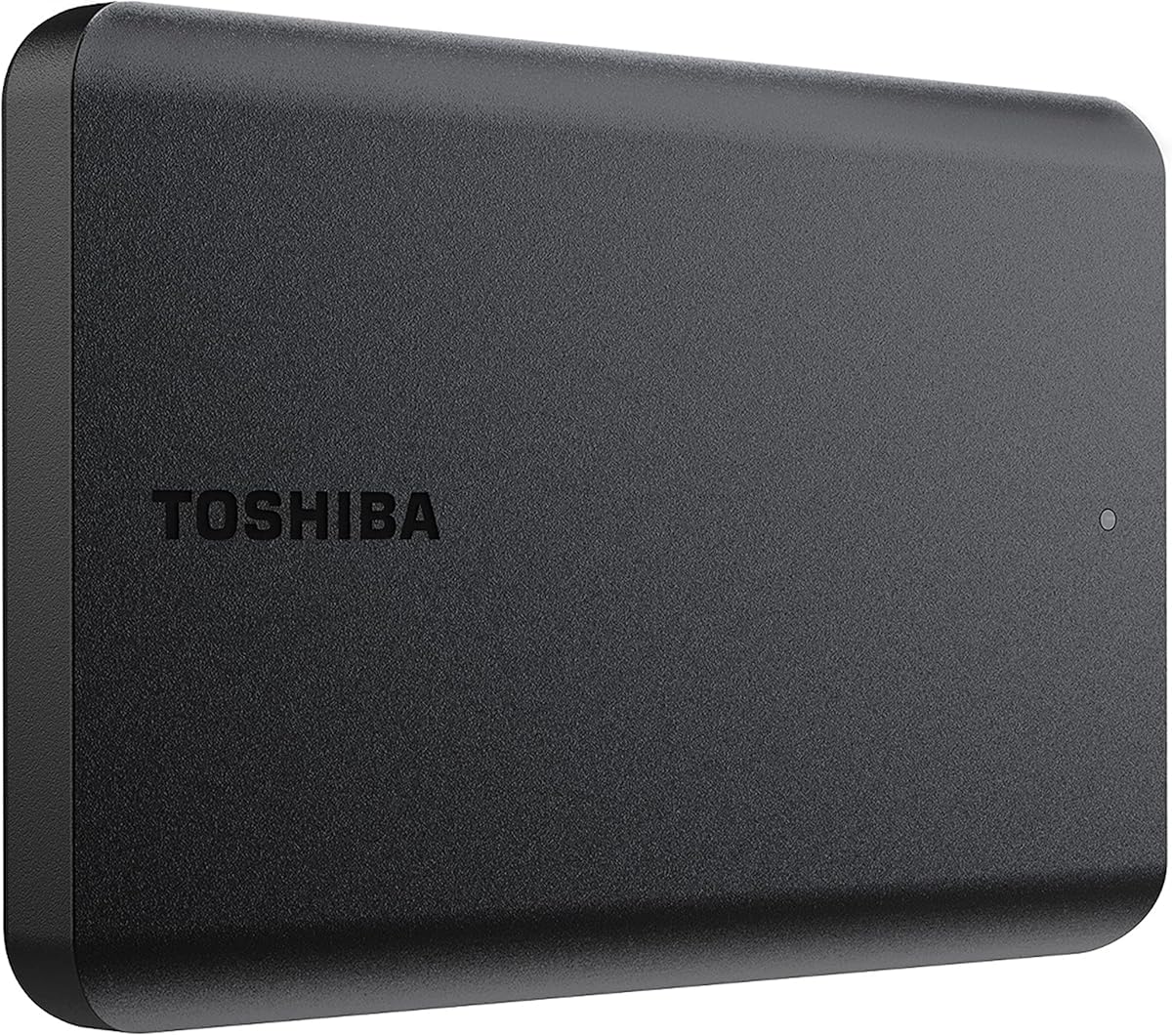
The Toshiba Canvio Basics 2TB Portable External Hard Drive is designed for simplicity and reliability. Its plug and play functionality allows users to add storage to their PC quickly without complex setup steps.
We may earn a commission when you buy through this link, at no additional cost to you.
The sleek matte finish is smudge-resistant keeping the drive looking clean over time. With a 2TB capacity it offers ample space for storing files without needing external power sources.
While the drive comes pre-formatted for Windows it requires reformatting for Mac use. Despite this limitation its high reliability rating makes it a trusted choice for everyday storage needs.
This drive is ideal for users who want a straightforward and reliable storage solution. Its simplicity and capacity make it a practical choice for various computing environments.
The plug and play feature ensures the drive is ready to use as soon as it is connected to your computer.
The smudge-resistant matte finish keeps the drive looking clean and professional through regular use.
We may earn a commission when you buy through this link, at no additional cost to you.
Selecting the right external hard drive for your Chromebook involves considering several key factors to ensure compatibility and performance.
Storage capacity determines how much data you can store on the external drive. For general use 500GB to 1TB is sufficient but power users may need 2TB or more to handle large files.
Choose a capacity that meets your current needs while allowing room for future growth.
Most modern Chromebooks feature USB-C ports while some older models have USB-A. Ensure the drive has the right connector or includes an adapter for seamless connectivity.
Look for drives that offer both USB 3.0 and USB-C options for maximum compatibility.
If you frequently travel with your Chromebook a slim and lightweight drive is essential. Drives made of aluminum are durable but slightly heavier than plastic options.
Prioritize compact designs that fit easily in a laptop bag or pocket.
USB 3.0 and USB 3.1 interfaces provide faster data transfer speeds than USB 2.0. This is crucial when working with large media files or frequent backups.
Opt for drives with high read/write speeds to minimize waiting times.
Shock resistance and anti-scratch designs protect your data from physical damage. Some drives also include password protection software to secure sensitive files.
Choose a drive with protective features if you plan to use it in varied environments.
Ensure the drive is compatible with Chrome OS or can be easily formatted to support it. Some drives come preformatted for Windows and may need reformatting for other systems.
Check the product description for OS compatibility before purchasing.
A longer warranty period indicates manufacturer confidence in the product. Look for drives that offer at least a three-year warranty and accessible customer support.
Reliable support can save time and money if issues arise with the drive.
External hard drives range widely in price depending on capacity and features. Determine your budget and prioritize features that matter most to your use case.
Balance cost with performance to ensure you get the best value for your investment.
To connect your external hard drive to a Chromebook simply plug it into an available USB port. If your Chromebook only has USB-C ports use the included adapter to ensure compatibility.
Once connected the drive will appear in your file manager. You can drag and drop files directly to the drive to save space on your internal storage.
To ensure longevity always eject the drive safely before unplugging it. Store it in a cool dry place away from magnets and physical shock to protect your data.
Most external hard drives work with Chromebooks out of the box especially those formatted in exFAT or FAT32. Some drives may require reformatting if they come pre-formatted for Windows NTFS systems.
USB 3.0 is recommended for faster data transfers especially when working with large files. While USB 2.0 works it is significantly slower and may cause delays during file transfers.
Yes most external hard drives are compatible with multiple devices including PCs Macs and gaming consoles. Just ensure the drive is formatted in a universally supported file system.
To safely eject locate the drive icon in your file manager and click the eject symbol. Wait until the drive disconnects before unplugging it to prevent data corruption.
Most portable external hard drives are bus-powered and do not require extra power sources. Desktop models may need an external power adapter to function properly.
The best capacity depends on your needs. For general use 1TB to 2TB offers a good balance of storage and portability without being too bulky.
Yes you can back up your Chromebook files to an external hard drive by dragging files to the drive. However full system backups are limited on Chrome OS compared to other systems.
Most standard external hard drives are not waterproof. If you need protection against moisture look for drives specifically rated for water resistance or use a protective case.
Choosing the right external hard drive for your Chromebook depends on your specific storage needs and budget. The top picks offer a range of capacities and features to suit both casual and power users.
Prioritize compatibility speed and durability when making your decision. A drive that integrates seamlessly with your Chromebook ensures a smooth experience without technical issues.
Remember to check current availability and pricing as these details may change over time. Investing in a reliable external hard drive today will protect your data and enhance your productivity.