
Acer 4K Webcam
4.6Editor score
4K UHD Resolution
Sony 1/2 Sensor
Phase Detection Autofocus
Dual Noise Reduction Mics
Finding the right external webcam for your Mac can significantly improve your video call quality and streaming experience. With so many options available, it is essential to choose a model that balances resolution, low-light performance, and compatibility with macOS systems.
We have evaluated ten top-rated webcams based on image quality, audio clarity, ease of use, and additional features like privacy shutters. Our analysis focuses on devices that integrate seamlessly with Mac OS and popular conferencing apps to ensure a smooth user experience.
Each pick in this guide highlights specific strengths such as 4K resolution, advanced autofocus, or budget-friendly pricing. Note that product specifications and availability may change, so always verify current details before making your final purchase decision.
4.6Editor score

4.6Editor score

4.6Editor score
As an Amazon Associate we earn from qualifying purchases.
The following table provides a side-by-side comparison of all ten selected webcams to help you quickly identify the best fit for your Mac setup and specific needs.




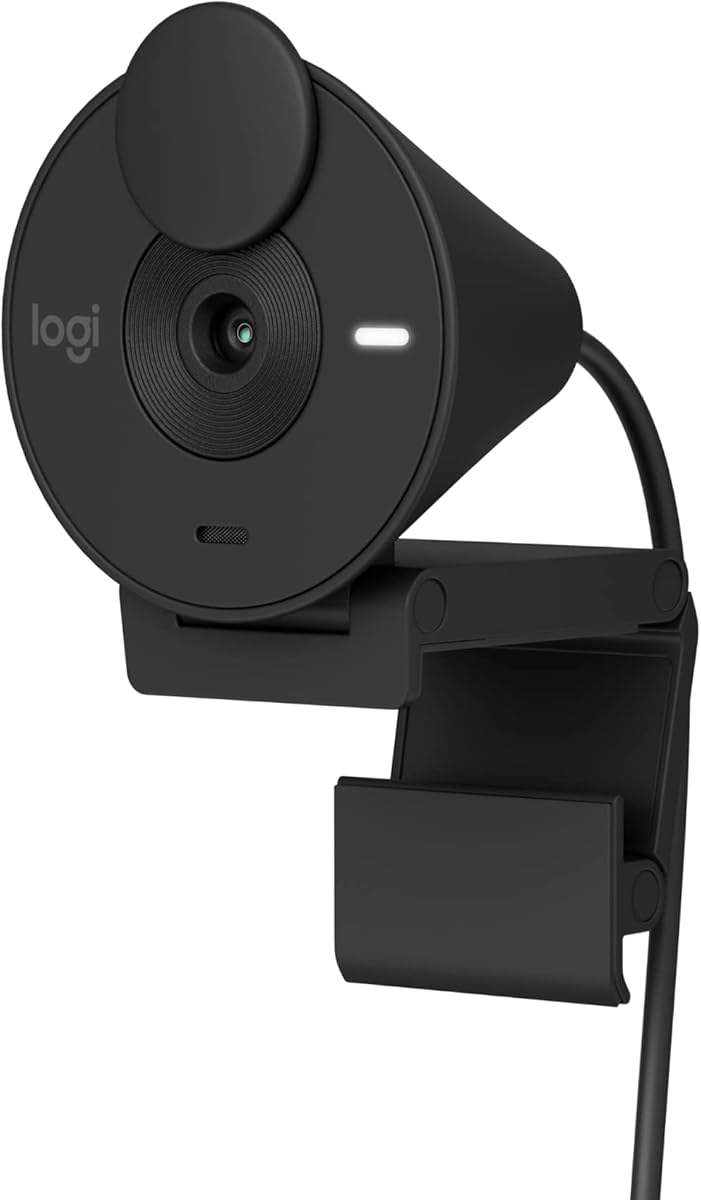


This Acer webcam delivers stunning 4K video quality and a premium all-metal design that appeals to professionals seeking clarity without overspending. With a Sony sensor and advanced autofocus, it ensures sharp visuals in varied lighting conditions.
We may earn a commission when you buy through this link, at no additional cost to you.
The 4K resolution provides crisp details perfect for streaming or high-stakes meetings. Its aerospace-grade aluminum body aids heat dissipation, while dual mics filter noise effectively for clear audio up to 2.5 meters away.
Users may need a USB-C to A adapter depending on their Mac model, which adds a minor step to setup. The lack of extensive software customization is acceptable given the plug-and-play convenience and reliable performance.
Ideal for budget-conscious creators and professionals, this webcam balances cost and quality impressively. It is a top choice for anyone needing reliable 4K video and robust privacy features on a Mac setup.
The all-metal unibody design offers durability and elegance while aiding thermal management for consistent performance during long calls.
A genuine Sony 1/2 inch CMOS sensor captures balanced, true-to-life visuals with excellent low-light performance and light capture.
We may earn a commission when you buy through this link, at no additional cost to you.
The Anker PowerConf C200 brings sharp 2K video and AI-powered audio clarity to Mac users looking for a reliable mid-range webcam. Its low-light correction helps maintain visibility in dimmer home office environments.
We may earn a commission when you buy through this link, at no additional cost to you.
Sharp 2K resolution enhances details during conferences. AI noise cancellation ensures voices remain clear even with background noise, and customizable viewing angles let you frame shots perfectly through software.
Users might find that adjusting viewing angles requires downloading the Anker app, adding a small setup step. While the mic is effective, it lacks the stereo depth of higher-end models but suffices for standard calls.
This webcam is an excellent choice for professionals needing clear video and audio without premium pricing. Its privacy cover and wide compatibility make it a practical tool for daily virtual meetings.
Dual mics with AI noise cancellation filter out ambient sounds to ensure your voice comes through clearly in noisy environments.
Advanced correction technology captures crisp images in dim settings without extra lighting, perfect for late-night streaming.
We may earn a commission when you buy through this link, at no additional cost to you.
Certified for major platforms like Zoom and Microsoft Teams, the C920e is a trusted workhorse for Mac professionals needing reliable connectivity. It offers consistent 1080p video with dual omnidirectional mics for clear audio.
We may earn a commission when you buy through this link, at no additional cost to you.
Its 78-degree field of view provides a well-balanced frame that includes room for sharing items without excessive background noise. An attachable privacy screen lets you quickly cover the lens for peace of mind between calls.
Unlike some competitors, it does not offer variable zoom or advanced auto-focus in all lighting, which limits flexibility. However, its sturdy clip and tripod thread ensure stable mounting on various Mac monitor setups.
This webcam stands out for business users requiring compliance and seamless integration. Its certified performance and privacy features make it a top recommendation for secure workplace video conferencing.
Certification for Zoom and Teams ensures compatibility and seamless integration in the workplace for professional meetings.
The attachable privacy screen flips up and down to cover or expose the lens, confirming lens status at a glance.
We may earn a commission when you buy through this link, at no additional cost to you.
This Acer model mirrors the high-end features of the top pick with a focus on portability and thermal management. Its 4K resolution and magnetic privacy cover make it a sleek choice for mobile Mac professionals.
We may earn a commission when you buy through this link, at no additional cost to you.
The all-metal body ensures reliability and elegant design, while the lightweight 57-gram build fits easily into travel bags. Magnetic privacy cover snaps securely, blocking unwanted peeks without adding bulk to your setup.
The USB-A connection may require an adapter for newer Macs with only USB-C ports. Also, without dedicated software, users must rely on system defaults for settings, which limits advanced customization options.
Perfect for streamers and travelers, this webcam combines premium build quality with essential privacy features. It offers a balanced experience for those needing a durable, high-resolution camera on the go.
Twelve powerful built-in magnets ensure the cover snaps securely over the lens, keeping your privacy safe effectively.
At just 57 grams and earbud-sized, this ultra-portable webcam fits easily in bags for video calls anywhere.
We may earn a commission when you buy through this link, at no additional cost to you.
The EMEET C960 offers genuine 4K resolution without upscaling, delivering true clarity for remote meetings and streaming. Its PDAF autofocus keeps subjects sharp while dual omnidirectional mics provide natural audio.
We may earn a commission when you buy through this link, at no additional cost to you.
True 4K resolution ensures every detail is visible, making it great for presentations or high-quality content. The flexible mounting options and 360-degree horizontal axis allow precise framing, while OMEETLINK software unlocks full potential.
Video defaults to 1080p unless switched via app, which might confuse users expecting immediate 4K. However, once configured, the camera delivers stunning visuals that rival higher-priced competitors significantly.
Ideal for remote workers and educators needing detailed visuals, this webcam balances price and performance well. It is a strong contender for those wanting genuine 4K quality with reliable autofocus technology.
Experience ultra-clear video with a genuine 4K CMOS sensor and false upscaling for detailed remote meetings.
Equipped with phase detection autofocus to ensure clear stable focusing in various scenarios like business conferences.
We may earn a commission when you buy through this link, at no additional cost to you.
The Brio 100 delivers clear Full HD video with RightLight technology to reduce shadows and improve visibility. Its integrated privacy cover and eco-friendly design make it a thoughtful choice for home offices.
We may earn a commission when you buy through this link, at no additional cost to you.
RightLight boosts brightness by up to 50 percent compared to older models, ensuring you look your best even in suboptimal lighting. The integrated slide cover makes it easy to ensure privacy when not on a video call.
Unlike more expensive models, it lacks advanced autofocus, meaning image sharpness may vary with movement. However, the fixed focus range is sufficient for most desk setups, offering reliable performance for daily calls.
This webcam is perfect for users prioritizing simplicity and privacy features. Its eco-friendly design and easy setup make it a solid budget-friendly option for streaming and standard video conferencing on Mac.
RightLight boosts brightness by up to 50 percent reducing shadows so you look your best in various conditions.
The integrated webcam cover makes it easy to get total reliable privacy when you are not on a video call.
We may earn a commission when you buy through this link, at no additional cost to you.
The Brio 301 improves on the 100 with RightLight 2 technology to automatically compensate for poor lighting. Certified for major platforms, it ensures seamless integration for Mac users needing reliable video quality.
We may earn a commission when you buy through this link, at no additional cost to you.
RightLight 2 technology automatically adjusts for lighting conditions so you stay visible without manual tweaking. The spin privacy shutter offers quick access, while Logi Tune app allows customizing color and image quality easily.
It lacks autofocus and stereo audio, which limits appeal for creators seeking high flexibility. However, for standard meetings, the mono mic reduces background sound effectively, ensuring clear communication during calls.
Ideal for business users who need certified performance and easy privacy management. This webcam provides a robust balance of features and price for professional daily video conferencing and streaming needs.
RightLight 2 technology automatically compensates for poor lighting so you can be seen clearly in any room.
Spin the webcam privacy shutter to block the camera lens when you do not need to be on screen.
We may earn a commission when you buy through this link, at no additional cost to you.
The NexiGo N60 provides essential Full HD video with a focus on simplicity and privacy. Its built-in noise-cancelling microphone helps reduce ambient noise for clearer voice transmission during calls.
We may earn a commission when you buy through this link, at no additional cost to you.
1080p resolution delivers sharp images suitable for daily meetings and streaming. The privacy cover blocks the lens when not in use, and plug-and-play functionality ensures it works within minutes on any compatible device.
While it lacks autofocus and advanced settings, it fulfills basic needs reliably. The glass lens provides a crisp image within a specific range, though it may struggle in very low-light without external aid.
Best for budget-conscious users who need a no-fuss webcam for basic calls. Its affordable price and essential privacy features make it a practical addition to any home office setup.
The built-in noise-canceling microphone reduces ambient noise to enhance sound quality for video calls and streaming.
The privacy cover blocks the lens when not in use providing security and peace of mind for individuals.
We may earn a commission when you buy through this link, at no additional cost to you.
Designed for prosumers, the C922x offers high-quality 1080p video and stereo audio ideal for content creation. Its XSplit VCam license allows virtual background removal without a green screen for a polished look.
We may earn a commission when you buy through this link, at no additional cost to you.
HD light correction fine-tunes lighting to produce bright images even in low light. Stereo mics capture natural sound, while autofocus keeps subjects sharp. The software suite adds significant value for streamers wanting custom backgrounds.
Lacking a built-in privacy shutter requires manual coverage which may be a concern for privacy-focused users. However, the video quality and advanced features justify the higher price for those needing robust streaming tools.
This webcam is the top pick for creators and streamers on Mac needing detailed control. It balances professional video quality with useful software features to elevate your virtual presence significantly.
HD lighting adjustment and autofocus automatically fine-tunes lighting to produce bright razor-sharp images in low light.
Includes a 3-month XSplit VCam license to remove replace or blur your background without needing a green screen.
We may earn a commission when you buy through this link, at no additional cost to you.
The C920S upgrades the classic C920 with a built-in privacy shutter and stereo audio for enhanced usability. Its HD autofocus and light correction ensure consistent quality in various environments without manual adjustment.
We may earn a commission when you buy through this link, at no additional cost to you.
Full HD 1080P video calls deliver premium quality with a glass lens that ensures crisp vibrantly colored recordings. The privacy shutter puts you in control of what you show, protecting the lens snugly when closed.
Unlike the C922x it does not include advanced software like XSplit, limiting background customization. However, the hardware quality remains top-tier, offering reliable autofocus and clear stereo audio for professional meetings.
This webcam is ideal for users seeking a blend of classic reliability and modern privacy features. It remains a trusted choice for clear 1080p video and stereo audio in professional settings.
Enjoy razor-sharp high def in every environment with HD autofocus and light correction technology.
Webcam comes with privacy shutter to put you in control of what you show and protect the lens.
We may earn a commission when you buy through this link, at no additional cost to you.
Choosing the right webcam involves balancing resolution, audio, and specific features like privacy shutters. This guide outlines the critical factors to consider for Mac compatibility.
Resolution defines the clarity of your video stream. Opt for 4K if you stream or host large meetings, otherwise 1080p provides excellent detail. Look for high-quality CMOS sensors like Sony for better low-light performance.
Prioritize cameras with genuine high-resolution sensors over those claiming 4K via upscaling for the clearest visuals.
Good audio is as vital as video for clear communication. Dual microphones with noise cancellation help filter background sounds like keyboards or wind effectively.
Ensure the webcam has built-in mics with noise reduction features to maintain clarity in noisy home environments.
Auto focus ensures your face stays sharp even if you move slightly during calls. Phase detection autofocus (PDAF) offers faster and more reliable focus than standard systems.
Look for models with RightLight or similar auto light correction technology to handle dimly lit rooms without external lights.
The Field of View determines how much of the room is visible. A wider FOV is great for group calls, while narrower views keep focus on you alone.
Select a FOV between 70 and 90 degrees for the best balance between personal framing and showing your workspace.
Security is paramount when using webcams. Models with physical privacy covers or shutters allow you to physically block the lens when not in use.
Always choose a webcam that includes a sliding cover or shutter to prevent unauthorized access and ensure peace of mind.
Check the connection type to ensure it matches your Mac ports. USB-C is preferred for newer Macs, but adapters may be needed for older USB-A models.
Verify that the webcam is compatible with macOS and your preferred conferencing apps like Zoom or Teams for seamless integration.
A sturdy build ensures longevity. Metal bodies dissipate heat better than plastic. Look for flexible mounting options like adjustable clips or tripod threads.
Prioritize models with adjustable mounts or tripod compatibility to position the camera at the perfect height for your setup.
Some webcams come with proprietary software for customization or background effects. These tools can enhance your streaming or meeting experience significantly.
Check if the webcam includes useful software features like virtual background removal or color adjustment for added value.
Start by connecting the webcam to your Mac using the appropriate USB cable or adapter. macOS typically recognizes the device automatically, requiring no additional drivers for plug-and-play functionality.
Open your preferred video conferencing app like Zoom or Teams and navigate to the settings menu. Select the external webcam as your default video input to ensure the system uses it instead of the built-in camera.
Regularly clean the lens with a soft microfiber cloth to maintain image clarity. Avoid harsh chemicals or excessive moisture that could damage the lens or internal components.
Most external webcams are compatible with macOS systems ranging from older Mac OS X versions to the latest macOS releases. Always verify specific OS version requirements in the product description to ensure full functionality with your device.
4K webcams offer four times the resolution of 1080p models, providing significantly sharper details. However, they require more bandwidth and processing power. For most standard meetings, 1080p remains sufficient and more efficient.
Ensure your webcam is properly focused and positioned at eye level. Check your lighting conditions as poor light often causes blur. Updating your macOS and camera drivers can also resolve software-related blurriness.
While physically possible, it is highly recommended to use a webcam with a privacy cover for security. A cover prevents unauthorized access and ensures peace of mind when the camera is not in use.
Check that the USB connection is secure and try a different port or cable. Ensure the webcam is compatible with your macOS version. Restarting your Mac often helps the system re-recognize connected devices.
Built-in microphones on high-quality webcams often suffice for normal calls with noise cancellation. External mics are preferred for professional streaming or noisy environments where crystal-clear audio is essential.
Most modern webcams are plug-and-play and work without drivers on macOS. However, advanced features may require proprietary software. Always check the product details for specific installation needs before purchasing.
Use a webcam with low-light correction technology like RightLight. Additionally, adding a ring light near your setup can significantly improve image quality in dimly lit rooms without relying solely on software.
We have reviewed ten excellent webcams ranging from budget-friendly options to premium 4K models. Each selection offers unique strengths suitable for different needs from business conferencing to content creation.
Prioritize features like 4K resolution and noise cancellation if you host frequent high-stakes meetings. For general use, reliable 1080p models with privacy shutters offer the best balance of cost and performance.
Remember that product availability and pricing fluctuate. Always check current specifications and offers before finalizing your purchase to ensure you get the best value for your specific Mac setup.