
HP x900w USB 3.0 Flash Drive
4.5Editor score
USB 3.0 Interface
Compact Lightweight Design
Two Year Warranty
This guide compares the top flash drives for HP Laptop users evaluating speed capacity and compatibility to help you choose the right storage solution.
Finding the right flash drive for your HP laptop ensures you can store and transfer files efficiently. Whether you need speed for large media files or portability for everyday documents, the right USB drive enhances your workflow significantly.
We evaluated ten top-rated models based on performance, durability, and compatibility with HP systems. Our analysis focuses on real-world transfer speeds, build quality, and user feedback to provide a reliable comparison for informed buying decisions.
Each pick highlights key features like read speeds, connector types, and security options to meet diverse needs. Please note that product availability and pricing may change frequently, so verify current details before making your final purchase decision.
4.5Editor score

4.6Editor score

4.3Editor score
This side-by-side comparison outlines the key specifications of each top-rated flash drive to help you quickly identify the best match for your HP laptop storage needs.

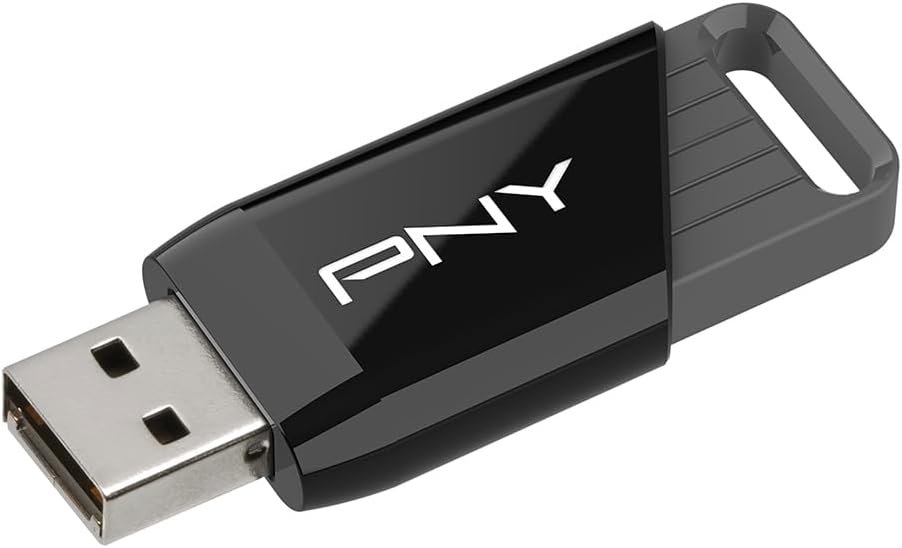

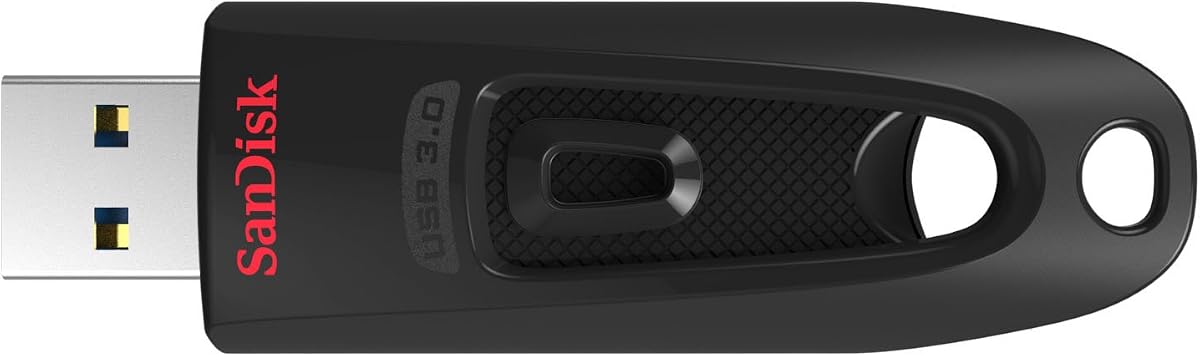

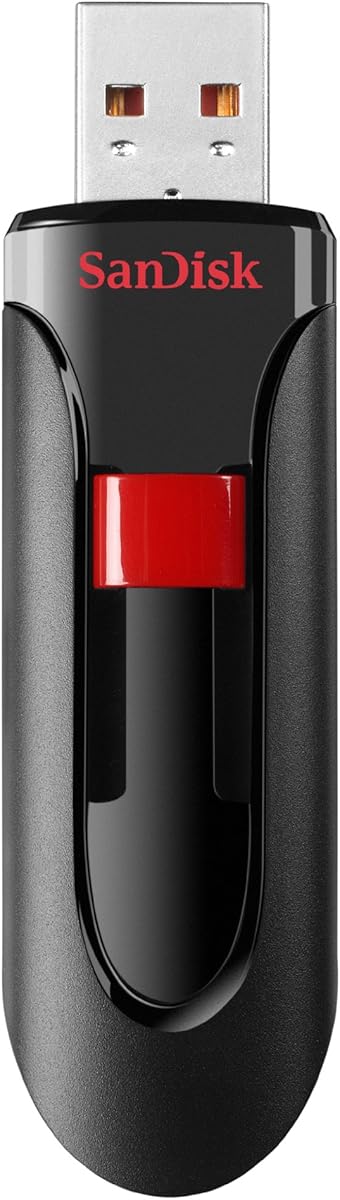

This flash drive offers top-tier performance for HP laptop users needing rapid file transfers. With a 4.6 rating, it balances speed and durability effectively for everyday professional and personal storage tasks.
We may earn a commission when you buy through this link, at no additional cost to you.
Its USB 3.0 interface delivers read speeds up to 150MB/s, making it ideal for moving large media files quickly. The sleek metal casing protects internal components while maintaining a premium look suitable for business environments.
While it lacks a USB-C port for modern devices, its robust build and encryption software offset this limitation for many users. The password protection ensures sensitive business documents remain secure during travel or shared access.
Ideal for HP laptop owners prioritizing speed and security over dual connectivity, this drive stands out as a reliable workhorse. It represents the best balance of performance and safety for general USB-A port usage.
Read speeds of up to 150MB/s allow you to transfer full-length movies in under 30 seconds, significantly reducing wait times compared to standard USB 2.0 drives.
Built-in password protection uses 128-bit AES encryption to safeguard your private files, supported across major Windows and Mac operating systems with free software download.
We may earn a commission when you buy through this link, at no additional cost to you.
This premium drive offers versatile connectivity for HP laptops and modern mobile devices. With a solid rating, it caters to users needing high capacity and dual USB standards in a single durable unit.
We may earn a commission when you buy through this link, at no additional cost to you.
The combination of USB-A and Type-C connectors ensures seamless file transfers between your HP laptop, smartphone, or tablet without adapters. Its 256GB capacity provides ample space for extensive media libraries and critical documents.
While the price is higher than standard drives, the dual connectivity and advanced security justify the investment for tech-savvy users. The swivel design prevents caps from being lost, though the metal body adds minor weight.
Best for professionals requiring flexible connectivity and strong security, this drive bridges the gap between legacy and modern ports. It is a premium choice for those who value convenience and large storage capacity.
Equipped with both Type-A and Type-C connectors, this drive works with traditional laptops and newer devices like smartphones, tablets, and Macs without needing extra adapters.
Files are securely protected using an advanced solution with 256-bit AES encryption, ensuring that sensitive business data remains safe from unauthorized access.
We may earn a commission when you buy through this link, at no additional cost to you.
An affordable yet reliable option for HP laptop users needing basic USB 3.0 performance. Its strong rating reflects consistent quality and seamless integration with HP devices and standard Windows systems.
We may earn a commission when you buy through this link, at no additional cost to you.
The drive delivers transfer speeds up to 10 times faster than USB 2.0, making file sharing quick and efficient. Its compact size allows it to slip easily into pockets or bags for on-the-go access.
While the plastic body lacks the premium feel of metal drives, it remains durable enough for everyday use at a fraction of the cost. The 64GB capacity suits standard document and photo storage needs well.
Ideal for budget-conscious buyers, this drive offers genuine USB 3.0 benefits without breaking the bank. It is a smart choice for students or professionals seeking a simple, reliable flash drive.
The USB 3.0 interface allows you to transfer large files quickly, offering speeds up to 10 times faster than standard USB 2.0 connections.
Backed by a manufacturer 2-year limited warranty, this drive provides peace of mind regarding product durability and performance reliability.
We may earn a commission when you buy through this link, at no additional cost to you.
This versatile drive bridges the gap between modern Type-C devices and traditional USB-A ports on HP laptops. It offers a practical solution for users juggling multiple device types without needing adapters.
We may earn a commission when you buy through this link, at no additional cost to you.
Optimized USB 3.0 technology provides read speeds up to 130MB/s, ensuring quick access to photos and videos. The dual connector design works seamlessly across Windows, Android, Mac, and iOS devices.
While the plastic enclosure helps with heat dissipation, it may warm during sustained transfers. The protective caps keep connectors safe, though losing them could compromise durability over time.
Best for users needing cross-platform compatibility, this drive simplifies file management between phones and laptops. Its compact form factor makes it easy to carry, ensuring storage is always at hand.
Supports Windows, Android, Linux, and Mac OS, allowing you to share files across diverse systems without installing additional software.
Adopting superb memory chips ensures reliable performance and heat management, making it suitable for regular data transfers.
We may earn a commission when you buy through this link, at no additional cost to you.
Ideal for storing large media libraries, this drive combines high capacity with reliable USB 3.2 Gen 1 performance. Its rating reflects strong consistency in handling heavy file transfers.
We may earn a commission when you buy through this link, at no additional cost to you.
With read speeds up to 130MB/s, it handles movies and documents efficiently. The sliding collar design protects the connector without risking lost caps, adding convenience to its sturdy build.
Although it lacks USB-C support, its robust capacity and protection make it great for desktop or laptop backups. The plastic casing keeps it lightweight while maintaining durability for daily use.
Best for users needing extensive storage in a simple form factor, this drive is a solid choice for media archiving. It balances capacity and usability effectively for professional or personal backup.
The modern sliding collar cap design protects content when not in use, offering a reliable alternative to removable caps.
Essential for transferring large files like movies and photos, it serves as a reliable mobile storage option for modern computing needs.
We may earn a commission when you buy through this link, at no additional cost to you.
A practical solution for users needing backup redundancy without spending much. This bundle provides two drives, offering excellent value for general storage needs across multiple devices.
We may earn a commission when you buy through this link, at no additional cost to you.
Each drive features both USB-C and USB-A connectors, ensuring compatibility with laptops and mobile devices. The plug-and-play design simplifies setup, requiring no software installation.
Speeds are limited to USB 2.0 standards, which may slow down large file transfers. However, for document storage or small media backups, the capacity and versatility outweigh the speed trade-off.
Best for budget-conscious users needing multiple drives for different locations, this pack is a smart investment. It ensures you always have a backup ready for work or travel.
Includes two 128GB flash drives in black and blue, providing double the storage capacity and flexible backup options.
Supports USB 2.0 technology for stable and consistent performance across a wide range of devices and operating systems.
We may earn a commission when you buy through this link, at no additional cost to you.
This drive offers massive storage with secure encryption, ideal for professionals handling sensitive data. Its consistent high rating reflects reliable performance across diverse usage scenarios.
We may earn a commission when you buy through this link, at no additional cost to you.
With read speeds up to 130MB/s, it handles media transfers smoothly. Secure file encryption and password protection ensure your private documents remain safe during transit.
While it relies on USB-A ports, the speed and security features make it a top choice for business users. The backward compatibility ensures it works with older devices too.
Best for those prioritizing data security and storage, this drive is a trustworthy option. It balances capacity with protection, making it suitable for corporate or personal archiving.
Built-in secure file encryption and password protection help you safeguard sensitive documents against unauthorized access.
Up to 130MB/s read speed ensures rapid file transfers, reducing wait times when moving large datasets.
We may earn a commission when you buy through this link, at no additional cost to you.
Perfect for small document transfers, this drive offers minimalism and security in a tiny package. Its high rating indicates consistent performance for basic storage tasks.
We may earn a commission when you buy through this link, at no additional cost to you.
Ultra-compact design ensures it fits in pockets, while SecureAccess software protects private files. It is ideal for sharing small files like resumes or receipts securely.
Speeds are limited by USB 2.0, which may frustrate users needing quick access to large files. However, for lightweight tasks, its portability and price make it a strong choice.
Best for casual users needing a quick, secure drive for minor files, this model delivers value. It is a reliable tool for students or anyone on a tight budget.
Protect your private files with included SecureAccess software using 128-bit AES encryption.
Contoured styling ensures easy transport between computers, making it a reliable companion for daily use.
We may earn a commission when you buy through this link, at no additional cost to you.
This drive combines reliability with convenience, thanks to its retractable design. Its high rating highlights user satisfaction with its robust build and secure file management capabilities.
We may earn a commission when you buy through this link, at no additional cost to you.
The retractable mechanism keeps the connector safe, eliminating the risk of lost caps. SecureAccess software with 128-bit AES encryption ensures your data remains private during travel.
While transfer speeds are slower than USB 3.0 models, the convenience of the design compensates for many. It is a great choice for those who prioritize ease of use.
Best for users needing a durable, cap-free solution, this drive offers practicality. It balances storage needs with physical security, making it a top contender for daily use.
The retractable design keeps the connector safe when not in use, reducing wear and tear from lost caps.
Trusted for photos, videos, and music, this drive ensures confident transfers of important content.
We may earn a commission when you buy through this link, at no additional cost to you.
A solid entry-level choice for users wanting USB 3.0 performance without high costs. Its excellent rating reflects strong reliability and value for basic storage tasks.
We may earn a commission when you buy through this link, at no additional cost to you.
With speeds up to 80MB/s, it significantly outperforms USB 2.0 drives for common files. SecureAccess software adds a layer of privacy, while the 5-year warranty ensures long-term support.
Capacity is limited to 32GB, which may not suffice for large media files. However, for documents and small backups, it offers a reliable and cost-effective solution.
Best for budget users seeking modern USB 3.0 performance, this drive is a strong pick. It balances affordability with decent speed and long-term support.
Access hi-res photos and HD videos up to 4 times faster than USB 2.0 drives with fast performance speeds.
Backed by a 5-year limited warranty, offering excellent long-term support and peace of mind.
We may earn a commission when you buy through this link, at no additional cost to you.
Selecting the right flash drive involves considering speed, capacity, interface type, and durability to match your HP laptop usage patterns.
Determine how much data you plan to store before purchasing. For simple documents and photos, 64GB to 128GB is often sufficient. However, professionals handling large video files or system backups should look for 256GB or higher to avoid running out of space quickly.
Choose a capacity that aligns with your daily workflow and storage habits.
USB 3.0 or higher interfaces provide significantly faster transfer speeds compared to USB 2.0. If you frequently move large files, prioritize drives with USB 3.0 or USB 3.2 Gen 1 support to minimize wait times and boost productivity.
Higher speed standards ensure efficient data handling for demanding tasks.
Check your HP laptop's available ports before buying. Older models may only have standard USB-A ports, while newer ones might include USB-C. Dual connector drives offer flexibility, allowing you to connect to both legacy and modern devices seamlessly.
Ensure the drive matches your laptop's port configuration to avoid needing extra adapters.
Look for drives made with metal enclosures or rugged plastic that can withstand daily wear and tear. Metal cases often dissipate heat better, protecting internal components during high-speed transfers. A durable build ensures the drive lasts longer under frequent use.
Invest in a sturdy design to protect your data against physical damage.
If you store sensitive business or personal data, choose a drive with hardware or software encryption. Password protection features ensure that only authorized users can access your files, safeguarding against theft or unauthorized access.
Prioritize drives with built-in encryption tools for enhanced data security.
Most modern drives work with Windows, macOS, and Linux out of the box. However, always verify driver compatibility if you use specialized systems. Plug-and-play functionality ensures you can start using the drive immediately after connection.
Confirm OS compatibility to guarantee seamless integration with your HP laptop.
Check the manufacturer's warranty period to gauge product reliability. Longer warranties like 3 to 5 years indicate confidence in durability. Reliable customer support can be crucial if you encounter technical issues or data loss.
Choose a brand offering solid warranty coverage for peace of mind.
Balance price with the features you truly need. While premium drives offer more speed and capacity, budget options often suffice for basic tasks. Consider value bundles if you need multiple drives for different users or locations.
Select a drive that offers the best features within your financial limits.
To begin using your new flash drive, insert it into an available USB port on your HP laptop. Wait for the system to recognize the device, then open File Explorer to access the drive and transfer your files securely.
Always eject the drive properly before removal to avoid data corruption. Right-click the drive icon and select Eject to ensure all operations are complete. This simple step protects your files from damage during unexpected disconnection.
Keep the drive in a cool, dry place when not in use to extend its lifespan. Avoid exposing it to extreme temperatures or moisture, which can damage internal components. Proper storage ensures your data remains safe and accessible for the long term.
Yes, many modern HP laptops include USB Type-C ports compatible with Type-C flash drives. If your model only has USB-A ports, you may need an adapter or choose a dual connector drive for seamless connectivity.
Many flash drives come with encryption software or hardware protection to secure sensitive data. Look for models offering AES encryption and password protection to safeguard your business files against unauthorized access.
Most HP laptops built after 2012 support USB 3.0. Check your user manual or look for blue-colored USB ports. You can also verify through the Device Manager in Windows to confirm the port's capabilities.
Actual transfer speeds depend on file sizes, host device capabilities, and USB port versions. Large files transfer faster than many small ones, and using an older USB 2.0 port can significantly reduce performance.
Yes, flash drives are commonly used to install operating systems or run portable software. Ensure you have enough capacity and use the correct tools to create bootable media if needed.
Read speed refers to how fast data is accessed from the drive, while write speed is how fast data is saved. Read speeds are often higher, which is beneficial for accessing media files.
Store your drive in a protective case and avoid bending or exposing it to water. Using a model with a retractable connector or protective cap helps prevent connector damage during daily carry.
We reviewed ten top-rated flash drives offering a range of speeds, capacities, and security features tailored for HP laptop users. Whether you need budget-friendly storage or premium dual connectivity, our picks highlight reliable options for every scenario.
Prioritize transfer speeds, connector compatibility, and build quality when selecting a drive. For sensitive data, ensure encryption features are present to keep your files protected during transit and storage.
Prices and availability can fluctuate frequently, so always verify current deals before purchasing. Choosing the right flash drive ensures your HP laptop remains efficient and your data secure for all your daily needs.