
Acer Nitro V 16S
4.4Editor score
AMD Ryzen 7 260
32GB DDR5 RAM
180Hz WUXGA Display
Finding the right gaming laptop for Diablo 4 means balancing raw power with portability and display quality. This guide helps you select a machine that handles intense battles without lag.
We compared ten top models based on processor speed, graphics capabilities, and thermal performance. Each entry offers unique strengths tailored to different budgets and play styles.
Every pick highlights key specs and real-world performance traits. Prices and availability change often, so verify details before buying to ensure you get the best deal available.
4.4Editor score

4.4Editor score

4.3Editor score
As an Amazon Associate we earn from qualifying purchases.
This side-by-side table highlights the core specifications of each model to help you quickly identify the best fit for your gaming needs.




This ASUS model stands out as the top pick for Diablo 4 due to its balanced power and display. It scores high for sustained performance during long raids.
We may earn a commission when you buy through this link, at no additional cost to you.
The Intel Core i7 processor paired with RTX 5060 delivers smooth frame rates even in chaotic dungeon scenes. DLSS 4 support helps boost visuals without sacrificing speed.
While it carries a higher cost, the cooling system ensures the GPU does not throttle. This makes it reliable for extended gaming sessions without overheating issues.
Buyers seeking a premium experience should choose this model for its robust build and high refresh rate screen that enhances immersive gameplay significantly.
State-of-the-art thermals keep your system cool and quiet during intense gameplay. The vapor chamber and liquid metal application ensure fast performance.
Immerse yourself in the game with a 165Hz FHD+ display. The new ACR film enhances contrast and reduces glare for better visibility.
We may earn a commission when you buy through this link, at no additional cost to you.
This Nitro model offers incredible value with its 32GB RAM and RTX 5060 combination. It handles multitasking and gaming with equal ease.
We may earn a commission when you buy through this link, at no additional cost to you.
The AMD Ryzen 7 processor supports AI tasks well, and the display provides vivid colors thanks to 100% sRGB coverage. Fast motion is handled well by 180Hz.
Though it lacks Wi-Fi 7, the connectivity remains solid for gaming. The build is sturdy enough for daily use without feeling fragile in the hands.
Budget-conscious gamers who need power should pick this. It delivers high-end specs at a competitive price point for the best experience.
The Ryzen 7 CPU offers up to 38 AI Overall TOPS for gaming and streaming. This makes it perfect for content creators too.
RTX 5060 unlocks ray tracing and DLSS 4 for cinematic visuals. The 180Hz refresh rate ensures fluid motion during fast action.
We may earn a commission when you buy through this link, at no additional cost to you.
This premium model delivers unmatched performance with the RTX 5070 Ti and Core Ultra 9. It is designed for those who want the absolute best visuals.
We may earn a commission when you buy through this link, at no additional cost to you.
The ROG Nebula display offers 240Hz and 2.5K resolution which brings details to life. This makes Diablo 4 look sharper and more responsive than ever.
Though expensive, the performance justifies the cost for enthusiasts. The cooling system handles high loads well ensuring stability during long gaming nights.
Enthusiasts seeking maximum power should choose this. It represents the peak of what a gaming laptop can offer for demanding titles.
Experience next-level performance with Core Ultra 9 and RTX 5070 Ti. DLSS 4 and Max-Q tech boost efficiency and visual fidelity.
Immerse yourself in stunning visuals with 240Hz 2.5K resolution. ACR film reduces glare for clear viewing during gaming and work.
We may earn a commission when you buy through this link, at no additional cost to you.
This Nitro model is perfect for players who want reliable performance without breaking the bank. It handles Diablo 4 well at medium settings smoothly.
We may earn a commission when you buy through this link, at no additional cost to you.
The Core i7 processor ensures you can switch between gaming and streaming easily. With 16GB RAM it supports heavy workloads without slowing down your flow.
While the GPU is not top tier, it still delivers smooth gameplay for casual sessions. The display is bright enough for indoor gaming environments.
Players on a budget will appreciate this machine. It offers a solid foundation for gaming and creative tasks alike.
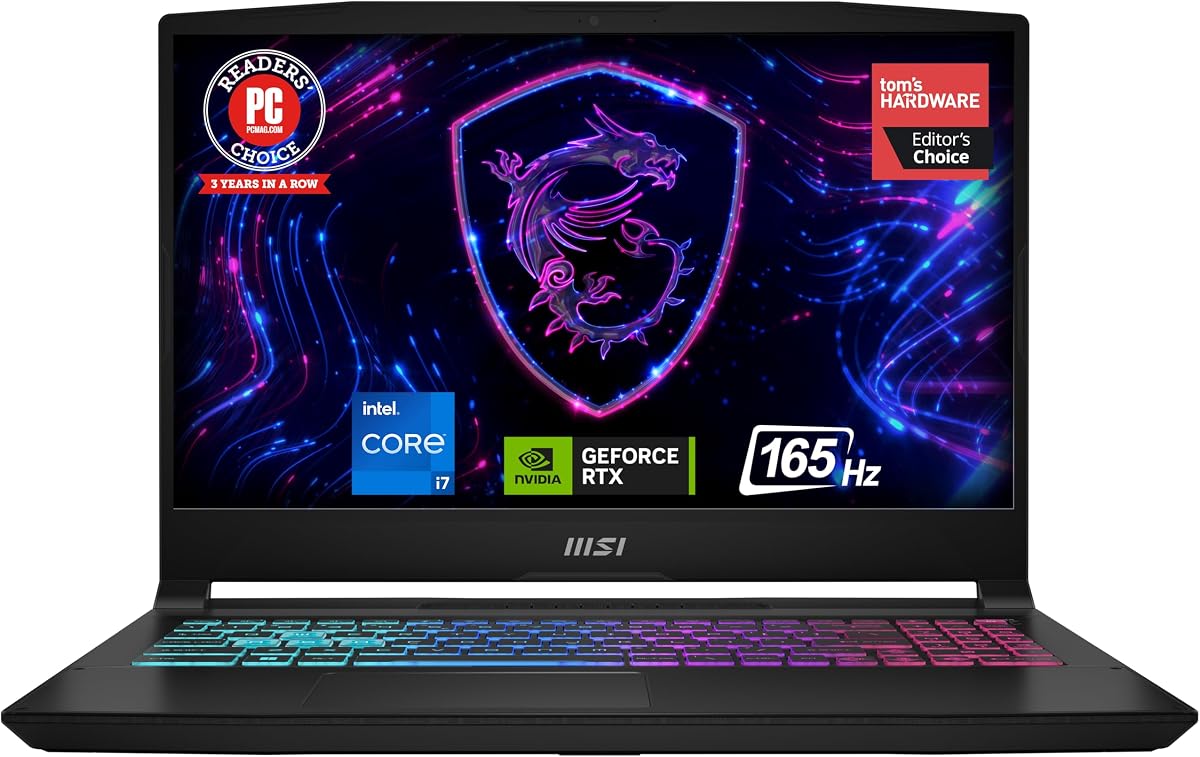
The Intel Core i7 lets your PC do more at once. Stream games with high FPS while editing photos or music.
See digital conquests unfold on a vibrant Full HD screen. The 165Hz rate helps you land reflexive shots with accuracy.
We may earn a commission when you buy through this link, at no additional cost to you.
This Cyborg model brings a big screen experience to a portable design. It is ideal for gamers who need a larger view but travel often.
We may earn a commission when you buy through this link, at no additional cost to you.
The RTX 5060 provides next-gen gameplay with AI-accelerated visuals. The 17.3 inch display makes immersive scenes feel truly massive and detailed.
Cooling is handled efficiently so you do not face slowdowns during sessions. The translucent black design adds a unique look to your setup.
Travelers seeking a big display should consider this. It balances size and performance for a unique gaming experience on the go.
Experience big-screen immersion in a design just 0.83 inches thin. It is easy to carry a 17.3 inch display anywhere.
Unlock advanced gaming with real-time ray tracing and DLSS 4. AI-accelerated visuals give you a competitive advantage.
We may earn a commission when you buy through this link, at no additional cost to you.
This Victus model is excellent for content creators and gamers alike. It offers a high amount of RAM for seamless multitasking.
We may earn a commission when you buy through this link, at no additional cost to you.
The Ryzen 7 processor supports smooth streaming while gaming. With 32GB DDR5 you can run background apps without performance loss.
Connectivity is versatile with HDMI and USB-C ports. This makes it easy to set up external monitors or peripherals for your setup.
Streamers looking for reliable performance should choose this. It handles heavy workloads well and keeps up with modern demands.
AMD Ryzen 7 delivers speeds up to 4.7GHz. Paired with RTX 4050 it supports responsive gaming and content creation.
Victus gaming laptop offers up to 64GB DDR5 RAM and 4TB SSD. Plenty of room for games and large files.
We may earn a commission when you buy through this link, at no additional cost to you.
This entry model is perfect for students or casual gamers on a tight budget. It delivers decent performance for lighter gaming needs.
We may earn a commission when you buy through this link, at no additional cost to you.
The Core i5 processor handles basic tasks and Diablo 4 on lower settings. The 165Hz screen refresh rate helps with responsiveness during fast moves.
While 8GB RAM is tight for heavy use, it is sufficient for simple sessions. You can upgrade later as your needs grow over time.
Budget users seeking an entry point should pick this. It offers a gateway to PC gaming without a large upfront investment.
The Intel Core i5 lets your PC do more at once. Record and stream games with decent FPS and ease.
See vibrant Full HD on a 15.6 screen. 165Hz rate helps you land reflexive shots with pinpoint accuracy.
We may earn a commission when you buy through this link, at no additional cost to you.
This Nitro model balances hybrid architecture with AI-driven features. It supports simultaneous gaming and streaming effectively without lag.
We may earn a commission when you buy through this link, at no additional cost to you.
The WUXGA display offers vibrant colors and 180Hz speed. This ensures clear visibility and smooth motion during intense gameplay moments.
Cooling is optimized to maintain stable performance over time. Dual-fan system efficiently manages heat even during long marathons.
Players seeking balanced specs should choose this. It delivers consistent performance for gaming and everyday productivity.
Intel Core 7 enables play, stream, and create simultaneously. Application Optimization boosts performance by allocating resources.
Experience exceptional clarity with 1920 x 1200 resolution. 180Hz rate minimizes motion blur for fluid animations.
We may earn a commission when you buy through this link, at no additional cost to you.
This Katana model is notable for its QHD display and powerful GPU. It provides a sharp visual experience for detailed environments.
We may earn a commission when you buy through this link, at no additional cost to you.
The RTX 4070 unleashes ray tracing and realistic lighting effects. This simulates real-world light behavior for a more immersive game world.
Cooler Boost 5 ensures optimal thermal dissipation during load. The design remains simple and functional for daily use cases.
Gamers wanting high-resolution gaming should consider this. It offers a great mix of pixel density and processing power.
NVIDIA GeForce RTX 4070 unleashes full glory of ray tracing. It simulates how light behaves in the real world.
The 15.6 165Hz QHD display brings vivid colors and pixel density. It offers the ultimate gaming experience for detail.
We may earn a commission when you buy through this link, at no additional cost to you.
This model brings slim design to RTX 5060 performance. The 180-degree hinge adapts to various scenarios for flexible viewing.
We may earn a commission when you buy through this link, at no additional cost to you.
GiMATE AI interface transforms how you interact with technology. It creates an intuitive and personal interface for control.
Though thin, it supports smooth gaming with Max-Q optimization. This helps maintain battery life while delivering consistent visual quality.
Users seeking a portable and smart laptop should pick this. It combines AI tools with solid gaming capability.
GiMATE creates an intelligent interface that truly understands your needs. Control is now more intuitive and personal.
GIGABYTE A16 brings everything together to stay ahead. Game create and boost productivity with confidence.
We may earn a commission when you buy through this link, at no additional cost to you.
Choosing the right machine involves weighing specs, budget, and portability. Here are the key factors to consider before you buy.
The CPU handles game logic and multitasking. Look for Intel Core i7 or AMD Ryzen 7 to ensure smooth gameplay alongside other apps.
A strong processor prevents bottlenecks during intense scenes.
GPU power determines visual fidelity and frame rate. Aim for RTX 4050 or higher to enable ray tracing and DLSS effectively.
Higher tier GPUs provide better longevity for future updates.
A high refresh rate reduces motion blur and improves responsiveness. Models with 165Hz or more make fast action feel smoother.
Look for screens with good color accuracy for immersive visuals.
RAM affects how many apps can run simultaneously. 16GB is standard, but 32GB helps if you stream or edit while gaming.
More RAM ensures stable performance during heavy multitasking.
Cooling systems prevent overheating and throttling. Look for vapor chambers or liquid metal tech to keep performance consistent.
Good thermals extend the lifespan of your hardware.
Wi-Fi and port selection matter for peripherals and internet. Wi-Fi 6E or 7 offers better stability for online play.
USB-C and HDMI ports allow flexible external display setups.
Gaming drains battery quickly, so look for efficient chips. Max-Q tech helps balance power use with performance needs.
Expect to stay near a power outlet during intense sessions.
If you travel, weight and chassis thickness count. Slimmer models offer convenience but may limit cooling capacity.
Choose a balance that fits your lifestyle and transport needs.
Keep your laptop on a hard flat surface to ensure proper airflow and cooling during use.
Regularly update drivers and BIOS to maintain compatibility with new game patches and features.
Clean the keyboard and vents periodically with compressed air to prevent dust buildup and overheating.
The ASUS ROG Strix G16 is a top choice due to its balanced CPU and GPU. It handles the game smoothly with strong cooling and display quality for immersive play.
A high refresh rate like 165Hz helps reduce motion blur and makes fast-paced combat feel smoother. It is beneficial if you plan to play competitively.
Not strictly for gameplay alone, but it helps if you stream or use other apps while playing. 16GB is usually sufficient for just gaming.
Cooling is vital to prevent the laptop from slowing down during long sessions. Models with vapor chambers maintain performance better than basic fans.
Most models have two slots so you can upgrade if you start with less RAM. Check if your specific laptop allows user upgrades before buying.
RTX 5060 or higher supports DLSS and ray tracing well. It enhances visuals without hurting performance when paired with a strong processor.
The top three picks cover budget, overall performance, and premium power. Each model offers unique strengths tailored to different gamer needs and styles.
Prioritize CPU and GPU performance to ensure smooth gameplay and longevity. A good display and cooling system will enhance your experience over time.
Prices fluctuate often so verify current offers before purchasing. Always check specs and compatibility to ensure the best fit for your setup.