
ARZOPA 16.1'' 144Hz Portable Gaming Monitor
4.4Editor score
16.1 inch display
144Hz refresh rate
Lightweight design
Gamers increasingly seek displays that work independently of a traditional desktop tower. A gaming monitor without PC needed offers versatility for consoles or handhelds. This selection highlights models ready for immediate plug and play.
We evaluated ten top-rated portable and standalone screens based on performance metrics. Our analysis covers refresh rates, connectivity options, and build quality. Each product brings unique strengths for mobile or console gaming setups.
Every pick below details key features, pros, and cons to help you decide. Prices and availability change frequently so verify current offers before buying. We aim to provide clear guidance for your next display investment.
4.4Editor score

4.4Editor score

4.4Editor score
As an Amazon Associate we earn from qualifying purchases.
The following table offers a side-by-side view of specifications across all selected models. Compare screen sizes, refresh rates, and connectivity to find the right fit for your needs.



This monitor delivers a compelling mix of performance and portability for gamers without a PC. It features a 23.8-inch screen with 2K resolution and a 180Hz refresh rate. Users appreciate the smooth visuals and wide compatibility with consoles and handhelds.
We may earn a commission when you buy through this link, at no additional cost to you.
The Fast IPS panel ensures vibrant colors and wide viewing angles. The included stand offers flexible positioning from 0 to 180 degrees. Connectivity includes USB-C and HDMI making it easy to link various devices instantly.
While it offers excellent performance users should note it requires an external power source. The size may be large for some travel scenarios. Overall the balance of resolution and refresh rate justifies the trade-offs.
This model is ideal for gamers seeking a high-quality external display for consoles. It suits those who value smooth motion and sharp images. We recommend it as a top choice for flexible gaming setups.
The 180Hz refresh rate minimizes motion blur for competitive gaming clarity.
Multiple ports allow seamless connection to laptops and game consoles alike.
We may earn a commission when you buy through this link, at no additional cost to you.
This compact monitor brings efficient gaming to smaller setups. Its 18.5-inch screen fits easily in bags with a provided sleeve. The 120Hz rate supports smooth gameplay while the design protects against scratches during travel.
We may earn a commission when you buy through this link, at no additional cost to you.
The 125% sRGB coverage ensures vivid visuals for media consumption. A 1ms response time reduces input lag for reactive play. The VESA mount allows flexible wall or arm mounting options.
Users may find the screen size limits immersion for some games. Power needs are handled via an external source rather than USB alone. These factors suit portable users prioritizing size over maximum screen real estate.
It works well for students or travelers needing a second screen. The included case adds value for on the go usage. We consider it a reliable option for budget conscious mobile gamers.
A protective sleeve case helps safeguard the screen during transit.
Standard VESA holes enable wall or monitor arm installation easily.
We may earn a commission when you buy through this link, at no additional cost to you.
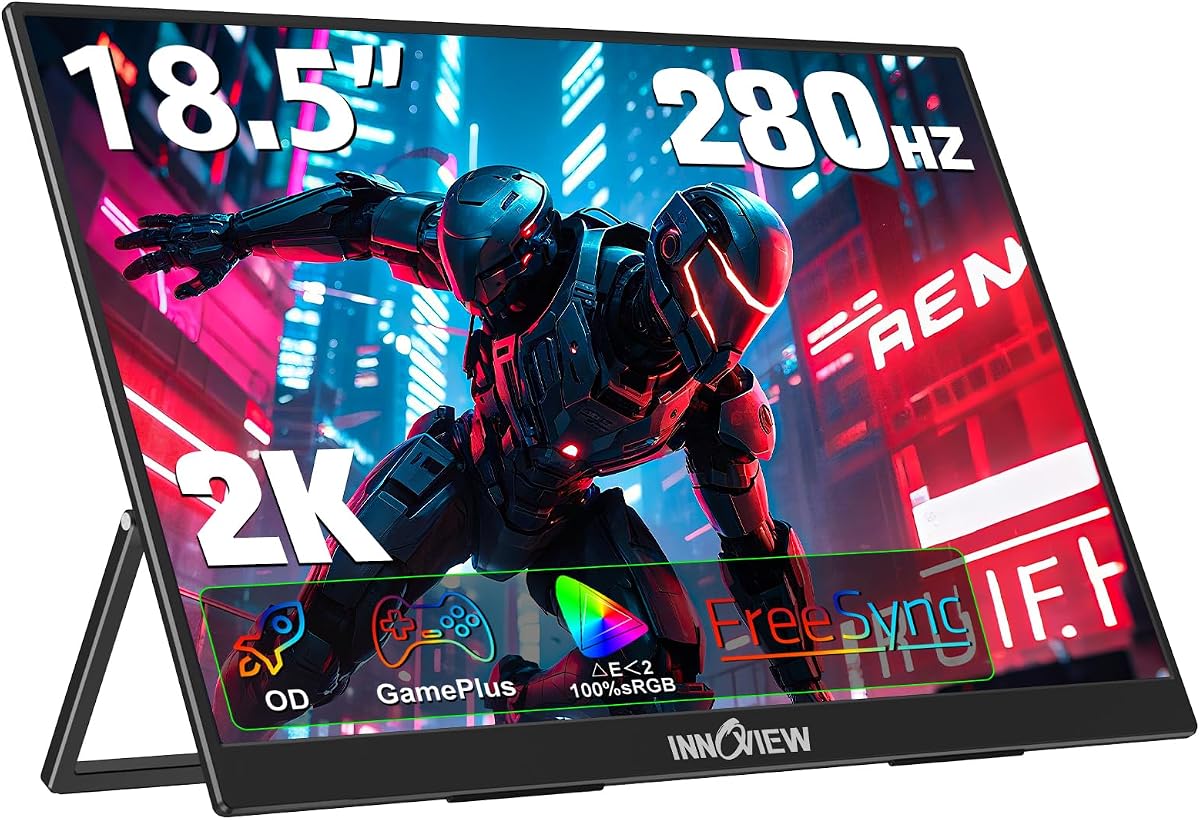
This monitor targets performance seekers with an exceptional 280Hz refresh rate. It delivers extremely fluid motion for fast paced games. The screen includes GamePlus features to aid gameplay with customizable crosshairs.
We may earn a commission when you buy through this link, at no additional cost to you.
Color accuracy is solid with full sRGB coverage and HDR. The 100% sRGB ensures vibrant visuals for content and gaming. Flexible mounting options allow wall or stand use depending on your space.
Achieving 280Hz demands a compatible host device which limits some users. Power must be supplied externally which adds to cable clutter. These requirements suit advanced users comfortable with setup needs.
It fits competitive gamers needing minimal motion blur. The high refresh rate is a standout trait for smoothness. We suggest it for those who prioritize speed above all else.
The 280Hz rate reduces ghosting for sharper fast action.
Built in overlays help players aim and track targets effectively.
We may earn a commission when you buy through this link, at no additional cost to you.
This model prioritizes extreme portability with a slim 16-inch form. Weighing just 1.5 pounds it slips easily into backpacks. The 144Hz rate ensures smooth visuals while the USB-C power simplifies cabling.
We may earn a commission when you buy through this link, at no additional cost to you.
A durable cover protects the screen during travel. The kickstand supports both portrait and landscape modes. Connectivity includes HDMI and USB-C for broad device support.
Smaller screen size may limit comfort for long sessions. The price reflects premium build and brand reputation rather than sheer size. It suits minimalists needing a compact display solution.
Ideal for digital nomads or frequent travelers. The lightweight design enables productivity and play on the go. We recommend it for those valuing portability above large screens.
Slim profile and low weight enable easy carrying anywhere.
USB-C delivers video and power to reduce cable clutter.
We may earn a commission when you buy through this link, at no additional cost to you.
This monitor offers strong value with a 16.1-inch screen. A 144Hz refresh rate supports smooth motion for games. The built-in stand simplifies setup making it easy to tilt for viewing.
We may earn a commission when you buy through this link, at no additional cost to you.
106% sRGB coverage brings vivid colors to visuals. Plug and play with USB-C avoids driver hassle. It serves as a capable second screen for work or play.
Lack of adaptive sync may limit fluidity on some systems. Bezel design is functional but not premium. These trade-offs keep costs low for entry level buyers.
It suits budget conscious users needing quick secondary display. The included stand adds convenience for casual setups. We recommend it for those seeking affordable performance.
No drivers needed ensures instant connection to devices.
Wide sRGB range ensures rich visuals for media.
We may earn a commission when you buy through this link, at no additional cost to you.
This model offers a large 32-inch curved display. A 240Hz rate ensures ultra-smooth visuals for fast games. The 1500R curvature enhances immersion by wrapping the screen around your view.
We may earn a commission when you buy through this link, at no additional cost to you.
HDR and FreeSync improve visual fidelity and reduce tearing. VESA mount support allows flexible wall or arm setups. It delivers desktop-like gaming in a standalone unit.
Size makes it less portable than smaller models. Lack of speakers means separate audio gear is needed. These factors suit stationary setups over mobile use.
Ideal for console gaming on a dedicated table. The large size and high refresh rate create an engaging experience. We recommend it for immersive desktop or console setups.
The 1500R curve wraps visuals for better peripheral focus.
240Hz refresh minimizes blur for precise motion tracking.
We may earn a commission when you buy through this link, at no additional cost to you.
This monitor provides a balanced 24-inch curved display. A 160Hz rate ensures fluid motion for games. The 1500R curve enhances immersion by filling your peripheral view.
We may earn a commission when you buy through this link, at no additional cost to you.
Multiple game modes tailor settings for FPS or movies. VESA compatibility allows wall or arm mounting options. It supports HDMI and DP for broad device connections.
Stand not included means extra mounting gear is required. Lack of speakers adds audio setup complexity. These factors suit users comfortable with extra accessories.
Ideal for gamers seeking immersion without full 32-inch bulk. The curve and high refresh rate support engaging play. We recommend it for versatile gaming setups.
Pre set profiles optimize visuals for different game types.
Curvature wraps visuals for a more focused experience.
We may earn a commission when you buy through this link, at no additional cost to you.
This premium model features a QLED panel for stunning visuals. A 2K resolution and 100% DCI-P3 ensure vibrant colors. High brightness supports HDR content and bright room visibility.
We may earn a commission when you buy through this link, at no additional cost to you.
Slim bezels create an immersive frameless look. The lightweight body is easy to carry despite premium build. Connectivity includes dual USB-C and HDMI for flexible setups.
Higher cost and power requirements may deter casual users. The QLED tech justifies price for color critical work. These trade-offs suit professionals and serious gamers.
Ideal for users needing color accuracy and brightness. The QLED panel stands out for media and gaming. We recommend it for premium portable display needs.
100% DCI-P3 coverage ensures precise and vivid tones.
400 nits output keeps visuals clear in bright settings.
We may earn a commission when you buy through this link, at no additional cost to you.
This Samsung model delivers a large 32-inch QHD screen. A 1000R deep curve enhances immersion by wrapping the view. 165Hz ensures smooth visuals for fast paced gaming.
We may earn a commission when you buy through this link, at no additional cost to you.
HDR10 improves contrast and color depth for media. Eye Saver Mode reduces strain during long sessions. The quality build supports reliable long term use.
Requires a VESA mount for flexible setups. Price is higher than generic brands. These factors suit buyers valuing premium quality and support.
Ideal for console gamers seeking a large curved screen. The deep curve and QHD offer rich visuals. We recommend it for high fidelity immersive setups.
1000R curve provides strong immersion for focused play.
Blue light reduction helps maintain comfort over time.
We may earn a commission when you buy through this link, at no additional cost to you.
This Dell model offers a reliable 23.8-inch IPS display. A 144Hz refresh rate ensures smooth visuals. TUV eye comfort certification reduces strain for long sessions.
We may earn a commission when you buy through this link, at no additional cost to you.
Slim bezels maximize viewing area. AMD FreeSync reduces tearing for seamless gameplay. The build quality reflects Dell reputation for durability.
Resolution is standard FHD not QHD. Stand details vary so check mounting needs. These factors suit general users needing solid performance.
Ideal for everyday use and casual gaming. The eye comfort and brand trust are key advantages. We recommend it for reliable budget friendly options.
TUV certification helps reduce eye fatigue during extended use.
Strong brand reputation ensures consistent build and support.
We may earn a commission when you buy through this link, at no additional cost to you.
Selecting the right gaming monitor without PC needed requires weighing several technical factors. This section outlines key aspects to consider before purchasing.
Refresh rate determines how many times the image updates per second. Higher rates like 144Hz or 240Hz provide smoother motion for fast games. Choose rates matching your device capabilities for best results.
Prioritize 144Hz or higher for competitive gaming to reduce blur.
Screen size affects portability and immersion. Smaller sizes like 16 inches are easy to travel with. Larger 32 inch models offer more immersion but less portability.
Balance size with where you plan to use the monitor most.
Resolution defines image sharpness. 1080p is standard for cost effective use. 1440p provides more detail but may need stronger devices.
Match resolution to your console or handheld to avoid strain.
IPS panels offer wide viewing angles and accurate colors. VA panels provide better contrast and deep blacks. QLED enhances brightness and color gamut for premium visuals.
Select IPS for general use or VA for contrast focus.
Connections like USB-C and HDMI define device compatibility. USB-C allows single cable video and power. HDMI remains standard for consoles and media devices.
Ensure your monitor matches your devices input ports.
Some monitors draw power via USB while others need external adapters. USB powered options are more portable but less stable. External adapters ensure consistent performance during use.
Check if you need an outlet for your intended setup.
Weight and thickness impact travel ease. Slim lightweight models are ideal for backpacks. VESA mounts provide flexibility for wall or arm setups.
Consider total weight including any included stands or cases.
Features like flicker free and low blue light protect eyes. TUV certifications validate comfort standards for long sessions. These help reduce fatigue during extended gaming or work.
Look for eye comfort features if you use the monitor daily.
Connect your monitor to a device using HDMI or USB-C. Ensure the device supports video output for proper display. Adjust settings like resolution in system preferences for optimal results.
Clean the screen with a soft dry cloth to avoid damage. Avoid harsh chemicals that may harm anti glare coatings. Store the monitor in a protective case when traveling to prevent scratches.
Update firmware if available to improve performance and compatibility. Monitor settings like brightness and refresh rate should match your content needs. Regularly check connections to ensure stable signal output.
Yes most monitors support HDMI input from consoles like Xbox or PlayStation. Check the monitor specs for resolution and refresh rate compatibility. Ensure your console settings match the monitor output for best performance.
Some models draw power via USB while others need an external adapter. USB powered options are more portable but may lack power for higher refresh rates. Verify the power requirements before buying for your setup.
A refresh rate of 144Hz or higher offers smoother motion for gaming. Higher rates reduce blur and input lag during fast action. Ensure your device supports the refresh rate to benefit fully.
Portable models are designed with slim lightweight builds for travel. Many include protective cases or stands to ease transport. Consider size and power needs to match your travel habits.
Use a USB-C to HDMI adapter or cable for most handhelds. Ensure the device supports video out via its USB-C port. Adjust display settings on the handheld for best fit on the monitor.
Yes these monitors support multiple input options for dual setups. They connect to laptops via HDMI or USB-C for extended displays. Ideal for productivity when a larger screen is needed.
We highlighted ten top models ranging from portable compact options to larger immersive screens. The top picks balance performance portability and ease of use for various needs.
Prioritize refresh rate and connectivity based on your main gaming devices. Consider power needs and size to match your usage scenarios whether home or travel.
Verify current prices and availability before buying since offers change often. We hope this guide helps you find the ideal display for gaming without a PC.