
hohem iSteady X3 SE
4.2Editor score
Detachable magnetic remote controller
11-hour long battery life
Beginner-friendly stabilization technology
This guide compares the top 10 gimbals for beginners in 2026 based on stabilization quality, ease of use, battery life, and value to help you choose the right
Finding the right gimbal for beginners can transform your mobile video content from shaky to smooth in seconds. A good stabilizer locks your phone in place while you move, ensuring professional-looking footage without needing expensive camera gear or complex editing software.
We analyzed ten highly-rated models from top brands like DJI, Hohem, and FeiyuTech to find the best options for new creators. Our comparison focuses on setup simplicity, stabilization performance, battery longevity, and compatibility with modern smartphones for everyday vlogging and social media.
Each pick highlights key strengths, real-world trade-offs, and ideal use cases so you can invest wisely. Note that product availability and pricing fluctuate frequently, so always verify current offers before purchasing to ensure you get the best value for your specific needs.
4.2Editor score

4.4Editor score

4.5Editor score
Below is a side-by-side comparison of all ten models reviewed in this guide. Each entry lists essential specifications to help you quickly identify which stabilizer matches your phone type, shooting style, and budget constraints.



The DJI Osmo Mobile 8 stands out as the top choice for beginners seeking professional-grade stabilization without complex setup. With a solid rating of 4.4, it delivers native tracking combined with audio and lighting capabilities, making it a complete kit for creators.
We may earn a commission when you buy through this link, at no additional cost to you.
This model excels in its ability to follow subjects smoothly even during dynamic movement thanks to intelligent tracking and seamless 360-degree pan rotation. The ultra-comfortable grip and built-in tripod allow for stable low-angle shots without wrist strain, ideal for capturing kids or pets.
While the performance is excellent, beginners may find the removal of the DJI Mimo app from Google Play slightly inconvenient, requiring a manual download. Additionally, the price reflects the premium features, which might stretch a tight budget compared to simpler alternatives.
If you plan to vlog regularly or need reliable tracking for family events, the Mobile 8 offers the best balance of power and portability. Its long-lasting battery and phone charging feature ensure you can shoot all day without worrying about power depletion.
The built-in module lets you capture clear sound and ensure proper lighting without extra gear, simplifying your workflow significantly.
Its foldable nature and lightweight build make it easy to carry anywhere, perfect for travel vlogs and outdoor adventures.
We may earn a commission when you buy through this link, at no additional cost to you.
The hohem iSteady X3 SE is an excellent entry-level choice for beginners who want professional stabilization without breaking the bank. Rated 4.2, it offers advanced 3-axis stabilization and a detachable remote, providing flexibility for solo shoots and group photos.
We may earn a commission when you buy through this link, at no additional cost to you.
One of its strongest points is the 11-hour battery life, allowing you to film events or long adventures without frequent recharging. The foldable design ensures it fits in your pocket, while the high payload capacity accommodates larger smartphones securely.
However, the weight is marginally higher than some ultra-light models, which might be noticeable during extended handheld use. Also, maximizing features like AI tracking requires downloading the Hohem Joy App, which adds a small setup step.
This model is perfect for budget-conscious creators starting their journey in content creation or travel vlogging. Its ease of use and long battery life make it a reliable companion for daily recording and social media content.
Control selfies and start recording from up to 32 feet away, giving you freedom to position yourself in the frame.
Shoot all day on a single charge, eliminating interruptions during important events or extended outdoor shoots.
We may earn a commission when you buy through this link, at no additional cost to you.
The DJI Osmo Mobile 7P delivers top-tier performance with a 4.5 rating, making it a premium option for serious beginners. Its multifunctional module combines tracking, mic reception, and lighting into one compact unit for seamless operation.
We may earn a commission when you buy through this link, at no additional cost to you.
This model features dual-lens enhanced tracking that keeps subjects in focus even during fast movements. The magnetic mount and built-in extension rod simplify setup and allow for creative wide selfies without extra gear.
While powerful, the feature set might overwhelm complete novices who want simplicity. The reliance on specific modules and accessories also means additional cost if you need the full kit immediately.
If you are investing in long-term content creation and want cinema-quality tools, this model is ideal. The integration with DJI Mimo for quick editing and tracking ensures high-quality output with minimal effort.
Combines lighting and audio reception to streamline your kit, so you don't need separate mics or lights for shoots.
Uses both phone lenses for smarter tracking, ensuring your subject remains sharp even during rapid or close-up movement.
We may earn a commission when you buy through this link, at no additional cost to you.
The DJI Osmo Mobile 7 is designed for comfort and portability, weighing only 300 grams. Rated 4.4, it ensures lossless stability and features ActiveTrack 7.0 to keep subjects centered effortlessly.
We may earn a commission when you buy through this link, at no additional cost to you.
Its ergonomic handle and anti-slip grip make extended use comfortable, while the built-in tripod supports solo creation. The 10-hour battery life and USB-C charging capabilities support all-day filming without interruptions.
The main trade-off is that it lacks some advanced features of the 8 or 7P models, and the app availability remains a hurdle for Android users. However, for standard stabilization needs, it performs reliably.
Travel vloggers and casual creators who prioritize comfort will find this model ideal. It balances performance and weight effectively, making it easy to carry for hours without fatigue.
The ergonomic design reduces wrist strain, allowing you to shoot comfortably for longer periods without discomfort.
No need for a separate tripod; fold out the built-in legs for quick time-lapses or hands-free video calls.
We may earn a commission when you buy through this link, at no additional cost to you.
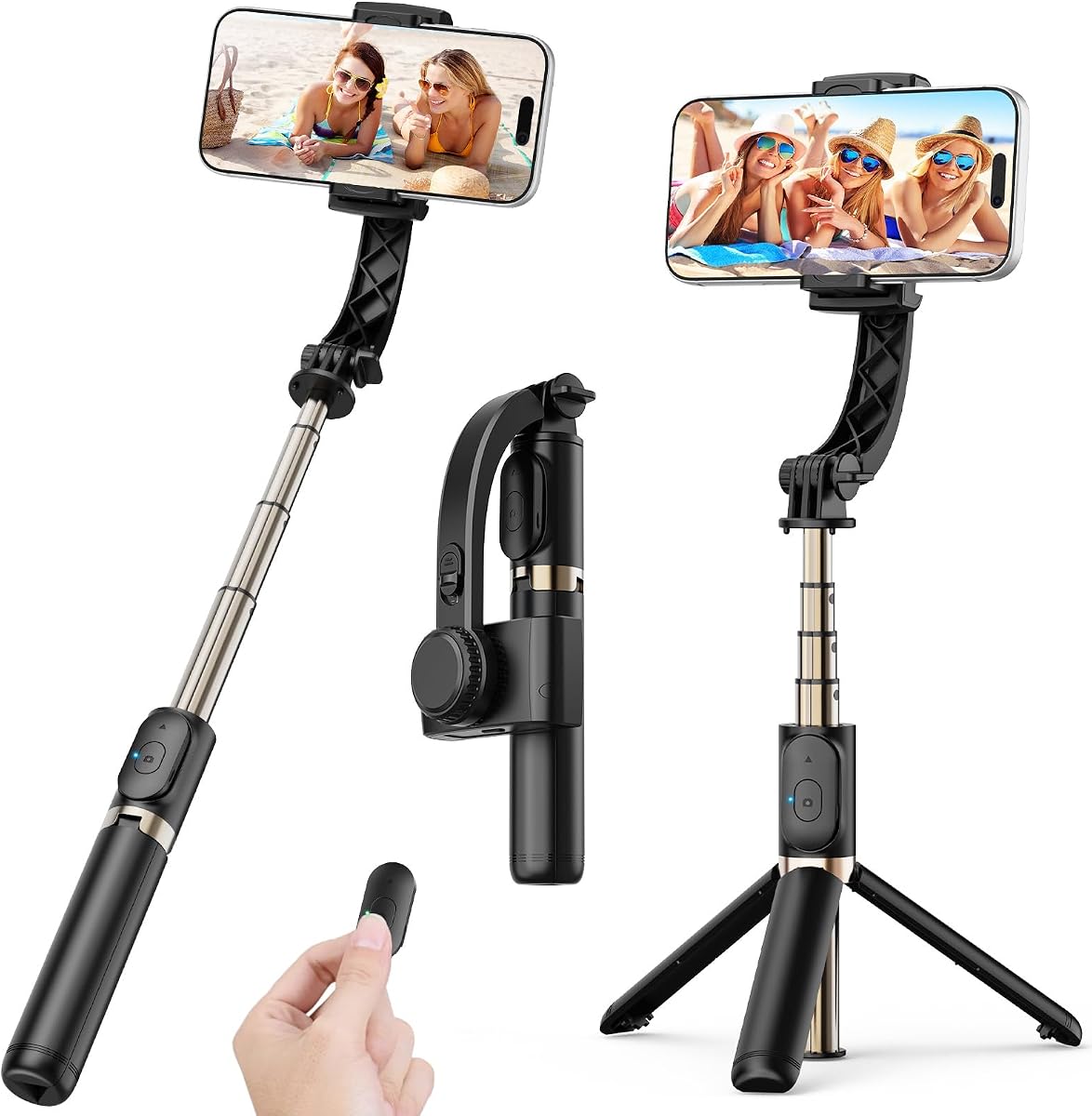
This 1-axis gimbal stabilizer offers the simplest solution for beginners who just want smoother footage without technical complexity. With a high rating of 4.7, it reduces hand shake and includes a 360-degree rotating extendable rod.
We may earn a commission when you buy through this link, at no additional cost to you.
The key benefit is app-free operation with one-button control, making it instant to use. It folds down to 7.5 inches and includes a tripod mode for hands-free recording or watching videos.
While the 1-axis stabilization is less robust than 3-axis models, it suits casual needs like TikTok or YouTube shorts. The battery life is shorter at 2 hours, so frequent recharging may be needed for long shoots.
This model is perfect for budget buyers needing a simple tool for occasional vlogging. It offers great value for the price and serves well as a secondary stabilizer or travel accessory.
Switch modes with a single button press without downloading apps, saving time and avoiding connectivity issues.
Convert instantly to a tripod by opening the grip for stable shots or group selfies without extra equipment.
We may earn a commission when you buy through this link, at no additional cost to you.
The AOCHUAN Smart XE offers strong value with its 3-axis stabilization and smart features. Rated 4.1, it handles 250g payloads comfortably and includes a focus and zoom wheel for precise control without touching the screen.
We may earn a commission when you buy through this link, at no additional cost to you.
Its AI Face Track 4.0 allows for hands-free subject tracking, while the 10-hour battery ensures long sessions. The foldable design keeps it compact for travel, and the one-click video button simplifies vertical shots.
Users note it is slightly less refined than top-tier brands, but it performs well for the price. The app dependency for advanced modes might be a slight inconvenience for some users.
For those seeking professional-looking features like zoom wheels and face tracking without the highest price tag, this model is a solid choice. It serves well for food photography and live streaming.
Adjust focus and zoom manually using the wheel, giving you cinematic control over your shots without touching the screen.
Switch between landscape and portrait modes instantly with one click, perfect for creating TikTok or YouTube Shorts content.
We may earn a commission when you buy through this link, at no additional cost to you.
The DJI RS 3 Mini bridges the gap between smartphone and professional camera stabilization. Rated 4.3, it supports up to 2 kg, making it suitable for mirrorless cameras alongside smartphones.
We may earn a commission when you buy through this link, at no additional cost to you.
Its lightweight 795g design ensures portability, while the 1.4-inch touchscreen simplifies control. The Bluetooth shutter allows automatic reconnection for easy photo and video capture.
While excellent for camera users, it may be too heavy and complex for those only filming with phones. The app availability also remains a challenge, similar to other DJI models.
If you plan to upgrade to a DSLR or mirrorless camera later, this model is a future-proof investment. It delivers professional stabilization in a travel-friendly package.
Works with Canon, Sony, Nikon, and Fujifilm cameras, offering versatility beyond just smartphone stabilization.
Access settings quickly via the intuitive touchscreen, making adjustments faster without digging through menus.
We may earn a commission when you buy through this link, at no additional cost to you.
The hohem iSteady Mobile Plus stands out with its ultra-wide-angle mode and 13-hour battery life, rated 4.2. It addresses motor interference issues for clearer shots and includes creative modes like Inception for rotating shots.
We may earn a commission when you buy through this link, at no additional cost to you.
You can even use the gimbal as a power bank to charge your phone, adding practical value. The enhanced iSteady 7.0 stability ensures smooth footage even with large smartphones.
Balancing can be tricky, especially with Pro Max phones, and some large phones might still face interference. Manual adjustments are required for optimal performance.
For creators who want unique effects and all-day battery, this model is excellent. It offers creative freedom with its rotation modes and wide-angle options.
Rotate your phone 360 degrees while filming to create dramatic visual effects without post-production editing.
Use the gimbal to charge your phone when it runs low, ensuring you never run out of power during long shoots.
We may earn a commission when you buy through this link, at no additional cost to you.
The FeiyuTech SCORP Mini 2 is a robust 3-axis stabilizer with a 4.2 rating. It supports up to 1.2 kg and includes a built-in AI tracker, allowing you to follow subjects without connecting to an app.
We may earn a commission when you buy through this link, at no additional cost to you.
It features a 1.3-inch touchscreen and five-way joysticks for easy operation. The kit includes essential accessories like an extension rod and carrying case, adding to its value.
At 852g, it is heavier than phone-only gimbals, which might affect comfort during long handheld use. Setup requires some technical knowledge for best results.
If you need a versatile tool for different cameras and want a complete kit out of the box, this is a great pick. The AI tracking functionality saves time and adds convenience.
Track subjects without your phone app, letting you focus on shooting while the gimbal handles the movement.
Includes carrying case and extension rod, so you have everything you need to start shooting immediately.
We may earn a commission when you buy through this link, at no additional cost to you.
The Hohem iSteady M6 Kit features a magnetic fill light and OLED display, rated 4.3. It supports native camera tracking for all mobile apps, ensuring compatibility with social media platforms.
We may earn a commission when you buy through this link, at no additional cost to you.
The fill light offers RGB, cold, and warm options with adjustable color temperature. The OLED display lets you check battery and status quickly without looking at your phone.
The focus control wheel adds versatility, but the app is needed for full functionality. It may feel slightly complex for absolute beginners.
For users needing built-in lighting for low-light shooting, this model is unmatched. It simplifies your setup by combining light and stabilization in one device.
Attach or detach the light easily for flexibility, helping you shoot clearly in low-light conditions without extra accessories.
View battery life and settings on the gimbal itself, reducing reliance on your phone screen during setup.
We may earn a commission when you buy through this link, at no additional cost to you.
Selecting the right gimbal depends on several factors beyond just price. This section outlines key aspects to consider to ensure you get the best tool for your specific needs.
Look for 3-axis stabilization if you want smooth footage in all directions. 1-axis models are cheaper but only reduce vertical shake, making them less suitable for dynamic movement.
Choose 3-axis for professional results and 1-axis only for basic selfie or static shots.
Ensure the payload capacity supports your phone model, especially if you use large or heavy devices with accessories.
Check manufacturer lists to confirm your phone fits securely without balancing issues.
Long shooting sessions require at least 10 hours of battery life. Models with power bank features add extra value by charging your phone.
Prioritize units with high capacity to avoid interruptions during events.
Beginner-friendly models feature one-tap setup, auto-balancing, and intuitive apps. Avoid complex systems if you want to start filming immediately.
Simple controls and magnetic mounts reduce setup time significantly.
Foldable and lightweight gimbals are essential for travel. Weigh the device to ensure you can carry it for hours without fatigue.
Look for pocket-sized designs that fit easily in your bag.
Active tracking keeps your subject in frame automatically. Ensure the tracking system works with your preferred camera app for best results.
Dual-lens tracking offers better accuracy for fast-moving subjects.
Consider add-ons like fill lights, tripods, or remote controls. These features can simplify your workflow but may add to the cost.
Assess your needs to avoid paying for unnecessary extras.
Check if the companion app is available on your phone's store. Some gimbals require downloading APK files if not listed.
Strong app support ensures access to editing and advanced shooting modes.
Start by balancing your phone on the gimbal before turning it on. Adjust the axes until the phone stays still without motor strain, ensuring smooth operation and longer motor life.
Use the app to select your shooting mode and enable tracking features. Keep your movements slow and steady to let the motors compensate effectively without overworking.
Charge the gimbal after each use and store it in a cool, dry place. Clean the motors and joints occasionally with a soft cloth to prevent dust buildup that could hinder performance.
Yes, a gimbal helps you create smooth, professional-looking videos without shaky footage. It stabilizes your phone as you move, making your content stand out. Even beginners can achieve high-quality results quickly.
1-axis gimbals reduce up-and-down shake but do not stabilize rotation or side-to-side motion. They are suitable for static shots but may not be sufficient for dynamic vlogging. 3-axis models are recommended for better stability.
Most gimbals allow you to keep your case on if it does not add excessive weight. Check the payload limit to ensure your phone plus case fits. Removing the case can improve balance if needed.
Balance your phone on each axis until it floats horizontally without drifting. Release the locks gently and adjust the position until stable. This prevents motor strain and ensures smooth footage.
Jitter often results from poor balancing or motors that are not calibrated. Ensure the device is properly set up and recalibrate using the app. Cleaning the motors may also help resolve performance issues.
No, standard phone gimbals are not waterproof. Using them near water can damage the electronics. If you need underwater footage, consider a waterproof housing or action camera instead.
We've reviewed ten top options for beginners, from the DJI Osmo Mobile 8's premium features to the budget-friendly hohem iSteady X3 SE. Each offers unique benefits tailored to different needs and budgets.
Prioritize stabilization quality, battery life, and ease of use when making your choice. Ensure the model matches your phone size and shooting style for the best experience.
Remember that prices and availability change often, so check current listings before buying. With the right gimbal, you can elevate your content creation journey significantly.