
Marspark 2 Pcs Heated Mouse Pad
3.6Editor score
Two piece package
Large internal space
USB powered warmth
Discover the top hand warmer mouse pads for winter comfort. This guide compares heated pads, enclosed warmers, and desk mats to keep your hands cozy while
Working at a desk during cold months can lead to uncomfortable chills that affect productivity. A hand warmer mouse pad offers a practical solution by providing consistent heat directly to your hands. These devices range from simple heated mats to enclosed cocoon-style warmers that fully surround your fingers.
To help you find the right option, we analyzed ten top-rated products based on heating technology, safety features, and ergonomic design. We evaluated how well each item maintains temperature, its noise level, and how easily it fits into existing desk setups. Our comparison focuses on user comfort and reliability.
Each review highlights specific strengths and potential limitations to guide your decision. You will see detailed breakdowns of heating modes, materials, and special features like auto shut-off timers. Keep in mind that availability and pricing can change frequently, so check current listings before purchasing to ensure you get the best deal available today.
3.6Editor score

4.2Editor score
4.5Editor score
This side-by-side comparison outlines the key specifications of each heated hand warmer model. We look at heating methods, power requirements, and unique design elements to help you visualize the differences between options like enclosed warmers, flat pads, and desk mats.


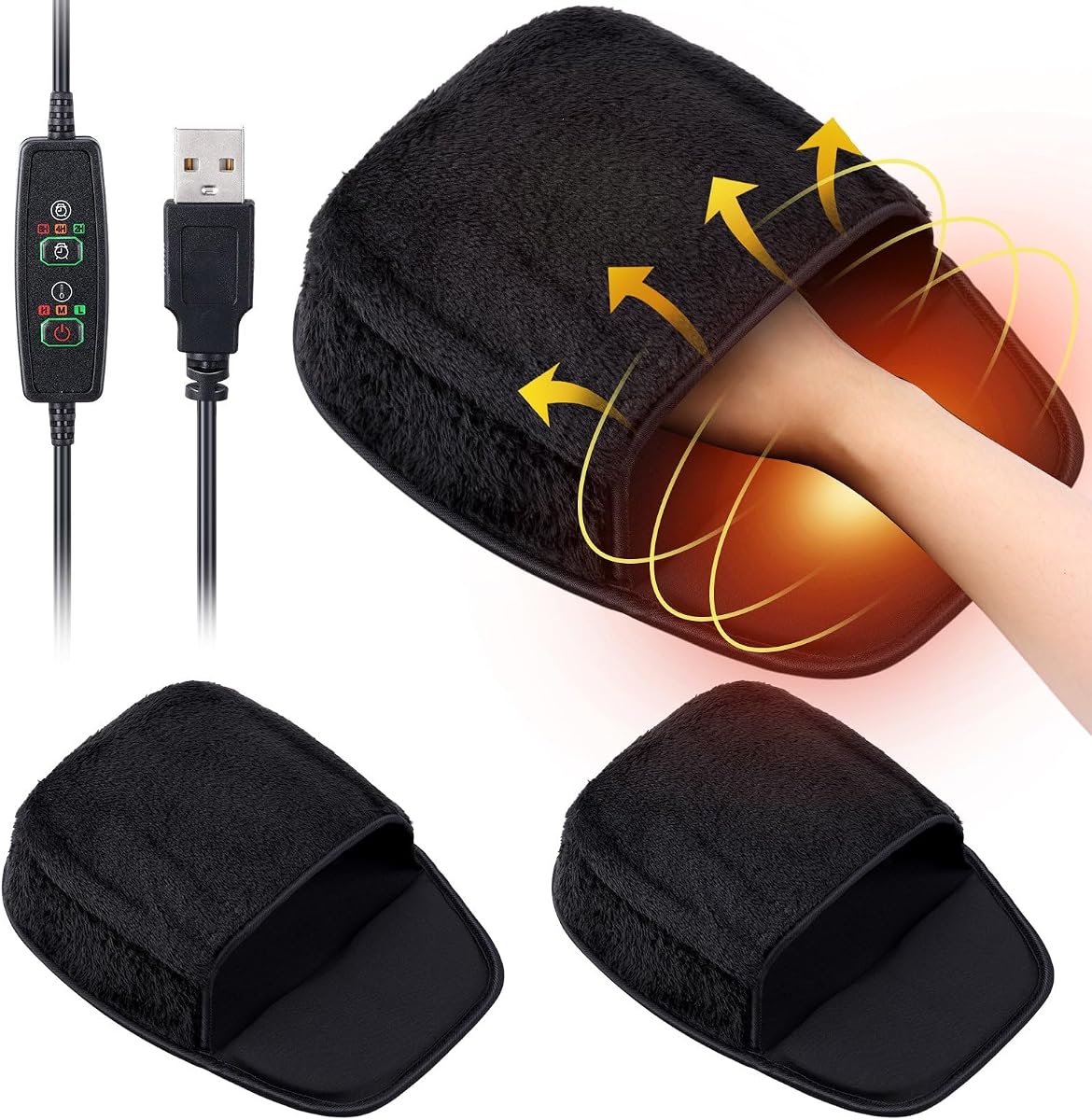

This heated mouse pad stands out with its enclosed cocoon design that wraps your entire hand in warmth. Unlike flat mats, it uses a soft neoprene shell to keep fingers, knuckles, and palm warm. It holds a strong rating from users who appreciate the consistent heat distribution.
We may earn a commission when you buy through this link, at no additional cost to you.
The PTC heating element distributes heat evenly and safely, making it ideal for cold offices or users with circulation issues. You can choose from three temperature levels and set auto shut-off timers for safety. The included ergonomic wrist rest supports a neutral position to reduce strain.
While the design is comfortable, it may feel snug for larger hands due to the one-size-fits-most approach. The USB power requirement means you need an available port, but this allows for flexible placement without cords dragging across your desk.
If you need a reliable solution for cold hands during long work or gaming sessions, this model offers excellent protection. Its thoughtful design makes it a great gift for anyone who battles cold hands at their desk.
The enclosed shell ensures no part of your hand gets cold, even in chilly environments.
Built-in timers and certified compliance keep your workspace safe during extended use.
We may earn a commission when you buy through this link, at no additional cost to you.
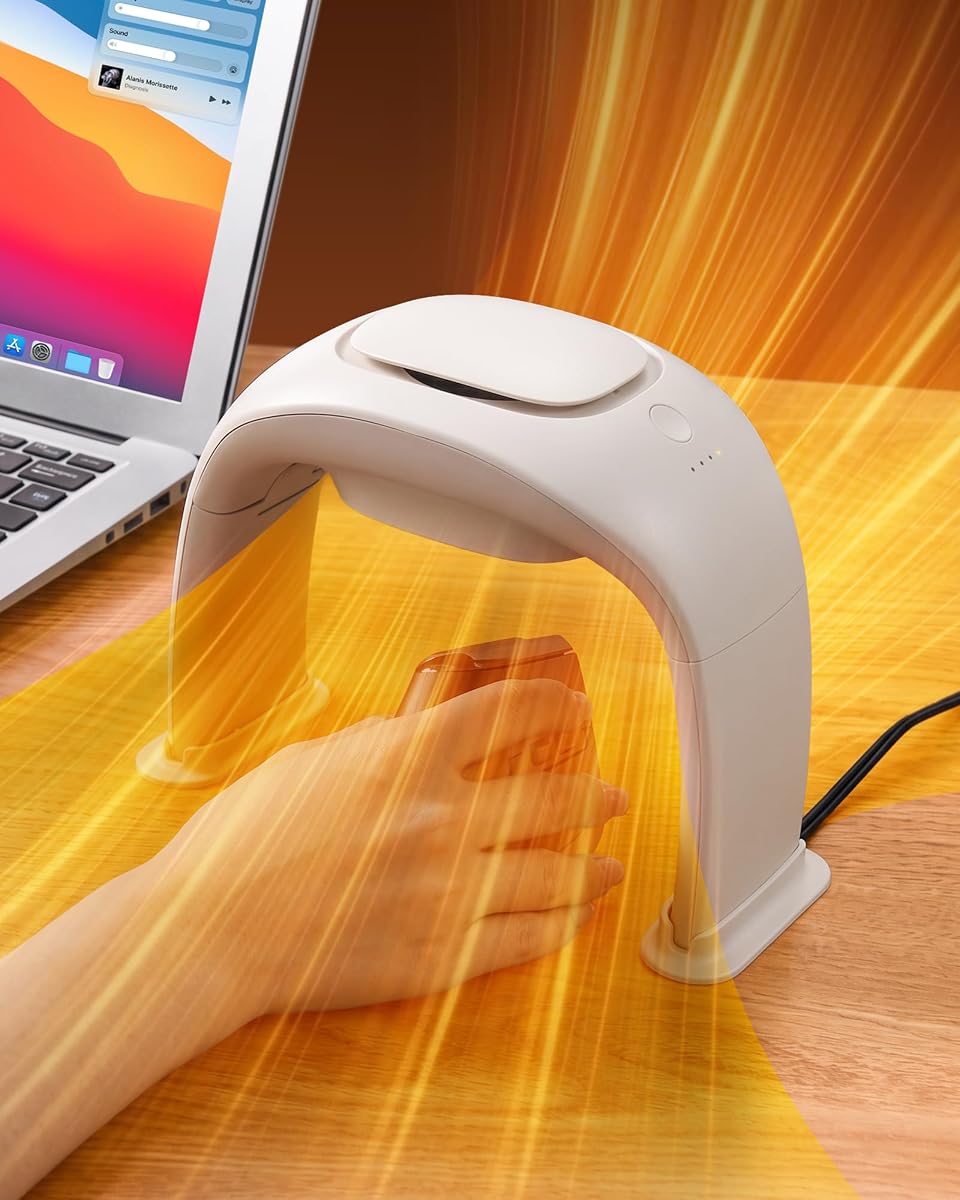
This desk warmer uses advanced ceramic heating to deliver powerful warmth without noise. It operates at less than twenty decibels, making it perfect for quiet offices or bedrooms. The wide angle air guide ensures heat covers a large area around your hand.
We may earn a commission when you buy through this link, at no additional cost to you.
You get three heating modes that range from gentle warmth to continuous high heat. A smart chip reduces power when the target temperature is reached to save energy. Tipping auto shut-off adds an extra layer of safety for accidental knocks.
The need for a standard 110V outlet limits placement compared to USB options. It is also slightly heavier, though the foldable design helps it store compactly when not in use.
For those seeking a robust and quiet heating solution, this model excels. It allows free mouse operation while providing 360-degree warmth, making it a practical choice for intense work sessions.
Low noise ensures your work focus remains uninterrupted by buzzing or humming sounds.
The intelligent chip maintains constant temperature while reducing power consumption effectively.
We may earn a commission when you buy through this link, at no additional cost to you.
This electric hand warmer combines MCH and PTC ceramic heating for reliable warmth. It features a foldable design that takes up minimal space on your desk when not in use. The anti-slip silicone bottom keeps it stable during active mouse movement.
We may earn a commission when you buy through this link, at no additional cost to you.
Safety is a priority with tip-over protection and overheat limits that cut power automatically. One button operation lets you cycle through three temperature gear settings easily. The noise level stays low to avoid distraction during work.
The compact size means it might not suit larger hands or those needing more arm room. It lacks advanced controls like timers, relying on manual switching for heat management.
Ideal for users who need a simple and safe warmer, this unit delivers consistent heat. Its stability and ease of storage make it a good fit for crowded desks.
Foldable construction allows you to hide the device away when warm is not needed.
Internal sensors protect against tipping and overheating to ensure safe usage.
We may earn a commission when you buy through this link, at no additional cost to you.
This package includes two USB heated mouse pads with plush wrist rests for comfort. They provide a simple way to warm hands while using a computer. The large internal space allows flexible mouse movement without restriction.
We may earn a commission when you buy through this link, at no additional cost to you.
Heating is automatic once connected to a USB port, rising to a suitable level. You can disconnect power to stop heating if needed. The plush material feels soft and friendly to touch.
There are no adjustable temperature settings, which may limit comfort in varying climates. Users should be mindful of burn risks during extended use without breaks.
For those on a budget needing basic warmth, this pack offers great value. Having two units allows you to share or keep one at home and one at the office.
Getting two pads means you can cover different workspaces or share with family.
Soft material adds a tactile benefit that enhances the warming experience.
We may earn a commission when you buy through this link, at no additional cost to you.
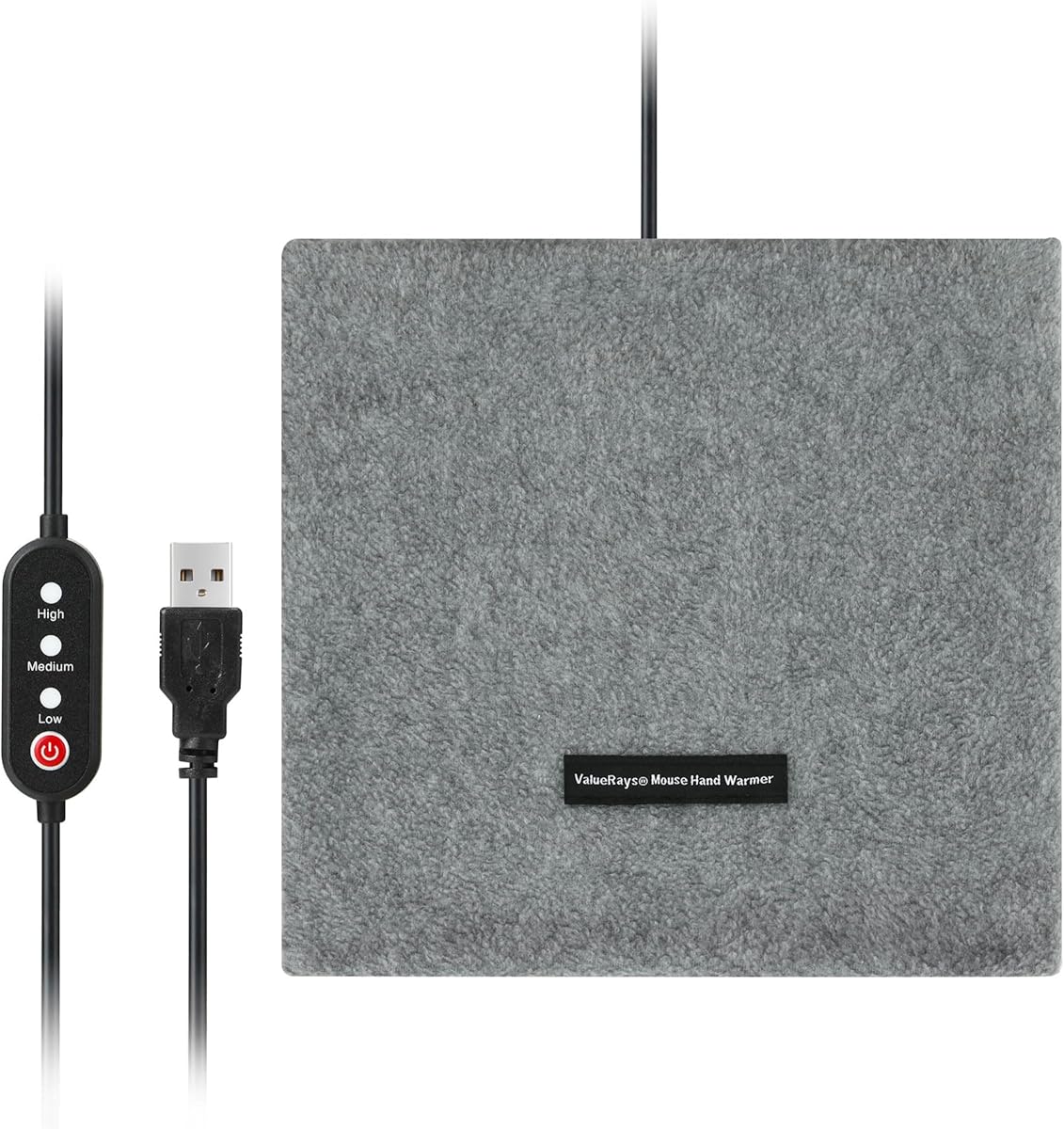
This heated mouse pad is made of thick plush material that feels comfortable on skin. The internal heating pad is detachable, making it easy to clean. The large eleven by nine inch size provides ample space for movement.
We may earn a commission when you buy through this link, at no additional cost to you.
It provides safe and stable heat when connected to a USB port. Users report it works well for cold days. It can be used as a gift for friends or family.
The heating element may have limited durability over time. It is recommended to unplug the USB plug after use to extend service life.
If you prefer a soft surface that warms up quickly, this is a solid option. The two-pack format ensures you have backups or multiple spots covered.
Detachable heating pad allows for hand washing to keep the surface fresh.
Large dimensions ensure you do not run out of room during use.
We may earn a commission when you buy through this link, at no additional cost to you.
This heated desk pad covers a large area, protecting your desk and warming hands. It is made of PU leather and waterproof PVC materials. The three heat settings let you choose from high, medium, or low warmth easily.
We may earn a commission when you buy through this link, at no additional cost to you.
You can select the most comfortable setting for your needs. It stays on for four hours before auto shut-off turns it off. It is perfect for winter months to keep fingers and arms warm.
It is designed for US voltage, so check compatibility before purchasing. When off, it works as a standard smooth surface pad for typing or writing.
For users who want to warm their entire desk area, this mat is ideal. Its multifunctional use makes it a versatile addition to any workspace.
The leather surface protects your desk from scratches and stains effectively.
Four hour safety timer prevents the pad from staying on too long.
We may earn a commission when you buy through this link, at no additional cost to you.
This desk hand warmer features upgraded double ball bearings and PTC ceramics for fast heating. It maintains low-noise operation with twenty decibel noise levels. The wide eight point one inch space allows flex mouse operation.
We may earn a commission when you buy through this link, at no additional cost to you.
You get three temperature settings optimized for efficient heating logic. Built-in smart chip reduces power to maintain constant temperature. It is foldable and portable with a weight of fourteen ounces.
The need for a standard plug limits USB-only setups. It includes a user guide and warranty for peace of mind.
For travelers or those needing a portable solution, this model works well. Its compact size and quiet operation make it suitable for various environments.
Foldable legs and light weight make it easy to carry between locations.
Optimized heating cycles ensure even warmth without wasting energy.
We may earn a commission when you buy through this link, at no additional cost to you.
This USB powered hand warmer uses infrared technology to provide warmth. It features a manual control switch for simple operation. The design is straightforward without complex settings.
We may earn a commission when you buy through this link, at no additional cost to you.
It connects to USB ports for power. Users report it helps keep hands warm during cold days. The device is small and fits most desk setups.
Information is limited but the basic functionality is clear. It lacks advanced features like timers or multiple heat levels.
If you need a no-fuss warmer, this model is a viable option. It serves as a basic utility to prevent cold hands.
Infrared technology provides direct heat to hands efficiently.
Simple switch gives you direct control over on and off states.
We may earn a commission when you buy through this link, at no additional cost to you.
This package delivers safe warmth via USB power from a laptop or bank. It features three temperature modes and timed auto off timers. The built-in wrist cushion fits the natural curve of your wrist.
We may earn a commission when you buy through this link, at no additional cost to you.
You can set auto off for two, four, or eight hours. The non-slip rubber base grips tightly to any surface. It is slim and lightweight for easy transport.
The control interface is basic and relies on cycling modes. Reviews are mixed, so consider your needs before purchasing.
Ideal for those needing a timer to avoid overheating, this offers practical value. The wrist cushion adds comfort beyond just warmth.
Timed settings let you set it and forget it safely.
Cushion reduces strain during long mouse sessions.
We may earn a commission when you buy through this link, at no additional cost to you.
This product is made from high-quality PU leather for durability and style. It features a non-slip bottom to ensure the mat stays in place. Three temperature settings are controlled by pressing a switch button.
We may earn a commission when you buy through this link, at no additional cost to you.
It can be used as a desktop, mouse, or under-desk foot warmer. The large size ensures full coverage of your desk. It keeps hands warm and comfortable throughout the day.
The design is simple with a four-press turn-off mechanism. It protects your desk from scratches and stains.
For users wanting a large mat that combines heat and protection, this works well. Its multifunctional use adds value to any cold workspace.
High-quality PU leather looks elegant and resists wear effectively.
Suitable as a desk pad, keyboard pad, or foot warmer.
We may earn a commission when you buy through this link, at no additional cost to you.
Choosing the right hand warmer involves considering heating technology, power source, safety features, and ergonomic design.
Most devices use PTC or ceramic elements to generate safe heat. Look for even heat distribution to avoid hot spots on your hands.
Options include USB ports or standard 110V outlets. USB models offer more flexibility for laptops while plug-in models may provide more power.
Adjustable settings let you find a comfortable level. Look for clear indicators for low, medium, and high heat settings.
Auto shut-off timers and tip-over protection are critical for safe use. Overheat protection adds an extra layer of security.
Enclosed designs cover your whole hand while flat pads focus on the palm. Wrist rests help reduce strain during long use.
Foldable or lightweight designs are better for travel. Consider weight and how easily it stores when not in use.
Soft plush or PU leather tops offer comfort. Non-slip rubber bases keep the pad stable on your desk.
Quiet operation is important for office environments. Look for models specifically rated for low decibel output.
Connect the device to a power source before use. Most USB models plug into any USB port while others use a standard wall outlet.
Adjust the temperature to your preferred setting using the switch or dial. Allow a few minutes for the heating element to warm up fully.
Clean the surface with a damp cloth if needed. Remove the heating pad if it is detachable for hand washing.
Many models include auto shut-off timers that turn the device off after a few hours. This safety feature prevents overheating and makes them safer to leave unattended.
Yes, most heated pads work with any mouse type. The heating element does not interfere with wireless signals or Bluetooth connections.
Most hand warmers heat between 100 and 150 degrees Fahrenheit. Adjustable settings allow you to choose a comfortable level for your needs.
Yes, they work with any standard USB port. However, ensure your port supplies enough power for the heating element to function properly.
Use a damp cloth to wipe the surface. If the heating pad is detachable, remove it before washing to avoid damage.
Most models use PU leather or rubber bases that protect your desk. They are designed to be safe for wood or glass surfaces.
Choosing the right hand warmer depends on your specific needs for heat and ergonomics. The enclosed options offer full protection while desk mats provide broader coverage for your workspace.
Prioritize safety features like auto shut-off timers and temperature limits. Look for a design that fits your desk and supports your posture during long use.
Always check current availability and pricing before purchasing. Prices and stock change frequently, so verifying details ensures you get the best option available today.