
Highwings 8K HDMI 2.1 Cable
4.7Editor score
2 Pack 6.6FT Ultra High Speed
Variable Refresh Rate Game Mode Support
Military Grade Tensile Nylon Material
This comprehensive guide compares the top HDMI cables for dual monitor setups, evaluating speed, durability, and compatibility for professionals and gamers
Finding the right HDMI cable for dual monitors is essential for maximizing productivity and entertainment. A high-quality cable ensures stable connections, crisp visuals, and smooth audio across multiple displays without signal loss or flickering issues that can disrupt your workflow.
We evaluated ten top-rated HDMI cables based on speed, durability, and compatibility. Our analysis focuses on bandwidth capacity, build quality, and real-world performance to help you choose the best option for your specific dual monitor configuration and budget needs.
Each pick highlights key features and potential trade-offs to guide your decision. Prices and availability change frequently so verify current details before purchasing. This guide aims to simplify your search for reliable connectivity that supports your dual monitor setup effectively.
4.7Editor score

4.8Editor score

4.6Editor score
This side-by-side comparison examines all ten HDMI cables to highlight their unique strengths and technical specifications for dual monitor setups.




This UGREEN HDMI 2.1 cable stands out as the top choice for dual monitor setups due to its certified performance and robust build quality. It achieves a 4.8 star rating from users who praise its ability to handle demanding video and audio signals without interruption.
We may earn a commission when you buy through this link, at no additional cost to you.
The cable delivers up to 48Gbps bandwidth enabling support for 8K 60Hz and 4K 240Hz resolutions. This bandwidth ensures smooth gameplay on consoles like PS5 and Xbox while maintaining sharp visuals across multiple monitors connected to a workstation.
While it offers premium features like Dynamic HDR and eARC the price may be slightly higher than basic alternatives. This cost is acceptable given the certified reliability and the protection it offers against signal loss during critical tasks.
Ideal for professionals and gamers needing reliable dual monitor connectivity this cable provides the performance to maximize your hardware. Investing in this certified option ensures your setup remains future ready and visually stunning.
Certification guarantees the cable meets strict HDMI 2.1 standards ensuring no compromise on bandwidth or signal integrity for dual monitor use.
Dynamic HDR and eARC support bring richer colors and full resolution audio to your displays enhancing both work and entertainment.
We may earn a commission when you buy through this link, at no additional cost to you.
Highwings delivers exceptional value with this 2 pack of HDMI 2.1 cables offering certified 48Gbps performance at a budget friendly price point. With a solid 4.7 rating it satisfies users looking for dual monitor capability without overspending on cables.
We may earn a commission when you buy through this link, at no additional cost to you.
The cable supports 8K 60Hz and 4K 120Hz making it suitable for gaming and productivity. Its upgraded revolution HDMI 2.1 standard ensures data transfer speeds that prevent stalling or dropped frames during intensive use across two screens.
The aluminum alloy shell and nylon material improve durability but the length may be restrictive for larger desks. However for standard setups this trade off is minimal and the cost savings allow for flexible cable management solutions.
This cable is perfect for budget conscious buyers who still need high speed performance. Whether for a home office or gaming station the 2 pack ensures you have a spare ready for any connection change.
Getting two certified high speed cables in one pack significantly reduces cost per unit for dual monitor configurations.
Variable refresh rate support helps align your graphics card and CPU for smoother gameplay on multiple screens.
We may earn a commission when you buy through this link, at no additional cost to you.
Silkland offers a highly reliable HDMI 2.1 cable designed for high refresh rate gaming and productivity. Its 4.7 rating reflects strong user satisfaction with its ability to handle 144Hz and 4K resolutions simultaneously on dual monitors.
We may earn a commission when you buy through this link, at no additional cost to you.
The unique double-layer fishnet winding and nylon braiding ensure physical durability. It supports 120Hz and 144Hz gaming which is critical for competitive players using multiple screens where responsiveness is key to performance.
While verification via QR code adds a step it confirms the cable meets certification standards. Some users might find this extra verification slightly inconvenient compared to standard cables but it ensures the quality promised.
Ideal for gamers and content creators this cable balances speed with durability. It delivers dynamic HDR and immersive audio ensuring that both game visuals and sounds remain crisp across your entire setup.
Support for 144Hz ensures ultra responsive gameplay which is vital when using dual monitors for multitasking while gaming.
Exclusive braiding technology protects the copper cores from wear ensuring uninterrupted signal transmission over time.
We may earn a commission when you buy through this link, at no additional cost to you.
Acer provides a versatile HDMI 2.1 cable that supports high resolution for both home entertainment and office work. Its 4.7 rating highlights consistent performance across various devices like PS5 Xbox and Mac mini setups.
We may earn a commission when you buy through this link, at no additional cost to you.
The cable supports 4K 240Hz and 8K 60Hz which is excellent for future proofing your dual monitor setup. The braided design resists daily wear and bending making it suitable for environments where cables are frequently moved or adjusted.
eARC support ensures high fidelity audio which is a plus for media consumption. The price point is competitive though the length may be shorter than some users need for sprawling desk configurations.
This cable is an excellent choice for users seeking a balance of gaming performance and media viewing. It delivers the bandwidth needed for high refresh rates and crisp visuals across multiple screens.
Support for 240Hz ensures smooth frame rates which is ideal for fast paced gaming on high end monitors.
eARC allows full resolution audio to pass through which enhances the immersive experience of home theater setups.
We may earn a commission when you buy through this link, at no additional cost to you.
Belkin is a trusted name offering a premium HDMI 2.1 cable that emphasizes reliability and durability. With a 4.6 rating it is favored by users who value brand trust and consistent performance in their dual monitor setups.
We may earn a commission when you buy through this link, at no additional cost to you.
The cable features a durable 2-layer shielding design that minimizes damage to wiring. It supports 10K resolution and Dolby Vision ensuring that both visual and audio content are delivered with exceptional clarity across connected displays.
While the price is higher than budget options the build quality justifies the investment for professional environments. The extra shielding protects against electrical shocks and physical damage which is important for long term use.
This cable is ideal for high-end workstations and home theaters where quality is paramount. It provides the confidence of a well-engineered product that meets all modern HDMI standards for dual monitors.
The 2-layer shielding design protects against electric shocks and physical damage ensuring safe long term usage.
Support for 10K and Dolby Vision allows users to leverage the full potential of high end display hardware.
We may earn a commission when you buy through this link, at no additional cost to you.
This UGREEN HDMI 2.1 cable stands out for its Ethernet capability allowing multiple HDMI devices to exchange files. It holds a 4.7 rating for its ability to deliver uncompressed 8K video without signal loss in dual monitor setups.
We may earn a commission when you buy through this link, at no additional cost to you.
The Ethernet feature is rare in consumer cables and useful for networked entertainment systems. It also supports Dynamic HDR and 12-bit color accuracy which enhances the visual experience across connected screens significantly.
While it lacks a unique premium design the robust nylon braided jacket ensures it can withstand frequent bending tests. This durability makes it a reliable choice for daily use where cables are moved often or handled roughly.
Perfect for users who need both video and data transmission this cable is a practical choice. Its compatibility with a wide range of devices ensures it fits seamlessly into existing entertainment systems.
Ethernet enablement allows devices to share network connections reducing the need for extra cables in complex setups.
12-bit color accuracy ensures vibrant and realistic images which is crucial for photo editing or media viewing.
We may earn a commission when you buy through this link, at no additional cost to you.
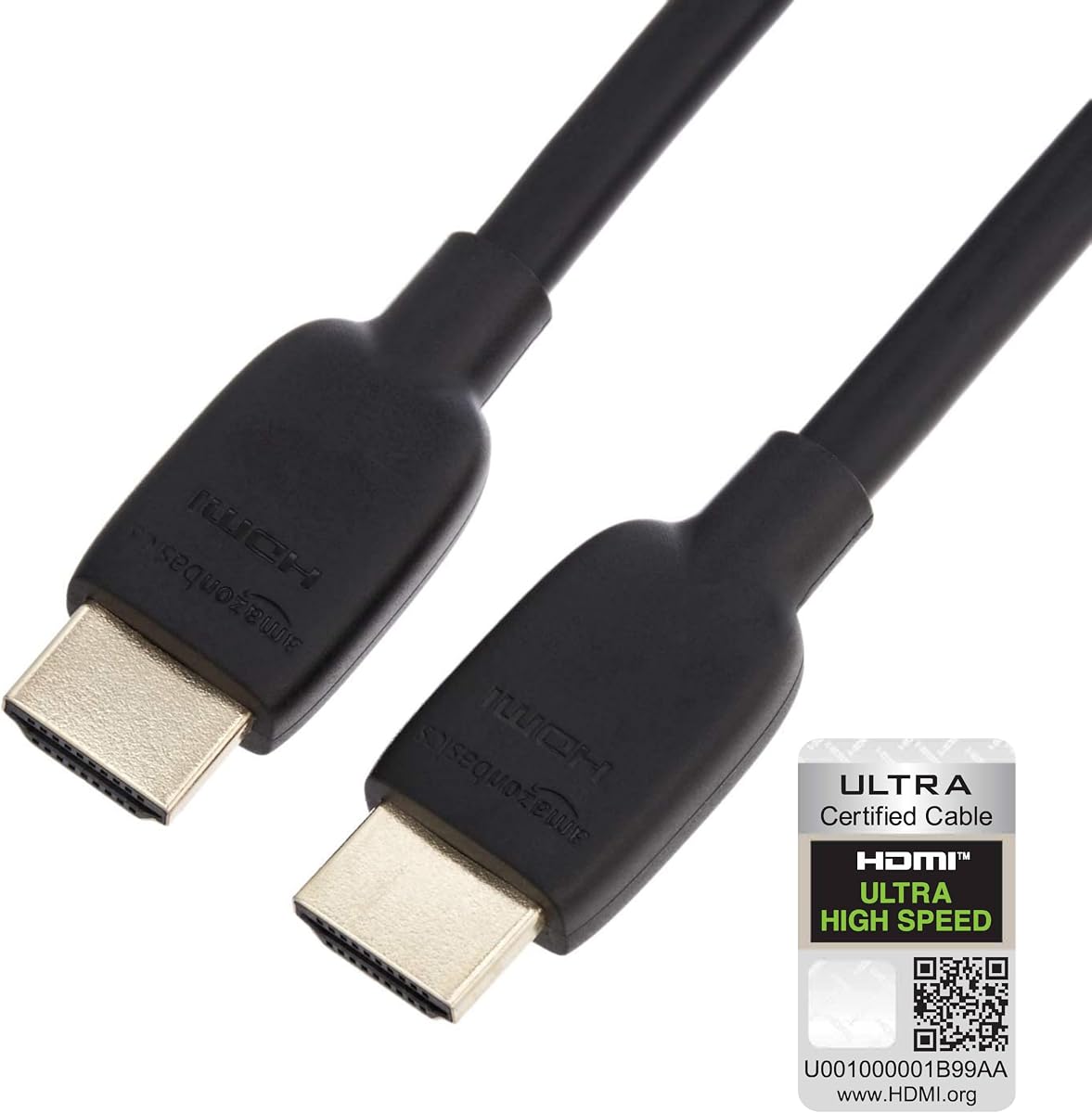
Amazon Basics delivers a compact HDMI 2.1 cable that is perfect for tight spaces. With a 4.7 rating it is favored for its simple plug and play design that removes the need for drivers during dual monitor setup.
We may earn a commission when you buy through this link, at no additional cost to you.
The 3-foot length is ideal for devices placed close to the display such as gaming consoles or PCs. It supports 8K 60Hz and 4K 120Hz ensuring that short length does not compromise on high speed data transfer.
The flexible PVC cable and gold-plated connectors ensure corrosion resistance. However the short length may require careful planning for your setup so that the cable reaches without strain or tension.
This cable is an excellent solution for users with specific space constraints. It offers reliable performance without unnecessary complexity making it a practical choice for dual monitor connections in smaller areas.
The short 3-foot length reduces cable clutter making it ideal for setups where devices are located close together.
No drivers are needed allowing for instant connection and immediate use without software configuration delays.
We may earn a commission when you buy through this link, at no additional cost to you.
PowerBear offers a 10-foot HDMI cable that is ideal for users needing extra reach between devices and displays. It maintains a 4.7 rating for its solid build and compatibility with standard 4K dual monitor setups.
We may earn a commission when you buy through this link, at no additional cost to you.
The triple tin shielding and CL3 rating ensure safety and signal integrity over the long distance. This is crucial for setups where the cable runs through walls or over long distances to a secondary monitor.
While it supports 4K 60Hz it is limited to 18Gbps which is not suitable for 8K. For users prioritizing length and safety over highest resolution this cable provides a reliable solution for home and office use.
This cable is perfect for home theaters or offices where device placement requires extra length. It balances durability with compliance making it a safe choice for permanent installations in dual monitor systems.
The 10-foot length allows for flexible device placement without requiring extension cables or adapters for dual monitors.
CL3 rating ensures the cable meets safety standards for in-wall use which is essential for permanent dual monitor setups.
We may earn a commission when you buy through this link, at no additional cost to you.
AVACON provides a DisplayPort to HDMI cable that bridges the gap between laptop graphics and external monitors. With a 4.6 rating it is praised for its reliability in connecting standard computers to HDMI displays for dual monitor work.
We may earn a commission when you buy through this link, at no additional cost to you.
The uni-directional signal ensures that data flows correctly from your computer to the display. It supports 4K 30Hz and Full HD 1080p which is sufficient for productivity tasks though not ideal for high refresh rate gaming.
Users should note it is not bi-directional and cannot transmit signals from HDMI source to DisplayPort monitor. This limitation is acceptable for most laptop users needing to connect to a standard HDMI monitor as a second screen.
This cable is ideal for office professionals needing to extend their desktop. It offers a cost-effective way to connect older or standard devices to modern displays without needing active adapters.
Connecting DP to HDMI allows users to extend desktops to standard monitors using existing laptop graphics outputs.
Foil and braid shielding ensure stable signal transmission reducing interference during critical work tasks.
We may earn a commission when you buy through this link, at no additional cost to you.
This 2-pack of DisplayPort to HDMI cables is designed specifically for dual monitor setups. It holds a perfect 5.0 rating for its ability to provide two connections in one package for workstations and home offices.
We may earn a commission when you buy through this link, at no additional cost to you.
Supporting Extend Mode and Mirror Mode it enhances productivity by allowing seamless multitasking across two screens. The gold-plated connectors and multi-layer shielding ensure reliable video and audio transmission over time.
While limited to 4K 30Hz it is ideal for office work and general use. The 2-pack cost-effectively covers both monitors saving the need to buy individual cables for each connection.
Ideal for users setting up a dual monitor workstation this pack offers a complete solution. It ensures your desktop can connect to two HDMI displays without compatibility or cost issues.
A two pack ensures you have the right cable for both monitors saving money compared to buying individually for dual setups.
Support for Extend Mode lets users spread windows across screens enhancing workflow efficiency significantly.
We may earn a commission when you buy through this link, at no additional cost to you.
Choosing the right cable requires understanding technical specifications and how they impact performance across dual monitors.
Bandwidth determines how much data can be transferred which affects resolution and refresh rate. For dual monitors you need a cable with at least 48Gbps to support 8K or 4K 120Hz without signal loss.
Always look for Ultra High Speed cables to ensure your monitors run at full potential without throttling.
The HDMI version dictates features like Dynamic HDR and eARC. HDMI 2.1 is the current standard for high performance and supports the latest gaming and video features effectively.
Ensure your cable matches or exceeds the version supported by your devices to avoid compatibility bottlenecks.
Durability impacts lifespan and signal integrity. Look for braided nylon or aluminum shells that resist bending and wear over time in office environments.
Quality materials protect the internal wires ensuring consistent performance without frequent replacements.
Gold-plated connectors resist corrosion and ensure better conductivity. This is crucial for maintaining stable signals across two monitors connected to sensitive graphics ports.
Choose connectors with robust plating to prevent tarnishing and signal degradation over years of use.
Length affects placement flexibility and signal integrity. Ensure the cable reaches your monitors without tension but avoid excessively long cables that introduce signal loss.
Measure your setup carefully before purchase to find the ideal length for your desk layout.
Official certification confirms the cable meets industry standards for speed and quality. This guarantees that the product will perform as advertised for high-resolution dual monitor setups.
Prioritize certified cables to avoid substandard products that may fail to deliver expected resolution or refresh rates.
eARC support allows full-resolution audio transmission which is vital for home theater setups connected via HDMI. Ensure your cable supports this if you use high-quality sound systems.
Good audio support ensures your dual monitor setup delivers both visual and auditory quality effectively.
Compatibility with your PC console or TV ensures smooth operation. Verify that the cable supports the specific standards your devices require for dual display functionality.
Check device specs to confirm the cable will work seamlessly with your hardware configuration.
Connect one end of the cable to your PC or console graphics port and the other to the HDMI input on your monitor. Ensure a snug fit to maintain signal integrity across both displays.
Avoid bending the cable sharply at the connectors as this can damage internal wires. Use cable clips or ties to manage excess slack without stressing the wire or connections.
Regularly check connections for dust or debris that may interfere with signal transmission. Keeping ports clean ensures consistent performance and prevents flickering issues on your dual monitor setup.
If you want high refresh rates like 120Hz or resolutions like 8K then HDMI 2.1 is necessary. For standard 4K 60Hz setups HDMI 2.0 may suffice but 2.1 offers future proofing for dual monitors.
Yes you can use one HDMI cable for each monitor provided your graphics card has multiple HDMI outputs. This ensures each screen receives a dedicated signal for optimal performance and clarity.
The best length depends on your desk layout but 6.6 feet is a common standard that offers flexibility. Measure your distance to avoid unnecessary slack while ensuring the cable reaches easily.
HDMI 2.1 supports 4K 120Hz and higher which is ideal for dual 4K monitors. It ensures both displays run smoothly without throttling even with high bandwidth requirements.
Certified cables are more reliable as they guarantee bandwidth and signal quality. This reduces the risk of flickering or signal loss which is critical when managing two displays simultaneously.
HDMI does not support daisy chaining natively you need separate cables for each monitor. This means you must have enough ports on your graphics card to connect both displays directly.
This guide highlights ten top HDMI cables for dual monitors ranging from budget friendly to premium options. The UGREEN and Highwings cables offer strong performance for most users while Belkin and Silkland deliver higher end features.
Prioritize bandwidth and build quality when selecting a cable to ensure stable dual monitor connections. Features like eARC and Dynamic HDR add value for users seeking immersive multimedia experiences across screens.
Always check current prices and availability before buying to ensure you get the best deal. These cables are designed to handle the demands of modern dual monitor setups with style and reliability.