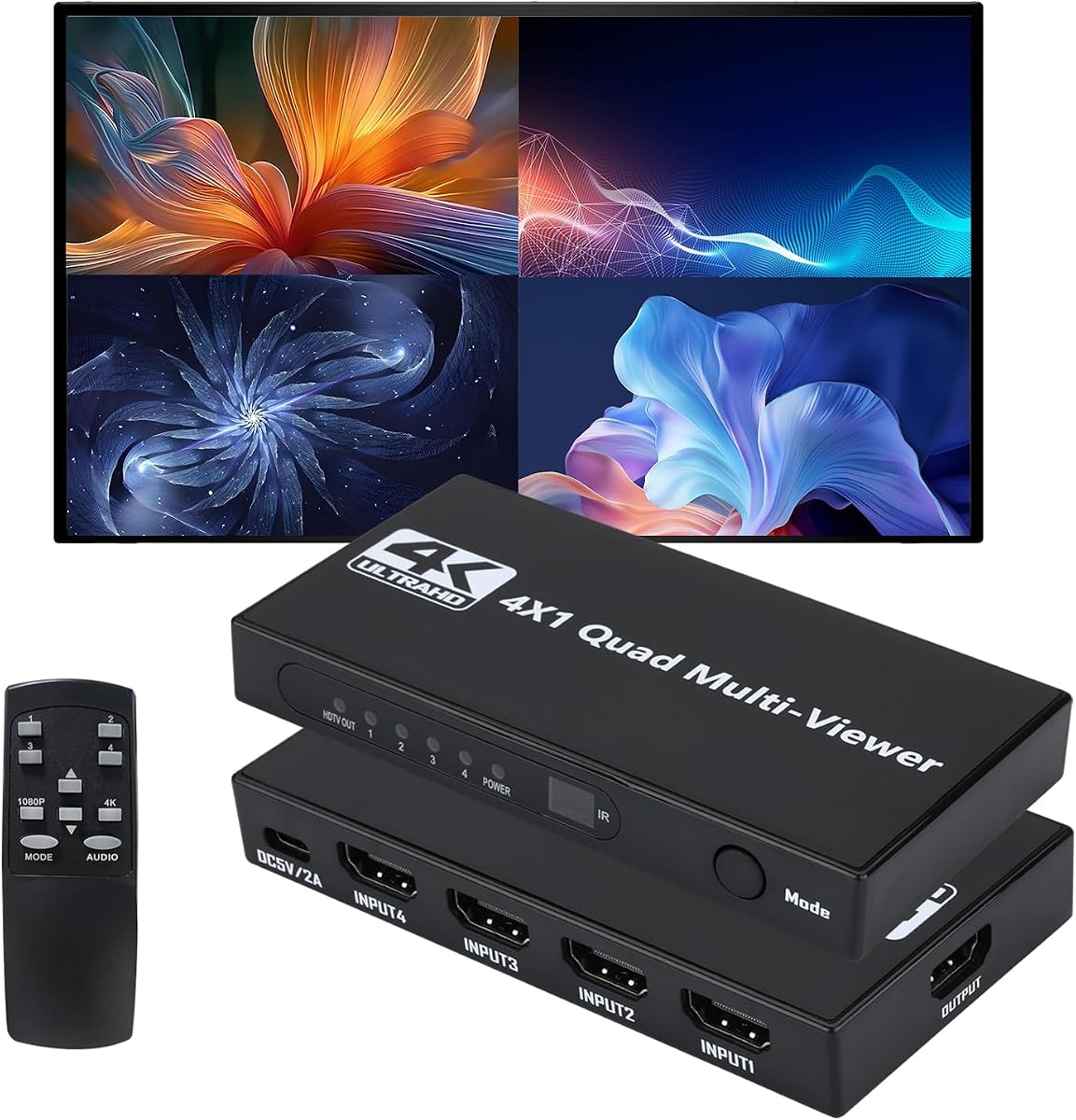
HDMI Multiviewer Switch
4.8Editor score
Affordable price point
12 display modes available
IR remote control included
This guide compares the top HDMI multiviewers for 2026. We evaluate 4K support, seamless switching, audio extraction, and display modes to help you choose the
HDMI multiviewers allow you to display multiple video sources on a single screen simultaneously. They are essential for monitoring security feeds, managing gaming setups, or running professional presentations without needing multiple monitors.
We compared ten top-rated HDMI multiviewers based on resolution support, switching speed, and feature sets. Our analysis covers everything from basic 1080p units to advanced 4K models with audio extraction and remote control options.
Each product pick includes detailed specs, pros and cons, and real-world use cases. Please note that prices fluctuate frequently, so verify current costs on the product pages before making your final purchase decision today.
4.8Editor score

4.3Editor score

4.2Editor score
This table provides a side-by-side comparison of all ten HDMI multiviewers we evaluated. Look closely at resolution support, audio capabilities, and control methods to find the best match for your specific needs.




The PORTTA Quad Multi Viewer stands out as a reliable HDMI multiviewer for various applications. It supports 1080p at 60Hz and offers six distinct viewing modes to suit different needs. Its seamless switching capability ensures no visual interruption when changing sources.
We may earn a commission when you buy through this link, at no additional cost to you.
This device excels in providing flexibility. You can view four equal screens, dual side-by-side, or use Picture-in-Picture modes. The inclusion of Toslink and 3.5mm audio outputs allows for versatile audio routing, which is crucial for setups involving sound systems or speakers.
While it lacks 4K support, the 1080p performance is crisp and suitable for most monitors. The main trade-off is that it is not ideal for ultra-high-definition workflows. However, for standard HD use, the value proposition is strong.
Buyers looking for a dependable solution for security monitoring or gaming will appreciate this unit. Its compatibility with PS4, Xbox, and PCs makes it a versatile choice. We recommend this for users prioritizing smooth switching and audio options.
The six viewing modes allow users to tailor the screen layout to their specific workflow requirements effectively.
Digital and analog audio outputs ensure you can connect to a wide range of external sound equipment easily.
We may earn a commission when you buy through this link, at no additional cost to you.
This OREI model offers a straightforward solution for quad-screen viewing at 1080p resolution. It connects up to four HDMI inputs to a single display, making it ideal for basic monitoring or media setups. The HDMI 1.4 support is reliable for standard HD content.
We may earn a commission when you buy through this link, at no additional cost to you.
A key strength is the inclusion of a VGA output. This allows connectivity to older monitors or projectors that may not have HDMI ports. The five display modes provide adequate flexibility for most everyday tasks without overwhelming the user with complex settings.
While the lack of 4K support limits it for modern high-end displays, it remains a practical choice for budget-conscious users. The only drawback is that it might not support newer HDR features found on cutting-edge devices due to the older standard.
If you need a no-fuss multiviewer for gaming consoles or laptops at 1080p, this unit works well. It balances functionality and cost effectively. We suggest it for those who do not require ultra-high-definition video processing capabilities.
The VGA output ensures you can integrate older display technology into your modern HDMI setup seamlessly.
It prioritizes core switching and viewing features without unnecessary complexity, making setup quick and easy.
We may earn a commission when you buy through this link, at no additional cost to you.
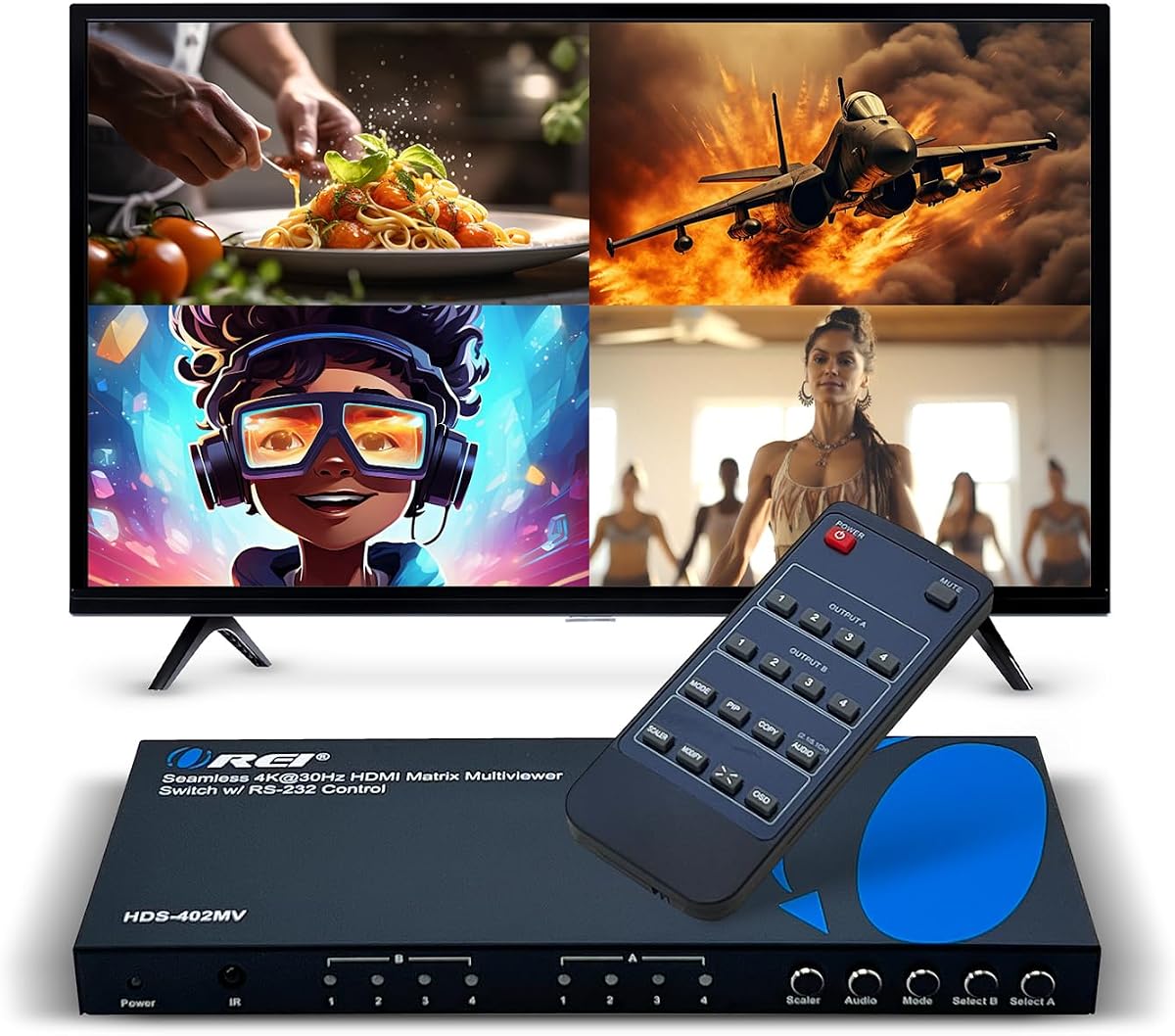
This OREI model pushes into 4K territory at 30Hz, offering higher resolution than many competitors. It is well-suited for users who need sharper visuals on their multiviewer setup. The audio extraction feature allows you to separate sound from video signals easily.
We may earn a commission when you buy through this link, at no additional cost to you.
One of its standout features is the RS-232 control. This enables integration with automated systems or control panels in commercial environments. It also supports advanced audio formats like Dolby TrueHD, which is rare in this category of devices.
The 30Hz limit at 4K means it might not be ideal for fast-motion content like competitive gaming at that resolution. However, for static content or professional monitoring, the resolution and audio capabilities make it a strong contender in the market.
Buyers needing higher resolution and audio flexibility should consider this unit. It bridges the gap between consumer and professional-grade equipment. We recommend it for setups where audio quality and control automation are critical priorities.
The RS-232 port allows for integration with commercial automation systems for seamless management.
It handles premium audio codecs ensuring high-quality sound extraction for external amplifiers or receivers.
We may earn a commission when you buy through this link, at no additional cost to you.
This multiviewer distinguishes itself with two output ports, allowing for dual-display setups. It supports four HDMI inputs and distributes them to two screens or combines them on both. This is excellent for environments requiring mirrored or extended views.
We may earn a commission when you buy through this link, at no additional cost to you.
It supports 4K at 30Hz and offers downscaling options for compatibility with lower-resolution monitors. The inclusion of mounting brackets and RS-232 control indicates it is built for professional installations where reliability and integration are paramount needs.
The main consideration is the cost and complexity. It is more expensive than single-output models and might require more planning for cabling and control systems. However, the flexibility it offers justifies the investment for specific use cases.
If you need to drive two monitors from one multiviewer unit, this is a top choice. The dual output capability is rare in this category. We recommend it for conference rooms or control rooms needing redundant display outputs.
Two output ports provide flexibility for setups needing independent or mirrored displays simultaneously.
Includes mounting brackets and RS-232 control for seamless integration into professional AV environments.
We may earn a commission when you buy through this link, at no additional cost to you.
This unit supports true 4K at 60Hz, making it suitable for high-performance displays. It ensures that video signals remain sharp and fluid without dropping frame rates. This is a significant advantage for gaming and detailed visual tasks.
We may earn a commission when you buy through this link, at no additional cost to you.
It also includes HDCP 2.2 support, which is necessary for modern content sources. The audio system is robust, supporting formats like Dolby Digital and DTS Digital. This makes it a complete package for high-fidelity multimedia applications.
While performance is excellent, the price point is on the higher end of the market. The device is also physically larger to handle the advanced processing. If budget is not a primary concern, this delivers top-tier video quality.
Buyers with 4K monitors needing fast refresh rates should prioritize this model. It handles high-bandwidth signals effectively. We recommend it for users who demand the best visual performance and audio fidelity from their multiviewer setup.
4K@60Hz capability ensures smooth playback for gaming and dynamic content without stuttering.
HDCP 2.2 compatibility ensures you can view protected content from modern streaming devices and sources.
We may earn a commission when you buy through this link, at no additional cost to you.
This multiviewer offers 4K@60Hz resolution and eight distinct viewing modes. It provides flexibility for arranging inputs based on different workflows. The seamless switching ensures that changing inputs does not cause visual interruptions on the main screen.
We may earn a commission when you buy through this link, at no additional cost to you.
It supports a wide range of devices and offers dual control methods for convenience. You can use the remote control or the onboard buttons to switch sources. This versatility makes it suitable for both desktop and professional environments.
While the feature set is impressive, some users find the mode selection complex to navigate. Additionally, customer reviews are mixed compared to top-rated brands. It is a strong contender but might require a trial period to ensure satisfaction.
If you need high resolution and multiple view options, this unit fits the bill. Just be prepared for a learning curve on the controls. We suggest it for users willing to experiment with different layouts to find their perfect setup.
Eight modes provide extensive customization for how you arrange multiple input signals on your screen.
Both remote and onboard buttons offer flexible ways to switch sources depending on your physical setup.
We may earn a commission when you buy through this link, at no additional cost to you.
This budget-friendly multiviewer offers an impressive 12 display modes at a low cost. It supports 4K for single-screen full view and 1080P when in multiviewer mode. This provides a great balance between performance and price for home or small office use.
We may earn a commission when you buy through this link, at no additional cost to you.
The unit is compatible with a wide range of systems including Windows and Mac. It is plug-and-play without requiring drivers. The remote control adds convenience, making it easy to change inputs without reaching for the device directly.
The trade-off is that multiviewer mode is limited to 1080P. If you need 4K across all windows, this won't work. However, for standard HD monitoring or gaming setups, the resolution is sufficient and the value is unmatched in the market.
For users on a strict budget, this is the best pick available. It delivers reliable performance without breaking the bank. We recommend it for casual users or those needing a basic quad-view setup on a tight budget.
Twelve display modes provide exceptional flexibility for customizing your screen layout without complex settings.
Plug-and-play compatibility across Windows and Mac makes installation immediate without software configuration.
We may earn a commission when you buy through this link, at no additional cost to you.
J-Tech Digital offers a robust multiviewer with strong audio extraction capabilities. It supports 4K@60Hz and includes an OSD for adjusting picture settings directly on the screen. This makes it highly customizable for professional setups requiring precise control.
We may earn a commission when you buy through this link, at no additional cost to you.
The audio output supports premium formats, making it suitable for environments where sound is as important as video. The lifetime technical support from the manufacturer provides peace of mind for business users looking for reliability in their equipment choices.
Despite the feature set, the rating is lower than some competitors, suggesting potential reliability issues. Users may face inconsistent performance or connectivity glitches. It is a powerful unit but requires careful consideration of its support history.
If you need advanced audio features and OSD control, this unit is a strong candidate. Just be prepared for the higher price point. We recommend it for professional audio-visual setups where customization and output quality are non-negotiable priorities.
RCA and Optical audio outputs ensure sound can be sent directly to high-quality external amplifier systems.
OSD allows users to adjust picture settings like position and size directly through the display interface.
We may earn a commission when you buy through this link, at no additional cost to you.
This OREI unit focuses on delivering standard HD performance with 1080p support. It is a solid option for users who do not need 4K resolution but require multiple inputs on one screen. The VGA output remains a key feature for legacy support.
We may earn a commission when you buy through this link, at no additional cost to you.
Audio is handled well with both HDMI and 3.5mm outputs. The device supports a wide range of HDMI sources like consoles and streaming sticks. It is straightforward to set up and does not require complex configuration to function properly.
The main limitation is the lack of modern high-resolution support. If your display supports 4K, this unit will not utilize its full potential. However, for secondary monitors or older setups, it provides a stable and reliable viewing experience.
Buyers looking for a simple and reliable quad-view setup should consider this model. It is practical and easy to manage. We recommend it for users prioritizing basic functionality over advanced resolution capabilities for their setup.
The device is built for stability, ensuring consistent switching and viewing without frequent errors.
3.5mm analog audio allows for easy connection to basic speakers without complex digital cabling.
We may earn a commission when you buy through this link, at no additional cost to you.
This unit is a true video wall controller and matrix switcher. It allows routing any of four inputs to any of four outputs. This capability is ideal for large installations where multiple screens need to be managed as a single display system.
We may earn a commission when you buy through this link, at no additional cost to you.
It features LAN and web control for remote management. This means you can adjust the video wall layout from a computer without accessing the physical unit. It supports 10 video wall configurations, giving you immense flexibility for complex visual setups.
The price is significantly higher than standard multiviewers, reflecting its professional capabilities. It is overkill for basic home use but perfect for commercial environments. The advanced control methods require technical knowledge to configure effectively and properly.
For control rooms or professional presentations, this system is unmatched. It offers scalability and flexibility that simpler units cannot match. We recommend it for businesses needing a centralized system to manage multiple displays simultaneously.
LAN and web control enable remote management of video wall layouts for enhanced operational flexibility.
Ten preset modes support complex display layouts like 2×2 or 1×4 for professional presentation needs.
We may earn a commission when you buy through this link, at no additional cost to you.
Choosing the right HDMI multiviewer requires understanding your specific display needs. This guide breaks down the key factors you should consider before making a purchase.
Look for units that support your monitor's native resolution. Most consumer multiviewers max out at 1080p@60Hz or 4K@30Hz. If you need 4K@60Hz, you will likely need a premium model which costs more but delivers better motion clarity.
Ensure the device supports your preferred resolution to avoid downscaling issues that degrade image quality during multiviewer mode.
Audio extraction is essential if you plan to route sound to external speakers. Check if the unit has Toslink or 3.5mm outputs. Some models support digital audio formats which is crucial for high-fidelity sound systems.
Confirm audio output options match your sound system inputs to avoid additional adapters.
Different units offer different numbers of viewing modes. Some have basic quad views, while others offer Picture-in-Picture or 1 big 3 small layouts. Choose a model that aligns with how you prioritize content on your screen.
Verify the available layouts to ensure they match your workflow requirements.
IR remote control is standard for consumer models. For professional setups, look for RS-232, LAN, or Web control options which allow integration into automated systems. This adds significant convenience for frequent switching needs.
Consider how you will interact with the device daily to select the right control method.
Most standard multiviewers are 4×1. However, some advanced models support multiple outputs or matrix switching. If you need to send signals to multiple displays, ensure the unit supports dual output or matrix routing capabilities.
Count your input sources and required displays before buying to match port counts.
Ensure the multiviewer supports HDCP standards required by your devices. Gaming consoles and streaming boxes often require specific versions like HDCP 2.2. Mismatched standards can lead to black screens or errors on the display.
Check HDCP compatibility to ensure all your sources will work without issues.
Look for units with robust build quality and reliable warranties. Professional-grade units often include mounting hardware for installation. A solid warranty can save you money if the device encounters hardware issues.
Read warranty terms carefully to understand what coverage is provided for your purchase.
Prices vary widely from budget options to high-end professional systems. Determine your budget based on necessity. Sometimes a mid-range unit offers the perfect balance of features without overspending on capabilities you do not use.
Compare features against price to find the best value for your specific setup.
Connect your HDMI sources to the input ports and link the output to your display using high-quality cables. Power the device on and wait for the signal to stabilize. If using a remote, ensure batteries are installed and facing the correct direction.
Use the front panel buttons or remote to cycle through display modes. Experiment with different layouts like Picture-in-Picture or dual screens to find what suits your workflow. Adjust the audio output settings if you need to route sound to speakers.
Keep the device in a well-ventilated area to prevent overheating. Avoid moving the unit frequently to reduce wear on ports. Check firmware updates if available to maintain compatibility with newer devices over time.
Yes, most HDMI multiviewers are compatible with consoles like Xbox and PlayStation. Ensure the device supports HDCP and the resolution your console outputs for seamless gameplay.
No, many budget units are limited to 1080p. You must check the specifications for 4K support and the specific refresh rate offered by the model you choose.
Most units come with an IR remote control. Some models also have front panel buttons or offer advanced control via RS-232 or network connections for professional setups.
Yes, many models feature audio extraction ports like 3.5mm or Toslink. This allows you to connect external speakers or soundbars to the device directly.
Standard HDMI cables work for most setups. However, for 4K resolution, you should use high-speed HDMI cables to ensure signal stability and quality.
Seamless switching means the transition between inputs happens without a black screen or visible delay. This is a valuable feature for presentations or gaming setups.
Yes, multiviewers are commonly used to display security feeds on a single monitor. Ensure your cameras output HDMI signals for direct compatibility with the device.
Most standard multiviewers support four HDMI inputs. Some advanced matrix models support more, so check the input count for your specific needs.
We reviewed ten top HDMI multiviewers ranging from budget-friendly 1080p units to premium 4K matrix controllers. The PORTTA Quad Multi Viewer and OREI models offer strong performance for most users looking for reliability.
Prioritize your needs for resolution and audio before selecting a model. If you need advanced automation or video wall capabilities, invest in a professional-grade unit with network controls.
Remember that prices change regularly and availability may vary. Check the latest details on Amazon before completing your purchase to ensure you are getting the best deal available.