
UANTIN DisplayPort to HDMI Splitter
4.4Editor score
Supports 4K at 60Hz resolution
Durable aluminum anti-interference casing
Plug and Play with no drivers
This guide compares the best HDMI Splitter for 3 Monitors options for 2026, evaluating resolution support, build quality, and signal stability for reliable
Finding the right HDMI Splitter for 3 Monitors can transform your workspace or entertainment center into a powerful multi-screen environment. Whether you need extended displays for productivity or synchronized mirroring for presentations, choosing a device that supports your desired resolution and refresh rate is crucial. A good splitter ensures stable signal transmission without flickering or drops.
We compared ten top-rated models based on their resolution capabilities, build durability, and compatibility with various source devices. Our analysis focuses on models that support 4K resolution, reliable power delivery, and effective heat management. We also considered user feedback regarding ease of setup and long-term reliability in office and home settings.
Each pick below highlights specific strengths like budget-friendly pricing, premium audio extraction, or high-speed 4K performance. Note that availability and pricing can change frequently on retailer platforms. Always verify the specifications match your monitor inputs and graphics card output capabilities before purchasing to ensure seamless integration into your existing setup.
4.4Editor score

4.2Editor score
4.3Editor score
The following comparison table provides a quick overview of the key specifications for each model reviewed in this guide. It highlights resolution limits, input types, and unique features to help you identify the right fit for your specific multi-monitor needs.


The UANTIN DisplayPort to HDMI Splitter stands out for its ability to drive three monitors simultaneously at 4K resolution and 60Hz refresh rates. With a solid rating from users, it offers a reliable solution for those needing extended displays from a single graphics card port. Its build quality emphasizes stability, making it a strong contender for professional workstations.
We may earn a commission when you buy through this link, at no additional cost to you.
This device excels in delivering crisp visuals across all three screens without signal degradation. The all-aluminum casing helps dissipate heat effectively, ensuring consistent performance during long hours of use. It supports standard DisplayPort inputs, allowing compatibility with many desktop PCs and laptops that feature DP ports. Setup is straightforward with plug-and-play functionality.
While it offers excellent performance, users must ensure their graphics card supports at least 18Gbps bandwidth for the full 4K@60Hz experience. The device does not work with macOS systems for extended displays, limiting its utility for Apple users who need triple screen setups. However, for Windows users with adequate hardware, it is a robust choice.
If you need to expand your workspace to three monitors using a DisplayPort source, this splitter is highly recommended. It balances cost and performance well, making it ideal for office multitasking or design work. Just verify your GPU capabilities beforehand to avoid compatibility issues with extended modes.
Splits one DP signal to three HDMI monitors for synchronized or split-screen display options.
Features an aluminum alloy shell and braided cables to ensure long-term reliability and heat dissipation.
We may earn a commission when you buy through this link, at no additional cost to you.
The NEWCARE HDMI Splitter delivers high-quality synchronized video across three screens with support for 4K resolution at 60Hz. It is designed specifically for users who want to mirror content on multiple displays, such as in retail signage or home theater setups. The inclusion of an HDMI cable and power adapter makes it convenient to get started immediately.
We may earn a commission when you buy through this link, at no additional cost to you.
This model supports advanced visual standards like HDR10 and Dolby Vision, ensuring vibrant colors and contrast on compatible TVs or monitors. Its auto downscaler allows mixed resolutions to work simultaneously, which is useful if you have different screen types. The device handles input switching limitations well by focusing purely on distribution efficiency.
Keep in mind that this unit does not support extended screen modes; it only duplicates the same signal. It also cannot connect external audio devices directly, relying on the display's built-in audio or separate systems. For users prioritizing video quality and synchronization over productivity multitasking, it is a strong candidate.
Choose this splitter if you need a reliable way to mirror video to three screens at high refresh rates. It works well with gaming consoles, streaming devices, and PCs. Ensure your monitors can handle 4K@60Hz to get the most out of its capabilities.
Delivers UHD 4K resolution with HDR10 and Dolby Vision for immersive viewing experiences.
Includes a 4-foot HDMI cable and power adapter to streamline the initial installation process.
We may earn a commission when you buy through this link, at no additional cost to you.
The MT-ViKI HDMI Splitter provides a straightforward solution for mirroring one HDMI input to four displays simultaneously. With a high user rating, it offers dependable performance for commercial environments or home entertainment rooms where identical content is required. The included AC power adapter ensures stable signal transmission without relying on USB power.
We may earn a commission when you buy through this link, at no additional cost to you.
Its robust metal design helps protect against heat and electromagnetic interference, extending the device's lifespan. The built-in amplifier supports long-distance transmission up to 100 feet, making it versatile for larger setups. Cascading support adds flexibility for connecting even more screens if needed beyond the initial four.
Resolution is capped at 4K@30Hz, which is sufficient for standard viewing but might not suit high-refresh gaming. Additionally, it does not support extended modes, limiting it to mirroring scenarios. Despite these limits, it remains a solid choice for reliable distribution where simplicity and stability are key.
Use this model if you need to connect four screens to a single source for presentations or digital signage. It handles long cables well and maintains consistent performance. Verify your source device compatibility to ensure seamless operation.
Splits input to four identical outputs for synchronized viewing across multiple displays.
Built-in amplifier supports up to 100 feet total cable length for reliable signal reach.
We may earn a commission when you buy through this link, at no additional cost to you.
The THANDBLE DisplayPort to HDMI splitter is designed for users needing to connect three monitors to a single DP source. It supports extended display modes, allowing for productivity-focused multitasking across separate screens. With a solid metal build, it delivers stable performance for professional workloads requiring high resolution and refresh rates.
We may earn a commission when you buy through this link, at no additional cost to you.
It supports 4K@60Hz, backward compatible with lower resolutions, ensuring compatibility with various monitor models. The aluminum alloy shell aids in heat dissipation during prolonged use. However, it is not compatible with macOS systems or laptop DP ports due to hardware limitations, so PC users with desktop GPUs are the primary audience.
Users must ensure their graphics card supports at least 18Gbps bandwidth to enable multi-monitor extended display. It also cannot be used with docking stations or KVM switches. Despite these constraints, it offers a reliable way to expand workspace on supported systems.
This adapter is ideal for office professionals with a DP-enabled desktop PC looking to triple their workspace. It offers smooth transitions between screens and supports high refresh rates. Check your GPU specifications carefully to ensure compatibility before purchase.
Enables extending your desktop across three monitors for enhanced productivity workflows.
Integrated aluminum shell and braided cables ensure durability and optimal heat management.
We may earn a commission when you buy through this link, at no additional cost to you.
This HDMI Splitter provides an easy way to mirror content to three screens simultaneously with minimal setup effort. It features a high user rating, indicating reliability for home entertainment or office meetings. The compact design makes it easy to place on any desk or entertainment center without clutter.
We may earn a commission when you buy through this link, at no additional cost to you.
Supporting 4K@30Hz and 3D formats, it delivers vivid visuals suitable for movie nights or presentations. The aluminum alloy casing ensures efficient heat dissipation, maintaining stability during long operation. Independent LED indicators on each port simplify troubleshooting by showing connection status at a glance.
While it is limited to 30Hz refresh rates at 4K, it remains a cost-effective choice for non-gaming scenarios. You must connect the USB-C power cable during use for stability. It is compatible with a wide range of devices including gaming consoles and laptops.
Choose this model for budget-friendly multi-screen entertainment or simple office displays. It works well with various input sources and maintains good signal quality. Just be aware of the refresh rate limitation if you plan to use it for gaming.
LED indicators help quickly identify active ports and simplify setup troubleshooting.
Works with PS5, laptops, and streaming devices for broad entertainment setup options.
We may earn a commission when you buy through this link, at no additional cost to you.
This HDMI splitter is engineered to deliver synchronized video with zero latency across three screens. It is ideal for setups like retail displays or trading desks where real-time updates matter. The device ensures that every monitor shows the exact same image without flickering or delay.
We may earn a commission when you buy through this link, at no additional cost to you.
It supports 4K@30Hz resolution and is backward compatible with 1080P, ensuring broad compatibility. The premium aluminum casing maintains cool temperatures during continuous use. Independent LED indicators make it easy to track active channels and troubleshoot issues quickly.
While it lacks extended mode support, its mirroring capabilities are strong. Some devices may require resolution adjustments to ensure display compatibility. For users prioritizing signal stability and real-time sync, this model is a dependable option.
Use this splitter for professional retail setups or home theater mirroring. It handles various input sources efficiently and supports high-definition video. Ensure your displays are compatible with the supported resolution settings.
Delivers zero-lag mirroring to keep all connected screens perfectly synchronized.
Blocks electromagnetic interference to prevent signal drops during operation.
We may earn a commission when you buy through this link, at no additional cost to you.
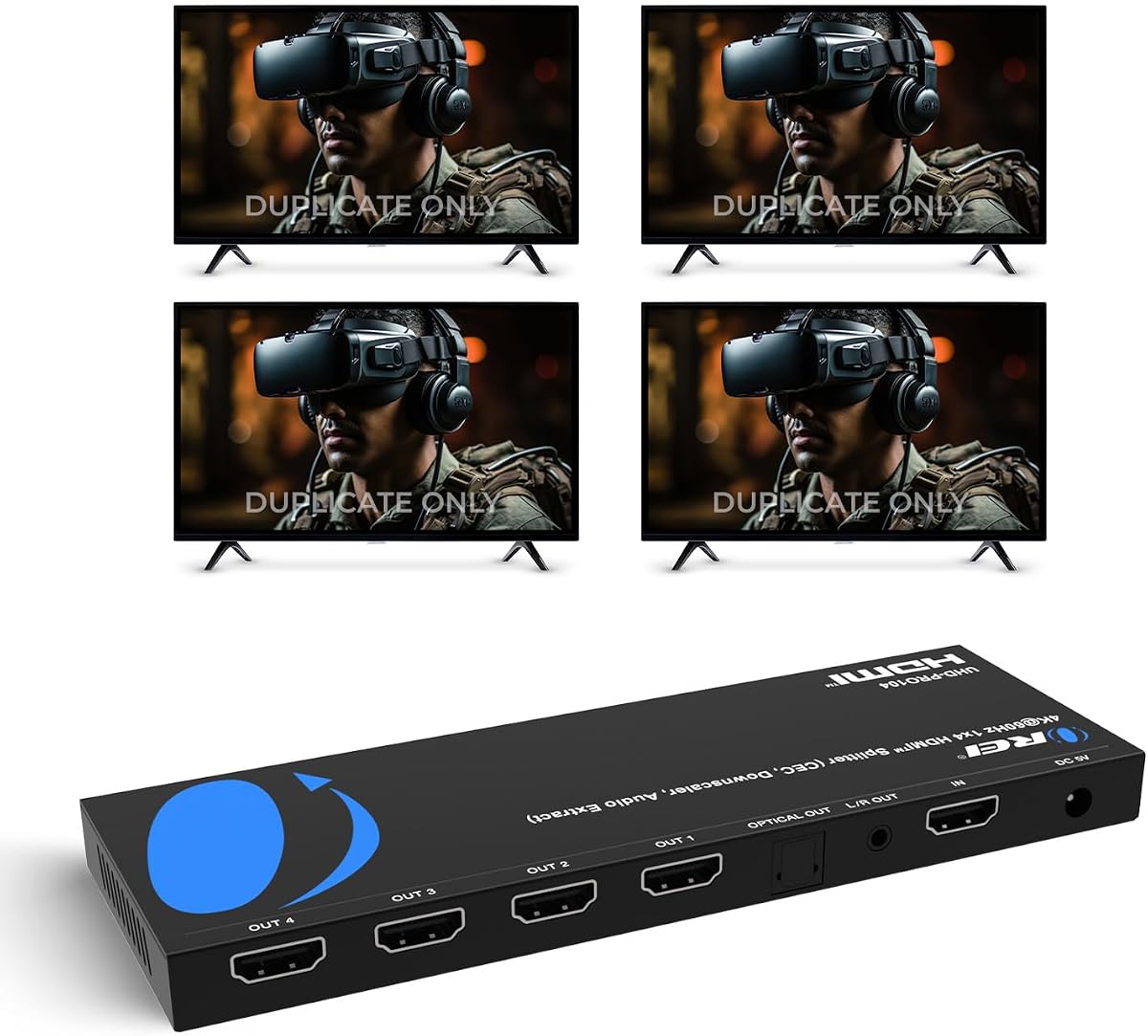
The OREI UltraHD Splitter is a reliable choice for professionals needing to distribute high-quality video to multiple displays. It supports 4K@60Hz resolution and HDCP 2.0, ensuring secure and high-fidelity content delivery. Its metal build ensures durability in demanding environments like conference rooms or retail stores.
We may earn a commission when you buy through this link, at no additional cost to you.
It handles a wide range of audio formats including Dolby TrueHD, making it versatile for multimedia setups. The plug-and-play functionality reduces setup time and complexity. With support for cables up to 30 feet, it offers flexible placement options for your displays.
This model is limited to four outputs and does not support extended modes, focusing purely on mirroring. However, its performance and build quality are strong. Users looking for a straightforward AV distribution solution will find it effective.
Consider this for classroom or conference setups requiring crisp visuals across multiple screens. It balances performance with durability well. Check your cable length requirements to ensure compatibility.
Supports advanced audio and video standards for immersive presentations and viewing.
Heavy-duty metal casing ensures long-lasting performance and effective heat dissipation.
We may earn a commission when you buy through this link, at no additional cost to you.
The OREI Audio Extractor Splitter combines high-quality video distribution with flexible audio management. It supports 4K@60Hz and downscaling, allowing mixed-resolution setups to function smoothly. Its built-in audio extraction lets you route sound independently, which is ideal for custom home theater systems.
We may earn a commission when you buy through this link, at no additional cost to you.
Supporting HDR10+ and Dolby Vision, this model enhances visual fidelity significantly. The advanced EDID and CEC management ensure stable communication with various devices. This feature set makes it a top choice for sophisticated AV installations requiring precise control.
While the price is higher than basic splitters, the extra functionality justifies it for many users. Setup might be more complex due to the audio and EDID options. If you need audio separation and video flexibility, this device excels.
Choose this premium model for home theater setups or conference rooms needing audio extraction. It offers superior video processing and reliable performance. Review the manual to maximize its advanced capabilities.
Allows independent optical or analog audio output for flexible speaker connections.
Downscaling ensures compatibility between different display resolutions seamlessly.
We may earn a commission when you buy through this link, at no additional cost to you.
This HDMI splitter stands out for its support of next-generation video standards including 8K@60Hz and 4K@120Hz. It is built on HDMI 2.1 technology, making it ideal for gamers using consoles that require VRR and HDR10+ features. Smart EDID management ensures compatibility across different displays.
We may earn a commission when you buy through this link, at no additional cost to you.
With 48Gbps bandwidth, it delivers fast and stable signal transmission suitable for high-performance setups. The device handles Dolby Atmos and 7.1ch audio formats for immersive sound. It is designed for users wanting to future-proof their multi-screen gaming or media center.
Keep in mind that it does not support extended modes, only mirroring. It also requires HDMI 2.1 compatible devices to utilize its full bandwidth potential. For high-end gaming systems, it offers excellent performance and visual quality.
Select this model if you own a PS5 or high-end GPU and need triple-screen mirroring at high refresh rates. It is a powerful tool for next-gen setups. Verify your monitors support the desired resolution and features.
Supports 8K and 4K@120Hz for future-ready video gaming and media experiences.
Allows flexible switching modes to match various display resolution requirements.
We may earn a commission when you buy through this link, at no additional cost to you.
The UGREEN HDMI Splitter provides a stable four-output solution for mirroring content across multiple displays. It supports 4K@60Hz and HDR, making it versatile for modern TVs and monitors. The EDID control helps prevent flickering, ensuring smooth operation even with varying resolution displays.
We may earn a commission when you buy through this link, at no additional cost to you.
With 18Gbps bandwidth, it handles high-definition video without drops. The USB power design ensures consistent performance across different setups. It works with a wide range of source devices, including game consoles and streaming boxes, offering broad compatibility.
While limited to four outputs, it excels in stability and ease of use. It is best suited for setups where mirroring is the goal rather than extended desktops. Users appreciate its plug-and-play convenience and reliable signal delivery.
Use this splitter for home media rooms or digital signage requiring multiple screens. It balances performance and price well. Always keep it connected to power for optimal stability.
Advanced EDID settings help avoid black screens and ensure consistent resolution output.
Compatible with most HDMI sources including gaming consoles and streaming media players.
We may earn a commission when you buy through this link, at no additional cost to you.
Selecting the right HDMI Splitter for 3 Monitors requires understanding specific technical requirements to ensure compatibility with your existing hardware and desired display setup.
Determine whether your source device uses HDMI or DisplayPort ports. DisplayPort splitters are often better for extended desktop modes, while HDMI splitters are ideal for simple mirroring setups.
Ensure the splitter supports the input standard of your device such as DP 1.2 or HDMI 2.0 to avoid bandwidth limitations.
Check if the splitter supports your monitor's resolution and refresh rate. Look for 4K@60Hz models for crisp visuals or 4K@30Hz for standard usage.
Higher refresh rates are essential for gaming and smooth motion playback, so verify the device matches your needs.
Most splitters duplicate the signal to all screens, but some DisplayPort splitters support extended desktop modes for productivity. Confirm this capability if you need different content on each screen.
Mirroring is sufficient for presentations, but extended mode is better for multitasking environments.
Many splitters require external power to maintain stable signals especially at higher resolutions. USB-C or AC adapters are common sources for reliable power delivery.
Powerless USB-powered units might work with lower resolutions but can cause flickering or drops in demanding setups.
If you need to route audio to a separate system, consider a splitter with audio extraction features. Standard models often rely on the TV or monitor for sound output.
Advanced models support optical or analog audio outputs for flexible integration with sound systems.
A metal casing helps dissipate heat and protects against electromagnetic interference which extends device lifespan. Look for braided cables for better durability during setup.
High-quality materials ensure the splitter remains reliable during long hours of continuous use.
Verify the splitter works with your specific source devices such as gaming consoles, PCs or streaming boxes. macOS often has limitations with extended modes on certain splitters.
Check HDCP version requirements to ensure your content sources can legally transmit signals through the device.
Long cables can cause signal loss, so look for splitters with amplifiers or signal boosters if you need distances over 30 feet.
Cascading support may also be useful if you plan to connect more screens beyond the standard output limits.
Begin by connecting the source device like your PC or console to the input port of the splitter. Then connect each monitor to the output ports using high-quality HDMI cables that match your resolution needs.
Plug in the power adapter to ensure stable signal transmission. Turn on your displays first and then the source device to help the system detect all screens correctly and avoid resolution mismatches.
Keep the splitter in a well-ventilated area to prevent overheating. Regularly check cables for wear and avoid bending them too sharply to maintain long-term performance.
Most standard HDMI splitters only duplicate or mirror the same content across all screens. If you need extended displays with different content on each monitor, look for a DisplayPort MST hub specifically designed for that function.
Yes, most 4K splitters are backward compatible with 1080p monitors. They typically support auto downscaling so mixed resolution setups work smoothly without extra configuration.
Flickering often occurs if the power supply is insufficient or cables are too long. Ensure the device has external power connected and use high-quality cables rated for your resolution.
No, these devices are plug and play and do not require driver installation. Just connect the cables and power to get started with your multi-screen setup.
Yes, but the content will mirror on all screens since consoles generally do not support extended modes. This is ideal for gaming rooms where you want the same view on multiple displays.
HDMI 2.1 splitters support higher bandwidths up to 48Gbps allowing for 8K or 4K@120Hz. HDMI 2.0 supports up to 18Gbps for 4K@60Hz. Choose based on your source device capabilities.
Check your graphics card specifications for Multi-Stream Transport (MST) support. Most modern desktop cards do, but laptops and macOS systems often have limitations.
Yes, splitters are designed for continuous operation as long as they are properly ventilated. Avoid blocking the casing to ensure heat dissipation and reliable performance.
We reviewed ten top options ranging from budget-friendly HDMI mirrorers to high-performance DP hubs capable of extended desktops. The UANTIN DisplayPort Splitter leads in productivity while the NEWCARE HDMI Splitter offers value for synchronized displays.
Prioritize resolution support and input type matching your source devices. If you need extended modes, stick to DisplayPort models and verify GPU capabilities to ensure a smooth experience.
Always check current prices and stock levels since they can change often. With the right choice, you can enhance your workspace or entertainment setup effectively.