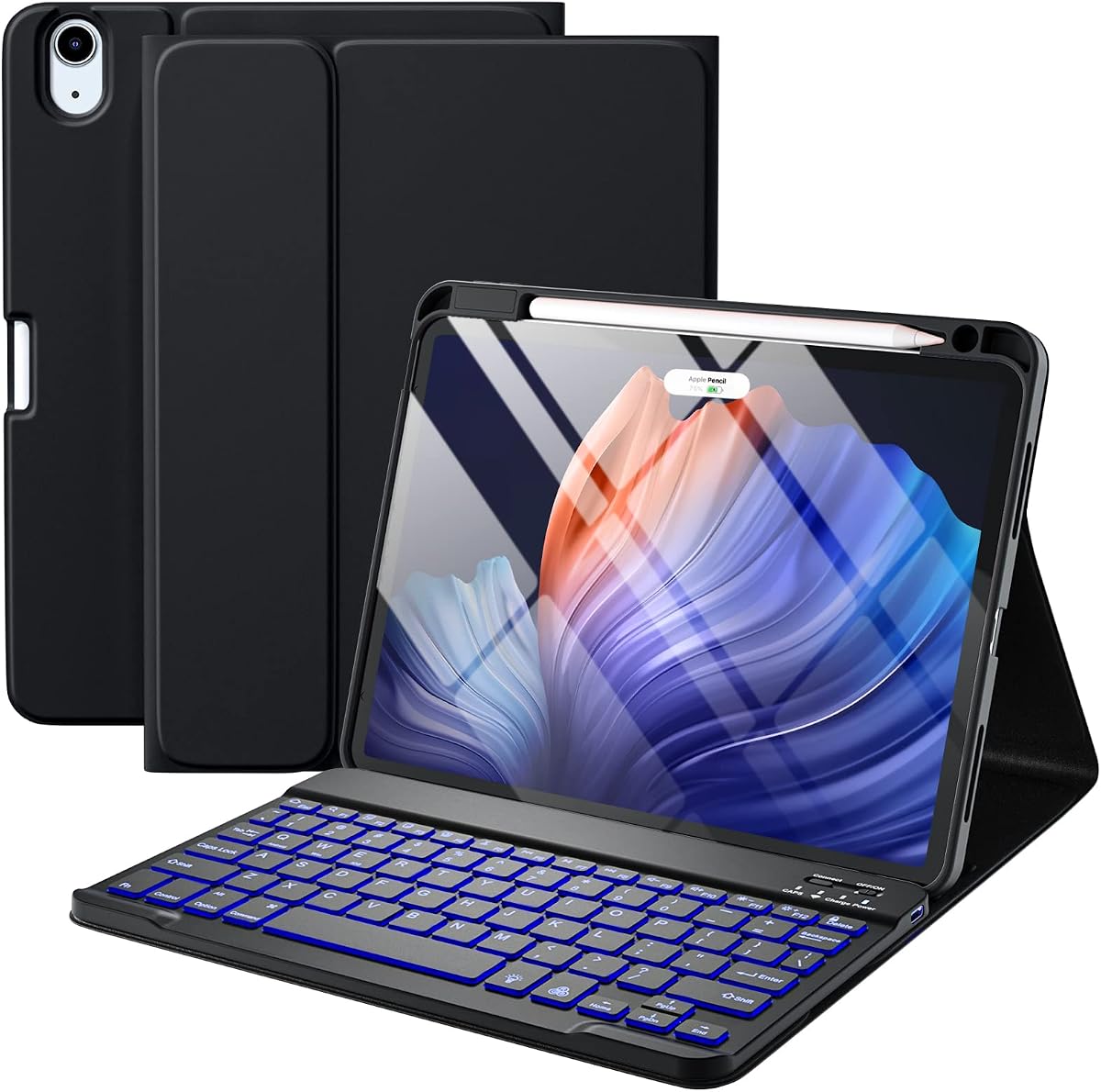
Harvopu for iPad Air
4.3Editor score
Detachable backlit keyboard
Long-life rechargeable battery
Multi-angle viewing stand
Discover the top iPad Air Folio Case with Keyboard options. We compare features like trackpads, battery life, and protection to help you choose the perfect
Finding the right iPad Air Folio Case with Keyboard can transform your tablet into a productive workstation. These versatile accessories combine protection with typing efficiency, making them essential for students and professionals alike who need on-the-go computing power.
We have carefully evaluated ten top-rated models based on build quality, typing experience, and compatibility. Each product was selected for its ability to enhance your iPad Air experience while offering robust protection against daily wear and tear in various environments.
This guide highlights key features like trackpad support, backlight options, and magnetic detachability. Please note that pricing and availability may change frequently, so check current listings before making your final purchasing decision for the best value.
4.3Editor score

4.5Editor score

4.5Editor score
This comprehensive comparison table breaks down the essential specifications of each top-rated iPad Air Folio Case with Keyboard to help you quickly identify the model that best fits your workflow and budget requirements.


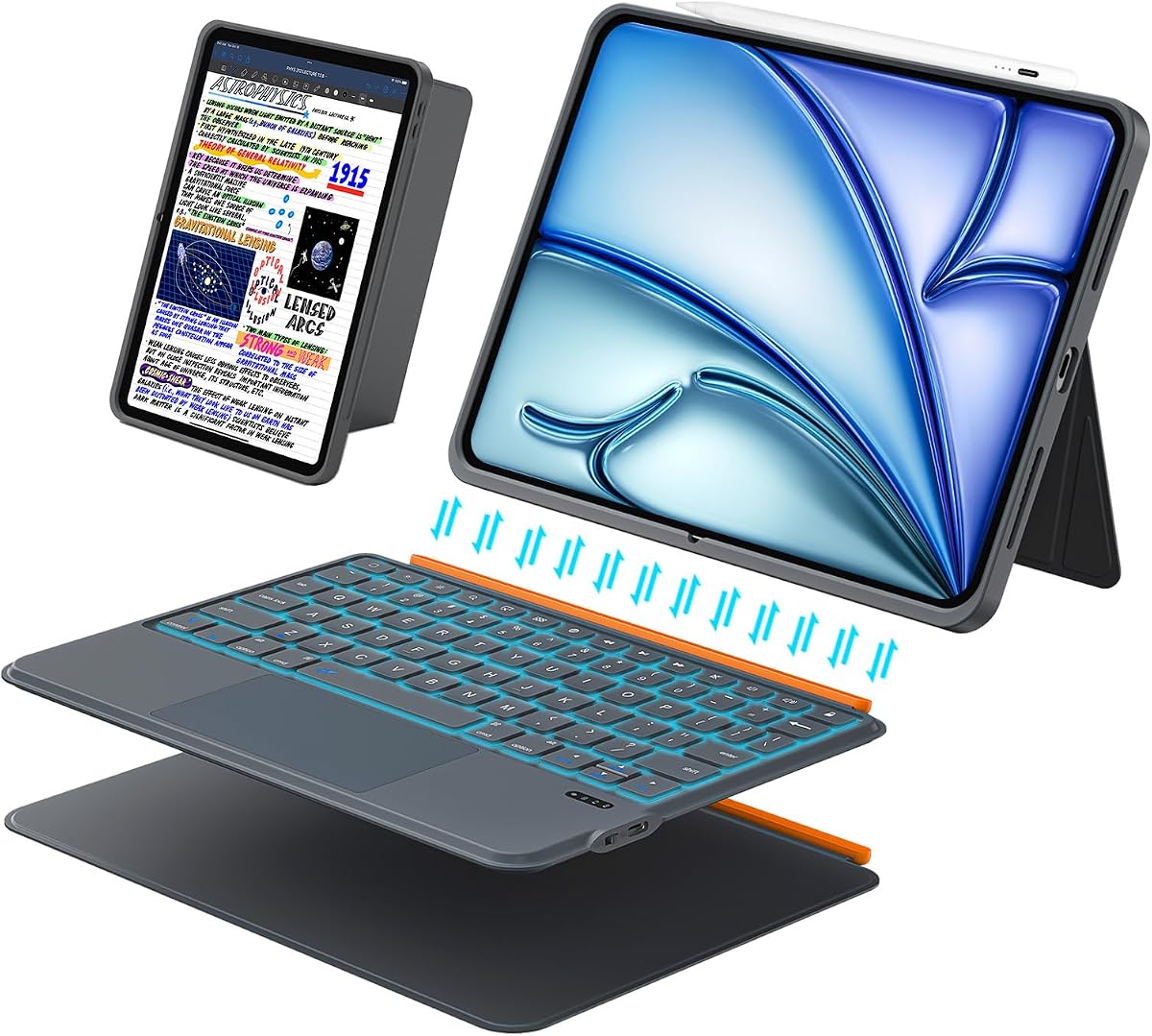


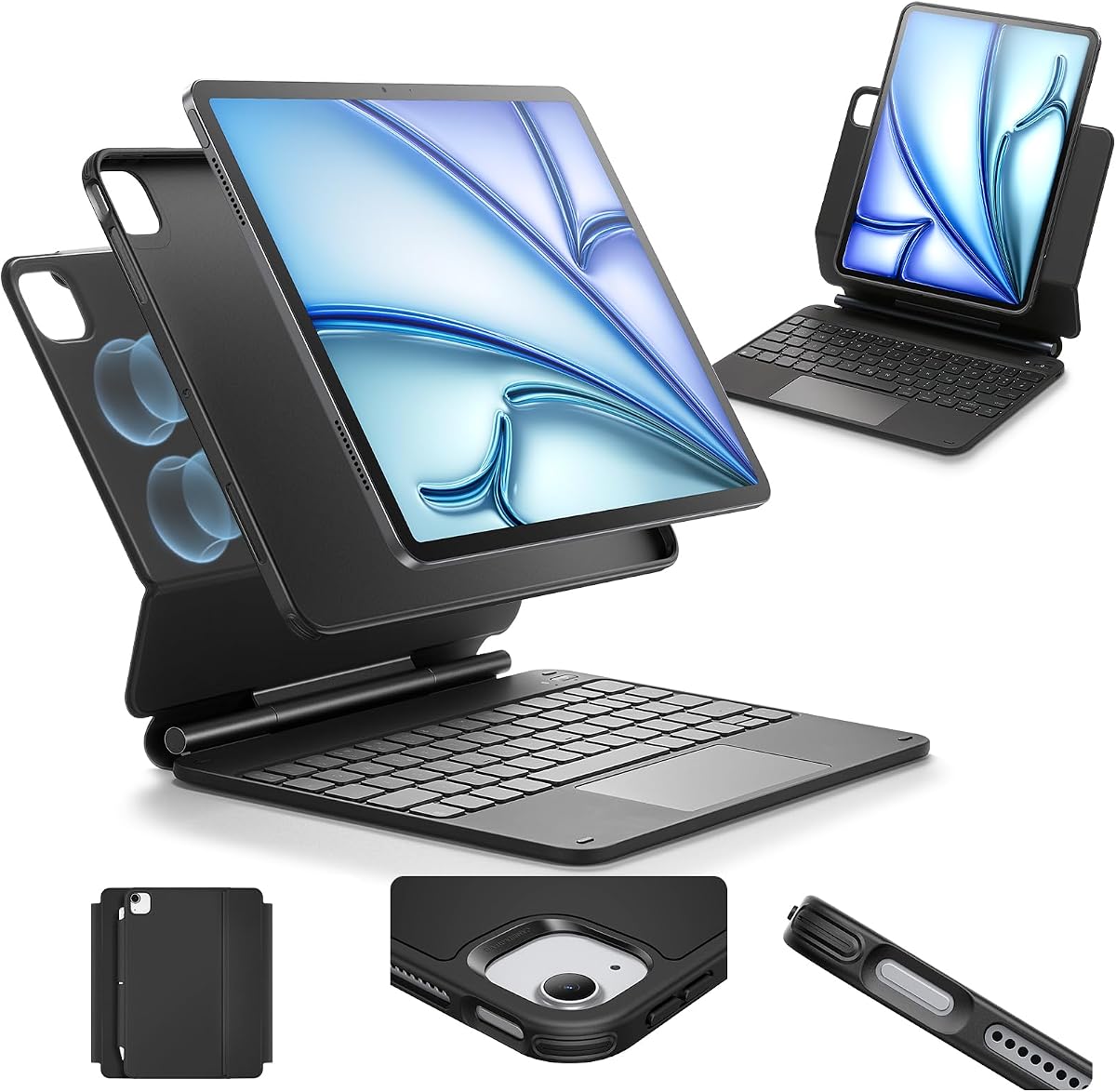
The Logitech Flip Folio stands out as a top contender for users seeking a seamless transition between tablet and laptop modes. With a robust 4.5-star rating, it offers a high-precision trackpad and backlit keys that adjust automatically to your environment.
We may earn a commission when you buy through this link, at no additional cost to you.
Its standout feature is the ability to power and pair via the Smart Connector, eliminating the need for separate charging. The laptop-like typing experience is enhanced by a full row of iPadOS shortcut keys, making document editing and navigation highly efficient.
While the price point is higher than average, the military-grade drop protection and adjustable kickstand justify the investment for frequent travelers. Users note that the secure magnetic latch keeps the device safe during transport without adding excessive bulk.
This case is ideal for professionals who need reliable protection and productivity tools in one package. If you value typing comfort and durable build quality over budget pricing, the Flip Folio delivers a premium experience that supports all your work modes.
The Smart Connector ensures instant pairing and continuous power directly from your iPad Air, so you never have to worry about battery life for the keyboard itself.
Choose from four distinct modes including type, sketch, view, and read to adapt your workspace instantly whether you are taking notes or watching media.
We may earn a commission when you buy through this link, at no additional cost to you.
For budget-conscious buyers, the Harvopu case offers an impressive array of features without breaking the bank. It is compatible with a wide range of iPad Air models and includes a detachable backlit keyboard that enhances versatility.
We may earn a commission when you buy through this link, at no additional cost to you.
The keyboard features seven breathing backlight colors and a long-life 400mAh battery that charges quickly via Type-C. This ensures you can work comfortably in low light while maintaining productivity for extended periods without frequent recharging.
Although the build feels more plastic compared to premium options, the honeycomb design aids in heat dissipation and the TPU back cover provides solid shock protection. The pencil holder is a convenient addition that keeps your tools organized and charged.
Students and casual users will appreciate the balance of functionality and cost. If you need a reliable case with a trackpad and backlight for daily study or work, this model provides excellent value for its price point.
The Type-C charging port on the keyboard allows for a full charge in just two to three hours ensuring you stay productive throughout your day.
Anti-slip grooves inside the case allow you to adjust the screen angle for drawing or writing making it comfortable for long typing sessions.
We may earn a commission when you buy through this link, at no additional cost to you.
The Apple Magic Keyboard is the definitive choice for those seeking the highest build quality and a seamless ecosystem experience. Its floating cantilever design and scissor mechanism keys provide a typing comfort that rivals traditional laptops.
We may earn a commission when you buy through this link, at no additional cost to you.
With a built-in trackpad and USB-C pass-through charging, you can work uninterrupted without worrying about separate cables or power sources. The two-cantilever hinge allows for smooth, adjustable viewing angles that support various work postures.
While it is one of the more expensive options, the precision and durability justify the cost for power users. The physical keycaps and full function row offer versatility that enhances productivity for complex tasks and creative workflows alike.
If you prioritize design and performance above all else, this keyboard delivers an unmatched experience. It transforms your iPad Air into a powerful workstation suitable for professional environments where reliability and aesthetics matter most.
The smooth adjustable viewing angles are achieved through a two-cantilever hinge design that supports the tablet firmly while allowing flexible positioning.
A built-in trackpad and full 14-key function row provide intuitive navigation and shortcuts that streamline your workflow without needing extra accessories.
We may earn a commission when you buy through this link, at no additional cost to you.
Portability is key with the ESR Ultra-Light case which features a slim profile ideal for on-the-go professionals. The magnetic detachable design allows you to switch quickly between typing and pure tablet mode for reading or sketching.
We may earn a commission when you buy through this link, at no additional cost to you.
An extra-large precision trackpad supports intuitive gestures making navigation effortless even without a mouse. The reinforced Air Guard corners ensure your device stays protected from bumps and scratches while maintaining a sleek appearance.
Although it lacks a backlight, the ultra-thin design keeps the weight down significantly compared to bulkier alternatives. The two viewing angles provide enough flexibility for most tasks without adding unnecessary bulk to your bag.
This option is perfect for travelers who want a lightweight solution without sacrificing functionality. If you need a case that folds easily and provides solid protection with a smooth trackpad, this model delivers exceptional portability.
Use it remotely when typing then simply detach for pure tablet mode when reading watching videos or sketching to adapt to your immediate needs.
The 65% larger touchpad supports intuitive gestures from one-finger drag to three-finger scroll making navigation smooth and responsive across all apps.
We may earn a commission when you buy through this link, at no additional cost to you.
This model supports a vast range of iPad Air and iPad Pro models making it a versatile choice for households with multiple devices. The easy-set magnetic stand transforms your tablet into a laptop-like machine within seconds for efficient work sessions.
We may earn a commission when you buy through this link, at no additional cost to you.
The built-in precision trackpad supports multi-touch gestures and the backlit keys ensure comfortable typing day and night. A 750mAh battery offers long usage times allowing you to work for weeks on a single charge.
Protection is enhanced by a synthetic vegan leather case that resists daily wear while keeping the iPad safe from accidental knocks. The structural integrity of the keyboard base ensures stability whether you are typing on a desk or on your lap.
Ideal for those needing one case for multiple iPads or a flexible setup for work and school. If you value wide compatibility and a laptop-like feel without the Apple price tag, this option provides a strong balance of features.
The efficient design and large battery let you work daily for months or nightly for weeks on a single charge before needing to recharge via USB-C.
A full row of iPadOS shortcuts allows you to adjust brightness volume or change music with one tap speeding up your workflow significantly.
We may earn a commission when you buy through this link, at no additional cost to you.
Bluetooth 5.3 ensures a stable lag-free connection with this sleek gray case that pairs quickly with your iPad. The modular design lets you switch effortlessly between work and leisure by detaching the keyboard for media consumption or drawing.
We may earn a commission when you buy through this link, at no additional cost to you.
Full multi-touch gestures and smart palm rejection make navigation smooth while editing documents or building presentations. The 160 adjustable stand supports both vertical and horizontal placement allowing for flexible use in various environments.
Skin-friendly PU leather provides a soft feel while offering full-edge coverage to protect against drops and scratches. The 78-key layout with dedicated iPadOS shortcuts makes typing quiet and comfortable for productive sessions.
Perfect for users who need flexibility between typing and media modes. If you value quick connectivity and a stable stand for video calls or reading, this model balances performance and protection well for daily use.
Bluetooth 5.3 ensures a stable lag-free connection getting you to work in seconds without the hassle of manual pairing or connection delays.
The back stand supports 160 angle adjustment in landscape mode keeping stable whether you are typing or watching videos in portrait or landscape.
We may earn a commission when you buy through this link, at no additional cost to you.
The Apple Smart Keyboard offers a straightforward approach with no charging or pairing required thanks to the Smart Connector. It folds into a stand and doubles as a cover making it an ideal lightweight option for basic typing needs.
We may earn a commission when you buy through this link, at no additional cost to you.
With a full-size keyboard layout you can type comfortably without worrying about battery life or connection issues. The simple setup ensures you can start working immediately without navigating complex menus or settings on your iPad.
While it lacks a trackpad or advanced protection features the fabric is durable and lightweight enough for everyday tasks. The renewed version provides a cost-effective way to access original Apple quality without the premium price.
Best suited for users who prioritize simplicity over advanced features. If you need a reliable typing solution for notes and emails without extra complexity, this classic model remains a practical and efficient choice.
Because it connects via the Smart Connector and draws power from the device you never have to charge it or pair it separately before use.
It folds into a stand and doubles as a cover protecting the screen while offering easy access to typing functions for quick and easy use.
We may earn a commission when you buy through this link, at no additional cost to you.
The Logitech Folio Touch offers a robust typing experience with a high-precision trackpad that supports all the multi-touch gesture controls you love. Backlit keys adjust automatically to lighting conditions ensuring comfortable use in various environments.
We may earn a commission when you buy through this link, at no additional cost to you.
Its power and pair feature via the Smart Connector means no separate charging is needed. The kickstand offers a range of angles for view and sketch modes making it versatile for both creative and administrative work.
The secure magnetic latch keeps the case shut on the go while military-grade drop protection shields your iPad from bumps and scratches. There is also dedicated space to store your Logitech Crayon or Apple Pencil.
This is a solid choice for users who need a reliable keyboard with a great trackpad. If you appreciate instant pairing and durable protection for daily use, this model provides consistent performance and excellent navigation tools.
Folio Touch instantly pairs via the Smart Connector and powers directly from the iPad so you never have to charge the keyboard separately.
Choose from four versatile use modes including type sketch view and read to adapt your workspace easily based on your current task.
We may earn a commission when you buy through this link, at no additional cost to you.
This model enhances productivity with a built-in high-sensitive touchpad allowing you to browse and control tasks without touching the screen. The seven-color backlit keyboard lets you customize your experience for late-night sessions or dim environments.
We may earn a commission when you buy through this link, at no additional cost to you.
Strong magnetic adsorption ensures stability while typing yet allows easy removal when you need the tablet alone. Adjustable viewing positions let you find the perfect angle for typing watching videos or drawing comfortably.
Precise cutouts ensure full access to all ports and buttons without removing the case. The seamless access to features means you can manage cameras and ports efficiently while maintaining full protection for your device.
Ideal for users who want a customizable and stable typing setup. If you value a vibrant backlight and flexible viewing angles for different tasks, this model provides a practical and visually appealing solution for your iPad.
Enjoy seven vibrant colors and three brightness levels perfect for late-night work sessions or dimly lit environments without straining your eyes.
The magnetic adsorption ensures stability while typing yet allows easy removal when you need the tablet alone for sketching or reading easily.
We may earn a commission when you buy through this link, at no additional cost to you.
Work from anywhere with this upgraded portable productivity machine that transforms your iPad instantly. The quick-set magnetic stand allows you to open the floating cantilever stand to the perfect angle for typing or browsing quickly.
We may earn a commission when you buy through this link, at no additional cost to you.
The extended ultra-sensitive multi-touch trackpad gives you every millimeter to tap pinch and swipe with precision navigating your iPad in a whole new way. The back case detaches for hands-on access with full-body protection for safety.
You can set it up in raised screen view for better posture during use or in portrait mode for perfect FaceTime calls. The combination of stability and versatility makes this a powerful tool for various workflows.
If you prioritize posture and view versatility this case delivers an excellent experience. With quick navigation and strong magnetic support, it is ideal for professionals needing a stable and adjustable workspace on the go.
The case can be set up in raised screen view for better posture during use reducing strain on your neck and wrists while working.
Use every millimeter of the extended trackpad to tap pinch and swipe with perfect precision navigating your iPad with greater ease and speed.
We may earn a commission when you buy through this link, at no additional cost to you.
Choosing the right accessory involves weighing several critical factors to ensure compatibility and functionality.
Ensure the case matches your iPad Air model number precisely as designs vary between generations. Check model numbers starting with A to avoid purchasing an incompatible keyboard or case.
Verify compatibility for your specific iPad Air model number before purchasing to ensure a perfect fit and full functionality.
Look for a built-in precision trackpad that supports multi-touch gestures for seamless navigation. A good trackpad replaces the need for external mice and enhances productivity significantly.
Prioritize models with high-precision trackpads that support intuitive multi-touch gestures to improve your navigation experience.
Decide between Smart Connector powered models which never need charging versus Bluetooth ones with their own rechargeable battery. Connector options offer convenience while Bluetooth offers more versatility.
Choose based on whether you prefer continuous power from the iPad or flexible Bluetooth connectivity with independent battery management.
If you work in low-light environments, a backlit keyboard is essential for visibility. Check for adjustable brightness levels or multiple colors to suit your preferences.
Select a keyboard with adjustable backlighting if you frequently work in dimly lit spaces to maintain typing accuracy.
Assess the case's protection features including materials like PU leather or TPU and ratings like MIL STD 810G. Full-edge coverage and reinforced corners prevent damage from drops and scratches.
Look for durable materials and reinforced corners that offer full protection to keep your iPad safe during daily use.
Detachable designs allow you to remove the keyboard for tablet mode reading or sketching. Strong magnets ensure stability when attached and easy removal when needed.
Consider a detachable keyboard if you need flexibility between typing and tablet modes for different tasks.
Adjustable viewing angles support comfortable typing and media consumption. Look for cases with multiple settings or a floating cantilever design for ergonomic positioning.
Choose a stand with adjustable angles to ensure comfortable viewing and typing positions for various work postures.
If you use an Apple Pencil, check for a built-in holder that charges and stores it securely. This feature keeps your pen accessible and prevents loss during travel.
Prioritize cases with pencil holders to keep your Apple Pencil secure and charged while using your iPad.
To begin using your case, align the iPad with the Smart Connector or Bluetooth pairing steps as instructed. Ensure the magnetic attachments are secure for stability while typing.
Clean the keyboard and case regularly with a soft dry cloth to remove dust and fingerprints. Avoid liquid cleaners to protect the electronics and materials inside.
Store your device in a cool dry place when not in use to preserve battery life and material integrity. Charge the keyboard periodically if it uses a separate battery to ensure readiness.
No not every case includes a trackpad. Some budget models rely on touch input. Look for listings that specify trackpad support if you need mouse-like navigation on your device.
Many models feature a built-in holder that charges the pencil while attached. Check the specific product details to confirm if charging is supported without removing the case.
Some models power directly via the Smart Connector and do not need separate batteries. Bluetooth versions usually have a rechargeable battery that must be charged periodically for use.
Compatibility varies by generation so always check the model number. Most modern cases fit 4th and 5th gen but older models may require specific accessories to ensure a proper fit.
Read reviews focusing on brightness levels and color options. Adjustable backlights are ideal for dim environments to ensure keys remain visible during use without glare.
Many cases offer magnetic detachable designs for this flexibility. This allows you to remove the keyboard easily to watch media or sketch without interference from the typing keys.
We have reviewed ten excellent options ranging from budget-friendly choices to premium solutions. Each offers unique benefits depending on whether you prioritize protection, trackpad navigation, or backlight features.
Prioritize compatibility and connectivity type based on your daily workflow. If you need versatility ensure the case supports multiple viewing modes and detachable options for various tasks.
Always check current prices and availability before purchasing to secure the best deal. These accessories significantly enhance your iPad Air experience making them a worthwhile investment for productivity.