
ASUS Vivobook Go 15.6” FHD Slim Laptop
4.3Editor score
AMD Ryzen 3 7320U Processor
8GB DDR5 RAM Memory
128GB SSD Storage
Finding a portable computer that balances power and weight is essential for modern professionals. Lightweight ASUS laptops offer sleek designs and reliable performance for travel. These devices ensure you stay productive without carrying a heavy burden on your daily commute.
We compared ten models based on processor speed, screen quality, and overall build durability. Our analysis focuses on real-world usability for students and business users. Each entry highlights key specifications that define portability and efficiency in today’s competitive market.
This guide presents detailed reviews and a side-by-side comparison table for quick reference. You will see ratings, pros, cons, and specific features for each option. Remember that availability and pricing fluctuate frequently, so check current listings before purchasing.
4.3Editor score

4.8Editor score
3.7Editor score
As an Amazon Associate we earn from qualifying purchases.
This table provides a quick side-by-side view of all ten selected models. You can compare screen sizes, processors, memory, and storage at a glance to find the best fit for your needs.





The ASUS Vivobook Go 15.6” FHD Slim Laptop offers an affordable entry into modern portable computing. With a rating of 4.3 stars, it stands out for its balance of cost and essential features. Its lightweight design and military-grade durability make it a strong candidate for budget-conscious buyers seeking reliability.
We may earn a commission when you buy through this link, at no additional cost to you.
This model features an AMD Ryzen 3 7320U processor paired with 8GB of DDR5 RAM, ensuring smooth multitasking for everyday tasks. The 15.6” NANOEDGE display provides vibrant visuals with a 60Hz refresh rate. Connectivity is robust with Wi-Fi 5 and Bluetooth 5.1, while SonicMaster audio delivers crisp sound for media consumption.
While the 128GB SSD limits local file storage, fast charging helps mitigate downtime during travel. The ergonomics include a full-sized keyboard and a precision touchpad. Privacy seekers will appreciate the webcam shutter, ensuring safety during virtual meetings or lessons.
This laptop is ideal for students and casual users needing a portable device for browsing and document editing. Its low cost and solid build quality make it a top value pick. Consider external storage if you manage large media files regularly.
The Ryzen 3 processor handles web browsing and office apps efficiently without draining the battery quickly.
Military-grade durability testing ensures this device can withstand minor drops and temperature changes during transport.
We may earn a commission when you buy through this link, at no additional cost to you.
The ASUS Vivobook Go 15.6” Slim Laptop improves on the budget tier with a stronger Ryzen 5 7520U processor. Rated at 4.2 stars, it delivers better performance for light gaming and multitasking than its lower-end counterpart. The cool silver finish adds a touch of style to its functional design.
We may earn a commission when you buy through this link, at no additional cost to you.
Featuring 512GB of storage, this model solves the capacity issues seen in smaller SSD configurations. The integrated AMD Radeon Graphics allow for casual gaming and smooth video playback. Battery life is optimized for longer sessions, supported by fast charging technology that gets you back to work quickly.
The slim bezel design maximizes screen real estate within a compact frame. Connectivity remains strong with Wi-Fi 5 and Bluetooth 5.1 for seamless peripheral pairing. The keyboard offers a comfortable typing experience, making it suitable for extended writing or coding sessions.
This device suits users who need more storage space without exceeding a tight budget. It is a great choice for home office setups where portability is secondary to storage needs. The military durability rating adds peace of mind for daily commuting.
The Ryzen 5 processor provides a noticeable speed boost over entry-level chips for heavier browser tabs and apps.
With 512GB of SSD space, you can store more documents, photos, and applications without relying on cloud services.
We may earn a commission when you buy through this link, at no additional cost to you.
The ASUS Vivobook 14, Snapdragon X, 14 Inch stands out as our Editor's Choice for its advanced AI capabilities. With a high rating of 4.8 stars, it excels in efficiency and modern features. The Quiet Blue finish and compact 14-inch form factor make it an appealing travel companion.
We may earn a commission when you buy through this link, at no additional cost to you.
Powered by the Snapdragon X processor and Qualcomm Adreno GPU, this device supports Copilot+ PC features for enhanced productivity. The 16GB RAM ensures smooth multitasking while the 512GB SSD offers fast boot times. The display delivers crisp visuals with WUXGA resolution for clear text and media.
AI tools like Live Captions and Recall enhance communication and content management on the fly. Battery life is optimized for multi-day usage thanks to the power-efficient chipset. Security is built-in with Windows 11 Home features that protect your data automatically.
Ideal for users wanting future-proof AI features without compromising on performance, this laptop is a top recommendation. It balances portability with enough power for daily workloads. Just ensure your essential apps support ARM architecture before purchasing.
Copilot+ PC tools help you summarize content and organize files instantly, saving time on routine tasks.
Efficient Snapdragon architecture allows for extended unplugged use, perfect for flights or coffee shop sessions.
We may earn a commission when you buy through this link, at no additional cost to you.
The ASUS Vivobook 16 Laptop offers a larger viewing area for users who need more screen space. Rated at 4.4 stars, it combines the efficiency of the Snapdragon X processor with a 16-inch display. The Quiet Blue finish gives it a modern look suitable for professional environments.
We may earn a commission when you buy through this link, at no additional cost to you.
Featuring a 1920 x 1200 resolution screen, you get crisp visuals for spreadsheets and creative work. The Snapdragon X 8 Core processor with a Hexagon NPU delivers strong performance for AI tasks. The 300-nit brightness ensures visibility in well-lit indoor spaces.
With 16GB of memory and a 512GB SSD, multitasking remains smooth even with multiple browser tabs open. The Adreno GPU improves graphical output significantly compared to integrated Intel graphics. Portability is maintained despite the larger screen due to slim bezels.
This model is best for those who prioritize screen size over maximum portability. It works well for media consumption and productivity tasks that benefit from extra real estate. Check weight specifications if you carry it daily in a small backpack.
The 16-inch WUXGA display provides ample space for split-screen workflows without constant window switching.
With 300 nits of sustained brightness, the screen remains legible in bright offices or outdoor shaded areas.
We may earn a commission when you buy through this link, at no additional cost to you.
The ASUS 15.6” Vivobook Go Slim Laptop is an entry-level option designed for basic student needs. With a rating of 3.9 stars, it serves well for document editing and web browsing. The Star Black finish and slim profile make it easy to carry around campus.
We may earn a commission when you buy through this link, at no additional cost to you.
Powered by an Intel Dual Core N4500 processor, it handles light tasks efficiently. The 4GB RAM is sufficient for single-app usage but may struggle with heavy multitasking. Fast charge technology ensures you can get quick power boosts during the day.
The 15.6” FHD display offers decent brightness for indoor use. SonicMaster audio provides clear sound for video calls and lectures. While storage is limited to 128GB eMMC, it is adequate for system files and essential school documents.
This laptop is suitable for young students or secondary devices used strictly for simple tasks. It is not recommended for heavy media editing or gaming due to hardware limitations. Look for external storage options if you need more file capacity.
Designed specifically for study, it includes necessary ports and a comfortable keyboard for long typing sessions.
Fast Charge technology gets the battery to 60% in just 49 minutes, reducing downtime between classes.
We may earn a commission when you buy through this link, at no additional cost to you.
The ASUS Vivobook Laptop, 14” FHD Display offers a solid performance balance with 16GB of RAM. Rated at 4.2 stars, it provides smooth multitasking capabilities for its price point. The blue finish gives it a distinctive look among standard silver laptops.
We may earn a commission when you buy through this link, at no additional cost to you.
Equipped with an i3-1215U processor, it handles daily workflows efficiently. The high-bandwidth RAM ensures that multiple applications run without lag. Connectivity benefits from Wi-Fi 6, offering faster speeds and better range compared to older standards.
Storage is handled by a 512GB PCIe NVMe SSD for quick data access. The 14-inch FHD display with anti-glare coating reduces eye strain during long sessions. It comes with Windows 11 Home pre-installed for a familiar user experience.
Ideal for students or remote workers who need extra memory for heavy browser usage, this model is a strong contender. Its speed and RAM capacity make it stand out in the 14-inch category. Ensure your workspace supports HDMI outputs for external monitors.
With 16GB of RAM, you can keep many browser tabs and apps open simultaneously without slowdown.
Wi-Fi 6 support ensures faster downloads and stable connections in crowded networks like cafes or offices.
We may earn a commission when you buy through this link, at no additional cost to you.
The ASUS Vivobook 14 Laptop delivers powerful AI capabilities with its Copilot+ PC support. Rated at 4.0 stars, it brings new tools like Recall and Live Captions to your workflow. The Cool Silver finish complements its premium performance features well.
We may earn a commission when you buy through this link, at no additional cost to you.
The Snapdragon X processor is designed for efficiency, offering multi-day battery life in many scenarios. The integrated Adreno GPU provides decent graphical performance for visual tasks. A 14-inch WUXGA display offers sharp text and vibrant colors for media and work.
Multitasking is handled easily with 16GB of memory and a fast 512GB SSD. The keyboard and trackpad are responsive, enhancing the overall typing experience. Security features are built into the Windows 11 Home environment to protect your data.
This laptop suits users ready to explore AI features in their daily tasks. It is a great choice for content creation and productivity. Make sure to familiarize yourself with the unique Copilot+ features to maximize the value.
Copilot+ features allow you to search past content and translate languages instantly with built-in tools.
Snapdragon architecture optimizes power usage, helping you go longer between charges during work days.
We may earn a commission when you buy through this link, at no additional cost to you.
The ASUS VivoBook Laptop 2026 Edition brings the latest 13th Gen Intel processor to the table. With a 4.2 star rating, it promises fast performance for business and school use. The Quiet Blue finish adds a stylish touch to its compact chassis.
We may earn a commission when you buy through this link, at no additional cost to you.
Equipped with a 6-Core processor, it delivers speeds up to 4.5GHz for demanding applications. The 16GB RAM ensures smooth performance across multiple apps. Wi-Fi 6E connectivity provides faster and more stable internet connections in crowded environments.
Design wise, it is thin and light, making it easy to slip into a bag. The HDMI port allows for easy external monitor connections. Privacy is considered with a webcam shutter and a built-in microphone for clear calls.
Ideal for users who want the newest generation of Intel chips, this model is a strong value. It works well for general productivity and light creative work. Remember that the package does not include a mouse, so plan accordingly.
The 13th Gen Intel chip offers a significant upgrade in speed and efficiency over older generations.
Wi-Fi 6E support means faster downloads and lower latency for streaming or video conferencing.
We may earn a commission when you buy through this link, at no additional cost to you.
The ASUS Vivobook Go 15.6” FHD Slim Laptop focuses on endurance with up to 11 hours of battery life. Rated at 4.1 stars, it is designed for users who need to work away from power sources. The Black finish and military grade build ensure it stays functional on the go.
We may earn a commission when you buy through this link, at no additional cost to you.
It features an efficient AMD Ryzen 3 7320U processor that balances power with battery conservation. The 256GB SSD offers a step up in storage compared to smaller models. Integrated Radeon Graphics handle everyday visual tasks without draining the battery quickly.
A chiclet keyboard with a numeric keypad makes data entry comfortable. The privacy shutter on the 720p camera ensures safety during video calls. SonicMaster audio provides clear sound for media without needing external speakers.
This device is perfect for travelers or students with long days between charging opportunities. The long battery life is its standout feature. Just ensure your usage involves light tasks to maximize the stated duration.
Efficient battery management allows for extended use on a single charge for most daily tasks.
The full-sized keyboard includes a numeric keypad for easier number entry in spreadsheets.
We may earn a commission when you buy through this link, at no additional cost to you.
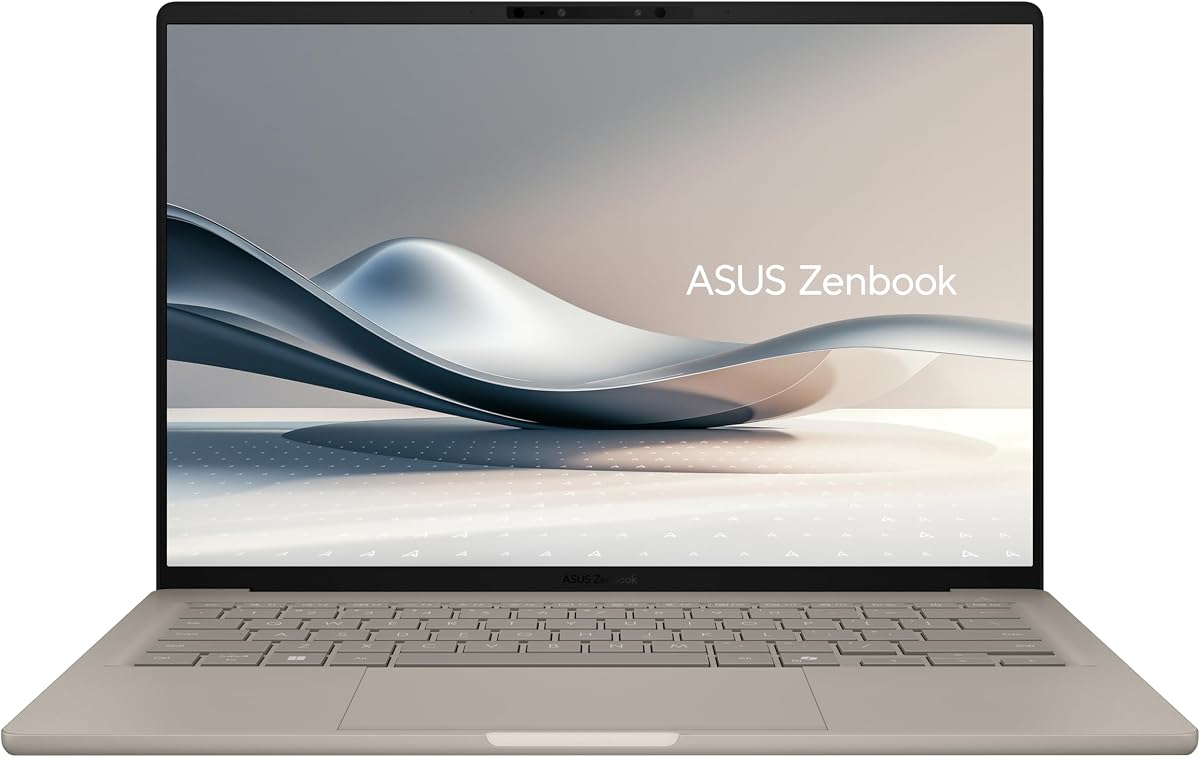
The ASUS Zenbook A14; Copilot+ PC redefines portability with its ultra-thin and lightweight design. Rated at 3.7 stars, it targets premium users wanting a unique device. The Zabriskie Beige color and Ceraluminum body provide a distinct look and feel.
We may earn a commission when you buy through this link, at no additional cost to you.
Weighing just 980g, it is incredibly light for a 14-inch laptop. The Snapdragon X processor supports Copilot+ features for AI assistance. The OLED display offers stunning contrast and colors, making media consumption a treat.
Ceraluminum material is stronger and lighter than traditional aluminum, offering durability without the bulk. Battery life claims reach up to 32 hours for offline video, though real-world use will vary. Wi-Fi 6E ensures fast connectivity wherever you go.
Ideal for executives or creatives who prioritize weight and screen quality, this model is a standout. It is expensive but offers unique materials and features not found elsewhere. Consider it if portability is your highest priority.
At just under 1kg, it is one of the lightest laptops available for daily commuting.
The WUXGA OLED panel provides deep blacks and vibrant colors for superior viewing experiences.
We may earn a commission when you buy through this link, at no additional cost to you.
Selecting the right lightweight laptop requires balancing performance, battery, and price. We break down key factors to help you make an informed decision.
Modern lightweight laptops often use ARM-based Snapdragon X or Intel U-series chips. These provide excellent battery life without sacrificing basic speed. Look for a processor that supports AI tasks if you want future-proofing.
Prioritize chips designed for thin devices to ensure thermal efficiency and long runtimes.
At least 8GB of RAM is essential for smooth multitasking today. 16GB is preferred if you run many apps at once. Storage should be at least 256GB SSD for quick boot times.
Choose models with expandable storage or SSD options if you manage large files.
14-inch screens are the sweet spot for portability and readability. OLED panels offer better contrast but consume more power. FHD resolution ensures text is sharp for work.
Select a display size that fits your bag and usage scenarios comfortably.
Battery claims can vary based on usage. Look for models with high Wh ratings for longer endurance. Fast charging helps reduce downtime during travel.
Choose a battery size that matches your daily unplugged needs.
Military-grade durability tests indicate resilience against drops and shocks. Materials like aluminum or Ceraluminum add strength without weight. Aim for under 4 lbs for true portability.
Check physical dimensions to ensure the laptop fits your carrying case.
Wi-Fi 6 or 6E ensures fast wireless speeds. USB-C for power and video is standard. HDMI and USB-A are useful for legacy peripherals.
Confirm the laptop has enough ports for your daily accessories.
Windows 11 Home offers the latest security and interface tools. Copilot+ features allow for AI integration in workflows. Ensure software compatibility with your needs.
Look for features that enhance your specific work or study tasks.
Entry-level models offer basic performance at lower costs. Premium laptops justify higher prices with better build and OLED screens. Compare features against your actual usage.
Select a price point that meets your performance needs without overspending.
Keep the device on flat surfaces to ensure proper airflow and cooling. Avoid placing it on soft fabrics like beds or sofas for extended periods.
Use a protective sleeve or case to prevent scratches and minor impacts during travel. Always carry the laptop securely in a padded bag.
Maintain battery health by avoiding extreme temperatures and frequent full discharge cycles. Update drivers and Windows regularly for peak performance.
Most models are designed for everyday tasks and light gaming only. The integrated graphics support casual titles but not heavy AAA games. Check specific GPU details for better gaming performance.
Yes, most models feature HDMI and USB-C ports for external displays. You can connect to projectors or larger screens easily. Verify resolution support for your monitor.
Most lightweight ASUS models have built-in non-removable batteries. You should contact support or a service center for replacements. Check warranty details before attempting removal.
RAM is often soldered in these thin designs and cannot be upgraded. SSDs may be replaceable on some models. Check specific technical specs before purchase.
They include Windows 11 Home but not pre-installed Office suites. You may need to purchase Microsoft 365 separately. Some student editions might include trial versions.
Many models feature military-grade durability tests for reliability. Ceraluminum and aluminum chassis offer good scratch resistance. Handle with care to avoid accidental drops.
Our top picks cover various needs from budget to premium tiers. The ASUS Vivobook Go models offer great value while the Zenbook A14 brings luxury.
Prioritize features like memory and screen type based on your daily tasks. Battery life remains a key factor for portable success.
Always verify current prices and availability before buying. These devices represent solid choices for modern computing needs.