
LONELY BINARY Logic Analyzer Kit
4.2Editor score
8 Channel 24MHz Sampling
Includes Breakout Boards
Dual USB Connectivity Included
This guide compares the top logic analyzers for electronics projects to help you choose the right tool for debugging digital signals and protocols efficiently.
Logic analyzers are essential tools for anyone working on electronics projects. They allow you to visualize digital signals and debug communication protocols effectively.
We compared ten popular logic analyzers based on features like channel count, sampling rate, and software compatibility to find the best options available.
Each pick highlights specific strengths for different needs. Please note that product availability and prices may change over time as you shop.
4.2Editor score

4.5Editor score
4.8Editor score
Here is a side-by-side comparison of all ten logic analyzers reviewed in this guide to help you make an informed decision.




The LONELY BINARY Logic Analyzer Kit offers an accessible entry point for electronics enthusiasts. It captures digital signals at up to 24MHz across 8 channels. The kit includes breakout boards that simplify connections to breadboards and microcontrollers. This makes it ideal for advanced STEM projects without the limitations of basic models.
We may earn a commission when you buy through this link, at no additional cost to you.
It features a logic level expansion board that breaks out all 8 channels to 2.54mm male pins. This enables flexible and secure connections in diverse projects. The logic level breadboard adapter provides direct access to all channels for prototyping and testing. It comes with both USB-A and Type-C cables for universal compatibility with older PCs and modern laptops.
While the 24MHz sampling rate is sufficient for many protocols like I2C and UART, it may not handle very high-speed signals. The included accessory kit reduces setup time and extra costs, which is a significant advantage for budget-conscious buyers. However, the software ecosystem is less robust compared to premium brands.
This analyzer is best for hobbyists and students working on embedded systems or IoT projects. It provides a portable and organized solution with a compact storage container. If you need a reliable tool for debugging without a large investment, this kit is a strong candidate to consider for your workspace.
The kit includes test clips and jumper wires for immediate use right out of the box.
Dual USB cables ensure it works with older PCs and modern laptops seamlessly.
We may earn a commission when you buy through this link, at no additional cost to you.
The LA1010 is a cost-effective USB logic analyzer featuring 16 input channels and a 100MHz sampling rate per channel. It allows you to simultaneously capture 16 digital signals and convert them into clear digital waveforms displayed instantly on your PC screen. This real-time visualization helps with precise analysis and debugging tasks.
We may earn a commission when you buy through this link, at no additional cost to you.
It supports decoding of 30+ standard protocols including I2C, SPI, UART, and CAN. This feature accelerates debugging by extracting human-readable communication data from raw signals. It is ideal for developing and debugging embedded systems like MCU, ARM, and FPGA. The included KingstVIS PC software enhances its functionality across different operating systems.
The device supports Windows 10/11, macOS 10.12, and Linux with auto-installing drivers. While the performance is excellent for the price, the software interface may require some learning compared to simpler tools. The power consumption is low, making it suitable for long-term signal monitoring without overheating issues during extended sessions.
If you are developing embedded systems or testing digital circuits, this analyzer offers professional capabilities at a reasonable cost. The 16 channels provide ample room for complex protocols. It is a versatile tool for engineers and hobbyists who need reliable protocol decoding and data extraction features in their workflow.
Over 30 standard protocols are decoded automatically to save you manual interpretation time.
Drivers auto-install on Windows, macOS, and Linux for immediate plug-and-play use.
We may earn a commission when you buy through this link, at no additional cost to you.
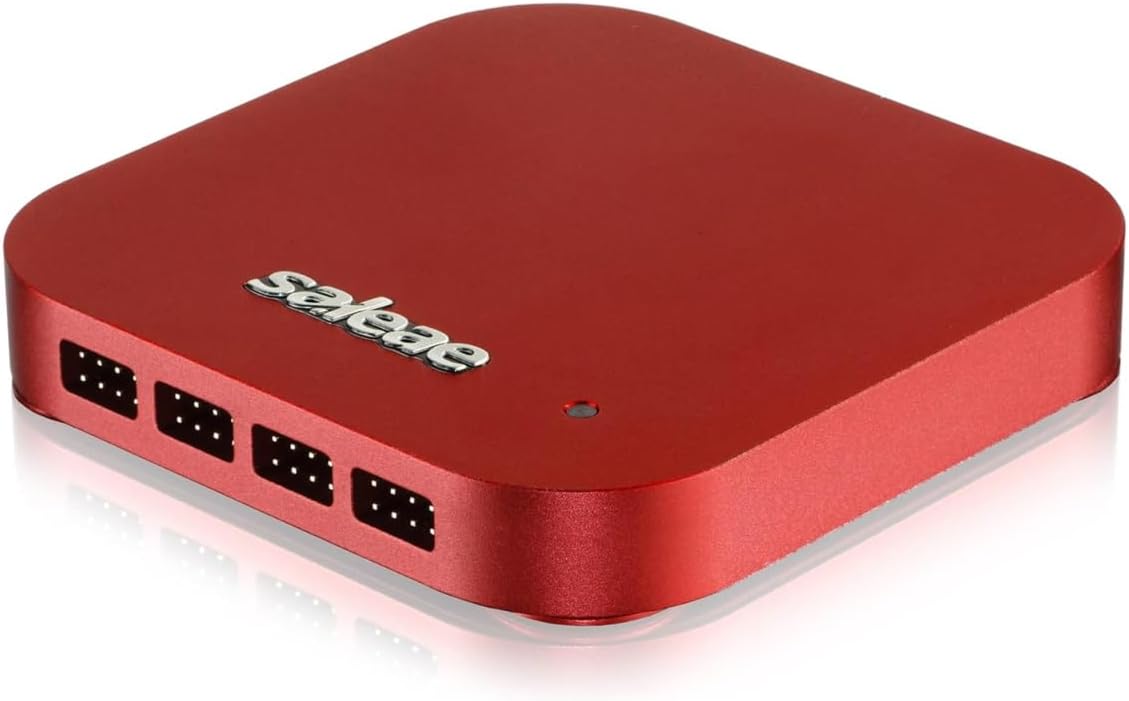
The Saleae Logic Pro 16 sets the standard for high-end logic analyzers with 16 digital and analog inputs. It offers a digital sample rate up to 500 MS/s and captures over 10 billion samples of digital data. This device utilizes PC memory via USB 3.0 to handle massive data volumes efficiently. It is designed for complex analysis tasks requiring extreme precision.
We may earn a commission when you buy through this link, at no additional cost to you.
You can decode SPI, I2C, and 23+ more protocols easily. The analog sample rate reaches up to 50 MS/s, allowing mixed-signal analysis. It is ultra-portable and compatible with Windows, Mac, and Linux systems. The software is known for being easy to use, which saves time and frustration during debugging sessions.
While the price is significantly higher than budget options, the performance justifies the cost for professional engineers. The memory depth ensures you can capture long bursts of data without missing glitches. The build quality is robust, and the included probes are high accuracy, reducing noise in your measurements.
This is the best choice for professionals working on critical embedded systems where timing accuracy is paramount. If you need to analyze high-speed buses or verify signal integrity, this analyzer delivers. It is an investment in reliability and efficiency that pays off in reduced development time and fewer errors in your final design.
Combined digital and analog inputs allow you to see timing relationships between domains.
Over 10 billion samples mean you never miss rare glitches or long sequences.
We may earn a commission when you buy through this link, at no additional cost to you.
The Saleae Logic Pro 8 provides a streamlined version of the premium line with 8 digital and analog inputs. It matches the 500 MS/s digital sample rate and 10 billion sample capacity of its larger sibling. This ensures you get top-tier performance even with fewer channels. It is ideal for users who prioritize speed and quality over channel count.
We may earn a commission when you buy through this link, at no additional cost to you.
You can decode SPI, I2C, and 23+ more analyzers effortlessly. The analog sample rate supports up to 50 MS/s for detailed signal analysis. It works across Windows, Mac, and Linux platforms seamlessly. The ultra-portable design makes it easy to carry to different workstations or field sites.
This unit uses USB 3.0 to leverage PC memory for data storage. While it costs more than standard logic analyzers, the reliability and ease of use are superior. The software helps you visualize waveforms clearly. It is suitable for advanced projects where signal integrity is critical and you need precise measurements.
Choose this model if you need high-speed analysis but do not require sixteen channels. It offers the same software experience as the Pro 16 at a slightly lower cost. It is perfect for hobbyists upgrading from basic tools who want professional-grade accuracy and support for their electronics projects.
Maintains the same 500 MS/s rate as the Pro 16 model for fast protocols.
Works smoothly on Windows, Mac, and Linux for flexible lab setups.
We may earn a commission when you buy through this link, at no additional cost to you.
This USB logic analyzer is designed to be compatible with Saleae Logic Analyzer software and PulseView. It features 8 digital channels with a sampling rate up to 24MHz. The flexible sampling options allow you to choose between rates like 24MHz, 16MHz, and 12MHz depending on your needs. This flexibility helps in various debugging occasions.
We may earn a commission when you buy through this link, at no additional cost to you.
The input voltage range is 0V to 5.5V with a threshold at 1.5V. It supports automatic analysis of UART, IIC, and SPI protocols which saves time. For general applications around 10MHz, this device copes well with common digital circuits. It is a compact tool for Arduino, ARM, and FPGA debugging tasks.
While it shares similar hardware specs to budget models, the compatibility with established open-source software adds value. However, the build quality is basic compared to premium brands. It is not as robust for heavy industrial use but serves well for hobbyist prototypes and educational projects.
If you are familiar with PulseView or Saleae software, this hardware provides a cost-effective alternative. It allows you to focus on the code and logic rather than hardware setup. This analyzer is suitable for students and hobbyists looking for a reliable way to inspect digital signals without high costs.
Compatible with popular open-source tools like Saleae Logic and PulseView.
Multiple sampling rates let you balance speed and capture duration.
We may earn a commission when you buy through this link, at no additional cost to you.
The DSLogic Plus is a USB-based logic analyzer with 400MHz sampling rate and 256Mbits memory. It supports 16 digital channels with dual-mode capabilities. In stream mode, data transfers to PC memory in real time for long sample durations. In buffer mode, data is stored in on-board memory for high sample rates.
We may earn a commission when you buy through this link, at no additional cost to you.
It uses a USB 2.0 type-c interface and offers up to 16G sample depth in stream mode. The adjustable threshold allows for cleaner waveform capture. Shielded fly wires and a unibody aluminum case improve signal integrity. The DSView software is compatible with Windows, macOS, and Linux and is open source.
This device balances speed and depth effectively. The buffer mode allows for high-speed capture while stream mode ensures you get long records. The open-source nature means you can customize decoders or scripts. It is a powerful tool for engineers who need flexibility without paying premium brand prices.
Choose this analyzer if you need both speed and memory depth for complex signal analysis. It is particularly useful for debugging high-speed protocols where traditional tools might fail. With its robust build and software support, it is a strong contender for professional and advanced hobbyist projects.
Captures long duration signals by streaming data directly to PC memory.
Stores high-speed captures on board to prevent data loss during spikes.
We may earn a commission when you buy through this link, at no additional cost to you.
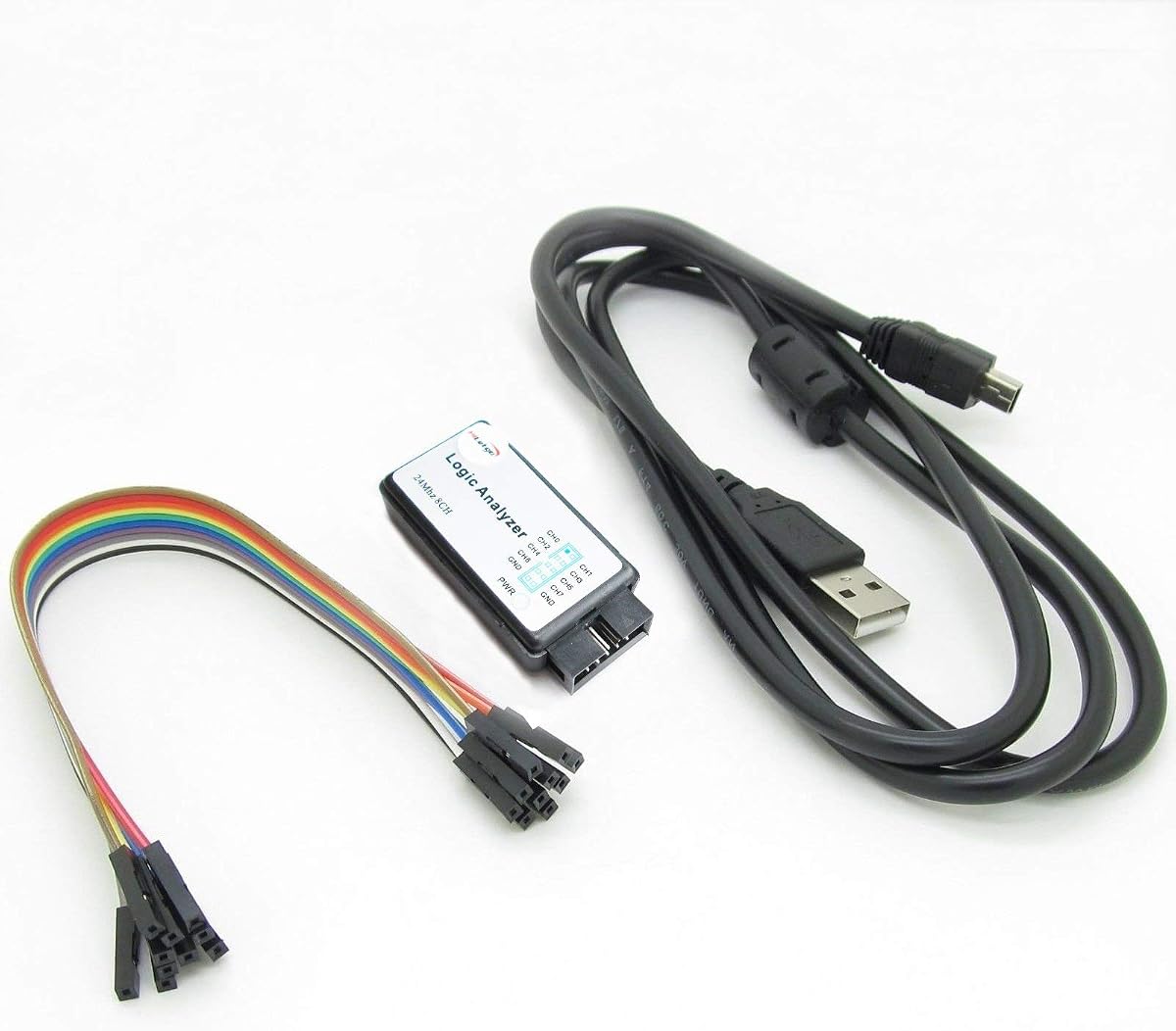
The HiLetgo USB Logic Analyzer device features 8 channels with a sampling rate up to 24MHz. It is a compact tool for UART, IIC, and SPI debugging. The general application rate around 10MHz is enough for many occasions. It includes a USB cable with an EMI ferrite ring to reduce interference during captures.
We may earn a commission when you buy through this link, at no additional cost to you.
The input voltage range is -0.5V to 5.25V. Input low and high voltages are defined to ensure accurate logic detection. The input impedance is 1Mohm which minimizes loading on your circuits. It supports multiple sampling rates from 25KHz up to 24MHz to adapt to your protocol speed.
This analyzer is a simple and direct tool for basic logic debugging. The ferrite ring helps maintain cleaner signals in noisy environments. However, it relies on third-party software for analysis. It is a practical choice for those who need a lightweight analyzer for routine checks on Arduino or 5V logic circuits.
Use this device if you want a cost-effective and portable solution. It works well for educational purposes or quick checks. While it does not have advanced features, it gets the job done for standard digital signal inspection without requiring complex setups.
The included ferrite ring minimizes electromagnetic interference on the USB cable.
Small form factor makes it easy to pack into a tool kit or backpack.
We may earn a commission when you buy through this link, at no additional cost to you.
The Logic 8 Black is an ultra portable USB logic analyzer with 8 digital and analog inputs. It decodes SPI, I2C, and 23+ more analyzers. The digital sample rate reaches up to 100 MS/s with an analog rate up to 10 MS/s. It uses PC memory via USB 2.0 to store over 10 billion samples.
We may earn a commission when you buy through this link, at no additional cost to you.
It is compatible with Mac, Windows, and Linux operating systems. The software provides a clean interface that is easy to use. This analyzer is designed to save time and frustration during debugging. It fits well into a mobile workflow or a fixed bench setup.
While it does not reach the speeds of the Pro series, it covers most standard protocols effectively. It is ideal for hobbyists who want the Saleae software experience at a lower cost. The build is reliable and supports versatile testing of digital circuits.
Choose this unit if you need portability and ease of use. It is a good middle ground between budget units and the Pro series. It supports flexible projects where you need to analyze multiple channels simultaneously without sacrificing too much speed.
Saleae Logic software provides an intuitive interface for visualizing waveforms.
Works seamlessly on Windows, Mac, and Linux for broad compatibility.
We may earn a commission when you buy through this link, at no additional cost to you.
This DSLogic Plus model offers 16 channels with a 400MHz sampling rate and 16G sample depth. It uses 256Mbits on-board SDRAM memory for high-speed buffers. The stream mode transfers data in real time for long sample duration. It works with Windows, macOS, and Linux supporting nearly 100 protocol decoders.
We may earn a commission when you buy through this link, at no additional cost to you.
It features adjustable threshold and shielded wires for cleaner waveform capture. The device is open source on Github allowing for community improvements. It supports buffer modes like 400MHz at 4 channels or 100MHz at 16 channels. This flexibility helps you choose the best settings for your signal.
The deep sample depth ensures you can capture long sequences without interruption. It is a strong alternative to more expensive analyzers for professionals needing high performance. The software is robust and allows for custom scripts or decoders.
Select this analyzer if you need high depth and speed on a budget. It is well suited for embedded system debugging where signals vary in speed. The open-source support means you have a community to help troubleshoot and develop new features.
16G sample depth allows capturing very long data sequences without dropping samples.
Community maintained code allows for custom decoders and updates.
We may earn a commission when you buy through this link, at no additional cost to you.
The Analog Discovery 3 combines a logic analyzer with an oscilloscope and power supply. It features 16 digital I/O channels at up to 125 MS/s per channel. The software supports protocols like SPI, I2C, UART, and CAN. It also offers programmable power supplies and an arbitrary waveform generator for complete testing needs.
We may earn a commission when you buy through this link, at no additional cost to you.
It includes additional software instruments like spectrum and network analyzers. The SDK allows hardware control in C, C++, Python. You can use LabVIEW and MATLAB for advanced scripting. It ships with a plastic project box and flywire signal cables. It also offers a Multisim Live subscription for simulation.
This device is a complete lab in a box. While more expensive, it eliminates the need for separate tools for power and signal generation. It is perfect for education and prototyping where space is limited. The SDK support allows for advanced automation in testing workflows.
Choose this if you want a multifunctional tool for your electronics lab. It serves as a scope, logic analyzer, and generator. It is ideal for engineers who need versatility and programmable control over their test environment to maximize efficiency.
Combines scope logic analyzer and power supply into one compact unit.
Control hardware via Python C++ or MATLAB for automated test scripts.
We may earn a commission when you buy through this link, at no additional cost to you.
Choosing the right logic analyzer depends on your specific project needs and budget constraints.
The number of channels determines how many signals you can monitor at once. Most projects require 8 to 16 channels for complex protocols.
If you work with simple circuits, 8 channels may suffice but 16 offers more flexibility.
Sampling rate defines how fast the device can capture signal transitions. Higher rates are necessary for high-speed protocols.
Ensure the rate exceeds the frequency of your signals by at least four times for accurate reconstruction.
Memory depth controls how long you can capture data without missing information. Deep memory is vital for analyzing rare glitches.
For long duration tasks, look for devices with gigabit memory or stream mode support.
Software support for decoding I2C SPI and UART makes analysis much faster. Without it, you must interpret raw binary manually.
Check that the software supports the specific protocols you use in your designs.
The device software should run on your operating system. Most tools support Windows, Mac, and Linux.
Verify drivers and ease of use before buying to avoid future setup issues.
Prices vary widely from budget units to professional models. Consider what features you truly need versus nice to have.
Invest in quality only if your projects demand high speed or precision.
Robust enclosures and good probes reduce noise and damage risks. This is key for lab reliability.
Look for shielded cables and durable casings to ensure long-term use.
If you travel with your projects, size and weight matter. USB powered devices are often the easiest to transport.
Select a compact model that fits your workflow needs without sacrificing core performance.
Start by connecting the logic analyzer to your circuit using the provided probes. Ensure voltage levels match the device specifications to avoid damage.
Launch the software and configure the sampling rate and trigger settings. This helps capture the exact moments you want to analyze.
Store the device in a dry place and handle cables carefully. Regularly update software for the best protocol support and performance.
A logic analyzer captures digital signals to help you debug communication protocols. It converts electrical transitions into readable waveforms and data. This tool is essential for verifying that your circuits communicate correctly.
Not necessarily. If you work with simple 4 or 8 line buses, fewer channels may be enough. However 16 channels offer flexibility for complex systems like ARM or FPGA designs.
Choose a rate that is at least four times faster than your signal frequency. This ensures you capture the details of each bit. Higher rates help with faster protocols like high speed SPI.
Yes most USB logic analyzers are reliable when used within their voltage limits. They offer a convenient way to connect to your PC. Proper care ensures they last a long time.
Most modern logic analyzers support Linux including Windows and Mac. Check the product page for specific OS compatibility before purchasing to ensure smooth operation.
Protocol decoding translates raw binary signals into readable text. It helps you see data like I2C commands directly. This saves time compared to manually interpreting voltage levels.
Yes logic analyzers are commonly used with Arduino to check communication lines. They help verify UART SPI and I2C signals efficiently. Ensure your project uses voltages the analyzer supports.
Most analyzers store data on your PC via USB or internal memory. Some allow exporting to CSV or waveform files. This makes it easy to share results with your team.
We reviewed ten logic analyzers ranging from budget kits to professional high-end models. Each offers unique strengths depending on your channel and speed needs.
Prioritize software support and protocol decoding capabilities for a smooth workflow. Ensure the device matches your operating system for compatibility.
Check current prices and availability as they may change. Investing in the right tool now can save time and frustration in your projects.