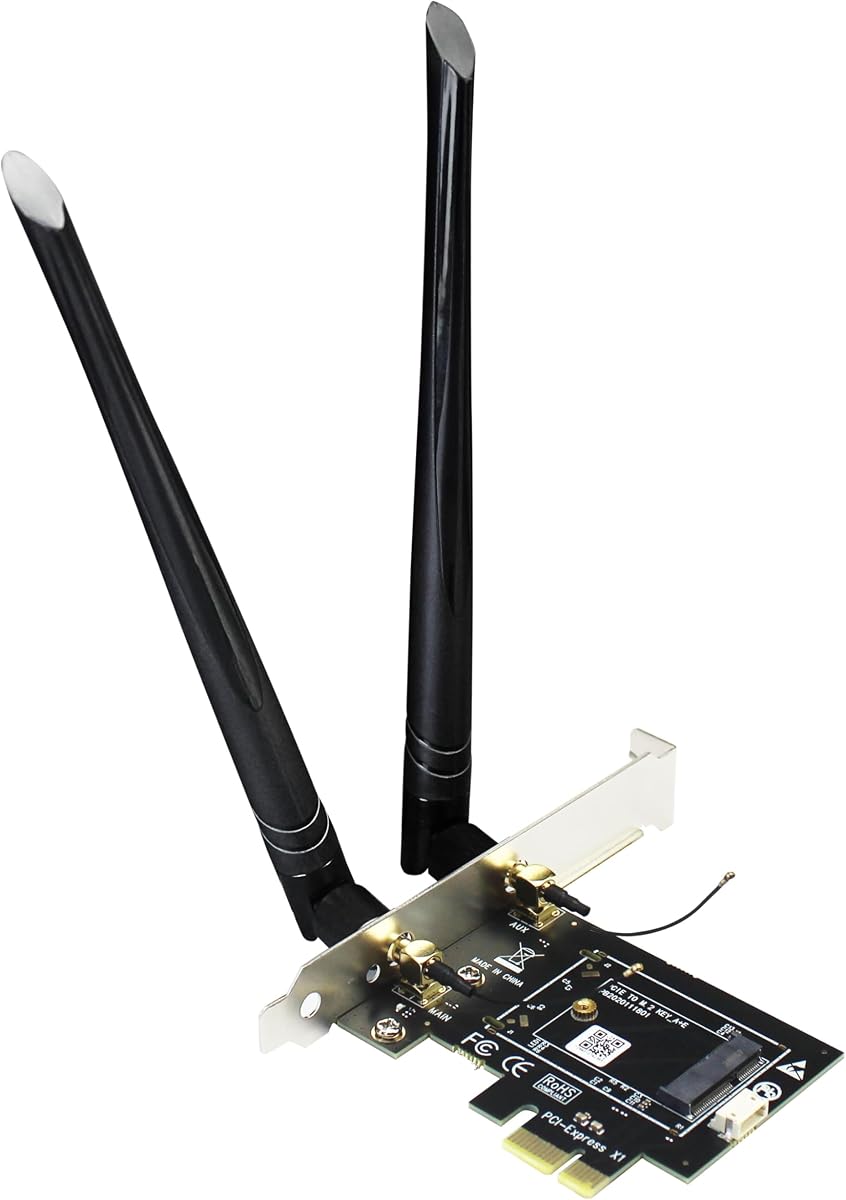
GLOTRENDS WA01 Adapter
4.1Editor score
Supports M.2 Key E modules
Includes 6-dBi SMA antennas
Compatible with PCIe X1 slots
This guide compares the top M2 Key E WiFi Cards for 2026, evaluating performance, compatibility, and features to help you upgrade your network.
Modern computing demands robust wireless connectivity for seamless workflows. M2 Key E WiFi Cards offer the fastest upgrades for laptops and desktops, delivering tri-band speeds and low latency essential for gaming and streaming today.
We analyzed real-world performance data, chipset capabilities, and user feedback to rank these ten adapters. Our comparison covers everything from budget-friendly AX210 modules to cutting-edge Wi-Fi 7 options ensuring you find the right fit.
Each pick highlights specific strengths like antenna kits, driver support, and build quality. Prices fluctuate often so check current listings before buying. This guide ensures you choose a reliable card that matches your system needs.
4.1Editor score

4.5Editor score

4.1Editor score
The following table provides a side-by-side technical comparison of all ten M2 Key E WiFi Cards. Use this reference to quickly identify chipset types, frequency bands, and key compatibility requirements for your specific system.

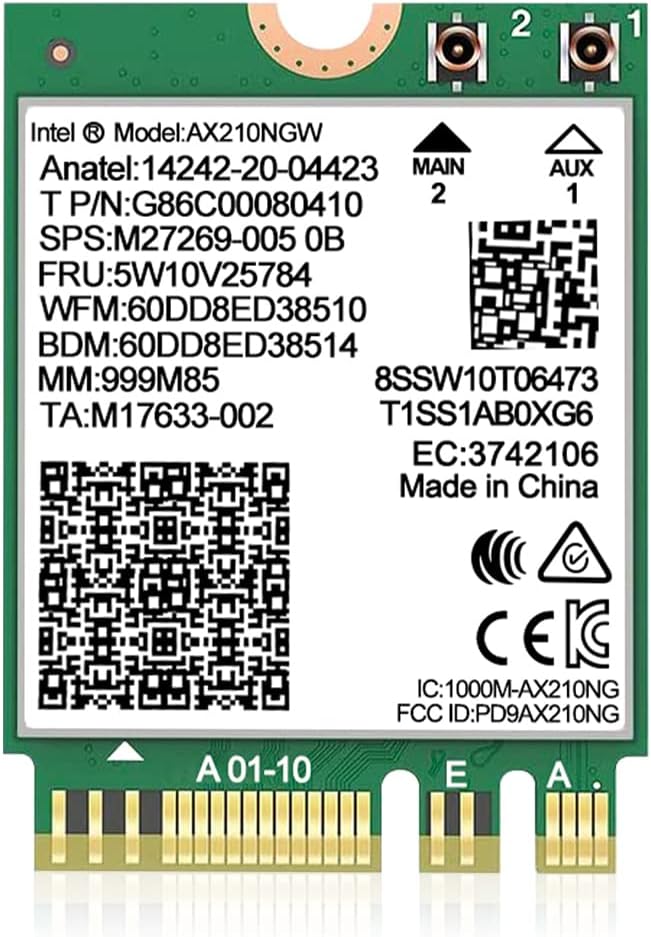
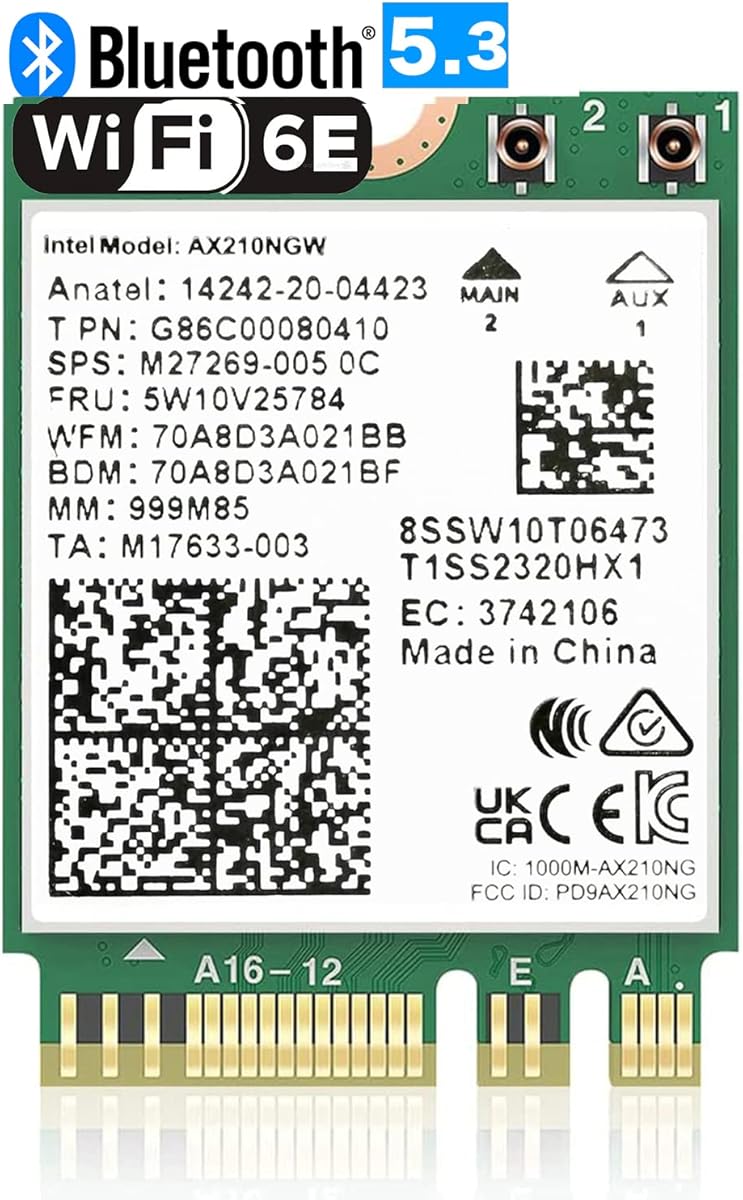


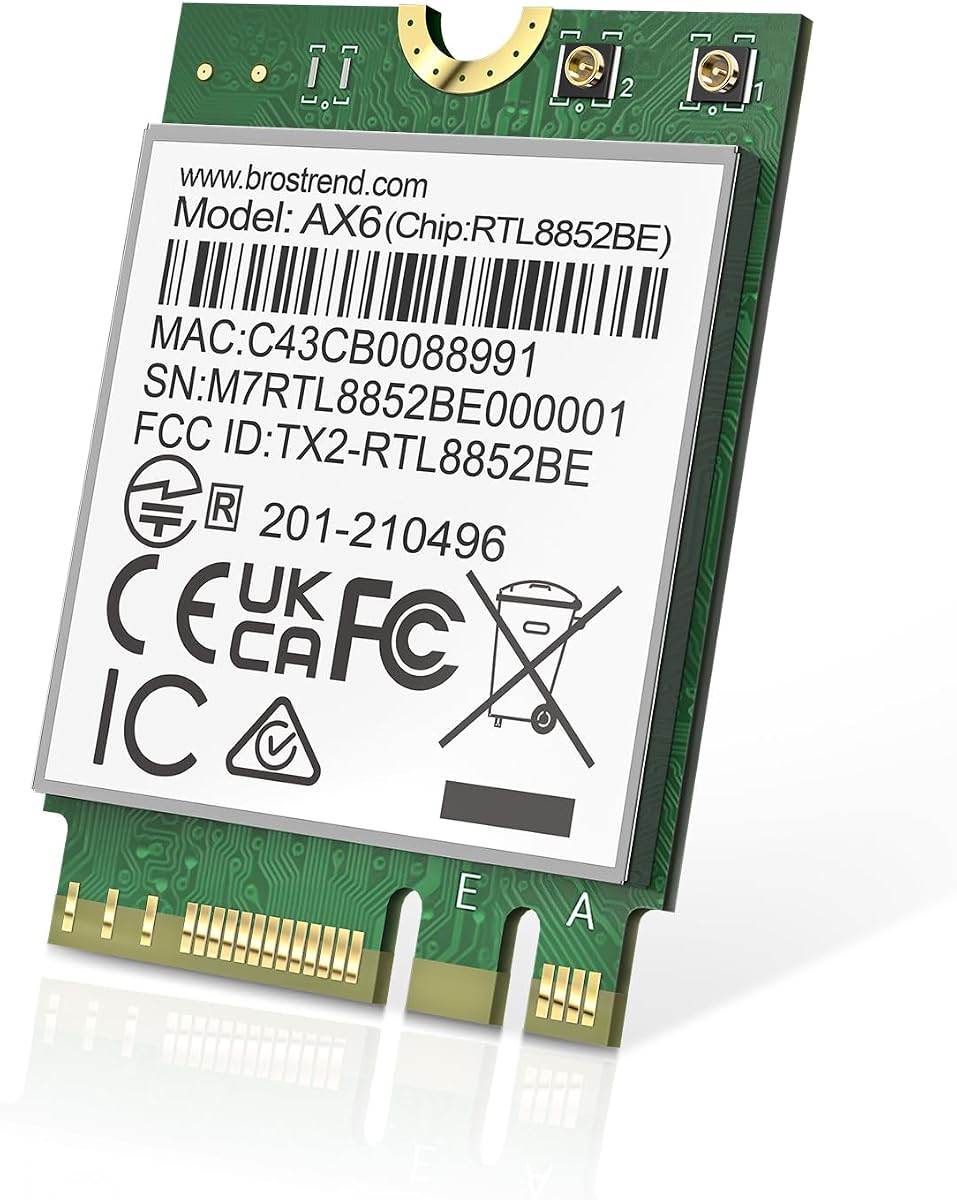

The AX210NGW DTK WiFi Card stands out as a reliable choice for users seeking Wi-Fi 6E performance. With a strong rating of 4.5, it balances high throughput with essential Bluetooth 5.3 features effectively.
We may earn a commission when you buy through this link, at no additional cost to you.
Its standout quality is the full kit including antennas and brackets. The Intel AX210 chipset enables tri-band operation which reduces congestion significantly. This allows for smoother 8K streaming and VR experiences without lag.
The trade-off involves managing external antennas and cables. While this improves range you need space on your case. However the included 5dBi high gain antennas usually compensate for any signal loss during installation.
Buy this if you want a complete upgrade kit with proven compatibility. It works with major brands like ASUS and Netgear routers. The TWT technology also helps preserve laptop battery life during extended use.
The included 5dBi high gain antennas significantly improve signal penetration through walls compared to standard internal modules.
Access to the 6GHz band ensures you are ready for the latest router upgrades without needing a new card.
We may earn a commission when you buy through this link, at no additional cost to you.
The GLOTRENDS WA01 offers an accessible entry point for desktop upgrades. Rated 4.1 it excels in providing a flexible bridge for M.2 modules to standard PCIe slots. It is ideal for builders on tight budgets.
We may earn a commission when you buy through this link, at no additional cost to you.
Its key strength is broad compatibility with many chipsets including future Wi-Fi 7. The 6-dBi SMA antennas deliver excellent range. This adapter lets you swap modules without replacing the whole system unit.
One trade-off is the Bluetooth connection method which requires a USB header cable. This adds a step to installation but is manageable for most PCs. Also note it lacks CNVio2 support for certain Intel CPUs.
Choose this adapter if you already own a WiFi module or plan to buy one separately. It is perfect for custom PC builds where flexibility matters most. The low price makes it a safe experimental option.
This adapter supports nearly all standard M.2 Key E WiFi modules including Broadcom Realtek and Atheros options.
The included 6-dBi antennas offer superior signal strength compared to standard dipole antennas found in other kits.
We may earn a commission when you buy through this link, at no additional cost to you.
The 10Gtek adapter is designed for versatility across different desktop chassis. With a 4.4 rating it offers robust support for A+E Key modules. It effectively moves notebook cards into desktop environments seamlessly.
We may earn a commission when you buy through this link, at no additional cost to you.
Its ability to fit various PCIe slots makes it very practical. The included cables ensure Bluetooth works out of the box. Users appreciate the full height baffle which adds stability to the internal connection.
You must note it does not support CNVio2 protocols. This limits compatibility with some newer Intel laptops. However for standard desktop upgrades it provides reliable performance. The drivers are standard Intel ones.
Buy this if you need a reliable bridge for notebook cards. It is well built and works with both AMD and Intel systems. The included accessories make installation straightforward for standard builds.
This card allows you to upgrade older desktops with modern M.2 WiFi modules that normally require laptop slots.
It expands to x1 x4 x8 or x16 slots giving you freedom to use any available PCIe slot in your case.
We may earn a commission when you buy through this link, at no additional cost to you.
The QCNCM865 represents the cutting edge of connectivity with true Wi-Fi 7 capabilities. Rated 4.1 it delivers massive speed improvements over previous generations. This is the top choice for enthusiasts needing maximum throughput.
We may earn a commission when you buy through this link, at no additional cost to you.
Its standout feature is Multi-Link Operation which allows simultaneous band usage. This drastically lowers latency for gaming and VR. The card supports 320MHz channels enabling speeds up to 5.8Gbps theoretically.
The main trade-off is the requirement for a Wi-Fi 7 router. Without one you fall back to standard speeds. Additionally it demands the latest Windows 11 24H2 version for full Bluetooth and features functionality.
Invest in this if you have a high-end router and gaming PC. It ensures you are ready for future networks. The 6GHz support provides a clear path to interference-free high bandwidth data transfer.
Multi-Link Operation allows the router to switch bands instantly to avoid congestion reducing lag significantly.
Utilizing 4K QAM and 320MHz bandwidth this card unlocks the highest speeds available on modern Wi-Fi standards.
We may earn a commission when you buy through this link, at no additional cost to you.
This WiFi 6E AX210 Card is a solid pick for standard laptop upgrades. With a 4.6 rating it delivers proven Intel AX210 performance. It is designed to work seamlessly with Windows 10 and 11 systems.
We may earn a commission when you buy through this link, at no additional cost to you.
Its strength lies in being a pure module without extra kits. You get the tri-band experience with 5400Mbps total capacity. The Bluetooth 5.3 adds low latency support which improves peripheral connections significantly.
The trade-off is that it typically does not include external antennas. This means you rely on internal ones which might be weaker. Ensure your laptop has a good internal antenna system before buying this card.
Buy this if you need a direct replacement for an older module. The support and warranty are strong points. It is a safe choice for users wanting stable connectivity without complex installation steps.
The high rating reflects consistent performance across various laptops making it a low-risk upgrade option.
Drivers are readily available from Intel ensuring long term compatibility with OS updates.
We may earn a commission when you buy through this link, at no additional cost to you.
The OKN AX210 WiFi Card offers robust performance for modern laptops. Rated 4.6 it improves on the older AX200 with better efficiency. This card is designed for users needing reliable 6GHz connectivity.
We may earn a commission when you buy through this link, at no additional cost to you.
Its key feature is support for WPA3 security. This ensures your connection is secure against modern threats. It also brings MU-MIMO which helps with multiple device connections simultaneously without throttling speed.
The trade-off is that you need to connect antennas yourself. The card is bare without a kit. Also you must download drivers manually from Intel. These steps are minor but require some technical comfort.
Choose this if you want a proven AX210 module with solid security. It is compatible with both AMD and Intel CPUs. The low latency makes it great for gaming on the go.
Support for WPA3 ensures your data is encrypted with the latest standards protecting your privacy online.
MU-MIMO technology allows you to send data to multiple devices at once improving network responsiveness.
We may earn a commission when you buy through this link, at no additional cost to you.
This AX210 NGW Wireless Card comes with a comprehensive kit for installation. Rated 4.4 it includes everything you need like 8dBi antennas. This makes it very convenient for desktop upgrades where antennas are critical.
We may earn a commission when you buy through this link, at no additional cost to you.
The 8dBi high gain antennas are a major advantage. They provide stronger signal penetration than standard options. The tri-band support ensures you can use 6GHz for less congested high-speed transfers.
The trade-off is that it requires specific motherboard slots. It does not support CNVio2 which limits Intel laptop options. However for desktops it is an excellent choice. The included brackets simplify mounting.
Buy this if you want a plug-and-play desktop solution. The antenna quality is high and supports good range. It is ideal for users who need a full upgrade package without sourcing parts separately.
The included 8dBi antennas offer higher gain which improves throughput especially in large homes or offices.
Included low-profile and full-height brackets ensure the adapter fits securely in any standard PC case.
We may earn a commission when you buy through this link, at no additional cost to you.
This QCNCM865 variant focuses on next-gen speed potential. Rated 4.4 it offers 5800Mbps theoretical throughput with MLO. It is designed for enthusiasts who need every bit of bandwidth possible.
We may earn a commission when you buy through this link, at no additional cost to you.
Its standout quality is the MLO feature which lowers latency. Combined with 4K-QAM it handles large file transfers well. Bluetooth 5.3 adds connectivity for peripherals with lower power consumption.
You need a Wi-Fi 7 router to see full benefits. Otherwise it falls back to lower speeds. Also it supports Windows 11 only. This limits use for those on older systems or dual boot.
Buy this if you have the hardware to support it. It is future proof for new networks. The 6GHz support ensures you can bypass 2.4GHz congestion for critical tasks.
MLO technology allows simultaneous use of multiple bands increasing total available bandwidth for your devices.
4K-QAM allows more data to be transmitted over the same airwaves compared to previous standards.
We may earn a commission when you buy through this link, at no additional cost to you.
The BrosTrend AX1800 Card is a cost-effective dual-band solution. Rated 4.4 it delivers 1800Mbps which is ample for standard streaming. It is a great choice if you do not need 6GHz bands.
We may earn a commission when you buy through this link, at no additional cost to you.
Its strength is compatibility with Linux systems. This is rare for WiFi cards. The Bluetooth 5.2 support ensures good peripheral performance. It is easy to install in standard M.2 slots.
The trade-off is the lack of 6GHz. This limits you to older WiFi 6 routers. Also Bluetooth 5.2 is slightly older than 5.3. However the price is usually very low.
Choose this if you are on a strict budget. It works well for general tasks and gaming. If you need Linux support this is a top choice for M.2 upgrades.
Compatibility with Linux makes this card a rare and valuable option for developers and open source users.
At a low price point it offers solid Wi-Fi 6 performance without breaking the bank for casual users.
We may earn a commission when you buy through this link, at no additional cost to you.
The Intel Killer BE200 Card offers flagship performance for Intel systems. Rated 4.6 it supports Wi-Fi 7 and Bluetooth 5.4. It is ideal for gamers demanding ultra-low latency connections.
We may earn a commission when you buy through this link, at no additional cost to you.
Its standout feature is the Killer software suite. This manages traffic to prioritize games. The 5.8 Gbps max speeds ensure high bandwidth. It is designed for next-gen router compatibility.
The trade-off is strict Intel processor compatibility. It does not work with AMD systems. Also it requires a PCIe Key E slot. This limits laptop upgrades unless the hardware supports it.
Buy this if you have a high-end Intel gaming PC. The speed and latency features are unmatched. It is a premium choice for users wanting the absolute best wireless experience.
Killer technology intelligently prioritizes game data packets to reduce lag during online sessions.
Bluetooth 5.4 provides faster connection times and better range for wireless peripherals.
We may earn a commission when you buy through this link, at no additional cost to you.
Selecting the right WiFi card depends on your motherboard and desired speeds. Use this guide to identify the key factors that match your specific needs.
The chipset determines your speed and features. Intel AX210 supports Wi-Fi 6E while newer options offer Wi-Fi 7. Always check your motherboard compatibility first.
Look for an AX210 for stability or a BE200 for high-end performance.
Tri-band cards add 6GHz support which reduces interference. This is vital for high-speed gaming or streaming. Dual-band cards are cheaper but more congested.
Prioritize tri-band if you live in a crowded area.
Many adapters do not include antennas. Check if 5dBi or 8dBi antennas are included. External antennas improve range significantly.
If installing in a desktop, ensure the kit has brackets and cables.
Bluetooth 5.3 and 5.4 offer better range and lower power. Check if the card supports the latest version for your peripherals.
Newer versions reduce interference with other wireless devices.
Official drivers from Intel or the vendor are essential for stability. Verify availability for your operating system before buying.
Linux users should check kernel compatibility for drivers.
Ensure your motherboard supports M.2 Key E. Some laptops use CNVio2 which is incompatible. Check your slot type carefully.
Desktop adapters usually require a PCIe bracket and cable.
Newer cards often require Windows 11 for full features. Older systems might not support the latest drivers.
Check system requirements to avoid installation issues.
Budget cards cost less but lack the 6GHz band. Premium cards offer Wi-Fi 7 but need expensive routers.
Match the card to your current router to avoid wasted money.
First ensure your computer is powered down and unplugged. Open the case to access the M.2 slot. Locate the existing module if present and unscrew it carefully.
Second insert the new card into the slot at a slight angle. Press it down and secure it with the screw. Connect any antenna cables firmly to the ports.
Third close the case and power on your system. Download and install the latest drivers from the manufacturer. Reboot your computer to finalize the setup.
Not all. You must verify if your slot is Key E or CNVio2. Some Intel cards like AX201 only work with CNVio2. Standard AX210 works with Key E.
Many cards like the AX210 work well with Linux. You may need to install specific drivers. Check kernel 6.5 or higher support for best results.
Desktop adapters usually need external antennas for best range. Internal laptop cards rely on internal antennas. Check the kit contents for cables and antennas.
AX210 supports the 6GHz band for Wi-Fi 6E. AX200 is limited to 2.4 and 5GHz. AX210 also offers better Bluetooth connectivity.
Most support Windows 10 and 11. Wi-Fi 7 cards like the BE200 often require 11. Check specific product details for OS requirements before buying.
Yes if the mini-PC has an accessible M.2 Key E slot. Ensure there is space for any included brackets or cables inside the case.
We reviewed ten top options ranging from budget adapters to premium cards. The AX210NGW DTK and QCNCM865 stood out for reliability and speed respectively.
Prioritize compatibility with your motherboard and router before choosing. Ensure you have the correct slot type for a smooth upgrade experience.
Prices change often so verify current listings before buying. Investing in the right card ensures your system stays ready for modern network speeds.